413692021_forward_400.jpg

You Shouldn’t Let Opportunity Cost Dictate Your Path Forward

413692021_forward_400.jpg

Have you ever felt the anxiety of missing out on something for no real logical reason? This fear, also known as the “fear of missing out,” (or FOMO) is applicable not just in social situations, but in the business and professional world as well. The concept might seem rather juvenile in nature, but it is a very real thing that can influence your actions… and not always in a positive way.

To help reframe this juvenile outlook on the acronym, perhaps a better way of looking at this concept is to call it the “fear of missing opportunities.” In this sense, FOMO could mean losing out on a potential business venture because you were simply too late to jump on board. Maybe your dream client signed on with one of your competitors, or you missed out on investing in a local organization only to find that the organization becomes wildly successful and, much to your chagrin, they remember you turning them down all those years ago.

Now, how does this influence your behavior as a business professional? Maybe you take on any and all opportunities, despite not having nearly enough time or energy to keep up with these obligations. This inevitably leads to burnout, and when you later have to cancel obligations, it disappoints the parties involved. It’s not a good look for you or your company.

There is also the direct opposite of FOMO called the “fear of better options,” which is when you let the possibility of better options get in the way of making important decisions. Maybe you don’t want to commit to something in particular because there is always something bigger and better around the corner.

This “fear of better options” can also influence your decisions when it comes time to purchase technology for your business. What if you purchase technology now, only to find that a better model is going to be released next year? What if you implement the wrong solution? These questions can nag at you in the back of your mind and paralyze you into inaction.

The best way to handle the “fear of missing opportunities” and “fear of better options” is to take a close look at the opportunity cost of said interactions or options. For example, let’s say that you want to do business with a particular client. However, the workload that you pull for that client is not necessarily in line with the compensation that you receive. The client has been loyal for years, so you are afraid that you might be missing out on opportunities. In this case, the numbers don’t lie; if you can make the same amount of money off of other clients by doing less work overall, then you should do it. The opportunity cost of working with one client is simply too great to justify clinging to them.

Applying this once again to technology, maybe you are in the market for a new software solution, and it’s one that promises immense boosts to your productivity. However, there is no real reason or need for you to upgrade–at least, that’s what the logical part of your brain is telling you. But there’s that nagging “what if?” in the back of your mind that makes it hard to resist. You again perform the opportunity cost analysis; is purchasing this now going to have real, long-term effects on your business’ growth? Or could you wait a little while longer and get it when you are in a better position to do so?

NuTech Services wants to help you make these difficult technology-related decisions. There should be no FOMO or FOBO with technology when you work with a managed service provider. We do our market research and help you get the best options that fall within your company’s means. To learn more, reach out to us at 810.230.9455.

troubleshooting_92323916_400.jpg

A 5-Step Guide to Troubleshooting Technology Problems

troubleshooting_92323916_400.jpg

When something goes wrong, it makes sense that you have a process in place to go over the issue and find a solution. This process, also known as troubleshooting, will have several variables that must be accounted for, but the general process itself remains unchanged. Here are the five steps to troubleshooting any problem, as well as ensuring that the issue does not become more problematic in the future.

Collect Information

The first part of the troubleshooting process is to collect as much information as possible about the problem. What is the issue you are experiencing? What is the scope of the problem? Is it localized to your computer or is it a network-wide issue? Either way, you will need to collect as much information as possible so that you can make the best decision regarding how to approach the issue. It helps to try replicating the issue and documenting how you came about it.

Analyze Your Approach

Once you have collected enough information, it’s time to put that information to use and determine the appropriate path forward. Go through the information with a fine-toothed comb and examine which information is relevant to resolving the problem. You will likely change up your strategy for resolving the issue depending on what you discover and the amount of information you have collected, if enough is available at all. Use this information to build out a detailed plan to tackle the issue at hand.

Implement Your Solution

With a solid plan of action, you can take steps toward implementing a solution that addresses the issue at hand. Again, we want to emphasize that you should only act if you are confident that your fix actually addresses the problem you are experiencing. If you are not confident that you can solve the problem, then it is critical that you do more research, as implementing a solution incorrectly or under the wrong circumstances could simply make the problem worse.

Assess the Solution

Following the implementation of your solution, it should become clear whether or not the solution actually worked or not. Of course, sometimes solutions are little more than stop-gaps, or short-term fixes that resolve the problem now while you figure out a better one. It’s important that you know the difference between the two and to have realistic expectations about whether or not your solution will stand the test of time.

Document the Process

Once the solution has been implemented and it has been deemed an appropriate fix, you should update your internal documents with information on the fix so that you can prevent the issue from becoming quite so bad in the future. Be sure to detail what the resolution process was, from start to finish, in the most clear terms possible. Write up the documentation so that anyone who needs to consult it in the future can do so without feeling like they are in over their head.

If all of this sounds like a bit much to handle, don’t worry! Need a hand with troubleshooting technology issues with your business? NuTech Services can help your organization overcome any and all technology troubles you might encounter during your day-to-day operations. To learn more, reach out to us at 810.230.9455.

378736467_vcio_400.jpg

How a Virtual CIO Can Change Your Business for the Better

378736467_vcio_400.jpg

We often talk about how some businesses do not have the budget to hire technicians to perform regular maintenance on their IT infrastructures, but what about the one behind the scenes calling all the shots? If companies cannot hire technicians, then it stands to reason that they also cannot afford someone at the executive level who manages their workload. The concept of the virtual chief information officer, or virtual CIO, challenges this notion by providing access to technology leadership for small businesses.

What is a Virtual CIO?

A virtual CIO is, in essence, the same as your traditional CIO, just in a virtual capacity. By this we mean that the virtual CIO is an outsourced IT resource, usually a contact at a managed service provider or company, who handles duties related to your organization’s IT strategy.

The biggest difference, but also one of the largest benefits, is that a virtual CIO takes a more holistic look at your organization’s IT strategy and how to align it with your business goals. This ensures that each and every decision made in regards to your technology also works toward your specific business needs.

To emphasize the difference between the virtual CIO and your average technician, consider this; technicians are generally responsible for addressing technology issues that interfere with day-to-day operations, and while the CIO might be involved in this in some capacity, their general duties consist of taking the big-picture view of your IT rather than the smaller moments. The virtual CIO might put together a technology roadmap or focus their efforts on new technology implementation to ensure that your company stays on the path toward its business goals.

What are the Benefits of a Virtual CIO?

The first and most notable benefit is the price associated with a virtual CIO. By virtue of the position, the traditional CIO is a C-suite executive, so by virtue of the position will require more compensation. Small businesses cannot always afford such an investment. A virtual CIO makes these skill sets more accessible to small businesses through the use of more affordable monthly payments. Similarly, the cost of searching for an in-house CIO is eliminated, further increasing the value of outsourcing these responsibilities.

There is also a level of objectivity that you get when you outsource your virtual CIO needs. Just think if you gave the role to someone within your organization; they would naturally have a subjective view of your company that is influenced by their own perceptions and biases associated with it. Someone from outside the organization will be more likely not to let their own opinions influence what is best for your company. It’s the big reason why many companies will hire external auditors and consultants–so they are not influenced by their own personal attachments within the company.

If your organization does not have someone helming its IT strategy, then NuTech Services would be happy to step into this role. We can help you make intentional decisions with how you implement technology solutions, utilize data, and handle infrastructure growth. To learn more, reach out to us at 810.230.9455.
280836698_voip_400.jpg

Voice over Internet Protocol May Sound Complicated, but It Can Save You Money

280836698_voip_400.jpg

Good communication is more important than ever, especially today when margins are thinner and remote collaboration is a staple for many organizations. Today, we want to share with you four benefits that come from utilizing a hosted VoIP solution.

Benefit #1 – Cost Reduction

It’s often the case that small businesses struggle to pay the bills necessary for services from high-profile, big-name companies, leading them to instead invest in cloud-based solutions that can save them money and fit neatly into their budgets. Hosted VoIP is managed and maintained by the provider, meaning that the costs are vastly reduced. Plus, companies who use VoIP don’t have to spend money to run additional phone cables throughout their site of business; VoIP uses your Internet connection, and since VoIP-enabled phones can plug right into your workstation or other hardware, they are incredibly easy to add to an existing infrastructure.

Benefit #2 – Flexibility

One huge benefit of VoIP is that it gives businesses flexibility. You pay for the services on a month-to-month basis, and since you are essentially using an application rather than true hardware, you can choose the device you want to use it on, be it Android or iOS or even your desktop. Yes, that means no more long contracts or large up-front costs associated with them. Plus, if you need to add a new user, all you have to do is add an account and set up the software on the phone.

Benefit #3 – Mobility

VoIP accounts come with the ability to sync a mobile device to the number, allowing users to use their own personal mobile device for business calls from the same number as their office phone. Some businesses might pay a premium to get their employees on their preferred mobile platform, a process which can include buying mobile devices, paying for services and data plans, and more. Through VoIP and a Bring Your Own Device (BYOD) policy, you get all the benefits of a built-in mobile platform without adding further costs to your budget.

Benefit #4 – Options

One of the biggest benefits that a VoIP system provides for businesses is the sheer number of options available for communication and collaboration. Today, these options are absolutely critical and one of the biggest reasons that organizations have managed to stay afloat. Through the use of video conferencing systems and other great features, employees can stay connected even while out of the office.

NuTech Services can help your business thrive with a VoIP solution. To learn more about how we can get you set up with an enterprise-grade VoIP system at a fraction of the cost of your traditional phone system, reach out to us at 810.230.9455.

267524919_software_400.jpg

Mission-Critical Software for Small Businesses

267524919_software_400.jpg

With so many types of business software solutions out there, you might not immediately know what you should aim to use and why. Thankfully, while there are countless types of businesses and organizations out there, some staple applications make their way into most offices, giving your company a decent starting point. Let’s take a look at what some of these software programs are and why you might want them.

Productivity Suites

Nothing beats a good productivity suite that includes a word processor, spreadsheet program, presentation software, email client, and calendar management platform. A productivity suite is practically a necessity in today’s workplace. Some of the most common ones include Microsoft 365 and Google Workspace, but other more specialized positions may also make use of others, like the Adobe Creative Cloud.

Voice over Internet Protocol (VoIP)

Unlike the antiquated telephone systems of old, Voice over IP technology allows companies to use their Internet connection as a voice communication tool. VoIP also helps by reducing costs and setup time. Many VoIP solutions can simply exist as an application that is downloaded to your chosen hardware, be it a desktop, laptop, or smart device, and its ease of implementation means that you can cut back on unnecessary infrastructure additions while still getting the tools you need to thrive.

Password Management

As the first line of defense against threats, the password is an incredibly important tool. While it has been going out of style with the use of multi-factor authentication, this does not diminish its importance. Password management tools allow your company to leverage complex passwords without the annoyance of having to remember them all. Password management tools store your passwords in a protected vault, calling them only when needed.

Antivirus and Other Security Solutions

You cannot gloss over your company’s security. This is much more involved than simply implementing a firewall—rather, you need to implement solutions that can protect your network and all endpoints connected to it. Both small businesses and large enterprises fall victim to hacking attacks every day, so take extra care to ensure that your business is protected from viruses, malware, and other nasty entities that make their home on the Internet.

Virtual Private Network (VPN)

Encryption is a powerful tool to help your business keep data and privacy intact, particularly in today’s remote workplace setting. A VPN encrypts data sent to and from a device, improving security while on unsecured networks. This is great for keeping your data private while on unsecured Wi-Fi connections while traveling or while away from the safety of your office.

Does your business need a hand with implementing software solutions? NuTech Services can help. To learn more, reach out to us at 810.230.9455.

374847019_technology_business_400.jpg

Read This to Learn How Technology Can Help You Build a Better Business

374847019_technology_business_400.jpg

With so much competition in business today, it’s no surprise that companies are always looking for the next big thing to get ahead. One way these companies can improve operations and kick their businesses up a notch is through the use of the right technology. With the right IT on your side, you can make a significant difference between yourself and others in your chosen industry.

Improved Potential for Productivity

When you implement a new solution or upgrade to a new technology, there needs to be some sort of benefit to doing so. Otherwise, there is no point in implementing it. The technology implemented to improve productivity might vary by industry or business type, but the productivity benefits are universal. To start taking advantage of these benefits, consider your company’s weak points and think about products that you can implement to solve them.

Enhanced Communication Options

If you can improve communications, then you can effectively improve your business. Whether it is the internal communications you use between departments or the external ones used to contact customers and vendors, the right communication tools are incredibly valuable. If you can make these processes easier, the experience on both the employee and consumer sides can be improved dramatically.

Better Opportunities to Satisfy Customers

Customer service is another major part of running your business that technology can aid with. Fulfillment can be made much smoother and more efficient, and with the right tools, organizations can provide customers with even greater support options. For example, chatbots, service portals, ticketing systems, automated phone systems, and so on can all improve the customer experience.

Decreased Capital Expenses

Technology provides businesses with the opportunity to convert capital expenses, which are generally unpredictable in nature, into predictable and stable operational expenses. This means that you won’t be dropping huge amounts of cash at a time and instead are taking advantage of smaller, more manageable payments, freeing up money in the budget for other opportunities.

If you can effectively leverage the right technology tools, your business will surely see improvements in its operations. NuTech Services can help you with every stage of the technology implementation process, from conception to procurement to management. To learn more, reach out to us at 810.230.9455.
209006232_POS_400.jpg

4 Ways to Get the Most Out of Your Point of Sale System

209006232_POS_400.jpg

For many small businesses, the Point of Sale (POS) system is the main workstation. As a result, many of your business’ core processes run through it. If you aren’t taking advantage of some of the built-in features that most POS systems can provide, you may be leaving dollars on the table. 

The point of sale system is not just a cash register. It is a wholly integrated digital hub for the management of your business, but many businesses don’t take advantage of some of the most advanced options. Let’s take a look at the best practices of utilizing your business’ POS system.

#1 – Choose the Right Terminal Structure

The POS system needs terminals in order to function and there are several different iterations that the front end of your POS system can look like. Since the main benefit of installing a POS system is to build efficiency, choosing the right one for your business has to be a major consideration. Let’s take a look at the four ways POS systems can be deployed.

  • In-store – On-premise POS systems are the norm. This means that you host your server at the place of business and run your POS system through that local hardware. In-store POS systems are great for smaller businesses that don’t need a lot of back-end computing hardware to do what needs to be done. Many retail and hospitality businesses use this method. They come with some increased costs (mainly because of the need for hardware and consistent maintenance), but are known to be easy to use and secure. 
  • Cloud-hosted – Pushing your POS system to the cloud has major advantages as your capital costs will be significantly reduced. You also don’t have to worry about maintaining your solution as the provider will likely take on that role. Most cloud-hosted POS systems are affordable and available, just as long as you have an Internet connection. The problem, just as with any other cloud computing platform, is that security can be a point of contention and if your Internet goes down, so does your ability to use your POS system.
  • Mobile – Mobile POS systems (mPOS) is a POS system that is used through a tablet or phone. This method can save your business a lot of money and it allows you to take your POS system on the go if need be. The main drawback is that the hardware associated with this type of system will likely need to be repaired and replaced as smartphones and tablets can be damaged pretty easily. 
  • Kiosks – Finally, one of the POS systems that is gaining the most popularity is the self-service kiosk. This cuts down on the need for customer interaction, so if your business is looking to cut costs, having kiosks set up that allows customers to check themselves out is a good way to do that. Unfortunately, many customers just aren’t technologically savvy enough to make use of these systems and you run the risk of complaints from customers having difficulties with the system. 

To choose the best type of POS system for your business, you will need to understand your customers. For retail businesses, you will want a barcode scanner integrated into the system as well as a reliable printer. For a restaurant, you will want a scheduling program that can keep guests from being backed up or having to be turned away. For a salon, you will want one that integrates with online booking systems and membership points programs. Understanding your business and your customers can go a long way toward getting the POS systems that can really make your business more efficient.

#2 – Understand POS features

There are admittedly a lot of different POS systems to choose from, but most of them will come with more than just the hardware and transactional software that you directly interact with. Other features your POS system might have include:

  • Inventory control
  • Payment processing
  • Return pricing
  • Labor management
  • Integrated Enterprise Resource Planning (ERP) capabilities including supply chain management
  • Reports and analysis

These features can make up a lot of the gained efficiency your business would see by using the POS system. POS systems can keep inventory pretty simple, a major benefit for any type of business, but with the integrated ERP capabilities, users can now control their entire supply chain from their POS system. Of all of the features, this one will be most useful to build added efficiency. 

For example, say you run a restaurant and want to utilize this feature of your POS. With a label maker, you can manage your inventory by slapping a barcode on every product that you take in. Instead of having staff spend hours trying to come up with a list of produce, meat, etc., you can simply look at your inventory on your POS system to easily make orders when you need them. You can set up alerts to ensure that you have everything in stock when you need it, a must for most businesses. 

POS systems can handle any time management problem your business can have: Scheduling, reservations, and employee time can be tracked simply through a POS system. With cloud-hosted systems, scheduling and other employee information can be shared online to ensure that your business has its shift staffed and covered competently. 

By using all the features of the POS system, your whole business is tracked inside the system. This gives users the ability to customize reports that will allow them to analyze operational information and make adjustments as needed.

The POS system can be one of the most frustrating tools, or it can be a complete benefit for your business. Choosing the right tools will help make it work. At NuTech Services, our knowledgeable consultants can help you choose the right tools for your situation, deploy those tools, and support them as they support your business. Give us a call today at 810.230.9455 to learn more.

345328536_error_400.jpg

4 IT Errors Every Small Business Needs to Avoid

345328536_error_400.jpg

Technology is often a source of struggle for small businesses, usually for one of two reasons. Either the strong IT leadership needed isn’t there, or there aren’t enough resources to support the level of IT management and maintenance that businesses need. Of course, there are other mistakes that can easily be made when it comes to a business’ technology management.

Let’s go over four of these mistakes.

Failing to Focus on Your Overall Goals

You don’t have to tell us that “the next big thing” in technology is always an intriguing idea. The real problem is “the next big thing” isn’t always “the thing you need.” However, adding new pieces of technology without a cohesive strategy often results in an overcomplicated network. This then can start a cascade of potential problems, ranging from hardware failure to full-blown security breach. What’s worse is that your business may not be ready to handle the new technology.

No, it is far better to first identify how a technology can help you toward your organization’s goals, and only then implement it.

Not Planning for Long-Term Success

It is critically important that you look to the future of your business and make plans to ensure its growth. This means that you need to not only choose solutions that fulfill your needs now, but that could scale to meet whatever those needs might look like in the future. Relatedly, your longevity also relies on how well you’re prepared to handle a crisis. Having business continuity preparations—data backup and disaster recovery, specifically—will help ensure that you can recover quickly, should you ever need to do so.

Falling Short in Security

Have you ever thought that, since you run a small or medium-sized business, cybercriminals simply wouldn’t waste the time to attack you when there are much larger, potentially more lucrative businesses to target? While some cybercriminals may prefer to target the big guys, others are more than happy to try and take the sensitive data that you’ve collected and generated over time. It’s guaranteed that you also have something that a hacker will want, whether that’s sensitive data, access credentials, or financial information. Unless you’re willing to risk your entire business on the incredibly unlikely chance that you’ll never be targeted (disclaimer: don’t), you need to properly invest in your business’ security.

Waiting Until Something Goes Wrong to Act

Proactivity is a good practice in many disciplines, but when it comes to proper IT maintenance, it’s now practically essential. While many businesses still rely on the traditional break-fix approach of yesteryear, this approach is no longer practical, or for that matter, practicable. Adding up the costs of the hardware that would need replacing and the downtime incurred, the price of this approach adds up faster than you might imagine. Proactive maintenance helps avoid these additional costs.

Of course, chances are that you wouldn’t call yourself a technology expert. That’s our job, which we do by providing businesses with the technology they need and the support to keep it running. That way, you and your team can focus more on what you do.

Find out more about what we have to offer by calling us at 810.230.9455 today.

162947308_server_room_400.jpg

How to Build the Perfect Server Room for Your Business

162947308_server_room_400.jpg

Your business relies on technology for access to an IT infrastructure. One such piece of technology that you use on a daily basis, whether you realize it or not, is a server. A company that has a single server might be able to get away with less-than-stellar server management policies, but those that have multiple servers should never be skimping on the environment in which their servers live.

Let’s outline why having dedicated space for your technology is important.

Enough Space for Hardware and Work

This should go without saying, but your server room needs to comfortably house your server units and any other equipment you need to keep them functional. On a similar note, you should make sure that there is enough room to perform maintenance on them, should the need arise at some point in the future.

A Controlled Environment

Servers are not your typical workstations or computers. While they might appear to just be another box lit up by flashing lights and drives, they are far more powerful and output a significant amount of heat. This is why you often see server rooms that have climate controls that account for temperature and humidity. In fact, server rooms often store the units in specialized cabinets that control these conditions. Too much heat and moisture can cause harm over time, and hurt the overall performance of your network.

The Ability to Scale for Growth

You might be designing your server room for your current infrastructure, but it’s important to keep in mind that your infrastructure is not going to remain the same for the entire time you are in business. It will likely grow and scale with your business’ prosperity, so you should also plan for a certain level of growth. This means making sure that you have room to add new units, additional cabling, and other technological solutions as needed.

Physical and Digital Security Solutions

The more people who have access to your server room, the more that could possibly go wrong with it. All it takes is one person not following the appropriate protocols, changing settings on machines, or improperly handling the hardware to send everything out of whack and create chaos. Your server room should be secured on the physical side as well as the digital side, preferably with biometrics and multi-factor authentication whenever possible.

Now, let’s say that you don’t want to go through all the trouble of customizing a room in your office specifically for your servers. Many organizations tend to store their data and servers in off-site data centers, choosing instead to access it through the cloud rather than hosting it in-house. This is a perfectly viable solution, even for a small business with a more limited budget. That’s where we come in!

At NuTech Services, we believe that small businesses should have access to the same great solutions and services as enterprises. If you are worried that you cannot afford such solutions and services—including server management—give us a call and find out what your options are! We are sure that we can help you out. To discuss the possibilities with one of our skilled technicians, reach out to us at 810.230.9455.

30922300_tech_terms_question_400.jpg

7 Technology Terms That End Users Should Know

30922300_tech_terms_question_400.jpg

No matter what role you are in at your company, be it management or otherwise, there are certain terms related to technology that you are going to want to be familiar with. Doing so will not only help you make the process of asking for help when it’s needed easier, but it will also help you stay current on business technology in general, leading to more awareness of what goes into a successful business technology strategy. Let’s discuss some of the important technology terms for everyday business operations.

Desktop

Your desktop can mean two different things; it is either the front-most screen when you are logged on to your computer, where you can see icons for the various programs installed on your computer and other folders for storage, or it can mean your entire work computer setup (monitor, tower, keyboard, mouse, etc). More likely than not, when you hear the word “desktop,” it will be in the context of the computer setup itself. Other times, it might be referred to as a “workstation.”

Hardware

On a similar note, hardware consists of the components that actually make the computer work. Hardware includes any bits and pieces inside the computer, as well as any equipment that might be used alongside the computer. Some examples of hardware might include the computer’s monitor, your keyboard, computer mouse, webcam, microphone, and any internal components, like RAM, the motherboard, etc. It’s just a fancy word that encompasses all of this.

Software

If hardware consists of the physical components of your computer, then the software consists of the digital components of your computer. Software includes your operating system and any programs installed on your computer. Examples might include the Windows or macOS operating systems, the Microsoft Office productivity suite, or Adobe Creative Suite.

Operating System

Your computer’s operating system is the thing that basically acts as the interface through which you do just about anything. Learning how to navigate the operating system is a critical part of any office worker’s day-to-day responsibilities, so we want to emphasize the importance of it. The operating system also plays a role in which software is compatible with your computer, as some might require a specific OS in order to be most effective. For example, for the longest time, Microsoft Office was most compatible with Microsoft’s Windows operating systems.

Help Desk

More often than not, if you run into technology problems while going about your day-to-day duties, you will be told to contact the help desk. The help desk is a group of IT professionals whose sole responsibility is to help you figure out the best solution to your technology problems. Most help desks have a phone number, email address, or even a live chat function to offer support.

Remote

If you managed to make it through the COVID-19 pandemic without hearing the term “remote” thrown around, then kudos to you. In business terms, “remote” means a location away from your normal desk or location of operation. It is often used synonymously with “working from home,” but these two should not be confused. Working from home is one way to work remotely, but it’s worth mentioning that “remote” just means “anywhere that is not your office.” You might also hear this term used in the context of “remote access,” as in accessing files and information without being physically connected to a network.

Cloud

Similar to “remote,” the cloud is something which allows for work outside the confines of your organization’s office. “Cloud” can refer to a location, i.e. storing data in the cloud for remote access, or it could be used to describe something, like cloud-based software. In either case, cloud technology, or cloud computing, is a means to an end, usually to improve the accessibility of resources like data, software, and in some cases hardware.

Even if all of this sounds a bit confusing, don’t worry; NuTech Services is here to answer any questions that you may have about technology. To learn more, reach out to us at 810.230.9455.
434375994_hdd_sdd_400.jpg

HDD vs SSD: What’s Best for Your Business?

434375994_hdd_sdd_400.jpg

When you purchase new technology for your organization, the decision is not always clear-cut. One decision that can be difficult is whether to implement hard disk drives (HDD) or solid state drives (SSD) for your desktops or other technology solutions. To help you make the best and most educated decision possible, we’re here to explain the differences and help you make the best choice.

Hard Disk Drives

Hard disk drives utilize spinning, rotating disks that write data to the drive. As you can imagine, this makes them a bit more prone to hardware failure than SSD, but don’t let this dissuade you from seeing their benefits. Compared to their SSD counterparts, HDD storage is cheaper and comes in extremely large storage sizes. This makes HDD great for storing large files such as images, videos, games, or audio. In general, the price per gigabyte for HDD storage is much lower than that of SSD, making them more budget-friendly.

Solid State Drives

Speed is the name of the game with SSD drives. Since SSD uses flash storage, it is able to load that data quicker and more efficiently than HDD. Furthermore, since they utilize flash storage rather than the spinning components used in HDD technology, they are less prone to hardware failure, though their ability to read and write data does degrade a bit faster than that of HDD. Historically, SSD has been more expensive than HDD, but it should be mentioned that the price of SSD storage has never been lower. 

Which Storage is Best for Me?

At the end of the day, SSD and HDD have different benefits that lend themselves to certain tasks. On the SSD side, since it runs at higher speeds and is more structurally stable, it’s ideal to store your operating system. On the HDD side, since it is generally cheaper and easier to purchase large amounts of data storage, it is beneficial to consider them for this purpose. Ultimately, you should only make decisions like this after weighing the appropriate costs to their potential benefits.

If you’re not technologically proficient, however, it’s not always clear what the right answer is. This is why it’s okay to rely on professionals like NuTech Services for this task.

NuTech Services can help your business procure any new hardware, and you can rest assured that any solution we suggest is made after careful consideration of your organization’s specific needs. To get started with the best technology solutions on the market, reach out to us at 810.230.9455.

245241002_knowledge_base_400.jpg

A Knowledge Base System Is a Great Tool to Streamline Operations

245241002_knowledge_base_400.jpg

If your business wants to improve operations, one way it can do so is with an in-depth knowledge base that encompasses its policies and procedures for anyone who might work for you or take advantage of your services. Businesses that are well-documented have a much easier time when it comes to onboarding new talent, and with a thorough enough knowledge base, customers and vendors will have an easier time working with you, too. Today we are discussing the different types of knowledge base systems and why they might be a good fit for your business model.

What Knowledge is Needed?

First, you need to determine what information you plan to include in your knowledge base. If you have no clue what to include, you might include too much information from too many topics, leading to far too much to dig through. On the other hand, failing to include enough information is just not going to be enough to help anyone. Consider who your audience is and what information would benefit their day-to-day duties.

If you can determine the information you want to share with your customers and staff, you can more effectively implement your knowledge base. What are their needs and concerns? What questions do they have for you? What part of your business receives the most requests for support? If you can answer these questions, you should be set to move on.

What Type of Knowledge Base Are You Focused On?

There are six types of knowledge bases, each with their own benefits and issues. Here are these types of knowledge bases, as well as what you must consider for each of them.

  • Internal: Internal knowledge bases are used by your employees, and they typically hold information about your policies and procedures with the main goal of making their jobs easier or more efficient.
  • Hosted: Hosted knowledge bases are hosted in the cloud and aim to make things easier for employees, customers, and vendors.
  • Self-Hosted: Similar to a hosted system, the self-hosted knowledge base works in the same way, but it is hosted on-site on company servers, allowing for more enhanced security.
  • Customer: Used to provide information for customers exclusively. Some businesses opt to just use a FAQ system, but this is still a good opportunity to provide support.
  • External: External knowledge bases are publicly accessible and available, and they are particularly helpful for marketing or sales teams for establishing a customer base.
  • Open-Source: Open-source knowledge bases, like wikis, are those that anyone can edit. These aren’t always great options for small businesses, but they can be valuable assets for those who want to gather like-minded individuals who are passionate about specific topics, and could be either used internally, or externally.

Businesses tend to lean toward the hosted or self-hosted options, as they are ideal for supporting both employees and customers.

What Kind of Content are You Creating?

Based on the results of your research in step one, you will want to connect with experts to build content for your knowledge base system. This will not be a short process, but once it is complete, you could potentially see a great return on that investment in enhanced productivity. You should always keep things simple when possible. If you use a question and answer system that is clear and easy to search, your knowledge base system should be able to provide answers that are clear, readable, engaging, and flexible.

Are You Reinforcing Your Content?

After building your knowledge base, you should update it periodically to make sure that it stays up-to-date and relevant. After all, workflows that applied six months ago but are no longer used are not going to help a new employee who was just brought on. Ask yourself every so often what information is needed and what information is not needed or no longer relevant.

NuTech Services can help you implement a knowledge base system that will reinforce your staff and streamline operations. To learn more, reach out to us at 810.230.9455.

351237782_true_value_400.jpg

The True Value of Managed IT Services

351237782_true_value_400.jpg

Technology management is a pain point for businesses, particularly smaller ones that might not have the vast amount of resources as larger organizations or enterprises. That being said, small businesses have a secret weapon that allows them to compete with larger businesses, and it comes in the form of managed IT services. What is a managed service provider, and how does working with one dramatically change the dynamic of your business’ operations?

What is a Managed Service Provider?

Since so many businesses struggle with technology management, we’ve made that entire premise our own business model, offering outsourced technology management services to organizations that need it. We are highly qualified to provide these services with trained technicians who have years of experience under their belts. In most cases, a managed service provider can basically act in much the same way as an internal IT department, but the real kicker is that there are a ton of other benefits to working with an MSP for your tech needs.

The Benefits

MSPs provide a ton of value for your business. In fact, even if you do have an IT department on-premises, we are confident that you can get some value out of working with an MSP like us. Here are some of the biggest benefits of doing so.

Lowers Costs

Hiring qualified in-house technicians can get expensive, especially if you want to hire top talent. Working with a managed service provider is actually cheaper and more effective for a budget than hiring multiple in-house technicians. Since you pay the MSP a monthly fee based on a service level agreement, it is easy to fit into your budget and it won’t break the bank.

More Convenient Service

Did you know that the majority of IT services your organization might need can all be administered remotely without an on-site visit? Sure, some things like running wires or setting up new hardware might require technicians to be present, but the vast majority of maintenance and management can all be done remotely. This saves you time and money, and since you can basically get the service you need when it’s needed, you won’t be left waiting around and incurring the costs of downtime in the process.

The True Value: Peace of Mind

You absolutely cannot place a value on the peace of mind you get knowing that your technology is being managed and maintained by a trusted provider. You will never have to worry about whether or not updates are being applied or if network security is being maintained. You can know with certainty that someone out there is always there, ready and able to manage any technology problems you might encounter throughout the workday. This translates into less stress and more focus on what truly matters: running your business the way it’s supposed to be run.

Get Started Today

NuTech Services works with small businesses to help them achieve their technology-related goals. By focusing all of our attention on ensuring your technology is in proper working order, you can then shift your focus to running your business and increasing profits. If you are ready to free yourself from the burdens of managing a complex technology infrastructure, don’t wait any longer—give us a call at 810.230.9455.

75230133_smart_goals_400.jpg

Use the SMART Model to Set Actionable Goals

75230133_smart_goals_400.jpg

When you started your business, you had a specific goal in mind. You wanted to prove something, to create something worth sharing with the world. We all have goals and aspirations, but it’s not always clear what the best path toward those goals is. Using a simple framework, you can maximize your odds of success and set great goals that you are much more likely to achieve long-term.

Created in 1980 by George Doran, SMART goals is a framework used for fleshing out goals that are Specific, Measurable, Attainable, Relevant, and Time-Bound. The idea here is that, by defining goals based on this acronym, you will have a greater understanding of the goals you seek to achieve, as well as how to achieve them.

One thing we would like to point out before diving into what makes a SMART goal is that goal-setting and habit-forming are two different things. The two are not interchangeable; strong habits are the impetus for achieving goals. Having solid habits is but one step toward achieving a goal, although it should be said that having a strong goal can provide motivation for building a habit.

Specific

The devil is in the details, or so they say. If you can answer a series of specific questions about your goal, then you will have a much better shot at achieving it. Here are some questions to consider for making your goal more specific:

  • Who is involved in making this goal a reality?
  • What is it you hope to achieve?
  • When do you want to work towards this goal?
  • Where is your goal taking place?
  • Why are you working toward this goal (this is perhaps the most important question of all)?

Measurable

A measurable goal is one that you can quantify somehow. In other words, you are using a unit of some sort to measure progress towards your goal. This might include profits earned, time spent, clients serviced, etc. You can also take this a step further by using milestones. For example, if you have a goal of replacing your office desktop solutions with new hardware, you could stagger progress toward this goal by department or units replaced.

Attainable

When asking yourself if a goal is attainable, consider just how far beyond your reach it actually is. Naturally, you don’t want to set a “safe” goal, i.e. one that you can easily achieve. While there is some merit to doing this early in the game, you should be challenging yourself and your business to extend beyond its reach. That said, your goal should not be so outlandish that it is impossible to reach. It should be just beyond your perceived ceiling.

Relevant

If a goal is relevant, this means that it is something that bleeds into more than one aspect of your organization. In other words, these goals are focused on what you truly want. This is especially helpful for getting your employees on board with the organization’s goals. If more profits mean more success for them and their careers, then they will be more likely to buy into the goals and strive to do their best to meet them.

Time-Bound

All good goals should have a concrete endpoint. Whether it is the end of the week or the end of the month, your goal should have an end date. You will either have completed your goal by this date, or you will have not completed it. You might be surprised by how much having an end date can influence your decision-making process while you are working toward the goal. You might find yourself making smarter choices, as no matter how much progress you are making, that end date creeps ever closer.

What Are Your SMART Goals?

Now that you know about SMART goals, what are some of your long-term goals to work towards? We bet some technology solutions and management from NuTech Services can help take some of the guesswork out of it. To learn more about how we can help you achieve your business-related goals, reach out to us at 810.230.9455.

225909757_cloud_business_400.jpg

3 Ways Your Business Can Utilize the Cloud

225909757_cloud_business_400.jpg

The cloud is a great tool that lets businesses of all industries and sizes revisit the way operations are handled, but it’s not always clear what the best approach is for your specific business. What are some ways that you can utilize the cloud, and why is it so important that you start thinking about these benefits now?

In a post-pandemic world, let’s take a look at how your organization can leverage the cloud.

Data Storage

One common issue for business professionals with multiple devices is having important files spread out across their devices. Even files that are stored on an in-house network cannot be connected to if the network isn’t hooked up to the Internet. The answer to this challenge is actually quite simple; hook it up to the Internet with cloud-based data storage!

Cloud-based data storage allows any connected device to access data, provided the appropriate permissions are in place. You can work on any file, anytime, from anywhere. This is especially useful when it comes to travel or working remotely. On-premise servers can take up a lot of physical space, electricity, and maintenance, so hosting in the cloud is the ideal solution for any organization that wants to improve data access.

Backup and Disaster Recovery

Your business needs to be able to handle any data loss incident in order to preserve your organization’s future. If the data is stored elsewhere on a different device, that’s one thing, but if the data simply ceased existing due to data loss, then you have a real problem on your hands. The gold standard for a while was tape-based backups which would be stored on-site, but these backups were at risk due to natural disasters and user error. Plus, they take up a ton of physical space; it’s safe to say that they are no longer the gold standard.

An automated data backup system that utilizes the cloud is a far superior option, as it can be deployed relatively quickly following any data loss incident. Since the backups are stored with more redundancy than tape, you will never have to worry about them being inaccessible or corrupted. More often than not, you will have a copy of your data that you can rely on in the event of an emergency.

Cloud Hosting

What the cloud does for data can also be applied to just about anything business-related. The possibilities are astounding if you don’t limit yourself to only using the cloud for file storage. For example, you can host applications like your Voice over IP phone software or your productivity suite for easy access on any connected device. The accessibility might not seem like much, but we assure you that it can be an incredible asset when implemented properly.

If you zoom out on this line of thought, you can also see the opportunity for hosting hardware solutions. For example, let’s say that you have a certain piece of legacy software that needs to run on a specific instance of a server operating system. However, all your servers run Windows Server 2019. Instead of hosting a server specifically for the legacy software, costing you valuable resources and potentially putting your network at risk, you can instead use a virtual server. This process, known as partitioning through the cloud, allows you to host-specific instances of operating systems in a virtual environment.

Leverage the Cloud Today

If your organization needs some assistance with implementing cloud-based technology, we’d love to help. NuTech Services is all about helping businesses optimize efficiency through the use of innovative technology solutions. To learn more about what we can do for your business, reach out to us at 810.230.9455.
302519878_IT_expanding_400.jpg

Should IT’s Role Be Expanding in Your Business?

302519878_IT_expanding_400.jpg

Every business’ goal is to turn enough of a profit, and some businesses are better at it than others. One way that modern businesses can improve their revenue generation is by utilizing technology to cut down on inefficiencies and fuel productivity through collaboration. Today, we’ll take a look at some of the ways that businesses can expand their business through technology. 

Communications

Finding the right tools to help you expand your business’ technology profile is important. We’re pretty confident that any business can utilize new communications technologies and it would improve their overall technology profile. Today’s tools include cloud-hosted solutions like a Voice over Internet Protocol telephone system, email, video conferencing, and cutting-edge collaboration apps that integrate all of the above into one productivity-fueling solution. 

Some communications platforms are unified, which means that they all work together to give your business the reliable and dynamic communications tools to ensure that the investment is providing fast and strong returns rather than just costing your business money without any boost to efficiency or productivity. 

Automation

When looking to expand the role IT plays in your business, the first place you should look is how you can use it to automate some of the more problematic parts of your business. When we say problematic, we mean the parts of your business that don’t necessarily produce any revenue, but need to be completed regardless. Automation lets business owners accomplish more by allowing them to utilize IT to complete tasks that are repetitive, while also gathering data. Some systems will gather data for analysis later, but other solutions that utilize artificial intelligence will merge the benefits by gathering data and using it to streamline the processes that have been scheduled for automation.  

Some of the parts of your business that can be improved by utilizing automation include: 

  • Inventory
  • Security
  • Supply chain management
  • Sales and marketing 
  • Customer relationships

…And more.

The use of automation can streamline processes, help create procedures, and help build your business by allowing your people to work in your business instead of on your business.

Security

If there is one part of your business that should be expanding it is its cybersecurity. Not for nothing, but all it takes is one major data issue to completely destroy your customers’ confidence in your business. Not to mention the corruption of your IT if malware or other issues get onto your network. Since nearly half of all cyberattacks are carried out against SMBs, and nearly two-thirds of all SMBs have experienced some type of cyberattack in the past 12 months, it stands to reason that making additional investments in your business’ ability to stave off hackers (and other cretins who are trying to steal your data and infiltrate your network), is a good idea. Some of the best ways to make a coordinated investment in cybersecurity include:

  • Regular risk assessments
  • Comprehensive staff training
  • Penetration testing
  • Network, server, and website audits
  • Additional software investments

These actions can help you avoid the following costs:

  • Theft (money, service, data)
  • System corruption
  • Regulatory and compliance fines
  • Legal fees
  • Loss of customer confidence
  • Loss of intellectual property
  • Damage to reputation

Security has to be a priority for every business. If you are considering expanding your cybersecurity program, procuring the tools you need to automate some of your business’ most repetitive tasks, or gain some of today’s most helpful collaborative tools, contact the IT professionals at NuTech Services today at 810.230.9455.

227241901_management_software_400.jpeg

How to Find the Right Management Software for Your Business

227241901_management_software_400.jpeg

Software is a major part of doing business nowadays. Not only do you depend on it to manage core functions of your business, that software can be purchased in multiple different methods. When choosing management software, your business needs to choose one that fits your needs, returns long-term benefits, and provides a platform that will help you build your company. Let’s go through some considerations you’ll need to consider when choosing management software.

What Is Your Problem?

There are literally scores of different titles out there that have been created to help companies like yours do business better, but some are better suited to your business than others. Where you should start when attempting to choose a management software is to look at your business’ problems. You need a management software that will help you best solve those problems. 

Typically these problems include: work redundancy, using too much software to keep everything straight, and lack of interdepartmental coordination. By identifying your business’ specific problems, you will be able to whittle down your options. In doing so, the solution you ultimately choose will do a better job of meeting your business’ specific needs.

Workflow Is a Major Consideration

In order to work for your company, your management software will need to support your business’ workflow. It’s important to map out your daily activities, how you track them, and what type of information you would like to collect. Those considerations will drive your decision-making process going forward.

What sets your business apart where you would need the ability to customize your new software? What problems are you constantly having? Which problems would you like to avoid? You’ll need to think about the purchasing of new management software like adding milk to cereal. Once you’ve committed, there’s no going back. The process of migrating your data, training your users, getting used to the new system, ironing out bugs, working around shortcomings, and everything in between can take a lot of time and effort.

Identifying Problems

As mentioned above, your new software will need to solve your business’ biggest problems. Sometimes identifying those problems is the problem. What you will want to do is to rank these issues by priority, with the most crucial issues taking on more weight. This will ensure that you will be making the right decisions when it is time to pull the trigger. Minor annoyances that don’t directly affect revenue streams can be dealt with later, but core issues that require large time and resource commitments need to be addressed here. 

Compliance and Other Qualifications

When choosing a software to run your business, you will need to understand all the requirements that need to be met before the buying process. Does your business operate with certain restrictions due to regulatory requirements? Do you need integrations with management software? Are you considering hosting this solution yourself or are you going to be using a cloud-hosted solution? How will this system help your sales and marketing teams? How will it affect your production teams? How much training will you and your staff need before you/they are proficient with the software? There are a lot of considerations you need to ask yourself before even shopping for the right software to manage your business.

Your Staff and Your Pocketbook 

If your staff is going to have problems with the user experience of a solution, it may be a major headache for your business. This shouldn’t discourage you from getting a solution that is right for your needs, but you should consider their ability to use it before committing. Most developers will provide a free trial of a software, so you should consider taking advantage of that so you aren’t wasting time and money on a solution that won’t be a long-term solution for your business.

That brings us to money. Some businesses would like to have all the bells and whistles that come with an enterprise CRM (Customer Relationship Management) title. The budget may say otherwise. You need to understand that as your business grows, certain software can grow right alongside it, and some are just too much for your budget and your situation at the moment. Be smart and don’t create more problems when trying to find solutions.

Consulting With Experienced Technicians

At NuTech Services, our technicians work day-in and day-out with software that could be right for your business. We can help you ascertain the real problems that are hindering your business’ growth and help you make the right decisions to move past them. We can also give you options that you wouldn’t get if you tried to do this alone. Give us a call at 810.230.9455 and tell us what your goals are and we can help you find solutions to all of your current business problems.

223474600_audit_tech_400.jpg

Why You Need to Do a Security and Compliance Audit

223474600_audit_tech_400.jpg

Businesses that don’t see after their vulnerabilities are just asking to be breached. That’s the consensus view in the IT industry. It’s disconcerting, then, to consider how many businesses don’t actively assess their IT security, especially considering how much these platforms change from year-to-year. Today, we’ll briefly discuss what a security and compliance audit is, and why we think you need one. 

What is a Security and Compliance Audit?

This is pretty straightforward. There are a constant stream of threats that come at your business and the individuals that work in it. In order to keep your business’ assets safe from theft or corruption, you need to do what you can to protect them. That typically includes implementing security software, training your staff about phishing and other scams, and overall just being vigilant about the way you go about things. Most business owners would say that is all they can do and if that doesn’t protect them nothing will. 

In the same breath, these same people will continuously add to their IT infrastructure, implement new technologies, and deploy alternative platforms if they think they can make a dollar and a cent doing so. The integration of these new systems can create holes in your business’ network, and these holes are what hackers use to breach your network and steal your data or corrupt your whole IT platform. 

Furthermore, as a business’ IT gets more complicated, their compliance concerns get more complicated. Most businesses have certain compliance requirements they need to meet in order to keep doing business effectively, with more expected to pop up as privacy concerns get met with more policy. 

The security and compliance audit is a full-blown assessment of the network and infrastructure designed to find potential holes. The security and compliance audit goes beyond your typical vulnerability scan because the results include a specific assessment of your specific IT profile. At NuTech Services, we suggest getting a security and compliance audit done before you make any significant changes to your IT infrastructure. We also suggest getting a penetration test after any changes are complete to ensure that your platforms meet the security and compliance standards your business operates under.

Square Away Your IT Defenses

Getting a comprehensive security and compliance audit and a subsequent penetration test can be all the difference between a litany of potential troubles. On one hand, you may have vulnerabilities remaining in your IT infrastructure that could be exploited, putting your business in peril. On the other, non-compliance with regulatory standards can cause large fines or worse. If you would like to talk to one of our IT professionals about the possibility of getting your network and infrastructure audited and tested to help you close up any holes in your IT, give us a call today at 810.230.9455. 
264546480_paperless_400.jpg

Is Going Paperless Cost Effective?

264546480_paperless_400.jpg

Printing is costly and those costs come from a lot of different directions. They come from paper and ink and the fact that printers seem to need constant maintenance. For some businesses, it’s all too much and they are actively looking for ways to go paperless and cut out their printing and filing costs. Today, we will examine whether or not forsaking the troublesome printer is actually cost effective. 

A Couple Reasons to Go Paperless

Obviously, if your business is looking to cut out its printing costs, you’ve identified printing as being prohibitive to your business’ operational budget in some way. It’s true that your average employee doesn’t consider your business’ paper, ink, and printing costs when they print off every document they work on; or worse yet, three-dozen NCAA brackets. They just figure that you’ve got it worked out. So one reason is to obviously cut costs. 

Another reason is that it’s basically unnecessary. Today, most employees, customers, vendors, etc. have access to machines that can function better (and faster) than traditional business document filing strategies. Smartphones, laptops, and other mobile devices all can access databases filled with content much faster and more efficiently than the fastest file clerk can deliver it. While this also cuts costs, relying on always-available digital systems just makes sense in today’s business climate. 

What is a DMS?

A DMS, or Document Management System, is effectively a digital database of all the paper files your employees would ever need, and it is how businesses cut costs from traditional methods of paper-filing and retrieval. With a DMS, your paper documents are scanned and digitized. They are then filed away in a computer database that can be accessed around the clock so that the people that need access to that information, have it on demand.

Many people may not understand just how expensive filing can be for a business. Not only do you have to pay an entire staff of people to constantly file and retrieve paper files, you also need to have a filing system in place that is secure and makes files readily available. Industry averages are about 7-to-12 cents per page to scan and upload to a DMS. This is substantially lower than the printing, payroll, and storage costs of keeping an onsite paper-filing system. 

So while there are still costs involved, they don’t recur at the same rate once the file is scanned and stored inside the DMS. Anyone with access to the database will be able to access the file. Best yet, securing the file is as simple as managing user account access; something that most businesses already do with their digital resources. 

So, How Does DMS Save My Business Money?

It’s simple. Once your files are stored in the DMS, you never have to worry about paying people to physically find a file. All they need to do is search the DMS and the document in question is available almost immediately. Not only that, file redundancy is there. The system comes with a comprehensive backup. Studies have shown that large organizations basically lose a file every six seconds, a problem you will avoid with a properly-functioning DMS. 

To talk to one of our experts about the possibility of managing your printing costs, and how a document management system helps in keeping those costs down, give our IT professionals a call today at 810.230.9455. 

258871297_software_as_a_service_400.jpg

How Software as a Service Fits Into Your Business’ Technology Plans

258871297_software_as_a_service_400.jpg

Traditionally, if a business needed a solution to a problem, they would research which technology is the best for the problem they had and go out and buy it. If a company didn’t have the money to buy that solution, they would borrow to buy it so that their business wouldn’t stagnate and fail. In today’s tech-driven business environment there is a much better option than mortgaging your business just to save it.

It’s the cloud.

Specifically, software-as-a-service (SaaS).

What is SaaS?

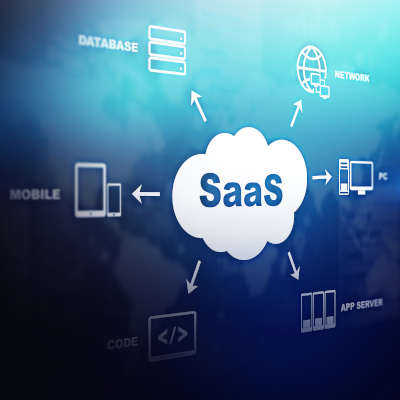
In order to understand SaaS, you definitely need to have a cursory understanding of the concept of cloud computing. Basically—for you that don’t know—cloud computing is the use of servers hosted in data centers to provide your business (or individuals) the computing they need through the Internet. It’s as simple as that. Companies create data centers where any business can get the processing, the data storage, the services, and the software utilities they need. Software-as-a-service represents the last part of that. Basically, if you need a piece of software, you can now get it in the cloud.

Why Buy Software In the Cloud?

If you are going to buy software, why not buy a physical copy of the software? Well, you obviously still can, but in order to run the software, you will also need the infrastructure in place that can handle the dissemination and computation of data; you need reliable and continuous IT support to ensure that the hardware is maintained, the software is patched, and that any issues that come up are handled, if not proactively, quickly. You also need to ensure that the people using your software are networked together, which can be extremely costly to perfect and secure. 

 Software-as-a-service comes with all this. Not only does your business get the software it needs, it does so without having to take on the responsibility of maintenance, utility costs, and other detriments to having a centralized computing infrastructure. In most cases with a SaaS offering, the cloud provider will handle all of the hosting and maintenance costs and bake them into the cost of the service.

So How Does SaaS Work?

SaaS platforms are simple to set up and are completely scalable. This means that if you need five licenses for a certain program and 40 for another, you can get them. Better yet, you can add or remove users from any of these platforms for any monthly subscription cycle, allowing you to control your business’ computing costs more accurately than if you are trying to maintain multiple servers. 

 Users will sign in using a login and a password, and many of these offerings today come with two-factor authentication (2FA) as an additional security option. At NuTech Services, we recommend using 2FA on as many online accounts as you can. Once in, they have full access to the software. Users can select the storage they want to use to save and export files created with this software, giving them full control over their work.

 Your business uses a lot of software, and if you could avoid paying for software upfront and turn your computing into an operational expense, it might just open up more available capital that you can use to invest in your vision.

 If you would like more information about cloud computing or software-as-a-service, or you would like help implementing solutions that will help your business be the best it can be, call us today at 810.230.9455.