215250570_ransomeware_expensive_400.jpg

What Makes a Ransomware Attack So Expensive?

215250570_ransomeware_expensive_400.jpg

Ransomware is no laughing matter, especially in terms of the costs it can impose on its victims—this is, after all, what ransomware is famous for. However, some of these costs can be derived from unexpected expenses and exacerbate the already significant issues that ransomware poses. Let’s go over some of the costs that you should anticipate, should you be targeted by a successful ransomware attempt.

Cost 1: Downtime

Perhaps unsurprisingly, downtime expenses make up most of the financial toll that a business suffers when successfully targeted with ransomware. Depending on the severity of the attack, a business could easily find itself taken completely out of action for days or even weeks. A survey taken in 2020 provided an estimated downtime span of about five days for an organization to completely recover, with another estimating an average of 21 days to resume operations.

This should be of serious concern to businesses, especially with the cost of such downtime rising precipitously. Data from Datto showed that downtime resulting from a ransomware attack can cost north of $274,200 (far more than the average ransomware demand totals).

Cost 2: Reputational Damage

Few things look worse for a company than having their customers’ data locked up—and presumably stolen, as we’ll get into later—so it only makes sense that ransomware can be immensely problematic for the impacted business’ public image. Surveyed consumers from numerous countries have said that they would take their business elsewhere if their data was rendered inaccessible or service was disrupted even once—with 90 percent strongly considering a business’ trustworthiness before becoming a patron and just over half avoiding companies that had experienced a cyberattack within a year prior.

This is a serious issue… particularly with groups popping up that are now collecting and sharing the data that companies have lost in a breach as part of a purported effort to improve transparency.

This means that a company seeking to protect itself will need to approach these issues on two fronts—not only avoiding successful attacks over time, but also putting themselves in a better position to react and get a handle on any that come later. As time goes on, this will be even more important for a company to enable.

Cost 3: Upgrade Costs

While there are truly few benefits to experiencing a ransomware attack, it can at least motivate a business into making the necessary upgrades to protect themselves from that point on. However, these kinds of upgrades don’t come cheap.

After all, these upgrades should equate to far more than just a fresh coat of paint. We’re talking about something akin to a comprehensive overhaul from the bottom up just to ensure that whatever vulnerability—software or otherwise—allowed the attack access has been identified and resolved. As one might imagine, these circumstances aren’t cheap for the business, adding to the burden that a cybersecurity event imposes.

Cost 4: Layered Extortion

We aren’t going to lecture you once again by defining ransomware and all that. What we are going to do is pose a simple question:

Let’s say that you are infected, and to keep your data from being deleted, your business elects to pay up. However, what guarantee do you have that the cybercriminals will keep up their end of the bargain and release the data they have encrypted, rather than keep it or share it on the Dark Web?

Frankly, you don’t—and knowing this, many cybercriminals have begun to steal data before encrypting it, adding the idea of data exposure to their target’s list of concerns. Class-action lawsuits are a real possibility if a business’ entire client list were to have their personally identifiable and sensitive information disclosed online.

Cost 5: Price of the Ransom

Finally, we come to the cost of the ransom itself. While one might expect just biting the bullet and paying for the return of a business’ data would be a less costly option than it would to completely restore a business’ infrastructure from scratch, this isn’t the reality.

Who said the cybercriminal had to return it in its original condition, after all?

Taking this factor into consideration (as well as the costs that come with recovering and restoring this data after the fact), it actually turns out that paying the ransom is far less cost-effective than just restoring data from a backup.

Protecting Your Business Against Ransomware in the First Place is the More Cost-Efficient Option

So, it is safe to conclude that the only reliable means of protecting your business and its data against ransomware’s ill effects is to proactively prepare for its eventuality. NuTech Services is here to help see you through it with our comprehensive data backup and continuity services, as well as the security we can assist you in implementing. Find out more by reaching out at 810.230.9455.
412270538_3_2_1_backup_400.jpg

Taking a Close-Up Look at the 3-2-1 Backup Rule

412270538_3_2_1_backup_400.jpg

Data, at least nowadays, effectively makes the world go ‘round. Data is responsible for powering the operations that a business needs to undergo if it is to survive. This—as you may imagine—makes data incredibly important for businesses of all sizes to protect.

There’s a good chance that you’ve heard of a concept known as the 3-2-1 Rule of data backup. Let’s go over what this means in some more direct detail—and why this strategy is the one we recommend.

Why is a Good Backup Essential?

In a word: survival.

My apologies for sounding so distinctly melodramatic there, but it’s really true: today’s businesses rely on the data they collect, produce, and store in order to remain in operation. Losing this data would spell catastrophe for any organization.

Therefore, the smart business tactic to follow is to ensure that your data remains safe by backing it up—and more than just that, backing it up properly. We frequently recommend that businesses follow the 3-2-1 Rule when it comes to their data backup preparations.

Breaking Down the 3-2-1 Backup Rule

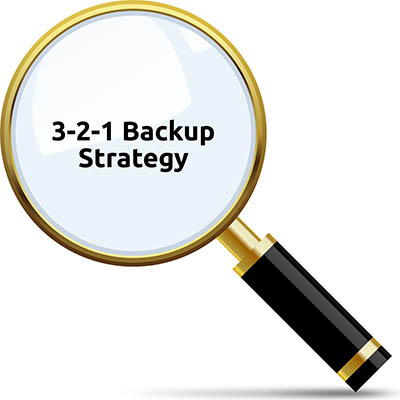
The 3-2-1 Rule boils down to this: your backup should consist of at least three versions of your data, in two different mediums, with at least one copy stored offsite.

Why three versions? Simple—so that you can be sure that, if something is accidentally included with one of your backups that shouldn’t be, you are more likely to have also retained an untouched copy to go back to. (We also recommend that you retain as many as possible, just three a bare minimum, by the way.)

Why two different mediums? Equally simple—the whole idea of a backup is to have another copy of your data to fall back on if it is ever needed. However, keeping all of your backed-up data on the same device as your original copy means that the backup will almost certainly be impacted byl whatever happens to your prime copy.

Why one offsite? For just as simple a reason as the other two tenets: increased redundancy. Let’s say that the worst possible scenario happens, and your business’ location is wiped off the map by some disaster. An off-site backup copy of your data is less likely to be influenced by this event, better ensuring you retain your access to your data.

Understanding the Concept of an “Air Gap”

Let’s discuss another important idea in terms of your data’s safety: air gapping.

An air gap is a basic security measure that helps to protect data from various threats, simply because there is no persistent connection between different points on your network. This kind of broken connection effectively eliminates the risk of many threats short of a physical attack.

Air gapping at least one of your data backups helps to ensure that whatever disaster may befall your local data storage will not also influence the copy you have stored there—although this approach can create other challenges.

NuTech Services is here to help you address these challenges, as we will face any of the obstacles your business and its technology encounters on your behalf. Find out more about what we can do by calling 810.230.9455 today.

278522324_backup_400.jpg

Improving Your Backup Strategy Doesn’t Have to Hurt the Bottom Line

278522324_backup_400.jpg

If you are a regular visitor to our blog, you know just how important we think data backup is for any business that relies on data. If your business stores and creates data, you need to have a backup strategy in place. It’s that simple. Today, we want to discuss how to improve your data backup strategies with a BDR.

Why Do You Need Data Backup?

This is pretty self-explanatory. Your business is constantly under threat. You may not realize it because you’ve been fortunate enough not to have any threat be bad enough where your operational and financial data is actively at risk. That may not always be the case, however. Consider how important your data is and think about all the things that could happen where you would have to deal with data loss. Situations that stem from natural disasters, scams and hackers, hardware failure, and human error can all trigger data loss. That’s a lot of variables to cover to keep hoping that nothing will happen. 

The health of your business depends on that data. There is employee data, financial data, vendor and customer data, and most importantly operational data that needs protection. At NuTech Services, we have seen a lot of different solutions to the data redundancy problem. We’ve seen people use tape backups, we’ve seen people back their data up to a network attached hard drive, we’ve even seen businesses neglect the process altogether. Today, there is a better way.

Get BDR From NuTech Services

We take data backup extremely seriously because it makes protecting our clients’ digital assets that much easier. It’s good for us, but it’s really great for our clients. The Backup and Disaster Recovery service we provide works several ways to protect a business’ digital assets. They include:

  • Complete customization of backup – A company has full control over their backed up data. They can choose what data they need to protect and our technicians will build a solution to those standards. This allows businesses to keep costs low if they only have certain data to back up and also allows them to backup everything if they so choose. 
  • Following best practices – In the IT support industry there is something called the 3-2-1 rule. It is considered a best practice because it protects an organization’s data in multiple ways. With our BDR service, we follow this best practice. It means that we keep at least three copies of your data, with two being stored onsite, and one offsite. This means that if your business is hit by a disaster your organization will still have a working copy of your data that you can restore from the cloud, but if you just have to restore data because someone accidentally deleted something that you needed, you can restore it from your network-attached device.
  • Incremental updates – One of the best features of our BDR service is that you don’t have to run your backups after work hours. Once your data is uploaded to the BDR and the cloud, it then can incrementally back up data frequently. This provides an organization the ability to lose less data if something were to go wrong. 
  • Professional support – As with any of our services, the solutions are tested, maintained, and managed consistently to provide the best possible situation for your business. Our expert technicians know that investing in technology can sometimes be a hard decision, but with the BDR, it is an extremely safe investment. 

If you would like to learn more about data backup, data recovery or how it fits into your disaster recovery and business continuity plans, call our knowledgeable consultants today at 810.230.9455.

229953787_backup_bdr_400.jpg

You Need to Backup Your Data

229953787_backup_bdr_400.jpg

When we start working with a new client, we’re often left surprised at their data backup and recovery strategy. It’s not always that they don’t really have a strategy for it (although this happens more than we’d like to admit), it’s just how sure many of them are that they don’t need to spend a lot of time and effort on it. This ambivalence is a major mistake that often leads to hardship. Today, we will talk a little bit about why backup is such a big deal.

Data Is a Big Deal

Your company’s data is one of its major assets, and you take quite a bit of effort to protect it. You deploy antivirus, firewalls, intrusion detection, and other security tools designed to mitigate exposure to malware, hackers, and other deplorable situations like:

  • Human error (negligence and mistakes)
  • Sabotage and theft
  • Hardware malfunction
  • Power surges
  • Software corruption

The minute something gets through your network’s defenses, you are in deep trouble. If disaster hits your business and you don’t have a reliable backup, you could not only lose continuity, you could lose it all. This wouldn’t be so dire if you have a comprehensive business continuity strategy in place. Business continuity plans are just potential solutions to problems that threaten to take the business down. 

There are hundreds of different situations that could result in substantial data loss, but irregardless of the situation your business is in, having a strong backup and recovery plan lets you be prepared for any eventuality. 

Today, there are a lot of different ways that you can back up your data and applications, but there really is only one that offers onsite and offsite backup, incremental backups, and the ability to recover data on demand. This solution is what we call a BDR. Short for backup and disaster recovery, our backup service allows you to configure the backup solution to fit your company’s demands, while also providing all the high-end redundancy features that any business could need. 

If your business is looking to protect its data from the litany of ways it can be corrupted or lost, the BDR is right for you. Call NuTech Services today at 810.230.9455 for more information.

malware_175043095_400.jpg

The Three Key Steps to Stop Malware

malware_175043095_400.jpg

Malware is a bad thing. It’s right there in the name, as the prefix mal– comes from the Latin malus, which literally translates to “bad.” So, it only makes sense to try to keep it out of your business. Let’s discuss a few basics to form the foundation of your greater cybersecurity strategy.

Lock. Everything. Down.

Did you know there are entire websites out there, devoted to providing the default factory passwords for different devices? They aren’t on the Dark Web, either – this is on the visible, indexed Internet. Imagine if I were to come in with some idea of what brand of routers you had… if I had the right default credentials with me, I could easily access your router and wreak havoc in your business.

You need to consider every potential access point into your business and ensure it is properly secured. The same goes for any online accounts associated with your business, like cloud storage. Take the time to make sure that everything is secured with a password that meets best practices, and if memories are an issue, use a reputable password manager to simplify the task for your employees.

This also goes for your physical location. Many access control solutions exist that enable you to keep track of who accesses a certain area, and when, with the added benefit of keeping those without authorization out.

Keep Your Antivirus Updated

Many people may assume that, once they’ve installed an antivirus/antimalware solution, they are all set. The trouble is, more malware is being developed all the time, and there’s a good chance it is being developed to help the malicious software get past your antivirus. As it happens, the developers of the antivirus are aware of this, and frequently add new threat definitions to the software to make it more effective.

However, all the threat definitions in the world will do diddly-squat if your antivirus solution isn’t updated to include them. This is why it is important to keep an eye on your network’s health and take the time to check that you have the latest definitions included.

Keep a Backup

Finally, you have the nuclear option against malware… mutually assured destruction, that only you can recover from. That is, as long as you’ve been maintaining a proper backup.

If you should fall victim to a malware infection, completely wiping your devices and quite literally starting from scratch with them is your best hope of getting rid of it. However, in order to keep yourself from crippling your own business while doing so, you need to maintain an ace in the hole. By keeping a backup that passes best practices, you can be sure to have your data if you have to sacrifice your original copy.

NuTech Services can help you do all of this, and more. Reach out to us at 810.230.9455 to learn more.

backup_203256037_400.jpg

Which Backup Strategy is Best?

backup_203256037_400.jpg

It has reached the point that, if you have a business, you had better have a backup prepared. Otherwise, the digital data that modern businesses like yours rely on is vulnerable to loss. Of course, depending on the age of your business, you may have data that no longer applies to your operations. That’s why we’re going over how to select the data you should continue to back up.

Keeping Your Strategy Simple

One basic strategy to sorting out your data is to backup the files that you can’t feasibly replace otherwise. This simple, yet effective approach could easily save your business… but, why go through the effort of sorting through your data at all?

Seeing as your data is one of – if not the – most important resources that your business has, why not just back up all of it?

This endeavor becomes much easier with the Backup and Disaster Recovery appliance that we offer, as it can easily map out and replicate your data stores. Now, it must be said that not every business generates enough vital data to justify a large investment into a data backup. However, as we mentioned above, today’s threat landscape means that what data you do have needs to be protected.

Your Backup Options

There are several different varieties of data backup for you to consider, keeping in mind what it is you are backing up and when you need those backups to be ready. These backups include:

Full Backups

As you may have gathered, a full backup copies all of your data and configurations and saves them to a single platform, whether that be a NAS (network attached storage) device, a cloud backup, or tape (pro tip: don’t use tape backup).

This has the benefits of offering a comprehensive backup that you need, with quick restoration times for single files or folders. A full restore takes a much longer period of time to complete, and full backups are more expensive due to the greater need of storage space. Any backup strategy will typically start off with a full backup.

Incremental Backups

This kind of backup keeps track of any changes that are made to data, which allows it to be used for data that is continuously updated. The costs of an incremental backup are quite reasonable, making it a good choice (despite not being totally comprehensive) for a business that generates large amounts of data.

Differential Backups

Similarly to incremental backups, a differential backup keeps track of changes that are made between the times that a full backup is run, keeping their backups more up to date.

Mirror Backup

This kind of backup is best for redundancy, as it creates a mirror image of the system that is being backed up. While these backups are the fastest to restore, they also take up the most storage space.

Depending on your business’ particular needs, a backup can be run weekly, daily, or even as frequently as every 15 minutes.

Following the 3-2-1 Rule

The 3-2-1 Rule is a simple way to remember what you need to maintain if you want to keep your data protected enough. Here’s how it breaks down:

  • 3 copies of your data
  • 2 stored on different media types
  • 1 copy offsite

This strategy makes it so your data is both secure, and convenient to you.

To learn more about data backups and best practices concerning them, reach out to NuTech Services at 810.230.9455.
backup_241210103_400.jpg

To Save Your Business from Disaster, Backup is Crucial

backup_241210103_400.jpg

Businesses generate and collect a huge amount of data – some of it, practically useless, and some, critical to your business and its operations. It is this latter group that makes it so important that you have a comprehensive backup plan ready to go.

While not all of your data may be equally valuable, data loss is a bad thing across the board. This is precisely why NuTech Services offers comprehensive data backup and disaster recovery solutions.

Backing up your data allows you to sidestep the potential catastrophes that would come with the loss of your most critical information. Here, we’ll review a few situations that could put this data at risk to demonstrate how crucial having a backup really is.

Situation: Actual Disaster Event

Just about every business on Earth could potentially be impacted by some kind of weather event. Some deal with hurricanes, some deal with high winds and tornadoes, others with earthquakes and floods… you get the picture. Unfortunately, whichever one impacts your business, there isn’t very much you can do in the moment – which is why it is important to prepare now, so you can reopen again after the fact. Many don’t prepare, and therefore, don’t reopen.

Acting proactively and maintaining a backup allows you to more quickly bounce back after disaster has struck, allowing your business a second chance.

Situation: Data Corruption or Theft

Cybersecurity is a huge topic today, as there are many, many threats out there designed to target businesses. Take ransomware, for example: all it takes for you to lose access to your files is for an employee to click on the wrong thing. Not good.

However, using a BDR (in conjunction with a comprehensive business continuity plan) to keep your files safely backed up enables you to quickly restore data from an onsite backup copy of your data, while keeping another copy offsite for redundant protections and simplified migrations. This keeps you safe from a variety of threats, including ransomware and many other forms of malware. 

Situation: The Classic Office “Whoops!” Moment

The BDR is supremely useful in that it gives you an on-demand resource to pull your data from, on demand, as it is needed. This is particularly handy if a team is collaborating on a project, and somebody accidentally deletes something absolutely critical to the project. With a backup, your progress won’t be lost to bad luck.

A BDR allows you to breathe a little easier about your files and their security. To find out about adopting one for your business, reach out to NuTech Services today. Call 810.230.9455 to get started.

sell_you_backup_400.jpg

The Benefits of Data Backup Far Outweigh the Costs

sell_you_backup_400.jpg

Businesses don’t like to spend money on solutions they don’t need. You’d rather make sure you hit payroll, dish out Christmas bonuses, and have something left over to grow. With this in mind, a business that doesn’t properly back up their data might not get a chance to make payroll, dish out bonuses, or even keep their doors open. Data backup isn’t something to skimp on, because when the time comes, it can mean disaster for your business.

Imagine, for a moment, just how much you have to lose from a data loss incident. Your business depends on its data, and if it suddenly loses access to it, you could be in a position where downtime significantly impacts your bottom line. In situations like this, you have no time to waste. You have to get back in the game as soon as possible or you risk losing so much traction that it could be hard to keep the doors open.

With this in mind, you can’t possibly achieve this goal without data backup. You have to think of it in terms of a potential loss incident–essentially it is professional risk management. While it’s true you don’t want to make decisions based solely on the what-ifs, it’s hard not to justify it in this case. What it boils down to is this: if you don’t have data backup and suffer from a disaster, your business will, more likely than not, fail. Therefore, the best way to ensure the possibility of success is to implement data backup and prevent a potential loss incident from surfacing in the first place.

Basically, the sheer fact that you know you need to back up your data is enough to justify having a solid backup solution.

The point that we are trying to make is that we shouldn’t have to convince you to go all-in on your business’ data backup and disaster recovery solution. It should be common sense. After all, you’re trying to preserve your business and its future against the possibility that a disaster scenario cuts its life short. You have no reason not to invest in something that could potentially save your business. It doesn’t matter whether it’s from a natural disaster, user error, or hardware failure–there is always the chance that an unforeseen event could spell the end of your organization.

The right data backup solution can go a long way toward keeping your business afloat, even in a worst-case scenario. To find out more about BDR, reach out to NuTech Services at 810.230.9455.

8_data_backup_terms_400.jpg

8 Data Backup Terms You Should Know

8_data_backup_terms_400.jpg

Data is an asset, there’s no getting around this fact. Therefore, your business needs to consider it important enough to protect with a data backup and disaster recovery solution, as even something unlikely, like a natural disaster or hacking attack, could place your organization in peril. We’re going to take a look at some of the different kinds of data backup and disaster recovery you can expect to see, as well as four terms that you should understand.

The Types of Backup
Here are four of the most common types of backup that you can expect to see in an office environment:

  • Full backup: This type of backup makes a copy of all selected files in their entirety. Most backup solutions will have to initially go through this process, and since this is such an intensive process, it will take longer than other data backup types. If this is your preferred method of backup, it will likely have to be done after-hours, as it takes a long time and could tie up processes that are needed during the workday.
  • Differential backup: This type of backup only backs up changes made to the data. This allows for faster backups, but the process of recovery is much slower.
  • Incremental backup: This type of backup is much like a differential backup, with the main difference being that an incremental backup will always back up the data regardless of if a full backup was completed or not.
  • Mirror backup: A mirror backup makes a real-time duplicate of the source and backs it up. This creates complete redundancy, but it also comes with various issues. For example, if the material is deleted by mistake, the mirror will also be deleted. This reason alone dissuades IT technicians from using mirror backups as a viable solution for their backup needs.

Now that the types of data backup have been explained, we’ll go over some of the backup-related terms you might want to know.

  • Business continuity: A business continuity plan is designed to help your business get back in proper functioning order if you’re ever hit by an unfortunate situation. All organizations need to have a business continuity plan in place.
  • Disaster recovery: Disaster recovery is specifically there in the event your business suffers from a disaster involving data loss. This includes cyberattacks, sabotage, user error, and even weather-based disasters that destroy infrastructure.
  • Recovery Point Objective (RPO): RPO is a benchmark that represents which data will be recovered by your business if it wants to get back to normal business operations following a disaster.
  • Recovery Time Objective (RTO): RTO is a benchmark that represents the time needed for your business’ data to be restored. Minimizing this number is critical to keep downtime as low as possible.

NuTech Services can help your business by equipping it with a comprehensive data backup and disaster recovery system. To learn more, reach out to us at 810.230.9455.
right_data_recovery_400.jpg

The Right Data Recovery Strategy Is Important to Protect Your Business

right_data_recovery_400.jpg

Data recovery is a major consideration that every organization that depends on data has to plan for as a part of their business continuity strategy. Since there are so many ways that businesses can lose data, there needs to be a plan to recover data for any possible reason. Today, we will take a different look at operational data loss and talk about how your organization should consider strategizing data recovery.

Data Value in Business
The first thing that you need to know is that losing data is a very big deal. In fact, there is an entire field of study created to deal with this very issue. Called infonomics, this can put a dollar value on an organization’s data. While some organizations continuously deny that data has a tangible value, it is becoming more evident than ever that those organizations (typically insurance and accounting) have a vested interest in data’s value remaining intangible. Every other business can be sure that their data has monetary value.

With the acknowledgement that the analysis of organizational data can help businesses run a more efficient and profitable business, any standard enacted to properly evaluate this asset would be made to promote a strategy of organization-wide data security. If you need to justify spending capital on a data protection and redundancy strategy, you should be able to ascertain what the actual value your data has to your organization. A few ways you can value data include:

  • How much capital would it cost to replace lost data?
  • How much revenue is dependent on that data?
  • How much money could you make by selling or renting the data you have?
  • How much capital will you have to spend to protect this data?

However, you look at your organization’s data, it is an asset, and as those assets are compromised on your network, or removed from your network, you need to have a solution in place to get that data back.

Data Backup
The first step in any data recovery strategy is data backup. At NuTech Services, we believe that the best data backup strategy is to promote redundancy. In order to do so we promote a strategy that backs up data locally AND offsite. This presents options to make data recovery more efficient.

Our BDR service initially backs up your entire network. Since backing up an entire network will take a long time, and any downtime is extraordinarily costly, setting up a backup solution that protects the data you need without taking down the network at all, is important. Our BDR keeps data redundant on multiple hard drives and provides an organization with the much-desired data security it is looking for from a comprehensive solution.

Disaster Recovery
The first thing that has to be said is that the best data recovery strategy is one that never has to be used. However, data loss disasters can (and do) happen, leaving your business to pick up the pieces. The best way to do this is to have a dedicated disaster recovery platform in place that takes two crucial factors into account:

  • Recovery Point Objective (RPO) – The interval of time that might pass during a disruption before the amount of data lost exceeds the maximum threshold that your business can weather.
  • Recovery Time Objective (RTO) – The duration of time within which data or business process must be restored after a disruption before it can be considered a complete break in continuity.

By thoroughly managing your disaster recovery program, your organization is sure to be able to get its data back–and its business’ processes up and running–to ensure that your business is able to sustain operational integrity. For more information about how to get a data backup and disaster recovery working for your business, call NuTech Services today at 810.230.9455.

best_way_to_backup_400.jpg

The Best Way to Approach Data Backup

best_way_to_backup_400.jpg

All businesses hope that they’ll never have to use their data backup and disaster recovery plan, but the point stands that each business should have one, just in case of a worst-case scenario. For a small business with a limited budget, the prospect of investing in a solution they might never need is daunting. To help you get started, we’ve put together a couple of basic backup practices that you should keep in mind for your business.

Back Up As Much Data as Possible
If you’re wondering what data your organization should prioritize, the correct answer is all of it. Data is invaluable in the business world, and even if you think you can make do without some of it, chances are that you can’t guarantee it won’t be useful somewhere down the road. You should never accept data loss of any kind. Tape backup systems tend to take complete backups, but they often can only be performed once a day, making it difficult to take and deploy them adequately without running the risk of either operational inefficiency or losing at least some data from the past 24 hours. We recommend a cloud-hosted backup system that takes snapshots of data that has been changed recently, guaranteeing that all files are kept as up-to-date as possible.

Take Backups as Frequently as Possible
In the event your organization suffers from a disaster, you want to make sure that your backups are as recent as possible. This is to make sure that you lose as little progress as possible when disasters do happen. Imagine finding out that the only data backup you’ve taken was last month. This is why we recommend that your organization take backups as often as every fifteen minutes, guaranteeing that you’ll lose minimal data.

Restore as Quickly as Possible
Let’s imagine that your organization is struck by a disaster. To get back in the game following such an incident, you have to restore your data. However, if you don’t have an infrastructure or device put in place to get this happening as soon as possible, you start to suffer from downtime. This is any time that your organization isn’t functioning as intended, so it should include situations where your technology is failing, your employees can’t work, and your organization can’t take care of customers, among anything else that your business is responsible for. It quickly becomes clear that one of the biggest causes for businesses failing following a disaster is the crippling costs of downtime.

Notice a trend here? Time is of the essence when disaster strikes your organization, and the faster you can get back in action following a disaster, the less money you’ll waste on downtime. The traditional data backup solution isn’t as helpful in this regard as a hosted BDR solution from NuTech Services. Our BDR device can rapidly restore data directly to itself so that your organization can keep chugging along in the face of adversity.

what_you_need_backup_400.jpg

How to Be Selective when Picking a Backup Solution

what_you_need_backup_400.jpg

You literally never know when your data may be lost. It may be frightening to consider, but there are so many factors that could lead to you losing your data, ranging from an act of nature to user error. To counter this, you need to make sure your backup solution meets certain requirements. Today, we’ll review those requirements.

What Does Your Company Need from Its Backup?
Your backup, in many ways, should be your company’s saving grace. Whatever the cause of your data loss may be, the loss itself creates a significant issue in and of itself. Buildings can be repaired, equipment can be replaced, but once data is gone, it is practically impossible to retrieve it without some kind of backup in place.

Therefore, it is important for your backup to meet certain benchmarks:

  • How quickly can data be backed up?
  • How quickly can data be restored?
  • How badly could your operations be interrupted in the interim?
  • How protected is my backup against its own disasters, especially the same ones that could influence the data I have stored in-house?

What Kind of Data Backup Best Fits My Needs?
There are a few kinds of backup solutions available, and while it may not be a bad idea to maintain multiple forms of backup in a hybrid approach, we always recommend that your backup strategy revolve around the use of a cloud backup solution. The reasons for this are simple: a cloud solution can be automated, eliminating the risk of user error leading to a backup not being refreshed, and your data is kept in multiple locations, adding the protection of redundancy.

How Can I Get Started with a Backup Solution?
In order to really begin with a backup solution that fits the requirements we’ve reviewed, it is best to go through a reputable vendor. NuTech Services can help with that – not only do we have good working relationships with a variety of reputable vendors, we’ll act as your representative with them, ensuring that you get what you need for your business’ benefit.

For more information about backups and how to go about implementing one, give us a call at 810.230.9455.
back_that_disk_up_400.jpg

BDR Needs to Be a Business Priority

back_that_disk_up_400.jpg

Of any of your business implementations, a data backup and disaster recovery system is a serious contender for the most important. However, many neglect to prepare for a data loss event or disaster, which means they leave their business vulnerable to the ill effects of both. Protecting your business begins with a data backup and disaster recovery solution that prepares you for a worst-case scenario.

For a long time, tape backup was the preeminent form of data backup for business purposes. This process, storing a copy of your data on magnetic tape, is no longer sufficient for the modern business due to shortcomings that would only slow down your recovery efforts after a data loss event.

First of all, backing up on tape isn’t an automated process, so it falls to an employee to initiate the backup process when the workday is over. How likely is it that one of your employees will be focused on running a data backup at the end of a particularly long and stressful day? In addition to this, restoring from a tape is also a manual process. All it would take is a slight mistake, and poof–there goes your data.

Secondly, a tape backup doesn’t keep a full backup of your data in the first place, only saving changes that have taken place over the previous 24 hour period, technically even less. Tape backup is a resource-intensive process, and so can only be run once each day, typically after-hours. Therefore, you could lose a full day’s worth of data to a disaster.

Finally, the third reason that tape is considered outdated is the amount of time it takes to restore your backed-up data. If you needed to restore your data, the process could easily take hours–and that’s assuming that whatever event caused you to need to restore from your backup didn’t also damage your internal hardware infrastructure. This downtime will undoubtedly have a negative impact on your business, and can be avoided.

Instead of relying on tape, companies today leverage enterprise-level Backup and Disaster Recovery (BDR) solutions from providers like NuTech Services. Utilizing the cloud, BDR takes data backups that are more complete and can be restored much more quickly, leading to decreased downtime. This is accomplished through ‘snapshot’ data backups, which updates any changes as often as every fifteen minutes. This means that any data that may be lost is minimized, offering your business improved protection from threats to your data.

If BDR sounds like the right choice for your business, reach out to NuTech Services at 810.230.9455.

back_that_data_up_400.jpg

Is a Data Backup Really That Necessary? In a Word: Yes

back_that_data_up_400.jpg

Does your business have a dedicated data backup and disaster recovery system? It’s one of the most critical parts of managing a business, yet some don’t have a plan in the event of the worst. If your organization were to suddenly lose a significant portion of its data, would it be able to continue functioning as needed? With a data backup and disaster recovery solution, you won’t be dealing in the realm of “what if,” and instead focus on “when” you experience a data loss incident.

Traditionally, tape backup has been the go-to solution for small businesses. Tape backup is the process of storing data on magnetic tape, and at one time was considered the most prominent type of backup in the business world. However, tape has its own set of inconveniences that can hinder operations in times of disaster.

The number one reason to not use tape is that it’s not automatic. One of your employees has to set the backup at the end of each work day so that it can run. Furthermore, when it comes time to activate the backup, it must be performed manually as well. This means that even the slightest amount of user error could completely demolish any chances of your recovering from a data disaster.

The second biggest reason to not use tape is that it doesn’t take a full backup of your data. At the most, it only captures data that has been changed over the past 24 hours. The reason for this is because the data backup can only be performed once a day. Due to the immense strain placed on your network, a tape backup is generally reserved for after-hour implementation, so up to 24 hours of data could potentially be lost in the event of a disaster.

The third and final reason why you shouldn’t implement tape is that it takes considerably longer to restore from in the event of a data loss incident. Tape backup can take several hours to restore, and that’s assuming that you still have an infrastructure and hardware capable of running your organization (let’s face it–natural disasters like floods can damage more than just your building). This type of downtime can be an issue even for businesses that do have the required hardware to get back in business, as it’s just more wasted time and resources that must be accounted for.

A better solution for small businesses is an enterprise-level Backup and Disaster Recovery (BDR) solution from NuTech Services. BDR uses the cloud to perform data backups, which provides a significantly better system for getting back in the game following a critical loss incident. The cloud allows for faster restoration times, less downtime, and more complete data backups. The cloud utilizes snapshot-based data backup, which only updates the current backup if the files have been changed. These snapshots are taken every 15 minutes or so, significantly reducing the amount of data lost in the event of a data loss incident. It’s truly the best way to go about protecting your organization from unforeseen threats.

To get started with BDR, reach out to NuTech Services at 810.230.9455.

sledge_hammer400.jpg

Without A Data Backup, You Aren’t Ready

sledge_hammer400.jpg

Most modern companies rely on computers to at least some extent, particularly if there is some sort of delegation of services involved. Whether it’s an office filled with computers and server units, or simply a retailer with point-of-sale equipment, the companies of today need computers and data in order to function as intended. To protect this data, you need a method to preserve it–which is where data backup comes into play.

Your business’s data is susceptible to all sorts of danger stemming from malware, hackers, hardware failure, and even user error. It doesn’t take much to expose your data to something that could cause it harm, so it makes sense that you should have a plan put into place to protect it. Most small businesses that fail to recover from a disaster within 18 months following a data loss incident will be forced to cease operations, which showcases the importance of data backup. What’s the best way to combat data loss?

A Backup and Disaster Recovery, or BDR, is a great way to protect your network and data infrastructure. It’s a network-attached backup system that allows you to take a preventative stance against even the worst disasters. Since the device is attached to your network, it can perform backups at various increments automatically. All you have to do is set which parts of your infrastructure you want it to back up. Furthermore, you can set it up so that backups only occur on files that have been changed since the last one has been taken, allowing for a more lightweight solution.

The most important part of BDR is that your data is automatically uploaded to the cloud. The best part of this is that it’s safe and secure, tucked away from anything that could cause it harm. While your data is hosted in an off-site data center or the cloud, it’s protected and prepared for the worst, allowing your organization to ensure survival even under the most desperate situations. It’s just one way that preventative thinking can help your organization avoid downtime and the immense costs it can accrue.

To keep your organization from suffering due to data loss, a BDR solution is your best bet. To learn more, reach out to NuTech Services at 810.230.9455.