Look to These Technologies to Help Keep Your Workforce Focused

Look to These Technologies to Help Keep Your Workforce Focused

Look to These Technologies to Help Keep Your Workforce Focused

Business can get stressful. Not only for the people tasked with managing an organization, but for the workforce as a whole. Fortunately, businesses are identifying that technology can go a long way toward making all this work less stressful. Let’s go through some of the innovative technology that is being used to keep employees engaged.

Before we start it has to be said that without proper training, most technology will be as much of a headache for users as not having any at all. That’s why the IT professionals at Omega Technical Solutions make it a point to not only get the technology that your company needs in place, we can help you develop the training regimens crucial to get the rapid ROI you are looking for from any investment.

Communications

Improving your business’ communications can go a long way toward building an efficient business. Every business needs to employ some degree of communications. The smallest business needs a telephone number and management software to help them manage the scheduling, time entries, sales, and other tasks. These basic tools offer communications options that are often in real time. These include automated schedule reminders, time mandates, task lists, and client interactions.

With improved communication, collaboration becomes simpler as well. Today, there are lots of collaboration tools that serve to automate rote operational tasks while also providing fast access to a lot of tools that can help spur on productivity. These include video conferencing, project management, and other tools designed specifically to move business along faster. 

Security Balance

By now, you know that keeping your business secure from security threats is a teamwide effort. What you may not understand is that it has to be a balance between robust security tactics and solutions and attempts to shield your staff from near-constant exposure to that security. You see, while there are people in your organization that completely understand why they are inundated with security prompts and authentication, many won’t and will get “fatigued” by the near ceaseless focus on organizational security. This security fatigue can actually make your organization less secure as the more people are confronted with attempts to maintain security, the less they will consider these things important. 

In order to keep your employees engaged in your security policies, you need to balance the use of tactics with robust security tools designed to work in the background. Now, we are definitely proponents of doing whatever you need to do to keep your organization’s data safe, but there are ways to keep your employees from having to constantly lose focus because of organizational security. 

Workplace Flexibility

When speaking of workplace flexibility, it covers both the strategies you use as far as remote working as well as the tools you utilize while maintaining an office. For those businesses that have staff that can work from home, but don’t really like them to, it may be time to look at the productivity metrics without bias. The main argument out there against remote work is that the business loses control over the employees. Managers at these businesses don’t believe that their staff works as diligently while out of the office, and they worry that the company culture they work hard to cultivate will go by the wayside. 

Most studies suggest that while employees may be more distracted working from home, they also are much more productive when they do work. In fact, one study found that overall, people work more and are up to 47% more productive working from home than they are in a traditional office environment. Also, there is nothing to say that you can’t implement a hybrid work strategy that has your staff in the office on certain days and able to work remotely on others. Today’s employees are more cognizant of their work/life balance than at any other time in western history, so remote work is also a solid retention strategy. 

If you do require in-house work, you need to have strategies in place that allow workers the flexibility to work the way they need to be most productive. This often means having a dynamic Wi-Fi network in place that allows people to move around the office and collaborate with their contemporaries. Since most employees now carry smartphones, integrating tools that can be accessed from mobile devices is also a solid strategy to help keep their staff engaged.

In order for your company to function the way you’d like it to, you have to consider adjusting to the ways your staff can be most productive. The IT experts at NuTech Services can help you strategize policies that can maximize operational productivity and procure technologies designed to build the most productive workforce. Give us a call today at 810.230.9455.
crm_63909416_400.jpg

You Can Use Software to Vastly Improve Your Customer Relationships

crm_63909416_400.jpg

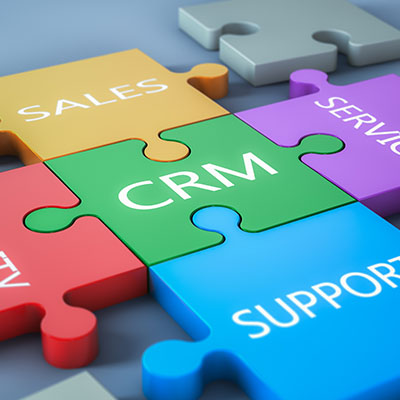
Customer relationships are at the heart of any business that sells a service or goods, making a technology solution like a CRM a powerful way to jumpstart operations. Let’s review what some of the benefits of using a CRM are and how your organization might use one to the best of its ability.

Let’s break down the features that you want your CRM to come with.

What Features Should My CRM Platform Offer?

Workflow Automation

The more of the CRM workflow that can be automated, the better. In short, the less time you have to spend managing these processes, the more time you can dedicate to other responsibilities and initiatives. You save time, but you also save the possibility of user error from getting in the way of your processes. Faster results and greater accuracy make for an excellent combination under any circumstances.

Integrations

Similarly, if you have multiple software solutions and platforms that integrate with your CRM, you can take advantage of additional functionality that can save you a ton of time in terms of workflow. You should look for integrations like marketing automation, chat, call center, support, and web analytics; trust us when we say that these tools will pay for themselves in the long term.

Contact Management

Staying in touch with your clientele or customers is extremely important, especially when you are trying to turn prospects into actual customers. A high-quality CRM can make this as easy as can be.

Lead Management

Keeping track of leads, including contacts that your team have had with them, can be beneficial for your business. The importance of being able to turn these numbers into actionable metrics cannot be understated. A CRM gives you ways to grow your pool of prospects and it gives you an idea of which ones might be most lucrative to form a relationship with.

This only scratches the surface of what a CRM can do for your business. To learn more, reach out to us at 810.230.9455.

Efficiency_96557162_400.jpg

Learn to Get Through Distractions to Be More Productive

Efficiency_96557162_400.jpg

Productivity can be a challenging thing to measure and maintain, especially in a world full of distractions. Sometimes the distractions come from the nature of the work itself, and understanding this can become the key to overcoming them. Here are five tips you can use to overcome any workplace distractions and become more productive in the workplace.

Plan Your Route

Planning ahead can make your next workday much easier, and it doesn’t involve spending some time at home preparing for the morning after. We recommend that you take some time at the end of each workday to plan the next; you might find that you’re less likely to get distracted by the countless possibilities of the workday if you do so, and you will be more focused on the task at hand.

Put Your Phone Away

Sometimes notifications can distract you from getting work done–especially if these notifications are work-related. Sometimes the best course of action is to either silence your notifications or put your phone away so you can focus on whatever you happen to be working on at that time. More often than not, push notifications are not going to be urgent, so we recommend either limiting the notifications that pop up on your phone during work hours or just turning them off altogether. After all, if something is truly urgent, you can expect to be contacted in a different way than a text message or an email, right?

Don’t Overpromise

A deadline can make all the difference in productivity (depending on the individual), but there are often cases where people might overpromise on something they can’t simply deliver on. Even if these deadlines can be met, the work involved might suffer, so it’s best to give yourself some leeway so that these types of problems don’t surface in the first place.

Set Smaller Goals

Small goals are not just easier to accomplish; they also provide you with the appropriate forward momentum to stay positive about work throughout the day. Large tasks can be broken up into smaller chunks to make them less intimidating and more manageable, too.

Reward Yourself

If you can make work satisfying for yourself, then you can make it more productive. One way you can do this is by giving yourself rewards for accomplishing tasks, like a short break or something sweet to eat. If you want to be both satisfied and productive, taking a step back when necessary to appreciate yourself and the hard work you invest can be helpful.

What are some tips you have to stay productive in the workplace? Be sure to share them with us in the comments.

Network_bottlenecks_174058708_400.jpg

Avoiding Network Bottlenecks Can Help Your Business Be More Productive

Network_bottlenecks_174058708_400.jpg

As time passes and your business accomplishes great things, you might find yourself in positions where your network cannot handle its normal everyday workload. When there is so much network traffic and data transference, it can be difficult to identify where and why this slowdown occurs. What is a network bottleneck, and how can you resolve this issue?

Look at the design of a bottle with its rounded top and the neck of the bottle growing more narrow as you approach the top. The design is meant to help limit the amount of fluid passing through it, allowing you to drink the contents without the rest of it spilling out. Too quickly.

Here’s another analogy using a two-lane highway on a busy day. Both lanes are filled with cars heading toward the same destination, but only one of the lanes is functioning correctly. Maybe there is a pothole in one lane or there is construction going on. If the traffic is restricted to one lane, then the same amount of traffic designed for two lanes will reach their destinations much more slowly.

A network bottleneck works in the same way; the flow of network traffic is restricted by the design or limitations of the container, in this case the network itself. The flow of data throughout your network is governed by the bandwidth and capabilities of your hardware. If the network is trying to transfer more data than it is designed to, a bottleneck can occur and slow everything down. Here are some of the hardware reasons why a network bottleneck might surface.

  • CPUs
  • Graphical processing units
  • RAM shortages

Bottlenecks can create significant problems for network efficiency, especially for productivity. Without the right amount of resources to transport data, the network might experience significant slowdown that keeps it from performing its tasks. Everyday tasks might take much longer to pull off, preventing your organization from sticking to a budget or keeping it from getting things done in general. In fact, sometimes tasks might get skipped over simply because it is too inconvenient to get them done.

Depending on the design of your network, your bottlenecks might have existed from your network’s conception, and they have only surfaced recently due to increases in traffic or unforeseen circumstances. You need to actively look for network bottlenecks so that they don’t take you by surprise or linger longer than they have to. With our help, you can identify these issues and address them accordingly.

NuTech Services can help to monitor network traffic for bottlenecks and other problems. To learn more, reach out to us at 810.230.9455.

happyGuy_310178953_400.jpg

Considering the Optimal IT Experience

happyGuy_310178953_400.jpg

As cliche as it sounds, one of the best ways to create a more positive workplace is to simply put more positivity into it. Let’s exercise this for a moment by setting the often-talked-about worst-case scenario to the side, and focus on what the optimal experience could be with the right technology management in place.

Let’s set the scene: it’s the Monday after a nice weekend. You’re feeling chipper and motivated to get down to business, and your computer responds in kind as you log in. Rather than chugging along through the login process, you’re looking at your desktop in a matter of moments. A quick password and multi-factor authentication code later, and the programs you’ll need are up and ready to go.

First thing’s first, you check your email. While the email inboxes of many business workers can quickly become swamped, particularly after a weekend or a day off, your inbox is divided up and sorted automatically, giving you a clear view of your priorities in the short and long-term.

Once your email’s been reviewed and responded to as appropriate, you pull up the applications you need to check off the items on your itinerary. The comprehensive toolset that your productivity suite provides gives you the ability to fulfill it all with minimal added effort. With the up-to-date and patched version of each program ready for you, you have everything you need to do your job right there and working.

Whoops… maybe you spoke too soon. Your workstation’s monitor is starting to flicker. Fortunately, help is just a quick call or email to your outsourced managed service provider’s help desk away. A quick diagnostic scan later, and it’s confirmed to be a hardware issue. No worries, though—the MSP is on it, either sending a tech out there with a replacement or working with your internal IT department to get the problematic piece of hardware switched out.

As a result, your issue is resolved that much faster, allowing you to get everything you need to do done.

Of course, not every issue will be resolved so smoothly. To expect differently is simply unrealistic, but the fact remains that managed services can make a lot of troublesome issues far less so for your business and employees. Efficiency and productivity are thereby elevated, simply because functioning technology makes it easier to focus on your goals, not on the worry that your tools will fail you.

We’re in the business of ensuring that businesses have the IT they need and that it works for them. To find out what we can do for you, give us a call at 810.230.9455 today.

438270259_shorter_work_week_400.jpg

Shocking Study on the Work Week Suggests Shorter is Better

438270259_shorter_work_week_400.jpg

Many critics of a shorter work week believe that cutting the number of hours worked throughout the workday or work week could potentially lead to a decrease in productivity, but a new study from Iceland suggests that this simply is not reality. This study suggests that productivity should no longer be a cause for concern when it comes to a shorter work week, as its astounding results show what really happens when you reduce the number of hours worked without reducing pay.

Introduction to the Study

The study, published by Autonomy and Alda, as well as the Association for Democracy and Sustainability in June of 2021, took place over five years and examined workers from several different industries in Iceland. There were two parts to the study: one conducted by the city of Reykjavík and another performed by the Icelandic government. In both parts, employees worked shorter hours during the work week.

Of particular note here is that the employees participating in these trials did not suffer a reduced salary or wage while working fewer hours. They worked an average of 35 or 36 hours per work week while the control group worked the standard 40 hours expected of most positions. By the end of the study, it involved around 2,500 employees from over 100 workplaces.

Both trials hoped that shorter work hours could address poor work-life balance and improve productivity; the results might surprise you!

The Results

The results of this study showcases that the shorter work week presented several benefits to employees. The study found that these trials showed reductions in working hours “maintained or increased productivity and service provision” and also “improved workers’ wellbeing and work-life balance.”

The report examines the following:

  • How effectively work time was reduced
  • How service provision and productivity were affected
  • Whether improvements in workers’ wellbeing and work-life balance took place

One of the reasons why employers are so worried about shorter working hours is that it can unintentionally lead to overwork as a result of having fewer hours in the workday to get things done, but the anecdotal evidence suggests that this is simply not true. Employees found that it was easier to organize themselves and their work processes with the shorter workday. This goes for managers, too.

Service provision was also unaffected—at least, in a negative way. As evidenced by the study, “On the whole, indicators of service provision and productivity either stayed within expected levels of variation, or rose during the period of the trial.”

In perhaps the most interesting part of this study, we get to the wellbeing and work-life balance aspects of shorter work days and weeks. The indicators for this part of the study were examined close to the end of the study, where stress levels and energy levels were measured. For work-life balance, employees in the shorter work day group discovered that they had much more free time to spend time with their families and were less likely to say no to overtime when it was needed. They were also less likely to take on a part-time job.  Other benefits included easier-to-do errands, more balance in participation in home duties, more time for oneself, less stress at home, more exercise, and so many others. It is evident that work-life balance saw many improvements for these employees.

What do you think about shortening your workdays? Do you think that maybe everyone could make use of a couple extra hours to enjoy life on a Friday afternoon? Let us know your thoughts in the comments below.

clean_up_your_400.jpg

Clean Up Your Computer with These Digital Clutter Practices

clean_up_your_400.jpg

Computers are supposed to make life easier, and in a lot of ways, they do. However, using a computer can get complicated at times, especially when you are working with tons of files, applications, and resources on a daily basis. This can lead to a ton of digital clutter, which can be counterproductive and time-wasting. Let’s learn about how you can reduce digital clutter on your work PC.

Your Files

A common practice is to save files to the desktop so that they are easily accessible at a later date. While this does make things easier short-term, imagine saving one new file to the desktop every day for a month without removing any of the old ones. There is a saying: “A place for everything and everything in its place.” You can apply this line of thought to minimize your digital clutter. Set up a folder system for your files and make sure that you can store them in the appropriate places.

Keep in mind, most workplaces require that work-related documents get stored on the server. If that’s the case, you shouldn’t be keeping important or sensitive information on your desktop in the first place. Your server or network directory that is in place is likely being backed up and protected, while your desktop computer might not be in most cases.

You can also cut down on digital clutter by deleting unused or unnecessary files. One folder that is almost always cluttered is the Downloads folder. More often than not, you have files here that you haven’t looked at since you downloaded them, and there is almost certainly a better place for them all if they are even necessary in the first place. We recommend routinely cleaning up your files so that things don’t get too cluttered over time. For system files, however, do NOT delete these. If you ever have any questions about which files are okay to delete, you should contact your IT resource.

Your Programs

Sometimes you might download software because it solves an immediate problem at that moment, then never use it again. That application is now taking a little space on your computer and if you aren’t keeping it updated, it could lead to vulnerabilities. This is why we recommend that you uninstall unused applications. Ask yourself the same question as before; do you get value from this program? Have you used it at all in the past couple of months?

We do want to put a slight disclaimer here, though. You should always check with your IT staff or trusted IT resource, like NuTech Services, before ever trying to uninstall an app. This is especially true if you don’t know the purpose the application serves. It might actually be there for a very specific reason, so it is always better to err on the side of caution.

Your Media

As time progresses, you likely accumulate all kinds of media, from pictures to videos to music. All of this can create a lot of clutter on your device. The solution here is simple: ask yourself the question, “Do I get value out of this?” This question is at the heart of the minimalism concept and can be applied here, too. For example, you might have gone on vacation and captured a bunch of great photos, but we are willing to bet that you also captured a bunch of not-so-great ones. Why hold on to them?

It’s important that you have a place where you can store all of this media in a convenient and organized space. For this, as well as any other personal file storage needs, we recommend a good cloud solution. For business owners looking to securely store documents in the cloud, we can help with that too.

Implement a Cloud Solution

As you might expect, technology has provided a solution to many of the common problems that organizations run into. Chief among them is cloud computing and cloud storage, offering an excellent way to minimize digital clutter on your devices. 

NuTech Services can work with your business to implement the best cloud solutions for your needs. Get started today by chatting with one of our skilled and knowledgeable technicians about how your organization can best utilize the cloud. To get the conversation started, reach out to us at 810.230.9455.

86312515_efficiency_400.jpg

Three IT Services to Boost Efficiency

86312515_efficiency_400.jpg

Businesses are always looking for a way to be more effective. Whether that be avoiding operational hiccups, cutting costs, or anything else that aids them in an effort to provide a superior product or service. For businesses that take advantage of dynamic technology solutions in efforts to enhance productivity through collaboration and automation, keeping the platform that fuels those initiatives managed and maintained is important. No organization is situated to effectively do that better than an IT services provider. 

What Can IT Services Do to Facilitate Efficiency?

The IT services provider takes control over the aspects of a business’ IT management in many ways. Let’s go through a couple of them:

Remote Monitoring and Management

The first way that an IT service provider like NuTech Services can help an organization build a more efficient business is by keeping their IT up and running. You may think that hardware failure is the costliest thing about a failing computer, but really it is the downtime that ensues dealing with the problem.

Using cutting-edge technology that allows certified technicians the ability to get a clear view of the entirety of the managed IT infrastructure and networks, we can see inconsistencies in hardware. These inconsistencies, if left unchecked, would almost certainly cause downtime, but with proactive monitoring and use of the RMM tool, our technicians can fix a majority of hardware issues before they ever become downtime-causing problems. In doing so, downtime is avoided and business-as-usual can commence. 

Cyber and Network Security

If downtime from failing hardware is an issue you need to confront, downtime from a malware attack or other type of hack is a four-alarm fire. Businesses won’t be able to do much if they are dealing with continual security problems. At NuTech Services, our staff understands just how important keeping your business secure is. 

We can optimize your Internet-facing security tools and ensure that they are properly updated to get the most effectiveness out of them. Beyond that, we can help you develop processes and procedures that outline how your organization wants to go about mitigating the risk brought on by hackers and malware. Additionally, we can help you set up and develop a training program that can get your employees up to speed on threats and how they are carried out. 

Tool Procurement and Deployment

Many people might think of the IT guy as the highfalutin person that comes into the office every so often to fix the computers and run wire. Sure, we do that, but our technicians understand business and how IT fits into it. If your business needs to procure technology or technical support necessary to configure technology to your business, our IT experts will take the lead to ensure that your deployment is carried out competently and professionally. 

Regardless of the technology you want to deploy for your business, our technicians can assist you in designing, procuring, implementing, and supporting it. In today’s business, only specific technology will actually help build operational efficiencies.

To learn more about what our IT professionals can do to help you build a better business, call NuTech Services today at 810.230.9455.

252587124_improve_productivity_400.jpg

Tip of the Week: How to Improve Productivity by Identifying Distractions

252587124_improve_productivity_400.jpg

For all the time we spend promoting productivity-enhancing technologies, we’d be remiss if we didn’t address the source of quite a bit of inefficiency: the user. People get distracted from their tasks all the time and the bounceback rates from these distractions aren’t great. Let’s go over a few tips that you and your team can use to help identify and avoid distractions throughout the workday.

What Is the Impact that Distractions Can Have?

On average, a worker in the United States is distracted about every 11 minutes or so. As if this wasn’t bad enough, it then takes this worker about 25 minutes to return to the task at hand. Of course, more complicated tasks take even longer to refocus on—simply because of the greater mental effort needed to pivot from one challenging task to another.

Naturally, this isn’t a great turnaround rate… particularly when today’s workplaces are so committed to making the most of their available time. Minimizing these distractions is therefore a crucial goal that businesses should emphasize. In order to do so, it is important that we acknowledge that all distractions can be split into one of two categories: external distractions, and internal distractions.

How Are Internal Distractions Different Than External Distractions?

While there is a case to be made that a distraction is a distraction, comparing the differences between those that come from internal sources and those that are introduced by external factors can help us understand what is causing the worst productivity deficits.

We’re all familiar with external distractions, the kind that come in and pull our attention away from the task at hand. Emails, phone calls, instant messages, and impromptu meetings all fall into this category, and each contribute to the problem by some measure.

Adding to these distractions are those that reside internally. These internal distractions are those that are caused by the various mental blocks a person can experience. Oftentimes, these blocks come from an inability to weigh out our choices and prioritize them effectively… particularly when there are a lot of options to choose from. Think about the last time you looked at a restaurant’s menu, for instance. The more items they offer, the harder your choice potentially becomes to make. Smaller menus, on the other hand, give you fewer options to balance and therefore an easier choice to make.

Of course, with so many workplaces setting the schedule for their team members, this isn’t a perfect comparison. It is probably more fair to say that a lot of internal distractions in the professional environment are generated by a lack of prioritization in the tasks that are assigned to team members.

Think of it this way: if everything is marked as the highest priority, who’s to say which task has the highest highest priority?

So, not only are your team members liable to become distracted by the need to identify the most important task to attend to, they also can have a challenge in appropriately arranging these tasks so that they are finished most efficiently.

Other common internal distractions are likely to be familiar to most people: wandering thoughts, and all those moments spent thinking about the other tasks that are coming after the present one is finished. Combined, internal and external distractions can make real productivity difficult for even the most dedicated employee.

Fortunately, sharing a few strategies with your team can help give them the power to overcome these kinds of distractions and reclaim the productivity that may have otherwise been sacrificed.

How to Get Rid of Many Distractions

Rule Out Some Options

Let’s touch back on the menu example we discussed earlier. If too many options ultimately leads to more distractions, encouraging your team members to start eliminating options should help to make them more productive. Whether this means they spent a few minutes clearing their workspace of anything that may draw their attention away from their tasks, or figuring out the most impactful responsibilities they currently have assigned to them and starting with those, investing a little bit of time initially will help to prevent a lot more time being lost later.

Set Limits Before You Start

Remember how we mentioned that a big source of distraction can come from your upcoming tasks and lingering thoughts about them? One effective way to keep yourself focused on the task at hand is to give yourself a concrete stopping point. Perhaps you’ll give yourself an hour and a half of committed time to one project, after which you transition to the next, with a budgeted half an hour. Alternatively, you could set a progress limit—maybe you move to your next task after you’ve completed so many of something, or completed some percentage of your total goal. Establishing these boundaries—and sticking to them, of course—can be a very effective way to help minimize your distractions.

Remove Distractions from Your Area

Where you work plays a considerable role in how you work, with our five senses unfortunately much harder to focus than our thoughts can be. Sounds like background chatter can be intrusive and interruptive, while our sense of touch will exacerbate any discomfort we feel. Many of us rely on sight to see what we are doing, but that also opens us up to visual distractions. Smells (both pleasant and decidedly not so) can very quickly occupy our attention, and everyone has had to try and deal with the distraction of an inexplicable funny taste.

Identifying these kinds of distractions and being prepared to address them when they do appear will help to take away a few sources of distraction, potentially preserving productivity.

What have you found distracts you the most, and what have you done about it? If it isn’t enough, know that NuTech Services is here to help. There are a few things that we can do to help keep your team members on track, and we can make sure your company is equipped to make the absolute most of any time spent by implementing productive and efficient IT solutions. Learn more by giving us a call at 810.230.9455.

63781945_collaboration_400.jpg

Going Over the Basics of Collaboration Solutions

63781945_collaboration_400.jpg

With businesses depending on technology more now than ever, it stands to reason that the collaboration solutions that are available would improve as demand increases. Today’s business needs a collaboration solution that allows them to communicate, manage tasks, and be a reliable solution for teams separated by more than just a wall. Let’s take a look at the modern collaboration tool and how they provide powerful benefits for the modern business.

What Are Collaboration Solutions?

There used to be the phone, then there was email, then instant messaging; the modern business landscape has been formed from the invention and innovation of tools that allow people to communicate through technology.  With many business leaders searching for working solutions for their company’s inefficiencies, developers have created a set of new tools that work to integrate communication with productivity in new ways.

New collaboration solutions don’t just combine tools, they create complete environments where people can work together to complete a common goal from about anywhere. These new tools are a benefit to any organization whether your workers work side-by-side in an office or if they are separated by hundreds or thousands of miles. This is because solid collaboration tools can help your team build solid practices and relationships. This results in better outcomes. 

The Collaboration App

Technically, there are only three types of collaboration software. They are:

  • Communication – VoIP, email, instant messaging keep people in contact and are relatively easy to use and cost efficient. 
  • Conferencing – Video and audio conferencing takes the standard communication and makes it work for larger groups of people. 
  • Coordination – In order to successfully collaborate with others, everyone needs access to the resources to complete the task/job/project. Having the ability to schedule people, send, receive, and store files, and control access to resources are extremely useful variables when working in a collaborative setting. 

Today, there are apps that provide teams (and whole companies) the means to manage their work, communicate in multiple ways, and even integrate useful tools that will make work move that much faster. These collaboration tools are typically set up like a customizable forum, but each new forum feed has the ability to be a central hub to any particular project. Additionally, by allowing for all types of third-party application integrations, these apps build a completely customizable solution that can allow people to communicate through several different means, have the resources they need on hand, and provide the tools needed to build a culture that revolves around efficient teamwork. 

If you would like to talk to one of our certified IT technicians about collaboration software that can change the way your business functions and gives you the tools your business requires to get where it wants to go, give NuTech Services a call today at 810.230.9455.
280929582_automation_400.jpg

Automation Can Bring a Your Business Serious Value

280929582_automation_400.jpg

Today’s business is always searching for a leg up, and this often means doing what it can to improve their operational efficiency. Companies can approach this in several ways. They can try to cut out redundancies, they can invest in training, or for many businesses, it means leveraging innovative new technological tools that are designed specifically for this purpose. 

Let’s Define Automation

Automation is the process of utilizing technology to take the repetitive and often mundane tasks off of your workers’ plates. This frees them up to focus on revenue-generating activities. Since technology is getting more sophisticated, it can now do more, thereby making your business more efficient. Businesses that successfully automate certain tasks will often see boosts in productivity as their workers are more engaged as they can do what you’ve hired them for in the first place.

Implementing Automation

When looking to utilize automated tools to cut down on human responsibilities, a business has a lot of places to choose from, but typically it is used as a support structure to improve the efficiency of all those little tasks that up until recently humans were responsible for. This has led many people to claim that automation is the main reason people are being cut out of the workplace. Studies show that there is some truth to this theory, but when applying automation to just handle the tasks that no employee wants to do, it benefits both the company and the workforce. 

Let’s take a look at some of the benefits of employing automation in your business:

Improved Customer Support

One of the most important aspects of your business is how you interact with your customers. Unfortunately, it can be expensive. Using automation to cut down the cost of support is a great plan. Using AI-fueled chatbots for online support and automated menus for your phone support can provide a lot of value, while also providing the support and transparency your customers demand. 

Ensured Compliance

You can always depend on your staff to find better ways to do things. They don’t want to waste their time making tasks harder than they need to be. Unfortunately, as they try to be the most productive and efficient, it can cause problems with any compliance regulations that your business operates under. By deploying automated solutions you can ensure that your operations meet compliance standards every single time. This allows your staff to focus on their job and reduces the chances that they may get creative and hurt your business’ chances of meeting compliance standards. 

Enhanced Business Communications

Much of business is a dance. There are so many parts of it moving at once that all it takes is somebody to miss a step for the whole thing to go horribly wrong. Automating scheduled communications can have a lot of benefits. Not only will it keep people that work in your business on point, it can provide customers a sense of value. This can also help prospects get the information they desire while also working for your sales and marketing teams to be able to schedule appointments without conflicts or follow up after a sale or inquiry. 

Automation will be a big part of business going forward, and the experts at NuTech Services can help you leverage the tools that fit your business. Give us a call at 810.230.9455 today to learn more about how automation can benefit your business.

184829173_santas_workshop_400.jpg

Even Santa’s Workshop Can Benefit from Managed Services

184829173_santas_workshop_400.jpg

While some places get to take the holiday season off to some extent, other establishments are at their busiest—and as such, don’t have time for any inefficiencies. Let’s meet an employee from such an establishment, located far up north, to learn about how any workplace might benefit operationally from managed IT services.

Taking a sip of cocoa, Trinket leaned back from his computer and let out a long sigh. Here it was, barely after 9:00 in the morning, and his agenda was already impossibly full. Around him, Santa’s Workshop was in full swing, the other elves frantically working to ensure that all the deliveries were prepped for the Boss before the big day came. 

Opening his Glee-mail, Trinket made a face as three new messages appeared, all labeled “urgent.” From experience, Trinket was sure that they weren’t.

Clicking through them, the Manager of Toy Creation and Assembly was soon proven correct. One of the messages had been sent to the entire North Pole team, despite only being relevant to the Coal Department. Another was an email that he had already responded to days ago but had since deviated from its original purpose and was now debating if the menu for the end-of-season wrap party should include non-dairy milk options and gluten-free cookies.

The only message that had anything to do with Trinket was the request from Sleigh Maintenance and Repair to borrow himself and one of his team members to inspect the sleigh’s wish injector. As it turned out, Trinket’s team was well ahead of schedule this year, so the request could be filled with little issue. He called one of his team members over to him.

“Poppy!”

Poppy jumped up from her seat and bounded over to Trinket’s desk. “Yes, sir?”

“How are you with magical engineering?”

“Pretty good, sir. I interned there for a while before being assigned to Creation and Assembly.”

“Excellent. Come with me, they need a few extra sets of eyes in the garage.”

“Okay!”

Trinket and Poppy set off for the North Pole’s garage, where the Boss kept his famous sleigh and Mrs. Claus kept her less-well-known motorcycle. As they walked over, Trinket couldn’t help but sigh once again.

Poppy glanced at him, concerned. “Everything okay, boss?”

Trinket replied, “Yeah, it’s okay. There’s just a lot piling up on my day that it really doesn’t seem like I should be involved in. I mean, I shouldn’t be venting to you about this, but some of the technology we use just seems to get in the way.”

Poppy nodded. “I know what you mean. I couldn’t figure out why my workstation was running so slowly this morning. Cedar had to come over and help me fix it… and I’m not even sure that it helped all that much.”

They continued walking in silence. Almost hesitantly, Poppy spoke up again.

“You know, I have a cousin who works in a shoe factory, and he says that IT isn’t really a problem for them.”

Trinket snorted. “Yeah, maybe after they’ve invested half of their annual magic into it.”

“That’s just the thing,” Poppy persisted. “They don’t have to. They work with this company called NuTech Services, they’re something called a managed service provider.”

“A managed service provider? What’s that?”

“Well, you know how we usually handle technology issues? We all kind of try to figure it out ourselves, until we need to call someone else in to fix it. Kind of like we’re doing now, for the sleigh?”

“Yeah.”

“Well, a managed service provider handles things a little differently. Instead of us trying to fix problems after they’ve popped up, the MSP keeps an eye on our systems for us, spotting potential issues and fixing them before they interrupt us. According to my cousin, the shoemaking elves managed to up their productivity considerably.

“The MSP has even helped them make their systems more efficient by recommending upgrades and helping them keep up with their updates. My cousin says that the factory is also more secure, to boot.”

Trinket considered it, impressed. “Well, how much does this cost? It sounds expensive.”

“That’s the other thing—it’s a service, so the MSP charges the factory each month. However, that monthly cost covers a lot, so considering what you get, it isn’t so bad.” Poppy shrugged.

“I think I’ll have to bring this up to the bosses. What did you say this company was called?”

“NuTech Services. They’re based in Michigan but since most of their services are delivered remotely, that shouldn’t be a problem. Even if they must make an on-site visit to fix something, their remote operations can save time by giving them a head start.

“They can help prevent viruses and malware, get a better handle on our communications, and help us streamline our processes, too.”

“Not bad, Poppy. I’ll have to bring this up to the Boss before the New Year starts,” Trinket said as they reached the garage. He held the door open for her. “Shall we?”

“Let’s!”

The two elves entered the garage and got to work, as elves do.

Hopefully, this has helped illustrate that everyone needs a little assistance, every now and then. If your business has also seen some IT challenges that it needs addressed and mitigated, give NuTech Services a call at 810.230.9455 to start the new year on the right path.

In the meantime, we hope that your holidays are merry and bright.

232748399_google_search_400.jpg

Tip of the Week: Keep Google Keep Working For You

232748399_google_search_400.jpg

There are a lot of Android apps that are good for productivity, but Google Keep offers a particularly significant advantage. Today we’ll take a brief look at Google Keep and tell you about some features that will help you use it proficiently.

Labels

Instead of categorizing your notes into folders and notebooks, Keep is organized by labels. You can create labels to find everything you have stored on a particular topic. Fortunately, it’s also easy to use, so in this tip I’ll show you how to use Google Keep to track all the important information you need to process and store.

Adding a new label to a note is as easy as selecting the Labels option in the lower right menu on the editing screen. You can also add a label by holding down the note from the main list and tapping the label icon or by including a hashtag at the start of your note. This allows you to check your note for the label you have added by tapping on the hamburger menu and selecting which labels you want to go through.

Reminders

Setting up reminders for various tasks and appointments is a very simple utility that Google Keep allows you to perform, assisting you in managing all your usual tasks. 

Let’s say you need to go to the bank or run some other errand during your lunch break, which starts at 12:30. Keep allows you to set a reminder for 12:27. Additionally, if you need to perform a task as soon as you get to work, you will be alerted as soon as you are on the premises.

The setting is simple enough and is available by pressing the icon that looks like a finger with a string tied to it. Keep also allows you to check your alarm settings by accessing the hamburger menu and selecting Reminders.

Checklists

Of course, many things you want to remember can involve several steps, but in these cases Keep’s checklist feature makes task generation much simpler.

You can quickly and easily create checklists and simple lists by tapping the Plus icon in the action bar. You can create a quick, simple checklist or use ones you’ve already made, with the capability to close and reopen line items by checking them off and unchecking them as needed.. 

Collaboration

Notes created in Keep can be shared with other people so that everyone can contribute, whether you’re developing a business strategy or keeping track of topics discussed during a meeting. After accessing the note to be shared, tap the lower-right menu icon and select Collaborator. You can then send the note to one of your Gmail contacts to invite them to edit and utilize your note. Any changes they make will be reflected whenever you access the tool.

Google Keep is a great tool for anyone looking to be more organized. Have you used Google Keep? What did you think of it? Leave us your thoughts in the comments section below.

229224729_drones_400.jpg

Drones Use Up in Several Industries

229224729_drones_400.jpg

Drones are a technology that comes with some controversy, but also some real utility. Known best as an unmanned deterrent measure used by governments, today drones are used for a multitude of different tasks. Today we’ll discuss how drone technology has expanded over the past several years. 

Agriculture

Farms often cover miles and miles of real estate. Traditionally, this makes it more difficult to keep track of everything that is going on around the property. Drones can make monitoring the status of the farm much simpler. With specialized sensors that collect important data, farmers are able to successfully manage irrigation levels, fertilization, and crop spacing, leading to higher agriculture output. Using drones, farmers can also manage livestock much simpler.

Conservation and Environmental Protection

Drones have also been a big benefit to conservationists by expanding the ability to collect crucial data in situations that they weren’t previously able to track. They can help track animal and environmental patterns and report information that is crucial in modern conservation efforts. Drone technology can also help Department of Environmental Conservation officers and park rangers find compliance infractions. 

Construction and Site Surveying

Engineers and construction workers now use drones to not only get a lay of the land, but also inspecting hard to reach places. Using drones in this capacity cuts down on the dangerous situations that human workers are exposed to, mitigating risk. 

Fire Fighting, Policing, and Search and Rescue

One of the most important uses of drone technology today is in emergency situations. It can assist all types of first responders by being able to get an aerial view of the situation. Firefighters are beginning to use drones to fight fires, while still using them in support capacity as well.  

Police have started to use drones for crash investigations as well as to keep officers out of potentially risky situations. 

Law enforcement has also used drones to simplify many of their activities, including crash investigations and search and rescue efforts.

Search and rescue teams have used drones to deliver equipment quickly into situations where people could be at serious risk of bodily harm. 

Insurance

Drones can be of use to insurance companies when they do assessments of claims. Instead of putting people into potentially serious situations, flying a drone keeps risk down and allows people to get the resources they need to rebuild quickly. 

Have you used a drone? How do you think the drone will affect life going forward? Leave your thoughts below in the comments and be sure to return to our blog again next week.

197866824_email_inbox_400.jpg

Become an Email Champion by Spending Less Time Dealing with Email

197866824_email_inbox_400.jpg

Email is important, but it seems to steal so much of your valuable time, doesn’t it?

Conquering your never-ending inbox can seem like a feat all in itself—let alone having it done before lunchtime. There’s an easier way, and when done properly, you’ll be able to spend less time sifting through your email and more time on the more important stuff.

Make Your Inbox Do the Work for You

You’ve got better things to do than organizing and prioritizing your emails manually. Granted, you’ll still need to respond to important emails, but most email clients have everything you need to set up a system that automatically parses and sorts emails based on a whole slew of different factors. It will take a little time, and likely a few rounds of adjustments to get your inbox to work the way you want it to, but we’re going to show you the tools that will help get you there.

Most businesses either use Microsoft Outlook, or Google’s Gmail, so we’re going to cover these two email platforms.

Gmail’s Labels and Filters

If you use Gmail, there are two tools that you’ll want to get familiar with: Labels and Filters.

A label is exactly what it sounds like. Applying a label to an email will essentially categorize it. If you used to use Outlook in the past, think of these as Folders (we’ll get to Outlook next).

You can organize labels based on a wide variety of topics—maybe you have a label for each project you are working on, or a label for different types of correspondence (invoices, reports, employee evals, etc.). Organizing your email into labels makes it easier to pull up specific emails later without having to rely on searching for them. More than one label can be applied to any particular email.

To create a label, just select Create new label in the sidebar (hidden under the More link) in Gmail or select the Tag Icon Box that appears when an email is selected. You’ll be able to select any labels you already have or create a new one. You’ll also be able to color-code each label.

But remember, we want to save time, so instead of having to manually move emails to a label, you can create filters to automatically apply labels to certain types of messages. Once you have some labels created, go to Settings, and click the Filters and Blocked Addresses tab. Once there, select Create a new filter.

You can also start this process by doing a Search from the top of your Gmail. Click the little dropdown arrow in the search box at the top of your email, and you can fill out the form to search for specific emails. You can create filters based on who the email is from, what email address the email is sent to, the subject line, words within the email, and more. 

If I wanted to send all correspondence from Bob to a certain label, I’d just put his email in the To: line and click Create Filter. Then Gmail will allow me to choose what to do to all emails from Bob. I could star it to make it stand out, apply a label, or a variety of other options.

Microsoft Outlook’s Rules and Folders

Microsoft Outlook’s process is pretty similar. Instead of filters and labels, Microsoft calls them rules and folders. Here are the steps to set up new rules:

  • Right-click the message and select Rules, then, select Create Rule.
  • Then you need to select the conditions that activate the rule, and what that means. 
  • Make sure you select Run this new rule now on messages already in the current folder (if you wish) and click OK to finalize your rule.

This means that you will need to have a folder to file these messages in. While the option will be presented to you as you create a rule, you can also set up your folders separately in advance.

  • In the Mail pane, right-click where you want to add your folder and select New Folder… from the menu that appears.
  • Name your folder, and press Enter.

It takes time to build all of the rules (or filters) you need to streamline your inbox, but it will ultimately save you hours of time that would otherwise be wasted sifting through your inbox by hand. It’s all about becoming more efficient!

For more tips and tricks, bookmark our blog, and if you need help with your technology, give us a call at 810.230.9455.

217569572_email_template_400.jpg

Gmail Templates Can Speed Up Your Communications

217569572_email_template_400.jpg

Email is one of the most popular business communication tools, with Google’s Gmail service being a popular choice with a market share of around 33.7 percent. It therefore makes sense that a lot of time is spent using Gmail, time that you might like spent on other initiatives. To help reduce the amount of time spent in Gmail on routine correspondence, we’re sharing how you can use Gmail templates to get the job done.

There are multiple add-ons and browser extensions available to help boost your email templates with more dynamic options, but today, we’ll be focusing on the baked-in capabilities that Gmail comes with.

What is a Gmail Template?

A template is Gmail’s digitized version of a form letter—a stock piece of correspondence that doesn’t change much (if at all) each time it is sent. Naturally, by eliminating the time it takes to repeatedly re-type what is essentially the same message over and over, a template can make your more routine correspondences much more efficient.

As a result, you can spend more time on your more important tasks, without short-changing your communications.

Activating Gmail Templates

In Gmail, access your Settings by clicking on the gear-shaped icon. From there, select See All Settings, and then Advanced. On the page that appears, you should find an option for Templates. Enable it and Save Changes.

Now, you’ll have the capability to create whatever template you need for your usual correspondence.

Creating a Gmail Template

Generating a new template is very simple. All you must do is start a new email and write it out the way that your template should replicate. Once your template is written to your liking, click the message’s three-dot menu and navigate to the Templates option. In the sub-menu that appears, you can Save draft as template (which also gives you the option to overwrite your old templates if they need an update). The Templates sub-menu is also where you’ll find all the templates you have saved in the past, when you’re ready to use them, as well as the option to Delete template if one is no longer applicable.

Hopefully, this will help you make much faster use of Gmail in the future. To learn more time-saving technology tricks, make sure you subscribe to our blog!

45628250_windows_7_400.jpg

Windows 7 Should Be Long Gone

45628250_windows_7_400.jpg

Windows 7 was the most popular operating system Microsoft ever created. It’s so popular that months after the software giant officially retired their record-breaking OS, some businesses continue to use it. Today, we will take a look at why some businesses haven’t moved off of Windows 7, and what effect it could have on their company.

When we say that some businesses are using Windows 7, what we really mean is that with a remarkable market share that still sits around 23 percent, a lot of businesses have chosen not to upgrade to Windows 10, Microsoft’s latest OS. In fact, as of January, when Microsoft officially did away with support for Windows 7, nearly half (47 percent) of SMBs were still utilizing it. It’s not a good scene. Let’s take a look at why so many haven’t moved off of Windows 7.

Why is Using Windows 7 Bad?

Windows was released in July of 2009. That’s over ten years ago. Microsoft has upgraded their OS several times since then. While its functionality and usability are adequate, the major problem is that it is not supported by Microsoft any longer. Since it carries a long-passed end-of-life date, the OS doesn’t get the security updates and patches of a supported software, and is therefore, a liability. 

As you’d imagine, cybercriminals are not adverse to picking low-hanging fruit; and, if your business still uses Windows 7, it’s definitely time for an upgrade. This is especially true if you have any notions of connecting it to the Internet. 

FBI Says Using Windows 7 is Negligent

The Federal Bureau of Investigation released the following statement to the private companies they work with: “As time passes, Windows 7 becomes more vulnerable to exploitation due to lack of security updates and new vulnerabilities discovered.”

It’s not just the multi-billion dollar corporations that are at risk. If you have exploits built into the software you use, you are far more at risk than if you use clean and actively supported software. Cybercriminals have no problems hacking small businesses that aren’t taking the steps necessary to protect themselves. 

Most legacy software can now be run in the cloud, and with the importance that a business’ data plays nowadays, there are very few reasons that your business should be running Windows 7 or Windows Server 2008 R2.

What Should Windows 7 Users and Businesses Do?

Obviously, you should be upgrading away from unsupported software. Again, Windows 7 is not supported and you will likely get hacked. For a business, this can be a devastating process. You aren’t just going to get spammed, you are going to get hacked and whatever customer data you have stored can get stolen. I’m sure the last thing you want is to explain to your clientele that you accidentally exposed all their PII. 

More than that, you get Windows 10, which is constantly updated with security patches and functionality upgrades. Microsoft stated their intention to use Windows 10 for the foreseeable future. Windows 10 is more secure, has more features, and even law enforcement thinks you should upgrade. 

Managing risk in your business is important and using Windows 7 is the definition of risk. If you would like to talk to someone about getting out from under Windows 7 altogether, what your options are for the legacy apps you use, and how a quick upgrade will exponentially improve your business’ ability to ward of cyberthreats, call the experts at NuTech Services today at 810.230.9455.

358683095_data_automation_400.jpg

Understanding the Benefits of Data Automation

358683095_data_automation_400.jpg

Businesses of all sizes rely on data to operate, which means that this data needs to be collected somehow. Let’s consider how the concept of data automation has assisted these businesses to successfully accomplish more.

What is Data Automation?

In so many words, data automation is the collection and transcription of data using software, rather than the outdated and time-consuming manual processes that were once necessary.

Rather than one of your valuable employees being committed to data entry instead of the other tasks that are better suited to their talents and abilities, data automation utilizes technology to attend to it. As a result, your team can focus on their other responsibilities, while your data is managed more efficiently and accurately.

How Does Data Automation Assist Businesses?

There are many ways that your business could directly benefit from data automation processes. For instance:

  • Time (and thereby, money) is saved
  • Your team is free to focus on other responsibilities
  • Data can be entered more accurately and efficiently

Consider the checkout aisle of the grocery store, and the barcodes that are scanned to identify a shopper’s intended purposes. Think about how long it would take to ring up a cartful of groceries if each item must be manually looked up, and how many mistakes will be made in the process. The modern checkout line is a prime example of the basic benefits of data automation in this way.

Want to Learn More?

Reach out to NuTech Services at 810.230.9455! We can discuss the many ways that technology can be used to boost your business, including through data automation and other solutions. Give us a call today to learn more.

187695875_email_400.jpg

Tip of the Week: Three Simple Measures for More Productive Email

187695875_email_400.jpg

Email is a great tool for businesses to use, but if mismanaged, it can quickly become a major time sink. That’s why we wanted to go over a few ways that you can use your email solution to boost your overall productivity (rather than squander it) in the form of some handy tips.

#1: Interact with it less.

As we established from the very start, email can very rapidly shift from an asset to a considerable time commitment, often multiple times throughout the workday. If possible, avoid getting drawn in by reducing the total amount of time you spend in your mailbox. There are a few ways to accomplish this:

#2: Organize yourself, by organizing it.

Without the proper maintenance, your inbox can quickly become bogged down with messages and make it impossible to find important messages later. Therefore, it is useful to add additional rules and features to your email client, such as:

  • When you’re dealing with a ton of emails, it can be annoying to have to bounce back to your inbox each time you delete, move, or act on one of your incoming messages. Fortunately, there is a way to mitigate this issue through a simple change in your settings.
    • In Gmail, there is a feature called Auto Advance. With it activated, deleting, moving, or archiving a message will no longer send you back to your inbox, and will instead move you to your next message. You can also activate the Send & Archive button, which will give you the option to do both things in one click.
    • When using Outlook, you can change your settings to also advance you to your next message after acting upon its predecessor. Call up your Options (under the File menu option) and select Mail. On that page, you’ll find a section labelled Other, and the specification to complete an action “After moving or deleting an open item.” Select open the next item from the dropdown.
  • Whether you’re dealing with communications referencing different projects or simply receive many kinds of correspondence, it can be difficult to keep them all straight. Sorting these messages out automatically can save quite a bit of time and frustration.
    • In Gmail, you can create Labels, which effectively help you manage different emails from different senders or that reference different topics. By creating Filters via the drop-down option in the Search bar, you can also set certain emails to have these labels applied based on preset criteria. These can even be used to sort through different email addresses you receive in the Gmail client.
    • Outlook also offers a similar function with its capability to create Folders and generate Rules to direct certain messages to them automatically, once again. When an existing inbox message is right-clicked, suggested rules will display, along with the opportunity to create one or to manage the ones you have already created.

#3: Prepare Ahead of Time

We all have those messages that we find ourselves sending time and time again, with minimal details changed between them. Shave the time you spend drafting these messages down by creating a template to start off with.

  • In Gmail, as your message composer is open, click the triple-dot menu at the bottom and navigate to Templates. From there, you have the option to either insert a template you have already created or save what you have drafted as a new template to use later. If you no longer need a template, you can also delete it from this menu.
  • In Outlook, you can create a new template from a message by navigating to File and Save As, then switching the file type to Outlook Template. To use them, select New Items as you are drafting your email and from there, More Items and then Choose Form. From there, select User Templates in File System in the Look In box. Find your template, and select Open.

What other ways do you know to speed up your use of your email? Share them in the comments! For more handy tips, make sure you subscribe to our blog.

124497990_helpful_tips_400.jpg

Tip of the Week: Streamline Your IT with These 4 Tips

124497990_helpful_tips_400.jpg

The world has been turned on its head recently and it has forced the hands of many business owners to make a complete digital transformation of their business. Many businesses have made this transformation previously, but haven’t completely worked out the logistics of it when the stay-at-home orders came down due to the COVID-19 pandemic. Today we will look at four elements of a digital transformation that are extremely useful for your business.

Real-Time Analysis

It’s been said that knowledge is the best weapon. For the small and medium-sized business looking to navigate this situation, this couldn’t ring more true. To be able to make the best financial and operational decisions possible, SMBs are turning to data analysis, in real time. By being able to look at the data that is coming in and going out in real time, a decision maker can swiftly make educated decisions. This can help businesses stay afloat in times where they are at their most vulnerable.

When decision makers can get insights as they happen, they can take action quicker. Additionally, many of today’s most dynamic analytics platforms can be deployed near the edge of their company’s computing infrastructure, meaning that data coming represents the flow of information in and out of a business. 

Some other benefits include:

  • Managing location data – Helps decision makers determine the relevant data for multiple locations.
  • Anomaly detection – Quickly detects outlying data sets to avoid impulsive decision making. 
  • Improved marketing – With a lot of the information coming in, decision makers can make decisions based on demand when it otherwise wouldn’t be noticed.

Online Sales

Many businesses feature ecommerce platforms already, but since all non-essential store locations are closed as lawmakers try to stymie the spread of the Novel Coronavirus, businesses are quickly ramping up their online sales capabilities. In fact, in the retail sector, some businesses are now seeing two-to-three times the amount of online orders than they would typically. It may not be the same as it was when foot traffic was allowed, but by having a strong online sales platform in place, businesses can stay in operation until the stay-at-home orders are lifted, and they are allowed to resume business as usual.

VoIP

It seems that Voice over Internet Protocol (VoIP) phone systems are the single most useful tool during this entire situation. VoIP provides businesses with strong and reliable telephone systems, with options that you would expect out of an enterprise phone system, for a fraction of the cost of what a business would normally pay for a comparable system from a telecom. 

Additionally, VoIP has a lot of optional features that a business can add when remote work is necessary. Solutions like instant messaging, text messaging, and audio and video conferencing can be major benefits for the remote workforce. Many businesses have taken advantage of their VoIP system’s more dynamic features during the stay-at-home period to ensure that communication and productivity isn’t stymied. 

Automate

Cutting costs during an economic downturn is an art form. Many businesses looked at their pre-coronavirus operations as efficient until they were forced to embrace a digital workforce and cut additional line-items from their budgets. If there is one element that will help any business streamline their operations it is finding ways to deploy automated tools. 

For the business that is looking to enhance their automated processes, they will first need to identify which of them they can effectively automate. These typically include:

  • Tasks that involve moving information around
  • Frequent and mundane, but necessary tasks
  • Tasks that frequently interrupt focus on business critical tasks

Investing in ways to automate tasks like these can go a long way toward streamlining your operations now when it’s most necessary. Best yet, these automated processes will be in place when business returns to some semblance of normalcy.

This is an unprecedented time for the small business, and we would like to help see you through it. Call us today at 810.230.9455 to find out more how we can help you streamline your business processes.