cool_data_262582377_400.jpg

Data Sure is Neat, Part 2

cool_data_262582377_400.jpg

How much information does your typical book hold? If you haven’t read it yet, go back and read our last blog about how much data is stored in the Library of Congress, then come back here to learn more about the everyday applications of data and how much we store on a day-to-day basis.

Examining the Bit

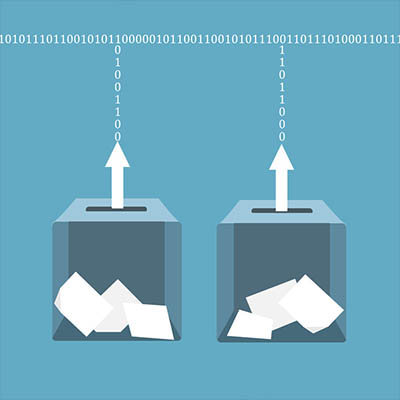
Data is made up of bits, or strings of ones and zeros. There are 7 bits in English characters and 8 bits in a byte.

Data is stored in ones and zeros because that’s the way we have been doing it for the past 70 years. We like to use the example of a machine that has seven lights on it to represent data. If the light is on, then it’s a zero, and if it’s off, it’s a one. The combinations of lights translate into various characters, like letters, numbers, and symbols, and when strung together in large arrays, can represent vast quantities of data to be read by a system.

Magnets use this method to store data, and they are the backbone of the present-day hard drive. With spinning platters that look an awful lot like a stack of  CDs, the hard drive uses magnets to read and write data to the drive. These devices are sensitive and can detect something as tiny as something billions of times smaller than an eyelash cut into a hundred different pieces. Pretty shocking stuff.

Basically, the hard drive was crucial to the development of data storage, and it remains to this day a common staple in the office environment and even for consumer electronics. Solid state drives, or SSDs, are also quite popular, and they run using electrical charges to tiny transistors. Since they don’t rely on mechanical movements or magnets, they are the preferred choice for mobile devices, tablets, and laptops, and they can run a lot faster than your average desktop computer HDD as a result.

How Much Data is Contained On Your Smartphone?

If the US Library of Congress holds 51 Terabytes, how much does the average smartphone hold?

A typical high-end smartphone has about a quarter or half a terabyte, but if your smartphone has a Micro SD card slot, you could potentially expand its storage by an entire terabyte. That is about a 50th of the Library of Congress, or over a million books. It’s pretty shocking, considering how small those little guys are.

Here are just a couple of ways you can use a 1 Terabyte Micro SD card:

  • 200,000 songs
  • 250 full-length movies in full HD
  • 6.5 million pages of PDF documents
  • 250,000 photos taken with a 12 megapixel camera
  • Essentially every video game from the 80s and 90s.
  • Or you could store 10,000 copies of Windows 95 and Microsoft Office 95.

How Much Data Does Humanity Produce?

Humanity has produced 44 zettabytes as of 2020, and this would require 44 billion 1 TB Micro SD cards. This number could double by the end of this year, and by 2025, it could exceed 200 zettabytes. Absolutely mind-blowing.

Considering the fact that more than 62 percent of all people on the planet use social media, send emails, move information from one point to the next, and so on, this isn’t that surprising. With 300 billion emails sent daily and over 500 hours of YouTube content uploaded daily, data generation is not slowing down anytime soon.

Look, Data is Important

We hope that this look at data generation has made you look at your own data in a different light. Yes, new data is created all the time, but you can save a lot of time and energy by protecting the data you already store with data backup and disaster recovery solutions. Failing to do so is like doing the same work twice; there’s no reason for it, so don’t do it.

NuTech Services can be your go-to resource for data backup solutions. To learn more, contact us at 810.230.9455.

dataLibrary_82175447_400.jpg

Data Sure is Neat! Part 1

dataLibrary_82175447_400.jpg

It isn’t a secret that technology has come so, so far as compared to just a short time ago. Take data, for instance. Let’s dive into why something so incredibly small is so incredibly important (and while we’re at it, how much space today’s data would take up in other formats).

What is Data?

To explain data, let’s go back to how data was stored before we had fancy-schmancy computers and smartphones and the like—in books! The typical novel contains somewhere from 60,000 to 110,000 words, with lengthier epics containing more (as you would expect). To get a sense of exactly how much data this translates to, let’s turn our attention to the typical text message, with its maximum of 160 characters, and anywhere from one to three sentences on average. English-language characters are each 7 bits, with each bit represented by a 1 or a 0. 01000001 stands in for “A,” while 01000010 stands in for “B.”

So, what does this matter? I promise, we’re getting there.

A text message can contain a total of 1120 bits of data, 1120 ones and zeroes. With 8 bits in every byte, this translates to 140 bytes per text message. 1,000,000 bytes make one Megabyte.

The average word to be found in our novel is made up of about five characters, meaning it could contain anywhere between 300,000 to 555,000 characters. Multiplying by seven for the bits that make up each character, and dividing by 8 for the bits in each byte, we have 481,250 bytes, or 0.48125 Megabytes, in our book.

Following this logic, a large book could contain about a half a Megabyte of information…then you also have to consider metadata, the cover, and the other assorted information an ebook would contain, which means it’ll be about one Megabyte in size. This is added to further by any images or illustrations.

How Much Data Can Be Found in a Library?

Okay, so because libraries often hold books that are far larger than the average novel—textbooks, reference books, encyclopedias, dictionaries, and the like—some files will be much, much larger than a Megabyte, while others could very well be much smaller. For simplicity, let’s assume that the average book in our hypothetical library equals one Megabyte.

The typical library generally holds between 5,000 and 500,000 books, although some hold millions. The United States Library of Congress, for instance, has over 51 million books, 25 million manuscripts, and millions of other items in its massive collection. Again, to keep things simple, let’s omit everything but the text in each of the 51 million books and calculate the data stored within.

51 million Megabytes equals about 51 thousand Gigabytes, which then converts to 51 Terabytes. Many PCs contain 1 to 2 Terabyte drives, so the entire book collection of the Library of Congress could be contained on about 25 home computers. Crazy, when you think about it.

Of course, we don’t currently have mobile devices with this kind of capacity, but who knows what the future will hold.

It’s also important to acknowledge that we only calculated based on the text alone. If each book was scanned in as images, you could expect the total per book to be closer to 8 Megabytes, with a need for 408 Terabytes to hold the Library of Congress. That would take far more than a room of workstations to contain.

Stay Tuned for the Data Your Organization Handles

Next time around, we’ll discuss how much data the average human being generates, in addition to what is stored in your business each day. Make sure you check back so you don’t miss it!

telltaleHDD_400.jpg

The Tell-Tale HDD

telltaleHDD_400.jpg

If Edgar Allan Poe worked in an office, here’s what one of his works would sound like:

True!—nervous—very, very dreadfully nervous I have been and am, but why will you say that I am mad? The office had sharpened my senses—not destroyed—not dulled them. Above all was my sense of hearing. I heard all things in heaven and on earth and many things in…the other place. So, how then am I mad, especially when I can so healthily and calmly tell you this story?

It’s impossible to say how the idea first entered my brain, but once conceived, I couldn’t get it out of my head. There was no reason for it, there was no feeling behind it. I really liked my boss. He had never wronged me, he had always respected me. I wasn’t even that jealous of his money. I think it was his eye…yes, it was this. Whenever we were working in the office, his gaze would fall upon us and my blood would run cold. After a while, very gradually, I determined that I needed to take my leave of the company, and rid myself of his critical gaze. 

To do so, I would take the company’s data along with me to make me more valuable to the next company I found.

Now, this is the point, and why you probably think I’m nuts. Here’s the thing, though…would a crazy person so carefully and cautiously make such a plan as I had? I was the ideal employee for the boss. Every day, after the boss had left, I would copy a bit of the company’s data onto a hard disk drive I kept hidden in my desk. I did this for an entire week, adding a little more data to my drive each time. Every morning, when work began, I would stride in confidently and greet the boss, asking him how his evening was. So, he would need to be very quick to suspect that I was siphoning away some of his data after he left.

On the eighth night, I set up my hard drive to copy more data than ever, and I felt more accomplished than any night prior to this one. There was so much data that I now had to offer a new employer. To think I had managed to collect so much valuable data, little by little, and for the boss to have no idea. I couldn’t help but chuckle to myself. The boss heard me, and he came out of his office quite suddenly. You’d think that I’d be concerned—but no. The office was dark, with most workstations asleep, and the door could only be opened from the inside. I knew that I was hidden from his sight, so I continued my work.

Suddenly, my workstation beeped, and the boss turned to my direction, crying out—”Who’s there?”

I stayed very still at my desk. For a whole hour I didn’t move a muscle, and he didn’t close his door after he returned to his office. He was waiting there, listening, just as I had done each night of the preceding week.

After a moment, he groaned, and I knew he was scared. This wasn’t a groan of pain or grief—oh, no—it was the sound that comes when someone is stifling back deep terror from their soul. I knew it well, because the same feeling would hit me in the late hours of the night, and would make a similar sound myself. I knew how my boss felt, and almost pitied him. Almost. I could hear him muttering to himself, trying to explain away his nerves. He quickly gathered his things, continuing to explain away his nerves to himself, and promptly left—still never discovering me at my workstation.

I waited a long time, listening for the elevator doors, the sound of his car driving away, before I resumed my work. The glow of my display illuminated my hands as I copied file after file to my hard drive. With quiet determination, I took a copy of every file, my hidden hard drive whirring away as data was added to its stores.

Suddenly, I hear it—a rhythmic, quiet clicking, emerging from the drawer containing my hard drive, punctuated by high-pitched squeals. Panicking, I turned off my workstation, killing power to the drive, and swiftly left the office and made my way home. In my haste, the drive was left in the drawer. Returning home, I slept a fitful and restless sleep.

When morning came, I returned to the office filled with confidence, yet tired from my restless night. As such, I was on edge. I sat at my desk, with little patience for the droll chatter that my coworkers were sharing around me. I booted up my workstation, smiling despite myself, knowing that in the desk I sat at laid the proof of my triumph. I smiled, greeting my coworkers politely, keeping up the ruse to avoid any suspicion.

My coworkers suspected nothing, my cheerful demeanor and casual spirit giving them no reason for concern. Before very long, however, I grew more tired and my head began to ache. Meanwhile, I began to hear a quiet screeching which grew louder and louder as the day passed. I continued talking to try and drown out the sound, but it wasn’t long before I realized that the sound wasn’t just in my head.

I felt myself grow pale, although I continued to confer with my teammates to try and drown out the sound. Yet the sound continued to grow. I spoke louder, more animatedly, but the sound still grew louder. I continued to speak, more and more aggressively, but the noise still grew more and more pronounced. How could my coworkers not hear the clicking and squealing coming from my drawer? I kicked my feet against the side of the desk where the hard drive was kept, but the noise was still drowned out by the squealing and clicking. Yet my coworkers still chatted pleasantly and cordially. Could they really not hear it? No, that was impossible. They knew—and not only that, they were mocking my attempts to hide it.

I couldn’t take it any longer. Louder, louder, and louder the clicks and screeches grew, and I could no longer stand to look at their calm faces, hear their trifling conversations. I needed to scream, or I would explode. Louder, and louder, and louder, again and again and again—

“FINE,” I screamed. “I can’t take it anymore! I admit it, I was stealing data! Here, look in my desk—here, here it is—the clicking and squealing of the horrible hard drive I used!”

We understand how scary the thought of an insider threat can be, nevermind the idea that it could be your business’ equipment that fails in such a spectacular fashion. We’re here to help protect you against these circumstances and many, many more. Give us a call at 810.230.9455 to learn more about what we can do for you.

Happy Halloween!

274469717_deepfake_400.jpg

Understanding the Threat of Geographic Deepfakes

274469717_deepfake_400.jpg

Per our role as cybersecurity professionals, part of our responsibility is to put the developing threats out there in the world into perspective for the clientele that we serve. After all, with so many modern threats seeming to border on science fiction, it is only natural for smaller organizations to assume that their size will protect them from such attacks through simple lack of interest—or even that such threats will never be used practically at any significant scale. Unfortunately, these assumptions are too often mistaken.

For your business to survive, let alone thrive, you need to have prepared for every eventuality. To put the importance into context, let’s examine a threat that many may have shrugged off—deepfake images—and the potential they show in terms of future cyberattacks and misinformation campaigns.

A Refresher on Deepfakes

Deepfakes are images or video clips that have been manipulated by artificial intelligence to show something other than the truth. You may have seen a few lighthearted examples online, where a comedian’s face is replaced by the celebrity they are impersonating, or different actors are inserted into movie scenes. There are even mobile applications now available where you can create simple (albeit glitchy) lip synch videos based on a headshot.

Not all applications of this kind of AI-based image generation are so obvious, however. Just look at the This Person Does Not Exist website, where you can see the results of a generative adversarial network’s work in creating very convincing, imagined faces. Every time you click on that link, the website will display a completely unique and imagined photograph that looks like a real person, but isn’t.

While entertaining, such applications do little to highlight the actual risks presented by deepfakes when put to more extreme uses. Adult-themed deepfakes are already being used to generate pornographic materials of people without their consent, and deepfake technology has also been used to doctor up footage to manipulate political interests. However, another use for deepfakes has risen that has many concerned—geographic deepfakes.

What is a Geographic Deepfake?

Rather than manipulating a person’s face or words, geographic deepfakes are used to manipulate satellite imagery to hide or distort the appearance of the landscape. As this technology grows in popularity and accessibility, it could potentially be used to seriously impact businesses and governments around the globe.

How Serious are Geographic Deepfakes?

Let’s put it into context for a moment by going over how a geographic deepfake could be (and increasingly are being) used.

Let’s say for a moment that you were a military commander, and you were leading your troops through the field. Your objective isn’t far, all you need to do is cross a bridge that spans over a ravine that you’ll see once you crest the next hillside. Except, once you reach the top of the hill, you don’t see the bridge that your satellite imaging assured you would be there. You see the ravine, sure, but there’s no bridge to cross it.

There goes your plan, and such a failure is bound to have wide-reaching ramifications.

This exact scenario was brought up in 2019 by an analyst at the National Geospatial-Intelligence Agency named Todd Myers—and is in no way a new tactic.

Throughout history, maps have been weaponized as a part of disinformation campaigns and propaganda and have even been manipulated to protect intellectual property. Cartographers would insert fabricated locales and details into their maps to try and catch any copycats out there—after all, if you had invented “Not-Realburg, Michigan,” seeing it on another map is a blatant clue that your work had been copied.

A recent study, compiled and published by the geography department at the University of Washington, explored the topic of deepfake-generated geography in more depth.

What the Study Contains

In their study, the researchers review the long, long history of embellishing maps—reaching back to the Babylonian era in the 5th century B.C.—before focusing on the modern, technology-based contexts of location spoofing and how it can be weaponized, sharing examples produced by the researchers specifically for the study as a proof of concept.

In short, the study does what the research team intended it to do: it highlights the very real capabilities of such technologies, and how easily they could potentially be abused with no single means of identifying when an image has been manipulated.

What’s worse, the inherent trust the public has for such images makes them particularly effective, according to the researchers. While the team was able to engineer a tool to help identify their own fake geographies, these kinds of tools will need constant maintenance to keep up with the improvements that deepfakes will inherently see as time marches on.

What Can Businesses Learn from This?

While these kinds of threats will hopefully have minimal impacts on most businesses for some time yet, it is still valuable to consider how such a technology could be used against a company’s operations. Returning to the example of the missing bridge above, it isn’t hard to imagine how such an event could create serious interruptions and delays to the supply chain. Taking it a step further, someone trying to interfere with your success directly could use such an attack to hide your business from view on a map.

We also can’t neglect the idea that cyberattacks tend to inspire other cyberattacks, so there’s no telling what an imaginative cybercriminal might think to do with such capabilities someday.

For now, the best thing that your business can do is to reinforce your business using the technologies available today. While it would be foolish to completely ignore the development of cyberthreats like deepfakes, there are other attack methods that need to be protected against in the present. NuTech Services can help you in that aspect. Give us a call at 810.230.9455 to discuss what your business needs to make its technology more secure and more productive.

138817540_crm_400.jpg

Understanding the Benefits of a CRM Solution

138817540_crm_400.jpg

Business success is largely based on the quality of the relationships you develop with your prospects and clients. Of course, no relationship is ever easy, and they usually don’t number in the hundreds. To simplify things for you, we want to discuss a tool that provides a lot of benefits: CRM software.

What is a CRM?

Short for Customer Relationship Management, your CRM is the tool that helps you track the relationships you have with the people you offer your services to, assisting you in developing these contacts into faithful clientele. As a bonus, these solutions generally come with integrations that give you access to even greater capabilities and resources.

Why don’t we go through some of the most common CRM integrations to demonstrate how beneficial they can be to your processes?

Calendar Integrations

Keeping track of your customers and your opportunities to communicate with them is a critical facet to your success, so it is important to stick to a schedule to avoid creating conflicts. A CRM can integrate with your business calendar to help prevent overlapping schedules while keeping you engaged with those you should be communicating with. By synchronizing your calendar to your CRM, your team can work more collaboratively and efficiently.

Customer Support Integrations

A good CRM also communicates with the tools you use as a part of your customer service and support delivery. With a CRM, any time a customer reaches out to your support team, the system directs the call directly to the department the caller wants to reach. By preventing some other department from receiving the call, both your overall productivity and your customer relationships are improved. As a result, your business sees benefit.

Email Integrations

Email is a valuable communication tool for many businesses, which is why a CRM’s capability to help personalize any marketing efforts a business uses their email to support is such a valuable one. With the data stored in the CRM, lead generation becomes a much simpler endeavor.

Supporting your operations with a CRM can directly lead to improved business, as your customers will be more inclined to reach out to you. If you’re interested in some other ways that technology can be used to benefit your business’ operations, reach out to NuTech Services at 810.230.9455.

PDF_136785362_400.jpg

Tip of the Week: Working with PDF Files

PDF_136785362_400.jpg

Portable Document Format files (better known as PDFs) have become incredibly common as a means to save documents in a constant and consistent format that can be viewed on just about any device. They also allow users to make some simple changes to make it even easier to review the data they contain. Here, we’ll go over a few options for this year’s first tips.

Rotate the Document

It is very easy to accidentally scan a document into your computer so that it doesn’t appear upright on your display. A program like Adobe Acrobat Pro offers an in-menu option that allows you to do just that – in Document, find Rotate Pages. This option will allow you to select the pages that need to be rotated, and how to rotate them. Other programs may feature a toolbar button that allows you to rotate each page.

Fixing your pages, despite taking a few moments of time, is certainly a worthwhile thing to do, as it makes the document easier to read, promoting accuracy and convenience.

Password Protecting the Document

As long as the person or people who need to see a particular PDF have the proper password, protecting the document in question with a password is a generally good idea – especially if it contains “for your eyes only” information. To make these files as secure as possible, make sure that the passwords are distributed through secure means.

In Word, you can save your files as a PDF using the “Save as” function, simply selecting the PDF option as you do so. You will also see a button offering More options, which brings up a second dialogue box where you can find “encrypt document with a password” in that box’s Options button. By selecting encrypt document with a password, you will have the option to provide a password (and confirm it). At that point, anyone opening the PDF will need to enter that password to view it.

Merging PDF Files

It isn’t uncommon for different parts of the same document to be saved as different PDF files, or for multiple copies to be saved with different information filled in. It is usually better to have all of this information consolidated, to make reviewing it much easier. While many free and paid software titles can allow you to do this, you should reach out to us before you select one, as we can help you make the right choice for your needs – you probably don’t want the program’s watermark on your finished document, or find yourself needing to merge more documents than a free program will allow.

If you’ve already acquired Adobe Acrobat, merging your files is fairly simple. After opening the program, access the Tools menu and select Combine files. Doing so will give you the ability to Add Files… and once you have selected all of the files that should create your new PDF, click Combine. Once they are combined, clicking Save as will allow you to store it where it belongs.

Signing a PDF

Many times, a contract that needs to be signed will arrive as a PDF. While many resort to printing these documents out to sign them, there is an easier way – signing them electronically.

This time, the free Adobe Reader software can get the job done, but you should still check with your IT resource before using it.

If Adobe Reader is approved and installed by IT, you can easily sign PDFs electronically. By opening the PDF file with Reader, you have access to a Fill & Sign button. Click it, then Sign and Add signature. You’ll then have access to three options:

  • Type – you simply type your name into the field, and an electronic signature is rendered (which will not look like yours).
  • Draw – you use your mouse to draw out your signature.
  • Image – you use a scanned image of your actual signature that is then saved for future use.

Once you’ve positioned your signature where it should be, click apply and make sure you save your revised PDF.

Always remember to check with your IT team before you download any software! For more IT tips and other useful pieces, make sure you subscribe to our blog!

190293970_bitcoin_400.jpg

Is Blockchain a Shield for Cybercrime?

190293970_bitcoin_400.jpg

Blockchain technology is all the rage these days. Business owners are going to start hearing this buzzword as a bullet point in software solutions. Developers from all over the world are trying to harness the power of encrypted, distributed data, mainly due to the reputation that blockchain has regarding the “unhackable” permanence of the data stored upon it. However, it as powerful as blockchain is purported to be, it isn’t totally infallible.

How Blockchain Has Been Shown to Be Vulnerable

Let’s face it… blockchain technology is a human invention, which means that there are going to be some flaws.

Admittedly, the concept behind the blockchain makes this hard to believe: every transaction made through the blockchain, financial or data-based, is given a permanent, designated “block” in the chain. Before the transaction is completed, the rest of the network needs to approve this new block’s validity. The block is then added to the chain, where it cannot be altered and provides an unchangeable record of the transaction – to undo it, a new block would be created. It is only then that the transaction is completed.

While this method may seem foolproof, even “unhackable”, this just isn’t the case. In March of 2014, cybercriminals managed to steal $450,000,000 worth of Bitcoin through a transaction mutability vulnerability, and in June of 2016, cybercriminals managed to steal approximately $60,000,000 by leveraging a recursive calling vulnerability.

Additional Blockchain Vulnerabilities

Again, as a human creation, there are going to be some flaws in blockchain platforms. One investigation revealed that some blockchain and cryptocurrency platforms had over 40 vulnerabilities.

51% Vulnerabilities

Many of blockchain’s vulnerabilities have more to do with the nature of the platform as well. One such vulnerability is known as a 51% vulnerability, and is associated with mining cryptocurrencies. Let’s assume you are a cryptocurrency miner. If you manage to accumulate hashing power that exceeds more than half of what the blockchain contains, you could leverage a 51% attack to manipulate the blockchain to your own advantage.

Naturally, more popular blockchains, like Bitcoin, are far too expensive to be practical targets, but smaller coins are much more affordable to attack and can be lucrative for hackers. In 2018, 51% attacks were leveraged against less popular cryptocurrencies, netting the attackers approximately $20 million.

Security of Private Keys

Using a blockchain requires a user to have a private key. Naturally, if this key were to be stolen, those cybercriminals who stole it would be able to access and tamper with that user’s blockchain. What’s worse, because the blockchain is decentralized, these kinds of actions are difficult to track and even harder to undo.

Breach Examples

As you might imagine, most breaches involving a blockchain are in some way tied to an end user. In 2017, a fraudulent cryptocurrency wallet service was left up for months as the cybercriminal responsible allowed people to funnel their cryptocurrencies into it before stealing $4,000,000 – out of a reported total of $2 billion being stolen since 2017 began. In January 2018, it was disclosed that hackers stole private keys with malware, taking over $500,000,000 in NEM coins (a now-effectively-worthless cryptocurrency established by a nonprofit).

If hackers are able to steal from a purportedly “unhackable” technology, what’s to stop them from stealing from your business?

Cybersecurity solutions from NuTech Services, that’s what. We can set up the security solutions your business needs to protect its data, and monitor your systems to detect breaches preemptively, preventing a security issue from happening. To learn more about what we can do, reach out to us at 810.230.9455.

define_ethics_code_400.jpg

Why Your Business Needs to Define Its Ethical Code

define_ethics_code_400.jpg

As the technology that businesses have available to them develops, so does the propensity for this technology to be used unethically. This has become especially apparent where data collection is concerned, and what that data is used for after it has been collected. How can you keep operations moving both productively, and ethically?

Collection Concerns
Data collection is one of the current big concerns in technology. With another newsworthy data breach practically every other day, companies that accumulate data for seemingly little reason effectively put their clients and customers at a greater risk of having this data stolen. Reflecting upon this, it is no wonder that 75 percent of consumers are concerned about brands keeping track of their browsing habits.

Facebook has been the focus of some negative attention in past months thanks to these concerns. In addition to the Cambridge Analytica situation, Facebook has adopted artificial intelligence technologies to analyze their users. This analysis is used to predict future behaviors, these insights being sold to advertisers. While this brings up many legitimate concerns about data privacy, it also introduces a different topic: the need for a code of ethics surrounding the use of collected data, as well as how much data is collected.

Why This Is a Real Issue
It should come as no surprise that businesses and individuals have different priorities, and that these different priorities shape their ethics in different ways. Likewise, the primary purpose of any business is to generate revenue through profit. Therefore, it only makes sense that a business as a unit would have the motivation to collect as much data as they can – after all, the more data available, the more insights that could be presumably be gleaned, and the more successful the business would be… in theory.

However, as mentioned above, many businesses seem to collect as much data as they can just so they can have it. This is not a great approach for them to take for a few reasons. Most obviously, because it just enables more data to be compromised if a breach was to occur.

Without the guidance of a code of ethics leading your business decisions, the likelihood of risking your clients’ data for the sake of advancement – be it more insight, improved automation and artificial intelligence, or another business goal – becomes much higher.

Enforcing Ethics
In order to create a workplace that is in alignment with your determined ethics, you need to make sure of two things. One, that you clearly establish and share them within your business so that your employees are on the same page as you are, and two, that you stand by these ethics.

To accomplish this, learning your company’s ethics should be a part of an employee’s onboarding process, with a written document leaving no questions as to what will and won’t be tolerated. Then, you need to make sure that you not only listen when ethical violations are reported, but also allow those reporting them to remain anonymous.

What would be the most important aspect of your policy for employees to follow? Share it in the comments!

american_voting_secure_400.jpg

Are American Voting Systems Secure?

american_voting_secure_400.jpg

Election Day for the United States is November 6th, and regardless of your feelings regarding U.S. politics, the fact of the matter is that millions of Americans will soon go to the polls and cast their ballots. Unfortunately, what many of them don’t realize is how insecure their voting machines actually are, and how they are potentially putting their vote at risk.

What Most Polling Places Have
The majority of American polling places are operating with equipment that is fast approaching 15 years old. For reference, here’s a brief list of products and technologies that haven’t even been around for ten years yet:

  • Google Chrome
  • Airbnb
  • Spotify
  • Kickstarter
  • 4G
  • Mobile GPS
  • Instagram
  • The iPad

One cofounder of nonprofit group Open Source Election Technology, Greg Miller, puts it this way: “You have equipment that was introduced in 2005. In that time frame, how many times have you changed your mobile phone? And how many times have we replaced our laptops?” In short, the American voting system is reliant on, as Miller described it,”… obsolete hardware [and] software that relies on a diet of spare parts.”

The other cofounder of the nonprofit OSET, John Sebes, has demonstrated just how vulnerable these systems could potentially be to manipulation.

Most polling places collect all of the voting data onto a piece of portable media, like a CD or a USB drive, and bring it to a separate location to be tallied. Unfortunately, the machines used here are also usually outdated, as is the software used to process the results of the vote.

In a live demonstration on a national news network, Sebes used one of these machines to tally votes for two fictional candidates, Thorfer and Varda. In the example, Thorfer had won in a landslide with over 3,000 votes, the opposing Varda only receiving 100. However, with a very simple malware, Sebes was able to just switch the tallies, making “Varda” a fraudulent winner – and while access to these tallying computers is secured, some may not be secured as well as others are.

Furthermore, many polling places maintain a paper backup of the vote, just in case there needs to be a recount, but there are also many who have no paper backup at all. This includes some states known as “battleground” or “swing” states, where a much smaller number of votes can potentially have a significant impact on the final outcome.

How to Minimize the Issue
Unfortunately, the easiest solution to this problem is also impossible. One would think that there would be a singular set of standards for all polling places to abide by – but since the American Constitution specifies that each state is in control of its own electoral procedures, this consistency is effectively made impossible.

However, there are other ways that have been suggested to protect voting technology… some of which are decidedly lower-tech.

Temporarily Eliminate Online Voting
Some states have made online voting available, primarily to service members or other citizens who may be abroad, and many allow email ballots to be submitted. However, until security is improved for these methods, it has been suggested that they are suspended.

Utilize Physical Backups
Yes, we know. We generally say that all of your backups should be saved to the cloud, but in this case, that would be counterproductive. After all, a physically-generated paper backup that records each vote isn’t hackable (unlike a digital system) and could easily be used to cross-check any contested results.

Invest in Improved Voting Equipment
As one might imagine upon hearing that most American voting machines are over a decade old, updating the infrastructure that enables the prime responsibility of democracy is clearly not a priority for those dispersing the funds. It has been suggested that Congress get involved, funding research into improving these machines and replacing the problematic older machines, as was last done in 2002.

Americans view the right to vote as a basic human right, so it seems especially bad that their infrastructure can get in the way of their doing so. Don’t let your business technology do the same to your employees and their work. Reach out to NuTech Services for a better solution by calling 810.230.9455.

encryption_key_400.jpg

Know Your Tech: Encryption Key

encryption_key_400.jpg

Security is a necessity. Every technology professional will tell you this, but in an age where employees are taking information on the go, it’s trickier than it’s ever been before. Encryption is one of the ways that businesses are attempting to shore up their security, but this also requires having an encryption key. This week’s technology term is all about encryption, as well as how encryption keys protect your business’ data.

Defining Encryption and Encryption Keys
Encryption is the act of scrambling your organization’s data so that it can’t be seen by prying eyes. Anyone who doesn’t have the encryption key will see nothing but a bunch of nonsense. Through the use of algorithms, these keys are guaranteed to be unique, meaning that there are no two patterns that are alike. Of course, depending on the type of encryption being used, there could be one or two keys needed to decrypt information.

Symmetric algorithm: Symmetric algorithms are often called secret key encryption. This uses one key to encrypt and decrypt data. Since this makes for an efficient encryption method, it can be used to encrypt large amounts of data. The bad side of this encryption is that it only uses one single encryption key, so you need to make sure that it remains in your possession at all times.

Asymmetric algorithm: Asymmetric algorithms are commonly used in public/private encryption, in which there are two keys involved. The public key–the one used to encrypt data–can be shared, whereas the other–the private key–is private, and used to decrypt the data later. Asymmetric is considered the more secure of the two options, since the private key that decrypts the data isn’t actually shared.

What Are These Keys Used For?
Encryption keys are used for a variety of objectives, but the ultimate goal is still the same: security of both the data and the encryption keys themselves. The strength of the encryption key depends on several variables, including the length of the symmetric keys and the algorithm used to create it. These keys usually have short shelf lives called a crypto-period, meaning that you should understand details about how the encryption key will be used before committing to it and expecting it to work for you indefinitely.

  • Data encryption keys: These keys prevent data from being read by anyone who isn’t authorized to view it. These keys are also held onto for a bit past their crypto-period.
  • Authentication keys: An authentication key is used to determine that the data encrypted has not been altered at all while it’s in transit. This is ideal for sending and receiving data so that authenticity is guaranteed.
  • Digital signature keys: Digital signature keys are similar to authentication keys, but they take it a step further by applying a digital signature to the user. This means that someone who digitally signs a document can’t actually deny that they’ve done so.
  • Root keys: The public key infrastructure is used for authentication and digital signatures, and the root key is the highest level of key in this infrastructure. Due to the importance of this key, it’s generally protected by a hardware security module.
  • Master keys: A master key can be used to encrypt multiple other keys. This means that they need to be extremely secure with a hardware security module, and they should last for a long time, if not forever.
  • Key encryption keys: These keys can transport other encryption keys. They should be long-lasting and unchanging.

Does your organization want to take full advantage of encryption? To get started, reach out to us at 810.230.9455.

network_complexity_monitor_400.jpg

Increased Network Complexity Necessitates Shifts in Monitoring Strategies

network_complexity_monitor_400.jpg

Businesses of all sizes have come to depend on their IT for productivity. IT administrators that constantly monitor their network and infrastructure reduce downtime, leading to higher resource availability. With the increasingly complex makeup of an organization’s network this becomes quite the task.

What Makes a Network Complex?
First we should mention that computers are complex machines and if you’ve ever tried to fix one without the specific knowledge it takes to do so, you more than likely ended up like everyone else who has tried, and called a professional. The traditional computing network was made up of centralized servers, end points in the form of workstations, and some networking equipment that allowed these machines to communicate with one another. Adding the availability of the Internet to that equation makes the network much more complex, mostly due to the breadth of the Internet as it exponentially increases your business’ exposure to threats.

Expanding that even further with the growing number of endpoints on a network due to the deployment of wireless networks that connect all the smartphones, laptops, and tablets to the network; and, all the other connected devices that are out there today… there is a lot of ground to cover. That’s not even considering virtualized data, cloud platforms, a website, and other higher-bandwidth applications such as video streaming or communications systems.

Network Monitoring Best Practices
Before we start listing ways you can monitor your network and infrastructure more effectively, we should mention that as trained professionals, we recommend entrusting your network monitoring to people who are versed with the makeup of your business’ network and infrastructure. Our managed IT services platform is a perfect complement to a large complex network filled with potential problems.

5 Monitoring Practices to Consider

  1. Pay Attention – This goes without saying, but by keeping the health of your network at the top of your list of priorities and monitoring components in real-time, you can be more proactive in fixing issues before they become downtime-causing problems.
  2. Find an Overreaching Solution – By integrating an end-to-end monitoring strategy, it gives you the power to coordinate efforts and present technicians with one version that they can act upon. Find a solution that handles both wireless and wired networks, virtual and physical environments, databases, and applications and supports all necessary protocols and languages to be able to monitor any device or program.
  3. Optimize Bandwidth – Data flow bottlenecks can absolutely hinder your business’ ability to utilize all the tools effectively. Monitoring bandwidth levels can bring about favorable results.
  4. Prepare to Scale – For the modern business, scalability is key. To ensure that the staff of your business has access to the productivity systems they require, being able to scale up or back–depending on the situation–is essential.
  5. Ensure Your Solution Is Flexible– When you choose a monitoring platform, be sure to choose one that doesn’t have inflexible licensing models as you need it to be able to work across all types of devices and applications.

The IT professionals at NuTech Services are experts and monitoring and managing business networks. Call us today at 810.230.9455 to find out more about how we can help you run a more efficient business with technology.