248900505_industry_secure_400.jpeg

Are Utilities as Secure as They Should Be?

248900505_industry_secure_400.jpeg

Recently, a story broke in Florida that sounds like something out of a terse action film: a hacker managed to access a water treatment facility and subjected the Pinellas County water supply with increased levels of sodium hydroxide. While onsite operators were able to correct the issue right away and keep the public safe from danger, this event is the latest in a line of cyberattacks directed at public utilities. Let’s consider this unpleasant trend.

Keeping Utilities Safe

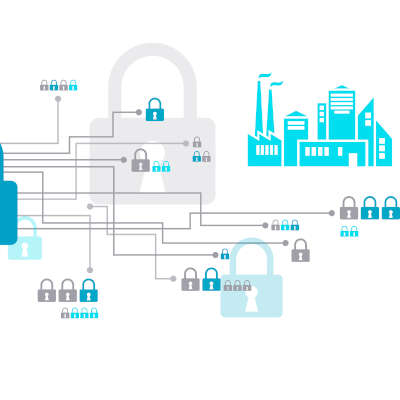
Many of today’s systems run via the assistance of computers and are hosted online to embrace remote capabilities. Unfortunately, this nature leaves them vulnerable to hackers—despite the huge investments made into protecting the public infrastructure that runs on these systems.

As the event in Pinellas County proves, it just takes one time to cause great damage. Therefore, we can see why it is so important to keep these systems secure.

How Utilities Have Changed

With more people than ever suddenly working remotely, many jobs that once required on-site staff have shifted to automated solutions—especially in terms of seeking out IT threats and issues. However, with all this “newness”, many people aren’t familiar with the toolkits they are working with.

As a result, more employees are vulnerable to attacks and less aware of how to prevent them.

Infrastructure and Utility Threats are Increasing in Severity

According to a Ponemon Institute report, the level of sophistication that is used in attacks against utilities has increased sharply. 54 percent of utility managers foresee having to contend with at least one cyberattack this year—meaning that half of those that provide electricity, safe water, and other critical resources anticipate a major event.

When you consider how much our society relies on these systems, this is disconcerting to think about.

What Can Be Done?

Unfortunately, this question is where things can get complicated. It isn’t as though utility companies underestimate the importance of security, after all. However, by modeling their approach upon the one undertaken by the average enterprise, they have adopted a lot of the same practices: revising their practices as they go, continuing to innovate, and being increasingly vigilant.

For instance, many providers are integrating options that businesses have had success with. AI has been integrated to help identify potential threats much more efficiently by processing far more data in far less time. The Internet of Things is now used to better track and modulate internal processes and distribution of resources. Even better, these IoT devices (which are usually infamous for their questionable security) have seen the investments necessary to properly maintain their protections thanks to the efforts of the utility companies.

Considering the importance of our utility services, protecting them needs to be a priority… but what do you think? Should more attention be paid to the cybersecurity protecting them? Leave your opinion in the comments.
server_101536916_400.jpg

Are You Looking to Buy a New Server?

server_101536916_400.jpg

So your small business needs a new server. What are your options? Do you know what they are? Today, we’ll try to shed some light on how you should look at the server-buying process and what your organization’s options are. 

Business Servers

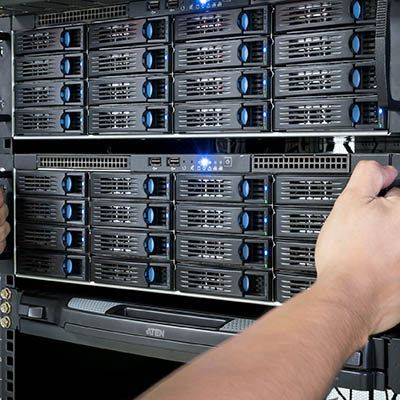
When you are looking for servers, there is a pretty good chance that you need to centralize application delivery, file storage, or some other core function of your business. A server is a high-powered computer that runs specialized software that is used to support the multiple users that your business has on staff. Some of the multi-user applications that servers are used for include email, some type of messaging, print servers designed to manage company-wide print jobs, and customer relationship management (CRM). If your business already uses one or multiple servers, you need to establish whether you need to upgrade and migrate; or, if you’ve outgrown your hardware and need to set up a new server, and where to host it.

Cloud vs. Onsite

If you are looking to set up your first server, you have an interesting decision to make. Do you set up your new server at your place of business, or do you host it with an established cloud provider? Traditionally, companies would be better served to host their hardware locally, but with cloud services from some of the most reputable companies in the world now available with built-in support and anywhere-anytime access, it stands to reason that looking at how each is priced out is a prudent move by any decision maker. 

With the purchase of a server, a company takes on the costs of the hardware, which are often substantial, they then deploy software and have to pay to have that hardware managed. If the hardware costs aren’t enough, the maintenance costs can be multiple times that. When you add in utility costs, you are looking at a large capital cost with a smaller operational outlay.  With cloud computing, however, you can get a reasonably secure server that can be accessed from any place users have access to a high-speed Internet connection. This provides accessibility that many other servers don’t have, while paying per month rather than up front. The costs don’t add up quite as fast (the capital outlay is virtually zero), but the operational costs spike, often exceeding what you would pay for a server over time. 

Let’s make a list of some pros and cons:

Onsite Server 

Pros:

  • Gives you complete control over organizational data.
  • Gives you the ability to alter storage types and amount at any time.
  • Performing onsite backup is much easier.
  • Restoration from onsite backup is much faster.

Cons:

  • Upfront costs of hardware.
  • Exorbitant costs of continued maintenance.
  • Utility costs.
  • Upfront and recurring costs of physical security.
  • Your hardware is only marginally utilized.

Hosted Server

Pros: 

  • Eliminate capital costs of buying and maintaining hardware. 
  • Mitigate server-based utility costs.
  • Cloud server is scalable.
  • Data and application redundancy built in.

Cons:

  • The need for stable and reliable bandwidth rises.
  • Costs of bandwidth rise.
  • Security can become an issue.
  • Lose physical control over the management of the servers.

It all comes down to system control. If you want (or need to have) control over your hardware in order to meet federal, state, or industry regulations, hosting your servers onsite is suggested. If you don’t have these regulations to meet, there’s no reason hosting your servers in a public cloud interface can’t be a viable alternative for your company. 

One option that many businesses are using today is the establishment of a private cloud server. A private cloud server is hosted either onsite or in its own dedicated cloud space, and delivers a business a lot of the pros listed above, albeit at substantial cost. The establishment of the private cloud allows companies that need to have control over the management of their organizations data and applications to have it, while providing the ability for users to access the data and applications outside of the confines of its physical network. 

Regardless of what kind of server you are looking for the experts at NuTech Services can help. Find out more about your server options by calling us today at 810.230.9455.

nanotubes_nanotechnology_400.jpg

What is Nanotechnology, and How Can it Be Used?

nanotubes_nanotechnology_400.jpg

Technology is seemingly being made smaller and smaller. Just think about the size of the computers from the mid ‘90s until now. Sure, you can still buy huge a gaming PC with a four-foot tower with liquid cooling, or one that is a fish tank (complete with fake fish); but, the computer you use the most fits in the palm of your hand.

Nanotechnology is the smallest “technology” yet. At its core, it’s a manipulation of the smallest elements of matter, measured in nanometers. Consider that your fingernails grow at about a rate of a nanometer per second, or that a single molecule of water is about a quarter of a nanometer across, and it will give you an idea just how small a nanometer is. It is quite literally one-billionth of a meter.

That’s really the start. Nanotechnology deals with anything in that arena that measures between 1 and 100 nanometers, and largely consists of the engineering of structures that function inside or alongside nature’s nanomachine, cells.

How Is This Technology?
It really is a true combination of science, engineering, and technology. To answer the question, engineers are currently at work attempting to create smaller, more powerful microprocessors that could be used to adjust the practical uses of every material of the physical world. You could make structures stronger, cure disease, and alter matter at the subatomic level. If that’s not technology, I don’t know what is.

When semiconductor manufacturers create the latest and greatest processors or microprocessors for use in a myriad of devices, they measure their nodes in nanometers. Today, these manufacturers are working on the five nanometer chip–a feat thought impossible by many – until IBM announced they had developed one. If DNA is only two nanometers across, we may only be a short time until machines will fit everywhere.

Why Don’t People Know About It?
Nanotechnology is in its relative infancy. In 2017, Dr. George Tulevski of IBM spoke to the challenges the field faces going forward. His perspective was that nanotechnology development and research actually has slowed since the 1980s. In the same TED Talk, he opined that the use of carbon nanotubes could potentially improve computing tenfold, but the development of this technology is just in its early stages.

Is This Technology a Good Thing?
With people today only having a limited understanding of the technology, there aren’t a lot of trustworthy opinions on the issue. Intellectia even seem hedged about the applications of nanotechnology. On one hand, theoretically it could do more than any other technology to help the human race. On the other, any technology made from wonder, and with benevolent intentions, can also be manufactured for malevolent use. Like with other contemporary technologies such as artificial intelligence, researchers will have to move slowly and not let potential profits influence their release of products involving nanotechnology.

Do you consider nanotechnology to be interesting? Would you like to see how far this rabbit hole goes, or should we as a people leave well enough alone? Leave your thoughts in our comments section below, and return to read more great technology blogs from NuTech Services.

meltdown_spectre_four_400.jpg

ALERT: Meltdown/Spectre Hardware Vulnerability Requires Action

meltdown_spectre_four_400.jpg

Just a few months after finding themselves in a firmware fiasco, Intel is making news for all the wrong reasons. This issue had the potential to affect the CPU of a device, causing a severe dip in the performance of the device.

In a blog post by a user going by the name Python Sweetness, an issue was reported, describing “an embargoed security bug impacting apparently all contemporary CPU architectures that implement virtual memory, requiring hardware changes to fully resolve.” This means that, thanks to this bug, the interactions that different programs would have with the CPU would be affected.

Under normal circumstances, a CPU will have two modes that it operates under: kernel, which permits the user to make changes to the computer itself, and user, which is considered a ‘safe’ mode. Python Sweetness discovered a bug that blurred the distinction between the two modes. The bug allowed programs run in user mode to also access kernel mode, possibly allowing malware to access the computer’s hardware.

However, the circumstances have proven to be less dire than they originally appeared. The expectation was that this bug would cause entire processes to shift back and forth between user and kernel mode, hamstringing the speed at which the device would operate. There was also the expectation that this issue would not be able to be resolved without a hardware change.

For PCs with Windows 10 installed and an antivirus that supports the patch, the fix should already be in place. However, to confirm this, go to Settings > Update & Security to see if there are any updates waiting to be installed. If not, check your update history for Security Update for Windows (KB4056892) or check with your antivirus provider to find out when it will be supported, the patch will not install until it sees that the antivirus has been updated to a version that the vendor verifies supports this patch.

Android devices had an update pushed on January 5 to provide some mitigations, with more protections coming in later updates. These patches have already been pushed to Google-branded phones, like the Nexus and Pixel lines, and may have been on other Android devices. It doesn’t hurt to check, and if you haven’t been updated, go online and put pressure on your carrier on a public forum.

Google Chrome should be updated with similar mitigations on January 23, with other browsers updating soon after. To help protect yourself until then, have your IT team activate Site Isolation to minimize the chance of a malicious site accessing data from another browser tab.

Other devices (like NAS devices, smart appliances, networking equipment, media equipment, etc.) may also be at risk, as they are using similar hardware. It’s really important for business owners to have their entire infrastructure reviewed and audited.

These kinds of issues help to demonstrate the value of an MSP’s, or managed service provider’s, services. MSPs like NuTech Services are sure to keep themselves informed on the latest developments in IT security and any resolutions they can pass on to businesses like yours, if they don’t implement them on your behalf.

As a result, you and the rest of your team can go about your business without having to concern yourself with solving issues like these, knowing that you can trust the team who is solving it for you. For more ways that an MSP can help keep your business security and operations optimized, reach out to NuTech Services at 810.230.9455.