cybersecurity_182043943_400.jpg

Securing Every Endpoint is Important to Maintaining Security

cybersecurity_182043943_400.jpg

Sometimes it can be easy to take cybersecurity for granted, especially when you consider that built-in security features are more powerful than they have ever been. Unfortunately, if you think that cybersecurity is something that ends with the built-in security of your desktops and laptops, then you’re in for a rude awakening.

Most Devices Are Connected These Days

Besides older industrial machinery and equipment, just about all devices connected to your network communicate with each other in some way, thereby making them a cybersecurity risk. Individual workstations and desktops might be protected, but you also need to keep them updated, along with all of the other endpoints that might be connected to your network.

In fact, you might be surprised by some of the other devices that could potentially be threats to your network.

Network Printers Can Be Dangerous

Does the name Stackoverflowin ring a bell? Back in 2017, this hacker hijacked 150,000 printers all over the world from big brands like Canon, Brother, Epson, HP, and Samsung. They were then able to send documents to these printers to print out the messages. The attack might be harmless, but it showcases just how serious issues of cybersecurity with printers can be, as they can be controlled and manipulated in ways you might not expect.

In essence, the above attack could be categorized as a botnet, or a large group of infected devices from all over the Internet using their collective power to launch an attack against a network. This segues nicely into our next topic of discussion, the DDoS attack.

Internet of Things and Distributed Denial of Service Attacks (DDoS)

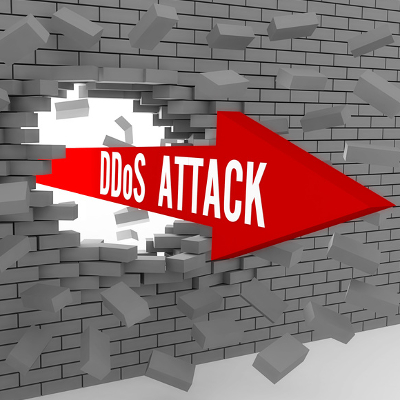
Just last year, the world saw the most massive DDoS attack yet. A DDoS attack is when countless devices—we’re talking hundreds, thousands, or even millions of infected devices—band together to launch all of their power against a website or service. It’s like when the grocery store has too much traffic and people get stuck waiting around in the aisles, or when a highway experiences traffic congestion.

Anyway, back to the attack. It went after its target with 17.2 million requests per second, three times larger than the largest DDoS attack which preceded it. With a varied list of compromised devices, including smart appliances and various Internet of Things devices such as smart light bulbs, thermostats, washing machines, and others that can connect to a smartphone, anyone with connected devices has reason to fear these attacks. And, of course, if a hacker can take over your washing machine, you bet they’re not going to be doing your chores for you. They’ll likely use it to gain deeper access to your network and create all kinds of problems for you.

Networking Equipment Like Routers, Switches, and Other Hardware

Any device which sends or receives network traffic throughout your office is going to be vulnerable, as it’s likely connected to your workstations, which your employees use on a day-to-day basis. Even in the home environment, you can expect there to be threats aplenty, as just last month a new type of malware was discovered making its home on consumer and small-business grade network routers. This particular threat allowed hackers to influence connected devices using the Windows, Linux, and macOS operating systems.

The malware, an incredibly complicated and sophisticated threat called ZuoRAT, is believed to have been created by a major organization or perhaps even a nation-state. The threat is quite difficult to identify and detect, all while granting a considerable amount of control to any potential attacker, making it a dangerous combination of stealthy and powerful. It can also be used to roll out additional malware, bypassing security measures along the way.

Yes, Even the Bluetooth Earbuds

Bluetooth headphones might seem small and of little consequence, but even these devices can be vulnerable to threats. Take, for example, the vulnerability which was discovered within the microcontrollers of a handful of earbuds, allowing hackers to gain control over the device for the purposes of a botnet. The threat has only been used by researchers, but security experts were able to break into their own Bluetooth earbuds and disable the Bluetooth and wireless communications on the connected device. Imagine the repercussions this could have in the realm of a physical security system, where security cameras could be broken into and turned off.

Pretty scary stuff, although we would like to mention that we don’t bring this up to scare you—merely to open your eyes to the possibilities out there for hackers, which are seemingly infinite in scope.

It’s Never a Bad Time to Consider Your Cybersecurity Strategy

We know it can be a little unnerving to think about the many threats out there, but you don’t have to do it alone. NuTech Services is here to help you navigate the cybersecurity landscape. To learn more, reach out to us at 810.230.9455.
Internet_Reliability_12554756_400.jpg

What is It that Impacts the Quality of Your Internet Connection?

Internet_Reliability_12554756_400.jpg

For something as fundamental to a business’ processes as its Internet connectivity, it can be challenging to determine how reliable and fast your Internet connection is. We wanted to review the different factors that would impact the connectivity that your business gets.

What Impacts My Business Internet Speeds?

There are assorted influences that need to be considered to figure out the potential connection speeds you might achieve for your business:

The Infrastructure Connecting You to Your ISP

Regardless of your contract, your Internet speeds are going to be dependent to some degree on the infrastructure that is delivering them to your business. Cable and fiber-optic lines can deliver Internet at speeds that are far faster than what the antiquated DSL connection over the telephone network can.

How Far Away the Network Centralizer is from Your Business

Fast as data moves, it still takes a bit of time to make it from point A to point B. Therefore, the further away that the network centralizer is, the longer it will take for the transmitted data to reach your business and vice versa.

How Many Users and Devices are Connecting at Once

Naturally, when more people are getting a piece of the pie, the pieces are going to get smaller and smaller. The same goes for your Internet bandwidth. Each device that connects to the Internet impacts the availability and speeds available to the rest—the more there are, the slower the connection will be.

There is only so much that you can do to increase your business’ Internet speeds, short of shelling out more of your hard-earned dollars. We’re here to help you make up for the lost efficiency in other ways, through improved and optimized IT solutions.

Give us a call at 810.230.9455 to find out more.

Network_bottlenecks_174058708_400.jpg

Avoiding Network Bottlenecks Can Help Your Business Be More Productive

Network_bottlenecks_174058708_400.jpg

As time passes and your business accomplishes great things, you might find yourself in positions where your network cannot handle its normal everyday workload. When there is so much network traffic and data transference, it can be difficult to identify where and why this slowdown occurs. What is a network bottleneck, and how can you resolve this issue?

Look at the design of a bottle with its rounded top and the neck of the bottle growing more narrow as you approach the top. The design is meant to help limit the amount of fluid passing through it, allowing you to drink the contents without the rest of it spilling out. Too quickly.

Here’s another analogy using a two-lane highway on a busy day. Both lanes are filled with cars heading toward the same destination, but only one of the lanes is functioning correctly. Maybe there is a pothole in one lane or there is construction going on. If the traffic is restricted to one lane, then the same amount of traffic designed for two lanes will reach their destinations much more slowly.

A network bottleneck works in the same way; the flow of network traffic is restricted by the design or limitations of the container, in this case the network itself. The flow of data throughout your network is governed by the bandwidth and capabilities of your hardware. If the network is trying to transfer more data than it is designed to, a bottleneck can occur and slow everything down. Here are some of the hardware reasons why a network bottleneck might surface.

  • CPUs
  • Graphical processing units
  • RAM shortages

Bottlenecks can create significant problems for network efficiency, especially for productivity. Without the right amount of resources to transport data, the network might experience significant slowdown that keeps it from performing its tasks. Everyday tasks might take much longer to pull off, preventing your organization from sticking to a budget or keeping it from getting things done in general. In fact, sometimes tasks might get skipped over simply because it is too inconvenient to get them done.

Depending on the design of your network, your bottlenecks might have existed from your network’s conception, and they have only surfaced recently due to increases in traffic or unforeseen circumstances. You need to actively look for network bottlenecks so that they don’t take you by surprise or linger longer than they have to. With our help, you can identify these issues and address them accordingly.

NuTech Services can help to monitor network traffic for bottlenecks and other problems. To learn more, reach out to us at 810.230.9455.

419050379_internet_outage_400.jpg

What the Recent Internet Outage Tells Us About Its Potential Vulnerability

419050379_internet_outage_400.jpg

Over the week of June 14, a lot of applications and websites experienced outages, creating problems for many companies until it was resolved. Not only did these outages create business continuity issues, they’ve also exposed just how vulnerable the Internet is to these kinds of issues. Let’s take a look at what happened.

To begin, let’s review the situation at hand.

A Small Firm’s Challenges Created Significant Ripples Online

Fastly provides a content delivery network for numerous influential websites. Basically, they support a network of duplicate servers across 26 countries around the world so that websites can store data and content on them. The closer the user is to where the data is being stored, the faster it can be accessed—which is exactly why news sources use Fastly to ensure users don’t have to wait before they get their news.

However, on Tuesday, June 10th, a large number of websites and applications went down, many of which ranking as some of the most popular on the Internet.

While this outage was relatively quick to be resolved, it still caused significant business interruptions and cost countless millions of dollars. Pretty impressive… particularly when you consider that these damages were the result of a 75 percent decrease in traffic for approximately one hour. Additionally, it wasn’t as though these affected websites could switch to another service on a dime without some proactive preparations (which would do little to simplify the complicated process of doing so).

Let’s consider this scenario as indicative of a concerning factor in how the Internet is now constructed.

The Concerns Underlying the Modern Internet

While a content delivery network helps to support efficient content delivery (as it should), there are a few potential drawbacks that a CDN presents… despite their growing popularity online. First off, because the CDN draws from a central server, any issues in this server could easily render this content inaccessible. The same could be said of any cybersecurity issues that impact the central server.

CDNs offer considerable speed boosts and cost savings as compared to the undersea infrastructure that would otherwise be used to distribute content, but at the cost of vulnerability to any issues in the system’s backend processes.

Furthermore, because a lot of the Internet’s software specifications are so open, a simple issue could impact millions or even billions of devices. Since it is far more often the case that the issue is a small one, tools like machine learning are now being used to troubleshoot and identify the root causes of Internet outages.

Of course, not all businesses make use of a CDN. Many are now using cloud computing services to support their needs, but even these aren’t immune to issues. Some of the largest cloud providers—Amazon Web Services, Microsoft, and Google—have been known to experience outages from time to time, creating challenges for the businesses that rely on them.

This is not to say that cloud services are useless… quite the opposite. However, it is important that you understand the risks involved in all of your options. NuTech Services can assist you in identifying your needs and customizing your IT to meet them.

To find out how we can make your IT more resilient and effective for your business’ processes, reach out to us at 810.230.9455.

343860455_VPN_400.jpg

What Exactly Is a VPN?

343860455_VPN_400.jpg

One of the major shifts we’ve seen in business in 2020 is the establishment of the remote workforce. Stay-at-home orders brought on by the COVID-19 pandemic made it necessary for businesses to find solutions on how to securely transfer information from what could be unprotected networks. The virtual private network is a solution to this problem. Today, we will describe what a VPN is, what its primary use is, and how secure it really is for secure file transmission. 

Defining VPN

The virtual private network is a tool designed specifically to protect data as it is transferred over the Internet. The best way to describe it is as an encrypted tunnel that protects the interception of data that is being sent from one place to another. 

For the remote worker, it can be difficult to get access to the files you need from your company’s central computing infrastructure. This is a big problem when the resources you need to do your job are located on these servers. The VPN gives you a simple means to that end, as it provides the secure environment in which to send and receive data. 

How is a VPN Used?

Traditionally, the VPN is used to set up a secure and reliable network connection between an endpoint and a central server.

Let’s say you were working remotely, where you ordinarily wouldn’t have access to the company’s servers, as we established earlier. Without a VPN, this would severely hinder your capability to be productive—but making this connection under normal circumstances could potentially expose the data you’re working on to external threats.

How the VPN Boosts Data Privacy and Security

The encrypted nature of the VPN is what helps resolve this. Thanks to the encryption, the data that is sent via the VPN is shielded from anyone trying to peek at it while it is traveling. If a cybercriminal does manage to glance at it, it is scrambled and distorted—rendering it effectively useless.

Hence the name virtual private network.

While it isn’t a panacea for your cybersecurity needs, it does allow you to securely communicate from a device to your business’ network from an otherwise insecure network, or one you don’t control.

Want to learn more about VPNs, or other important elements to your business’ information technology? Turn to us for the answers! NuTech Services and our managed services can be reached by calling 810.230.9455.

113943320_secure_wifi_400.jpg

How to Establish Fast, Secure Wi-Fi for Guests to Your Healthcare Organization

113943320_secure_wifi_400.jpg

Patients and hospital visitors have come to expect Wi-Fi internet access. It’s no longer seen as an extra convenience, but a requirement for the comfort and confidence of your patients. That said, it’s your responsibility to provide reliable Wi-Fi access that is reasonably fast, secure, and easy to sign into.

Your Main Hospital Wireless Network Needs to be Locked Down

First of all, your main office Wi-Fi cannot be used for guest access. The same network that your computers, tablets, laptops, and other equipment run on needs to be completely segregated from the rest of the traffic and secure. This might be pretty obvious for most healthcare professionals, especially those who have an understanding of HIPAA compliance, but it’s worth mentioning because it poses such a huge security risk (and breaks compliance).

Your guest network allows anyone to log in, which means a malicious person could log into it, or an honest person who has a compromised device. Both scenarios can result in serious problems if sensitive health data is accessible.

You need to ensure that your internal network is properly locked down, and that the password is never given out publicly, and is regularly updated. We can audit your existing network to look for vulnerabilities and shortcomings, and help you meet compliance standards—just reach out.

Guest Networks Don’t Necessarily Mean New Hardware

As long as the routers and access points you already have are capable, you usually don’t need to purchase additional hardware in order to establish a separate Wi-Fi network for guests. This is a huge perk—not only are you obviously not having to purchase new equipment, but you don’t need to worry about the installation of additional hardware. Of course, if your network is older, your requirements might be a little different.

One thing to think about, is how much bandwidth your existing wireless network allows. Most modern access points can be split so bandwidth usage is segregated between staff and visitors. You’ll want to make sure that the network can handle guest traffic without interfering with internal operations. You don’t want a visitor in your waiting room streaming Netflix to prevent your front desk from being able to print or access records.

It’s important to establish restrictions—not just deciding what a guest can see or do on the network, but how much bandwidth they are allocated.

Even Guests Require Policies

You don’t want to simply deploy a free-for-all network for your patients to access without setting some ground rules. You should require users to agree to terms of service, and you should definitely be able to monitor logs to detect any fraudulent activity. Depending on your practice, you may consider setting time restrictions so unauthorized users can’t access the network when your facilities are closed. We can also restrict access to certain locations to prevent access from outside your facilities.

Deploying a guest network doesn’t have to be extremely expensive, but it does require a lot more than simply enabling a feature on your wireless router. If you’d like help, we can start with a network audit and review your existing network, and help you establish the security and best practices you need to keep your visitors and patients safe and happy.

Give us a call at 810.230.9455 to get the process started.

250877277_wireless_wired_400.jpg

Should You Use Wired or Wireless Connections?

250877277_wireless_wired_400.jpg

It hasn’t been too long since connectivity required an actual physical connection between the connecting endpoints, making a wired connection the de facto option for businesses. However, now that wireless connectivity is so widely available, businesses now have a choice… but which is the better option? Let’s compare some of the pros of each to make the answer a little clearer.

Why a Hardwired Connection?

Security

The fact is that a direct connection is inherently more secure than one that is broadcast over the airwaves, as these have the potential to be snagged in transit much more easily. Therefore, if security is paramount, a wired connection is the better option by default. That said, there are ways to secure your wireless connection, utilizing a VPN.

Speed

Wired connections are also much faster than a wireless one, whether data is being communicated within your business network or to and from the Internet. In terms of efficiency, the wired connection comes out on top.

Stability

Save for a case of infrastructure failure, the only way you could lose a wired connection would be if the wire were to be unplugged. This stability not only makes them more reliable; it contributes to the consistency of the aforementioned higher speeds.

Why a Wireless Connection?

Convenience

The lack of cables that a wireless connection requires just makes Internet access so much simpler for a business to implement. Without the need to adapt any existing infrastructure to run wires and such things, it is far easier to add, subtract, and move users around as need be.

Mobility

Wi-Fi’s inherent mobility works so well for businesses because a user can pick up what they’re doing and bring it with them if they have the right device. This makes it much more practical to implement in the workplace, especially if collaboration requires meetings to happen in various places in the office.

Scope

Speaking of the right device, a wireless connection enables work to be done on a much wider, and yes, more mobile assortment of solutions. On a related note, businesses that interact with the public regularly can configure their Wi-Fi to offer guest functionality. This enables these businesses to offer their patrons a convenient perk.

Why Hybrid May Be Best

This is the real important takeaway: you don’t have to choose between wired and wireless connectivity.

Embracing both options can effectively negate the shortcomings of either, ultimately improving your business’ capability to get work done—large tasks performed over the wired connections, with communication and collaboration sticking to Wi-Fi. It all comes down to your business’ individual needs and situation.

Whichever option works best for you, you can count on NuTech Services being the best resource you can turn to. Find out what we have to offer in terms of assistance and support by calling 810.230.9455.

57808106_keep_records_400.jpg

Improve Your Business With These Documentation Practices

57808106_keep_records_400.jpg

With the amount of technology that the modern business relies on today, each business needs to maintain comprehensive documentation outlining it. As a managed service provider, we can provide an expert perspective on what needs to be included in this documentation. Let’s get into it.

What Should My Documentation Include?

Basically, your documentation should be a complete inventory of all the technology you have, first divided between your hardware and software solutions.

Hardware

There’s a lot of information regarding your hardware solutions that you will want to keep a record of, as it will make a lot of processes a lot simpler moving forward.

Serial/Model Numbers – These will help you to ensure that the device you are working on is the one you think it is, in addition to simplifying things for your support team.

Purchase Dates – If any of your decisions are going to be based on the age of the device (i.e. whether to repair or replace), knowing how long you have had it will help you to evaluate if you got the value from your investment.

Warranty Information – On a related note, knowing the terms of an item’s warranty can help you make the best decision for your business while taking this into consideration.

Installation Dates – Let’s say that one of your workstations is acting up. If you knew that it was installed the day before an extended brownout hit your office, this information could help you narrow down the issue.

Physical Locations – It is important to know where a device is supposed to be. This makes it easier for the service team to keep it maintained, as well as boosts your security somewhat.

Device Names – Having a name for a specific device, aside from the one the manufacturer assigned, adds another level of differentiation.

IP Addresses – If you need to find something on your network, knowing the IP address will help immensely.

Software

Just as is the case with your hardware, there’s a lot of information about your software to carefully record and track. Make sure you’re establishing the following in your documentation:

Product Licenses – Similarly to the serial number, keeping track of your product licenses ensures you are aware of how many copies of a given title you have available to use.

Purchase Dates – Again, as with your hardware, knowing when you acquired something helps you find out of your purchase is still under warranty, along with other pertinent details.

Install Dates – Once again, if you know when a given software was installed on a system, you’ll know a lot more about it through inference and deduction.

Subscription Details – If you maintain a subscription to a software suite or similar tool, keeping track of your subscription details can ensure your ability to use that title.

Usernames or Registration Emails – Knowing who in your organization is associated with your various software titles can help you log in to a vendor’s website or otherwise receive support later.

Version History – Finally, keeping up with your software’s current version in your documentation can help you keep track of where updates are needed, and where you may be susceptible otherwise. Of course, your documentation should outline the proper update procedures as well.

Why Bother with All This Documentation?

Simplicity. Security. Peace of mind.

Maintaining your technology will be so much easier with these details recorded for future reference, allowing you to get the maximum value for your investments into IT. For assistance in establishing these processes, or for insights about what we track, give us a call! Our professionals can be reached at 810.230.9455.

285758363_voip_400.jpg

VoIP Can Replace Analog Phone Systems

285758363_voip_400.jpg

It’s true that Voice over Internet Protocol (VoIP) is probably going to be cheaper than using an enterprise phone system through your regional phone company. While cost reduction is a good reason to choose a service, VoIP does much more than just reduce communication costs. Implementing a VoIP platform also presents a lot of solid options that can help your business be more efficient and productive. 

VoIP Allows You to Do More

While at its core, a VoIP system is a telephone system, it allows for many more options. Since it uses an organization’s available bandwidth rather than a dedicated RJ-11 connection, there are more dynamic options available. It may raise the cost of the solution a bit, but VoIP can come with instant messaging, conferencing, and call archival built in.  

VoIP is More Secure

VoIP is far more secure to use than the traditional landline because it is easier to secure a digital connection than it is to secure an analog one. The use of encryption protects all information transmitted through the system.

VoIP is More Portable

This is a big benefit. VoIP solutions can be linked to mobile applications. This means that any smartphone can become a work phone, and can be linked to the same number as the user’s business phone. This allows people to get calls on their phone without having to give over their personal number. This is either done through forwarding or by installing a simple app on the phone.

VoIP Offers Automated Client Interaction

A VoIP system can be configured to support an entire business. There are integrated automated menus that can offer a lot of value by directing calls to voicemails, alternative members of your team, and allowing employees to avoid distractions and not neglecting their incoming calls. Call forwarding, parking, and many more options can be tied to a VoIP account for additional costs.

VoIP is a technology solution for all of your business’ calling needs. Call NuTech Services today at 810.230.9455 for more information about VoIP and you can get the telephone system you’ve always wanted for your business.

144339508_infrastructure_400.jpg

What Does Your Business’ IT Infrastructure Look Like?

144339508_infrastructure_400.jpg

Small and medium-sized businesses (SMBs) simply don’t have the large budgets that come with running an enterprise, and because of this, many of them have trouble affording IT maintenance and management. In a similar sense, these smaller organizations struggle with planning out an IT infrastructure. Does your business have a plan in place?

What Does Your IT Infrastructure Look Like?

Your IT infrastructure consists of all the technology that enables your organization to store and utilize data that it has collected. This includes your network, your storage system, and any hardware and software solutions that are used to access it. Basically, an IT infrastructure is effectively your organization’s central nervous system, supporting operations through the transportation of data.

It’s clear that your IT infrastructure will play an important role in the way your business works. This means that you’ll need to invest time and energy into developing a proper strategy for your IT infrastructure to adhere to.

Determining Your IT Infrastructure Strategy

The same infrastructure won’t work for all businesses, so you’ll have to craft one. To create an optimized infrastructure strategy, consider the following best practices.

Simplification

Make no mistake–your infrastructure today hardly resembles what it looked like just a few short years ago (at least, it shouldn’t). Chances are that your IT infrastructure contains several different types of technology. This complicates the process of improving and updating it.

Be sure to consider the modern standardization of the software and integrations that are possible with your centralized IT platform, as this will maximize access to data and increase how much value you get from your solutions.

Flexibility

IT is always changing and adapting to trends, which means that you will want to build your IT infrastructure in such a way that it can take advantage of these changes. Ask yourself where your organization’s biggest speed constraints are, as well as how they can be rectified. If you can consolidate your existing infrastructure to limit the risks, how would this affect your business processes? These are all factors that must be taken into consideration.

Service-Focused

The biggest advantage that IT provides for your organization is that operations can’t happen without it. When planning out your infrastructure, be sure to consider the fact that your entire business will need to use it for access to services and tools required for each employee’s day-to-day responsibilities. Ask yourself what you can do to make sure your infrastructure can do what must be done both now and in the future.

Why You Should Consider a Managed IT Infrastructure

You might recall the process you used to create your network back when your business was just a fledgling pushing back against the world. Remember that feeling and use it to fuel the process of reexamining your current IT infrastructure. In fact, you may find it more reasonable to outsource this task to a managed service provider.

There are many benefits to doing this, but the biggest has to come from the time you’ll save from doing so. You have a lot on your plate as a business owner. Can you say with confidence that you have the time it takes to design, build, manage, and maintain an IT infrastructure? Of course not–there simply aren’t enough hours in the day. Instead, you hand this responsibility to professionals you trust to ensure that the process goes well.

NuTech Services wants to be the MSP you trust to make sure your infrastructure is working for your business and its goals. To learn more about the services we offer, reach out to us at 810.230.9455.

PEA6LF5_phish_400.jpg

Getting to Know About Phishing Attacks Can Keep Your Business Safe

PEA6LF5_phish_400.jpg

There’s a big reason why phishing is a primary threat to businesses, and it’s because this method gives hackers a relatively risk-free way of gaining access to a network or other resources. Even being aware of the issue is often not enough to prevent it, as hackers are known to get quite aggressive and crafty with their phishing campaigns. If only a fraction of the 57 billion phishing emails that go out every year are taken seriously, hackers make quite a bit of profit off of users.

As a result of this increase in phishing attacks, endpoint security has grown much more focused, but the issue with phishing isn’t necessarily an issue with the strategies surrounding your technology–rather, it’s an issue relating to your organization’s users and their tendency for failure. Now, we know this sounds a little harsh, but it’s been proven time and again that employees need security training on how to handle credentials and other sensitive information. Let’s take a look at a couple different types of attacks you can be exposed to, and what you can do to keep your organization from becoming just another company that has suffered from a data breach.

Deceptive Phishing
Deceptive phishing is one of the most common types of phishing scams, and it aims to fool unsuspecting users into handing over sensitive information. This happens when the hacker sends a message to users that impersonates an actual person or company that the organization has some sort of relationship with. These hackers use deceptive phishing to convince users to hand over information like passwords, usernames, account numbers, etc. Since official credentials are being used to access these accounts, it doesn’t immediately become a security concern.

For the most part, these deceptive phishing messages are either ignored by the users, caught by filtering technology, or disregarded when they’re accessed. Unfortunately, the handful that actually do fool the end user are worth the hundreds-of-thousands that are sent to others. To keep your business from making this fatal mistake, you need to focus on increasing awareness of what makes phishing attacks so much different from your average legitimate email.

Some of the telltale signs of phishing messages include misspelled words, problems with sentence structure, and suspicious attachments or URLs. Always hover your mouse over a link before clicking on it to determine its location, and never download an attachment unless you know who’s sending it. Another thing to look out for is any financial institution or vendor demanding payment or access to your account–there are other, more official methods of outreach for methods such as these; and no bank or similar institution will ever, ever ask you for passwords.

Spear Phishing
Spear phishing attacks are targeted attempts against a specific user. For example, someone who sees a message from a coworker might let their guard down, but this doesn’t necessarily mean the message is safe. It just means that some hacker managed to find a way to mimic the sender in a way that is extremely convincing. Spear phishing attacks will often know the target’s name, title, company, work phone number, and much more–all to seem as authentic as possible so the user will click on a malicious attachment or URL.

Even social media isn’t safe from this trend. LinkedIn, for example, is one of the most common places where spear phishing is leveraged. It might be used for connecting with other business professionals, but it’s not hard for a hacker to imitate a business professional. We aren’t saying that you need to avoid social media like the plague, only that you should approach it with some sensible caution.

Pharming
That being said, more people are learning about these attacks by the day, meaning that some hackers have ceased these types of attacks for fear of their efforts being for naught. Instead, they turn to a practice called pharming, which is using an organization’s DNS server to change the IP address associated with the website name. This gives them a way to direct users to malicious websites to steal their legitimate credentials.

To prevent this from happening, it’s very important that you tell your staff to be sure they are entering their credentials into a secured site. The best way to make sure this happens is to look for the “https” in the hyperlink, as well as a padlock icon next to the address. It also never hurts to have an antivirus solution on each endpoint within your organization.

NuTech Services can help your business stay as secure as possible. To learn more, reach out to us at 810.230.9455.
wireless_connection_400.jpg

How to Get the Best Wireless Connections in Your Office

wireless_connection_400.jpg

There are plenty of small irritations to be found in the office, from a pot of coffee that someone neglected to refill to the sound of a squeaky chair under the office fidgetier. However, none are quite as infuriating (or as detrimental to productivity) as an inconsistent Wi-Fi signal. What makes the Wi-Fi so spotty, and how do you resolve that?

What Do You Expect from Your Wi-Fi?
Many businesses have a tendency to either deal with their Wi-Fi as-is or will haphazardly add new networking components to their infrastructure as needed. Neither of these approaches is ideal, especially in light of the fact that you’ll need your Internet connections to be reliable as you grow your network.

A much better alternative is to design your Wi-Fi network keeping a few additional factors in mind, including your office’s particular setup and any future growth plans you may have. This way, you will not only create a network that works for your current needs but is also flexible enough to shift and adapt as your business does. Whether you’re first designing your office’s floor plan or taking another look at its setup, the key is to go about it from a strategy-first perspective.

The Process
Your first order of business is to determine where the demand for a signal will be the greatest. After all, if you have a group of employees reliant on their wireless connectivity huddled together in one area of the office, you aren’t going to want to place your equipment in a way that creates a dead zone there. This will help you to identify obstacles and inform you of where you may want to consider placing additional routers to make up for their effects.

Once your Wi-Fi has been set up and your employees are settled, you should still be collecting performance data and listening to the input that employees have about their connections. Remember, wireless is still an evolving technology, so as it develops it is likely that you will need to adjust your strategy to accommodate it.

Long story short, you’ll probably need to make this an ongoing process to ensure that your Internet is as usable as possible for everyone in the office.

The professionals at NuTech Services are also here to assist you with any of your technology needs. If you need help with your business’ IT solutions, give us a call at 810.230.9455.

network_complexity_monitor_400.jpg

Increased Network Complexity Necessitates Shifts in Monitoring Strategies

network_complexity_monitor_400.jpg

Businesses of all sizes have come to depend on their IT for productivity. IT administrators that constantly monitor their network and infrastructure reduce downtime, leading to higher resource availability. With the increasingly complex makeup of an organization’s network this becomes quite the task.

What Makes a Network Complex?
First we should mention that computers are complex machines and if you’ve ever tried to fix one without the specific knowledge it takes to do so, you more than likely ended up like everyone else who has tried, and called a professional. The traditional computing network was made up of centralized servers, end points in the form of workstations, and some networking equipment that allowed these machines to communicate with one another. Adding the availability of the Internet to that equation makes the network much more complex, mostly due to the breadth of the Internet as it exponentially increases your business’ exposure to threats.

Expanding that even further with the growing number of endpoints on a network due to the deployment of wireless networks that connect all the smartphones, laptops, and tablets to the network; and, all the other connected devices that are out there today… there is a lot of ground to cover. That’s not even considering virtualized data, cloud platforms, a website, and other higher-bandwidth applications such as video streaming or communications systems.

Network Monitoring Best Practices
Before we start listing ways you can monitor your network and infrastructure more effectively, we should mention that as trained professionals, we recommend entrusting your network monitoring to people who are versed with the makeup of your business’ network and infrastructure. Our managed IT services platform is a perfect complement to a large complex network filled with potential problems.

5 Monitoring Practices to Consider

  1. Pay Attention – This goes without saying, but by keeping the health of your network at the top of your list of priorities and monitoring components in real-time, you can be more proactive in fixing issues before they become downtime-causing problems.
  2. Find an Overreaching Solution – By integrating an end-to-end monitoring strategy, it gives you the power to coordinate efforts and present technicians with one version that they can act upon. Find a solution that handles both wireless and wired networks, virtual and physical environments, databases, and applications and supports all necessary protocols and languages to be able to monitor any device or program.
  3. Optimize Bandwidth – Data flow bottlenecks can absolutely hinder your business’ ability to utilize all the tools effectively. Monitoring bandwidth levels can bring about favorable results.
  4. Prepare to Scale – For the modern business, scalability is key. To ensure that the staff of your business has access to the productivity systems they require, being able to scale up or back–depending on the situation–is essential.
  5. Ensure Your Solution Is Flexible– When you choose a monitoring platform, be sure to choose one that doesn’t have inflexible licensing models as you need it to be able to work across all types of devices and applications.

The IT professionals at NuTech Services are experts and monitoring and managing business networks. Call us today at 810.230.9455 to find out more about how we can help you run a more efficient business with technology.

iot_power_to_phone_400.jpg

The Internet of Things Gives Great Power to Our Phones

iot_power_to_phone_400.jpg

The Internet of Things is a bit of a paradox in and of itself. It has been leveraged to accomplish great things, but at the same time, it can be used in a way that can create considerable problems. However, innovations have proven that the IoT isn’t going anywhere, anytime soon, especially now that it can use the devices that we carry in our pockets.

Taking the IoT to New Heights
Smartphones are notorious for swiftly becoming obsolete, which means that there is a great opportunity to repurpose them and give them new life as a critical component of an IoT device. Just ask NASA.

The National Aeronautics and Space Administration has long been sending satellites into orbit – despite the intense costs to construct them, let alone get them where they need to go. To help decrease these costs without sacrificing the insight that these satellites provide, NASA started the PhoneSat Project in 2009. Rather than sending a few conventional, expensive satellites into orbit, many nanosatellites can be built from off-the-shelf components and sent into space. These nanosatellites rely on smartphones in order to function.

This initiative has appeared to be very successful, as version 2.4 of PhoneSat, “CubeSat,” reentered the atmosphere on January 31, 2017 after spending more than three years orbiting Earth. These nanosatellites have a relatively tiny price tag of $8000, and have, thus far, proved massively successful.

Bringing the IoT Down to Earth
Of course, the IoT has far more uses that are much more practical to the user who is not affiliated with NASA. Samsung Electronics created a team whose task was to figure out ways of taking older models from the Galaxy line of phones and figuring out how to leverage them as an IoT device. This “Galaxy Upcycling” team created a huge variety of IoT-powered purposes – including a few for the owners of hungry pets. The Smart Fish Tank they developed could feed the fish through a text message, and the Smart Pet Bowl would send the doting pet owner a picture whenever Fido or Fluffy chows down. This project has since been completed, the final product anticipated to be released soon.

Security Concerns
Of course, the same issues plague the IoT powered by a smartphone as have plagued all IoT devices that have come before: namely, security concerns. The IoT is notorious for its devices not having sufficient security installed, and often have no real way to update later. Time will only tell if this will eventually be a fatal flaw for the IoT, or if it will be overcome.

What do you think? Would you consider using an old smartphone to make another object smarter? Tell us why or why not in the comments!

modem_router_wifi_400.jpg

Tech Term: Modems and Routers Defined

modem_router_wifi_400.jpg

The Internet is an amazing tool, only bolstered by our ability to access it wirelessly – but what do you know about the devices that allow us to access it, namely, modems and routers? Do you know what each does? For today’s tech term, we’ll dive into exactly that.

First, it is important to understand that these devices serve two different purposes, each critical to the end goal. By working together, the modem and the router create a usable network for you to leverage.

What Does a Modem Do?
A modem is what actually connects your local network to your Internet service provider, and therefore, the Internet. It allows information to pass over without any kind of filtering.

What Does a Router Do?
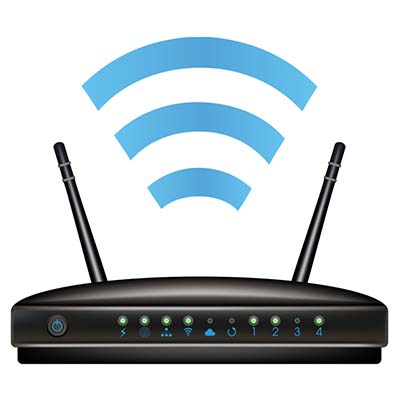
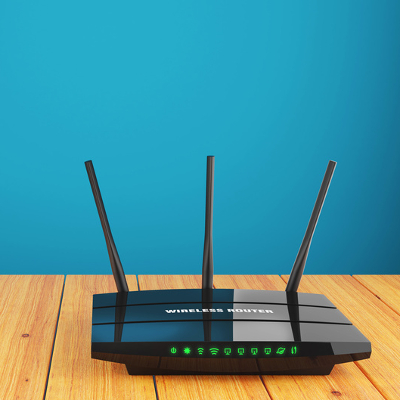
Your router is what bridges the gaps between the devices on your network and the Internet through either a wired or wireless connection. It also features protections like firewalls to thwart potential threats coming in from the Internet.

Despite this, it may not be entirely necessary for you to include a router, especially if you only want a particular device to have Internet access.

Combination Options
There is also the option to consolidate these two devices into a single one, although this doesn’t fit everyone’s needs. Using a modem/router combination limits what you can do with your network, and if your 2-in-1 device dies or is damaged, you lose all of your networking capability. Alternatively, a malfunctioning modem or router can be swapped out and replaced relatively easily, with less of a capital investment.

NuTech Services can assist you in setting up a network that meets your business’ needs optimally. Call us at 810.230.9455 for more information.

network_maintenance_400.jpg

A Maintained Network Is Better For Business

network_maintenance_400.jpg

It can be challenging and costly to maintain your business’ network system, but it doesn’t necessarily have to be. A managed service provider can help your business achieve all of its technology-related goals, including regular network maintenance. You might be surprised by how many benefits proactive network maintenance can provide for your organization.

Less Support Needed
Maintenance is loosely defined as ensuring that something can continue to operate without any issues. Therefore, it makes sense that continued maintenance will allow your business to preserve functionality for your operational technology. Regular maintenance is practically necessary in order to keep issues from cropping up at inopportune times, and even further ruining operations with greater problems. You’ll need less support because, naturally, fewer problems will happen in the first place.

Monitoring Leads to Threat Detection
If you are monitoring a system for potential issues, you can detect issues before they can cause major problems. When you maintain technology, issues that can cause downtime can be detected before they even happen, which gives you time to resolve problems and prevent catastrophe. A perfect example of this is applying patches and security updates, as they can block issues easily, so long as you take a proactive approach to network maintenance.

Greater Decision-Making Abilities
An unstable network that is prone to failure makes it difficult to make important decisions, like how to implement new technology or components. After all, how can you make improvements on something if you don’t know what’s wrong in the first place? By taking proactive measures to prevent issues in the first place, you won’t have to make the difficult choice to overlook a vital flaw in preference to resolving another major, possibly more important flaw. Managed service providers can often resolve problems before they are even known or felt by your organization, and since most problems can be resolved without an on-site visit, you’ll save time and resources that are better spent elsewhere.

To take advantage of proactive technology maintenance today, reach out to NuTech Services at 810.230.9455.

your_network_router_400.jpg

Tip of the Week: 4 Easy Tips to Boost Your WiFi Signal

your_network_router_400.jpg

Your wireless router is both an integral part of your business’s online infrastructure, and a critical part of your home computing environment. Therefore, you need to make sure that your router is broadcasting a clear signal. Here are some tips on how to keep your wireless signal as strong as possible, regardless of where you are in the office.

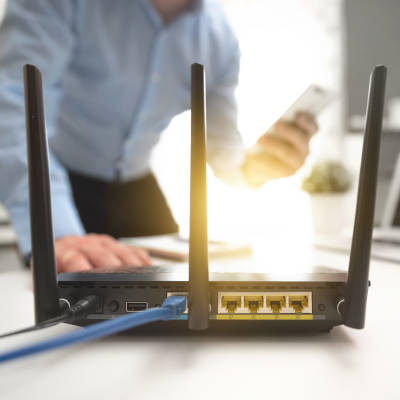
Place Your Router Out in the Open
People like to conceal their routers in cabinets, hidden on the floor behind a desk, or elsewhere. It’s not like the device is an eyesore or anything, yet people are so quick to just throw them somewhere they won’t be seen. This is often dangerous and impractical, as the device can overheat if it’s in a place with poor air circulation. Plus, if you’re storing your device in a cabinet or otherwise, your signal could be suffering, making your Internet connection spotty and unpredictable at best.

Instead, we recommend that you keep your router out in the open, where it can get plenty of air circulation and broadcast its signal unhindered. In general, this is a best practice for your technology; especially workstations and servers.

Place Your Router in a Central Location
It’s tempting to just tuck your router away into a corner on the far side of your office, but this is a good way to make sure that the other side of the building doesn’t get a strong wireless connection. What you need to do is set up your router in a spot where it can broadcast its signal equally to each location. Depending on the architecture and size of your office, you may need multiple access points.

It should also be noted that you will probably want to elevate your router slightly, so as to make sure that your signal isn’t being blocked by objects placed on the floor, like file cabinets, desks, and so on.

Check Your Bandwidth and Internet Service Agreement
Sometimes placing a router will do nothing to help with your business’s wireless Internet speed. In cases like this, it might not be a problem with your router’s placement, and instead is a result of your network’s modem. The modem is often issued by an Internet service provider and works in accordance with your service agreement, limiting bandwidth and the flow of data. Therefore, if you’re having wireless problems, but have tried every router position out there, give your ISP a call and see what they can do for you.

Upgrade Your Router
If you’re using the same router that you had when your business first started, chances are that it’s grown outdated. In this case, your wireless signal could be limited by the router itself. Since this is something that your business has control over, you may want to purchase a new one. It’s recommended that you at least go with something that has dual-band support for both 2.4 GHz and 5.0 GHz bands. This will help to keep your network strong, with minimal resistance from external forces. NuTech Services is available to help you choose the best wireless solution for your business.

Alternatively, you could try updating the firmware of your router; often times, this can help with connection issues and limited wireless range.

For more assistance with your wireless network, contact NuTech Services at 810.230.9455. Our trusted technicians would be happy to lend our assistance with your IT troubles.

b2ap3_thumbnail_remote_working_400.jpg

3 Technologies That Will Give Your Remote Workers the Edge

b2ap3_thumbnail_remote_working_400.jpgMore businesses than ever before are finding value in allowing their workers to work from the comfort of their own homes, rather than have them drive all the way to the office to do a job that can be done from anywhere with an Internet connection. More importantly, it’s much more cost effective for businesses to allow for remote workers. How can you make it as easy as possible for remote workers to get their jobs done?

Wait, why would you want to let your employees work from home in the first place? A lot of it has to do with cutting utility costs and other expenses, like hardware purchasing and energy expenses. If your team isn’t in the office, you can save on electricity and (depending on your location) heat or air conditioning. Plus, when employees feel good, they’re more likely to work hard, improving the quality of their work.

Here are three technologies that can help your remote workers get the most out of their workday.

Virtual Private Networks (VPNs)
One of the most common problems for remote employees is that they need to access files that are stored locally on their company’s network. Since these employees aren’t based out of the business’s office, they won’t be able to access them in the traditional method. This can prevent them from doing their jobs properly, especially if there are critical files that need to be used for their daily tasks. A VPN allows your remote employees access to files on the company network securely. This helps to ensure that your team stays productive, without compromising your data’s security.

Cloud-Based Applications and Virtualization
The cloud allows for information and applications to be deployed via the Internet, which means that anyone with a stable Internet connection can access files or applications necessary to complete their day-to-day tasks. The cloud, in general, is a handy tool that can help you minimize your in-house IT footprint and improve data deployment, allowing your team to work from anywhere in the world that has an Internet connection; including on the road or on business trips.

Voice over Internet Protocol
Communication is yet another pain point that remote workers have trouble with. If your team needs to make frequent outbound calls, you want them to have a phone number that can be tied to your business. Furthermore, if you need to contact someone on your remote team, you expect them to be available through email, instant messaging, or via phone. With a Voice over Internet Protocol (VoIP) solution, you can transfer your voice over the Internet, essentially providing instantaneous communication via both voice or video chat.

Ultimately, it’s your responsibility as a business owner to provide your team with the tools required to perform their daily duties, even if they work remotely. If your business is trying to achieve better operations via a remote workforce, contact NuTech Services, we can help! 

b2ap3_thumbnail_d_d_o_s_400.jpg

Tip of the Week: Spot a DDoS Attack Before it Takes Down Your Network

b2ap3_thumbnail_d_d_o_s_400.jpgDirect denial of service attacks are a major problem for businesses. On one hand, they’re difficult to prevent entirely, incredibly annoying, and costly. Hackers are realizing just how annoying DDoS attacks can be, and are capitalizing on them in order to both make a quick buck, and to take jabs at organizations that aren’t necessarily doing anything wrong.

When a business is targeted by a distributed denial of service (DDoS) attack, their servers are overloaded with traffic and brought down by the sheer amount of activity, usually performed by botnets (compromised computer hordes). This is a massive inconvenience for both end users and the business owner. Your workers lose access to critical files and applications, which becomes a cause for expensive and dangerous downtime.

One of the most frightening things about DDoS attacks is that practically anyone can truly pull one off. There have been stories about lone wolf hackers and random kids pulling off DDoS attacks under the right circumstances.

DDoS attacks are designed to cause massive headaches and downtime, but you don’t have to live in fear of them. Here are two ways you can make the next DDoS attack you experience less painful.

Understand Your Network
Before assuming that you’ve been the target of a DDoS attack, you should first familiarize yourself with the normal quality of your network. By doing so, you’ll more easily be able to detect any strange occurrences that may be causes for concern. If it’s business as usual, you have little to fear.

Keep in mind that while this is helpful for DDoS attacks, it can be a good first step toward diagnosing many common issues with your network. If something feels out of place, chances are that there’s something going on behind the scenes. A quality IT technician can help you further correct problems associated with your network.

Be Ready
While DDoS attacks are seemingly unpredictable, this doesn’t mean that you shouldn’t be prepared for them. You should start by identifying what your critical systems are, and take measures to ensure their operation continues, even in the face of the worst circumstances. Are there any services that can be hosted off-site? While it helps to have all of your services hosted in-house, your server will likely be the target of a DDoS attack; therefore, it makes sense to host your critical business systems elsewhere, like in a secure, off-site cloud solution. Although you run the risk of the data center getting hit by a DDoS attack, most data centers have the resources and safeguards to reduce downtime caused by them.

 Regardless of the business type, you should never dismiss downtime as an acceptable issue, and you should always do whatever you can to mitigate your losses. Contacting IT professionals like those at NuTech Services can go a long way toward limiting downtime caused by all types of threats, including DDoS attacks.

For more information about how you can fight against DDoS attacks, give NuTech Services a call at 810.230.9455.
b2ap3_thumbnail_security_checklist_400.jpg

Tip of the Week: Use This Security Checklist to Protect Your Network

b2ap3_thumbnail_security_checklist_400.jpgAs a business professional, you have a responsibility to ensure that your company’s network and data is protected from hacking attacks. It can be difficult to remember to take all of the necessary precautions, but with our help, you can easily outline all of the measures that should be taken to maximize security for corporate data.

Start by going down this handy checklist:

Are You…

  • … Maximizing Password Security? A password that’s difficult to crack is one of the best (and easiest) assets your business’s network can take advantage of. If threats can’t make it past your password, they can’t do much damage. When changing your password, remember to use strings of complex characters, including both upper and lower case letters, numbers, and symbols.
  • … Using Two-Factor Authentication? When using two-factor authentication, you’re basically making the process of signing into your accounts more difficult by adding another security step to your login process. This means that a hacker must obtain even more information, like your mobile device. This extra step makes it vastly more difficult for a hacker to get into your account.
  • … Updating with the Latest Patches and Updates? The latest patches and security updates help keep your systems up to date and protected from recently discovered vulnerabilities and malware, improving your infrastructure’s overall security and dependability.
  • … Protected by a Firewall? A firewall is your first line of defense from incoming and outgoing threats. It analyzes the traffic moving to and from your network, keeping threats from infiltrating it in the first place, and quarantining them for proper elimination.
  • … Using a Spam-Blocking Solution? Spam is both an annoying waste of time and a potential threat. Spam messages often have viruses and malware attached to them, so it’s best that they stay out of your inbox in the first place. This is what a spam-blocking solution accomplishes. It can save you time and increase your network’s security.
  • … Protected by an Antivirus Solution? When the average consumer thinks about security, this is their go-to solution. An antivirus is designed to detect and destroy threats to a system’s security, effectively preventing catastrophe.
  • … Using a Web Content Filter? If you suspect your employees of having questionable web browsing habits, you can implement a content filtering solution. This solution will keep their time at work free of inappropriate, or simply unsafe, web browsing.
  • … Regularly Scanning Your Network for Threats? If your business isn’t regularly checking your network for undetected threats, you might find that you have some issues to take care of.

While this list might seem long and time-consuming to fill, it doesn’t have to be. NuTech Services has the ability to serve up and manage any security solutions you need to keep your network safe. Just give us a call at 810.230.9455 to learn more.