paymentFraud_263064520_400.jpg

A Few Useful Insights into Online Payment Fraud

paymentFraud_263064520_400.jpg

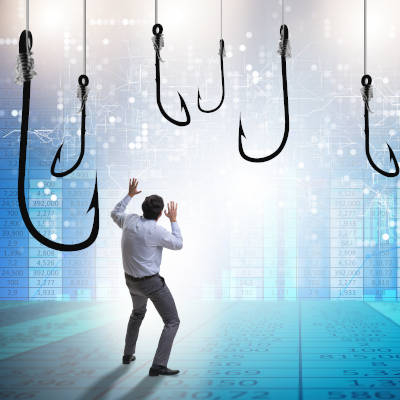
Financially-focused cyberthreats are no joke, especially considering how digital payments now make up 41.8% of all payments made worldwide. Let’s consider a few statistics that highlight how important it is to ensure that the payment card data your business collects is sufficiently protected.

Digital Payments are Twice as Common as Credit Card Payments

On a global scale, mobile wallets are used at just about double the rate as card payments are today—and while this means that a vast number of people have already embraced the benefits of these modernized payment options, this by no means is to say that it is a flawless system. 

In fact, keeping pace with the adoption of digital payments has been the number of data compromises, with the victim’s full name, Social Security number, and date of birth being the most commonly breached personally identifiable information. Others follow closely behind, like the victim’s current home address, medical history, and driver’s license coming next.

According to the Data, the Usual Cybercrime Suspects are On the Rise

With a few exceptions, most forms of cyberattacks and vulnerabilities have either remained constant or have actually decreased in the past few years, save for the big three cyberattack vectors: phishing, ransomware, and malware. Between 2019 and 2021, all three of these attack vectors saw large upticks in their use.

Again, most (not all, but most) other attack vectors either remained somewhat constant or actually decreased in use during the same period of time, according to the Identity Theft Resource Center.

Meanwhile—and this may be the most concerning statistic for your customers—the most commonly stolen information in 2021 was apparently someone’s full name (in 1,803 breaches and exposures), their full Social Security number (in 1,136), and their date of birth (688). That’s the identity theft trifecta right there—and again, it isn’t as though other forms of PII were that far behind.

Data is a Precious Resource—Let Us Help You Protect It

Your business really does live and die by its data, in all its types and forms. We’re here to help you keep it safe so your operations can continue unhindered by issues of any kind. Give us a call to learn more about our managed services and our security services today at 810.230.9455.

phishing_263452084_400.jpg

Hackers Circumvent Traditional Cybersecurity with Phishing

phishing_263452084_400.jpg

Business owners often get unsolicited emails from individuals who want to sell them goods, services, or products. Depending on the message, they might even come across as a bit suspicious, prompting you to question the authenticity of the email. If you’re not careful, you might accidentally expose your organization by clicking on the wrong link in the wrong email, thus falling victim to the oldest trick in the book: the phishing attack.

The greatest threat from phishing attacks often comes from the fact that you might not expect a particular type of phishing scam. Phishing attacks are growing increasingly more common, and it’s for a very good reason: they work. Cybersecurity professionals have their work cut out for them, as hackers are frequently trying to overcome the latest security measures out there by utilizing a stagnant part of most companies’ security infrastructures: their employees.

Phishing attacks can come in countless different forms, and they all target the human element of your company’s security infrastructure. Whether it’s an unsolicited email, a phone call asking for sensitive information, a physical mailer asking you to pay a fine or fee, or even text messages asking you to click on links to confirm shipping details for an order you can’t recall placing, they all circumvent your most carefully placed security measures by leveraging your employees.

Furthermore, some phishing messages are so convincing and well thought out that spam filters might not even catch them in the process. If a hacker invests time into researching your business—including the recipient of the email—they could be so personalized that they can circumvent the spam filter entirely. These are very real threats to your organization, and if users don’t know what to look for, they could make a mistake that is hard to walk away from unscathed.

At the end of the day, the best way to combat phishing messages is not to implement the best security solutions on the market (although they do go a long way); it’s to train your employees on how to identify and respond to security threats like phishing messages so they don’t fall for social engineering tactics.

We always encourage businesses to use an enterprise-grade spam filter, but we also want them to train their employees to address threats in a way that minimizes risk. These are preventative measures that address issues before they become significant problems or detriments. They aren’t going to solve all of your problems, but they will prevent most of them from evolving into bigger and more dangerous ones. As per usual, your security is only going to be effective if people are aware of your solutions and policies.

While we cannot guarantee that you’ll never encounter a phishing attack again, acknowledging that these issues will appear from time to time can go a long way toward preparing to handle them effectively. NuTech Services can help your business acquire the IT resources and training needed to take the fight to phishing attacks. To learn more, contact us today at 810.230.9455.

redeyeHacker_250874815_400.jpg

We Think You Should Know What Social Engineering Is

redeyeHacker_250874815_400.jpg

Social engineering is a dangerous threat that could derail even the most prepared business. Even if you implement the best security solutions on the market, they mean nothing if a cybercriminal tricks you into acting impulsively. Let’s go over specific methods of social engineering that hackers might use to trick you.

Let’s start with a look at what social engineering is and why it works so well on users.

Social Engineering Targets the Human Part of Your Brain

Social engineering is designed to get you to act impulsively. In other words, it’s the manipulation of your emotions and thought processes. If we hear that something needs to be done, and it comes from someone whom we believe and respect, then we will naturally want to perform the task, even if it might not necessarily make sense in the moment.

In regards to business and social engineering, the stakes are considerably higher than if someone were to play a prank or a trick on you. In these cases, social engineering tactics prey on the fears and anxieties associated with the workplace. All of this takes some preparation on the hacker’s part. Here are some of the steps involved in this process, from the hacker’s perspective.

The Steps Involved in a Social Engineering Attack

Depending on the target and the victim, the social engineering attack might go through various stages. More often than not, the attacker will plan out their attack through the use of research. Let’s get in the mindset of an attacker to see it from their perspective.

If you wanted to attack a company, for example, you might first collect as much data as you could. The Internet can be a treasure trove of information on its employees thanks to its open nature, and you might be able to find information publicly on social media and networking sites like LinkedIn, Facebook, and others. You might discover some of the likes and dislikes of these employees. Afterward, it is just a matter of using this information in a way that gets the user to act a certain way.

There are other ways of going about an attack, too, like fear tactics. Employees don’t want to get in trouble in the workplace, and if they get a message from someone claiming to be their boss, they will likely act to keep their integrity and job in check.

A resourceful attacker might use a combination of both to get their way. If someone posts a picture on social media with their webcam in the background, the attacker could use this to instill fear in the user’s heart that they have been caught doing incriminating things. The attacker might then threaten to release the footage to personal or professional contacts, and then they might demand a ransom in exchange for not doing so.

How Can Your Team Avoid Social Engineering Attacks?

If you want to help your team avoid social engineering attacks, it starts with helping them spot some of the dead giveaway signs:

  • Messaging and tone that incites fear or makes a threat
  • Links that were not requested and don’t match their apparent destination when you hover over them
  • Close-but-not-quite email addresses and domain names
  • Malicious email attachments

It also never hurts to confirm the identity of the message’s sender through secondary means. You might go check on your boss to make sure that the message came from them, or you might contact the third party that the message claims to be through a number you might have on record. As long as your employees are aware that social engineering exists and that they can become the target of attacks, then you can’t go wrong here.

Let Us Help You Get Ready for These Threats

We want to help you ensure that your team is ready to tackle important security problems in a way that doesn’t put your organization at risk. To learn more, reach out to us at 810.230.9455.

phishing_attack_103897430_400.jpg

How to Know You’re Being Targeted by a Phishing Attack

phishing_attack_103897430_400.jpg

Phishing attacks are serious business, so it is important that your team members know what they are, for one, and know how to spot them. To facilitate this, let’s review the signs of a phishing attack—or ideally, a phishing attempt (because by spotting it, you’re more able to stop it).

First, let’s quickly touch on what constitutes a phishing attack.

What is Phishing?

Phishing is a horribly common form of cyberattack that is used by cybercriminals to accomplish a variety of goals, whether it’s gaining access to a system or stealing data from your team members. Basically, by posing as a trusted party and communicating with your team members, the responsible cybercriminal leverages the imperfect human element to sidestep your cybersecurity.

Phishing, while perhaps most well-known as an email-centric threat, can take place in many forms and formats. In addition to phishing emails—which themselves come in numerous forms—phishing attacks can also come in the form of SMS messages, phone calls, and effectively any other means of communication.

This makes it crucial that your team is prepared to deal with these attempts—capable of spotting them and properly reacting by reporting their suspicions to your IT resource.

To this end, let’s go over a few ways that your team members can potentially catch a phishing attack before they fall for it.

Signs That a Phishing Attack is Targeting You

There are numerous signs that a message could potentially be a disguised phishing attack. Here’s a basic list, but you can always reach out to us at 810.230.9455 to learn more about any or all of these warning signs::

  • A tone that doesn’t match the supposed sender
  • Misspellings and other discrepancies in key details, like email addresses, domain names, and links
  • Out-of-the-blue messages
  • Egregious spelling and grammar errors
  • Unexpected or out-of-context attachments
  • Excessive urgency behind, or open threats as a consequence of, not complying with the message
  • Ambiguous messages that motivate the recipient to investigate
  • Unusual requests, or requests for explicitly sensitive information

It’s important that your team is aware of these warning signs and actively keeps them in mind when dealing with any business communications.

We’re Here to Help Keep Your Team Safe!

Reach out to us to find out how we can assist you in maintaining your business’ security against threats of various kinds, including phishing attempts. Give us a call at 810.230.9455 today.

SM_phishing_AdobeStock_314622420_400.jpg

Social Media Conditions People to Let Their Guard Down

SM_phishing_AdobeStock_314622420_400.jpg

How often do you check social media only to find your news feed clogged with your friends and family sharing the results of quizzes like, “Which Star Wars character are you,” or “What’s your superhero name based on your birthday.” While these quizzes might seem harmless on the surface, they often hide a far more sinister agenda, one which uses the personally identifiable information provided to them for nefarious purposes.

If your friends and family aren’t careful, these quizzes could be giving their hosts access to all the information they need to hijack someone’s social media profile.

“Your New Last Name is the Thing You Ate Last!”

The major concern we have about these quizzes is that they might appear to be lighthearted on the surface, but that the questions line up suspiciously close to the security questions that one might use to protect an account. For example, your bank and credit card accounts use security questions to keep them secure, so what happens if you give up this information to an online quiz?

That’s right—the hacker might use the information you willingly provided to hijack your account. All the hacker has to do is click that Forgot Your Password prompt and boom, they’re in.

This is because these security systems can’t always tell who is typing in the answers; all they do is check to make sure that the answer matches the one provided in the past. From the bank’s perspective, you’re just another customer who forgot their password and is using their recovery question to gain access to your account.

When you look at online quizzes and questions they might ask, they line up quite closely with the recovery questions that are often associated with resetting passwords, like your first pet’s name, your mother’s maiden name, the model of your first car, and so on. When you share the answers to these questions, you effectively give someone on the Internet everything they need for easy access to your accounts.

This Is How Social Engineering Attacks Work

Even the most unlikely suspects could be considered social engineering attacks, especially on social media. It’s important that you give your team the tools and knowledge they need to identify these threats so as to avoid them. The same hallmarks of phishing attacks are present here, too: misspelled addresses, alarming subject lines, unprompted attachments, etc.

Cyberthreats are everywhere, so you can never be too careful. Remain ever-vigilant and be sure to train your employees on how to identify and respond to threats. To talk to an IT expert on training your staff and securing your business, reach out to us at 810.230.9455.

176244558_bitcoin_400.jpg

Agent Tesla Is Out to Steal Your Credentials (and Your Cryptocurrency)

176244558_bitcoin_400.jpg

Network security isn’t just for large, high-profile enterprises; even small businesses need to take it seriously. All businesses have something of value to hackers, and if you don’t believe this is the case for your organization, think again. All data is valuable to hackers, and you need to do everything in your power to protect it—especially against threats like Agent Tesla, the latest version of phishing malware designed to steal your data.

Before we dive into what makes Agent Tesla so concerning, let’s discuss phishing on a more broad scale. What is it, and why is it important that you know what it is?

Explaining Phishing Attacks

Not all hackers take a direct approach to infiltrating your systems. Brute force can only get them so far, so they have to resort to sneaky tactics like phishing. A phishing attack aims to convince users to grant a hacker access to a network of their own free will, usually through downloading an infected file, clicking on a suspicious link in an email, or handing over credentials to someone claiming to be tech support or someone of authority within the organization.

Why You Should Care

The scary part of phishing attacks is that you can do everything right in terms of network security and still fall short of protecting your organization. Phishing attacks, when executed properly, have the potential to make it past even the best security solutions. They rely on the human aspect of your organization—your employees—to infiltrate and cause problems for your business. In a sense, your company’s security measures are only as effective as your employees’ knowledge of network security.

Agent Tesla

Agent Tesla as a threat has been around since 2014. The malware uses a keylogger to steal information from infected devices, which it transmits to the hacker behind the attack periodically throughout the day. This gives the hacker access to information like passwords, usernames, and other data that is typed into the system. This new variant of Agent Tesla is notable because it also seeks to steal cryptocurrencies from the user.

Agent Tesla spreads through the use of phishing emails with infected Excel documents attached. One such attack, as evidenced by a report from Fortinet, shows an email with an Excel file sporting the title of “Order Requirements and Specs” attached to it. To the untrained eye, it might appear to be legitimate. If the user downloads the file and opens it, the file runs a macro that downloads Agent Tesla to the device. The specific process, as outlined by Fortinet, involves installing PowerShell files for Agent Tesla, adding several items to the Auto-Run group in the system registry through the use of VBScript code, and finally creating a scheduled task that executes at a designated interval.

Agent Tesla itself is surprisingly accessible, given that it can be purchased on the cheap and the developers offer support to those who do purchase it. This sets the bar pretty low for hackers who want to get started in this deplorable line of work.

What You Can Do

You don’t want to find yourself in a reactive position with your network security. Instead, you should be proactive about it. Your network security against phishing attacks (and all threats in general) should take a two-pronged approach:

  • Implement quality network security solutions to catch the majority of threats before they reach your network.
  • Train your employees to identify threats so that the ones that do get through your defenses do not cause more trouble than they need to.

NuTech Services can help your business do both of the above, implementing powerful enterprise-level security solutions that can keep your company safe and training your employees to keep it that way. To learn more, reach out to us at 810.230.9455.

325782067_cybersecurity_400.jpg

The Colonial Pipeline Attack Continues to Be Important to Cybersecurity

325782067_cybersecurity_400.jpg

The situation surrounding the hack against Colonial Pipeline has only become more complex as new information has come to light, each new discovery providing more insights and potentially actionable takeaways. Let’s examine some of the biggest developments surrounding the attack, and what they will likely mean for overall cybersecurity from this point forward.

Let’s begin with some of the bad news, just to get it out of the way.

The Colonial Pipeline Attack Has Inspired Additional Ransomware Campaigns

Taking advantage of the notoriety that the Colonial Pipeline attack garnered, cybercriminals have designed phishing campaigns to play on the fears of its recipients. Via email, messages have been distributed to organizations offering so-called “ransomware system updates.”

To be fair, this isn’t untrue so much as it is misleading. Technically speaking, they do contain ransomware system updates, in that these messages will update the recipients’ systems with ransomware.

To do so, these fraudulent emails direct the recipient to visit an innocuous-enough-looking website in order to download a so-called system update to help protect their computer. Little does the user realize that these websites have been designed to mimic a legitimate one, just so there’s a higher chance that a user will be fooled. Shortly after news broke that Colonial Pipeline had shelled over the payment the DarkSide ransomware group demanded of them, these phishing emails began appearing in the wild.

The Department of Justice Was Able to Repossess a Lot of the Ransom

On June 7th, the Department of Justice distributed a press release that stated that they had managed to seize 63.7 Bitcoins (valued at about $2.3 million) of what Colonial Pipeline had paid up. By following the money, the FBI located a wallet that they had exfiltrated the key for that had received a significant portion of the ransomware payment. As a result, the FBI was able to seize this portion of the payment.

However, This Led to Severe Dips in Cryptocurrency Values

When this news broke, cryptocurrencies saw their values plummet. After all, cryptocurrencies are supposed to be completely anonymous and secure, so the idea that the FBI was able to track and repossess these funds is disconcerting to many. The market therefore plummeted by 11 percent in a single day.

It is somewhat likely that more government intervention will follow, despite the impacts this would certainly have upon the crypto market. Time will only tell if these efforts will continue.
Clearly, ransomware is not to be underestimated, and these developments will only complicate things further. Cybersecurity is a difficult thing to manage, but NuTech Services is here to help. Give us a call at 810.230.9455 to learn more about what can be done to better secure your business.

290218053_phishing_400.jpg

How Not to Teach Your Team About Phishing, Courtesy of GoDaddy

290218053_phishing_400.jpg

GoDaddy—the domain registrar and web-hosting company once famed for its risqué advertisements—is facing some significant backlash for a much different reason. On December 14th, GoDaddy’s employees received an email that appeared to be from the company, promising a holiday bonus. However, while the email was from the company as it appeared to be, it was actually a phishing test that the hosting provider decided to run.

Let’s consider the situation:

GoDaddy’s Phishing Message:

When they checked their email on December 14th, GoDaddy’s employees found an email waiting for them in their inboxes, sent from “Happyholiday@Godaddy-dot-com”. Upon opening it, they found the following message, under a large picture of a snowflake emblazoned with the company’s name and “Holiday Party.” Get ready, it’s a doozy:

Happy Holiday GoDaddy!

2020 has been a record year for GoDaddy, thanks to you!

Though we cannot celebrate together during our annual Holiday Party, we want to show our appreciation and share a $650 one-time Holiday bonus! To ensure that you receive your one-time Bonus in time for the Holidays, please select your location and fill in the details by Friday, December 18th.

US

EMEA

Any submittals after the cutoff will not be accepted and you will not receive the one-time bonus of $650 (free money, claim it now!)

We look forward to celebrating with you again, in person next year!

However, no bonus reportedly awaited the approximately 500 employees who excitedly clicked through the links. Instead, they received an email from the company’s security chief two days later, informing them that they had failed the phishing test and would therefore need to retake the company’s Security Awareness Social Engineering training.

As you can imagine, this did not sit well for many of these employees… especially considering that the “record year” GoDaddy experienced came only after hundreds of employees were either reassigned or laid off entirely. Combining that with the fact that a data breach ultimately exposed 28,000 of GoDaddy customers’ credentials earlier this year, and the comments seem especially ill-advised.

GoDaddy has since released an apology for their mean-spirited bait-and-switch phishing test, releasing a statement. According to a spokesperson, “GoDaddy takes the security of our platform extremely seriously. We understand some employees were upset by the phishing attempt and felt it was insensitive, for which we have apologized.” While the company felt that the lesson was an important one to impart to their team members, there has been some acknowledgement that this was an insensitive means of doing so.

GoDaddy Isn’t the Only Company to Do This

Other companies and organizations have used similar tactics as they have worked to evaluate their internal phishing preparedness. One example came in September, when Tribune Publishing sent out a company email trying to phish employees with the promise of a targeted bonus ranging somewhere between $5,000 and $10,000. The Tribune’s attempt was also derided by the employees affected by it, one reporter tweeting that the level of cruelty was “stunning.” That company also apologized for its use of a “misleading and insensitive” email.

However, Phishing Can’t Just Be Ignored

While these companies certainly took the wrong approach to educating their users, the point still stands that phishing is a very serious risk for businesses today to contend with.

Instead of taking this approach, there are other ways to help educate your team, through seminars or even other internal evaluations. The primary issue really came from the fact that GoDaddy took advantage of a monetary promise to their employees during a time when many people are already financially strapped, with seemingly no intention of giving them this bonus.

Obviously, this is a situation that nobody wants to find their organization in, just as nobody wants their organization to be phished. However, with NuTech Services, there are ways to prevent the latter. Give our team a call at 810.230.9455 to learn more about how we can help you fight back against phishing, without alienating your employees.

182791535_mobile_phishing_400.jpg

You Even Need To Worry About Phishing In Your Text Messages

182791535_mobile_phishing_400.jpg

As serious as they are, cyberattacks are not always labeled with the most serious-sounding names. We are, of course, talking about phishing: the use of spoofed email addresses and fraudulent messages to get hold of data, or whatever goal the attacker has in mind. One of the silliest-sounding versions of phishing—smishing—has proven to be of particular risk.

What is Smishing?

When cybercriminals use phishing scams, they aren’t using advanced technologies to crack their target’s digital defenses. Instead, they hack users by exploiting the assumptions, bad habits, and ignorance of the target to get them to release sensitive information.

Attackers circumvent cybersecurity measures by sending messages purporting to be from an authority figure or trusted contact, thereby convincing the user to undermine their protection. A notorious example of phishing is the email from the persecuted royal family, known as the “Nigerian Prince scam.”

Smishing simply applies this principle to SMS instead of the usual email.

You could simply receive an SMS from a number that claims to be a financial institution or service provider, or even if you are doing business with that institution.

This message could contain details that confirm that the sender is who they purport to be, or it could go unnoticed because it is not the kind of message that most people expect to be phished through. More recently, many of these attacks have been sent under the ruse of being from authorities trying to share information about the COVID-19 pandemic.

There is a possibility that a link may be included in the message asking you to log in, but the problem is that this will lead you back to a fraudulent login page where the user’s actual login data is collected. It may prompt you to download a document that hides a variety of malicious programs, and suddenly the attacker has access to all your personal information, such as your phone number, email address, credit card numbers, bank account credentials and other sensitive information.

It’s as simple as that.

Now, think for a moment about how much sensitive data you’re likely to keep on your phones and what data a hacker might extract from them.

Spotting a Smishing Message

To prevent this from affecting your business, your entire team must be able to detect phishing attempts as soon as they are sent via SMS.

  • Just as with suspected phishing emails, opening a suspected smishing message is extremely risky. If the sender is not familiar to you, do not open the message and definitely do not access any links included.
  • If you cannot verify the legitimacy of the message, do not release sensitive information. If you receive a text message from Facebook informing you of a problem with your account, access Facebook separately to confirm before you resolve it.
  • Some mobile devices can block texts, just like email clients can filter messages. So, make sure you block phone numbers that are suspected of phishing and apply settings that might be helpful.

As a final tip, you need to make sure your entire organization keeps an eye on security during the workday and that they know how to identify and respond to threats.

Of course, it does not hurt to apply certain preventative measures to your network, such as anti-virus, firewall protections, and others. We can help! NuTech Services can support your team in its IT requirements for security, productivity, and mobility. Find out about our services by contacting 810.230.9455.

343103314-covid-pish_400.jpg

COVID-19 Vaccine Attacks Teach an Important Cybersecurity Lesson

343103314-covid-pish_400.jpg

Since the outbreak of the COVID-19 coronavirus has wreaked havoc across the globe, there has been a lot of hope and effort put towards developing a vaccine against it. Unfortunately, just as some experiments have produced promising results, hackers have begun targeting the research centers responsible. Let’s look at this situation to see what it can teach us.

The Cozy Bear Threat

According to the National Cyber Security Centre, a government security organization based in the United Kingdom, a hacking group known as “APT29” (also referred to as “the Dukes” or “Cozy Bear”) has actively targeted the research centers conducting research into developing a COVID-19 vaccine. These claims have been supported by both the United States’ National Security Agency and Canada’s Communications Security Establishment.

In fact, the National Cyber Security Center released a report that outlined the attack that the U.S. Department of Homeland Security’s Cybersecurity and Infrastructure Security Agency also endorses.

This report describes the use of various exploits in conjunction with spear phishing attacks by APT29. Both tactics give APT29 access to carry out the rest of their attacks, which often involves deploying malware known as WellMess or WellMail.

On a side note, some of these exploits have been patched, so make sure you’re also up to date on your patches as well.

Many experts also share the opinion that Cozy Bear has struck before, and that the current threat needs to be taken very seriously as a result. It is believed that APT29 was responsible for the 2016 intrusion into the Democratic National Committee’s systems, as reported by CNN. The group has also been linked to assorted attacks on healthcare, energy, governmental and diplomatic organizations, and think tanks in the past.

What is Spear Phishing?

Phishing is a form of hacking that targets the end user, rather than using software vulnerabilities, to gain access to a system. Spear phishing is a more direct form of phishing. Instead of sending a generic message to massive groups of potential targets to see who takes the bait, spear phishing is specifically directed to an individual with access to key data and resources.

While APT29 may not target your organization as a part of these efforts to steal research, it is nevertheless critical that you and your team can recognize a potential phishing attack and mitigate it before it causes significant problems. While the following is by no means a comprehensive list of warning signs, it is a good place to start educating your team:

  • Always check the details. Many phishing attacks can be identified by close-but-no-cigar “From” addresses. When in doubt, try looking up the email address that sent an email.
  • Proofread the message. While legitimate messages can contain terrible spelling and grammar mistakes, and attackers can more and more effectively mimic professional communications, many phishing messages can be rife with errors.
  • Double-check. If possible, don’t be afraid to confirm that the email is legitimate by reaching out to the supposed sender (through some non-email form of communication) to confirm that they sent the message.

For more assistance in dealing with phishing attacks, reach out to us! At NuTech Services, we’re motivated to help prevent a phishing attack from impacting your operations. Give us a call at 810.230.9455 to learn more.

135559157_phishing_email_400.jpg

Tip of the Week: Phishing Attacks at Home

135559157_phishing_email_400.jpg

Microsoft’s latest Security Intelligence Report cites phishing attacks as the most prevalent cyberthreat. With the COVID-19 outbreak pushing large numbers of workers to their own homes, it is almost assuredly still the case. As a result, it is extremely important that you and your staff understand how to spot potential phishing attacks and what to do when confronted with an attack. Today, we will provide you some tips on how to identify and remediate such attacks.

You would think that since millions of phishing attacks are ignored, set to spam, and actively mitigated each month, that there wouldn’t be such a desperate effort to educate people about the signs of phishing attacks, but the fact remains that it only takes one successful phishing attack to compromise an entire workstation, network, or computing infrastructure. 

Today, everyone that works for your company will need to be able to spot and report a phishing attack. Doing so can sometimes be extremely difficult if the spammer does his/her homework. Consider using and teaching these tips to keep your business from being a victim of a phishing attack.

1. The Email Gives You Anxiety

One of the first things you need to know about phishing emails is that they almost always push you to take impulsive action. That’s why so many people fall for them each year. They often seem like they are from a legitimate source and are written to deliver fear. If the contents of an email give you an uneasy feeling, and they seem a little out of scope for the sender, chances are it is a scam and should be reported.

2. It’s Zipped Up

Hackers will often send attachments with their phishing attacks. If you are sent a .zip file, and you don’t immediately recognize the sender, do not click on it. In fact, it’s best practice that any email sent with an attachment, if you don’t know exactly what it is, should be verified before being opened. 

3. URLs and Addresses are Fraudulent

If you can’t tell by the tone of the content, one telltale sign that you are dealing with a phishing attack is to look at the URLs of the links or the actual email address the message comes from. Hackers will often resort to small changes and redirects to get a recipient into a compromised position. If you hover your cursor over any link, you can see the URL it directs to in the status bar. If it is not a URL you immediately know, you should verify from the sender.

4. The Message is Sloppy

Today’s company is more cognizant of their brand and message than any time in history. If you receive an email that is filled with grammatical errors, misspelled words, and poorly defined sentences, you will want to avoid clicking on anything. Marketers today are trained to make an email as personal as they can. If your email has an impersonal message, chances are it wasn’t sent from a marketer and should be reported.

This may not be a comprehensive list, but by following these tips you will be better prepared to deal with a phishing message. The IT professionals at NuTech Services do a lot to drive forward security as an integral part of any IT management policy. To learn more about phishing, call our knowledgeable professionals at NuTech Services today at 810.230.9455.

250999058_phising_400.jpg

Tip of the Week: How to Avoid Phishing Scams

250999058_phising_400.jpg

For many businesses, email plays a crucial role in the dessemination of information. Whether it is simply interacting with clients or pushing directions to individuals, email is a simple and efficient way to communicate. One problem that organizations are running into is that individuals are being inundated with social engineering messages called phishing. This strategy is causing major operational problems for businesses, from malware to data breaches to extended downtime. For this week’s tip, we identify what exactly phishing is and how it is used to the detriment of many businesses and other organizations.

What Exactly Is Phishing?

The practice of phishing is not new. It has been used for much of the past decade. The strategy goes like this: hackers use deception to get a user to provide their own credentials, thus giving them unknowingly to the hacker. The hacker then accesses the account legitimately (as the user) and has free reign over the entire account. Sometimes they will go in and siphon data and sometimes they will hijack the entire account, but regardless of the hacker’s intentions a successful phishing attack is a successful transfer of power over an account. 

What’s worse is that you can get phished in multiple mediums. Email is the predominant channel where phishing attacks are carried out, but people can (and do) get phished over social media, instant message, or via text message. There are even phone-based or snail mail phishing attacks that direct users to go to a fake website where they would provide their credentials and/or personal information. 

There are even different forms of phishing based on their intended targets. The general strategy behind traditional phishing attacks is to send emails out to as many people as possible, hoping to snare unwitting recipients into their phishing nets. Today, with more personal information available about people, there is phishing that targets individual people. This is called a spear phishing attack. Then there are spear phishing attacks that are carried out against business and organizational leaders. These are called whaling attacks. The intended imagery aside, phishing attacks are getting more direct, more deceitful, and more serious. 

Spotting Phishing

For all of the bad news surrounding phishing attacks, there is some undeniably good news: with a critical eye, you can tell when you are being phished. You aren’t going to fall for these types of attacks if you know what to look for. Today, we’ve put together a short guide on how to determine if you are dealing with a phishing attack and how to proceed when you are.

Look for Warning Signs

There are a litany of warning signs that will help you spot a phishing attack. Most of them are pretty obvious, and some of the more subdued ones come with telltale signs. 

Does the message have spelling and grammar mistakes? 

Not many businesses will send out official correspondence with grammar and spelling mistakes. This should be the first sign that something is amiss. Most phishing messages come from supposedly-reputable organizations and while a spelling or grammar mistake does happen from time-to-time, several mistakes won’t happen.  

Does the message deal with curious circumstances? 

One of the biggest telltale signs that you are dealing with a phishing attack is the tone of the message that is received. Does the message reference immediate situations that need to be remedied? Does it mention money or illicit a sense of fear or anxiety? If it has these elements, it’s probably not legitimate. Think about it: most organizations that need you to act immediately will have specific ways of contacting you and that correspondence will make it clear that you are dealing with a legitimate organization.

Does this message have a trusted URL?

Most phishing attacks will redirect to a website that is set up by the hacker. You probably shouldn’t be clicking on any links sent to you in an email unless you are sure who sent the email. One way to determine whether or not a link is from a reputable source is to mouse over the link and see where the link goes. If you get an email from Amazon and the link goes to amazorn.com, you are staring at a phishing email.

Protecting Your Assets

There are a couple simple ways to ensure that you or a member of your staff doesn’t fall for phishing attacks:

  • Use technology. A spam blocking filter on your email will go a long way towards removing unnecessary and potentially-malicious emails from hitting employee inboxes in the first place.
  • Training. Make sure your employees are trained to spot and properly handle attempts that may come through. By starting with the end user, you’re taking away a lot of the power that phishing has.

At NuTech Services, we appreciate the importance of secure workplace practices. If you’d like to learn more about phishing, and how we can help stop it from hurting your business, reach out to us at 810.230.9455.

303805582_social_engineering_400.jpg

Social Engineering Isn’t Going Away

303805582_social_engineering_400.jpg

When someone starts talking about social engineering, people often get confused. They think we’re talking about cloning. While having two of something you love may not be terrible, the social engineering we routinely cite is much, much worse. Social engineering is the act of using social interactions to get people to make cybersecurity mistakes. Today, we’ll take a look at social engineering and how it can have a negative effect on your business. 

What is Social Engineering?

Think of it like this: online, you have some type of social currency. Your personal information, your data, your interactions, your profiles, they all add up to your online life. If someone were to use that information to trick you into providing them access to your secure online accounts, you would be the victim of a social engineering attack. 

Basically, a hacker uses what amounts to the fundamentals of human psychology to gain unauthorized access to an account. Rather than exploiting a vulnerability within a system’s technology, a social engineer will take advantage of the human resources to gain access through relatively simple psychology.

Successful social engineering can be the result of many different actions. Some include: carelessness by an individual, perceived kindness, reaction to fear, and business as usual. Let’s take a look at these actions and how social engineering schemes work as a result.

Individual Carelessness

When there is a lack of diligence carried out by an individual, there are openings for a social engineering attack. This includes trash thrown out with information on it, keeping login credentials out in the open, and other careless actions. It’s important that you and your staff understand that the best practices of password protection, such as using a password manager, are crucial to maintaining the integrity of your company’s network and infrastructure.

Perceived Kindness

Many people won’t think twice about helping someone that asks for help. Social engineering attackers take advantage of the better angels of our nature, by using people’s helpfulness to gain access to secure computing resources. Any person can fall for this type of attack. This is why we stress that in order to keep your digital and physical resources secure, a critical eye for potential intrusion works. That doesn’t mean you have to be a jerk, but if a situation is presented to you that’s out of the ordinary, take anyone’s helplessness with a grain of salt.

Business as Usual

When we picture a hacker, we all tend to think about them the same way. They are brooding people sitting in a dark room typing away at a computer. In social engineering attacks, this couldn’t be further from the truth. A popular social engineering tactic is to gain physical access to a large business–where there are often a lot of moving parts–and then spend time at the business looking for ways into secure digital environments. This could also include straight hatchet jobs, where your employees would help people outside of your business sabotage your access control systems. 

Reaction to Fear

Finally, fear is one of the best motivators. By striking fast and threatening all types of negative consequences if a worker doesn’t help them get into a secure computing system, this kind of cyberattack can be a major problem. 

NuTech Services Can Help Protect Your Business

If you are looking to secure your network from cyberattacks, including social engineering, the IT professionals at NuTech Services can help. Call us today at 810.230.9455 to learn more about how we can help you with the training you need to keep social engineering from causing problems for you.

cybercriminal_400.jpg

Why It’s Paramount to Keep Security in Mind

cybercriminal_400.jpg

Over the last few years, there has been a meteoric rise in cybercrime, with nothing to indicate that rates will decrease anytime soon. Why would they? Bad actors and cybercriminals can make a pretty penny by attacking businesses, and they are only becoming more equipped and experienced in doing so. 

The past few years have seen some of history’s greatest data breaches. For instance, the most notorious of these attacks, the Equifax breach, Yahoo, and Marriott-Starwood, resulted in a combined total of 3.5 billion accounts breached.

This means, statistically speaking, you would have a pretty good chance of picking a data breach victim of the past few years by randomly selecting two human beings from the entirety of planet Earth’s population.

Crunching the numbers, there has been an increase of security breaches of 67 percent since 2014.

What Does this Mean? Is Anything Secure Anymore?

Interestingly, there is a plus side to these enormous data breaches happening in the public eye, thanks to a few key points:

  • It brings attention to these kinds of crimes – Thanks to disasters like the Equifax breach, more Americans are aware of the impact of cybercrime. This kind of awareness is crucial to encouraging improved security.
  • There is too much data for cybercriminals to practically use. This one can be chalked up to statistics… the more data that a given cache has, the less of a chance that your data is pulled up in an attack.

To clarify, we aren’t trying to sugarcoat the severity of a data breach, but having said that, the past few years’ cybersecurity threats have really given us all an example to consider. With new compliances, regulations, and other mandates being put into play, businesses are certainly considering these threats.

What About Small Businesses?

There is a tendency to overlook small businesses when discussing data breaches. After all, the ones that have struck large targets (like Yahoo, Target, eBay, Sony, and many others) almost always get a headline, along with the attacks that focus on municipalities, like the ones that targeted Albany, New York; Baltimore, Maryland; Wilmer, Texas or Lake City, Florida with ransomware.

What aren’t heard about so much, unfortunately, are the attacks that lead to much smaller companies shutting their doors for good… a side effect of the limited number of victims per attack, and the relatively casual approach that many have towards security. Unfortunately, a Verizon survey shows just how misguided the assumption that a smaller business size will protect it from threats, when 43 percent of businesses breached would be classified as small.

Security Needs to Be a Priority

Fortunately, there are ways that you can reinforce your business’ cybersecurity, especially with the help of NuTech Services and our experienced cybersecurity professionals. Call 810.230.9455 to get in touch with us, so we can help evaluate and fulfill your business’ needs.

phishing_55951039_400.jpg

Tip of the Week: 3 Signs of a Phishing Attempt

phishing_55951039_400.jpg

Social engineering is a very important component of many modern cyberattacks, as the popularity of phishing scams goes to show. Protecting yourself from phishing scams will require you to be able to identify them. For today’s tip, we’ll go over a few warning signs that someone may be trying to phish you through your email.

1. There’s an Unexpected Attachment or Link

It’s one thing to get an unexpected email from someone, it’s completely another thing entirely to get an email from someone that includes an unexpected attachment or link. Neither of these is a good thing. Attachments can easily contain hidden malware files, and links can be disguised with very little effort.

Don’t believe me? Try visiting google.com. Go ahead!

Not exactly what you were expecting, eh? Keep in mind that you can double-check links by hovering your cursor over them, and if you weren’t anticipating an attachment, don’t click it unless you have confirmed its legitimacy through some other means.

2. The Sender’s Email Seems Off

It isn’t uncommon for scammers to disguise a fraudulent email address by making it look at lot like a legitimate one would. For instance, let’s say that you normally worked with a business vendor, hypothetically named “Super Business Supplies.” A scammer might send you an email from “sales (at) superbusinessupplies.com.” Looks pretty okay, until you notice that there’s one fewer ‘s’ than there should be. Scammers can get downright devious with these replacements, replacing “Amazon” with “Arnazon” and other blink-and-you’ll-miss-it tricks.

In short, read carefully.

3. There are Other Questionable Elements

While that may be a very vague tip, it is only because there is such a wide variety of warning signs that an email is actually a phishing attempt. For instance:

  • Spelling and grammar errors. Look at it this way: would you anticipate a company like Microsoft, or Google, or the likes of such to send you an email riddled with mistakes? Of course not, so if you receive an email that purports to be from a company of high repute, but features these kinds of errors, red flags should be going up.
  • Time-sensitivity. One of a scammer’s go-to tools is to put their target off-balance, especially by pressuring them into immediate action. If you receive an email that offers you a great deal by acting right now, or threatens to shut down your account unless you act right now, the first thing you should do is pick up the phone and call up the organization or individual that sent the email.
  • Requests for personal information. Similarly to any messages that rely on cultivating a sense of urgency, you need to look at any emails that request personally identifiable information, access or financial credentials – really, any data that you and your company rely on – with a critical eye. This is another case where calling to confirm is probably your best bet.

Email can be an extremely helpful business tool, but it can also be an equally useful tool for cybercriminals looking to victimize your business. NuTech Services can help you secure it, with best practices and practical solutions to lock it down. To learn more, reach out to us at 810.230.9455.

scam_284361147_400.jpg

How Cybercriminals Can Add “Be Scammed” to Your Google Calendar

scam_284361147_400.jpg

Users seem to have a bit of a blind spot when it comes to solutions put out by Google, particularly the risks associated with Gmail. It’s almost odd to say: a security threat leverages Gmail. Unfortunately, it isn’t unheard of, as a phishing scam has been leveraging Gmail and its cooperation with Google Calendar for some time now.

Here, we’ll review the basic experiences that this scam subjects a user to as it sets the trap… and, of course, what your business can do to avoid these threats.

How Users Can Be Scammed

Put yourself in the shoes of a targeted user for a moment: just like any other day, you access your Gmail account and discover what looks like a Google Calendar invite. The invite is apparently for some kind of company-wide meeting (probably to discuss the company’s trajectory, policy changes, or something like that) to take place at the end of the workday. The message includes a link to the complete agenda, which can be accessed once a user confirms their credentials. You do so… and in doing so, fall for a scam.

This scam can be pretty safely categorized as “brilliant in its simplicity,” much like other phishing attacks can be nowadays. By using Google’s own convenience-based features, a fraudulent calendar event can be automatically added to a user’s Google Calendar, notifying the user. Fraudulent links send the user to a faked Google login page, where the user’s credentials are stolen as they attempt to log in. Alternatively, the link just begins installing malware directly to the targeted system. This scam has also proved effective against private users – informing them of some fabulous cash prize they’ve “won” through these fake Calendar entries.

How the Scam Was Uncovered

As it turns out, the details of this scam were reported to Google by an IT security firm in 2017, but Google has not made any steps to resolve it until recently.

The firm stumbled upon this discovery when a coworker’s flight itinerary appeared in an employee’s Google Calendar. From there, the researcher realized the implications of this accidental discovery, and quickly determined that users just don’t anticipate phishing attacks to come in through their Calendar application.

Can This Scam Be Stopped?

Now that Google has acknowledged the issue, a fix is currently being developed as of this writing. Until the point that a successful fix is deployed, you need to make sure your users are protected against this vulnerability.

The first thing they need to do is ensure that no Gmail events are automatically added to their Google Calendar. Under Settings in the Google Calendar application, they need to access their Event settings. From there, they need to deselect the option to Automatically add events to my calendar from their Events from Gmail.

To disable invitations to events from automatically adding themselves to the Google Calendar, a user needs to go through the same process, this time switching the Automatically add invitations option to the much safer “No, only show invitations to which I have responded.”

With any luck, this – combined with a little vigilance from your users – will protect your business from a phishing attack via its schedule. To learn more about how to protect your business against a variety of threats, subscribe to our blog, and give NuTech Services a call at 810.230.9455.

170245913_phishing_400.jpg

Think Before You Click: Spotting a Phishing Attempt

170245913_phishing_400.jpg

We’ve all caught the obvious spam email, like the message that is clearly bogus, or the offer that is definitely too good to be true.

We’re going to confidently assume none of our readers are getting tricked by Nigerian Princes or getting roped into order virility drugs from an unsolicited email. The real threat comes from the more clever phishing attacks. Let’s take a look.

Give Me the Short Answer – What’s Phishing?

Phishing is where you get an email that looks like an actual legit email. The goal that a cybercriminal has is to trick you into giving them a password or access to an account (like to PayPal, Facebook, or your bank) or to get you to download malware.

The problem with phishing emails is how real they can seem. A phishing attempt for your PayPal information can look just like an everyday email from PayPal.

Even worse, often phishing emails try to sound urgent. They make you feel like you have to take action quickly, or that a bill is overdue, or that your password has been stolen. This can lower the user’s guard, and force them into a sticky situation.

How to Spot a Phishing Attack

Like I said, it’s not always going to be obvious when you get phished. Even careful, security-minded, technical people can fall victim because phishing is just as much of a psychological attack as it is a technical one.

Still, there are some practices you and your staff should use:

Always Use Strong, Unique Passwords

This can solve a lot of problems from the get-go. If your PayPal account gets hacked, and it uses the same password as your email or your bank account, then you may as well assume that your email and bank account are infiltrated too. Never use the same password across multiple sites.

Check the From Email Address in the Header

You’d expect emails from Facebook to come from something@facebook.com, right? Well, if you get an email about your password or telling you to log into your account and it’s from something@faecbook.com, you’ll know something is up.

Cybercriminals will try to make it subtle. Amazon emails might come from something@amazn.com or emails from PayPal might come from something@paypalsupport.com. It’s going to pay off to be skeptical, especially if the email is trying to get you to go somewhere and sign in, or submit sensitive information.

Don’t Just Open Attachments

This is nothing new, but most malware found on business networks still comes from email attachments, so it’s still a huge problem. If you didn’t request or expect an email attachment, don’t click on it. Scrutinize the email, or even reach out to the recipient to confirm that it is safe. I know it sounds silly, but being security-minded might build security-mindfulness habits in others too, so you could inadvertently save them from an issue if they follow your lead!

Look Before You Click

If the email has a link in it, hover your mouse over it to see where it is leading. Don’t click on it right away.

For example, if the email is about your PayPal account, check the domain for any obvious signs of danger. Here are some examples:

  • Paypal.com – This is safe. That’s PayPal’s domain name.
  • Paypal.com/activatecard – This is safe. It’s just a subpage on PayPal’s site.
  • Business.paypal.com – This is safe. A website can put letters and numbers before a dot in their domain name to lead to a specific area of their site. This is called a subdomain.
  • Business.paypal.com/retail – This is safe. This is a subpage on PayPal’s subdomain.
  • Paypal.com.activecard.net – Uh oh, this is sketchy. Notice the dot after the .com in PayPal’s domain? That means this domain is actually activecard.net, and it has the subdomain paypal.com. They are trying to trick you.
  • Paypal.com.activecardsecure.net/secure – This is still sketchy. The domain name is activecardsecure.net, and like the above example, they are trying to trick you because they made a subdomain called paypal.com. They are just driving you to a subpage that they called secure. This is pretty suspicious.
  • Paypal.com/activatecard.tinyurl.com/retail – This is really tricky! The hacker is using a URL shortening service called TinyURL. Notice how there is a .com later in the URL after PayPal’s domain? That means it’s not PayPal. Tread carefully!

Keep in mind, everyone handles their domains a little differently, but you can use this as a general rule of thumb. Don’t trust dots after the domain that you expect the link to be.

Training and Testing Go a Long Way!

Want help teaching your staff how to spot phishing emails? Be sure to reach out to the IT security experts at NuTech Services. We can help equip your company with solutions to mitigate and decrease phishing attempts, and help educate and test your employees to prepare them for when they are threatened by cybercriminals.

245500388_phishing_400.jpg

Taking an Exploratory Stab at Spear Phishing

245500388_phishing_400.jpg

Chances are, you’ve heard of “phishing” – a cybercriminal’s scam that steals data, access credentials, and other sensitive information by fooling a user into thinking they are providing this information to someone who is supposed to have access to it. However, there are a few different kinds of phishing, based on how it is carried out. Here, we’ll discuss the realities of spear phishing, and the risks it poses to your business.

What Makes Spear Phishing Different?

As a rule, spear phishing is a much more precise and personalized process. To keep to the “fishing” analogy, a generalized phishing campaign casts a wide net, trying to snare as many victims as possible with their scam. Utilizing vague and generic language, the ‘typical’ phishing attack is made to appear to come from a large organization, informing the user of some need for the user to take action, resulting in the hacker gaining access to the user’s information. This methodology makes the typical phishing attack fairly effective against many people, while simultaneously easier to spot if one knows the warning signs.

By comparison, spear phishing is far more precise. Instead of trying to find value in the quantity of targets snared in a trap, spear phishing takes the opposite tack. Using a highly targeted approach, spear phishing attacks are directed toward a specific individual within an organization.

This specified approach means that the generic messages that many phishing attempts leverage simply won’t be enough to fool the intended target. Instead, the hacker has to play investigator, seeking out as much information as they can about their intended target. Where do they work? What is their position in the company? Who do they frequently communicate with? Once the hacker has collected enough information to create a convincing message, they will typically spoof an email to their target. This email will usually contain some reference to a known contact or some in-progress project to make it more convincing and will request that the recipient download a file via a provided link.

However, while the link will direct to what appears to be a Google Drive or Dropbox login page, it is just another layer to the deception. Entering credentials into this page will give them right to the hacker for their use, breaching the user’s security and putting the entire business at risk in one fell swoop.

What Methods Do Spear Phishers Use?

Due to how spear phishing works, the messages sent by hackers need to be as convincing as possible. Combining extensive research with some practical psychology, a hacker has more ammunition to power their attacks.

As mentioned above, spear phishing is far less generic than the average phishing attempt. By referencing specific people, things, and events that mean something to the target, or appearing to come from an internal authority (a manager, perhaps, or even the CEO), the hacker can create a message that is less likely to be questioned. If the hacker writes their messages without any spelling or grammatical errors, as many spear phishers do, it only becomes more convincing.

These hackers are so reliant upon their target being fooled; many will purchase domains that strongly resemble an official one. For instance, let’s say you owned the domain website-dot-com. If a hacker decided to pose as you to launch a spear phishing attack, they might purchase the domain vvebsite-dot-com. Without close inspection, the switch may not be noticed – especially if the hacker creates a good enough lookalike website.

Am I A Target?

Of course, the research that a hacker has to do to successfully pull off a spear phishing attack is extensive – not only do they have to identify their target, they also have to figure out the best way to scam this target. Generally speaking, a hacker seeking to leverage spear phishing will focus their efforts on anyone in an organization who could potentially access the information that the hacker wants but isn’t high up enough in the organization to question an assignment from above.

Or, in more certain terms, a business’ end users.

In order to minimize the chances that a spear phishing attack will be successful against your company, you need to make sure that everyone subscribes to a few best practices. For example:

  • Pay attention to the finer details of an email. Is the message actually from christine@contactcompany.com, or does the email address actually read kristine@companycontact.com? Did Christine/Kristine include any attachments? As these can be used to spread malware via email, you should avoid clicking on them unless you are certain the message is legitimate.
  • Is the message written to sound overly urgent? Many phishing messages, especially spear phishing messages, will try to push an action by making it seem as though inaction will lead to a critical issue. Another warning sign to look out for: any deviation from standard operating procedures. Don’t be afraid to question a sudden switch from Google Drive to Dropbox – it may just be the question that stops a spear phishing attack.
  • Speaking of questioning things, don’t hesitate to make sure that any messages you suspect may be spear phishing aren’t actually legitimate through some other means of communication. A quick phone call to the alleged sender will be well worth avoiding a data breach.

While spear phishing is a considerable threat to your business, it is far from the only thing you need to worry about. NuTech Services can help your business secure its IT solutions and optimize them for your use. To learn more, subscribe to our blog, and give us a call at 810.230.9455.

PEA6LF5_phish_400.jpg

Getting to Know About Phishing Attacks Can Keep Your Business Safe

PEA6LF5_phish_400.jpg

There’s a big reason why phishing is a primary threat to businesses, and it’s because this method gives hackers a relatively risk-free way of gaining access to a network or other resources. Even being aware of the issue is often not enough to prevent it, as hackers are known to get quite aggressive and crafty with their phishing campaigns. If only a fraction of the 57 billion phishing emails that go out every year are taken seriously, hackers make quite a bit of profit off of users.

As a result of this increase in phishing attacks, endpoint security has grown much more focused, but the issue with phishing isn’t necessarily an issue with the strategies surrounding your technology–rather, it’s an issue relating to your organization’s users and their tendency for failure. Now, we know this sounds a little harsh, but it’s been proven time and again that employees need security training on how to handle credentials and other sensitive information. Let’s take a look at a couple different types of attacks you can be exposed to, and what you can do to keep your organization from becoming just another company that has suffered from a data breach.

Deceptive Phishing
Deceptive phishing is one of the most common types of phishing scams, and it aims to fool unsuspecting users into handing over sensitive information. This happens when the hacker sends a message to users that impersonates an actual person or company that the organization has some sort of relationship with. These hackers use deceptive phishing to convince users to hand over information like passwords, usernames, account numbers, etc. Since official credentials are being used to access these accounts, it doesn’t immediately become a security concern.

For the most part, these deceptive phishing messages are either ignored by the users, caught by filtering technology, or disregarded when they’re accessed. Unfortunately, the handful that actually do fool the end user are worth the hundreds-of-thousands that are sent to others. To keep your business from making this fatal mistake, you need to focus on increasing awareness of what makes phishing attacks so much different from your average legitimate email.

Some of the telltale signs of phishing messages include misspelled words, problems with sentence structure, and suspicious attachments or URLs. Always hover your mouse over a link before clicking on it to determine its location, and never download an attachment unless you know who’s sending it. Another thing to look out for is any financial institution or vendor demanding payment or access to your account–there are other, more official methods of outreach for methods such as these; and no bank or similar institution will ever, ever ask you for passwords.

Spear Phishing
Spear phishing attacks are targeted attempts against a specific user. For example, someone who sees a message from a coworker might let their guard down, but this doesn’t necessarily mean the message is safe. It just means that some hacker managed to find a way to mimic the sender in a way that is extremely convincing. Spear phishing attacks will often know the target’s name, title, company, work phone number, and much more–all to seem as authentic as possible so the user will click on a malicious attachment or URL.

Even social media isn’t safe from this trend. LinkedIn, for example, is one of the most common places where spear phishing is leveraged. It might be used for connecting with other business professionals, but it’s not hard for a hacker to imitate a business professional. We aren’t saying that you need to avoid social media like the plague, only that you should approach it with some sensible caution.

Pharming
That being said, more people are learning about these attacks by the day, meaning that some hackers have ceased these types of attacks for fear of their efforts being for naught. Instead, they turn to a practice called pharming, which is using an organization’s DNS server to change the IP address associated with the website name. This gives them a way to direct users to malicious websites to steal their legitimate credentials.

To prevent this from happening, it’s very important that you tell your staff to be sure they are entering their credentials into a secured site. The best way to make sure this happens is to look for the “https” in the hyperlink, as well as a padlock icon next to the address. It also never hurts to have an antivirus solution on each endpoint within your organization.

NuTech Services can help your business stay as secure as possible. To learn more, reach out to us at 810.230.9455.
three_phishing_scams_400.jpg

How to Spot Three Forms of Phishing Attacks

three_phishing_scams_400.jpg

One of the crazy things about hackers is that they will do whatever it takes to ensure that they steal as much information and sensitive data as possible. One of the more innovative ways that hackers spread threats is through spam. Unwanted messages have grown from simple annoyances, to the spread of unwanted software and malware, all the way to sophisticated attacks on targeted individuals known as phishing attacks. Do you have ways to secure your business?

Phishing attacks come in various shapes and forms. Here are some of the most common ways that hackers will use elaborate phishing attacks to scam your business, including phone calls, normal emails, and social media.

Phishing Calls
If you receive calls from strange numbers that don’t leave messages, there’s a solid chance that you could be the target of a phishing call. These messages are designed to target specific employees within your organization to coax information out of them. They might try to be from IT support to steal a printer model number, or perhaps they are hoping to steal usernames and passwords. Either way, the point stands that your organization contains lots of information that a scammer finds helpful.

It’s incredibly important that you teach your employees to know the difference between a fake phone call and a real one. Put them through the ringer when they call and try to guarantee their authenticity (or lack thereof). You should always cross-check contact information before giving up any information to anyone. When in doubt, simply don’t give away anything important.

Phishing Emails
While a phishing phone call will be pressuring your staff to make an immediate decision, a phishing email will likely give you more time to decide if you want to hand over information or commit to a decision. Tailor-made and customized phishing messages have risen in popularity with the intention of stealing specific information from a specific user. Often times, phishing emails will convince the user to click on a malicious link or download an attachment.

Implementing a spam filter and employee training exercises can go a long way to secure your company from phishing attacks. However, it’s still important to be able to identify the throwaway signs of spam and phishing. You should look for spelling errors or incorrect grammar, falsified information, and just about anything else that doesn’t necessarily belong. Still, phishing messages have become more elaborate than ever before, so make sure to consult security professionals if you truly can’t tell the difference between a real and fake message.

Phishing Accounts
It’s easy to use social media for bad purposes. Hackers can use them to attack their targets through the identity of someone else. A hacker can take on any identity they want, which makes phishing accounts even more difficult to identify–particularly if they have taken the identity of someone you might know. In general, just try to avoid messages that come out of the blue, and use your previous interactions with the sender to see if they are (or aren’t) who they claim to be.

Overall, just ensure that you approach potential phishing incidents with skepticism. It’s the best way to make sure that your business doesn’t fall to spam and phishing attacks. To learn more about how you can secure your company, reach out to us at 810.230.9455.