server_101536916_400.jpg

Are You Looking to Buy a New Server?

server_101536916_400.jpg

So your small business needs a new server. What are your options? Do you know what they are? Today, we’ll try to shed some light on how you should look at the server-buying process and what your organization’s options are. 

Business Servers

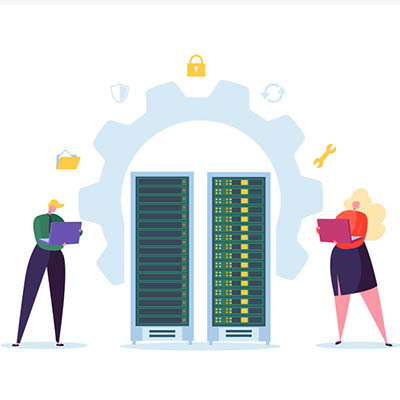
When you are looking for servers, there is a pretty good chance that you need to centralize application delivery, file storage, or some other core function of your business. A server is a high-powered computer that runs specialized software that is used to support the multiple users that your business has on staff. Some of the multi-user applications that servers are used for include email, some type of messaging, print servers designed to manage company-wide print jobs, and customer relationship management (CRM). If your business already uses one or multiple servers, you need to establish whether you need to upgrade and migrate; or, if you’ve outgrown your hardware and need to set up a new server, and where to host it.

Cloud vs. Onsite

If you are looking to set up your first server, you have an interesting decision to make. Do you set up your new server at your place of business, or do you host it with an established cloud provider? Traditionally, companies would be better served to host their hardware locally, but with cloud services from some of the most reputable companies in the world now available with built-in support and anywhere-anytime access, it stands to reason that looking at how each is priced out is a prudent move by any decision maker. 

With the purchase of a server, a company takes on the costs of the hardware, which are often substantial, they then deploy software and have to pay to have that hardware managed. If the hardware costs aren’t enough, the maintenance costs can be multiple times that. When you add in utility costs, you are looking at a large capital cost with a smaller operational outlay.  With cloud computing, however, you can get a reasonably secure server that can be accessed from any place users have access to a high-speed Internet connection. This provides accessibility that many other servers don’t have, while paying per month rather than up front. The costs don’t add up quite as fast (the capital outlay is virtually zero), but the operational costs spike, often exceeding what you would pay for a server over time. 

Let’s make a list of some pros and cons:

Onsite Server 

Pros:

  • Gives you complete control over organizational data.
  • Gives you the ability to alter storage types and amount at any time.
  • Performing onsite backup is much easier.
  • Restoration from onsite backup is much faster.

Cons:

  • Upfront costs of hardware.
  • Exorbitant costs of continued maintenance.
  • Utility costs.
  • Upfront and recurring costs of physical security.
  • Your hardware is only marginally utilized.

Hosted Server

Pros: 

  • Eliminate capital costs of buying and maintaining hardware. 
  • Mitigate server-based utility costs.
  • Cloud server is scalable.
  • Data and application redundancy built in.

Cons:

  • The need for stable and reliable bandwidth rises.
  • Costs of bandwidth rise.
  • Security can become an issue.
  • Lose physical control over the management of the servers.

It all comes down to system control. If you want (or need to have) control over your hardware in order to meet federal, state, or industry regulations, hosting your servers onsite is suggested. If you don’t have these regulations to meet, there’s no reason hosting your servers in a public cloud interface can’t be a viable alternative for your company. 

One option that many businesses are using today is the establishment of a private cloud server. A private cloud server is hosted either onsite or in its own dedicated cloud space, and delivers a business a lot of the pros listed above, albeit at substantial cost. The establishment of the private cloud allows companies that need to have control over the management of their organizations data and applications to have it, while providing the ability for users to access the data and applications outside of the confines of its physical network. 

Regardless of what kind of server you are looking for the experts at NuTech Services can help. Find out more about your server options by calling us today at 810.230.9455.
234259279_cloud_400.jpg

Determining Your Organization’s Cloud Needs

234259279_cloud_400.jpg

The cloud is one of the most valuable tools available to modern businesses, but the extent to which organizations utilize it will vary depending on their specific needs. For example, some organizations might be fine with the limited control offered by the public cloud, but others might need more dynamic features and control over their data with a private cloud. We’ll help you determine which is right for you, as well as some of the specific considerations needed for a private cloud solution.

Public vs Private

The public cloud is typically used by businesses that don’t have the infrastructure, or the budget to acquire said infrastructure, for hosting cloud-based applications or services. Public cloud solutions are those which are hosted by the provider and accessed remotely through an Internet browser, mobile client, and associated account. They are particularly valuable for businesses that don’t have the means to reliably host their own solutions.

On the other hand, a private cloud solution is used by small businesses that have a means of affording and maintaining the solution. This means administering maintenance to the software and hardware associated with the system, as well as monitoring it for security purposes. Basically, when you go with a private cloud solution, it’s much more involved than a simple public cloud system, so you should be prepared to deal with plenty of issues that wouldn’t be an issue if the solution was hosted elsewhere.

What to Consider

When considering the implementation of a private cloud infrastructure, be sure to consider the following:

  • Security: You’ll have more control over your solution if you host it privately onsite, but you’ll also need to adequately protect it.
  • Access: Will employees have access to your organization’s cloud solution while out of the office? Hint: They better, otherwise there isn’t a reason to have a cloud. Since your cloud-based applications are stored on your in-house infrastructure, you’ll need to make sure accounts are set up properly and protected.
  • Management: Managing a cloud solution is no joke, and since you’re hosting it on your own private server, it comes with all the annoyances and benefits. You can customize your cloud solution to suit your needs, so be sure to understand what you need beforehand so you can leverage it to the best of your ability.
  • Maintenance: Taking care of a cloud solution is also a major responsibility, so expect any in-house IT technicians to have a lot more on their plate than they already do.

NuTech Services can help you mitigate the issues of a private cloud infrastructure by hosting your private cloud on our own servers, thereby removing the burden it places on your organization. To learn more about this cloud strategy, reach out to us at 810.230.9455.

sql_server_400.jpg

Microsoft SQL Server 2008 Will Soon Reach EOL

sql_server_400.jpg

It is little wonder that, with millions of businesses relying on their secure servers for a variety of computing needs, that Microsoft reigns supreme in profitability. In order to maintain this status, Microsoft must make sure that their software is properly cared for and supported – or retired if these titles are no longer practical to maintain. SQL Server 2008 and SQL Server 2008 R2 are soon due for the chopping block, with an official retirement date of July 9, 2019.

If your business is still leveraging these titles, the clock is ticking. In order to avoid the considerable difficulties that losing support brings, you need to update your solutions very soon.

What Does SQL Server 2008 Do?

Microsoft SQL Server 2008 functions as a relational database management system (RDBMS), which means it is used to securely manage how a business’ data is stored, retrieved, and accessed. Not just a little data, either… a lot of data.

This only makes sense – why would you need a database in the first place, after all? Simple – to store a lot of data that you have (or expect to have), which also means you need a means of managing this data that is capable of integrating with the applications you use. An RDBMS can provide that means.

As SQL Server 2008 has been Microsoft’s database management software solution, and with Microsoft’s solutions supporting most of the world’s enterprise servers, this retirement has the potential to affect a lot of businesses. If yours has been utilizing either version of SQL Server 2008, you need to upgrade soon, or your business may be put in a tight spot.

The Progression of this EOL

As July 9 approaches, these versions of SQL Server 2008 draw closer to losing support. While mainstream support was actually ended in July of 2014, these solutions will finally be fully put to rest precisely five years later. Once this happens, any organization that did not upgrade would be vulnerable effectively immediately, at risk of security breaches and data loss. Furthermore, a business that experiences these issues then has to cope with the damage to its reputation, an after-effect that often leads the business’ failure.

What You Can Do

You have to work fast to upgrade your database management system. NuTech Services can help. We can introduce you to solutions that are far superior to the ones available in 2008, with improved integrations and intelligent systems. Sure, you could host a new RDBMS locally, but you could also leverage cloud-based database management, potentially bringing even greater speeds to your business.

Regardless of what you choose to replace it with, you need to ensure that your SQL Server is migrated by July 8, 2019. This is the only way to be sure that one of your business’ most crucial assets is protected by the adequate level of data protection and security. Again, we can help you equip your business for success. All you have to do is call us at 810.230.9455.

maintain_server_400.jpg

Why (and How) You Need to Maintain Your Servers

maintain_server_400.jpg

It is impossible to understate the importance of a server to today’s businesses. We talk a big game as to how important data is, but we don’t often broach the topic of how important it is to ensure that your server is well-maintained. Below, we discuss how to determine what your servers need for optimal performance, and how you can be sure that they get it.

What Can Cause Problems in Your Server Room?
Of all the potential issues that your servers can face, the smallest ones can create some of the biggest problems – literally. For instance, there’s always the worry of dust.

Dust, and other similarly-sized contaminants, can easily make their way into your server’s components, where they build up and become an insulator. As a result, your equipment can become up to 30ºF warmer – and just like in human beings, a rise in internal temperature to this degree can be lethal.

Other contaminants include things that human beings generate, like skin particles and dander, or even the result of wear on the devices themselves, like belt debris from the climate control systems and metal shavings from the hardware. The worst culprit, however, is actually the soles of your feet. Approximately 80 percent of the most damaging debris can be introduced to your server room this way.

Mitigating Issues through Maintenance and Prevention
Consider what would happen if your server was to suddenly fail. All of the data you had worked to preserve and protect, investing in the infrastructure to house it and the solutions to mitigate external threats to it, would be gone. Therefore, it is important to remember that protecting your servers against inadvertent internal threats is just as critical as protecting them against external attacks. This is accomplished in two overarching ways: first, strict standards of cleanliness, and secondly, avoiding the introduction of contaminants.

Keeping it Clean
The less dust and grime there is in your server room, the easier it will be to keep the room nice and cool for your infrastructure. While the big cleaning jobs should be left to experienced professionals who have a history with cleaning computing equipment, there are some jobs that you should be able to handle.

After all, some cleaning may have to be done on a daily basis, especially if your server room is a high-traffic area. Careful vacuuming will help get rid of that notorious sole-grime that comes in, as well as a considerable amount of other dust. To clean your server components themselves, use an antistatic cloth to gently remove the grime, using compressed air to get into hard-to-reach places.

Avoiding Contamination
If possible, you might also want to make some changes to help reduce the amount of dust and grime that enters your server room in the first place. Installing air filters inside can help, as can (assuming you are able) creating a buffer room between your office and the server room itself, where special mats can be installed to help minimize contamination. Hats and booties can also help reduce the amount of human-borne contaminants entering the area.

Finally, do your best to stay out of the server room if at all possible. Avoid bringing potential contaminants into it, like cardboard, and clean off any tools and equipment before they are brought into the server room.

For more best practices to maintain your business’ crucial technology, reach out to NuTech Services at 810.230.9455!

tt_proxy_server_400.jpg

Know Your Tech: Proxy Server

tt_proxy_server_400.jpg

Your server room may be somewhat intimidating to consider. Wires everywhere, mechanical boxes that just sit there, lights blinking intermittently, and the distinct feeling that you probably shouldn’t touch anything – not even a proxy server, whatever that is. However, to help you get to know your tech, the proxy server is exactly what we discuss below!

What Is A Proxy Server?
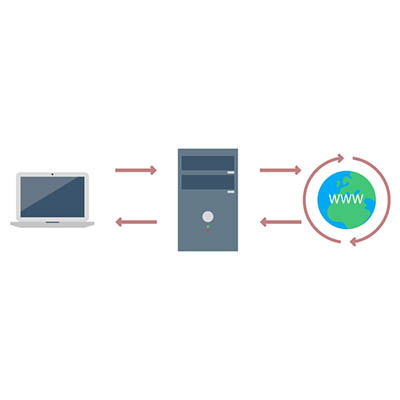
Oversimplifying things, a proxy server is the device that keeps your end users and the websites that they’re accessing separate, but communicating. Making this a little less straightforward, a proxy server can act as many other things as well, adding to its usefulness in your business.

At its core, a proxy server is extremely useful as a kind of gatekeeper for your users’ browsing. Think of it as a kind of a spam filter for your Internet – instead of a user accessing a potentially infected website, the proxy server allows them to access the data, protecting your network much like a web filter and firewall would. The proxy server also caches the data from common web requests, speeding them up, all the while preserving a user’s privacy online.

A Few Benefits of a Proxy Server
There are a few reasons that a business may utilize a proxy server.

Privacy and Security – As we’ve mentioned, proxy servers have a definite use as a means to protect an organization’s privacy and security. This can be accomplished in a few ways. First, a proxy server is capable of altering some of the identifying information contained in the web request. By its doing so, the destination server has no way of knowing where the request came from originally. This keeps browsing habits and personal information protected.

Furthermore, a proxy server is able to encrypt web requests, protecting them from anyone who may try to sneak a peek. Known malware sites can also be blocked through the proxy server. Finally, your company can use a virtual private network (or VPN) in conjunction with the proxy, enabling secure and verified access.

Internet Control – Let’s face it, as great a tool as the Internet is, it can also be a considerable source of distractions. However, a proxy server allows you to both monitor and control the way the Internet is used. If certain websites are proving to be a distraction, the proxy server can block them, instead delivering the user a nice note reminding them to stay on task. Even if the website isn’t blocked, a proxy server can still be used to track how often a website is accessed, allowing you to judge if your employees are really being diligent in their work.

Speeds and Savings – Bandwidth is a very important consideration to make when your business relies on the Internet’s performance in order to function. A proxy server can assist your network performance by caching websites that are frequently visited, cutting the number of requests to that website to one, as opposed to however many employees are attempting to access it.

If you think that your network could benefit from utilizing a proxy server, call us! NuTech Services is the premier managed IT support specialist for Michigan, and we are more than ready to assist you with whatever questions you may have. Give us a call today at 810.230.9455.

email_management_400.jpg

3 Time-Saving Benefits to Outsourced Email Management

email_management_400.jpg

You don’t have time to worry about managing your email solution, but it’s still a vital aspect of your business’s operations. You never know when someone will fall for a spam message, and you certainly can’t look over the shoulders of each employee to make sure they don’t. What’s the busy business owner to do? How can you get quality email management without it eating up too much time and effort on your part?

The answer, like many technological pain points of SMBs, is to outsource the responsibility to a managed IT provider. Managed IT is great for businesses that want to focus on their operations rather than spending time managing technology. We’ll discuss three of the ways that email management helps your organization stay on task and ahead of the game.

Strengthen Security with Spam Blocking
Spam is the favored vehicle for major online threats, including phishing and ransomware schemes, specifically because it allows hackers to spread their work in a way which allows them to target as many people as possible without devoting much individual work. Users can accidentally download attachments or click on links to malicious websites. Enterprise-level spam blocking solutions allow your organization to keep threatening or suspicious messages out of your inbox indefinitely, significantly reducing the risk of finding such messages in your email solution.

Hosting and Management
If you’re the one who has to constantly add new users or check to see that your email servers are working properly, you’ll find that you have less time to spend doing your actual work. Of course, nothing is more important than making sure operations proceed as intended. NuTech Services can manage your technology and free up incredible amounts of time to focus on building your company’s profitability. We can ensure maximum uptime and optimal mail flow so that you don’t have to.

Archive Messages for Future Viewing
Email archiving is a great way to ensure that your business retains a record of any incoming and outgoing messages for your business. This helps you keep a better track of who shares information with who, and more importantly, why information might be shared with those outside of your business. Furthermore, if an employee has recently left your business, but you weren’t privy to their reasons, you might find some clues in your email system that could strengthen retention and prevent turnover in the future.

If you want your business to flourish, managing email effectively is a great place to start. In the hands of professionals like those at NuTech Services, you can focus on operations without worrying about keeping mail flow from working as intended. For more information about email management, reach out to us at 810.230.9455.
virtual_cloud_400.jpg

Why it May Not Be Worth it to Replace Your Server

virtual_cloud_400.jpg

When a business undergoes a hardware refresh, it often comes saddled with unexpected costs and downtime. This is sometimes caused by hardware failure, or from unplanned-for data migration. With the advent of virtualized servers, businesses now have a better way to recover from the woes of server refreshes. Rather than purchase new hardware, it’s more economically viable to go with a virtual server that’s hosted in the cloud.

Server virtualization is a great way to save costs and reduce operational expenses in the long run. Virtual servers can separate the computing resources of a server and allocate them within a cloud-like infrastructure. Server virtualization is great for businesses that have limited budgets and resources, since this is a responsibility that’s simple to outsource to a reliable third party service provider.

Here are three major reasons why you should go with virtual servers for your next IT refresh.

Virtual Environments
One of the biggest reasons to use virtual servers is that you can create multiple computing instances on the same virtual machine. For example, if you’re using a legacy application that’s only functional with a specific operating system, you can run a virtual machine dedicated to that application. This keeps you from investing unnecessary capital into an entirely separate server unit for the exclusive use of one application. Keep in mind that this also helps you limit the cost of operation and maintenance that would be needed for a dedicated server.

Save on Operating Costs
Another major benefit that virtual servers offer is the ability to host less hardware in-house. Servers use a lot of electricity and generate a lot of heat, making air conditioning a top priority for server longevity. High energy costs can put a damper on your budget, and server virtualization offers a remedy. You can consolidate your infrastructure onto one device with multiple virtual machines, rather than create a complex infrastructure of network components. This cuts down on your operational expenses.

Effectively Manage Resources
Virtual machines let service providers or IT administrators manage their workloads more-effectively. You can monitor and adjust workloads in a cloud-based interface in real time, allowing operations to progress unhindered. While it’s possible to have your own internal IT department handle this, it’s better to outsource these responsibilities to save internal time and resources for more important matters.

The next time you need a hardware refresh, be sure to keep your server infrastructure at the top of your mind. To learn more, reach out to us at 810.230.9455.

microsoft_sql_eos_date_passed_400.jpg

It’s the End of the Line for Microsoft SQL Server 2005 – Are You Prepared?

microsoft_sql_eos_date_passed_400.jpg

Do you know which database management system is used by your company’s servers? Obviously your end users aren’t expected to know the answer to this question, but this is something that you, as a business owner, need to be aware of. If you don’t keep track of which database software you’re using, you might accidentally wait too long and wind up running an unsupported piece of software. For example, you need to move away from SQL Server 2005 (which is now unsupported) as soon as possible.

For those unaware, the end of life for SQL Server 2005 was just last week, April 12th. This means that if you haven’t upgraded away from it yet, you could be in serious trouble. Plus, 10 years is far too long a time to use any dated software.

Your best chance is to upgrade to a more recent version of database software that’s supported by Microsoft’s security patches and updates. SQL Server 2014 or Azure SQL Database are two great options that will last your business for years to come. The skilled technicians at NuTech Services can assist you with such an important upgrade. Let’s face it; unless you’re an experienced technician in your own right, your best chance of switching to a new database software solution with minimal complication is by letting professionals do it. This helps you avoid a lack of compatibility with mission-critical applications. Errors like these can lead to huge operational inefficiencies, which inevitably leads to downtime. Plus, if you are upgrading your SQL Server, you may need to reconfigure or upgrade certain apps, which is significantly more challenging than installing a new version of SQL Server.

Tim Hegedus, senior manager of the analyst team with Miro Consulting, explains to CIO: “The biggest risk stems from continuing to use the product when there is any kind of uncontrolled or external access to that database. Any security breach can be damaging not just monetarily but also reputationally.”

Organizations that utilize sensitive data need to be especially careful of this type of upgrade. If you’re using SQL Server 2005 (or any other unsupported software), what would happen if your systems were hacked and you lost access to important data? Or worse, what would happen if this data was stolen by hackers looking to sell it on the black market? Your business could be subject to hefty fines, many of which could number in the thousands of dollars per record.

Businesses that want to upgrade have a great opportunity to try out Microsoft Azure. Azure SQL VM is a legitimate option to consider, especially if you don’t want to buy and maintain a new server unit. Keep in mind that doing so requires the migration of software solutions and all of your data; something that NuTech Services can help you with. We can also help you weigh the pros and cons of the many options available to you.

For assistance upgrading away from SQL Server 2005, or any of your other unsupported software, contact NuTech Services at 810.230.9455.

b2ap3_thumbnail_backup_system_400.jpg

The Strict Security Measures of Nuclear Power Plants Can Benefit Your Business Too

b2ap3_thumbnail_backup_system_400.jpgTechnology, while a great asset that can be leveraged for your benefit, can also frighten businesses due to how unpredictable it can be at times. The constant threat of data loss, identity theft, and hardware failure can cripple your business’s ability to retain operations. Specifically, businesses can learn about risk management by analyzing the processes used by an industry where risk management is absolutely critical: nuclear power plants.

In the wake of two of the most destructive and violent nuclear disasters, nuclear power plants have begun to crack down on how they approach risk management. The Chernobyl incident of 1986, as well as the tsunami-induced disaster at Fukushima in 2011, are the only nuclear disasters to reach the peak of the International Nuclear and Radiological Event Scale (INES) at a rating of 7. This means that they had an immense impact on the immediate vicinity, as well as the environment on a worldwide scale.

The meltdown at Chernobyl was the result of an uncontrolled nuclear chain reaction, ending in an enormous explosion that resulted in fire raining from the sky and radioactive core material being ejected into the vicinity. A closer inspection of the incident revealed that the explosion could have been prevented, had the plant practiced better safety measures and risk management, like having a containment system put in place for the worst-case scenario.

In comparison, the Fukushima plant was prepared to deal with a failure of operations. The problem that led to a disaster was one which couldn’t possibly have been prevented: the 2011 Tōhoku earthquake and the resulting tsunami. The Fukushima plant had a contingency plan to shut down the plant in the event of a disaster, but of course, the tsunami prevented this from happening properly. Flooding damaged power lines and backup generators, which led to heat decay, meltdowns, and major reactor damage.

Disasters like these lead to professionals searching for ways to prevent emergency situations in the future. For example, the Fukushima incident kickstarted thought for how to prevent problems caused by the unexpected issues. In response to emergency power generators being flooded or destroyed, off-site power generation will be implemented as soon as November 2016.

One other way that nuclear plants have chosen to approach these new risks is by outsourcing this responsibility to third-party investigators, whose sole responsibility is to manage the reliability of backup solutions. In a way, these investigators function similar to a business’s outsourced IT management, limiting risk and ensuring that all operations are functioning as smoothly as possible.

What we want to emphasize to you is that businesses in industries of all kinds expect the worst to happen to them, and your business can’t afford to be any different. Taking a proactive stance on your technology maintenance is of critical importance. While your server that suffers from hardware failure might not explode and rain impending doom from the sky, or expel dangerous particulates into the atmosphere, it will lead to significant downtime and increased costs.

In order to ensure that your business continues to function in the future, NuTech Services suggests that you utilize a comprehensive backup and disaster recovery (BDR) solution that minimizes downtime and data loss risk. BDR is capable of taking several backups a day of your business’s data, and sending the backups to both the cloud and a secure off-site data center for easy access. In the event of a hardware failure or other disaster, the BDR device can act as a temporary replacement for your server. This lets your business continue to function while you implement a suitable replacement.

Plus, NuTech Services also offers a remote monitoring and maintenance solution that allows us to work just like the investigators who work for nuclear plants. We manage and maintain your IT in a way which is designed to detect and prevent major problems, allowing you to work unhindered. We can remotely administer patches and security updates to ensure the continued functionality of your hardware and software solutions.

For more information, give us a call at 810.230.9455.

b2ap3_thumbnail_hillary_server_snafu_400.jpg

Hillary Clinton Learns the Hard Way Why Network Security Best Practices Must Be Followed

b2ap3_thumbnail_hillary_server_snafu_400.jpgWith the United States’ Presidential election ramping up, it’s hard to go anywhere without seeing Hillary Clinton’s face. The former U.S. secretary of state and first lady, Clinton is making her second attempt at the Presidency. She has gained some negative attention recently in regards to emails she had sent from a personal email address when she was the United States’ top diplomat and it’s opened up some questions about data security at the highest reaches of government.

Every potentially scandalous political situation presents some question of motive, and this particular one is no different. The situation started when The New York Times’ Michael Schmidt broke the story on March 2, 2015. At the time, the reporter recalled, that he didn’t think much of the story. “It was curious and it was interesting,” Schmidt told the Huffington Post, “but it didn’t seem like it was going to be some type of major story.” In fact, the situation was so under the radar that Schmidt left for vacation the day after it ran in print.

Of course, what we know now is that it has snowballed into a political scandal that many Republicans hope derails her campaign. The basics of the story are this: While she was secretary of state under President Obama she used her personal email address to conduct official state business, potentially violating federal requirements that officials’ correspondence be retained as an official record of proceedings. Moreover, Mrs. Clinton did not use a state-issued email address throughout her tenure at the state department. That alone is not the issue, however. The issue is that her staff did not preserve that correspondence, a clear failure to comply with the Federal Records Act.

Many government officials have commented on this issue, with the consensus being that Mrs. Clinton had not been in breach of any law, but that the practice of not using the state-sponsored email address is highly unusual, and deserves further investigation. Of course, Mrs. Clinton is running for the highest office in the land and the scrutiny, especially from the opposite party, has intensified. Clinton agreed to turn over the email server to the FBI; the server that her account was hosted on for the entire time she was secretary of state. The former first lady gave it over willingly, without legal precedent to do so, which suggests that Clinton doesn’t feel as if she did anything criminal. She also does not seem to have a grasp on the best practices of network security.

Since turning over the server August 12, the FBI has begun probing the server to see if, in fact, Mrs. Clinton has violated the law by mishandling classified information. In doing a damage assessment, the FBI has also begun attempting to ascertain if the email address she was using at the time, or the server itself, had been hacked. Clinton herself recently dismissed the chances that the old email server could have been infiltrated by stating that the email address “[…] was set up for President Clinton’s office. And it had numerous safeguards. It was on property guarded by the Secret Service. And there were no security breaches.”

There has been some concern from authorities and the Judge overseeing this situation, Emmet Sullivan, that Clinton or her Colorado-based IT provider had wiped the server in question when the Clintons upgraded their IT and migrated all the information from their old servers to their new ones. The provider that hosted the email server, Platte River Networks, who also turned over the server to the FBI, acquired the server in question in 2013. They have gone on the record to proclaim that there are almost certainly backups of the deleted files on the server.

Since any good IT provider will ensure their clients’ IT is backed up properly, you can bet that the content of that server, with years worth of diplomatic correspondence is someplace. The FBI’s probe will focus on getting the emails back and to ascertain how the email data was protected, whether traces of code that suggest an attempt at infiltration had taken place, and whether or not it is possible to reconstruct the logs of what machines actually accessed the server when Clinton was working for the state department.

Outside of the political realm, the whole issue brings up some interesting topics for the security of an organization’s IT. When you wipe a computer, what are you actually deleting? What kind of information can be accessed after you think everything is off your old technology? When you absolutely have to send secure emails, what solution do you use to ensure that they are received without tampering?

Although your company might not receive the same media scrutiny as a politician, suffering from data theft or hacker infiltration can be a seriously complicated situation that could cost you a lot of time, money, and even your reputation. Making sure your data is in check and your network is secure is becoming even more crucial, even for smaller businesses.

Whether you are dealing in state secrets or not, data security is important for any organization. NuTech Services’s technicians can answer all of your IT security questions, and find your organization the solutions they need to keep downtime to a minimum. Call us at 810.230.9455 to get your pressing IT security questions answered today.

b2ap3_thumbnail_virtualization_to_the_cloud_400.jpg

The Top 3 Reasons You Shouldn’t Ignore Server Virtualization

b2ap3_thumbnail_virtualization_to_the_cloud_400.jpgIs your business taking advantage of server virtualization? It’s a popular solution that increases efficiency and minimizes risk. Yet, despite the well-known benefits of virtualization, there are still businesses that are hesitant to adopt it. Are you still on the fence about virtualization? Consider these top three reasons why server virtualization may be right for you.

Application Isolation
When your server is virtualized, you’re able to isolate needed applications. Isolating an application on a dedicated server unit is very wasteful and very impractical, both in terms of wasted electricity and computing resources. Yet, “one application per server” is a common way that many SMBs go about hosting their data.

A virtual server is an efficient alternative to this problem of wasting resources. With a virtual server, your applications are assigned in a controlled environment and given just enough resources to efficiently meet your needs. This frees up space and bandwidth on your local server units so they can handle more mission-critical tasks.

Maximum Uptime
Operating a physical server comes with a degree of risk. Threats like hack attacks, hard drive failure, or performing major maintenances can cause unexpected and serious downtime. A virtualized server is a versatile option that can adjust to the stresses and attacks that have a tendency to plague a server.

The best way to deter downtime is to combine server virtualization with a reliable backup solution. This is what your network gets with NuTech Services’s Backup and Disaster Recovery (BDR) solution. If you’re backing up your data with BDR and your network is hit with a downtime-causing disaster, then BDR can act as a virtualized server for your network so your business can continue with its work and only experience minimum downtime.

Cloud Migration is Simplified
Are you considering moving your data and applications to the cloud? If so, then you’re going to have an easier migration process moving data from a virtualized server to the cloud than you will by moving your data to the cloud from an in-house physical server.

Why would you want to migrate your data from a physical or virtualized server to the cloud? All of these data-hosting options come with their own set of unique benefits. Before you commit to a data hosting model, which can include a hybrid option, be sure to talk with the IT professionals at NuTech Services in order to discover what the best technology move is for your business.

These are only three benefits as to why you should consider server virtualization; to be sure, there are many more. To find out if server virtualization is right for your business, give NuTech Services a call at 810.230.9455.

b2ap3_thumbnail_windows_logo_400.jpg

Windows Server 2003 End of Support Date Looms on the Horizon

b2ap3_thumbnail_windows_logo_400.jpgThe next major operating system to get the ax from Microsoft is Windows Server 2003. Slated to have its mainstream support ended on July 14th, businesses that currently use the software need to begin making plans to upgrade their system as soon as possible. With this server operating system no longer being supported by Microsoft, your data will be vulnerable to the latest online threats.

end of support windows server 2003It’s best practice to upgrade your server’s OS (and all of your software for that matter) every time a new version is released–not every twelve years. One reason to upgrade is that the latest software is built to handle the demands of modern businesses, which gives you a competitive edge over companies running older software. Security is another big part of why you should upgrade, and in the case of Windows Server 2003, the need to upgrade by July 14th is urgent because Microsoft ending mainstream support means that they will no longer be providing security updates and patches to protect you from the latest threats.

If you want to dig in your heels and hang on to your precious Windows Server 2003, you have the option to purchase custom support from Microsoft. However, this isn’t a tangible option for the small business. According to Processor magazine, Microsoft is charging upwards of $200,000 for this service. Your business is better off just upgrading to the latest OS for your server, especially if you’re working in a field like health care that requires your technology to be up-to-date in order to comply with strict security standards.

Upgrading from Windows Server 2003 isn’t difficult, but it does require you to take an accurate assessment of your applications to find out if they can transfer to your new system. For example, you may run into some issues when attempting to move older applications that run off a 32-bit operating system to a newer OS. Issues like this can be worked around, but it requires the skills of a knowledgeable professional, which is time and expense that must be factored into the upgrading cost. When upgrading your server to a new OS, it’s best to go about it with a well-thought-out plan so that your upgrading process won’t run into any surprises that will take your server offline any longer than it needs to be.

NuTech Services can work with your business to make the upgrading process as quick, easy, and affordable as possible. We can come up with a time-saving plan that accounts for any discrepancies that might hinder the upgrading process of an older system, and we can migrate your data to a temporary server that your business can operate from while we equip your server with the latest OS. This way, the productivity of your business won’t skip a beat.

It may be that upgrading the software on an older server unit isn’t the most efficient option for your business. A lot has changed in twelve years, and your old server units have likely experienced some wear and tear and require more maintenance. Technologies like server virtualization and cloud computing may be a better data-hosting option for your business than trying to update your old system.

Whatever the best route is for your business, NuTech Services will guide you in it so that your organization isn’t stuck using older software that leaves your data vulnerable and your business inept. Call us today at 810.230.9455 to learn more.