57808106_keep_records_400.jpg

Improve Your Business With These Documentation Practices

57808106_keep_records_400.jpg

With the amount of technology that the modern business relies on today, each business needs to maintain comprehensive documentation outlining it. As a managed service provider, we can provide an expert perspective on what needs to be included in this documentation. Let’s get into it.

What Should My Documentation Include?

Basically, your documentation should be a complete inventory of all the technology you have, first divided between your hardware and software solutions.

Hardware

There’s a lot of information regarding your hardware solutions that you will want to keep a record of, as it will make a lot of processes a lot simpler moving forward.

Serial/Model Numbers – These will help you to ensure that the device you are working on is the one you think it is, in addition to simplifying things for your support team.

Purchase Dates – If any of your decisions are going to be based on the age of the device (i.e. whether to repair or replace), knowing how long you have had it will help you to evaluate if you got the value from your investment.

Warranty Information – On a related note, knowing the terms of an item’s warranty can help you make the best decision for your business while taking this into consideration.

Installation Dates – Let’s say that one of your workstations is acting up. If you knew that it was installed the day before an extended brownout hit your office, this information could help you narrow down the issue.

Physical Locations – It is important to know where a device is supposed to be. This makes it easier for the service team to keep it maintained, as well as boosts your security somewhat.

Device Names – Having a name for a specific device, aside from the one the manufacturer assigned, adds another level of differentiation.

IP Addresses – If you need to find something on your network, knowing the IP address will help immensely.

Software

Just as is the case with your hardware, there’s a lot of information about your software to carefully record and track. Make sure you’re establishing the following in your documentation:

Product Licenses – Similarly to the serial number, keeping track of your product licenses ensures you are aware of how many copies of a given title you have available to use.

Purchase Dates – Again, as with your hardware, knowing when you acquired something helps you find out of your purchase is still under warranty, along with other pertinent details.

Install Dates – Once again, if you know when a given software was installed on a system, you’ll know a lot more about it through inference and deduction.

Subscription Details – If you maintain a subscription to a software suite or similar tool, keeping track of your subscription details can ensure your ability to use that title.

Usernames or Registration Emails – Knowing who in your organization is associated with your various software titles can help you log in to a vendor’s website or otherwise receive support later.

Version History – Finally, keeping up with your software’s current version in your documentation can help you keep track of where updates are needed, and where you may be susceptible otherwise. Of course, your documentation should outline the proper update procedures as well.

Why Bother with All This Documentation?

Simplicity. Security. Peace of mind.

Maintaining your technology will be so much easier with these details recorded for future reference, allowing you to get the maximum value for your investments into IT. For assistance in establishing these processes, or for insights about what we track, give us a call! Our professionals can be reached at 810.230.9455.

338223041_shortcut_400.jpg

Tip of the Week: Useful Excel Shortcuts

338223041_shortcut_400.jpg

When most people think “spreadsheet,” they’re thinking about Microsoft Excel. Yet, for how well-known it is, many people are unaware of many of its capabilities. This is particularly true of the shortcuts available to properly format these spreadsheets. For this week’s tip, we’re sharing a few of these formatting tips.

Quick and Easy Tables

Let’s face it—a spreadsheet full of points and figures isn’t the most comprehensive way to view your data. It is far better to instead format that data into a table, as you can then reorganize it and filter it as needed. Once your data is in a spreadsheet, creating a table is as simple as selecting one of your cells, pressing Ctrl + T, and then hitting Enter.

Handy Formatting Shortcuts

Formatting a spreadsheet is a matter of balance. While it isn’t something you want to spend a ton of time and effort doing, it can add a significant amount of comprehension for the person reviewing it. Shortcuts can help make this formatting less intrusive, and more efficient for you, the person creating the spreadsheet in the first place.

Here are a few select shortcuts that you will likely find useful:

  1. Ctrl + B – Bold
  2. Ctrl + I – Italics
  3. Ctrl + U – Underline
  4. Ctrl + 5 – Strikethrough selected text
  5. Ctrl + 1 – Format box for selection
  6. F4 – repeats the last action

Icon Sets

On the topic of visibility, some trends can be challenging to spot without this kind of added context as well. Excel has icons that can automatically put in a bit of visual context. With the cells you want to add the icons to highlighted, click on Conditional Formatting under the Home tab of the menu. There, the Icon Sets option should appear, where you can select the set of your choosing.

These icons are particularly handy because they are automatically configured to adjust to your data. Let’s assume that you pick the icon set with three arrows. Based on the range your data covers, the lowest third is automatically assigned the downward arrow, the middlemost third has the sideways arrow, and the highest third gets the ascending arrow. With five icons, your range is split into fifths, as your range is automatically divided amongst the icons.

What are some of your favorite formatting tricks for Excel? Share them in the comments!

140787370_managed_it_400.jpg

Why There Has Never Been a Better Time for Managed IT

140787370_managed_it_400.jpg

Okay, time for some real talk: There is no denying that 2020 has held a few unique challenges for everyone who runs a business. Economic challenges, political tensions, and an honest-to-goodness pandemic have all thrown us all for a loop. As a result, it is important that businesses all adjust their technology priorities to survive. Let’s discuss these priorities, and how they will need to shift. 

IT Management Matters More Than Ever

From a certain point of view, businesses now find themselves in a unique position to restructure their operations. For instance, the COVID-19 pandemic has provided an inconvenient case study of sorts that shows a promising outlook on remote productivity.

It has also helped to shine the light on how impactful waste can be in poorly managed IT strategies. Without any engaged oversight, the heightened use of cloud services can lead to a few considerable issues, including

  • Unused accounts and services
  • Duplicate accounts for services
  • Services still earmarked for a former employee
  • Misconfigured services

These issues can ultimately account for 30 percent of an organization’s IT investment spend and can be resolved with remarkably little effort. The problem is that someone has to know to catch it—and if these things were set up by somebody who has since left, or worked for a break-fix provider, that person may not be available.

So, it only makes sense that businesses would want to take account of these costs, and shore them in.

Of course, we have to talk about the economy. With the economy in the state that it is in, businesses are going to have to batten down the hatches. In addition to consolidating budgets and managing them better, businesses need to know that they have the solutions necessary to survive going forward.

This will require modern solutions that allow for remote productivity and collaboration to take place. A modern IT provider, like NuTech Services, can provide for all these needs.

How Our Services Can Help

As a managed service provider, we work in the background of your organization, remotely keeping an eye on the technology your team is relying on to do their jobs. In doing so, we can spot potential wastes of time and money—including the ones listed above, by the way—and resolve them before you ever find out about it. This way, your workday can carry on without the added stress that technology issues bring.

To learn more about our services, give us a call at 810.230.9455.
265247767_cloud_services_400.jpg

Demystifying the Cloud for Business Computing

265247767_cloud_services_400.jpg

As businesses have been allowed access to more advanced tools, the cloud and its capabilities have been shown to be among the most useful to operations. Let’s examine some practical applications of the cloud to see why this is.

Defining Cloud Deployments

Businesses have the option to use three different cloud deployments:

  • Private Cloud — Space in a cloud infrastructure is owned and utilized by a single business.
  • Public Cloud — Space in a shared cloud infrastructure is utilized by multiple businesses and users.
  • Hybrid Cloud — Space is utilized in both a public cloud environment and in a business’ privately-owned cloud space.

Regardless of the type of cloud deployment used, it provides considerable utility to the businesses that embrace its capabilities. Let’s consider some of the ways that your business could make use of these utilities.

The Cloud’s Service Models

Using the cloud, a business can fulfill its technology needs and requirements through solutions provided “as-a-Service.” Some of the “aaS” solutions available to businesses include:

Infrastructure-as-a-Service (IaaS)

Infrastructure as a service is simply computing space available in the cloud. The provider maintains the infrastructure that your business relies on to host its assorted needs, such as its operating system, storage needs, and applications. You gain access through a single sign-on that can be outfitted with two-factor authentication for additional security. 

Software-as-a-Service (SaaS)

Instead of paying per GB, a business can utilize software in the cloud. This means that the provider not only takes on the task of keeping the cloud infrastructure maintained, but also ensures that the software solutions themselves are managed and maintained. 

Platform-as-a-Service (PaaS)

PaaS almost serves as a hybrid between IaaS and SaaS. Essentially, using Platform-as-a-Service enables a business to create its own proprietary application without any of the responsibility to create and manage the infrastructure that supports it. Many software developers benefit from a PaaS platform to be able to code and test new applications. 

Cloud computing is a big part of the modern business world. For more information about cloud computing and how to use it for your business, call the IT professionals at NuTech Services today at 810.230.9455.
332666885_remote_work_400.jpg

Tip of the Week: How to Work Best While Working Remotely

332666885_remote_work_400.jpg

While remote work has been more widely implemented than ever as of late, many people still find themselves struggling to remain productive throughout their workday. We wanted to share a few tips to help them really make the most of working from home.

Dictate Your Environment

One of the psychological keys to effectively working from home is to identify a certain area as the at-home workplace and stick to it. Preferably, this workplace is away from the distractions of the kitchen and its snacks or the bedroom and its temptation of a nap. Once you have found your area, make sure that you have it equipped with the tools you will need to be productive, like a laptop, external monitor, and any other accessories you use.

Once you’ve established all this, you then need to consider how your days are to be scheduled. Many people enjoy working from home for its relative freedom from the typical 9-to-5 schedule, which allows them to fulfill other responsibilities with their time. So long as office processes allow for it and things are accomplished on time, there is nothing wrong with splitting up the workday as is needed.

Work a Consistent Amount of Time

With so many stresses felt by so many right now, the normalcy of work may seem like a good way to keep from dwelling on them. This is not necessarily the case. Even when working from home, the risk of burnout and fatigue are still there, so it is still important to put some distance between your work life and home life. It can be considered crucial, as setting this distance can help your thought processes and even your physical health.

To make the most use of the hours available to you, it will be important to be disciplined, resisting distractions, and minimizing disturbances. Furthermore, it is also important to end the day when the day should be ended. Not only will this help keep you focused throughout the day to accomplish what needs to be done, it will help to prevent feelings of overworking from settling in.

Have the Right Tools

As we alluded to above, it is important that you have everything you will need to be productive at the ready. This includes the hardware we referenced, as well as the software that your operations are based on.

You have a few options available to you to help make sure that your team has this software. Using remote access solutions, your team could tap into your business infrastructure and utilize it from a distance. Alternatively, you could elect to use cloud-hosted solutions, ultimately having the same result.

Naturally, some of these tools will need to be those that enable your team members to communicate with one another as they are kept apart. Email is perhaps the first business collaboration tool to come to mind, but in certain cases, other options like instant messaging and project management may be better suited to your team’s needs.

If your business needs help getting set up remotely, or needs to do a health check on your existing workforce that are already working remotely, give us a call at 810.230.9455.
358683095_data_automation_400.jpg

Understanding the Benefits of Data Automation

358683095_data_automation_400.jpg

Businesses of all sizes rely on data to operate, which means that this data needs to be collected somehow. Let’s consider how the concept of data automation has assisted these businesses to successfully accomplish more.

What is Data Automation?

In so many words, data automation is the collection and transcription of data using software, rather than the outdated and time-consuming manual processes that were once necessary.

Rather than one of your valuable employees being committed to data entry instead of the other tasks that are better suited to their talents and abilities, data automation utilizes technology to attend to it. As a result, your team can focus on their other responsibilities, while your data is managed more efficiently and accurately.

How Does Data Automation Assist Businesses?

There are many ways that your business could directly benefit from data automation processes. For instance:

  • Time (and thereby, money) is saved
  • Your team is free to focus on other responsibilities
  • Data can be entered more accurately and efficiently

Consider the checkout aisle of the grocery store, and the barcodes that are scanned to identify a shopper’s intended purposes. Think about how long it would take to ring up a cartful of groceries if each item must be manually looked up, and how many mistakes will be made in the process. The modern checkout line is a prime example of the basic benefits of data automation in this way.

Want to Learn More?

Reach out to NuTech Services at 810.230.9455! We can discuss the many ways that technology can be used to boost your business, including through data automation and other solutions. Give us a call today to learn more.

305233649_malware_400.jpg

Are Macs Inherently More Secure than PCs?

305233649_malware_400.jpg

It has long been assumed that computer viruses are a Windows operating system exclusive, that Macs are immune from these issues. Let’s examine the validity of these assumptions, and how much you need to be invested in your technology’s protections.

Spoiler Alert: Macs Do, in Fact, Get Malware

Not to be juvenile about it, but duh. A computer produced by Apple can just as easily be infected by malware and ransomware, just as they can also experience any of the other problems that a PC user would. Hardware failure, slowing with age, crashes, data loss—these and so many other issues can be seen in a Mac.

So, where do we get the widespread opinion that Macs are somehow immune to the issues that Windows devices suffer from?

In short, advertising. Over the years, Apple has had some brilliant advertising campaigns behind it, from the classic “1984” ad that ran during Super Bowl XVIII to the brief clip of John Malkovich talking to Siri. One particular campaign, however, helped to really push the idea that Macs aren’t susceptible to computer viruses.

The “Hello, I’m a Mac” campaign starred John Hodgman as the beleaguered PC, constantly coming up short when compared to Justin Long’s Mac in a total of 66 spots. One of the most famous of these bits outlined how Macs didn’t have to worry about viruses—amongst many, many others over the four years that these ads ran.

In all fairness, these ads were truthful enough. Massive amounts of new viruses are created to attack the Windows system each year, many of them leaving Macs unimpacted. While in fairness, Macs do get viruses, there are far more variants out there that target PCs.

The question is, why?

There are Far More PCs Than Macs, for One

Back in 2018, there was only one Mac for every ten active PCs online. Therefore, if about 90 percent of computers run on Windows, it only makes sense that there would be more viruses focused on Windows.

PCs are the predominant choice for businesses and industries, schools and universities, and home users alike.

To be fair, there isn’t really anything inherently wrong with Macs. Apple’s laptops and desktops are very capable devices. The difference comes from third-party developers. Many business-oriented core applications just don’t have Mac versions, and Apple doesn’t have the low-tier hardware options that are available with the Windows platform. So, when your billing department and your video department have very different needs, there isn’t a reason for you to spend the amount that a high-end Mac costs when a mid-range PC would do the job.

At the end of the day, a Mac and a PC at the same price tier are going to be effectively the same. The big difference is your preference and what your business works best with. Of course, we also have to say that Macs can have some difficulty integrating with a network designed for the PC and the software that most businesses prefer to use.

Mac Users Aren’t Off the Hook

While the fewer number of viruses targeting them has made it seem as though a Mac is the more secure choice of computer, the environment is changing. Malwarebytes recently reported that Mac malware is outpacing PC malware for the first time. The report also states that, between 2018 and 2019, threats to Macs increased by 400 percent.

Of course, it should also go without saying that the type of computer one uses shouldn’t impact that person’s security awareness and hygiene. Macs and PCs alike need to have antivirus and other protections installed, secured by strong passwords by users who understand that risk has no brand loyalty.

At NuTech Services, we are very aware of the importance of your business’ security and can assist you in protecting your endpoints and educating your users. To learn more about what we can do, reach out to us by calling 810.230.9455.
350427420_remote_work_400.jpg

Tip of the Week: Reviewing Some Remote Work Best Practices

350427420_remote_work_400.jpg

Despite many having to work from home for some time now, a lot of these people still haven’t quite gotten the hang of remote productivity or have developed some less-than-productive habits. This week, we’re providing these people with a few remedial tips to make their efforts while working from home as effective as possible.

Figure Out Where and How You Work Most Effectively

As you work from home, it will help to establish one area of your living space as the area where work is to be done and commit to working there. Pick a spot that isn’t going to serve as an additional distraction (as the snacks of the kitchen and the temptation of a nap in the bedroom would serve) and claim that area as your productive workspace. Make sure that you have all the tools that you will need for your work in that area—from a laptop, an additional monitor, and any other peripherals that you will need for your tasks.

Once your workspace is settled, you need to settle how your day will be arranged. Unless the workflows of the office need to be maintained, try rearranging your schedule around personal duties. As long as the work is done on time, there’s no harm in giving your remote team a bit of freedom as you can.

Don’t Overwork

While work responsibilities may seem like a welcome escape for many from today’s stresses, you need to be sure that you are appropriately taking breaks and working the appropriate number of hours. Fatigue and burnout are just as big of an issue at home as they are in the office, so allowing yourself to step away on occasion is important to do, even as you work remotely. In fact, stepping away has been shown to inspire new ideas and progress, as well as improve overall physical health.

This means that you also must set a few firm boundaries. By requesting not to be disturbed during work hours, one can accomplish much more in the time allotted to them. As a result, the prospect of stopping at the end of the workday—another firm necessity—seems to be more manageable.

Make Sure You Have the Tools You Need

Sure, we may have already started discussing the hardware that one will need while working from home, but there are a lot of other aspects to consider. For instance, the software solutions that your team will need must be available to them as well. There are a few methods to doing so that you may choose from. You could have your team remote into your business’ network to access the software and data they will need, or you could make use of cloud solutions to effectively accomplish the same result.

Your team communication will become even more crucial than it currently is, so your team will also need the tools and resources available to collaborate with one another. Email works for certain things, of course, but should always be supplemented by an internal instant messaging platform and other tools to keep everyone on the same foot, like a project management system.

Remote operations will help you keep your business running and your team healthy, two incredibly important considerations for the near future. To learn more about the solutions that remote operations will require, or to start putting them in place, reach out to NuTech Services at 810.230.9455 today.

355152474_network_security_400.jpg

Four Cybersecurity Tools Your Business Needs

355152474_network_security_400.jpg

In 2020, conducting business has been hard enough to have to constantly worry that your business is going to be the victim of a cyberattack. Unfortunately, it is an issue that isn’t going away, and can be a truly devastating experience. 

Today, it’s not enough to have an antivirus or firewall. You need solutions designed to actively protect your network and data from those that are actively trying to gain access to them. So while it may not be enough, making sure that your firewall and antivirus software are updated with the latest threat definitions, and that your other solutions like spam blocking and virtual private networks are being utilized properly, can set you up for success. Let’s look at four additional strategies that extend traditional cybersecurity into the modern age. 

Network Monitoring

Network monitoring is a solid strategy that will allow you to keep tabs on what is happening on your network. Today, there are remote monitoring tools that feature cutting-edge automated features designed to ensure that if something is funky on your network, or with your infrastructure, that you know about it before it becomes a major problem. Your IT support team should be outfitted with these tools as active monitoring may be the only strategy that can truly keep your network and infrastructure secure. 

Mobile Device and Endpoint Management

More businesses were relying on remote workers anyway, but with the COVID-19 pandemic that number has risen by several hundred percent. Mobile device management allows an organization to control the access each mobile user has to company resources, which applications employees can access on the network, while also providing control over the flow of mobile data. Securing endpoint access can go a long way toward protecting organizational computing resources from possible threats that users may have on their remote computers.

Security Training and Management

Today’s biggest threats often come into a network from user mistakes or negligence. In order to mitigate these instances, ensuring that your staff is properly trained is more important than ever. Not only will you want to provide them with the information needed to secure your network, you will also want to test them to ensure they are capable and willing to follow the company-outlined protocol on how to deal with threats. 

Threat Management and Detection

Despite your increased reliance on your staff to ensure that nefarious people don’t gain access to your network, there are still tools designed to identify threats and mitigate their existence. From firewalls to antivirus to powerful new threat management tools, if protecting your network from outside threats is a priority, making investments in solutions designed to eliminate threats is prudent. 

NuTech Services is the Michigan experts in IT security. Call our expert technicians today at 810.230.9455 to learn more about what you should be doing to secure your network and infrastructure.

180541233_password_400.jpg

Are You Practicing Good Password Hygiene?

180541233_password_400.jpg

Passwords are not a modern invention by any stretch, but as we have dealt with them for so long, there are a lot of bad habits that many people have adopted. That’s why we felt that it was appropriate for us to call out some of these habits and discuss some better options for you to adopt.

How Hygienic are Your Passwords?

With so many of us relying on so many passwords every day, poor password hygiene can often seem to be a foregone conclusion. Think about your own passwords, right now, and see how they compare to this list of inherently insecure patterns that many people develop:

  • Personal details, like your name or birthday
  • Names of friends, family, or most infamously, your pets
  • Commonly used words (like “password” or a favorite sports team)
  • Simple keyboard patterns (like “12345” or “qwerty”)
  • Repeated login credentials (like username: David1973, password: David1973)
  • Making their passwords as short as possible

Now, before you zip away and try to figure out new passwords for all of the accounts that have these kinds of passwords protecting them, let’s take a few more moments to figure out how to actually come up with ones that will be secure.

To begin, let’s consider some “best practices” that should no longer be described as “best.”

Some Less-than-Best Practices

According to NIST (also known as the National Institute of Standards and Technology), the following practices aren’t all that effective any longer when it comes to secure password creation.

  • Alphanumeric Switching: So, we all (should) know that something like “password” isn’t nearly secure enough to be used as a password. As a result, many users would use “p455wO2d” instead, changing letters to numerals and occasionally playing fast and loose with their capitalization. While this isn’t always a bad strategy, using such a common password still makes it far less secure than it needs to be.
  • Length Requirements: It’s likely that you have encountered this as well, as a program has kicked back your chosen password while announcing that “it is too short/long for its eight-to-ten character limit.” According to NIST, these antiquated requirements literally short-change security, as longer passwords or passphrases are more difficult to crack but easier to remember than the short jumbles of random characters.
  • Banning Cut and Paste: For some reason, many username and password fields don’t allow content to be cut and pasted into them, almost as if the prospect of typing out someone’s account details will stop a hacker in their tracks. This also makes the use of password managers, a hugely useful tool in maintaining good password practices, less available. So long as they are used properly, password managers should always be encouraged, as they enable a user to store and use multiple passwords while only really remembering one.
  • Password Hints: We’ve all been asked to set hints for our passwords before, just in case we forget them. You know the ones: “Where did you graduate from high school?” or “What was your first pet’s name?” The trouble with these questions is simple: our online habits make this kind of information easy enough to find online, especially with social media encouraging us to share pictures of our pets, or announcing that we’re attending the “Educational Institution’s Class of Whatever Year’s Something-th Reunion.” Instead of relying on these hints, combine multiple forms of authentication to both offer additional means of confirming your identity and better secure your account.
  • Frequent Password Changes: Considering how many passwords we’re all supposed to remember, it only makes sense that users would fight back against frequent password updates by only changing a single detail about it and calling it changed. For instance, let’s return to David1973 for a moment. If this user were forced to change his password too often, it is likely that he would resort to simply adding an easy-to-remember (and guess) detail. Maybe this is the fifth time that David1973 has been told to change his password, so while his password started as “David1973,” it progressed to “2David1973” to “3David1973” and so on to “5David1973.” Of course, we aren’t arguing that passwords should never be changed, but make sure that these changes aren’t actually counterproductive.

How to Create a Secure Password

Rather than using a password, per se, we recommend that you instead use a passphrase. Let’s use a quote by author Elbert Hubbard as our example: “Positive anything is better than negative nothing.” 

Of course, this is a mouthful to type, in a manner of speaking, so it might make sense to use some alphanumeric switching to help abbreviate it into a complex phrase that is still easy to remember.

Doing so, “positiveanythingisbetterthannegativenothing” becomes “p0$!tiV3NE+hg>-tiV3_+hg”.

Then, if you use this password as the master access code for a password manager, the rest of your passwords/passphrases could foreseeably be randomly generated, increasing your overall security even further. To make your password manager even more secure, you should really devise your own complex phrase, rather than steal one from an author.

You never know, some enterprising cybercriminal might be a big fan of Hubbard’s works, too.

For more advice and assistance to help you make your passwords and accounts as secure as possible, reach out to NuTech Services by calling 810.230.9455 today!

132856638_bookmarking_400.jpg

Tip of the Week: Bookmarking Your Google Documents

132856638_bookmarking_400.jpg

Productivity is always an important consideration when it comes to your business’ processes. That’s why, for this week’s tip, we’re going over how to boost your productivity by adding some of your G Suite documents into your bookmarks bar.

If you use the selection of tools that Google offers as a part of its G Suite offering, you’ve probably found a few documents that you find yourself repeatedly returning to on a regular basis. Rather than navigating to them via the appropriate folder hierarchy in Google Drive, there is a simple shortcut that you can take advantage of in Google Chrome: creating a bookmark that navigates directly to the appropriate page.

This is a very simple process:

  • Access your Google Drive and open the document you want to save to your bookmarks.
  • In the Address Bar, you’ll see a star icon at the right side. Click it.
  • A small drop-down menu will appear where you can change the name of your shortcuts, and select the “Folder” that it will appear in. Select Bookmarks bar.
  • Click Done, and then the document will appear in the bookmarks bar.

There you have it, you now have a quick shortcut to one of your most-used documents. For more handy shortcuts and tips (along with some other topics), subscribe to our blog!

138817540_crm_400.jpg

Understanding the Benefits of a CRM Solution

138817540_crm_400.jpg

Business success is largely based on the quality of the relationships you develop with your prospects and clients. Of course, no relationship is ever easy, and they usually don’t number in the hundreds. To simplify things for you, we want to discuss a tool that provides a lot of benefits: CRM software.

What is a CRM?

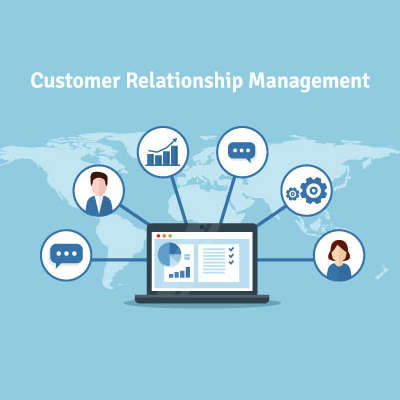
Short for Customer Relationship Management, your CRM is the tool that helps you track the relationships you have with the people you offer your services to, assisting you in developing these contacts into faithful clientele. As a bonus, these solutions generally come with integrations that give you access to even greater capabilities and resources.

Why don’t we go through some of the most common CRM integrations to demonstrate how beneficial they can be to your processes?

Calendar Integrations

Keeping track of your customers and your opportunities to communicate with them is a critical facet to your success, so it is important to stick to a schedule to avoid creating conflicts. A CRM can integrate with your business calendar to help prevent overlapping schedules while keeping you engaged with those you should be communicating with. By synchronizing your calendar to your CRM, your team can work more collaboratively and efficiently.

Customer Support Integrations

A good CRM also communicates with the tools you use as a part of your customer service and support delivery. With a CRM, any time a customer reaches out to your support team, the system directs the call directly to the department the caller wants to reach. By preventing some other department from receiving the call, both your overall productivity and your customer relationships are improved. As a result, your business sees benefit.

Email Integrations

Email is a valuable communication tool for many businesses, which is why a CRM’s capability to help personalize any marketing efforts a business uses their email to support is such a valuable one. With the data stored in the CRM, lead generation becomes a much simpler endeavor.

Supporting your operations with a CRM can directly lead to improved business, as your customers will be more inclined to reach out to you. If you’re interested in some other ways that technology can be used to benefit your business’ operations, reach out to NuTech Services at 810.230.9455.

360087558_protect_your_data_400.jpg

Protect Your Personal Information when Using FinTech

360087558_protect_your_data_400.jpg

For decades you had to go into a bank to complete your transactions. Today, you can do most everything you need to do without stepping into one. Between online banking and now FinTech-fueled mobile apps more people than ever are avoiding the bank. In fact, a study from Bank of America found that 62 percent of people are now using some type of digital banking or financial services. Today, we’re going to give you a few ways you can protect yourself when using mobile banking apps. 

Data theft is a big deal, but there are ways that you can protect yourself and your money when utilizing this technology.  Some are more involved than others, so let’s dive right in.

#1 – Use Official Banking Apps

This might seem like common sense, but there are products out there that aim to simplify your mobile banking experience. If having your account breached and your money or identity stolen sounds simple, I’m selling a round-trip vacation to Mars. Are you interested? The banks know the importance of data and personal security and have rigorously tested to ensure data is encrypted and secure. 

#2 – Use Strong Passwords and MFA

Creating a unique and strong password (or passphrase) is essential to protect any account you have. Financial accounts have a direct line to your money, so using upper and lowercase letters, numbers, and symbols in your password will help secure the account. Furthermore, almost every bank, credit card, or other financial application offers two-factor or multi-factor authentication (or authorization). Utilizing this feature will go further to protect your financial accounts.

#3 – Disable Automatic Login

Another piece of common sense that doesn’t always register with users. If you want to keep people from accessing your bank account, ensuring that any automatic login, authentication autofill feature, or anything of the like is disabled is a solid practice. This will keep people out of your personal information if they happen to be using your account or device. 

#4 – Only Use Secure Connections

Not all Wi-Fi networks are the same. Some are open to anyone and can be hotbeds for data theft. To ensure that you aren’t just handing over your financial account information to someone on the same network, be sure to only access financial applications on your mobile device using your mobile data or via a trusted and secure Wi-Fi connection.

#5 – Learn to Spot and Eliminate Phishing Attacks

Today isn’t like five years ago where hackers tried to actually hack into a network. Today, most networks come with strong enough encryption to keep them out for a couple of decades. The biggest threat to data security are phishing attacks. Knowing how to spot a phishing attack and how to proceed so you don’t become a victim of one, is going to be crucial for the foreseeable future. 

Following these five suggestions is just the tip of the iceberg. If you want to learn more about FinTech-targeted crime and how to keep your financial and personal data to yourself, call our IT security professionals at NuTech Services at 810.230.9455 today.

106325693_employee_handbook_400.jpg

How to Create a Useful Employee Handbook

106325693_employee_handbook_400.jpg

If your procedures and policies aren’t currently documented, they need to be. A written policy and procedure guide can help keep your team up-to-speed on the expectations that you have of them. Consider it a quick and easy reference for your employees to use to answer their questions. In light of this, here’s some tips to keep in mind as you put together your business’ employee handbook.

Tip One: Cover Everything that Your Business Requires

As you’re putting together your handbook, you need to figure out precisely what you want every member of your team to know. This will give your team the advantage of knowing what is expected of them, along with the other information that they will need to know, like:

  • FMLA information
  • Non-discrimination policies
  • Sexual harassment policies
  • Worker’s compensation policies

 You should also include some of your other policies, including:

  • Paid-time off policy
  • Payment times and promotion/review policy
  • Employee behavior expectations
  • Employee dress code
  • Benefit structure
  • Remote work policy
  • Social media and employee device policy

Of course, this should also include your company’s mission, history, and other information pertaining to your company culture to help keep your team all on the same page.

Tip Two: Prioritize Your Layout

To make your handbook as useful to your employees as possible, you need to organize it to have the most applicable and commonly needed information in the beginning. Of course, you also need to ensure that every policy included is explained in detail. Focus on providing a complete summary of your processes with a thorough step-by-step guide.

Tip Three: Keep It Updated

While your company policies need to be firmly established, there also needs to be flexibility to allow these policies to evolve over time. For instance, if a policy were to prove itself insufficient in the face of technological changes, that policy needs to be adjusted. As a result, you need to keep a digital version of your handbook—which will allow your handbook to be kept succinct and clear.

While this may seem to be making a mountain out of a molehill, a quality handbook is an essential resource for your administrative purposes. For assistance in designing your IT policies, reach out to NuTech Services at 810.230.9455.