317104283_darkmode_400.jpg

Eyestrain? Start Looking for Dark Mode on Your Devices

317104283_darkmode_400.jpg

The concept of dark mode has saturated the technological ecosystem and consciousness and is being incorporated by software and hardware vendors alike. Although embraced by vendors and users as a needed feature, the question remains, is there a benefit to dark mode?

Dark Mode Isn’t New

While dark mode has become top of mind for many users, it isn’t new… just new to this generation of technology users. In the early days of computing screens were monochrome (black and white) monitors. Early CRTs (Cathode-ray tubes) were coated with phosphor, which gave the on-screen text a green, amber, or white hue (depending on the phosphor used), on a black background. It wasn’t until the 1980s, as desktop publishing came into its own, that monitors began to focus on mimicking the effect of ink or typing on white paper. 

Four decades later, dark mode has once again come into favor. Ironically, this is by being popularized by devices that have infinitely more processing power than the devices which used “dark mode” due to the limitations of the display technology at the time.

The Benefits Of Dark Mode

As the name suggests, dark mode inverts the background from white to black and text from black to white. The main benefit of dark mode is that it saves energy consumption on OLED and AMOLED displays, mainly used on smartphones. Dark mode turns off the pixels not in use, reducing the energy needed to keep them all on when your background is white.

Dark mode also allows devices to remain operational as their batteries become low, allowing them to continue to operate longer by consuming less energy. Google notes that using dark mode (dark theme) can be a benefit to increasing battery life. Additional benefits include:

  • Visibility improvement for users with low vision or light sensitivity
  • Easier to use in low-light environments
  • The potential to reduce eye strain

Some Potential Negative Issues With Dark Mode

The primary concern using dark mode is that people with astigmatism may have more difficulty reading white text on black background. Additionally, some research suggests that dark mode can lower reading comprehension due to our innate preference for and ability to recognize dark images on light backgrounds. Other concerns include:

  • Tiny and long blocks of text may be more difficult to read
  • Color blindness can affect the ability of users to read the text in dark mode 
  • It may be harder to see in different lighting environments 

However, despite the potential downsides, most people can use dark mode with no issues or concerns.

Dark Mode Is Here to Stay

While smartphones drove the initial trend towards dark mode, many software vendors have hopped on the train. They are providing dark mode functionality to their applications in response to user expectations. As users continue to ask, “How do I switch Microsoft Word to Dark Mode?” it’s apparent that dark mode isn’t going anywhere. Dark mode is now supported by most operating systems, browsers, social media, productivity applications, and more.

Should You Use Dark Mode?

As with most things, the answer is, it depends. There are clear benefits to using dark mode for some people, and for others, not so much. For others, still, it’s more a matter of form over function, and using dark mode is something new, different and a change of pace. Ultimately, it’s a matter of personal preference, so if you like dark mode, use it. You won’t be alone.

Finally, while Microsoft Word supports dark mode, there is much more productivity to be found within Microsoft’s premiere productivity suite. Fortunately, you don’t have to spend time trying to make the most out of your technology’s use. Call NuTech Services at 810.230.9455 today to learn more.

419050379_internet_outage_400.jpg

What the Recent Internet Outage Tells Us About Its Potential Vulnerability

419050379_internet_outage_400.jpg

Over the week of June 14, a lot of applications and websites experienced outages, creating problems for many companies until it was resolved. Not only did these outages create business continuity issues, they’ve also exposed just how vulnerable the Internet is to these kinds of issues. Let’s take a look at what happened.

To begin, let’s review the situation at hand.

A Small Firm’s Challenges Created Significant Ripples Online

Fastly provides a content delivery network for numerous influential websites. Basically, they support a network of duplicate servers across 26 countries around the world so that websites can store data and content on them. The closer the user is to where the data is being stored, the faster it can be accessed—which is exactly why news sources use Fastly to ensure users don’t have to wait before they get their news.

However, on Tuesday, June 10th, a large number of websites and applications went down, many of which ranking as some of the most popular on the Internet.

While this outage was relatively quick to be resolved, it still caused significant business interruptions and cost countless millions of dollars. Pretty impressive… particularly when you consider that these damages were the result of a 75 percent decrease in traffic for approximately one hour. Additionally, it wasn’t as though these affected websites could switch to another service on a dime without some proactive preparations (which would do little to simplify the complicated process of doing so).

Let’s consider this scenario as indicative of a concerning factor in how the Internet is now constructed.

The Concerns Underlying the Modern Internet

While a content delivery network helps to support efficient content delivery (as it should), there are a few potential drawbacks that a CDN presents… despite their growing popularity online. First off, because the CDN draws from a central server, any issues in this server could easily render this content inaccessible. The same could be said of any cybersecurity issues that impact the central server.

CDNs offer considerable speed boosts and cost savings as compared to the undersea infrastructure that would otherwise be used to distribute content, but at the cost of vulnerability to any issues in the system’s backend processes.

Furthermore, because a lot of the Internet’s software specifications are so open, a simple issue could impact millions or even billions of devices. Since it is far more often the case that the issue is a small one, tools like machine learning are now being used to troubleshoot and identify the root causes of Internet outages.

Of course, not all businesses make use of a CDN. Many are now using cloud computing services to support their needs, but even these aren’t immune to issues. Some of the largest cloud providers—Amazon Web Services, Microsoft, and Google—have been known to experience outages from time to time, creating challenges for the businesses that rely on them.

This is not to say that cloud services are useless… quite the opposite. However, it is important that you understand the risks involved in all of your options. NuTech Services can assist you in identifying your needs and customizing your IT to meet them.

To find out how we can make your IT more resilient and effective for your business’ processes, reach out to us at 810.230.9455.

176244558_bitcoin_400.jpg

Agent Tesla Is Out to Steal Your Credentials (and Your Cryptocurrency)

176244558_bitcoin_400.jpg

Network security isn’t just for large, high-profile enterprises; even small businesses need to take it seriously. All businesses have something of value to hackers, and if you don’t believe this is the case for your organization, think again. All data is valuable to hackers, and you need to do everything in your power to protect it—especially against threats like Agent Tesla, the latest version of phishing malware designed to steal your data.

Before we dive into what makes Agent Tesla so concerning, let’s discuss phishing on a more broad scale. What is it, and why is it important that you know what it is?

Explaining Phishing Attacks

Not all hackers take a direct approach to infiltrating your systems. Brute force can only get them so far, so they have to resort to sneaky tactics like phishing. A phishing attack aims to convince users to grant a hacker access to a network of their own free will, usually through downloading an infected file, clicking on a suspicious link in an email, or handing over credentials to someone claiming to be tech support or someone of authority within the organization.

Why You Should Care

The scary part of phishing attacks is that you can do everything right in terms of network security and still fall short of protecting your organization. Phishing attacks, when executed properly, have the potential to make it past even the best security solutions. They rely on the human aspect of your organization—your employees—to infiltrate and cause problems for your business. In a sense, your company’s security measures are only as effective as your employees’ knowledge of network security.

Agent Tesla

Agent Tesla as a threat has been around since 2014. The malware uses a keylogger to steal information from infected devices, which it transmits to the hacker behind the attack periodically throughout the day. This gives the hacker access to information like passwords, usernames, and other data that is typed into the system. This new variant of Agent Tesla is notable because it also seeks to steal cryptocurrencies from the user.

Agent Tesla spreads through the use of phishing emails with infected Excel documents attached. One such attack, as evidenced by a report from Fortinet, shows an email with an Excel file sporting the title of “Order Requirements and Specs” attached to it. To the untrained eye, it might appear to be legitimate. If the user downloads the file and opens it, the file runs a macro that downloads Agent Tesla to the device. The specific process, as outlined by Fortinet, involves installing PowerShell files for Agent Tesla, adding several items to the Auto-Run group in the system registry through the use of VBScript code, and finally creating a scheduled task that executes at a designated interval.

Agent Tesla itself is surprisingly accessible, given that it can be purchased on the cheap and the developers offer support to those who do purchase it. This sets the bar pretty low for hackers who want to get started in this deplorable line of work.

What You Can Do

You don’t want to find yourself in a reactive position with your network security. Instead, you should be proactive about it. Your network security against phishing attacks (and all threats in general) should take a two-pronged approach:

  • Implement quality network security solutions to catch the majority of threats before they reach your network.
  • Train your employees to identify threats so that the ones that do get through your defenses do not cause more trouble than they need to.

NuTech Services can help your business do both of the above, implementing powerful enterprise-level security solutions that can keep your company safe and training your employees to keep it that way. To learn more, reach out to us at 810.230.9455.

341110676_hacker_400.jpg

Major Hack Stymies Meat Processing

341110676_hacker_400.jpg

A recent surge of high-profile ransomware attacks strikes again with an assault on the world’s largest meat processor and distributor, JBS S.A. The cyberattack was so disruptive that the company was forced to suspend operations in both North America and Australia, leading to a considerable impact on the supply chain. Let’s take a deeper dive into what lessons can be learned from this situation.

What Happened to JBS S.A.?

In May 2021, JBS’s global IT systems were hit by a ransomware attack that forced the meat processor’s operations to completely shut down in North America and Australia. All operations were forced to halt as a result, and each step of the company’s operations ceased, from livestock procurement to exporting and shipping.

Fortunately for JBS, they had backups prepared and were able to restore their systems. There was also no evidence to suggest that customer, employee, or supplier data was compromised by the attack. This doesn’t mean that we can’t learn anything from the situation, though. Here are some major takeaways from this hack.

Who Was Involved in this Attack?

There has been no indication that any activist groups were involved in the attack; those responsible for this attack are sophisticated cybercriminals, the kind who have been associated with recent Russian cyberattacks. The Federal Bureau of Investigation has taken an interest in this attack, and the United States government has been in communication with Russia regarding it.

Similarly, the Australian Cyber Security Centre has been assisting with the effort but has chosen not to disclose what they are actually doing for this assistance. The company is also working with the Australian government and the Australian Federal Police to investigate the matter.

How Ransomware Affects Other Threats

Ransomware is still relatively new in the grand scheme of things, but it has grown exponentially in the time that it has been around. It is much more than a simple threat that locks down files unless a ransom is paid; nowadays hackers are also threatening to release the target’s data if the ransom is not paid. This is particularly concerning, even for businesses like JBS that have backups, as these types of organizations often have data governed by privacy regulations.

Having a backup is a good idea, even in the event that you are struck by a ransomware attack like those outlined above. The reason for this is simple; in the event you aren’t struck by one of these double-ransom attacks, you should theoretically be able to recover without much trouble. Many ransomware attacks spread through automated phishing campaigns and other hands-off means, meaning that if the hacker is taking such a hands-off approach, you should be able to recover without much incident.

We at NuTech Services are committed to helping businesses just like yours overcome cybersecurity issues big and small. To find out more about how we can help your organization overcome the challenges of modern cybersecurity, reach out to us at 810.230.9455.

170766528_software_update_400.jpg

How Can a Business Be Impacted by Unpatched Software?

170766528_software_update_400.jpg

It’s no secret that software often does not work as intended. Developers frequently discover bugs and patch them out. The same can be said for security vulnerabilities. Despite the importance of these updates, small businesses often fail to implement these patches and updates in a timely manner, a practice which can lead to more problems down the road.

Software bugs can range from very problematic to minor inconveniences. Some can cause a software to behave in an unpredictable manner. Others might expose critical data or leave backdoors in the code that could lead to security breaches. Let’s explore some of the issues that software bugs can bring about from both a customer and worker perspective.

Customer Satisfaction Takes a Dip

A positive reputation is key to any successful business endeavor, and something as simple as a software glitch can create major problems in this regard. For example, if a customer service portal simply does not work, it can create major issues for your customers when they seek to get help with other areas of your business. With most businesses having at least some online presence, this is a very real possibility, and customers are more likely to share their experiences when that experience is negative.

Small Issues Suggest Larger Problems

If a company is issuing software to paying customers, then there is an expectation that it works as intended. Things like a lack of attention to detail, grammatical errors, or UI issues can all contribute to the larger quality of the program. Small issues can often provide clues to larger underlying problems that could surface after a long enough use.

Security Becomes a Concern

If software is not regularly updated, be it a website, application, or operational software, vulnerabilities are likely to be discovered by hackers. This is why you see updates happen so frequently, especially by big name developers. People don’t want to use tools that put their financial information or personal data at risk (or at least, they shouldn’t). Patching these issues and testing them periodically is something that all developers should do; failing to do so could lead to disasters just waiting to happen.

The Issue Expands Over Time

It is extremely important that you have a patch management strategy in place to guarantee the operational effectiveness of your business technology. Neglected software can become riddled with problems in the long term, and if a customer or vendor finds these issues, you can bet that they can cost businesses a considerable amount of time and resources to rectify, if they get resolved at all. If you fail to do anything about problematic software for your business, you are just throwing money onto a bonfire, hoping desperately to snuff out the ever-growing flame.

Since software is such a major part of your business, you have to be extremely careful about how you implement it and update it with the latest patches and security updates. NuTech Services can help you make this happen. To learn more, reach out to us at 810.230.9455.

325782067_cybersecurity_400.jpg

The Colonial Pipeline Attack Continues to Be Important to Cybersecurity

325782067_cybersecurity_400.jpg

The situation surrounding the hack against Colonial Pipeline has only become more complex as new information has come to light, each new discovery providing more insights and potentially actionable takeaways. Let’s examine some of the biggest developments surrounding the attack, and what they will likely mean for overall cybersecurity from this point forward.

Let’s begin with some of the bad news, just to get it out of the way.

The Colonial Pipeline Attack Has Inspired Additional Ransomware Campaigns

Taking advantage of the notoriety that the Colonial Pipeline attack garnered, cybercriminals have designed phishing campaigns to play on the fears of its recipients. Via email, messages have been distributed to organizations offering so-called “ransomware system updates.”

To be fair, this isn’t untrue so much as it is misleading. Technically speaking, they do contain ransomware system updates, in that these messages will update the recipients’ systems with ransomware.

To do so, these fraudulent emails direct the recipient to visit an innocuous-enough-looking website in order to download a so-called system update to help protect their computer. Little does the user realize that these websites have been designed to mimic a legitimate one, just so there’s a higher chance that a user will be fooled. Shortly after news broke that Colonial Pipeline had shelled over the payment the DarkSide ransomware group demanded of them, these phishing emails began appearing in the wild.

The Department of Justice Was Able to Repossess a Lot of the Ransom

On June 7th, the Department of Justice distributed a press release that stated that they had managed to seize 63.7 Bitcoins (valued at about $2.3 million) of what Colonial Pipeline had paid up. By following the money, the FBI located a wallet that they had exfiltrated the key for that had received a significant portion of the ransomware payment. As a result, the FBI was able to seize this portion of the payment.

However, This Led to Severe Dips in Cryptocurrency Values

When this news broke, cryptocurrencies saw their values plummet. After all, cryptocurrencies are supposed to be completely anonymous and secure, so the idea that the FBI was able to track and repossess these funds is disconcerting to many. The market therefore plummeted by 11 percent in a single day.

It is somewhat likely that more government intervention will follow, despite the impacts this would certainly have upon the crypto market. Time will only tell if these efforts will continue.
Clearly, ransomware is not to be underestimated, and these developments will only complicate things further. Cybersecurity is a difficult thing to manage, but NuTech Services is here to help. Give us a call at 810.230.9455 to learn more about what can be done to better secure your business.

75230133_smart_goals_400.jpg

Use the SMART Model to Set Actionable Goals

75230133_smart_goals_400.jpg

When you started your business, you had a specific goal in mind. You wanted to prove something, to create something worth sharing with the world. We all have goals and aspirations, but it’s not always clear what the best path toward those goals is. Using a simple framework, you can maximize your odds of success and set great goals that you are much more likely to achieve long-term.

Created in 1980 by George Doran, SMART goals is a framework used for fleshing out goals that are Specific, Measurable, Attainable, Relevant, and Time-Bound. The idea here is that, by defining goals based on this acronym, you will have a greater understanding of the goals you seek to achieve, as well as how to achieve them.

One thing we would like to point out before diving into what makes a SMART goal is that goal-setting and habit-forming are two different things. The two are not interchangeable; strong habits are the impetus for achieving goals. Having solid habits is but one step toward achieving a goal, although it should be said that having a strong goal can provide motivation for building a habit.

Specific

The devil is in the details, or so they say. If you can answer a series of specific questions about your goal, then you will have a much better shot at achieving it. Here are some questions to consider for making your goal more specific:

  • Who is involved in making this goal a reality?
  • What is it you hope to achieve?
  • When do you want to work towards this goal?
  • Where is your goal taking place?
  • Why are you working toward this goal (this is perhaps the most important question of all)?

Measurable

A measurable goal is one that you can quantify somehow. In other words, you are using a unit of some sort to measure progress towards your goal. This might include profits earned, time spent, clients serviced, etc. You can also take this a step further by using milestones. For example, if you have a goal of replacing your office desktop solutions with new hardware, you could stagger progress toward this goal by department or units replaced.

Attainable

When asking yourself if a goal is attainable, consider just how far beyond your reach it actually is. Naturally, you don’t want to set a “safe” goal, i.e. one that you can easily achieve. While there is some merit to doing this early in the game, you should be challenging yourself and your business to extend beyond its reach. That said, your goal should not be so outlandish that it is impossible to reach. It should be just beyond your perceived ceiling.

Relevant

If a goal is relevant, this means that it is something that bleeds into more than one aspect of your organization. In other words, these goals are focused on what you truly want. This is especially helpful for getting your employees on board with the organization’s goals. If more profits mean more success for them and their careers, then they will be more likely to buy into the goals and strive to do their best to meet them.

Time-Bound

All good goals should have a concrete endpoint. Whether it is the end of the week or the end of the month, your goal should have an end date. You will either have completed your goal by this date, or you will have not completed it. You might be surprised by how much having an end date can influence your decision-making process while you are working toward the goal. You might find yourself making smarter choices, as no matter how much progress you are making, that end date creeps ever closer.

What Are Your SMART Goals?

Now that you know about SMART goals, what are some of your long-term goals to work towards? We bet some technology solutions and management from NuTech Services can help take some of the guesswork out of it. To learn more about how we can help you achieve your business-related goals, reach out to us at 810.230.9455.

429555099_2fa_400.jpg

Setting Up Two-Factor Authentication on Multiple Platforms

429555099_2fa_400.jpg

Many organizations are pushing for two-factor authentication, and it is easy to see why. The benefits are so great and the risks so devastating (and unnecessary) that there is no good reason to not implement two-factor authentication. Let’s discuss what two-factor authentication is, why it matters, and how you can set it up for your Microsoft, Google, and Apple accounts.

First, let’s examine two-factor authentication and its many benefits.

What is Two-Factor Authentication?

Passwords are the first line of defense against security threats, but for seasoned hackers, they are simply child’s play. Two-factor authentication aims to increase security through the use of multiple security measures. Ideally, the solution includes at least two of the three methods to secure an account. If they are not met, the account is inaccessible:

  • Something you know (a password)
  • Something you have (a secondary device you own)
  • Something you are (biometrics, facial recognition, fingerprinting, etc)

Why Is It Important?

One way to picture the benefits of two-factor authentication is using the example of a house. Imagine a home with two doors. The first is to the mudroom, and the second is into the house itself. If both doors use the same key, a thief only needs to steal one of the keys to gain access to both the house and the mudroom. If the two keys are different, on the other hand, the amount of effort required for the thief to succeed is effectively doubled.

Now let’s apply this to the cybersecurity topic. It is much harder for a hacker who only has access to one key (the password) when your security protocols require multiple keys (a mobile device or biometric of some sort). The hacker would have to go through a much lengthier and more difficult process to gain access to a mobile device or biometrics compared to the relatively simple act of stealing or guessing a password.

Setting Up Two-Factor Authentication

We will specifically discuss how to set up two-factor authentication for Microsoft, Google, and Apple accounts.

Microsoft

Before you get started, Microsoft recommends that you have a backup email address, a phone number, or the Microsoft Authenticator application installed on a mobile device. First, go to this page and sign in with your Microsoft account. Next, click on More security options. Under the option for Two-step verification, you must select Set up two-factor verification. Follow the on-screen instructions and you should be all set.

Google

First, log into your Google account by clicking here. The next step is to select Security. For the option Signing in to Google, select 2-Step Verification. Finally, click on Get started. The directions for the next steps should appear on your screen. You have several options for setting up your verification step, including Google Prompts, security keys, Google Authenticator, verification codes via text or call, or a backup code. You can also disable this second step on trusted devices, but why go through all the trouble of setting it up if you are just going to disable it?

Apple

The first step for setting up two-factor authentication for your Apple ID is to access your account here. After you sign in and answer your security questions, click on Continue. If you see a prompt to upgrade your account security, tap Continue. Select Upgrade Account Security. You can then add a phone number for receiving verification codes through text message or phone call. Click Continue, enter your verification code, and turn on two-factor authentication.

If you are looking to get started with two-factor authentication, don’t let these three accounts be the limit. NuTech Services can help you set up 2FA for your business. To learn more, reach out to us at 810.230.9455.

433205473_mdm_400.jpg

Mobile Management Best Practices

433205473_mdm_400.jpg

Mobile technology has permeated the workplace in countless ways. Many businesses will provide company-owned devices, be they laptops or smartphones, to employees so they can get work done while out of the office. This brings several opportunities for productivity into focus, but it also highlights some of the many risks associated with mobile devices.

Here are four ways you can keep your mobile devices in check while still making the most out of them.

Remote Wiping

Let’s say that an employee is out of the office on a business trip. They, unfortunately, lose a device assigned to them. While your first instinct might be to scold the employee for their negligence, that is not going to help you keep the data on those devices secure. Thieves are always trying to make a quick buck, and if that involves stealing a device and harvesting its data, you need to have a contingency plan in place. If you can remotely wipe the device, you can both adhere to data privacy regulations and secure your business at the same time. It’s unfortunate to lose expensive devices, but it’s more unfortunate that data is placed at risk needlessly without this type of solution.

Whitelisting and Blacklisting Applications

By default, some smartphone applications will be more secure than others. You should always be encouraging skepticism regarding the installation of new applications on devices, but with the right tools, you can take some of the guesswork out of it through the use of whitelisting and blacklisting apps. This means that you can prevent employees from installing applications with known risks while allowing them to install applications with known merits, ensuring the protection of important data.

Managing and Tracking Devices

Next, you will want to have a system in place that allows you to track any devices used by your business. This could include any company-issued devices, but should also include any employee-owned devices that are used for work. You should know which devices are used when the devices are issued, who is using the devices, and other important information. All of this contributes to effectively managing and tracking your devices and, by proxy, your business’ data.

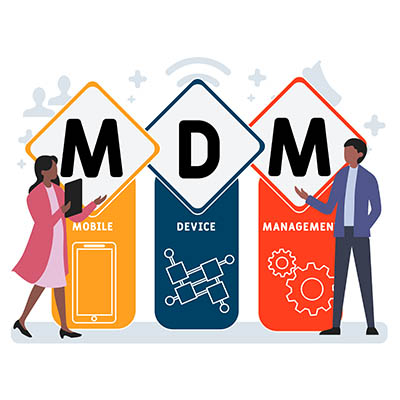
Implementing a Mobile Device Management Solution

A comprehensive all-in-one policy that helps you keep track of your company’s mobile devices is the ideal solution. These are typically called a mobile device management solution, or MDM. NuTech Services can equip your business with the best tool on the market that can help your business stay apprised of industry best practices related to mobile devices, as well as remain focused on data security. To learn more, reach out to us at 810.230.9455.

86312515_efficiency_400.jpg

Three IT Services to Boost Efficiency

86312515_efficiency_400.jpg

Businesses are always looking for a way to be more effective. Whether that be avoiding operational hiccups, cutting costs, or anything else that aids them in an effort to provide a superior product or service. For businesses that take advantage of dynamic technology solutions in efforts to enhance productivity through collaboration and automation, keeping the platform that fuels those initiatives managed and maintained is important. No organization is situated to effectively do that better than an IT services provider. 

What Can IT Services Do to Facilitate Efficiency?

The IT services provider takes control over the aspects of a business’ IT management in many ways. Let’s go through a couple of them:

Remote Monitoring and Management

The first way that an IT service provider like NuTech Services can help an organization build a more efficient business is by keeping their IT up and running. You may think that hardware failure is the costliest thing about a failing computer, but really it is the downtime that ensues dealing with the problem.

Using cutting-edge technology that allows certified technicians the ability to get a clear view of the entirety of the managed IT infrastructure and networks, we can see inconsistencies in hardware. These inconsistencies, if left unchecked, would almost certainly cause downtime, but with proactive monitoring and use of the RMM tool, our technicians can fix a majority of hardware issues before they ever become downtime-causing problems. In doing so, downtime is avoided and business-as-usual can commence. 

Cyber and Network Security

If downtime from failing hardware is an issue you need to confront, downtime from a malware attack or other type of hack is a four-alarm fire. Businesses won’t be able to do much if they are dealing with continual security problems. At NuTech Services, our staff understands just how important keeping your business secure is. 

We can optimize your Internet-facing security tools and ensure that they are properly updated to get the most effectiveness out of them. Beyond that, we can help you develop processes and procedures that outline how your organization wants to go about mitigating the risk brought on by hackers and malware. Additionally, we can help you set up and develop a training program that can get your employees up to speed on threats and how they are carried out. 

Tool Procurement and Deployment

Many people might think of the IT guy as the highfalutin person that comes into the office every so often to fix the computers and run wire. Sure, we do that, but our technicians understand business and how IT fits into it. If your business needs to procure technology or technical support necessary to configure technology to your business, our IT experts will take the lead to ensure that your deployment is carried out competently and professionally. 

Regardless of the technology you want to deploy for your business, our technicians can assist you in designing, procuring, implementing, and supporting it. In today’s business, only specific technology will actually help build operational efficiencies.

To learn more about what our IT professionals can do to help you build a better business, call NuTech Services today at 810.230.9455.

295355986_cloud_solutions_400.jpg

How Should Your Small Business Implement Cloud Solutions?

295355986_cloud_solutions_400.jpg

Whether you take advantage of it or not, the cloud is a major part of most businesses’ IT infrastructures—especially with the ongoing pandemic, which has kept many workers out of their offices and off of the in-house network. If your business is one of the few that has managed to stay afloat without the cloud, let’s change that. With a high-quality cloud solution, you can future-proof your business in ways you may not have considered.

Explaining Cloud Computing

Cloud computing is so common that the majority of people use it on a day-by-day basis, perhaps without even realizing it. One of the biggest examples of consumer cloud computing is most email accounts, like Gmail or Yahoo, which use the cloud to store emails. In general, this is what cloud computing looks like—storing data in an online environment, improving flexibility and accessibility. It’s the ideal solution for businesses that want to keep operations running even outside of the office.

Most organizations utilize the cloud to some degree, usually a public or private cloud.

Public vs Private Clouds

Cloud-based services fall into one of these two categories, each with their own advantages and disadvantages. Let’s take a look!

Private Cloud

It’s actually pretty common for businesses to manage and maintain their own cloud infrastructure. This means that they have server units on-premises that they are responsible for keeping active, thus providing their workers with the ability to connect to their data through any approved devices, be they a desktop, laptop, or smartphone. A private cloud offers more flexibility in terms of the way that it’s designed, as well as a greater security ceiling. However, this comes at the cost of… well, costs; you need to manage, maintain, and secure server units, and they also consume a considerable amount of electricity.

Public Cloud

As you might imagine, not all businesses have the ability to care for server units in-house. This is where the public cloud comes into play. Essentially, the public cloud is like “renting” online computing resources; you pay for space from a cloud provider and do with it as you see fit. The space is partitioned off per user or account, meaning that only you have access to your data, even if it is technically located on the same server as other users’ data. The convenience of this concept makes cloud computing much more accessible, but it does come with its fair share of concerns. The space is managed by your cloud provider, so you won’t have as much control over it as if you were managing it yourself. Furthermore, you won’t be able to have as much control over security as you might like. The public cloud is generally pretty secure, but businesses shouldn’t have to compromise on security.

The small business is put into a bit of a dilemma. Do you invest in a private cloud infrastructure and all of the challenges that come with it, or do you pinch your pennies and go with the public cloud? If neither option sounds ideal, we have one more option for you: the hybrid cloud.

Hybrid Cloud

For businesses that don’t have the capabilities to implement a private cloud solution, but don’t want to accept the shortcomings of the public cloud, a hybrid cloud solution might be the right call.

The idea is simple; a managed service provider hosts your data so that you don’t have to. You then work with the provider to design your infrastructure around your specific needs. The managed service provider manages and protects your infrastructure to whatever extent you are comfortable with, freeing up tons of time for you to focus on being productive. All of this combines to get the customization you need without compromising elsewhere.

Does your business need a hand setting up a cloud solution? NuTech Services can help. To learn more, reach out to us at 810.230.9455.

225909757_cloud_business_400.jpg

3 Ways Your Business Can Utilize the Cloud

225909757_cloud_business_400.jpg

The cloud is a great tool that lets businesses of all industries and sizes revisit the way operations are handled, but it’s not always clear what the best approach is for your specific business. What are some ways that you can utilize the cloud, and why is it so important that you start thinking about these benefits now?

In a post-pandemic world, let’s take a look at how your organization can leverage the cloud.

Data Storage

One common issue for business professionals with multiple devices is having important files spread out across their devices. Even files that are stored on an in-house network cannot be connected to if the network isn’t hooked up to the Internet. The answer to this challenge is actually quite simple; hook it up to the Internet with cloud-based data storage!

Cloud-based data storage allows any connected device to access data, provided the appropriate permissions are in place. You can work on any file, anytime, from anywhere. This is especially useful when it comes to travel or working remotely. On-premise servers can take up a lot of physical space, electricity, and maintenance, so hosting in the cloud is the ideal solution for any organization that wants to improve data access.

Backup and Disaster Recovery

Your business needs to be able to handle any data loss incident in order to preserve your organization’s future. If the data is stored elsewhere on a different device, that’s one thing, but if the data simply ceased existing due to data loss, then you have a real problem on your hands. The gold standard for a while was tape-based backups which would be stored on-site, but these backups were at risk due to natural disasters and user error. Plus, they take up a ton of physical space; it’s safe to say that they are no longer the gold standard.

An automated data backup system that utilizes the cloud is a far superior option, as it can be deployed relatively quickly following any data loss incident. Since the backups are stored with more redundancy than tape, you will never have to worry about them being inaccessible or corrupted. More often than not, you will have a copy of your data that you can rely on in the event of an emergency.

Cloud Hosting

What the cloud does for data can also be applied to just about anything business-related. The possibilities are astounding if you don’t limit yourself to only using the cloud for file storage. For example, you can host applications like your Voice over IP phone software or your productivity suite for easy access on any connected device. The accessibility might not seem like much, but we assure you that it can be an incredible asset when implemented properly.

If you zoom out on this line of thought, you can also see the opportunity for hosting hardware solutions. For example, let’s say that you have a certain piece of legacy software that needs to run on a specific instance of a server operating system. However, all your servers run Windows Server 2019. Instead of hosting a server specifically for the legacy software, costing you valuable resources and potentially putting your network at risk, you can instead use a virtual server. This process, known as partitioning through the cloud, allows you to host-specific instances of operating systems in a virtual environment.

Leverage the Cloud Today

If your organization needs some assistance with implementing cloud-based technology, we’d love to help. NuTech Services is all about helping businesses optimize efficiency through the use of innovative technology solutions. To learn more about what we can do for your business, reach out to us at 810.230.9455.

252587124_improve_productivity_400.jpg

Tip of the Week: How to Improve Productivity by Identifying Distractions

252587124_improve_productivity_400.jpg

For all the time we spend promoting productivity-enhancing technologies, we’d be remiss if we didn’t address the source of quite a bit of inefficiency: the user. People get distracted from their tasks all the time and the bounceback rates from these distractions aren’t great. Let’s go over a few tips that you and your team can use to help identify and avoid distractions throughout the workday.

What Is the Impact that Distractions Can Have?

On average, a worker in the United States is distracted about every 11 minutes or so. As if this wasn’t bad enough, it then takes this worker about 25 minutes to return to the task at hand. Of course, more complicated tasks take even longer to refocus on—simply because of the greater mental effort needed to pivot from one challenging task to another.

Naturally, this isn’t a great turnaround rate… particularly when today’s workplaces are so committed to making the most of their available time. Minimizing these distractions is therefore a crucial goal that businesses should emphasize. In order to do so, it is important that we acknowledge that all distractions can be split into one of two categories: external distractions, and internal distractions.

How Are Internal Distractions Different Than External Distractions?

While there is a case to be made that a distraction is a distraction, comparing the differences between those that come from internal sources and those that are introduced by external factors can help us understand what is causing the worst productivity deficits.

We’re all familiar with external distractions, the kind that come in and pull our attention away from the task at hand. Emails, phone calls, instant messages, and impromptu meetings all fall into this category, and each contribute to the problem by some measure.

Adding to these distractions are those that reside internally. These internal distractions are those that are caused by the various mental blocks a person can experience. Oftentimes, these blocks come from an inability to weigh out our choices and prioritize them effectively… particularly when there are a lot of options to choose from. Think about the last time you looked at a restaurant’s menu, for instance. The more items they offer, the harder your choice potentially becomes to make. Smaller menus, on the other hand, give you fewer options to balance and therefore an easier choice to make.

Of course, with so many workplaces setting the schedule for their team members, this isn’t a perfect comparison. It is probably more fair to say that a lot of internal distractions in the professional environment are generated by a lack of prioritization in the tasks that are assigned to team members.

Think of it this way: if everything is marked as the highest priority, who’s to say which task has the highest highest priority?

So, not only are your team members liable to become distracted by the need to identify the most important task to attend to, they also can have a challenge in appropriately arranging these tasks so that they are finished most efficiently.

Other common internal distractions are likely to be familiar to most people: wandering thoughts, and all those moments spent thinking about the other tasks that are coming after the present one is finished. Combined, internal and external distractions can make real productivity difficult for even the most dedicated employee.

Fortunately, sharing a few strategies with your team can help give them the power to overcome these kinds of distractions and reclaim the productivity that may have otherwise been sacrificed.

How to Get Rid of Many Distractions

Rule Out Some Options

Let’s touch back on the menu example we discussed earlier. If too many options ultimately leads to more distractions, encouraging your team members to start eliminating options should help to make them more productive. Whether this means they spent a few minutes clearing their workspace of anything that may draw their attention away from their tasks, or figuring out the most impactful responsibilities they currently have assigned to them and starting with those, investing a little bit of time initially will help to prevent a lot more time being lost later.

Set Limits Before You Start

Remember how we mentioned that a big source of distraction can come from your upcoming tasks and lingering thoughts about them? One effective way to keep yourself focused on the task at hand is to give yourself a concrete stopping point. Perhaps you’ll give yourself an hour and a half of committed time to one project, after which you transition to the next, with a budgeted half an hour. Alternatively, you could set a progress limit—maybe you move to your next task after you’ve completed so many of something, or completed some percentage of your total goal. Establishing these boundaries—and sticking to them, of course—can be a very effective way to help minimize your distractions.

Remove Distractions from Your Area

Where you work plays a considerable role in how you work, with our five senses unfortunately much harder to focus than our thoughts can be. Sounds like background chatter can be intrusive and interruptive, while our sense of touch will exacerbate any discomfort we feel. Many of us rely on sight to see what we are doing, but that also opens us up to visual distractions. Smells (both pleasant and decidedly not so) can very quickly occupy our attention, and everyone has had to try and deal with the distraction of an inexplicable funny taste.

Identifying these kinds of distractions and being prepared to address them when they do appear will help to take away a few sources of distraction, potentially preserving productivity.

What have you found distracts you the most, and what have you done about it? If it isn’t enough, know that NuTech Services is here to help. There are a few things that we can do to help keep your team members on track, and we can make sure your company is equipped to make the absolute most of any time spent by implementing productive and efficient IT solutions. Learn more by giving us a call at 810.230.9455.