Free attack unsecured laptop vector

The MFA Level-Up: Why SMS Codes Are No Longer Enough (and What to Use Instead)
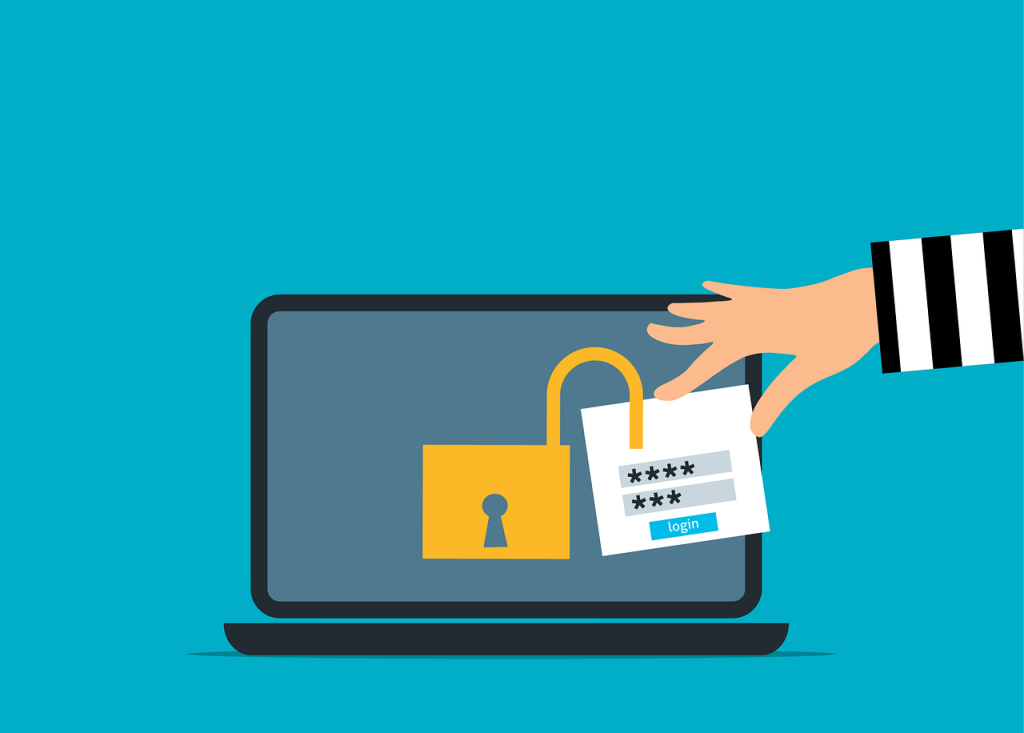
For years, enabling Multi-Factor Authentication (MFA) has been a cornerstone of account and device security. While MFA remains essential, the threat landscape has evolved, making some older methods less effective.

The most common form of MFA, four- or six-digit codes sent via SMS, is convenient and familiar, and it’s certainly better than relying on passwords alone. However, SMS is an outdated technology, and cybercriminals have developed reliable ways to bypass it. For organizations handling sensitive data, SMS-based MFA is no longer sufficient. It’s time to adopt the next generation of phishing-resistant MFA to stay ahead of today’s attackers.

SMS was never intended to serve as a secure authentication channel. Its reliance on cellular networks exposes it to security flaws, particularly in telecommunication protocols such as Signaling System No. 7 (SS7), used for communication between networks.

Attackers know that many businesses still use SMS for MFA, which makes them appealing targets. For instance, hackers can exploit SS7 vulnerabilities to intercept text messages without touching your phone. Techniques such as eavesdropping, message redirection, and message injection can be carried out within the carrier network or during over-the-air transmission.

SMS codes are also vulnerable to phishing. If a user enters their username, password, and SMS code on a fake login page, attackers can capture all three in real time and immediately gain access the legitimate account.

Understanding SIM Swapping Attacks

One of the most dangerous threats to SMS-based security is the SIM swap. In SIM swapping attacks, a criminal contacts your mobile carrier pretending to be you and claims to have lost their phone. They then request the support staff to port your number to a new blank SIM card in their possession.

If they succeed, your phone goes offline, allowing them to receive all calls and SMS messages, including MFA codes for banking and email. Without knowing your password, they can quickly reset credentials and gain full access to your accounts.

This attack doesn’t depend on advanced hacking skills; instead, it exploits social engineering tactics against mobile carrier support staff, making it a low-tech method with high‑impact consequences.

Why Phishing-Resistant MFA Is the New Gold Standard

To prevent these attacks, it’s essential to remove the human element from authentication by using phishing-resistant MFA. This approach relies on secure cryptographic protocols that tie login attempts to specific domains.

One of the more prominent standards used for such authentication is Fast Identity Online 2 (FIDO2) open standard, that uses passkeys created using public key cryptography linking a specific device to a domain. Even if a user is tricked into clicking a phishing link, their authenticator application will not release the credentials because the domain does not match the specific record. 

The technology is also passwordless, which removes the threat of phishing attacks that capture credentials and one-time passwords (OTPs). Hackers are forced to target the endpoint device itself, which is far more difficult than deceiving users.

Implementing Hardware Security Keys

Perhaps one of the strongest phishing-resistant authentication solutions involves hardware security keys. Hardware security keys are physical devices resembling a USB drive, which can be plugged into a computer or tapped against a mobile device.

To log in, you simply insert the key into the computer or touch a button, and the key performs a cryptographic handshake with the service. This method is quite secure since there are no codes to type, and attackers can’t steal your key over the internet. Unless they physically steal the key from you, they cannot access your account.

Mobile Authentication Apps and Push Notifications

If physical keys are not feasible for your business, mobile authenticator apps such as Microsoft or Google Authenticator are a step up from SMS MFA. These apps generate codes locally on the device, eliminating the risk of SIM swapping or SMS interception since the codes are not sent over a cellular network.

Simple push notifications also carry risks. For example, attackers may flood a user’s phone with repeated login approval requests, causing “MFA fatigue,” where a frustrated or confused user taps “approve” just to stop the notifications. Modern authenticator apps address this with “number matching,” requiring the user to enter a number shown on their login screen into the app. This ensures the person approving the login is physically present at their computer.

Passkeys: The Future of Authentication

With passwords being routinely compromised, modern systems are embracing passkeys, which are digital credentials stored on a device and protected by biometrics such as fingerprint or Face ID. Passkeys are phishing-resistant and can be synchronized across your ecosystem, such as iCloud Keychain or Google Password Manager. They offer the security of a hardware key with the convenience of a device that you already carry. 

Passkeys reduce the workload for IT support, as there are no passwords to store, reset, or manage. They simplify the user experience while strengthening security.

Balancing Security With User Experience

Moving away from SMS-based MFA requires a cultural shift. Since users are already used to the universality and convenience of text messages, the introduction of physical keys and authenticator apps can trigger resistance. 

It’s important to explain the reasoning behind the change, highlighting the realities of SIM-swapping attacks and the value of the protected information. When users understand the risks, they are more likely to embrace the new measures.

While a phased rollout can help ease the transition for the general user base, phishing-resistant MFA should be mandatory for privileged accounts. Administrators and executives must not rely on SMS-based MFA.

The Costs of Inaction

Sticking with legacy MFA techniques is a ticking time bomb that gives a false sense of security. While it may satisfy compliance requirements, it leaves systems vulnerable to attacks and breaches, which can be both costly and embarrassing. 

Upgrading your authentication methods offers one of the highest returns on investment in cybersecurity. The cost of hardware keys or management software is minimal compared to the expense of incident response and data recovery.

Is your business ready to move beyond passwords and text codes? We specialize in deploying modern identity solutions that keep your data safe without frustrating your team. Reach out, and we’ll help you implement a secure and user-friendly authentication strategy.

Featured Image Credit

This Article has been Republished with Permission from The Technology Press.

Free cloud security database vector

The Daily Cloud Checkup: A Simple 15-Minute Routine to Prevent Misconfiguration and Data Leaks
Moving to the cloud offers incredible flexibility and speed, but it also introduces new responsibilities for your team. Cloud security is not a “set it and forget it” type task, small mistakes can quickly become serious vulnerabilities if ignored.

You don’t need to dedicate hours each day to this. In most cases, a consistent, brief review is enough to catch issues before they escalate. Establishing a routine is the most effective way to defend against cyber threats, keeping your environment organized and secure.

Think of a daily cloud security check as a morning hygiene routine for your infrastructure. Just fifteen minutes a day can help prevent major disasters. A proactive approach is essential for modern business continuity and should include the following best practices:

1. Review Identity and Access Logs

The first step in your routine involves looking at who logged in and verifying that all access attempts are legitimate. Look for logins from unusual locations or at strange times since these are often the first signs of a compromised account.

Pay attention to failed login attempts as well, since a spike in failures might indicate a brute-force or dictionary attack. Investigate these anomalies immediately, as swift action stops intruders from gaining a foothold.

Finally, effective cloud access management depends on careful oversight of user identities. Make sure former employees no longer have active accounts by promptly removing access for anyone who has left. Maintaining a clean user list is a core security practice.

2. Check for Storage Permissions

Data leaks often happen because someone accidentally exposes a folder or file. Weak file-sharing permissions make it easy to click the wrong button and make a file public. Review the permission settings on your storage buckets daily, and ensure that your private data remains private.

Look for any storage containers that have “public” access enabled. If a file does not need to be public, lock it down. This simple scan prevents sensitive customer information from leaking and protects both your reputation and legal standing.

Misconfigured cloud settings remain a top cause of data breaches. While vendors offer tools to automatically scan for open permissions, an extra manual review by skilled cloud administrators is advisable to stay fully aware of your data environment.

3. Monitor for Unusual Resource Spikes

Sudden changes in usage can indicate a security issue. A compromised server might be used for cryptocurrency mining or as part of a botnet network attacking other cloud or internet systems. One common warning sign is CPU usage hitting 100%, often followed by unexpected spikes in your cloud bill.

Check your cloud dashboard for any unexpected spikes in computing power and compare each day’s metrics with your average baseline. If something looks off, investigate the specific instance or container, and track the root cause since it could mean bigger problems. Resource spikes can also indicate a distributed denial-of-service (DDoS) attack. Identifying a DDOS attack early allows you to mitigate the traffic and helps you keep your services online for your customers. 

4. Examine Security Alerts and Notifications

Your cloud provider likely sends security notifications, but many administrators ignore them or let them end up in spam. Make it a point to review these alerts daily, as they often contain critical information about vulnerabilities.

These alerts can notify you about outdated operating systems or databases that aren’t encrypted. Addressing them promptly helps prevent data leaks, as ignoring them leaves vulnerabilities open to attackers. Make the following maintenance and security checks part of your daily routine:

  • Review high-priority alerts in your cloud security center
  • Check for any new compliance violations
  • Verify that all backup jobs have completed successfully.
  • Confirm that antivirus definitions are up to date on servers

Addressing these notifications not only strengthens your security posture but also shows due diligence in safeguarding company assets.

5. Verify Backup Integrity

Backups are your safety net when things go wrong, but they’re only useful if they’re complete and intact. Check the status of your overnight backup jobs every morning. A green checkmark gives peace of mind, but if a job fails, restart it immediately rather than waiting for the next scheduled run. Losing a day of data can be costly, so maintaining consistent backups is key to business resilience.

Once in a while, test a backup restoration to ensure that it works and restores as required, and always ensure to check the logs daily. Knowing your data is safe allows you to focus on other tasks since it eliminates the fear of ransomware and other malware disrupting your business.

6. Keep Software Patched and Updated

Cloud servers require updates just like physical ones, so your daily check should include a review of patch management status. Make sure automated patching schedules are running correctly, as unpatched servers are prime targets for attackers.

Since new vulnerabilities are discovered daily by both researchers and attackers, minimizing the window of opportunity is critical. Applying security updates is essential to keeping your infrastructure secure. When a critical patch is released, address it immediately rather than waiting for the standard maintenance window, being agile with patching can prevent serious problems down the line.

Build a Habit for Safety

Security does not require heroic efforts every single day. It requires consistency, attention to detail, and a solid routine. The daily 15-minute cloud security check is a small investment with a massive return, since it keeps your data safe and your systems running smoothly.

Spending just fifteen minutes a day shifts your approach from reactive to proactive, significantly reducing risk. This not only strengthens confidence in your IT operations but also simplifies cloud maintenance.

Need help establishing a strong cloud security routine? Our managed cloud services handle the heavy lifting, monitoring your systems 24/7 so you don’t have to. Contact us today to protect your cloud infrastructure.

Featured Image Credit

This Article has been Republished with Permission from The Technology Press.

Free cybercrime security scam vector

The “Deepfake CEO” Scam: Why Voice Cloning Is the New Business Email Compromise (BEC)

The phone rings, and it’s your boss. The voice is unmistakable; with the same flow and tone you’ve come to expect. They’re asking for a favor: an urgent wire transfer to lock in a new vendor contract, or sensitive client information that’s strictly confidential. Everything about the call feels normal, and your trust kicks in immediately. It’s hard to say no to your boss, and so you begin to act.

What if this isn’t really your boss on the other end? What if every inflection, every word you think you recognize has been perfectly mimicked by a cybercriminal? In seconds, a routine call could turn into a costly mistake; money gone, data compromised, and consequences that ripple far beyond the office. 

What was once the stuff of science fiction is now a real threat for businesses. Cybercriminals have moved beyond poorly written phishing emails to sophisticated AI voice cloning scams, signaling a new and alarming evolution in corporate fraud.

How AI Voice Cloning Scams Are Changing the Threat Landscape

We have spent years learning how to spot suspicious emails by looking for misspelled domains, odd grammar, and unsolicited attachments. Yet we haven’t trained our ears to question the voices of people we know, and that’s exactly what AI voice cloning scams exploit.

Attackers only need a few seconds of audio to replicate a person’s voice, and they can easily acquire this from press releases, news interviews, presentations, and social media posts. Once they obtain the voice samples, attackers use widely available AI tools to create models capable of saying anything they type.

The barrier to entry for these attacks is surprisingly low. AI tools have proliferated in recent years, covering applications from text and audio, to video creation and coding. A scammer doesn’t need to be a programming expert to impersonate your CEO, they only need a recording and a script.

The Evolution of Business Email Compromise

Traditionally, business email compromise (BEC) involved compromising a legitimate email account through techniques like phishing and spoofing a domain to trick employees into sending money or confidential information. BEC scams relied heavily on text-based deception, which could be easily countered using email and spam filters. While these attacks are still prevalent, they are becoming harder to pull off as email filters improve.

Voice cloning, however, lowers your guard by adding a touch of urgency and trust that emails cannot match. While you can sit back and check email headers and a sender’s IP address before responding, when your boss is on the phone sounding stressed, your immediate instinct is to help. 

“Vishing” (voice phishing) uses AI voice cloning to bypass the various technical safeguards built around email and even voice-based verification systems. Attackers target the human element directly by creating high-pressure situations where the victim feels they must act fast to save the day. 

Why Does It Work?

Voice cloning scams succeed because they manipulate organizational hierarchies and social norms. Most employees are conditioned to say “yes” to leadership, and few feel they can challenge a direct request from a senior executive. Attackers take advantage of this, often making calls right before weekends or holidays to increase pressure and reduce the victim’s ability to verify the request. 

More importantly, the technology can convincingly replicate emotional cues such as anger, desperation, or fatigue. It is this emotional manipulation that disrupts logical thinking.

Challenges in Audio Deepfake Detection

Detecting a fake voice is far more difficult than spotting a fraudulent email. Few tools currently exist for real-time audio deepfake detection, and human ears are unreliable, as the brain often fills in gaps to make sense of what we hear.

That said, there are some common tell-tale signs, such as the voice sounding slightly robotic or having digital artifacts when saying complex words. Other subtle signs you can listen for include unnatural breathing patterns, weird background noise, or personal cues such as how a particular person greets you. 

Depending on human detection is an unreliable approach, as technological improvements will eventually eliminate these detectable flaws. Instead, procedural checks should be implemented to verify authenticity.

Why Cybersecurity Awareness Training Must Evolve

Many corporate training programs remain outdated, focusing primarily on password hygiene and link checking. Modern cybersecurity awareness must also address emerging threats like AI. Employees need to understand how easily caller IDs can be spoofed and that a familiar voice is no longer a guarantee of identity.

Modern IT security training should include policies and simulations for vishing attacks to test how staff respond under pressure. These trainings should be mandatory for all employees with access to sensitive data, including finance teams, IT administrators, HR professionals, and executive assistants.

Establishing Verification Protocols

The best defense against voice cloning is a strict verification protocol. Establish a “zero trust” policy for voice-based requests involving money or data. If a request comes in by phone, it must be verified through a secondary channel. For example, if the CEO calls requesting a wire transfer, the employee should hang up and call the CEO back on their internal line or send a message via an encrypted messaging app like Teams or Slack to confirm. 

Some companies are also implementing challenge-response phrases and “safe words” known only by specific personnel. If the caller cannot provide or respond to the phrase, the request is immediately declined.

The Future of Identity Verification

We are entering an era where digital identity is fluid. As AI voice cloning scams evolve, we may see a renewed emphasis on in-person verification for high-value transactions and the adoption of cryptographic signatures for voice communications. 

Until technology catches up, a strong verification process is your best defense. Slow down transaction approvals, as scammers rely on speed and panic. Introducing deliberate pauses and verification steps disrupts their workflow.

Securing Your Organization Against Synthetic Threats

The threat of deepfakes extends beyond financial loss. It can lead to reputational damage, stock price volatility, and legal liability. A recording of a CEO making offensive comments could go viral before the company can prove it is a fake.

Organizations need a crisis communication plan that specifically addresses deepfakes since voice phishing is just the beginning. As AI tools become multimodal, we will likely see real-time video deepfakes joining these voice scams, and you will need to know how to prove that a recording is false to the press and public. Waiting until an incident occurs means you will already be too late.

Does your organization have the right protocols to stop a deepfake attack? We help businesses assess their vulnerabilities and build resilient verification processes that protect their assets without slowing down operations. Contact us today to secure your communications against the next generation of fraud.

Featured Image Credit

This Article has been Republished with Permission from The Technology Press.

Free read only readonly locked vector

Securing the ‘Third Place’ Office: Policy Guidelines for Employees Working from Coffee Shops and Coworking Spaces

The modern office extends far beyond traditional cubicles or open-plan spaces. Since the concept of remote work became popularized in the COVID and post-COVID era, employees now find themselves working from their homes, libraries, bustling coffee shops, and even vacation destinations. These environments, often called “third places,” offer flexibility and convenience but can also introduce risks to company IT systems.

With remote work now a permanent reality, businesses must adapt their security policies accordingly. A coffee shop cannot be treated like a secure office, as its open environment exposes different types of threats. Employees need clear guidance on how to stay safe and protect company data.

Neglecting security on public Wi-Fi can have serious consequences, as hackers often target these locations to exploit remote workers. Equip your team with the right knowledge and tools, and enforce a robust external network security policy to keep company data safe.

The Dangers of Open Networks

Free internet access is a major draw for remote workers frequenting cafes, malls, libraries, and coworking spaces. However, these networks rarely have encryption or strong security, and even when they do, they lack the specific controls that would be present in a secure company network. This makes it easy for cybercriminals to intercept network traffic and steal passwords or sensitive emails in a matter of seconds.

Attackers often set up fake networks that look legitimate. They might give them names such as “Free Wi-Fi” or give them a name resembling a nearby business, such as a coffee shop or café, to trick users. Once connected, the hacker who controls the network sees everything the employee sends. This is a classic “man-in-the-middle” attack.

It is critical to advise employees never to rely on open connections. Networks that require a password may still be widely shared, posing significant risks to business data. Exercise caution at all times when accessing public networks.

Mandating Virtual Private Networks

The most effective tool for remote security is a VPN. A Virtual Private Network encrypts all data leaving the laptop by creating a secure tunnel through the unsecured public internet. This makes the data unreadable to anyone trying to snoop.

Providing a VPN is essential for remote work, and employees should be required to use it whenever they are outside the office. Ensure the software is easy to launch and operate, as overly complex tools may be ignored. Whenever possible, configure the VPN to connect automatically on employee devices, eliminating human error and ensuring continuous protection.

At the same time, enforce mandatory VPN usage by implementing technical controls that prevent employees from bypassing the connection when accessing company servers.

The Risk of Visual Hacking

Digital threats are not the only concern in public spaces since someone sitting at the next table can easily glance at a screen. Visual hacking involves stealing information just by looking over a shoulder, which makes it low-tech but highly effective and hard to trace.

Employees often forget how visible their screens are to passersby, and in a crowded room full of prying eyes, sensitive client data, financial spreadsheets, and product designs are at risk of being viewed and even covertly photographed by malicious actors. 

To address this physical security gap, issue privacy screens to all employees who work remotely. Privacy screens are filters that make laptop and monitor screens appear black from the side, and only the person sitting directly in front can see the content. Some devices come with built-in hardware privacy screens that obscure content so that it cannot be viewed from an angle. 

Physical Security of Devices

Leaving a laptop unattended is a recipe for theft. In a secure office, you might walk away to get water or even leave the office and expect to find your device in the same place, untouched. In a coffee shop, that same action can cost you a device, since thieves are always scanning for distracted victims and are quick to act.

Your remote work policy should stress the importance of physical device security. Employees must keep their laptops with them at all times and never entrust them to strangers. A laptop can be stolen and its data accessed in just seconds.

Encourage employees to use cable locks, particularly if they plan to remain in one location for an extended period. While not foolproof, locks serve as a deterrent, especially in coworking spaces where some level of security is expected. The goal is to make theft more difficult, and staying aware of the surroundings helps employees assess potential risks.

Handling Phone Calls and Conversations

Coffee shops can be noisy, but conversations still travel through the air. Discussing confidential business matters in public is risky, as you never know who might be listening. Competitors or malicious actors could easily overhear sensitive information.

Employees should avoid discussing sensitive matters in these “third places.” If a call is necessary, they should step outside or move to a private space, such as a car. While headphones prevent others from hearing the other side, the employee’s own voice can still be overheard.

Creating a Clear Remote Work Policy

Employees shouldn’t have to guess the rules. A written policy clarifies expectations, sets standards, and supports training and enforcement.

Include dedicated sections on public Wi-Fi and physical security, and explain the reasoning behind each rule so employees understand their importance. Make sure the policy is easily accessible on the company intranet.

Most importantly, review this policy annually as technology changes. As new threats emerge, your guidelines must also evolve to counter them. Make routine updates to the policy, and reissue the revised versions to keep the conversation about security alive and ongoing.

Empower Your Remote Teams

While working from a “third place” offers flexibility and a morale boost, it also requires a higher level of vigilance. This makes prioritizing public Wi-Fi security and physical awareness non-negotiable, and you must equip your team to work safely from anywhere.

With the right tools and policies, you can manage the risks while enjoying the benefits of remote work. Success comes from balancing freedom with responsibility, and well-informed employees serve as your strongest line of defense. Protect your data, no matter where your team works.

Is your team working remotely without a safety net? We help businesses implement secure remote access solutions and policies, ensuring your data stays private, even on public networks. Call us today to fortify your remote workforce.

Featured Image Credit

This Article has been Republished with Permission from The Technology Press.

Free ai generated artificial intelligence typography vector

AI’s Hidden Cost: How to Audit Your Microsoft 365 Copilot Usage to Avoid Massive Licensing Waste

Artificial Intelligence (AI) has taken the business world by storm, pushing organizations of all sizes to adopt new tools that boost efficiency and sharpen their competitive edge. Among these tools, Microsoft 365 Copilot rises to the top, offering powerful productivity support through its seamless integration with the familiar Office 365 environment.

In the push to adopt new technologies and boost productivity, many businesses buy licenses for every employee without much consideration. That enthusiasm often leads to “shelfware”, AI tools and software that go unused while the company continues to pay for them. Given the high cost of these solutions, it’s essential to invest in a way that actually delivers a return on investment.

Because you can’t improve what you don’t measure, a Microsoft 365 Copilot audit is essential for assessing and quantifying your adoption rates. A thorough review shows who is truly benefiting from and actively using the technology. It also guides smarter licensing decisions that reduce costs and improve overall efficiency.

The Reality of AI Licensing Waste

At first, buying licenses in bulk may seem like a convenient strategy since it simplifies the procurement process for your IT department. However, this collective approach often ignores actual user behavior, since not every role needs the advanced features offered by Copilot.

AI licensing waste occurs when tools sit unused on employee dashboards. For example, a receptionist may have no need for advanced data-analysis capabilities, while a field technician might never open the desktop application at all.

Paying for unused licenses drains your budget, so identifying and closing these gaps is essential to protecting your bottom line. The savings can then be redirected to higher-value initiatives where they’ll make the greatest impact.

Analyzing User Activity Reports

Fortunately, Microsoft includes built-in tools that make it easy to view your AI usage data. The Microsoft 365 admin center is the best place to start. From there, you can generate reports that track active usage over specific time periods and give you a clear view of engagement.

From this dashboard, you can track various metrics such as enabled users, active users, adoption rates, trends, and so on.  This makes it easy to identify employees who have never used AI features, or those whose limited usage may not justify the licensing cost.

This kind of software usage tracking allows you to make data-driven decisions and distinguish between power users and those who ignore the tool. This clarity not only allows for making efficient license purchases, but also sets the stage for having conversations with department heads to determine why certain teams do not engage with AI tools. 

Strategies for IT Budget Optimization

Once you identify the waste, the next step is taking action. Start by reclaiming licenses from inactive users and reallocating them to employees who actually need them. This simple shift, making sure licenses go to those who use them, can significantly reduce your subscription costs.

Establish a formal request process for Copilot licenses. This ensures employees must justify their need for the tool, granting access only to those who truly require it and adding accountability to your spending.

IT budget optimization isn’t a one-time task; it’s an ongoing process that requires continuous refinement. Regularly reviewing these metrics, whether monthly or quarterly, helps keep your software spending efficient and under control.

Boosting Adoption Through Training

Low AI tool usage isn’t always about lack of interest. Sometimes, employees simply don’t need the tool, while other times they avoid it because they don’t know how to use it, insufficient training can lead to frustration and poor adoption. This means that cutting licenses alone isn’t enough; investing in user training is equally important.

The most effective approach is to survey staff and assess their comfort level with Copilot. For employees who find it confusing, provide self-paced tutorials or conduct training workshops that demonstrate practical use cases relevant to their daily tasks. When employees see clear value and convenience, they are much more likely to adopt the tool.

Consider the following steps to improve adoption:

  • Host lunch-and-learn sessions to demonstrate key features
  • Share success stories from power users within the company
  • Create a library of quick tip videos for common tasks
  • Appoint “Copilot Champions” in each department to help others

Investing in training often transforms low usage into high value, turning what was once a wasted expense into a productivity-enhancing asset.

Establishing a Governance Policy

Another way to minimize Copilot license waste involves setting rules for how your company handles AI tools. A governance policy effectively brings order to your software management by outlining who qualifies for a license and setting expectations for usage and review cycles.

The policy should also define criteria based on job roles and responsibilities. For instance, content creators and data analysts get automatic access, while other roles might require manager approval, thus preventing the “free-for-all” mentality that leads to waste.

The policy should be clearly communicated to all employees to ensure transparency regarding how decisions are being made. This way, a culture of responsibility regarding company resources is established. 

Preparing for Renewal Season

The worst time to check your Copilot AI usage is the day before renewal. Instead, schedule audits at least 90 days in advance to allow ample time to adjust your contract and license counts. 

This also gives you leverage during negotiations with vendors. By presenting data showing your actual needs, you put yourself in a strong position to right-size your contract and avoid getting locked into another year of paying for shelfware. 

Smart Management Matters 

Managing modern software costs demands both vigilance and data, particularly as most vendors move to subscription-based models for AI and software tools. With recurring expenses, letting subscriptions run unchecked is no longer an option. Regular Microsoft 365 Copilot audits safeguard your budget and ensure efficiency by aligning technology purchases with actual usage.

Take control of your licensing strategy today. Look at the numbers, ask the hard questions, and ensure every dollar you spend contributes to your business’ growth. Smart management leads to a leaner and more productive organization.

Are you ready to get a handle on your AI tool spending? Reach out to our team for help with comprehensive Microsoft 365 Copilot audits, and eliminate waste from your IT budget. Contact us today to schedule your consultation.

Featured Image Credit

This Article has been Republished with Permission from The Technology Press.

scrabble-letters-spelling-saas-on-a-wooden-tabl

The Smarter Way to Vet Your SaaS Integrations

Your business runs on a SaaS (software-as-a-service) application stack, and you learn about a new SaaS tool that promises to boost productivity and streamline one of your most tedious processes. The temptation is to sign up for the service, click “install,” and figure out the rest later. This approach sounds convenient, but it also exposes you to significant risk.

Each new integration acts as a bridge between different systems, or between your data and third-party systems. This bridging raises data security and privacy concerns, meaning you need to learn how to vet new SaaS integrations with the seriousness they require. 

Protecting Your Business from Third-Party Risk

A weak link can lead to compliance failures or, even worse, catastrophic data breaches. Adopting a rigorous, repeatable vetting process transforms potential liability into secure guarantees.

If you’re not convinced, just look at the T-Mobile data breach of 2023. While the initial vector was a zero-day vulnerability in their environment, a key challenge in the fallout was the sheer number of third-party vendors and systems T-Mobile relied upon. In highly interconnected systems, a vulnerability in one area can be exploited to gain access to other systems, including those managed by third parties. The incident highlighted how a sprawling digital ecosystem multiplies the attack surface. By contrast, a structured vetting process, which maps the tool’s data flow, enforces the principle of least privilege, and ensures vendors provide a SOC 2 Type II report, drastically minimizes this attack surface.

A proactive vetting strategy ensures you are not just securing your systems, but you are also fulfilling your legal and regulatory obligations, thereby safeguarding your company’s reputation and financial health.

5 Steps for Vetting Your SaaS Integrations

To prevent these weak links, let’s look at some smart and systematic SaaS vendor/product evaluation processes that protect your business from third-party risk. 

1. Scrutinize the SaaS Vendor’s Security Posture

After being enticed by the SaaS product features, it is important to investigate the people behind the service. A nice interface means nothing without having a solid security foundation. Your first steps should be examining the vendor’s certifications and, in particular, asking them about the SOC 2 Type II report. This is an independent audit report that verifies the effectiveness of a retail SaaS vendor’s controls over the confidentiality, integrity, availability, security, and privacy of their systems.

Additionally, do a background check on the founders, the vendor’s breach history, how long they have been around, and their transparency policies. A reputable company will be open about its security practices and will also reveal how it handles vulnerability or breach disclosures. This initial background check is the most important step in your vetting since it separates serious vendors from risky ones. 

2. Chart the Tool’s Data Access and Flow

You need to understand exactly what data the SaaS integration will touch, and you can achieve this by asking a simple, direct question: What access permissions does this app require? Be wary of any tool that requests global “read and write” access to your entire environment. Use the principle of least privilege: grant applications only the access necessary to complete their tasks, and nothing more.

Have your IT team chart the information flow in a diagram to track where your data goes, where it is stored, and how it is transmitted. You must know its journey from start to finish. A reputable vendor will encrypt data both at rest and in transit and provide transparency on where your data is stored, including the geographical location. This exercise in third-party risk management reveals the full scope of the SaaS integration’s reach into your systems. 

3. Examine Their Compliance and Legal Agreements

If your company must comply with regulations such as GDPR, then your vendors must also be compliant. Carefully review their terms of service and privacy policies for language that specifies their role as a data processor versus a data controller and confirm that they will sign a Data Processing Addendum (DPA) if required. 

Pay particular attention to where your vendor stores your data at rest, i.e., the location of their data centers, since your data may be subject to data sovereignty regulations that you are unaware of. Ensure that your vendor does not store your data in countries or regions with lax privacy laws. While reviewing legal fine print may seem tedious, it is critical, as it determines liability and responsibility if something goes wrong.

4. Analyze the SaaS Integration’s Authentication Techniques

How the service connects with your system is also a key factor. Choose integrations that use modern and secure authentication protocols such as OAuth 2.0, which allow services to connect without directly sharing usernames and passwords.

The provider should also offer administrator dashboards that enable IT teams to grant or revoke access instantly. Avoid services that require you to share login credentials, and instead prioritize strong, standards-based authentication.

5. Plan for the End of the Partnership

Every technology integration follows a lifecycle and will eventually be deprecated, upgraded, or replaced. Before installing, know how to uninstall it cleanly by asking questions such as:

  • What is the data export process after the contract ends?
  • Will the data be available in a standard format for future use?
  • How does the vendor ensure permanent deletion of all your information from their servers?

A responsible vendor will have clear, well-documented offboarding procedures. This forward-thinking strategy prevents data orphanage, ensuring you retain control over your data long after the partnership ends. Planning for the exit demonstrates strategic IT management and a mature vendor assessment process.

Build a Fortified Digital Ecosystem

Modern businesses run on complex systems comprising webs of interconnected services where data moves from in-house systems, through the Internet, and into third-party systems and servers for processing, and vice versa. Since you cannot operate in isolation, vetting is essential to avoid connecting blindly.

Your best bet for safe integration and minimizing the attack surface is to develop a rigorous, repeatable process for vetting SaaS integrations. The five tips above provide a solid baseline, transforming potential liability into secure guarantees.

Protect your business and gain confidence in every SaaS integration, contact us today to secure your technology stack.

Featured Image Credit

This Article has been Republished with Permission from The Technology Press.

shallow-focus-photography-of-macbook

How to Use Conditional Access to Grant and Revoke Contractor Access in 60 Minutes

Managing contractor logins can be a real headache. You need to grant access quickly so work can begin, but that often means sharing passwords or creating accounts that never get deleted. It’s the classic trade-off between security and convenience, and security usually loses. What if you could change that? Imagine granting access with precision and having it revoked automatically, all while making your job easier.

You can, and it doesn’t take a week to set up. We’ll show you how to use Entra Conditional Access to create a self-cleaning system for contractor access in roughly sixty minutes. It’s about working smarter, not harder, and finally closing that security gap for good.

The Financial and Compliance Case for Automated Revocation

Implementing automated access revocation for contractors is not just about better security; it’s a critical component of financial risk management and regulatory compliance. The biggest risk in contractor management is relying on human memory to manually delete accounts and revoke permissions after a project ends. Forgotten accounts with lingering access, often referred to as “dormant” or “ghost” accounts, are a prime target for cyber-attackers. If an attacker compromises a dormant account, they can operate inside your network without detection, as no one is monitoring an “inactive” user.

For example, many security reports cite the Target data breach in 2013 as a stark illustration. Attackers gained initial entry into Target’s network by compromising the credentials of a third-party HVAC contractor that had legitimate, yet overly permissive, access to the network for billing purposes. If Target had enforced the principle of least privilege, limiting the vendor’s access only to the necessary billing system, the lateral movement that compromised millions of customer records could have been contained or prevented entirely.

By leveraging Microsoft Entra Conditional Access to set a sign-in frequency and instantly revoke access when a contractor is removed from the security group, you eliminate the chance of lingering permissions. This automation ensures that you are consistently applying the principle of least privilege, significantly reducing your attack surface and demonstrating due diligence for auditors under regulations like GDPR or HIPAA. It turns a high-risk, manual task into a reliable, self-managing system.

Set Up a Security Group for Contractors

The first step to taming the chaos is organization. Applying rules individually is a recipe for forgotten accounts and a major security risk. Instead, go to your Microsoft Entra admin center (formerly Azure AD admin center) and create a new security group with a clear, descriptive name, something like ‘External-Contractors’ or ‘Temporary-Access’.

This group becomes your central control point. Add each new contractor to it when they start and remove them when their project ends. This single step lays the foundation for clean, scalable management in Entra.

Build Your Set-and-Forget Expiration Policy

Next, set up the policy that automatically handles access revocation for you. Conditional Access does the heavy lifting so you don’t have to. In the Entra portal, create a new Conditional Access policy and assign it to your “External-Contractors” group. Then, define the conditions that determine how and when access is granted or removed.

In the “Grant” section, enforce Multi-Factor Authentication to add an essential layer of security. Next, under “Session,” locate the “Sign-in frequency” setting and set it to 90 days, or whatever duration matches your contracts. This not only prompts regular logins but ensures that once a contractor is removed from the group, they can no longer re-authenticate, automatically locking the door behind them.

Lock Down Access to Just the Tools They Need

Think about what a contractor actually does. A freelance writer needs access to your content management system, but probably not your financial software. A web developer needs to reach staging servers, but has no business in your HR platform. Your next policy ensures they only get the keys to the rooms they need.

Next, create a second Conditional Access policy for your contractor group. Under “Cloud apps,” select only the applications they are permitted to use, such as Slack, Teams, Microsoft Office, or a specific SharePoint site. Then, set the control to “Block” for all other apps. Think of this as building a custom firewall around each user. It’s a powerful way to reduce risk, applying the principle of least privilege: give users access only to the tools and permissions they need to do their job, and nothing more.

Add an Extra Layer of Security with Strong Authentication

For an even more robust setup, you can layer in device and authentication requirements. You are not going to manage a contractor’s personal laptop, and that is okay. However, it is your business and systems they will be using, and this means that you get to control how they prove their identity. The goal is to make it very difficult for an attacker to misuse their credentials.

You can configure a policy that requires a compliant device, then use the “OR” function to allow access if the user signs in with a phishing-resistant method, such as the Microsoft Authenticator app. This encourages contractors to adopt your strongest authentication method without creating friction, while fully leveraging the security capabilities of Microsoft Entra.

Watch the System Work for You Automatically

The greatest benefit is that once configured, contractor access becomes largely automatic. When a new contractor joins the security group, they instantly receive the access you’ve defined, complete with all security controls. When their project ends and you remove them from the group, access is revoked immediately and completely, including any active sessions, eliminating any chance of lingering permissions.

This automation removes the biggest risk, relying on someone to remember to act. It turns a high-risk, manual task into a reliable, self-managing system, eliminating concerns about forgotten accounts and their security risks, so you can focus on the business work that really matters.

Take Back Control of Your Cloud Security

Managing contractor access doesn’t have to be stressful. With a little upfront setup in Conditional Access policies, you can create a system that’s both highly secure and effortlessly automatic. Grant precise access for a defined period, and enjoy the peace of mind that comes from knowing access is revoked automatically. It’s a win for security, productivity, and your peace of mind.

Take control of contractor access today, contact us to build your own set-and-forget access system.

Featured Image Credit

This Article has been Republished with Permission from The Technology Press.

Free button icon symbol vector

How to Implement Zero Trust for Your Office Guest Wi-Fi Network

Guest Wi-Fi is a convenience your visitors expect and a hallmark of good customer service. But it’s also one of the riskiest points in your network. A shared password that’s been passed around for years offers virtually no protection, and a single compromised guest device can become a gateway for attacks on your entire business. That’s why adopting a Zero Trust approach for your guest Wi-Fi is essential.

The core principle of Zero Trust is simple but powerful: never trust, always verify. No device or user gains automatic trust just because they’re on your guest network. Here are some practical steps to create a secure and professional guest Wi-Fi environment.

Business Benefits of Zero Trust Guest Wi-Fi

Implementing a Zero Trust guest Wi-Fi network is not just a technical necessity; it’s a strategic business decision that delivers clear financial and reputational benefits. By moving away from a risky shared password system, you significantly reduce the likelihood of costly security incidents. A single compromised guest device can act as a gateway for attacks on your entire business , leading to devastating downtime, data breaches, and regulatory fines. The proactive measures of isolation, verification, and policy enforcement are an investment in business continuity.

Consider the Marriott data breach where attackers gained access to their network through a third-party access point, eventually compromising the personal information of millions of guests. While not specifically a Wi-Fi breach, it serves as a stark reminder of the massive financial and reputational damage caused by an insecure network entry point. A Zero Trust guest network, which strictly isolates guest traffic from corporate systems, would prevent this lateral movement and contain any threat to the public internet.

Build a Totally Isolated Guest Network

The first and most crucial step is complete separation. Your guest network should never mix with your business traffic. This can be achieved through strict network segmentation by setting up a dedicated Virtual Local Area Network (VLAN) for guests. This guest VLAN should run on its own unique IP range, entirely isolated from your corporate systems.

Then, configure your firewall with explicit rules that block all communication attempts from the guest VLAN to your primary corporate VLAN. The only destination your guests should be able to reach is the public internet. This strategic containment ensures that if a guest device is infected with malware, it cannot pivot laterally to attack your servers, file shares, or sensitive data.

Implement a Professional Captive Portal

Get rid of the static password immediately. A fixed code is easily shared, impossible to track, and a hassle to revoke for just one person. Instead, implement a professional captive portal, like the branded splash page you encounter when connecting to Wi-Fi at a hotel or conference. This portal serves as the front door to your Zero Trust guest Wi-Fi.

When a guest tries to connect, their device is redirected to the portal. You can configure it securely in several ways. For example, a receptionist could generate a unique login code that expires in 8 or 24 hours, or visitors could provide their name and email to receive access. For even stronger security, a one-time password sent via SMS can be used. Each of these methods enforces the ‘never trust’ principle, turning what would be an anonymous connection into a fully identified session.

Enforce Policies via Network Access Control

Having a captive portal is a great start, but to achieve true guest network security, you need more powerful enforcement, and that is where a Network Access Control (NAC) solution comes into play. NAC acts like a bouncer for your network, checking every device before it is allowed to join, and you can integrate it within your captive portal for a seamless yet secure experience.

A NAC solution can be configured to perform various device security posture checks, such as verifying whether the connecting guest device has a basic firewall enabled or whether it has the most up-to-date system security patches. If the guest’s device fails these posture checks, the NAC can redirect it to a walled garden with links to download patch updates or simply block access entirely. This proactive approach prevents vulnerable devices from introducing risks into your network. 

Apply Strict Access Time and Bandwidth Limits 

Trust isn’t just about determining who is reliable, it’s about controlling how long they have access and what they can do on your network. A contractor doesn’t need the same continuous access as a full-time employee. Use your NAC or firewall to enforce strict session timeouts, requiring users to re-authenticate after a set period, such as every 12 hours.

Similarly, implement bandwidth throttling on the guest network. In most cases, a guest only needs basic internet access to perform general tasks such as reading their emails and web browsing. This means limiting guest users from engaging in activities such as 4K video streaming and downloading torrent files that use up the valuable internet bandwidth needed for your business operations. While these limitations may seem impolite, they are well in line with the Zero Trust principle of granting least privilege. It is also a good business practice to prevent network congestion by activities that do not align with your business operations.

Create a Secure and Welcoming Experience

Implementing a Zero Trust guest Wi-Fi network is no longer an advanced feature reserved for large enterprises, but a fundamental security requirement for businesses of all sizes. It protects your core assets while simultaneously providing a professional, convenient service for your visitors. The process hinges on a layered approach of segmentation, verification, and continuous policy enforcement, and effectively closes a commonly exploited and overlooked network entry point.

Do you want to secure your office guest Wi-Fi without the complexity? Contact us today to learn more. 

Featured Image Credit

This Article has been Republished with Permission from The Technology Press.

a computer keyboard with a blue light on it

6 Ways to Prevent Leaking Private Data Through Public AI Tools

We all agree that public AI tools are fantastic for general tasks such as brainstorming ideas and working with non-sensitive customer data. They help us draft quick emails, write marketing copy, and even summarize complex reports in seconds. However, despite the efficiency gains, these digital assistants pose serious risks to businesses handling customer Personally Identifiable Information (PII). 

Most public AI tools use the data you provide to train and improve their models. This means every prompt entered into a tool like ChatGPT or Gemini could become part of their training data. A single mistake by an employee could expose client information, internal strategies, or proprietary code and processes. As a business owner or manager, it’s essential to prevent data leakage before it turns into a serious liability.

Financial and Reputational Protection

Integrating AI into your business workflows is essential for staying competitive, but doing it safely is your top priority. The cost of a data leak resulting from careless AI use far outweighs the cost of preventative measures. A single mistake by an employee could expose internal strategies, proprietary code, or sensitive client information. This can lead to devastating financial losses from regulatory fines, loss of competitive advantage, and the long-term damage to your company’s reputation.

Consider the real-world example of Samsung in 2023. Multiple employees at the company’s semiconductor division, in a rush for efficiency, accidentally leaked confidential data by pasting it into ChatGPT. The leaks included source code for new semiconductors and confidential meeting recordings, which were then retained by the public AI model for training. This wasn’t a sophisticated cyberattack, it was human error resulting from a lack of clear policy and technical guardrails. As a result, Samsung had to implement a company-wide ban on generative AI tools to prevent future breaches.

6 Prevention Strategies

Here are six practical strategies to secure your interactions with AI tools and build a culture of security awareness.

1. Establish a Clear AI Security Policy

When it comes to something this critical, guesswork won’t cut it. Your first line of defense is a formal policy that clearly outlines how public AI tools should be used. This policy must define what counts as confidential information and specify which data should never be entered into a public AI model, such as social security numbers, financial records, merger discussions, or product roadmaps.

Educate your team on this policy during onboarding and reinforce it with quarterly refresher sessions to ensure everyone understands the serious consequences of non-compliance. A clear policy removes ambiguity and establishes firm security standards.

2. Mandate the Use of Dedicated Business Accounts

Free, public AI tools often include hidden data-handling terms because their primary goal is improving the model. Upgrading to business tiers such as ChatGPT Team or Enterprise, Google Workspace, or Microsoft Copilot for Microsoft 365 is essential. These commercial agreements explicitly state that customer data is not used to train models. By contrast, free or Plus versions of ChatGPT use customer data for model training by default, though users can adjust settings to limit this.

The data privacy guarantees provided by commercial AI vendors, which ensure that your business inputs will not be used to train public models, establish a critical technical and legal barrier between your sensitive information and the open internet. With these business-tier agreements, you’re not just purchasing features; you’re securing robust AI privacy and compliance assurances from the vendor.

3. Implement Data Loss Prevention Solutions with AI Prompt Protection

Human error and intentional misuse are unavoidable. An employee might accidentally paste confidential information into a public AI chat or attempt to upload a document containing sensitive client PII. You can prevent this by implementing data loss prevention (DLP) solutions that stop data leakage at the source. Tools like Cloudflare DLP and Microsoft Purview offer advanced browser-level context analysis, scanning prompts and file uploads in real time before they ever reach the AI platform.

These DLP solutions automatically block data flagged as sensitive or confidential. For unclassified data, they use contextual analysis to redact information that matches predefined patterns, like credit card numbers, project code names, or internal file paths. Together, these safeguards create a safety net that detects, logs, and reports errors before they escalate into serious data breaches.

4. Conduct Continuous Employee Training 

Even the most airtight AI use policy is useless if all it does is sit in a shared folder. Security is a living practice that evolves as the threats advance, and memos or basic compliance lectures are never enough. 

Conduct interactive workshops where employees practice crafting safe and effective prompts using real-world scenarios from their daily tasks. This hands-on training teaches them to de-identify sensitive data before analysis, turning staff into active participants in data security while still leveraging AI for efficiency.

5. Conduct Regular Audits of AI Tool Usage and Logs

Any security program only works if it’s actively monitored. You need clear visibility into how your teams are using public AI tools. Business-grade tiers provide admin dashboards, make it a habit to review these weekly or monthly. Watch for unusual activity, patterns, or alerts that could signal potential policy violations before they become a problem.

Audits are never about assigning blame, but identifying gaps in training or weaknesses in your technology stack. Reviewing logs might help you discover which team or department needs extra guidance or indicate areas to refine and close loopholes. 

6. Cultivate a Culture of Security Mindfulness

Even the best policies and technical controls can fail without a culture that supports them. Business leaders must lead by example, promoting secure AI practices and encouraging employees to ask questions without fear of reprimand.

This cultural shift turns security into everyone’s responsibility, creating collective vigilance that outperforms any single tool. Your team becomes your strongest line of defense in protecting your data.

Make AI Safety a Core Business Practice

Integrating AI into your business workflows is no longer optional, it’s essential for staying competitive and boosting efficiency. That makes doing it safely and responsibly your top priority. The six strategies we’ve outlined provide a strong foundation to harness AI’s potential while protecting your most valuable data. 

Take the next step toward secure AI adoption, contact us today to formalize your approach and safeguard your business.

Featured Image Credit

This Article has been Republished with Permission from The Technology Press.

a-close-up-of-a-keyboard-with-a-blurry-background

5 Ways to Implement Secure IT Asset Disposition (ITAD) in Your Small Business

Even the most powerful IT hardware today will eventually become outdated or faulty and will need to be retired. However, these retired servers, laptops, and storage devices hold a secret: they contain highly sensitive data. Simply throwing them in the recycling bin or donating them without preparation is a compliance disaster and an open invitation for data breaches.

This process is called IT Asset Disposition (ITAD). Simply put, ITAD is the secure, ethical, and fully documented way to retire your IT hardware. Below are five practical strategies to help you integrate ITAD into your technology lifecycle and protect your business.

1. Develop a Formal ITAD Policy

You can’t protect what you don’t plan for. Start with a straightforward ITAD policy that clearly outlines the steps and responsibilities, no need for pages of technical jargon. At a minimum, it should cover:

  • The process for retiring company-owned IT assets.
  • Who does what; who initiates, approves, and handles each device.
  • Standards for data destruction and final reporting.

A clear policy keeps every ITAD process consistent and accountable through a defined chain of custody. It turns what could be a one-off task into a structured, secure routine, helping your business maintain a strong security posture all the way to the end of the technology lifecycle.

2. Integrate ITAD Into Your Employee Offboarding Process

Many data leaks stem from unreturned company devices. When an employee leaves, it’s critical to recover every piece of issued equipment, laptops, smartphones, tablets, and storage drives included. Embedding ITAD into your offboarding checklist ensures this step is never overlooked. With this process in place, your IT team is automatically notified as soon as an employee resigns or is terminated, allowing you to protect company data before it leaves your organization.

Once a device is collected, it should be securely wiped using approved data sanitization methods before being reassigned or retired. Devices that are still in good condition can be reissued to another employee, while outdated hardware should enter your ITAD process for proper disposal. This disciplined approach eliminates a common security gap and ensures sensitive company data never leaves your control.

3. Maintain a Strict Chain of Custody

Every device follows a journey once it leaves an employee’s hands, but can you trace every step of that journey? To maintain full accountability, implement a clear chain of custody that records exactly who handled each asset and where it was stored at every stage. This eliminates blind spots where devices could be misplaced, tampered with, or lost.

Your chain of custody can be as simple as a paper log or as advanced as a digital asset tracking system. Whichever method you choose, it should at minimum document key details such as dates, asset handlers, status updates, and storage locations. Maintaining this record not only secures your ITAD process but also creates a verifiable audit trail that demonstrates compliance and due diligence.

4. Prioritize Data Sanitization Over Physical Destruction

Many people think physical destruction, like shredding hard drives, is the only foolproof way to destroy data. In reality, that approach is often unnecessary for small businesses and can be damaging to the environment. A better option is data sanitization, which uses specialized software to overwrite storage drives with random data, making the original information completely unrecoverable. This method not only protects your data but also allows devices and components to be safely refurbished and reused.

Reusing and refurbishing your IT assets extends their lifespan and supports the principles of a circular economy, where products and materials stay in use for as long as possible to reduce waste and preserve natural resources. With this approach, you’re not just disposing of equipment securely; you’re also shrinking your environmental footprint and potentially earning extra revenue from refurbished hardware.

5. Partner With a Certified ITAD Provider

Many small businesses don’t have the specialized tools or software required for secure data destruction and sanitization. That’s why partnering with a certified ITAD provider is often the smartest move. When evaluating potential partners, look for verifiable credentials and industry certifications that demonstrate their expertise and commitment to compliance. Some of the common globally accepted certifications to look for in ITAD vendors include e-Stewards and the R2v3 Standard for electronics reuse and recycling, and NAID AAA for data destruction processes. 

These certifications confirm that the vendor adheres to strict environmental, security, and data destruction standards, while taking on full liability for your retired assets. After the ITAD process is complete, the provider should issue a certificate of disposal, whether for recycling, destruction, or reuse, which you can keep on file to demonstrate compliance during audits.

Turn Old Tech into a Security Advantage

Your retired IT assets aren’t just clutter; they’re a hidden liability until you manage their disposal properly. A structured IT Asset Disposition program turns that risk into proof of your company’s integrity and commitment to data security, sustainability, and compliance. Take the first step toward secure, responsible IT asset management, contact us today.

Featured Image Credit

This Article has been Republished with Permission from The Technology Press.

Free gear machine mesh vector

3 Simple Power Automate Workflows to Automatically Identify and Terminate Unused Cloud Resources

The cloud makes it easy to create virtual machines, databases, and storage accounts with just a few clicks. The problem is, these resources are often left running long after they’re needed. This “cloud sprawl,” the unmanaged growth of cloud resources, can quietly drain your budget every month. According to Hashi Corp’s State of Cloud Strategy Survey 2024, the top reasons for this waste are lack of skills, idle or underused resources, and overprovisioning, which together drive up costs for businesses of all sizes.

Why Should I Care About Cloud Resources?

The business benefit is tangible and dramatic. While organizations struggle with cloud budgets exceeding limits by an estimated 17%, automation offers a clear path to control. 

For example, a VLink saved a significant amount of money on its non-production cloud spend by implementing a rigorous cloud shutdown automation policy. This policy automatically powered down all development and test environments that were not explicitly tagged as ‘Production’ outside of normal business hours (8 AM to 6 PM). The savings from just this single automated action accounted for 40% off their non-production cloud spend, freeing up that budget for new growth initiatives.

3 Power Automate Workflows

Finding these unused cloud resources feels like hunting for ghosts. But what if you could automate the hunt? Microsoft Power Automate is a powerful tool for this exact task. Let’s look at three straightforward workflows to identify and terminate waste automatically.

1. Automate the Shutdown of Development VMs

Development and test environments are the worst offenders for cloud waste. A team needs a virtual machine for a short-term project. The project ends, but the VM continues to run, costing money. You can build a workflow that stops this waste. Create a Power Automate flow that triggers daily and queries Azure for all virtual machines with a specific tag, like “Environment: Dev.”

The flow then checks the machine’s performance metrics. If the CPU utilization has been below 5% for the last 72 hours, it executes a command to shut down the VM. This simple Azure automation does not delete anything, it simply turns off the power, slashing costs immediately. Your developers can still start it if needed, but you are no longer paying for idle time.

2. Identify and Report Orphaned Storage Disks

When you delete an Azure virtual machine, you are often given an option to delete its associated storage disk. This step is frequently missed, and the orphaned disks continue to incur storage charges month after month. You can create a flow to find them. 

Build a Power Automate schedule that runs weekly. The flow will list all unattached managed disks in your subscription and will then compose a detailed email report that lists the disk names, their sizes, and the estimated monthly cost. The report acts as a clear, actionable list that could be used for cleanup purposes, and you can send it using the “Send an email” action to your IT manager or finance team for further evaluation on whether to keep or delete the disks.

3. Terminate Expired Temporary Resources

Some business projects require temporary cloud resources, like a blob storage container for a file transfer or a temporary database for data analysis. Since these resources have a finite lifespan, you need to directly integrate build expiration dates into your deployment process. For this, you can use a Power Automate flow that is triggered by a custom date field. This means that whenever you create a temporary resource, you add a descriptive tag such as “Deletion Date.” 

After implementing this best practice, i.e., adding descriptive tags to cloud resources, set the flow to run daily and check for all resources that bear the “Deletion Date” tag. For each resource the flow finds, it should check whether the current date matches or is later than the “Deletion Date” property. If this condition is met, the flow deletes the resource automatically. This hands-off cleanup ensures that temporary items do not become permanent expenses. This approach not only eliminates the risk of human oversight but also uses automation to enforce financial discipline.

Troubleshoot Your Automated Workflows

Using Power Automate to build these workflows is a great start, but you also need to implement them safely. Automations that delete resources are powerful and need controls in place. To be safe, always launch these flows in report-only mode, which lets you test and simulate automations without enforcing them. For example, you can modify the “Terminate Expired Temporary Resources” flow to send an email alert instead of deleting resources for the first couple of weeks as you observe. This helps validate whether your flow logic is sound and gives you an opportunity to fix errors and oversights.

You can also consider adding a manual approval requirement for certain high-risk actions, such as the deletion of very large storage disks. This ensures that your automations work to your benefit and not against you. 

Take Control of Your Cloud Spend

These three Power Automate workflows are a good starting point for businesses using Microsoft Azure. They help you shift from a reactive to a proactive position, ensuring you only pay for the resources you actively use.

Stop overspending on idle cloud resources. To take control of your cloud environment and start saving, contact us today to implement these Power Automate workflows and optimize your Azure spend.

Featured Image Credit

This Article has been Republished with Permission from The Technology Press.

a computer keyboard with a padlock on top of it

Your 2025 Privacy Compliance Checklist and What You Need to Know About the New Data Laws

Privacy regulations are evolving rapidly, and 2025 could be a pivotal year for businesses of all sizes. With new state, national, and international rules layering on top of existing requirements, staying compliant is no longer optional. A basic policy won’t suffice; you need a comprehensive 2025 Privacy Compliance Checklist that clearly outlines the latest changes, from updated consent protocols to stricter data transfer standards.

This guide will help you understand what’s new in privacy regulations and give you a way to navigate compliance without getting lost in legal terms. 

Why Your Website Needs Privacy Compliance

If your website collects any kind of personal data, such as newsletter sign-ups, contact forms, or cookies, privacy compliance is necessary. It’s a legal obligation that’s becoming stricter each year.

Governments and regulators have become much more aggressive. Since the GDPR took effect, reported fines have exceeded €5.88 billion (USD$6.5 billion) across Europe, according to DLA Piper. Meanwhile, U.S. states like California, Colorado, and Virginia have introduced their own privacy laws that are just as tough.

Compliance isn’t just about avoiding penalties; it’s about building trust. Today’s users expect transparency and control over their information. If they sense opacity in how their data is used, they may leave or raise concerns. A clear and honest privacy policy fosters trust and helps your business stand out, especially in the digital age, where misuse of data can damage a reputation within hours.

Privacy Compliance Checklist 2025: Top Things to Have

Meeting privacy requirements isn’t just about compliance; it’s about giving your users confidence that their information is safe with you. Here’s what your 2025 privacy framework should include:

  1. Transparent Data Collection: Be clear about what personal data you collect, why you collect it, and how you use it. Avoid vague generalities such as “we might use your information to enhance services.” Be specific and truthful.
  2. Effective Consent Management: Consent must be active, recorded, and reversible. Users should be able to opt in or out at will, and you should have records that show when consent was given. You need to refresh user consent whenever you change how their data is used.
  3. Full Third-Party Disclosures: Be honest about what third parties process user data, from email automation tools to payment systems, and how you evaluate their privacy policies. 
  4. Privacy Rights and User Controls: Clearly outline users’ rights, such as access, correction, deletion, data portability, and the ability to object to processing, and make it simple for them to exercise these rights without endless email back-and-forth.
  5. Strong Security Controls: Apply encryption, multi-factor authentication (MFA), endpoint monitoring, and regular security audits. 
  6. Cookie Management and Tracking: Cookie popups are changing and give users more control over non-essential cookies. Don’t rely on default “opt-in” methods or confusing jargon. Clearly disclose tracking tools and refresh them on a regular basis.
  7. Global Compliance Assurance: If you serve international customers, ensure compliance with GDPR, CCPA/CPRA, and other regional privacy laws. Keep in mind each region has its own updates, such as enhanced data portability rights, shorter breach notification timelines, and expanded definitions of “personal data.”
  8. Aged Data Retention Practices: Avoid keeping data indefinitely “just in case.” Document how long you retain it and outline how it will be securely deleted or anonymized. Regulators now expect clear evidence of these deletion plans.
  9. Open Contact and Governance Details: Your privacy policy should have the name of a Data Protection Officer (DPO) or privacy contact point. 
  10. Date of Policy Update: Add a “last updated” date to your privacy policy to notify users and regulators that it is actively maintained and up-to-date.
  11. Safeguards for Children’s Data: If you are collecting data from children, have more stringent consent processes. Some laws now require verifiable parental consent for users under a specified age. Review your forms and cookie use for compliance.
  12. Automated Decision-Making and Use of AI: Disclose the use of profiling software and AI platforms. When algorithms influence pricing, risk assessments, or recommendations, users should understand how they operate and have the right to request a human review.

What’s New in Data Laws in 2025

In 2025, privacy regulations are expanding, with stricter interpretations and stronger enforcement. Here are six key privacy developments to watch and prepare for:

International Data Transfers

Cross-border data flow is under scrutiny again. The EU-U.S. Data Privacy Framework faces new legal challenges, and several watchdog groups are testing its validity in court. Moreover, businesses that depend on international transfers need to review Standard Contractual Clauses (SCCs) and ensure their third-party tools meet adequacy standards.

Consent and Transparency

Consent is evolving from a simple ‘tick box’ to a dynamic, context-aware process. Regulators now expect users to be able to easily modify or withdraw consent, and your business must maintain clear records of these actions. In short, your consent process should prioritize the user experience, not just regulatory compliance.

Automated Decision-Making

If you use AI to personalize services, generate recommendations, or screen candidates, you’ll need to explain how those systems decide. New frameworks in many countries now require “meaningful human oversight.” The days of hidden algorithms are coming to an end.

Expanded User Rights

Expect broader rights for individuals, such as data portability across platforms and the right to limit certain types of processing. These protections are no longer limited to Europe, several U.S. states and regions in Asia are adopting similar rules.

Data Breach Notification

Timelines for breach reporting are shrinking. Certain jurisdictions now require organizations to report breaches to authorities within 24 to 72 hours of discovery. Missing these deadlines can lead to higher fines and damage your reputation.

Children’s Data and Cookies

Stricter controls around children’s privacy are being adopted globally. Regulators are cracking down on tracking cookies and targeted ads aimed at minors. If you have international users, your cookie banner may need more customization than ever.

Do You Need Help Complying with New Data Laws? 

In 2025, privacy compliance can no longer be treated as a one-time task or a simple checkbox. It’s an ongoing commitment that touches every client, system, and piece of data you manage. Beyond avoiding fines, these new laws help you build trust, demonstrating that your business values privacy, transparency, and accountability.

If this feels overwhelming, you don’t have to face it alone. With the right guidance, you can stay on top of privacy, security, and compliance requirements using practical tools, expert advice, and proven best practices. Our step-by-step support from experienced professionals who understand the challenges businesses face will give you the clarity and confidence to turn privacy compliance into a strategic advantage in 2025. Contact us today.

Featured Image Credit

This Article has been Republished with Permission from The Technology Press.

Free computer file network vector

The SMB Guide to Making Your Website and Documents Digitally Accessible

Have you ever thought about how many potential customers leave your website because of accessibility issues? It’s not just a guess. A UK Click-Away Pound survey found that 69% of disabled internet users leave websites that aren’t accessible. For small and medium businesses, this represents a significant missed opportunity. 

So, how do you make your website and documents digitally accessible? This guide will show you simple, actionable steps to make your website and documents welcoming to everyone. 

Understand How People Use Your Site

It’s easy to think your website is intuitive just because it works for you. But that doesn’t mean it works for everyone. Some people use a keyboard instead of a mouse. Others rely on screen readers that read text aloud or use voice commands to navigate a page. Testing how real users with disabilities interact with your website can show you things you might never notice.

The most valuable insights come from real users. Invite feedback from people who use assistive technologies. Watch how they navigate your site, where they get stuck, and how they interpret your content. You’ll often find that small design or content changes can remove significant barriers.

Make Your Visuals Accessible for All

Visual accessibility is one of the most common areas that websites overlook. Millions of people have some degree of visual impairment and rely on different aids to access digital content.

Text should clearly stand out against its background, even for people with low vision or color blindness. A contrast ratio of at least 4.5:1 for normal text is considered accessible. Use free tools like the Contrast Checker from WebAIM to make verification easy.

Make Documents User-Friendly

Many businesses share important information through downloadable documents like PDFs, Word files, or PowerPoint presentations. Unfortunately, many of these documents are inaccessible by default.

When creating a PDF, make sure that it is tagged. Tagged PDFs have structural information such as headings, paragraphs, and tables, which makes the PDF more readable for screen readers. Make sure to include alt text for images and organize content so it reads correctly for users relying on assistive technology. A simple test for accessibility before sending or uploading the document can make sure that it can be read by everyone.

Make Reading Easier and Reduce Mental Effort

Some users may learn in a different way or have cognitive disabilities that affect how they read and interpret information. But even those without diagnosed disabilities enjoy plain and uncluttered content.

Use plain language. Avoid using complex, long sentences or jargon where a straightforward explanation will do. Break your writing up into short paragraphs with explanatory subheadings. This is easier for everyone to read and find what they require in a short amount of time.

The fonts you choose also matter. Fonts like Arial, Verdana, Sans-Serif, are easier to read on the screen. Choose a font size of at least 14 points for body text and never use all caps or italics because they are harder to read.

Support People with Hearing or Mobility Needs

Accessibility goes beyond visual or cognitive needs, millions of people have hearing or physical disabilities that affect how they use technology.

Provide captions or transcripts for all video and audio content to support deaf or hard-of-hearing visitors. Consistently adding these is important, as many viewers watch videos on mute, especially at work or in public. Transcripts also help search engines index your content, giving your site a slight SEO boost.

For users with limited mobility, ensure that your website is completely accessible with only a keyboard. All links, buttons, and form fields should be accessible using the Tab key. Avoid features requiring fine motor control, including small click-tooltips or drag-and-drop interfaces.

Keep Improving Through Feedback and Data

Accessibility isn’t a one-time project, it’s an ongoing process. Each time you update your site or add new content, test to ensure everything remains accessible. Encourage visitors to provide feedback if they encounter issues, and consider including an accessibility statement on your site to show your commitment and provide contact information for support

Accessibility gap insights can also be provided by analytics tools. When you notice users abandoning pages or forms, it is usually an indication of an accessibility or usability issue.

Make Accessibility Part of Your Brand

For SMBs, accessibility can seem like just another item on an already long to-do list. But it’s a smart investment in your reputation and customer relationships. When your website and documents are accessible, you’re showing your audience that your business is thoughtful, inclusive, and professional. You’re also protecting yourself from potential legal risks, as accessibility standards like the Americans with Disabilities Act (ADA) apply to many websites.

The good news is that beauty and accessibility can go hand in hand. You can have a modern, visually striking website that’s also accessible, by thoughtfully choosing colors, design elements, and language that welcome everyone.

Ready to Make Your Website More Accessible?

Accessibility is not a technical requirement. It’s about people. It’s about ensuring everyone, no matter what their ability, can read your content, fill out your forms, or download your documents. For business owners, that’s the essence of good service: meeting customers where they are and including everyone.

By investing the time to make your documents and site accessible, you’re opening doors and removing barriers. Whether you’re doing your color contrast check, adding alt text to images, naming PDFs, or performing keyboard navigation testing, each step brings you closer to a more inclusive online experience.

Ready to make your website accessible, user-friendly, and welcoming to all visitors? Let us help you transform your site into a powerful asset for your business. Contact us today to get expert guidance and start creating an accessible, modern website that works for everyone.

Featured Image Credit

This Article has been Republished with Permission from The Technology Press.

Free document cloud website vector

The Hidden Risk of Integrations: A Checklist for Vetting Third-Party Apps (API Security)

Modern businesses depend on third-party apps for everything from customer service and analytics to cloud storage and security. But this convenience comes with risk, every integration introduces a potential vulnerability. In fact, 35.5% of all recorded breaches in 2024 were linked to third-party vulnerabilities. 

The good news? These risks can be managed. This article highlights the hidden dangers of third-party API integrations and provides a practical checklist to help you evaluate any external app before adding it to your system.

Why Third-Party Apps Are Essential in Modern Business 

Simply put, third-party integrations boost efficiency, streamline operations, and improve overall productivity. Most businesses do not create each technology component from scratch. Instead, they rely on third-party apps and APIs to manage everything from payments to customer support, analytics, email automation, chatbots, and more. The aim is to speed up development, cut costs, and gain access to features that might take months to build internally. 

What Are the Hidden Risks of Integrating Third-Party Apps? 

Adding third-party apps to your systems invites several risks, including security, privacy, compliance, and operational and financial vulnerabilities.

Security Risks

Third-party integrations can introduce unexpected security risks into your business environment. A seemingly harmless plugin may contain malware or malicious code that activates upon installation, potentially corrupting data or allowing unauthorized access. Once an integration is compromised, hackers can use it as a gateway to infiltrate your systems, steal sensitive information, or cause operational disruptions.

Privacy and Compliance Risks

Even with strong contractual and technical controls, a compromised third-party app can still put your data at risk. Vendors may gain access to sensitive information and use it in ways you never authorized, such as storing it in different regions, sharing it with other partners, or analyzing it beyond the agreed purpose. For instance, misuse of a platform could lead to violations of data protection laws, exposing your organization to legal penalties and reputational damage.

Operational and Financial Risks

Third-party integrations can affect both operations and finances. If an API fails or underperforms, it can disrupt workflows, cause outages, and impact service quality. Weak credentials or insecure integrations can be exploited, potentially leading to unauthorized access or costly financial losses.

What to Review Before Integrating a Third-Party API 

Before you connect any app, take a moment to give it a careful check-up. Use the checklist below to make sure it’s safe, secure, and ready to work for you.

  1. Check Security Credentials and Certifications: Make sure the app provider has solid, recognized security credentials, such as ISO 27001, SOC 2, or NIST compliance. Ask for audit or penetration test reports and see if they run a bug bounty program or have a formal vulnerability disclosure policy. These show the vendor actively looks for and addresses security issues before they become a problem.
  2. Confirm Data Encryption: You might not be able to inspect a third-party app directly, but you can review their documentation, security policies, or certifications like ISO 27001 or SOC. Ask the vendor how they encrypt data both in transit and at rest, and make sure any data moving across networks uses strong protocols like TLS 1.3 or higher.
  3. Review Authentication & Access: Make sure the app uses modern standards like OAuth2, OpenID Connect, or JWT tokens. Confirm it follows the principle of least privilege, giving users only the access they truly need. Credentials should be rotated regularly, tokens kept short-lived, and permissions strictly enforced.
  4. Check Monitoring & Threat Detection: Look for apps that offer proper logging, alerting, and monitoring. Ask the vendor how they detect vulnerabilities and respond to threats. Once integrated, consider maintaining your own logs to keep a close eye on activity and spot potential issues early.
  5. Verify Versioning & Deprecation Policies: Make sure the API provider maintains clear versioning, guarantees backward compatibility, and communicates when features are being retired.
  6. Rate Limits & Quotas: Prevent abuse or system overload by confirming the provider supports safe throttling and request limits.
  7. Right to Audit & Contracts: Protect yourself with contractual terms that allow you to audit security practices, request documentation, and enforce remediation timelines when needed.
  8. Data Location & Jurisdiction: Know where your data is stored and processed, and ensure it complies with local regulations.
  9. Failover & Resilience: Ask how the vendor handles downtime, redundancy, fallback mechanisms, and data recovery, because no one wants surprises when systems fail.
  10. Check Dependencies & Supply Chain: Get a list of the libraries and dependencies the vendor uses, especially open-source ones. Assess them for known vulnerabilities to avoid hidden risks.

Vet Your Integrations Today 

No technology is ever completely risk-free, but the right safeguards can help you manage potential issues. Treat third-party vetting as an ongoing process rather than a one-time task. Continuous monitoring, regular reassessments, and well-defined safety controls are essential.

If you want to strengthen your vetting process and get guidance from experts with experience building secure systems, we can help. Our team has firsthand experience in cybersecurity, risk management, and business operations, and we provide practical solutions to help you protect your business and operate more safely.

Build your confidence, tighten your integrations, and ensure that every tool in your stack works for you rather than against you. Call us today and take your business to the next level.

Featured Image Credit

This Article has been Republished with Permission from The Technology Press.

a close up of a cell phone with an ai button

The AI Policy Playbook: 5 Critical Rules to Govern ChatGPT and Generative AI

ChatGPT and other generative AI tools, such as DALL-E, offer significant benefits for businesses. However, without proper governance, these tools can quickly become a liability rather than an asset. Unfortunately, many companies adopt AI without clear policies or oversight.

Only 5% of U.S. executives surveyed by KPMG have a mature, responsible AI governance program. Another 49% plan to establish one in the future but have not yet done so. Based on these statistics, while many organizations see the importance of responsible AI, most are still unprepared to manage it effectively.

Looking to ensure your AI tools are secure, compliant, and delivering real value? This article outlines practical strategies for governing generative AI and highlights the key areas organizations need to prioritize.

Benefits of Generative AI to Businesses

Businesses are embracing generative AI because it automates complex tasks, streamlines workflows, and speeds up processes. Tools such as ChatGPT can create content, generate reports, and summarize information in seconds. AI is also proving highly effective in customer support, automatically sorting queries and directing them to the right team member.

According to the National Institute of Standards and Technology (NIST), generative AI technologies can improve decision-making, optimize workflows, and support innovation across industries. All these benefits aim for greater productivity, streamlined operations, and more efficient business performance.

5 Essential Rules to Govern ChatGPT and AI

Managing ChatGPT and other AI tools isn’t just about staying compliant; it’s about keeping control and earning client trust. Follow these five rules to set smart, safe, and effective AI boundaries in your organization.

Rule 1. Set Clear Boundaries Before You Begin

A solid AI policy begins with clear boundaries for where you can or cannot use generative AI. Without these boundaries, teams may misuse the tools and expose confidential data. Clear ownership keeps innovation safe and focused. Ensure that employees understand the regulations to help them use AI confidently and effectively. Since regulations and business goals can change, these limits should be updated regularly.

Rule 2: Always Keep Humans in the Loop

Generative AI can create content that sounds convincing but may be completely inaccurate. Every effective AI policy needs human oversight, AI should assist, not replace, people. It can speed up drafting, automate repetitive tasks, and uncover insights, but only a human can verify accuracy, tone, and intent.

This means that no AI-generated content should be published or shared publicly without human review. The same applies to internal documents that affect key decisions. Humans bring the context and judgment that AI lacks.

Moreover, the U.S. Copyright Office has clarified that purely AI-generated content, lacking significant human input, is not protected by copyright. This means your company cannot legally own fully automated creations. Only human input can help maintain both originality and ownership.

Rule 3: Ensure Transparency and Keep Logs

Transparency is essential in AI governance. You need to know how, when, and why AI tools are being used across your organization. Otherwise, it will be difficult to identify risks or respond to problems effectively.

A good policy requires logging all AI interactions. This includes prompts, model versions, timestamps, and the person responsible. These logs create an audit trail that protects your organization during compliance reviews or disputes. Additionally, logs help you learn. Over time, you can analyze usage patterns to identify where AI performs well and where it produces errors.

Rule 4: Intellectual Property and Data Protection

Intellectual property and data management are critical concerns in AI. Whenever you type a prompt into ChatGPT, for instance, you risk sharing information with a third party. If the prompt includes confidential or client-specific details, you may have already violated privacy rules or contractual agreements.

To manage your business effectively, your AI policy should clearly define what data can and cannot be used with AI. Employees should never enter confidential information or information protected by nondisclosure agreements into public tools.

Rule 5: Make AI Governance a Continuous Practice

AI governance isn’t a one-and-done policy. It’s an ongoing process. AI evolves so quickly that regulations written today can become outdated within months. Your policy should include a framework for regular review, updates, and retraining.

Ideally, you should schedule quarterly policy evaluations. Assess how your team uses AI, where risks have emerged, and which technologies or regulations have changed. When necessary, adjust your rules to reflect new realities.

Why These Rules Matter More Than Ever

These rules work together to create a solid foundation for using AI responsibly. As AI becomes part of daily operations, having clear guidelines keeps your organization on the right side of ethics and the law.

The benefits of a well-governed AI use policy go beyond minimizing risk. It enhances efficiency, builds client trust, and helps your teams adapt more quickly to new technologies by providing clear expectations. Following these guidelines also strengthens your brand’s credibility, showing partners and clients that you operate responsibly and thoughtfully.

Turn Policy into a Competitive Advantage

Generative AI can boost productivity, creativity, and innovation, but only when guided by a strong policy framework. AI governance doesn’t hinder progress; it ensures that progress is safe. By following the five rules outlined above, you can transform AI from a risky experiment into a valuable business asset.

We help businesses build strong frameworks for AI governance. Whether you’re busy running your operations or looking for guidance on using AI responsibly, we have solutions to support you. Contact us today to create your AI Policy Playbook and turn responsible innovation into a competitive advantage.

Featured Image Credit

This Article has been Republished with Permission from The Technology Press.

Free password login sign vector

How to Use a Password Manager and Virtual Cards for Zero-Risk Holiday Shopping

Have you ever been concerned about your credit card or personal data getting stolen while shopping online? You’re not alone. Each holiday season, as millions of shoppers flock online for convenience, hackers ramp up their activity. The Federal Trade Commission (FTC) has warned that scammers often create fake shopping websites or phishing emails to steal consumers’ money and personal information, especially during the holidays.

If you’re planning to shop this holiday season, now is the perfect time to boost your online security. Two simple tools, password managers and virtual cards, can make a big difference. But how exactly? This article will show you how to use them to enjoy zero-risk online holiday shopping.

Why People Prefer Password Managers and Virtual Cards for Online Shopping

Shopping online is quick, easy, and often cheaper than going to physical stores. However, it is fraught with security risks. Many people now use password managers and virtual cards for safer transactions. 

A password manager creates and keeps complicated, distinct passwords for all accounts. This minimizes the chance of unauthorized access and theft. The Cybersecurity and Infrastructure Security Agency (CISA) recommends using password managers to reduce password reuse and protect sensitive data from hackers.

Virtual cards also add an extra layer of protection when shopping online. Although the card numbers are linked to your real credit or debit card account, the merchant never sees your card details. This helps prevent identity theft and financial fraud.

Tips for Using Password Managers and Virtual Cards for Zero-Risk Holiday Shopping

Before you start adding items to your cart, the safety of your money comes first. Here are smart ways to use these tools to improve online security during the holidays.

Choose a Reputable Password Manager

Select a trusted provider with strong encryption and a solid reputation. Popular options include 1Password, Dashlane, LastPass, and Bitwarden. Fake versions are everywhere, so make sure you only download from the official website or app store.

Create a Strong Master Password

Your master password protects all your other passwords and should be the most secure. “Secure” means making it unusual and not something that can be guessed. You can achieve this by combining letters, numbers, and special characters. 

Turn On Two-Factor Authentication (2FA)

2FA adds another protection step by requiring two verification steps. Besides your password, you can choose to receive a verification code on your phone. Even if hackers steal your password, they can’t access your account without your verification code.

Generate Virtual Cards for Each Store

Set up a separate virtual card for each online retailer, many banks and payment apps offer this feature. That way, if one store is compromised, only that temporary card is affected, your main account stays safe.

Track Expiration Dates and Spending Limits

Virtual cards often expire after a set time or after one purchase. This is good for security, but make sure your card is valid before placing an order. Set spending limits as well, as this helps with holiday budgeting and prevents unauthorized charges.

Shop Only on Secure Websites

Be sure to purchase only from websites you are familiar with. Don’t shop from any link in an advertisement or email. You may end up on phishing sites that target your information. The URL of a safe site starts with “https://.”

Also, pay attention to data encryption. Look for the padlock symbol on your browser address bar. This indicates that the site has employed SSL/TLS encryption, which encrypts data as it is passed between your device and the site.

Common Mistakes to Avoid for Safer Online Shopping

Even with the best security tools, simple mistakes can put your data at risk. Developing strong security awareness is key to safer online habits. Here are some common pitfalls to watch out for when shopping:

Reusing Passwords

One hacked password can put all your accounts at risk. Keep them safe by using a different password for every site, your password manager makes it easy.to generate and store strong, distinct passwords for each one.

Using Public Wi-Fi for Shopping

Hackers can easily monitor public Wi-Fi networks, making them unsafe not just for shopping but for any online activity. To protect your data, avoid using Wi-Fi in coffee shops, hotels, or airports for online shopping. Instead, stick to your mobile data or a secure private network.

Ignoring Security Alerts

Many people overlook alerts about unusual activity but ignoring them can be risky. If your bank, password manager, or virtual card provider alerts you to suspicious activity, act immediately. Follow their instructions to protect your data, for example, changing your password and reviewing recent transactions for any signs of fraud.

Saving Card Details in Your Browser

While browsers allow card information to be saved, it is less secure than virtual cards. If hackers access your browser, your saved cards are compromised.

Shop Smarter and Safer This Holiday Season

The holidays should be about celebration, not about worrying over hacked accounts or stolen card details. Using tools like password managers and virtual cards lets you take control of your online shopping security. These tools make password management easier, protect you from phishing scams, and add extra protection against cybercriminals. As you look for the best holiday deals, include security in your shopping checklist. Peace of mind is the best gift you can give yourself.

Need help improving your cybersecurity before the holiday rush? We can help you protect your data with smarter, easy-to-use security solutions. Stay safe, stay secure, and shop online with confidence this season. Contact us today to get started.

Featured Image Credit

This Article has been Republished with Permission from The Technology Press.

Free A hand using a wireless mouse at a modern desk setup with a computer and keyboard. Stock Photo

Beyond Licensing: How to Stop Wasting Money onYour Microsoft 365 Security and Copilot Add-Ons

Microsoft 365 is a powerful platform that helps a business in many ways. It boosts collaboration and streamlines operations, among other benefits. However, many companies waste money on unnecessary licenses and features that are not fully used. 

Fortunately, you can avoid this waste and take your business to the next level by adopting smarter use of M365 security and Copilot add-ons. This article will provide practical insights, help you avoid costly mistakes, and support you in making informed decisions that fit your business objectives.

What Does Microsoft 365 Provide as Baseline Security & Copilot Features? 

Even without premium add-ons, Microsoft 365 offers a solid set of built-in security and AI features that are useful. You have tools for identity and access management, such as Azure Active Directory (now Entra ID), multi-factor authentication, single sign-on, and conditional access. The basic plans also deliver threat and malware protection, with built-in scanning for emails, phishing protection through Microsoft Defender, and safeguards for attachments and links. 

Depending on your plan, you might also have data loss prevention (DLP) features and tools for auditing and compliance to monitor user activity, support regulatory reporting, and enforce data retention policies. That said, before you adopt premium tiers, you have to scrutinize your needs. By knowing what is already available, you avoid paying for what you won’t use. Moreover, understanding what is included in every plan also helps you avoid overlapping features. 

How Organizations Overspend on Microsoft 365 Security and Copilot Add-Ons

Before we explore solutions, it’s essential to understand how this waste occurs in the first place. Overspending is often not obvious. It is hidden in scenarios that go unnoticed.

Purchasing Higher-Tier Plans  

As noted earlier, many organizations quickly upgrade to higher-tier plans like E3 or E5, or add premium features for every user, often paying for tools that remain unused. 

Licenses Left Running  

Another major source of waste comes from licenses that are assigned but no longer in use. Employees may have shifted roles, gone on leave, moved to part-time, or even left the company, yet their premium licenses remain active. If left unchecked, these idle licenses quietly drain the budget, adding up to significant financial loss over time.

Deleting Users During Offboarding  

Organizations may delete user accounts during offboarding without first unassigning licenses. Deleting a user account does not automatically reclaim those licenses in Microsoft 365. Therefore, unless you manually unassign licenses or set up automation, you will continue paying for unused licenses long after the employee has left.

Duplicate Functionality Assigned to the Same User  

Microsoft 365’s admin portal does not flag duplicate assignments. This increases the chance that your organization may assign redundant tools or capabilities to a single user. For example, giving someone both an E3 and a standalone Defender license that already comes with E3. This simply means you are paying twice for the same feature. 

How to Reduce Waste in Microsoft 365 Security and Copilot Add-Ons

The good news is that much of this waste can be avoided. With discipline, proper tools, and regulation, you can redirect your budget to a smarter use of Microsoft 365. Below are some of the main strategies to adopt.

Downgrade Light Users

Not all users require an E3 or E5 license. For example, why give your receptionist a complete E5 license with enhanced compliance tools if they’re only emailing and using Teams? By monitoring actual usage, you can downgrade such users to E1 or another lower-tiered plan without affecting productivity. Low-usage discovery utilities enable you to downgrade confidently without speculation.

Automate Offboarding of Ex-Employees  

By automating offboarding processes, licenses are unassigned automatically once you mark an employee as departed. Use workflow tools like Power Automate linked to HR systems or forms to revoke access, remove group memberships, convert mailboxes, and unassign licenses in one automated process.

Consolidate Overlapping Features  

Review your security, compliance, collaboration, and analytics tools to find overlaps. If your plan already offers advanced threat protection or endpoint detection, consider canceling redundant third-party tools. If Copilot add-ons duplicate other AI or automation tools you already use, streamline them under one system.

Review Group and Shared Mailboxes  

Many organizations mistakenly assign premium licenses to shared mailboxes, service accounts, or inactive mailboxes. This doesn’t offer any functional benefits. Think about converting them to free shared mailboxes or archiving them to free up license slots. That way, you ensure that your M365 budget is only spent on value-generating users.

Enable License Expiration Alerts and Governance Policies

Avoid wastage in the future by setting up policy checks and notifications, and make sure you respond as needed. Note down renewal dates for contracts so you don’t accidentally auto-renew unused licenses. Also, track levels of inactivity and flag for review licenses that have passed the threshold.

Make Microsoft 365 Work Smarter for You  

Don’t let Microsoft 365 licenses and add-ons quietly drain your resources. Take control by reviewing how each license is used. When you match your tools with actual business needs, you save money, simplify management, and improve productivity in your organization. 

Optimizing your Microsoft 365 environment is all about getting the most value from what you already own. By using M365 security and Copilot add-ons wisely, your business can operate more efficiently and securely. If you’re looking to better manage licensing and make smarter technology decisions, reach out to our team of experts who have helped organizations do exactly that. Let’s get started today.

Featured Image Credit

This Article has been Republished with Permission from The Technology Press.

Your Business’s Digital Compass: Creating an IT Roadmap for Small Business Growth

Small businesses often struggle to leverage technology effectively. It can be a challenge just to survive, much less thrive. In many cases, they instinctively fall back on a reactive approach to IT challenges, rather than planning and acting proactively. That’s where an IT roadmap can help. It becomes a digital compass for organizations, a strategic document that provides alignment between technology needs, initiatives, and business goals. 

An IT roadmap provides a vision of your business’s technology needs in the next 6, 12, and 24 months. This helps to prioritize needs and shape expenditures rather than blindly throwing money at technology. This is a critical step for small businesses with limited capital.

This article will explore why IT roadmapping is essential for business growth and how to build an effective one that aligns with long-term business goals.

What Is an IT Roadmap?

The IT roadmap is an outline for how technology will drive business objectives. It must include priorities and timelines, as well as system upgrades and cybersecurity plans. 

An IT roadmap provides the following information:

  • What technologies are we using now?
  • What tools will we need in the future?
  • When should we invest in upgrades?
  • How do we improve our security posture?
  • What’s our long-term digital strategy?

Without a roadmap, organizations often make piecemeal IT decisions. This leads to security vulnerabilities and inefficiency.

Why Small Businesses Need an IT Roadmap

Small businesses don’t have the luxuries larger companies do. Their margin for error is much smaller, and the impact of poor decisions is far greater than that of their larger counterparts. One way to maximize decision-making power is by following an IT roadmap. It helps scale IT expansion in a way that offers a supportive framework for business growth.

Aligned With Business Goals

IT investment stays aligned with the broader vision of the organization when following an IT roadmap. It also ensures everyone is on the same page regarding goals and expectations.

Reduce Downtime

Adopting an IT roadmap provides a proactive stance and offers lifecycle management for all systems. This reduces the chances of outages and security issues.

Improve Efficiency

Following an IT roadmap ensures improved productivity by replacing outdated systems and maintaining workflows. 

Effective IT Roadmap

When creating an IT roadmap, it’s not merely listing projects and assets. It’s about creating a dynamic strategy, that evolves with the organization. Every roadmap should include the following: 

Assessment

The first step is creating an assessment of all IT assets. This provides a good starting point to map out future IT improvements. Document the existing IT environment components:

  • Hardware and software inventory
  • Network infrastructure
  • Cloud and on-premises services
  • Security tools and vulnerabilities
  • Pain points and bottlenecks

The completed baseline assessment provides a firm foundation to begin informed decision-making.

Business Goals and Strategic Objectives

Identify the company’s top goals over the next 1–3 years. For example:

  • Expanding to a new market
  • Hiring remote employees
  • Increasing customer satisfaction

It is essential that the IT roadmap ties the initiatives to these objectives. 

Technology Timelines

When creating your IT roadmap, it’s critical to provide detailed schedules to ensure seamless integration of projects. These might include details about:

  • Cloud migrations
  • CRM or ERP deployments
  • Cybersecurity enhancements
  • Website upgrades
  • Improvements to data backup strategies

Budget Forecast

When organizations adopt a proactive approach to IT purchases, they eliminate hidden costs and avoid surprise overages. This enables more accurate budgeting forecasts for IT expenditures. This would include the following expenses:

  • Hardware/software purchases
  • Licensing and subscriptions
  • Professional services and consulting
  • Training and support

Roadmap Maintenance

A roadmap is not a one-and-done endeavor. It takes constant input and updating. A well-maintained roadmap ensures organizational goals remain in focus as IT expansion continues. 

Collaborate

Organizations need to recognize that staff input from a variety of sources can improve the effectiveness of the roadmap. The document should reflect company-wide needs.

Able to Adapt

As new technology becomes available, it is important for organizations to update their IT roadmaps. This will ensure the organizations adapt to new challenges and take advantage of new opportunities.

Partner With Experts

Consider leveraging external experts for guidance and training opportunities. A phased approach remains the most effective way to achieve lasting impact and steady progress toward your organizational goals.

Here’s a Sample 12-Month IT Roadmap for Small Businesses:

Q1 Inititative: Cloud migration
Q1 Objective: Improve flexibility

Q2 Initiative: Implement MFA and improve endpoint security
Q2 Objective: Enhance cybersecurity

Q3 Initiative: Deploy new CRM system
Q3 Objective: Centralize customer interactions

Q4 Initiative: Staff training
Q4 Objective: Increase digital compliance

Roadmap to Success

Take the first step toward smarter IT decisions. Connect with our team today to create an IT roadmap that aligns technology with your business goals.


Featured Image Credit

This Article has been Republished with Permission from The Technology Press.

Free cloud storage icon vector

Navigating Cloud Compliance: Essential Regulations in the Digital Age

The mass migration to cloud-based environments continues as organizations realize the inherent benefits. Cloud solutions are the technology darlings of today’s digital landscape. They offer a perfect marriage of innovative technology and organizational needs. However, it also raises significant compliance concerns for organizations. Compliance involves a complex combination of legal and technical requirements. Organizations that fail to meet these standards can face significant fines and increased regulatory scrutiny. With data privacy mandates such as HIPAA and PCI DSS in effect, businesses must carefully navigate an increasingly intricate compliance landscape.

Cloud Compliance

This is the process of adhering to laws and standards governing data protection, security, and privacy. This is not optional. Unlike traditional on-site systems, cloud environments present security issues due to geographic data distribution, making compliance more complex.

Compliance in the cloud typically involves:

  • Securing data at rest and in transit
  • Ensuring data residency
  • Maintaining access controls and audit trails
  • Demonstrating adherence to regular assessments

Shared Responsibility Model

One of the core concepts of cloud compliance is the Shared Responsibility Model. This outlines the compliance division between the cloud provider and the customer. 

  • Cloud Service Provider (CSP): They are responsible for cloud services and securing the infrastructure and network.
  • Customer: They are responsible for securing access management, user configurations, and data.

Many organizations mistakenly believe that hiring a cloud service provider transfers compliance responsibility; this is not the case.

Compliance Regulations

Compliance varies from country to country. It is important to know where data resides and through which countries it passes to remain compliant.

General Data Protection Regulation (GDPR) – EU

Globally speaking, GDPR is one of the most comprehensive privacy laws. It applies to any organization processing EU citizens’ personal data, regardless of where the company is physically doing business.

Cloud-specific considerations:

  • Ensuring data is stored in EU-compliant regions
  • Enabling data subject rights 
  • Implementing strong encryption
  • Maintaining breach notification protocols

Health Insurance Portability and Accountability Act (HIPAA) – US

HIPAA protects sensitive patient data in the United States. Cloud-based systems storing or transmitting this sensitive information (ePHI) have to abide by HIPAA standards.

Considerations for cloud storage:

  • Using HIPAA-compliant cloud providers
  • Signing Business Associate Agreements (BAAs)
  • Encrypting ePHI in storage and transmission
  • Implementing strict access logs and audit trails

Payment Card Industry Data Security Standard (PCI DSS)

For those organizations that process, store, or transmit credit card information, there is a set of compliance regulations they need to abide by. Cloud hosts must uphold the 12 core PCI DSS requirements.

Cloud-specific considerations:

  • Tokenization and encryption of payment data
  • Network segmentation in cloud environments
  • Regular vulnerability scans and penetration testing

Federal Risk and Authorization Management Program (FedRAMP) – US

Providing a standardized set of protocols for federal agencies operating on cloud-based systems, providers are required to complete a rigorous assessment process.

Considerations:

  • Mandatory for vendors working with U.S. government agencies
  • Strict data handling, encryption, and physical security protocols

ISO/IEC 27001

This is an international standard for Information Security Management Systems (ISMS). It is widely recognized as the benchmark for cloud compliance. 

Cloud considerations:

  • Regular risk assessments
  • Documented policies and procedures
  • Comprehensive access control and incident response protocols

Maintaining Cloud Compliance

It is vital that organizations realize that cloud compliance is not merely checking items off a list. It requires thoughtful consideration and a great deal of planning. Operating from a proactive stance, the following are considered best practices to follow:

Audits

Compliance audits are an excellent way to determine and maintain compliance. Shortcomings are easily recognized and addressed to keep your infrastructure in compliance.

Robust Access Controls

By using the principle of least privilege (PoLP), organizations provide users with only enough access to reach the resources they need. Integrating multi-factor authentication (MFA) provides another layer of security and insulates your organizational data. 

Data Encryption

Whether at rest or in transit, all data must use TLS and AES-256 protocols. These are industry standards and necessary for your organization to remain compliant.

Comprehensive Monitoring

Audit logs and real-time monitoring provide alerts to aid in compliance adherence and response.

Ensure Data Residency

No matter where your data is physically stored, there are jurisdictional requirements that need to be addressed. Ensure that your data center complies with any associated laws for the region.

Train Employees

Regardless of how robust your organization’s security is, all it takes is a single click by a single user to create a ripple effect across your digital landscape. Providing proper training can help users adopt use policies that can help protect your digital assets and remain compliant.

The State of Compliance

As your organization grows and adopts cloud-based systems, the need to maintain compliance responsibly becomes increasingly important. If you’re ready to strengthen your cloud compliance, contact us for expert guidance and resources. Gain actionable insights from seasoned IT professionals who help businesses navigate compliance challenges, reduce risk, and succeed in the ever-evolving digital landscape.


Featured Image Credit

This Article has been Republished with Permission from The Technology Press.

white-laptop-computer-on-white-table

Leveraging Microsoft Forms for Data Collection & Surveys

Data has become the lifeblood of every organization, regardless of industry or sector. Today, a business’s ability to collect, analyze, and act on data is not just an advantage, it’s essential for survival. Data-driven decision-making enables organizations to respond quickly to market changes, identify new opportunities, and improve operational efficiency. When decisions are backed by accurate, timely data, they can produce both immediate results and long-term strategic benefits. Whether the data comes from customer surveys, employee feedback forms, transactional records, or operational metrics, it provides a foundation for smarter business strategies. 

With the right tools and processes, organizations can harness this information to streamline workflows, enhance customer experiences, optimize resource allocation, and maintain a competitive edge in an increasingly complex business landscape.

One powerful solution to consider is Microsoft Forms. With its robust feature set and seamless integration into the Microsoft 365 ecosystem, Forms provides a secure and compliant platform for collecting and analyzing data.

This article will explore how organizations can effectively use Microsoft Forms for data collection, while addressing key considerations and best practices.

Benefits

Offering numerous built-in functions, Forms emphasizes simplicity of use.

  • Easy to Use: A drag-and-drop interface enables novice users to create sophisticated forms quickly.
  • Microsoft 365 Integration: Fully integrated to Teams, SharePoint, Excel, and Power Automate, Forms provides data to fuel decision-making.
  • Real-Time Data Analysis: Responses can be gathered in real time. Forms can then display the information in charts or graphs, which can be automatically generated.
  • Mobile-Friendly: Forms are designed with the modern-day user in mind. It is responsive and mobile-friendly. Users can complete the forms on any device.

Business Users Features

Forms offers numerous built-in functions, but there are quite a few that were added with business users in mind. The most impactful are detailed below:

Customizable Form Templates

There is a wide array of templates to quickly create customer satisfaction surveys, event registration forms, and employee feedback forms.

Question Types

There are multiple question types to choose from when building forms. The options include:

  • Multiple choice
  • Text (short and long answers)
  • Rating scales
  • Likert scales
  • Date/time pickers
  • File upload

Sharing Options

Forms provides the ability to share information with internal members or external users. Based on user credentials, it dictates how and when the data can be shared. It can also be embedded into webpages or emails. 

Data Analysis

The beauty of gathering data through Forms is how easily it integrates with Excel. This information can then be analyzed and used to form policy decisions.

Work Scenarios

Forms can provide invaluable insight across all departments. Several scenarios in which it can be applied include:

  • Human Resources: Employee surveys, onboarding feedback, exit interviews
  • Marketing: Customer satisfaction surveys, event feedback
  • Training: Training assessments, knowledge assessment, course registration
  • IT and Help Tickets: Help desk ticket, asset inventory

Microsoft 365 Integration

Developed to be fully integrated into the Microsoft 365 environment, Forms allows seamless sharing of data between various Microsoft products.

Excel

For every Microsoft Form generated, an Excel workbook is automatically created. This is where response data is stored to be analyzed.

Power Automate

Building workflows based on Microsoft Forms data is easy when utilizing Power Automate. 

SharePoint and Teams

Demonstrating full integration, Forms can be embedded directly into Microsoft Teams tabs and SharePoint pages. This allows full collaboration and accessibility like never before.

Microsoft Forms Tips

The best way to get the most out of Microsoft Forms is to follow a few simple tips. These tips include:

  • Develop Objectives: It is important to determine what data you want to collect and how it will be used. Every question should serve a purpose and not just take up space.
  • Use Branching: This allows unnecessary questions to be removed based on the responses gathered.
  • Privacy: Give users the option to not allow their personal identifiers to be stored so their responses remain anonymous.
  • Limit Open-Ended Responses: When user responses are free-form and not standardized, it makes it difficult to quantify and analyze.

Compliance Considerations

The beauty of Forms is that since it can live within the Microsoft 365 framework, it has built-in security and compliance standards. 

  • Encryption is provided for data at rest and in transit.
  • Audit logs ensure accountability.

Maximizing the Value of Microsoft Forms

Microsoft Forms unlocks the potential of organizational data by making it easy to gather, analyze, and act on insights. Whether improving onboarding processes, collecting employee feedback, or tracking customer satisfaction, Forms helps businesses make faster, more informed decisions.

By automating surveys and follow-ups within the secure Microsoft 365 ecosystem, organizations can create seamless, end-to-end workflows that enhance responsiveness and efficiency. With the right guidance, resources, and training, businesses can fully harness Forms to transform raw data into actionable strategies, driving smarter decisions and long-term growth.

Contact us today to learn how to optimize Microsoft Forms for your organization and turn your data into a competitive advantage.


Featured Image Credit

This Article has been Republished with Permission from The Technology Press.