safe_router_424236593_400.jpg

Boosting Your Router’s Security in 3 Ways
safe_router_424236593_400.jpg

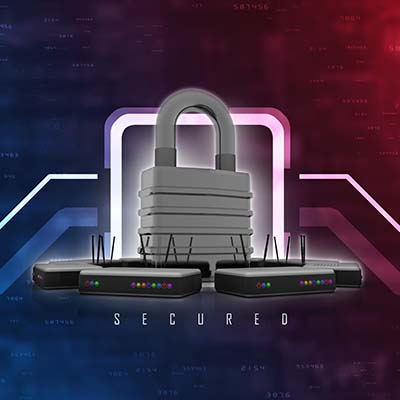
Your wireless router handles a lot of the tough work for your business, and as such, it’s important that it’s protected and secured as best as can be. If you want to secure your router, we recommend that you use the following best practices to make it happen.

First, let’s talk about the router. The router is basically a modern computer in its own right. They have their own operating systems and software, and as such, they can be susceptible to vulnerabilities. If you aren’t keeping in mind basic data security practices, then you are already behind the security curve.

Update Your Router’s Software and Check Settings

Your router runs on software that needs to be updated periodically. As your router ages, so too does your network security. When you update your router, you are updating the firmware and other software used to route the wireless signals. Here are some other settings you should consider changing:

  • Change network name or SSID – Make sure it is something that is unique but doesn’t necessarily identify you or your organization.
  • Turn on automatic firmware updates – As we described already, getting firmware updates is essential to maintain security for your router. 
  • Enable WPA2 wireless encryption (or WPA3, if your router supports it) – This ensures that only authorized users can access your wireless network. 

Disable Dangerous Accessibility Options

Most users utilize the Universal Plug and Play feature and keep their routers on the default settings, something which puts these wireless connections at greater risk of compromise. Another way that hackers will attempt to undermine the security of your router is by using the Wi-Fi Protected Setup feature on your router. It is an easy-to-use feature that helps you connect devices using a static eight-digit pin, even if the username and password have been changed. The PIN is printed right on the router, and if it’s on your router, then that makes it easier to get into. It’s far from the ideal scenario.

Set Up a Guest Wi-Fi Network

A great way to keep your wireless network secure is by limiting who has access to it. So, for example, let’s say you have guests come to the office, and you don’t want to give them access to your employees’ wireless network. You can instead have them connect to a guest wireless network specifically for them. Most commercial-grade routers and many personal routers provide this level of functionality. You can even set the network to turn off after a certain amount of time. 

This also helps if your organization operates with a lot of Internet of Things devices. The guest wireless network can keep them from creating security troubles. All you have to do is connect some of your IoT devices to the network so that they don’t accidentally leave anything exposed on your main network.

To learn more about how you can keep your wireless network secure, reach out to us at 810.230.9455.

VideoConference_272103367_400.jpg

The 5 Essential Features to Seek from a Conferencing Platform

VideoConference_272103367_400.jpg

These days you’d be hard-pressed to find a company that is not equipped to handle video conferencing in some way. The pandemic led many organizations to adopt these platforms, and as a result, these platforms have seen a dramatic increase in functionality and capability. We’d like to discuss some of the best features that your organization can take advantage of with video conferencing solutions.

Features to Seek Out in Your Video Conferencing Platform

VoIP and Chat Functions

When it comes to conferencing, the name of the game is communication. Your conferencing platform should have as many methods of keeping up communication as possible. Some conferencing solutions have Voice over IP telephony service bundled with them, and others might include various other mediums.

Many conferencing platforms also have built-in chat functionality, creating additional opportunities for participants to engage with presenters and other attendees. By knowing which features your solution is already capable of, you can make better decisions about how to get the most out of it moving forward.

HD Video Recording

Video conferences are made much more enjoyable when you can see each other clearly and communicate effectively. It stands to reason that your conferencing platform should allow for HD video. Opting for such a solution will simply make the meeting that much more enjoyable for everyone involved, which will lead to better engagement.

Some meetings should also be recorded so that the material can be reviewed at a later date. To make sure this can happen, we recommend that your video conferencing tool accommodate unlimited recordings of meetings that can be stored in the cloud for later use.

Screen Sharing

One of the most effective things you can do during a meeting is share your screen, especially if you are presenting information to your audience. If you select a video conferencing software which allows you to share your screen, you are basically opening the floodgates to more informative and engaging presentation opportunities.

Reach Out to Us for Assistance with Selecting Your Conferencing Platform

If you’re unsure of which solution is right for your business, NuTech Services can help. To learn more, reach out to us at 810.230.9455.

disasterRecovery_124466986_400.jpg

Tip of the Week: How to Design Effective Recovery Strategies

disasterRecovery_124466986_400.jpg

In business, you need to be ready for anything, including potential disaster scenarios. Therefore, it stands to reason that you have a solid disaster recovery plan in place to help you address them should the need arise. We’ve outlined three disaster recovery best practices you should consider for your business continuity strategy, as well as some tips to help you implement them seamlessly into your own operations.

Figure Out What All Potential Threats Look Like

The first step toward figuring out your business’ continuity plan is to consider the types of disasters you will be facing. This means that you need to perform an analysis of all the potential threats your organization could face, no matter how unlikely they might seem. Granted, you should lend more credence to the most likely of disasters, but you can’t rule anything out. Otherwise, you could be ignoring a glaring hole in your plan.

Basically, we’re not telling you to plan for when an asteroid levels your office, but we are telling you to have a strategy in place to account for physical damage or power loss to your office. Your business continuity plan should be specific enough to address the most likely issues you’ll face, but flexible enough to account for other less likely incidents, too.

Determine Your Business’ Benchmarks

No matter the disaster, your organization will have critical data and systems that need to be recovered. It’s up to you to determine what they are and how you will prioritize them. This will help you when it comes to responding to these disasters.

What it boils down to is knowing your various systems’ maximum tolerable downtime, or MTD. This is how long a system can remain down before permanent damage is done to your business. Knowing this number gives you more flexibility and room for making important decisions in the event of a disaster. Your MTD can also help to inform your RTO and RPO, or your recovery time objective and recovery point objective, respectively. These metrics help you better prepare for a disaster by establishing how often a backup should be taken and how long it will take for you to restore said backup.

Test, Revise, and Test Your Plan Again

Your disaster recovery solution will only be successful if you have multiple people working in tandem to ensure that it happens regularly and effectively. Otherwise, if the disaster renders that one person responsible for the strategy unavailable, you’ll be left in dire straits. On the other side of things, the more people involved means more can get done, and the work is easier to achieve.

This is why it helps to have a hierarchy of people responsible for various parts of your plan; if one key person is unable to pull off the full plan, then at least certain other aspects of your continuity strategy will go off without a hitch. Furthermore, these processes should be written out to make them as accessible and easy-to-follow as possible.

After you have your business continuity plan mapped out, you should routinely test it to make sure that it works properly. This will help you in the event you actually need to use it, as you can be confident that the plan works as it should. It will also help you determine where weaknesses in your strategy lie.

Nobody Likes to Think About Business Disasters, But They Need to Be Anticipated

We have plenty of recommendations to provide for your business’ continuity plan, so be sure to reach out to us at 810.230.9455 for more information and tips!

hiddenFees_234106061_400.jpg

Predicting Cloud Costs Isn’t as Challenging as You Might Think

hiddenFees_234106061_400.jpg

There is no denying the versatility that technology like the cloud can provide, but it often comes with hidden costs that might affect its cost-to-benefit ratio for your organization. Here are some of these hidden costs, as well as what you can do to minimize the impact they have on your bottom line.

Some of these different expenses may impact the fees associated with the cloud provider, while others might affect your ability to implement a cloud and host it yourself. Let’s take a look at these costs to see what your options are.

How Does a Cloud Provider Set Fees?

It helps to have a baseline understanding of how a provider sets its fees. They are based on the three primary costs of a cloud service provider:

  • Computing Costs – How much has the provider invested in the hardware needed to maintain their cloud, as well as the operating system running on that hardware? Based on the client company’s usage, the cloud provider will need to have the appropriate hardware.
  • Networking Costs – In addition to the investment into the hardware that builds up its network, a cloud provider also needs to maintain it over time. This will incur costs over time.
  • Storage Costs – Finally, the cloud provider also needs to cover their own operational costs, in terms of the storage media needed to support their clients’ needs, while also expanding their existing storage to meet their clients’ demands.

While this might seem like a lot to take in, it’s important to consider what your own on-premises infrastructure might cost. There are the capital costs to acquire the required equipment and licenses, as well as the operational costs of powering and maintaining the infrastructure, and that’s not even mentioning the IT staff responsible for managing it. Additionally, downtime could create indirect costs for your business.

A solid frame of reference for the costs of on-premise computing is to multiply the cost of the actual upgrade by three, as every dollar invested will come with an extra two dollars of management and maintenance.

Compared to the costs of managing your own technology, working with a cloud provider is actually beneficial in several ways.

However, This is Not to Say There Aren’t Hidden Expenses with Some Cloud Providers

The cloud is great for several reasons, but you also need to consider the trade-offs of using it. For example, some of the cloud’s costs are not financial. You might sacrifice a lot of time while migrating between cloud providers, and if you need your data while you are in the process of migrating it, you might be in trouble.

Migrating to the Cloud is Easier with Help from the Experts

Thankfully, you can make it less difficult and complicated by working with professionals like those at NuTech Services. We are happy to help you with the process of data migration, cloud implementation, or whatever else you happen to need to make a smooth transition to the cloud. To learn more about what we can do for your business, reach out to us at 810.230.9455.

Innovative_tech_175461355_400.jpg

A Lot of the Tech We Use Today Was Once Science Fiction

Innovative_tech_175461355_400.jpg

When it comes to innovative new technologies, look no further for inspiration than good-old classic science-fiction and pop culture. You might be surprised by how many concepts first seen in works of fiction have made their way into our day-to-day lives. Let’s take a look at some of the more noteworthy examples.

Mobile Phones/Smart Watches, Inspired by Dick Tracy

Mobile phones are commonplace nowadays, as are the wearables that connect to them. These technologies first appeared in the 1930s and 1940s serialized comic Dick Tracy, in which the series’ namesake detective uses a watch as a two-way communicator to work with the authorities.

There is a modern myth about the USS Enterprise inspiring the idea of the modern cell phone, but the creator of the first mobile phone, Martin Cooper, corrected himself, citing Dick Tracy as the primary source of his inspiration.

3D Printing, Modeled After Star Trek

The replicators used in Star Trek are remarkably reminiscent of the modern 3D printer. While modern 3D printers build materials out of a computed pattern to create an item, the ones in Star Trek used rays of light to shape their objects. One such device does exist, and the creators of this 2019 device cite Star Trek as the clear inspiration for its creation.

Tablets, First Appearing in Star Trek

Remember when the iPad first burst onto the scene in 2010? The device itself was inspired by the PADD from Star Trek, the Personal Access Display Device. It was a handheld device used by the Starfleet crew to access various types of information, just like the modern tablet.

Honorable Mention: 2001: A Space Odyssey

And let’s not forget the device that blocked Apple’s attempted copyright of their tablet’s form factor, the device appearing in Stanley Kubrik’s 2001: A Space Odyssey. Thanks to the existence of this film, Apple’s attempt failed.

Self-Driving Vehicles, As Seen In Total Recall

Douglas Quaid, the main character of 1990’s Total Recall, used an automated taxi cab to run from his pursuers. Though the device had to be manually taken over eventually, the idea for self-driving vehicles was certainly present here.

Digital Audio (Specifically, the MP3) Inspired by Star Trek

MP3 files might not be as popular as they were a decade ago thanks to music streaming services, but when they first appeared in Star Trek: The Next Generation, you can bet people were inspired to make them a reality. The inventor of the MP3 file format, Karlheinz Brandenburg, cites a particular scene as giving him the idea. The scene in question is when an android named Data listens to four tracks written by four composers, then slowly turns off each track in succession.

The Defibrillator, Suggested by Frankenstein

In chapter five of her 1818 work—which many see to be the first piece of modern science fiction—Mary Shelley includes little detail about her fictional scientist’s process, but includes a telling quote in the fifth chapter:

“With an anxiety that almost amounted to agony, I collected the instruments of life around me, that I might infuse a spark of being into the lifeless thing that lay at my feet.“

Is this “spark” a spark of electricity? Who can say? In either case, it may have served as inspiration to create the modern defibrillator, a device which first appeared in 1930.

What other examples can you think of that might have been influenced by science fiction? Let us know in the comments below.

supply_chain_229477928_400.jpg

Businesses are Feeling the Impact of Supply Chain Issues
supply_chain_229477928_400.jpg

The pandemic forced businesses to reexamine the way that they operate, but even though the pandemic is, unfortunately, still ongoing, many have returned to conducting business as usual like they did before it began. One part of business that will not return to normal anytime soon is the supply chain, as these issues will likely persist into the future.

What is Your Supply Chain?

Your supply chain is the network of vendors your business works with to ensure access to products or services rendered. Your various vendors make up your supply chain. It doesn’t just include products, either; it can include activities, people, information, and other resources that let you maintain operations.

A supply chain is incredibly important to the continued success of your business. For example, if your organization makes shoes, then you need access to the materials to make said shoes, like leather, rubber, and otherwise. Another example is the computers you use to provide goods or services to your customers. If there are shortages in the supply chain or if products are unavailable, then your supply chain will be disrupted, which also means a disruption to your operations and a negative impact on your bottom line.

Why is the Supply Chain Having Problems?

There are several reasons why the supply chain is experiencing problems, one of which is the pandemic. People were forced to move essential employees off-site, meaning they needed the technology to make this happen. The pandemic placed a significant strain on the materials required to work remotely, and the goods needed to move entire workforces remotely could not keep up with demand. This is why certain components are hard to come by, even all this time later.

Additionally, there is a labor shortage in the form of crucial workers who make the supply chain work. Countless people have quit their jobs over the past year, including warehouse workers and truck drivers, both of which are essential to the supply chain, creating bottlenecks—which hamper it. The people in these positions are being asked to do more, and they quite simply can’t. These issues aren’t getting better; if anything, they are getting worse.

What Can You Do?

Here are some things you can do to keep the supply chain from impacting your organization to the extent it might otherwise:

Inventory Control

There are two parts of having effective inventory control. First, you’ll need to have an extensive list of your inventory so you know what you have on-hand at any given time. If you don’t, you might find yourself falling behind. The other part of inventory management is mitigating risk by building a surplus. While it’s not the ideal state of things, it’s the way we have to get through the pandemic supply chain problems.

Be Flexible

If you source specific components or products from a manufacturer, they may not have access to the same goods and services they had in the past. They will do their best to get you what you need, but there might be a chance they cannot fulfill the order. Therefore, you should be open to sourcing your products or services from alternative suppliers if necessary. While it’s great to have the established relationships with manufacturers, you also need to keep your needs in mind.

Use Technology

Technology can help make your supply chain problems less of an issue. Software can automate a fair amount of the inventory process, and the Internet of Things is also invaluable for letting you know which parts of your business might need to be addressed.

NuTech Services can’t control the supply chain issues, but we can help you address these challenges with complete and total transparency. To learn more about what we can do for your business, reach out to us at 810.230.9455.

communication_tools_125753703_400.jpg

Four Standard Communication Tools Businesses Should Embrace
communication_tools_125753703_400.jpg

Depending on the software your business uses, you might find yourself either struggling to collaborate or reaping the rewards of doing so. When it comes to collaborative integrations, there are many innovative options on the market. Let’s examine some of the best options you have available to you.

Standard Communications Tools

Most modern businesses offer their employees several different ways to communicate with other members of their staff, their prospective clients, and current customers. Depending on the solution, they can either be simple and seamless or complicated with larger price tags. Here are some of the most commonly utilized tools:

  • Email
  • Telephone
  • Instant messaging
  • Documents

Communications can generally be split into two categories: written and verbal. Businesses need to have solutions in place that can handle both aspects of communication. One of the most common written communication solutions is email, and you’d be hard-pressed to find a business that doesn’t use it.

Email

Thanks to hosted email solutions, businesses have access to dynamic tools that can help them send out messages in the most effective and efficient way. Most modern email solutions will use the following features:

  • Daily backup of emails
  • Virus protection
  • Encryption
  • Spam filtering
  • Synchronization
  • Push mail
  • Archival

These options give users all the features they will need to go about their day-to-day duties using email. Along with making the management of email easier, most modern business’ email systems have integration for additional features, like security, for example.

Instant Messaging

Thanks to instant messaging, businesses have access to faster methods of communication than email, but you should know that not all solutions are as effective as others. Some hosted email platforms might have them built right into them, while others might be standalone solutions. Regardless, IM systems are extremely valuable and helpful for businesses, and they are usually a part of a larger communication platform.

Documentation

Other written communication platforms that you might not have considered include written resources like pamphlets, white papers, and other documents. When employees have access to this type of documentation, they can go about their duties in an informed manner. Sometimes documentation and FAQs can save your organization precious time and resources.

Telephone System

The telephone has been an important part of business communications for a long time, but the traditional sense of telephony is dead in the water compared to Voice over IP solutions. VoIP can be hosted on-site or in the cloud, and it can offer plenty of great features that your traditional telephone system would kill to have, chief among them seamless video conferencing. Remote teams benefit so much from this feature, as it gives them a chance to throw together a meeting at a moment’s notice. VoIP as a whole is an exceptionally potent business tool that can save you money. Here are some of the features it can offer:

  • Automated attendant with advanced call management
  • Caller ID
  • Call queuing 
  • Call following
  • SMS and MMS integration
  • Mobile device integration
  • Analytics 

…And many more.

NuTech Services can equip your business with all the tools it needs to stay productive and communicative. To learn more, reach out to us at 810.230.9455.

dataTransfer_437810489_400.jpg

Data Scraping Explained

dataTransfer_437810489_400.jpg

There are times when you, as a business owner, might receive unsolicited emails from organizations asking you to try a product or asking for your input on something. More likely than not, the one responsible used data scraping to get your contact information. If it’s used appropriately, data scraping can be an effective marketing tool, but it can also be utilized by scammers to make your life miserable.

What is Data Scraping?

Data, or web scraping, is when you export data from a web page to a spreadsheet or local file. Chances are that this is the method you’ve used when taking data off the Internet or a web page. Basically, it’s as simple as data transfer, taking it and moving it to a different location in the form of a file on your computer. This file can be manipulated and adjusted as needed. It’s not the best method of transferring data, but it’s useful for certain situations.

How Can It Be Used?

Here are some of the ways an average business might use data scraping:

  • Comparing the costs of various goods, products, or services in one single document.
  • Conducting market research to generate new leads; this is primarily for public data sources, as depending on the location, data scraping of directories, websites, or social media can be illegal.
  • Researching web content for the purposes of building up your business.
  • Gathering data for easy analysis and providing it with structure

There are other uses for data scraping, but this should give you a broad general understanding of how it might be used by businesses. It can help you find the best deal on a product, research your competitors, compile data from a web source, and so on. There are plenty of tools out there that can make the process easy and efficient—just get in touch with us and we can point you in the right direction.

What About Hackers?

Data scraping can be used by people for email harvesting, particularly when it comes to scammers and hackers. Many organizations house employee contact information in a publicly available directory on their websites. If someone can scrape this information, they can sell it to spammers and hackers, and you don’t need us to tell you that this information being used in spam and phishing campaigns is bad news. Plus, depending on the location, using this information for commercial purposes is illegal, and it leaves a bad taste in peoples’ mouths. This doesn’t stop scammers and spammers, though, so you’d best be on your guard.

We want to make sure that you stay apprised of the latest practices in business technology, so be sure to follow our blog! We cover interesting topics such as this, as well as other topics related to IT, cybersecurity, and technology best practices.

remoteCollaboration_226672474_400.jpg

Remote Collaboration is More than a 9-to-5 Gig

remoteCollaboration_226672474_400.jpg

Businesses are different than ever before and that means that their employees have to do things differently. What do we mean by this? Well, as companies have been toying with the notion of removing the restraints of traditional work and allowing a larger percentage of their staff to work remotely, it changes the strategies somewhat. Today, we’ll identify a couple of ways remote teams need to lean on their technology and two steps you can take to get significant contributions from collaborative platforms. 

The Role Technology Plays in Remote Collaboration

Nowadays, every business uses some sort of information technology to complete the basic tasks that running a business demands. Whether that be just for payroll or to manage inventory, or if you utilize IT to run your entire business, understanding the value it has to your endeavor and how to get what you need out of it is pretty important. For many businesses, this means rolling out a comprehensive collaboration suite and integrating tools that allow for additional collaboration. 

Unfortunately, the days are long past where each person on your team is satisfied doing the same thing over and over and over again. In fact, most modern workers will be glad to allow computers to do a lot of the more mundane and repetitive work. This is exceedingly evident when you have a remote workforce. Remote workers tend to want to get right down to business, which is why reeling them in to ensure they are doing the things you need them to is important. Most businesses that follow this model need to rethink how they are deploying their technology dollars and ask if they are doing the right things for their business.

What a Business Needs to Do to Get Collaborative Results from Remote Workers

There are plenty of things a business can do to help their remote workers align with their goals. Let’s go through a few of them:

  • Provide equipment – Today computers are expensive and with no two people agreeing on the effectiveness of any individual collaboration tool, it can be problematic for a business to get remote workers on the same page. If you provide the equipment that a remote worker needs to do his/her job, it can standardize some things pretty quickly. Not only can you install the software you are using, you can also have an easier time managing these systems; even if they are being used far from the central office. 
  • Improve communication – Another great tip for the business that is dependent on remote workers is to build your communications platform with the remote worker in mind. Sure you are going to use email and the integrated tools that the system presents, but you can also enhance remote worker collaboration by using communications tools designed specifically for remote collaboration. Collaboration apps do a good job of doing so, but the most valuable is a Voice over Internet Protocol telephone system. VoIP can help you save money and give your remote teams the tools they need to communicate effectively. 
  • Be involved – This may have to be by proxy if you run a larger company, but it is important that remote teams understand that their managers and business leaders are committed to the program they have laid out and will do what needs to be done to reach a satisfactory outcome. 

If your business relies on remote workers, oversaturating their day-to-day tasks with more minutiae isn’t going to work. Having a successful remote team dictates that you find a balance between laissez-faire leadership and micromanagement. 

A Two-Step Process You Can Use to Improve Remote Team Collaboration

When we write about collaboration, we typically do so by telling you about the tools and services that are available. These tools really do make a massive difference and save a whole lot of time and effort for project managers, decision makers, and other administrators. On the other end of this strategy are remote workers; most of which work from the confines of their home. Let’s not pretend that it’s simple to get the best work out of someone who is constantly dealing with personal distractions. This is why it is essential to get your team—the people who are responsible for the success or failure of your projects or service delivery—involved in said project or service delivery strategy early. 

You can do this pretty easily if you follow this two-step process:

Collaborative Vision for Product or Service Delivery

In order to get a remote team invested the way an in-house team would be, you need to communicate and allow feedback. Part of the collaborative process is getting ideas from people who actually work on a job. One of the best ways to do this is to ask your staff the following three questions:

  1. How would you describe what we are trying to accomplish?
  2. What are some of the problems you see with the project as it currently stands? 
  3. How would your approach differ from the one laid out? 

By engaging the worker before the project commences, you not only give them the confidence that their opinion matters, you will get them thinking critically about the project that is being undertaken. Sure, ultimately your staff is going to have to do it the way that is best for your company, but getting the perspective of the people responsible for a successful conclusion to your project could not be more valuable. 

You may want to split your team into groups and ask them to collaborate on individual adjustments they would like to make. This saves time over going through the whole process individually and will get better answers to the questions above. If you bring them back and identify the common issues presented by each group, you will have a pretty good idea of what concerns your team has. This is collaboration at its best. 

Focus on the Problems

Once you have a list of group answers, you can pretty easily identify what problems your production or service delivery staff are considering. Then you can start collaborating on how to fix the would-be problems. For remote teams, you can do all of this with technology. Collaboration apps have been developed that integrate necessary software with a message board and instant messaging applications, making it a great tool for end-to-end collaboration, even if your teams are working from across the country. Integrations for these collaboration apps can include video messaging, collaborative production applications, and more. 

Obviously, without technology, managing remote collaboration can get frustrating quickly. This is where NuTech Services comes in. We can set your business up with collaboration tools that are secure, reliable, and dynamic. If you would like to talk to one of our IT professionals about the technology behind impressive collaboration, give us a call today at 810.230.9455. 

boost_collaboration_435650150_400.jpg

Tip of the Week: 3 Things You Can Do to Boost Collaboration Effectiveness

boost_collaboration_435650150_400.jpg

Business is a collaborative effort, and no one individual putting in all the work will create the same results as a well-oiled group fueled by cooperative collaboration. To help your organization build this type of productive collaboration, we’ve put together three tips you can implement to maximize your team’s willingness and capabilities to work together.

Promote a Culture of Collaboration

Employees can get so preoccupied with their work that they might be unaware of what the rest of the office is caught up with. When teams are siloed and don’t know what is going on elsewhere in the business, it can be a problem in the long term. If you want to promote collaboration in the workplace, you should make sure that collaboration is not only expected, but also encouraged. Creating this culture of collaboration can be challenging, but it can lead to a higher degree of fulfillment, satisfaction, and engagement within your workforce.

Hold Regular Staff Meetings

If your staff see each other every so often, but not regularly, they might be more reluctant to collaborate. Regular staff meetings give your team members a chance to catch up with everyone else on what each department is doing and how they are all working together toward the same goals. If you give your team more opportunities to get engaged and involved in this way, you can facilitate better collaboration moving forward.

Implement Collaborative Technology Solutions

It is hard to encourage collaboration if your team doesn’t have the tools to make it happen in a remote or hybrid environment. Plus, depending on the size of your workforce, it might be hard to gather everyone in one place for a staff meeting. Software tools that allow for meetings and collaboration are more accessible now than they have ever been before. Video conferencing, instant messaging, file sharing, and more are all staples in the collaborative space, and any organization hoping to make it happen without them will be in for a rude awakening.

How does your business handle its collaborative efforts? You can take things up a notch by working with NuTech Services. We can equip your business with all of the best tools to make collaboration easy and less of a pain. To learn more about what we can do for your business, reach out to us at 810.230.9455.

cybersecurity_353101152_400.jpg

Setting Up Your Company’s Wireless System Should Be More Involved than Just Plugging in a Router

cybersecurity_353101152_400.jpg

We live in a world that is constantly connected, be it through a wireless connection or through your smartphone’s mobile data. This makes it especially important to practice appropriate cybersecurity practices while you’re connected to a wireless network. Let’s go over some wireless cybersecurity best practices you can keep in mind when using your wireless technology.

Change Default Router Passwords

Generally speaking, many users will keep the same network names and passwords for their wireless networks, something which can be dangerous and exploited by hackers. If a hacker knows the device type, they can look up the default passwords online, making it all the more likely they can compromise the network. Be sure to change your network names and passwords so they are as best protected as possible.

Restrict Access to Your Networks or Set Up Guest Networks

Don’t let just anyone use your wireless network! You should restrict access to your network to only employees or on an as-needed basis. If you must give guests access to your network, set up a separate wireless network for them to do so; this gives you greater control and privacy on the network where most of your data is moving.

Patch your Access Points

Any devices accessing your data over your wireless network should be kept up-to-date and secured. This means making sure they are all equipped with appropriate security measures themselves, and while it can be challenging to keep up with patches and updates, it’s something that must be done to maintain optimal security. For example, you need to ensure all computers, including laptops and desktops, as well as smartphones and other mobile devices, are kept secure while accessing your company’s wireless network.

Implement Comprehensive Security Measures

The same network security measures used for your in-house network apply to your wireless network. This means implementing antivirus, antimalware, and firewalls to keep threats off your network and promptly eliminate those that do manage to make their way through.

Use a Virtual Private Network

A VPN can help by encrypting data sent to and received by your wireless network, protecting it from unauthorized onlookers. Essentially, it can no longer be spied on or stolen, as it will be encrypted; without the decryption key, it won’t be useful to anyone.

Let Us Help!

NuTech Services can help to equip your business with all of the technology it needs to remain safe and secure while off the safety of your in-house network. Whether it’s training your employees on security best practices or setting up powerful mobile security solutions, we’ve got you covered; just reach out to us at 810.230.9455.

automated_247132771_400.jpg

Automation Can Remove Your Business’ Training Wheels

automated_247132771_400.jpg

Automation as a concept is on the rise, and so too is its practice. Even before COVID-19 created considerable problems for several businesses, it was in use, and there is no reason for it to fall out of fashion now. There are plenty of ways your organization can implement automation to improve operations moving forward.

First, we need to define what automation is; then we can discuss how it can be utilized to your business’ benefit.

What is Automation in the First Place?

Automation is when you take the responsibility for a certain task off of an employee’s schedule and give it to a computing system to handle instead. Machines are now capable of handling certain tasks with incredible speed and efficiency, or at the very least, much faster and more efficiently than the average—or even above average—worker could hope to pull off. Thus, it actually benefits an organization to implement automation for this specific task. While this can save your business time and resources, it’s important to know if and when it is appropriate to automate tasks.

When is Automation the Right Move?

Generally speaking, the following signals could mean that implementing automated solutions for your specified tasks is the right call. Be sure to watch for the following:

Your Team is Spending a Lot of Time Moving Data Between Applications

The only thing worse than entering data once is entering it for a second or even a third time. These types of mind-numbing tasks, moving data from one location to another, can only be described as a chore. Automation can make this a thing of the past and save you countless hours. Just think of all the great things your team can accomplish with all of that saved time and effort.

The Task is Inherently Dull, or Detracts from Your Priorities

Mindless tasks are perfect to automate, as they can often take a lot of time away from your staff that could be better spent. Imagine how much time your business could save if these tasks were automated.

The Task is Endlessly Repetitive, Regular, or Both

How often do you have repetitive tasks that must be completed? If you can predict and plan the process out, you can automate that task.

We Can Help You Automate Your Business Processes

If you want to streamline your processes and make things more efficient as a whole for your business, NuTech Services can help. To learn more, reach out to us at 810.230.9455.

ITsecure_233634561_400.jpg

Tip of the Week: 3 Ways to Improve Your Business Technology’s Security

ITsecure_233634561_400.jpg

Businesses largely rely on their information systems and other technology tools, so you need to make sure they stay secure and far from the many threats out there. To this end, we recommend that you implement security systems that prioritize business continuity and data security. Let’s examine three ways you can keep your business’ IT safe and secure.

Promote Strong Password Practices

Many users still practice the use of poor passwords, and unless you are deliberate in making them strong, chances are your passwords are not strong enough. Here are some tips to help you choose better, stronger, and more reliable passwords:

Password Length

Longer passwords are harder to guess simply because the greater number of characters makes for more possibilities. Passwords should be at least 12 characters long, but when they are this long, they can easily be forgotten. You can create easy-to-remember passphrases that use a combination of upper and lower-case letters, numbers, and symbols. For example a password of “elephantredfootball” will usually be secure, but one that is written: “3l3ph@ntr3df00tb@ll” is even more secure. 

Unique Passwords

Some people use the same password for every one of their accounts, but this is dangerous. Remember that if one password is hacked or stolen, it can be used on all of your other accounts, too. It’s best to use unique passwords for each of your accounts.

Use Software Tools 

Password managers and multi-factor authentication tools are great software tools you can utilize to both augment password security and reduce the downtime associated with forgotten passwords. Depending on the tool, it might even allow you to randomly generate a secure password, and with multi-factor authentication, you dramatically increase the security of your accounts by increasing the number of layers of defense your systems are protected by.

Train Your Staff

One of the greatest challenges for any organization’s IT security is the internal threat that certain employees can pose when it comes to a negligence or misunderstanding of security practices. Remember that all it takes is a phishing attack to make it through once to create problems for your business, and if an employee doesn’t know any better, they might be the weak link a hacker is looking for. There are over three billion phishing emails sent every day, so you need to be intentional with protecting your organization from them. This is why it’s so important to train your staff to identify them.

A phishing attack will look like a person or organization with whom the company has dealings with, usually someone who demands a certain amount of authority. Scammers will routinely use these tricks to make their way into your organization’s network, and they may impersonate insurance companies, software providers, financial institutions, and even executives within the company. These messages might ask users to click on links or download attachments. Here are some of the variables you might ask your employees to look for in a phishing message:

Demands for Immediate Action

Phishing attacks are largely successful because they instill a sensation of fear, anxiety, or excitement in the recipient that causes them to make questionable choices. The best course of action is not to instinctively respond but to verify and scrutinize potential messages.

Inclusion of Unprofessional Spelling Errors and Grammatical Faux Pas

Phishing messages are often from people in countries whose first language is not necessarily that of the recipient. They may include demands, spelling errors, and grammatical errors that no professional would ever consider acceptable.

They Come From Unrecognizable Accounts 

Phishing emails might look legitimate, but it’s only on the surface level. Look at the email account it originated from and you’ll see that they come from suspicious destinations. Think twice before clicking on links or downloading attachments from unrecognizable accounts.

Keep Your Software Updated

While phishing might be one of the most common threats out there, there are plenty of others that steal the spotlight from time to time. Many hackers choose to exploit vulnerabilities in software, and even though companies try their best to keep up with patches and updates, there are always going to be those that don’t get patched on the user end. If your business doesn’t take steps to implement patches as soon as possible after their release, you’re putting yourself at risk of hacking attacks.

Businesses that use a lot of applications might see patch management as a full-time job, but there are automated solutions out there that can handle this burden for you. You will also want to test each patch to make sure that they don’t interfere with the functionality of your software solutions. Furthermore, you need to ensure you are regularly updating your security tools like antivirus, firewall, and spam filter.

NuTech Services can help you maximize your company’s security. To learn more, reach out to us at 810.230.9455.

cloudMoney_36096705_400.jpg

The Cloud Makes Critical IT More Affordable

cloudMoney_36096705_400.jpg

Cloud technology has changed the way we do business, and it has provided countless opportunities for companies to achieve their wildest dreams. Granted, different businesses will use the cloud in different ways, but one fact remains the same: it makes financial sense to implement the cloud, no matter what type of business you are. Let’s go over some of the benefits.

Money Isn’t All the Same

When it comes to breaking down your business’ finances, there is more than one way to categorize them. Here is how you might typically look at investments for your company:

  • Capital expenditures: A capital expenditure is one that is typically quite high, and it is usually a one-time investment that can be used for many years to come. That said, it’s not really planned or budgeted for (although it should be).
  • Fixed-expense expenditures: These are predictable expenses for something which expires in the short term. For example, you might pay for advertisements or Software as a Service. The price will be independent of your sales, and the intent is usually to result in a sale down the line.
  • Costs of goods sold (COGS) expenditures: These expenses are directed proportionally to the revenue your business generates; the higher your COGS, the more money you are bringing in. This assumes that the ratios between COGS and revenue are low.

How These Expenses Relate to the Cloud

If we assume that you need a new data center, you might look at options for building one on-premises. While doing so might incur large sums of capital expenditures, it’s a one-time expense for its construction and maintenance, along with the costs associated with its upkeep. On the other hand, if you were to outsource management of a cloud solution to a managed service provider, it would be a fixed-expense model, as you are paying for a monthly fee that can be terminated or adjusted at any time as you see fit. Basically, you have to look at it in terms of what your organization wants and needs, particularly if you think flexibility and scalability will play into your cloud solution in the future.

NuTech Services can help your organization make these tough calls regarding the cloud. To learn more about what we can do for your business, reach out to us at 810.230.9455.

disasterRecoveryPlan_89993556_400.jpg

How to Prepare to Outlast a Data Disaster

disasterRecoveryPlan_89993556_400.jpg

When your business experiences a significant disruption, a disaster recovery plan is critical to getting back to normal. Some disasters are the result of external threats, while others come about from internal problems with your company’s operations. Here are some things you should consider when looking into potential disaster recovery solutions to help you get through a data disaster.

Disaster recovery, as far as IT is concerned, focuses on protecting your data and information systems, but it can also refer to the broad overarching strategy you use to keep your organization operational in difficult times. Companies today handle more data than ever before, and customers are much more cognizant of when companies don’t appropriately manage or protect their data, so it’s more important than ever to have a strategy in place to keep it safe and protected. Here are three things you should properly manage for your disaster recovery plan.

Planning is Imperative

First, we want to dispel the misconception that disaster recovery is a big, complicated process and strategy that needs to be handled before you take care of general, everyday business. This is not true; many small businesses can leverage a comprehensive data backup and recovery plan with relative ease, although larger organizations might require more details to be addressed, specifically how systems are to be recovered, as well as applications and working conditions.

It doesn’t matter what type of company you are–there are certain aspects of data recovery that always need to be addressed. For example, you’ll need to know how your backup system works, who is in charge of it, and what the responsible recovery point objective (RPO), or the amount of data you need to back up, is. Furthermore, knowing these details can dramatically reduce the time it takes to get back in business following a disaster to help you meet your specified recovery time objective (RTO).

Test Your DR

One major problem that organizations have with their disaster recovery processes is that they aren’t routinely testing them. Nearly a quarter of businesses have never tested their disaster recovery plan, and considering the dire consequences of a failed data recovery, this should be a major cause for concern. You should test your platform regularly, whether it’s once a month, once a quarter, or even once a year.

Testing your disaster recovery system can interfere with your business’ operations and potentially even cut into productivity, depending on when it takes place. Whenever you test your systems, you’re bound to find something wrong with it, so you’ll find your DR strategy changing over time as you address these issues. If you can appropriately address these issues during the testing phase, you’ll have a better chance when you actually need to seriously use your DR strategy.

The Human Element

While it might seem like your disaster recovery strategy is governed by your IT infrastructure, remember that your IT infrastructure is governed by people. You’ll want your DR strategy to take human behavior into account. For example, if your company’s location is compromised by a disaster, do you have the ability to get your business’ employees access to the data they need to effectively do their jobs?

The COVID-19 pandemic made it that much more apparent, as organizations that did not have contingencies in place to handle the remote operations struggled to adjust to the new normal. Businesses that did not have the capital to implement the appropriate technologies and accommodations for remote employees had significant problems in the early days of the pandemic, many of which could have been prevented if they had ensured continuity through work-from-home strategies and other possibilities in the event your office is inoperable short or long term.

NuTech Services can help your business implement and test a business continuity solution. To learn more, reach out to us at 810.230.9455.

digital_signage_313698243_400.jpg

A Digital Signage Revamp Can Change Your Business’ Optics

digital_signage_313698243_400.jpg

Have you ever considered why the VoIP auto attendant feature is so valuable? When a person is greeted with directions that make their journey easier, it typically improves their general opinion of your business. The VoIP auto attendant feature helps guide you through their telephone system. Now, have you ever been to a place where you walk in and you are confused where to go and it takes a while to navigate because of the lack of predominant signage? Like the auto attendant, digital signage platforms can help guide your visitors and you may be surprised about how affordable they can be and the additional value these systems provide to a growing number of businesses. 

What is Digital Signage?

They are just digital displays that provide customers, visitors, and patients information. It’s that simple. It’s the menu behind the counter at McDonald’s and the LED billboards you see on any major interstate highway. When you want to get a message out, digital signs are the best method. There are several reasons why digital signage is a great investment for any business to make. Let’s take a look at how they can fit into different types of businesses.

Retail

For the retail business, digital signs can be a major benefit. They not only can fuel customer’s purchasing decisions, they can also enhance the amount of foot traffic a business sees, a benefit that can do a lot to justify the admittedly substantial capital costs that come with deploying a comprehensive digital signage system. Digital signs can be placed throughout a retail location to function in different manners. A sign near the entrance can provide information about promotions or sales you have. The ability to broadcast different types of content can also function to provide information to customers that help direct customer to specific products and enhance their experience.

Healthcare

No industry has brick and mortar locations more intimidating to visitors than the healthcare industry. With so many rooms and different functions inside a hospital or other healthcare building having signs that direct people to the place they need to be is imperative. With digital signs, a healthcare facility can not only direct visitors to where they need to go, they can broadcast changes of service, patient check-in information, and provide a digital interface for healthcare professionals to use inside patient rooms. It’s been proven that digital signs are more noticeable than traditional signs and can function as a major benefit for patients and visitors alike. 

The Modern Office

For many businesses, keeping their staff apprised of all the most current organizational information is difficult. The more employees know, the better they can do their jobs. Many businesses have moved to placing digital sign solutions inside the common areas of their business to keep employees informed and engaged with the business. 

The investment in digital signage is in the hardware (TVs or monitors) and the cabling to install these systems in the most effective places inside your business. The computing hardware and software to run a full-scale digital signage system is affordable, and with digital signage software solutions hosted in the cloud, the additional capital costs can be shifted to an operating expense. 

Digital signage is a technology system that many businesses may not consider imperative, but businesses that roll out a comprehensive digital signage system have found that they can increase revenue by as much as 33 percent and reduce the amount of money they spend on traditional signage. 

If you would like to talk to one of our technology professionals about upgrading your business’ look, feel, and function with digital signs, give NuTech Services a call today at 810.230.9455.

chromeBug_467122515_400.jpg

Are Chrome’s Zero-Day Threats Actually a Good Thing?

chromeBug_467122515_400.jpg

With Google Chrome being one of the most popular web browsers out there, it’s no surprise that threats want to target it and take advantage of its users. However, up until recently, there have not been very many zero-day threats associated with Chrome. Zero-day threats are attacks that have never been seen before, affecting a new and previously unknown vulnerability. We want to remind you that it’s not always a bad thing when vulnerabilities are discovered in a browser or web application—in fact, it can actually be indicative of good monitoring practices.

Google Chrome’s History with Zero-Day Threats

For some context, let’s examine Google Chrome’s history with these zero-day threats, or rather, lack thereof. From the years of 2015 to 2018, there were no zero-day exploits actively used against Google Chrome, but the numbers have since increased over time. 2020 saw 14 zero-day threats, half of which were used against Google Chrome. 2021 saw an even greater number, with Google Project Zero’s tracking system identifying 25 zero-day threats, 14 of which belonged to Google Chrome.

While this might seem like a problem at first glance, the fact that vulnerabilities were not discovered before does not mean that they didn’t exist between 2015-2018. All it means is that most of them are getting caught and fixed now instead of flying under the radar, and this is a good thing.

Why Are There More Zero-Day Threats Now?

Why do experts think that zero-day threats are being discovered more often in Chrome? The reasons, according to Adrian Taylor of Google Chrome’s Security Team, are as follows:

  • Greater transparency between browser developers: Google Project Zero gives developers 90 days to fix the vulnerability before disclosing it, so if not, the public will eventually learn of it.
  • The end of support for Adobe Flash Player: Adobe was a popular mode of attack, but it has since left hackers with their only option being to attack the browser directly.
  • An increase in bugs required to attack the browser: There are more layers to break through, so more bugs are required, leading to more vulnerabilities to discover.
  • Browsers are more complex: With more complexity comes more bugs, and web browsers are no exception to this rule.

You can apply this idea to your business’ security infrastructure, too. After all, if you are not currently suffering from security problems, that doesn’t mean they don’t exist. We recommend that you take a close look at your security infrastructure and ensure that you are doing all you can to keep your business safe.

Plus, you will need to make sure that you are appropriately patching your systems as threats are discovered. No software solution will be immune to threats, so you should be addressing vulnerabilities as they appear; it sure beats doing it after a data breach.

To this end, NuTech Services can help. To learn more, reach out to us at 810.230.9455.

SOC_138439445_400.jpg

Businesses Should Consider Partnering with a Security Operations Center (SOC)

SOC_138439445_400.jpg

Cybersecurity is incredibly important for any organization that requires IT to remain operational (basically all of them), so it’s time to start thinking about your own strategies and how you can keep threats out of your network. One viable solution your business can implement is a Security Operations Center (SOC). What is a SOC, and how can you use it to keep threats off your network?

Defining SOC

Your business’ Security Operations Center is very similar to a Network Operations Center (NOC), but the entire premise is to keep watch over your computing networks and devices with the intention of eliminating threats. It might seem simple on the surface, but considering how complex most networks and business infrastructures can be, it should come as no surprise that it’s more complicated than it seems.

Today’s business infrastructures are always on, meaning that a SOC needs staff to keep up with the 24/7/365 demands that many have for their security and monitoring services. The SOC will work with your NOC and other IT resources to manage your cybersecurity strategy. It’s a best practice for your business’ IT to align with how you want your business to function, and it becomes critical that you maximize uptime and keep threats away from your network. Even a single vulnerability could put your organization at risk under the right circumstances. Your SOC will offer tools that can identify and address these weak points in your infrastructure in an effort to stay ahead of threats.

How the SOC Operates

We mentioned this before, but the SOC works just like a NOC in that its primary goal is to provide comprehensive monitoring and notification in the event of a security breach. If something happens, the SOC will log the issue and address it accordingly. The IT administrator will also be notified of the issue to keep them on top of things. Let’s examine some of the services provided by the SOC:

  • Complete assessment: Threats are found in the discovery process, and the SOC will examine hardware, applications, and other tools on your network to make sure they are all monitored around the clock.
  • Continuous monitoring: The SOC will monitor software and traffic trends, but also user and system behaviors.
  • Thorough logging: With such a large computing infrastructure, it’s hard to keep tabs on everything. Logs can help to ensure that the appropriate steps are taken whenever an issue arises. Plus, it provides exceptional oversight and security that is helpful, especially in regard to compliance and regulations.
  • Comprehensive incident response and investigation: SOC technicians are able to respond quickly and efficiently to any incident, meaning they can get to the root of the issue and address it in a timely manner.

NuTech Services can serve as your company’s SOC. To learn more, reach out to us at 810.230.9455.

chip_crisis_468476091_400.jpg

The Microprocessor Shortage Might Just Be Getting Worse

chip_crisis_468476091_400.jpg

The microprocessor shortage that is affecting businesses all over the world is about to get worse before it gets better. Ukraine currently produces between 45-to-54 percent of the world’s semiconductor-grade neon, a critical component for the lasers used to make microchips. With Russia invading the sovereign nation, two of the largest neon-refinement companies, Ingas and Cryoin have halted production, leaving an already massively short market in dire straits. 

The work stoppage has created some uncertainty over the worldwide output of microchips, a major problem as demand for smartphones and other devices that require chips has never been higher, not to mention that supply chain issues still linger from the ongoing COVID-19 pandemic. 

For the past 18 months, many products including computers, smartphones, cars, and more have seen their prices rise as manufacturers try to navigate a shortage of microprocessors. The shuttering of two of the largest neon manufacturers figures to exacerbate these problems substantially. 

Fortunately, many of the major chip manufacturers keep a fair amount of neon stockpiled, but as the Russian-Ukrainian conflict drags on, you could see major shortages in new microchip-run devices and products, as well as an increase in price as demand continues to grow. Ironically, the Ukrainian neon market is a byproduct of Russian steel manufacturing, so any hope that the situation will be resolved before the end of the conflict is unlikely.

This isn’t the first time that we’ve seen the neon market interrupted by Russian violence. In 2014, Russia annexed the Crimean peninsula, then a part of Ukraine. That situation led neon prices to rise as much as 600 percent, resulting in a steady increase of prices of consumer goods that utilize this extremely rare resource. 

Some of the largest chip manufacturers have made arrangements with distributors to acquire the material, but smaller manufacturers will have a very hard time sustaining operations if the conflict isn’t resolved soon. If the neon production stoppage continues, industries and governments could initiate their own neon production, but experts suggest that it could take anywhere from 18 months to two years to ramp up and will cost billions of dollars, a situation most entities would like to avoid if they think that the current conflict is only a temporary one.

For NuTech Services, we have had to change the way in which we go about technology procurement, and will adjust further if warranted by this obstruction in the market. We still strive to get our clients the technology they need to move their business forward. If you have any questions about our ability to procure the hardware you need to run your business, call us today at 810.230.9455. 

budgetStretch_284151239_400.jpg

3 Strategies to Help Stretch Your Technology Budget

budgetStretch_284151239_400.jpg

When you run a business you have so many variables to balance and so little time to do so that technology inevitably becomes an essential cog in your ability to manage everything. Unfortunately, technology isn’t cheap and the technology that you think you need may not be a viable purchase this year. Today, we thought it would be good to identify three strategies that can help you save money, while also getting the benefits that technology brings. 

Identify Inefficiencies

When you need to make every dollar count, it’s hard to pull the trigger on big-ticket technology purchases. The best way to stretch that money is to identify the places within your business that could benefit the most from some technology spending and target the solutions to those problems. The best way to do this is to take some type of baseline measurements of your business’ operations. The more moving parts your business has—and they all have plenty—the more work identifying these inefficiencies will be. Once you find what ails your business, however, it won’t take long to find the technology that can help reduce those inefficiencies. 

For example, if your business has ten employees and two of them have two displays on their workstation,  and they are getting 50 percent or more done than the rest of the crew, it tells you it probably isn’t the worker’s fault with one display that they aren’t pulling their weight. By investing your money in eight new monitors, you can expect a certain amount of increased productivity, and therefore returns that will satisfy that investment. There are situations all over your business that can be made more efficient by some type of technology, you just have to find where to slot it in.

Invest in Training

If your business has a shortage of resources available to purchase new technology, investing your money in training your employees on using the technology you do have can go a long way toward making your business the well-oiled machine you need it to be. Of course, training itself is a costly endeavor, but if your business is looking for ways to stretch your capital, focusing on efficiency and security training is a great way to redeploy funds. 

The better trained your workforce is, the better they will be at their jobs; or at least that’s the sentiment. You know something? It’s not far-fetched. Think about all the inefficient situations that a worker could get into. Think about how they interact with the technology that is in place in your business. Think about how many times work has been ground to a halt because an employee wasn’t as prepared as you want them to be. By investing in their training they can only improve. In fact, according to a study conducted by the Association of Talent Development, companies that invest in comprehensive training programs see 218 percent higher income than those that don’t. 

Additionally, with today’s threat landscape the way it is, it’s essential that your whole staff has knowledge about how to identify and confront phishing attacks and other exploits coming in from outside your business. As far as security goes, investing in training isn’t just about boosting your revenue metrics, it’s about keeping threats from decimating productivity through negative situations that happen when your business gets hacked; not to mention the ding in customer relationships that can happen when your business is exploited.

Outsource 

In 2022, outsourcing is a great way to mitigate financial exposure brought on by demand. In fact, partnerships are quickly becoming standard operating procedure for many companies that are looking to get more from less and control costs. When it comes to technology, outsourcing typically means partnering with a managed service provider such as NuTech Services and utilizing cloud services rather than purchasing and managing all of your IT infrastructure yourself. 

There is some debate whether utilizing a cloud-based platform helps your ROI, but what isn’t up for debate is that using hosted services will allow your business to gain access to computing that wouldn’t be possible on a shoestring budget. Since the cloud platform typically charges per user or per GB used, you can actively control your technology expenses and get the computing you need as an operational expense.

Partnering with a company like ours allows you to do the same, but also provides your organization with several services that are aimed to increase the value of the offering. Some of these include:

  • Comprehensive backup and disaster recovery
  • Remote monitoring and proactive management of all IT
  • Best in Michigan technology procurement
  • Dynamic cybersecurity tools
  • Patch and licensing management
  • Vendor management

And more. 

Your business doesn’t have to have a massive IT budget to be innovative. Give us a call to learn more about how we can help you transform your business’ technology and training platforms at 810.230.9455 today.