homeBurnout_325701521_400.jpg

It’s Important Not to Overdo Things When Working from Home

homeBurnout_325701521_400.jpg

Contrary to what many might assume, remote work is commonly associated with overwork—employees working longer hours and having difficulties disconnecting from professional life during their personal time. This can have some serious consequences if not offset in some way, so let’s discuss how this can be accomplished.

Overwork is a Serious Issue, Especially for Remote Workers

Recent years have seen a lot of work and workplace-related issues come to the forefront that, quite frankly, this blog isn’t the place to discuss… things like racial imbalances and wage inequality have gotten more attention than ever. However, overwork is a challenge that we can tackle here.

There are many ways that your business could be influenced by the impacts of overwork. Your employees can quickly become burned out, as overworked employees experience anxiety and fatigue, along with physical symptoms like pain, headaches, and vision problems. Remote work can also become detrimental to the communications your employees share with one another… and we can’t forget all the added stress and pressure that the pandemic has brought.

All things considered, it’s no wonder that overworking could ultimately be a detriment to an employee’s overall performance and productivity. So, what can be done to prevent this kind of overworking?

Reducing Overwork in Remote Work

While it isn’t realistic that you can hold each of your employees’ hands throughout their workday (and doing so might result in more than a few HR inquiries), there are things you can do to help reduce how much your employees are held back by the tendency to overwork themselves—starting with your policies in and out of the office.

Encourage Schedules

In the home and in the office alike, adhering to a schedule is an effective way to keep the amount of time an employee commits to work processes in balance with their off-hours. This should include not only the time spent working in terms of keeping to their scheduled work hours, but also as a way to help them establish a routine in their personal life that helps them better prepare for their time working.

Track Their Time with Specialized Tools

While time tracking can help keep your team accountable to you, they also help keep them accountable to themselves. Giving them a referenceable way to gauge where they are in their day and their assigned tasks can be of great help. If you need assistance in establishing which of the available time-tracking tools would be best for your needs, we’re always here to provide this help to you.

Empower Your Team to Chime In

If your team members are becoming overwhelmed by their work responsibilities and simply cannot finish all they are assigned in the time available to them, you need to be sure that they know they can come to you to inform you of this. They also need to be comfortable doing so, so operational issues can be resolved as they are revealed.

If you are in need of the tools that can help encourage your team’s success, NuTech Services can help. Give us a call at 810.230.9455 today.

cleanComp_48112113_400.jpg

Tip of the Week: Keep a Clean Computer

cleanComp_48112113_400.jpg

If you think about it, a computer is a machine that is full of complex parts and components. Therefore, if you want it to operate at maximum efficiency, it must be taken care of, like being kept tidy and clean. Let’s discuss how you can make sure this happens for your business technology!

Here are three tips you can implement today to clean up your workstation and improve the performance of your device.

Prevent Dust from Accumulating

If something is stationary for too long, it accumulates dust, and computers are no exception. Unless you make it routine to clean regularly, dust will gather around fans and vents utilized for cooling down its components. Make sure you remove the dust regularly so that your device doesn’t experience cooling issues.

Avoid Food or Drink at the Workstation

The best way to keep your computer clean is to not put it in a position to get dirty. By this, we mean keeping your food and drink well away from your computer. If you don’t bring your meals near it, you’ll be less likely to spill it on your device. We know that the grind can be pretty stressful, but you really should be taking your lunch break away from the computer—for reasons other than it’s bad for your device.

Clean Out Your Keyboard Every So Often

Keyboards can collect a ton of skin particles, crumbs, dust, and so much more that can get stuck underneath the keys, and this is all just by going about your day-to-day routine. Take a moment to shake out your keyboard every now and then; it might mean the difference between taking your keys off to clean underneath them at a later date.

Did you find these tips helpful? If so, why not share them with a friend or colleague?

smartphones_321643085_400.jpg

Phones for 2022 – The Flagships

smartphones_321643085_400.jpg

The modern smartphone market is one of ingenuity, communication, and productivity, all of which are extraordinarily important in today’s business world. To help you stay apprised of the various developments in the smartphone market, we’ve put together a blog detailing the various flagship smartphone devices for early 2022.

Google Pixel 6 Pro

Google has always produced solid smartphones, but the Pixel 6 Pro is in a whole league of its own. It boasts a 6.7-inch LTPO AMOLED display and a polished aluminum body, and with its Tensor chip—a collaboration between Google and Samsung—software and hardware optimization is made much easier. It makes running the new Android 12 operating system a breeze.

It’s worth noting that Pixel phones are widely used by some of the best content creators, and with their impressive cameras and software optimization, it’s no surprise. The Pixel 6 Pro has three main cameras: a 50 MP wide-angle lens with optical image stabilization (OIS), a 48 MP telephoto lens with OIS, and a fixed 12 MP ultrawide angle lens. It also sports a 5,003 mAh battery with 84 hours of battery life, an under-display fingerprint sensor, and 23W fast charging. With three colors available (Cloudy White, Sorta Sunny, and Stormy Black) and a price tag of $899, you’ll be sure to find a Pixel 6 Pro that fits your needs.

Google Pixel 6 Pro
Body: Aluminum frame, Gorilla Glass Victus front and back
Display: 6.71-inch LTPO AMOLED; 1,440 x 3,120 (~512 ppi); 120 Hz
OS: Android 12
Chipset: Google Tensor
Memory: 12 GB RAM; 128, 256, 512 GB of onboard storage
Expandable Memory: None
Cameras: Rear – 50 MP 25mm; 48MP 104mm telephoto with 4x optical zoom; 12 MP 17mm. Front – 11.1 MP 20mm 
Sounds: Stereo speakers, no headphone jack
Battery (battery endurance rating): 5,003 mAh (84 hours)
Security: In-display fingerprint sensor
Miscellaneous: IP68 water and dust resistant
Other versions: Google Pixel 6

Apple iPhone 13 Pro Max

The iPhone 13 Pro Max is Apple’s next installment in the incredibly popular smartphone series. With a stainless steel frame and Gorilla Glass on the front and back, it’s a very sturdy device. Plus, it has an impressive 1,284 x 2,778 resolution, 6.7-inch Super Reina XDR OLED display, all powered by Apple’s proprietary 15 Bionic chipset. This device might only have 6GB of RAM, but Apple’s software optimization is so on-point that you certainly cannot tell.

The 13 Pro Max also comes equipped with three rear-facing cameras, including a 12MP wide-angle lens with sensor-shift (a technology used in many high-end cameras that stabilizes the sensor rather than the lens), a 12 MP 77 telephoto lens with traditional OIS, and a 12 MP ultra wide-angle lens. There is also a sensor shift technology and optimization for iOS 15.2, allowing for some impressive content creation. Some other features include a 4,352 mAh battery (about 121 hours of battery life) and 27W fast-charging capabilities. However, it does not have a fingerprint sensor like its contemporaries, opting instead for the Apple Face ID security software. 

 The iPhone 13 Pro Max also has IP68 protection from dust and water, making it quite durable and tidy. It is available in Graphite, Gold, SIlver, and Sierra Blue for $1,099 from the Apple store and most wireless carriers.

iPhone 13 Pro Max
Body: Stainless Steel frame, Gorilla Glass front and back
Display: 6.7-inch Super Retina XDR OLED; 1,284 x 2,778 (~458 ppi); 120 Hz
OS: iOS 15.2
Chipset: A15 Bionic
Memory: 6 GB RAM; 128, 256, 512 GB, 1 TB of onboard storage
Expandable Memory: None
Cameras: Rear – 12 MP 26 mm; 12 MP 77mm telephoto with 3x optical zoom; 12 MP 13mm; Front – 12 MP 23 mm
Sounds: Stereo speakers, no headphone jack
Battery (battery endurance rating): 4,352 mAh (121 hours)
Security: Face ID
Miscellaneous: IP68 water dust resistant
Other versions: iPhone 13, iPhone 13 Pro, iPhone 13 mini

Samsung Galaxy s21 Ultra

The Galaxy s21 Ultra is Samsung’s latest and greatest addition to the smartphone market. The display is a 6.8-inch Dynamic AMOLED 2X display with a 1,440 x 3,200 resolution housed in an aluminum frame with Gorilla Glass Victus on the front and back. It also runs with a Qualcomm Snapdragon 888 chip with either 12 GB or 16 GB of RAM, depending on the model. As for the operating system, it runs Android 11 with Samsung’s One UI 3.1, but there are rumors out there supposing that Samsung’s latest UI, One UI 4.0, will run on Android 12 soon enough.

The Galaxy s21 Ultra has four different camera experiences: a 108 MP wide-angle lens with OIS, a 10 MP telephoto lens with 10x optical zoom with OIS, another 10 MP telephoto lens with 3x optical zoom and OIS, and a 12 MP ultrawide lens. The front-facing camera has an impressive 40 MP. As for security, the device includes an in-display fingerprint scanner. Furthermore, its battery is 5,000 mAh for up to 114 hours of life and 25W fast-charging. The device has additional features such as IP68 water and dust resistance, as well as s-pen capabilities. Available in a number of matte finishes: Phantom Black, Phantom Silver, Phantom Titanium, Phantom Navy, and Phantom Brown, the Galaxy s21 Ultra starts at $1,199.99 and can be purchased from Samsung or at one of the major carriers. 

Samsung Galaxy s21 Ultra 5G
Body:  Aluminum frame, Gorilla Glass Victus front and back
Display: 6.9-inch Dynamic AMOLED 2X; 1,440 x 3,200 (~515 ppi); 120 Hz
OS: Android 11; One UI 3.1
Chipset: Qualcomm Snapdragon 888
Memory: 12 or 16 GB of RAM; 256 or 512 GB of storage
Expandable Memory: No
Cameras: Rear – 108 MP 24mm; 10 MP 240mm periscope telephoto; 10 MP 72mm telephoto; 12 MP 13mm; Front – 40 MP 26mm
Sounds: Stereo speakers
Battery (battery endurance rating): 5,000 mAh (114 hours)
Security: In-display fingerprint sensor
Miscellaneous: IP68 water and dust resistant; s-pen compatible
Other versions: Samsung Galaxy s21, Samsung Galaxy s21+, Samsung Galaxy FE

These smartphones are expected to be the prominent choices in the United States’ smartphone market this year, but you should know that there are other options, too. The OnePlus 9 Pro, Xiaomi Mi 11 Ultra, and Sony’s Xperia PRO-I are all strong contenders for best phone of the year. 

Next week, we will cover some of the best value picks for your smartphone needs.

malwareADS_417322951_400.jpg

Malware is Everywhere. Even Your Ads

malwareADS_417322951_400.jpg

Do you ever see an advertisement for a free download of a popular Windows application and think, “Wow, this sure sounds too good to be true!”? Well, it most definitely is, and hackers use these malvertisements to infect computers with malware and other threats. Specifically, malvertising is used to download three different types of malware, all of which can cause harm to unwary businesses.

This particular type of malvertisement threat, a new campaign targeting users in Canada, the United States, Europe, Australia, and Nigeria, aims to capture usernames, passwords, and other sensitive credentials from users.

The three types of malware commonly installed through this new malvertising campaign–dubbed Magnat by Cisco Talos–include, according to ZDNet, a malicious browser extension that has the same capabilities as Trojan malware. In other words, it provides a backdoor entrance to the user’s system. This malware is as-yet undocumented and appears to be custom-built, and it has been developed over the course of the past several years. The other malware installed using this campaign is a password stealer.

While the malicious browser extension (also a keylogger) itself and the password stealer are cookie-cutter malware that have been around for quite some time, the backdoor is something else entirely. The backdoor, dubbed MagnatBackdoor by researchers, allows attackers to gain remote control over a PC without being detected. It also adds a new user and installs keyloggers and other malware that allow the attackers to steal information like usernames, passwords, and other sensitive credentials. According to researchers, the threat works much like a banking trojan, and aims to steal credentials for either individual sale on the Dark Web or for use by the attackers.

The malware is primarily distributed through malicious adverts–advertisements that link to malicious file downloads–for popular software solutions. These campaigns are obviously causes for concern, but it’s important to remember that they are nothing new. We have been around the block a time or two with these types of threats, so we know how to combat them. Malvertisement is not a new concept, and it has been around for a long time, so it’s no surprise that hackers would continue to use this avenue to infect PCs.

NuTech Services can help your business stay secure from online threats of all kinds, and while we cannot stop your employees from clicking on questionable advertisements, we can help to inform them of why they shouldn’t be doing such a thing in the first place, and block a lot of bad content before it gets to them. To learn more about what we can do for your business, contact us at 810.230.9455.

routerPlace_99947271_400.jpg

Tip of the Week: Placing Your Router in the Ideal Spot
routerPlace_99947271_400.jpg

Whether in the home or office, getting work done nowadays is very reliant on a reliable Wi-Fi signal. This makes it important to have your router placed in the right spot. Let’s go over a few best practices so that you can set up your router in a place where it does you the most good.

Keep Your Router in a Central Location

Let’s face it—if you’re trying to cover the entirety of a building, putting your router at one end or the other is going to be counterproductive. Not only is the signal generally directed outward in all directions from the hardware, putting the router on one side of the building potentially doubles the number of walls the signal will have to penetrate to reach a device on the other side. Plus, that also means that half of your signal is being sent where nobody will be using it. Keeping your router in the middle helps to keep the signal as centralized to your business as possible.

Minimize the Obstacles the Signal Will Have

On the topic, the more your Wi-Fi signal needs to go through to get to your devices, the weaker it will be by the time it gets there. Avoid putting your router in an enclosed space (as aesthetically preferable it may be to do so) to help keep your signal as strong as possible.

Other electronic devices count as obstacles as well, as they can let out interference that, well, interferes with your Wi-Fi signal. Try to keep your router away from these if at all possible.

Position the Antennas Appropriately

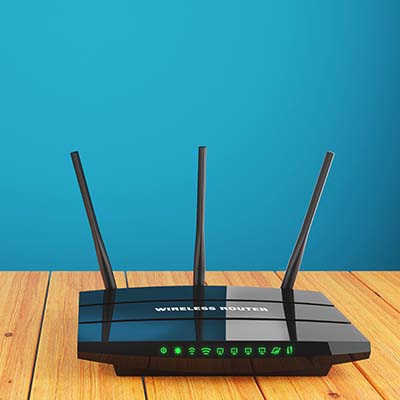
Depending on where you need your signal to go, you’d be wise to adjust how your router’s antennas are positioned (if your router allows you to adjust them, that is). If you only need your signal to cover the floor that the router is also on, keeping the antennas vertical will be your best bet. If multi-floor coverage is required, angling them slightly (to about a 30-degree angle) may be best.

Truly optimizing your wireless connection may take a bit of fiddling, but keeping these practices in mind is bound to help. For more assistance with your business’ IT, give us a call at 810.230.9455.

no_password_AdobeStock_204840728_400.jpg

Is it Time to Move Past Passwords?

no_password_AdobeStock_204840728_400.jpg

Passwords have been a staple in data security and user authentication for many, many years… to the point where the idea of using a password has become nearly synonymous with the concept of security. However, data has increasingly shown that alternative options are in fact more secure. Let’s examine some of these passwordless authentication methods, and their pros and cons.

What is Passwordless Authentication?

True to its name, passwordless authentication is identity authentication that operates without relying on a password. You can think of it like two-factor authentication (2FA), with the password factor skipped over.

Instead of using a password, passwordless authentication omits it and focuses on what would be the second factor—a hardware token, biometric, or code generated on-demand through an owned device or sent to an email, among other options.

But Why Eliminate Passwords?

Let’s consider a few options that businesses have in terms of their cybersecurity:

  • Use a password
  • Use a password and supplement it with 2FA
  • Use a passwordless authentication system

Here’s the thing… Passwords, when considered objectively, aren’t really a great option. First of all, how likely is it that the average user is going to be able to remember about 75 unique and sufficiently complex passwords? They aren’t. As a result, your IT team is either going to be inundated with password reset requests, or your users are going to take shortcuts that undermine your security. So, while a password may be a convenient option on a macro scale, it comes at the cost of your security.  Not good.

Next, we might consider adding 2FA to our authentication requirements. This certainly boosts security, but it can also frustrate users and disrupt their experience. Also not good.

Passwordless authentication measures eliminate both pain points—not only are they secure, they make it far easier for your users to access what they need to do their jobs.

Today, There are Plenty of Options for Passwordless Authentication

Having said that, there are a few drawbacks to passwordless authentication that may take some time to resolve (if it doesn’t require a change in user behavior). For instance, if you go the security key route, they can be easy to lose and potentially expensive to replace. Cost is a factor for most forms of passwordless authentication, as you might imagine.

On top of this, some malware attacks are particularly effective against these measures. Time will only tell if businesses ultimately see the benefits of passwordless authentication to be worth the risks.

In the meantime, NuTech Services is here to assist you with every aspect of your organization’s IT, including its security. Give us a call at 810.230.9455 to learn more.

prePare_68576996_400.jpg

Planning for the Worst is Key to Achieving the Best Outcome

prePare_68576996_400.jpg

Look, nobody likes picturing the worst-case scenario that could befall their business—even doing so might feel a bit like memorizing a divorce attorney’s number as you write your wedding vows. However, failing to have some strategy in place could very well lead to your business’ downfall. What does it take to properly plan and prepare for the possibility of a disaster, and the associated recovery you’ll have to undergo?

Begin By Establishing the Worst-Case Scenario

To begin, it is important to have an idea of what a disaster—any disaster—might look like for your business. Put some thought to it: what is the absolute worst thing that could realistically happen to your business? Might the office be flooded? Maybe some poor workmanship in the electricals sparks a fire, or the old, neglected building next door finally collapses and takes out part of your office, where you just so happened to keep your business’ servers?

Let’s amp up the trouble a bit and assume that whatever disaster struck (flood, fire, or falling building) left your office a total loss and, to make matters worse, took a key manager or other high-level employee with it. In addition to the personal loss, this would likely create some challenges for your business moving forward.

Whatever the Scale, You Need to Be Prepared to Deal with Disasters

Whether the loss is of a single spreadsheet or a key member of your business or your business’ physical location, you need to have the means to bounce back. For this, we always recommend that a business prepare a business continuity plan.

What is a Business Continuity Plan?

You should consider a business continuity plan to be your business’ saving grace in any disaster scenario. Its entire goal is to help ensure your company has a future, that you can resume operations if and when the chips are down.

To do so, your business continuity plan will need to cover a few different aspects of your company. There are your operational aspects, of course, including your technology and your other resources, as well as your human resources to consider.

All things considered, the baseline business continuity plan will cover:

  • Data required to facilitate operations
  • Technology needed to access that data
  • An office location or contingency plan for hosting operations
  • A chain of command in the event of a disaster
  • A strategy that is accessible to all employees involved in the restoration process

We Can Help You Get Started!

We’ll help you put together a strategy that will ensure that you can make it, regardless of the disaster your business faces, assisting you with the planning process and implementing the technology required to enact it. To get started, give us a call at 810.230.9455.

darkModeBrowser_303234749_400.jpg

Tip of the Week: Take the Strain Off Your Eyes with Dark Mode

darkModeBrowser_303234749_400.jpg

Sometimes the last thing you want to do is stare at a bright computer screen and have the white glare bother your eyes. While we know that staying away from computers and devices is particularly hard, especially in the office environment, a dark mode option can make your device easier to tolerate for extended periods of time.

Let’s go over how you can enable a dark theme for your Windows operating system and its applications.

Keep in mind that this doesn’t affect most of your desktop applications—only those associated with Microsoft and Windows. We do, however, urge you to check the settings for other applications, as dark mode is a common thing for developers to include these days.

Enable Dark Mode for Windows

The blanket setting for dark mode on Windows can be found by following this path: Settings > Personalization > Colors. You should see the option for dark mode under Choose Your App Mode. As previously stated, this doesn’t change all of your apps, so be sure to check the settings for your other commonly used applications to see if it allows for a dark mode.

Enable Dark Mode for Edge

Microsoft Edge, Windows’ default web browser, has a dark mode setting as well. To enable it, click the three-dot menu on the right side of the screen. Select Settings, then navigate to the drop-down menu and select Choose A Theme. From here, select Dark.

Enable Dark Mode for Microsoft Office

Microsoft Office also has a dark option that can be enabled through its settings. Begin by opening any Office application, like Word or PowerPoint, then go to File > Options. Under the General tab, you’ll see the option for Personalize Your Copy of Microsoft Office. You can set the Office Theme setting to Black.

And there you have it! Dark mode is enabled on your Microsoft products. Other applications might require extensions or other add-ons, so be sure to do your research or reach out to us if you are unsure of how legitimate they are.

Did you find this blog helpful? If so, share it with colleagues!

cloud_shield_261725914_400.jpg

Is Cloud Storage as Secure as We Need It To Be?

cloud_shield_261725914_400.jpg

We frequently encourage our clients to consider the cloud as a viable option for their data storage needs, be they someplace to store a copy of their data backup or even their primary storage option. Having said that, it is important that we clarify that this cloud storage needs to be secure. Let’s explore how to ensure that much is true.

Step one, we need to establish whether or not cloud storage is safe in and of itself. This will ultimately fall to the provider you are effectively entrusting your data to.

Cloud Storage Security Depends on the Cloud Provider

Cutting a long story short, it really is as simple as that. There are plenty of means that your cloud provider has to help ensure the security of your stored data on their infrastructure—because that’s all the cloud really is: an infrastructure that you can use remotely instead of using your own. In this case, you’re simply using someone else’s server to store your data.

Due to this, your data’s security is wholly dependent on the protections that the provider has (or has not) put in place.

Ideally, your provider will have made sure that your data is protected by a variety of safeguards, including encryption, access controls, redundancy, and cloud monitoring, with these features tested regularly to ensure that your data is properly secured. Any quality provider will be doing so to the best of their ability, with their servers locked down and guarded behind their own security features and personnel.

Data Also Needs to Be Available

Of course, data that your business can’t access is (for all intents and purposes) data that doesn’t exist, so you need to be sure that your cloud storage provider can also ensure that you have access to everything you’ve entrusted to them. 

There are numerous reasons why this may not be the case, ranging from user error, mechanical failure, or local disaster leading to a service disruption on the provider’s end to a successful cyberattack upon the provider.

However, Most Cloud Security Issues Originate from the Client’s Side

The unfortunate truth is that it is much more likely that any security issues you experience with a reputable cloud storage provider will likely come from an issue present on your end. There are a lot of examples as to how this can happen, including:

  • The use of shadow IT, in the form of one of your users also storing data on another, unapproved service or platform
  • Files being inappropriately shared
  • Insufficient passwords being used to protect access to cloud resources
  • Accidental data deletion by a user
  • Insecure and unauthorized devices being used to access cloud resources

In short, the cloud is very secure indeed—the problem is usually the person using it and how it was set up. This makes it critical to your company’s successful and secure use of the cloud that your users understand how to appropriately utilize the cloud in a way that maintains security while also allowing them to be productive.

That’s where we can help. Give us a call at 810.230.9455 today to learn more about how we can help secure your operations, including your use of the cloud.

encryption__96008173_400.jpg

Some Places Encryption Should Be Used Frequently
encryption__96008173_400.jpg

Protecting your organization’s data is a major focus of businesses these days, especially as threats grow more powerful and they better learn to penetrate the countless safeguards put into place. Let’s go over how encryption can help you cover all your bases—especially if hackers do manage to get through your security precautions.

What is Encryption?

There are countless codes and ciphers out there, like the famous Caesar cipher where you take the original letters and switch them according to a set number down the alphabet. For example, the Caesar cipher with a shift of nine might look like this:

“Vjwjpnm bnaerlnb jan cqn bdyanvn xycrxw oxa j kdbrwnbb bnntrwp jbbrbcjwln frcq cqnra RC.”

It’s relatively simple to decipher if you have the key, but the problem is that lacking the key means that it just looks like total nonsense. Encryption works in the same way, but on a fundamentally more complicated level. Encryption software takes data, scrambles it through the use of an algorithm, and uses a key provided to unscramble it. The data remains private until the key is used to unscramble it, making it the perfect tool for ensuring data is safe while it’s in storage or in transit.

That jumbled text above, once decrypted, translates to “Managed services are the supreme option for a business seeking assistance with their IT.”

Encryption is a powerful tool that can be used to secure websites, hard drives, or even individual emails. It can also be used wherever you might store data to secure it.

When is Encryption Needed?

Encryption should be used wherever sensitive data is involved, especially if it is sitting in storage or being shared through email.

Want help incorporating encryption into your business’ protections? We’re here.

If your business wants to implement encryption, NuTech Services can help. To learn more, reach out to us at 810.230.9455.

resolution_468305951_400.jpg

Here are Some of the Most Popular Technology Resolutions for 2022

resolution_468305951_400.jpg

With every new year comes new resolutions designed to help you defeat bad habits and bring better ones into your organization. Here are a couple of resolutions you can adopt for your business, particularly in terms of technology management and IT.

“I Resolve to Put Security First.”

Cybersecurity is one of the most important parts of running a business, especially as more and more operations shift to an online environment. Today’s threats range from minor inconveniences to major security breaches that threaten a business’ continuity. That being said, you need to take it seriously now by implementing cybersecurity awareness and preventative measures long before you suffer from a breach.

There are several simple ways you can improve your business’ security. First, you must implement and maintain basic cybersecurity protections like a firewall and antivirus. Second, your team must also understand how to respond to threats directed at them and what needs to be done to mitigate them. Phishing attacks are still quite common, so they must be prepared. Finally, your team needs to know which behaviors they exhibit make your business vulnerable. Proper training on best practices can go a long way toward mitigating these challenges.

“I Resolve to Make the Most of My Technology.”

In simple terms, your team relies on two sets of technology: the one you currently use and the one you will implement in the future. You can adopt a mindset that allows your business to prioritize both of these. Your current solutions, for example, require your team to have knowledge of how to maximize the value they get out of them—a process which will likely require extensive training. If you can identify the core software and applications your business uses and commit time to training each of your users on them, you can more effectively utilize them in the present and the future.

As for looking forward, it’s always helpful to keep an eye out for new innovations and up-and-coming technologies that you could implement later on. If you can embrace new technologies and approaches that mesh well with your business model, you’ll get the most out of your solutions and the resources using them.

“I Resolve to Encourage My Team’s Collaboration.”

Collaboration is a priority for many organizations, but bringing a team together to make sure that it is done appropriately and efficiently is an excellent resolution to consider in the new year. Many modern applications have built-in collaboration tools which make it easier than ever to provide effective means of collaboration for your team. You just have to make sure that the people on the team are aware of the features and actively use them.

Wherever your priorities lie this year, we are confident that we can help you achieve them. To learn more, reach out to us at 810.230.9455.

knowWorkers_350861587_400.jpg

Knowledge Workers and How they Fit Into the Remote Workplace

knowWorkers_350861587_400.jpg

You might think that remote work for specific positions is taking off, and while this is true for some, it’s not necessarily the case for all. Knowledge workers, for example, are seeing fewer and fewer new job postings, as evidenced by a report from Braintrust. This report analyzed 150,000 new job postings and had some surprising results on the remote work front.

Defining Remote First Positions

By “remote first” we mean that remote first companies make it a priority to hire remote workers for most, if not all of their open or available positions. As such, they have a limited in-house workforce, choosing the flexibility that remote work allows for rather than limiting operations to a centralized office location. Some companies that consider themselves remote first include Intuit, Facebook, and Amazon.

But how does this policy of remote first employment translate to knowledge workers? Not in the way that you might expect.

Defining Knowledge Workers

Knowledge workers are those that provide value in the workplace through their knowledge, i.e. knowledge they have obtained or developed over time. Some examples of knowledge workers include programmers, pharmacists, lawyers, engineers, and scientists. In a sense, you can consider knowledge workers to be “problem solving” workers.

Why Does This Resistance Exist?

As reported by TechRepublic, the resistance to remote first work policies seems to be in areas that have traditionally not had strong policies surrounding remote work. This compounds in regions that have historically not had strong turnout for knowledge-based workers. These companies are stuck in a difficult position. They cannot find local talent, but they have also lagged behind in the shift to hybrid and remote work.

Additionally, there appears to be a disconnect between offices that are trying to stick to the old way of doing things and their employees. Consider the past few years and the number of offices that were forced to transition to remote work due to circumstances surrounding the pandemic. Employees got a taste of what it felt like to work remotely, and they do not want to give it up. They are ready to embrace a more flexible way of doing things, but can workplaces keep up with this?

While there might be some resistance to remote-first work for knowledge workers, we don’t think that your business should be one of them. Thanks to remote technology solutions that allow employees to work from anywhere with relative ease, you too can jump on the remote work bandwagon and reap the incredible benefits that come from employing remote workers… assuming that you have a solid strategy in place for adding them to your workforce. That’s where we come in.

One of the key challenges facing companies employing remote workers is the technology involved in maintaining access to important resources and establishing communication between the office and the workforce. NuTech Services can help your organization make this transition seamlessly. To learn more, reach out to us at 810.230.9455.

key11_466685152_400.jpg

Checking In on Windows 11 Adoption

key11_466685152_400.jpg

Has your business implemented the next iteration of the Windows operating system yet, Windows 11? If not, you’re not alone; adoption has been progressing at a snail’s pace, and according to industry professionals, it’s not going to ramp up for quite some time. Still, recent surveys and polls indicate that Windows 11 adoption is far lower than expected, and there is even some discrepancy between reports.

For example, take a look at the number reported by AdDuplex, which represents an adoption rate of 8.9 percent. Compare this to the number reported by Lansweeper, 0.21 percent, and you’ll see why we say things are slow-going. These types of discrepancies in data reporting are not uncommon, as it largely depends on the sample size and the type of users assessed, but it’s safe to say that Windows 11 adoption will be a trickle rather than an open floodgate.

The main culprit for this lack of adoption seems to be the lack of urgency associated with the update, as well as the rather stringent upgrade requirements for Windows 11. It’s also worth mentioning that Windows 11 is far from the comprehensive update that its predecessor, Windows 10, was.

When the time comes to bring Windows 11 to your office, you’ll have to make sure that you meet the minimum system requirements. As a reminder, the requirements for Windows 11 include the following:

  • 64-bit processors
  • 4 GB of memory
  • 64 GB of storage
  • UEFI Secure Boot
  • Trusted Platform Module (TPM) v2.0

We know that your business might not necessarily be ready to adopt Windows 11 at this very second, and for now, that is totally fine. However, please keep in mind that 2025 will sneak up on us. Before we know it, people will be talking about the Windows 10 end-of-support date and how it will impact the user base. When that time comes, we hope you will keep NuTech Services in mind for all your patch management needs.

Our trusted technicians can help you implement any of the hardware or software upgrades your business needs to stay safe and thrive while implementing a new operating system for your infrastructure. To learn more about what we can do for your business, reach out to us at 810.230.9455.

security_399603500_400.jpg

Businesses Need to Focus on Security with Remote Workers

security_399603500_400.jpg

There are plenty of companies that have implemented remote work policies to combat the isolation forced upon us by the COVID-19 pandemic. Some businesses even had to resort to downsizing or shutting their doors completely because they could not adapt to these circumstances. Today, as we enter 2022, we thought we would take a look at the role security plays in an effective remote work policy.

The Pandemic Has Shown Businesses How Well Remote Work Can Work

Even though there has been somewhat of a resistance to remote work, the companies that chose to embrace it have fared pretty well. Even now, two years after the beginning of the pandemic, people are still seeing the value of remote work. It has afforded organizations the flexibility to adjust operations as needed to accommodate changes in infection rates. Some employees have completely changed their opinions on remote work as a result of the pandemic.  A PwC survey conducted in August revealed that nearly a fifth of these workers would like to be fully remote, even without COVID in the picture.

Despite the benefits, however, security is still a sticking point for many companies. There are many cybersecurity challenges that come with remote work, especially where working from home is concerned.

Unfortunately, Remote Work Can Provide Cybercriminals with Opportunity

One of the most difficult parts of remote work is maintaining a minimum acceptable level of cybersecurity. The unfortunate reality is that your employees who work from home will not have the same protections on their home networks as they do while at the office. This means you will have to invest a little effort into making sure these workers are as protected as possible.

Security Issues Can Come from All Angles

When it comes to cybersecurity, there are many challenges for remote work, chief among them the lack of control you have over your team members’ personal devices and their home network. They will not be as secure as they might be on your in-house network. Furthermore, they will not be as focused on security as a result of being isolated in their homes, increasing their risk of exposure to threats.

So, While Remote Work Can Be Valuable, You Need to Keep It From Making You Vulnerable

It’s clear that you need to do something to protect your remote employees while they are working out of the office, but what can be done? We have a list of practices and solutions for businesses that want to be more proactive about these remote work vulnerabilities. Here are some of them:

  • If an employee has no choice but to use a public Wi-Fi connection, make sure they are utilizing a reputable VPN (virtual private network) to secure data while it is being transmitted
  • To help prevent employees from transferring data from work devices to private ones, putting together a Bring Your Own Device policy to help establish some control over the device and allowing them remote access to your infrastructure or using the cloud helps to secure your data.
  • Password practices need to be upheld just as vigorously as they would be in the office. Not only do they need to be complex enough, they all need to be unique. Multi-factor authentication (MFA) should also be implemented to double-down on the security that accounts are protected by.
  • Physical security also needs to be remembered when working remotely. Devices should never be left unattended in a public place, and it is not a bad idea to secure them in the home as an added safety precaution.
  • All devices used for work, including the modem and router supplying wireless Internet, need to be kept up-to-date so that they remain secure.
  • All remote users should be reminded of the threat that scams and phishing attacks pose, with ongoing training and other awareness-enhancing activities being conducted on a regular basis.

This might seem like a lot to handle, but that’s why you don’t have to do it alone! To learn more about how we can help your business keep itself secure, reach out to us at 810.230.9455.

threat_199464869_400.jpg

Let’s Look at Some of the Virtual Threats

threat_199464869_400.jpg

Network security is challenging for many businesses, and it’s largely because of the large number of various threats that populate the Internet. Some companies simply don’t know what the correct measures to take are, leaving themselves vulnerable to these threats on both a security standpoint and an employee training standpoint. We’ll delve into some of these threats and how they can be addressed.

Today, we just want to provide a shortlist of security threats that your organization should keep an eye out for. Many of them are variants of malware, but you might be surprised by one or two entries on this list!

The More Notorious Network Security Threats

  • Viruses/Malware: These types of threats are bits of code and malicious programs that cause problems for your business. The effects range from minor inconveniences to serious problems. There are many variants of malware that perform specific tasks, like steal data, install adware, and in the case of ransomware, encrypt files on the device.
  • Trojans/Backdoors: Trojans, also known as backdoors, provide back-end access to an infected network or device. Hackers can then gain access remotely to perform all kinds of nefarious deeds. Trojans and backdoors are often gateways for other threats to make their way to your network.
  • Unpatched Vulnerabilities: Sometimes vulnerabilities are discovered in software your business uses, and if these vulnerabilities are not patched in a timely manner, they can create security problems for your business. This is especially the case if you use unsupported software, like an old operating system.
  • Phishing Attacks: Phishing attacks are commonly used to spread other types of threats or steal important information like banking credentials or personal information. They can come in a variety of modes, like through email or even over the phone.

Security Measures to Protect Yourself

Your security strategy should have two primary components: the technology aspect and the human aspect. For technology solutions, you can implement tools such as unified threat management (UTM) devices, which combine common security measures like antivirus, firewalls, spam blocking, and content filtering into one easy-to-manage solution. We also highly recommend that you implement a virtual private network for secure data transmission and multi-factor authentication for account security.

As for the human aspect, you must train your employees on how to identify and respond to threats in an appropriate way. This means they should know how to avoid threats online and how to see past the farces brought upon them by hackers. They should also be fully aware of how to report a security breach to your IT department, whether it is in-house or managed through a third party.

NuTech Services can assist you every step of the way with security management. To learn more about what we can do for your business, reach out to us at 810.230.9455.

FrankandBill_62716906_400.jpg

Procuring the Right Hardware Can Be a Difficult Process

FrankandBill_62716906_400.jpg

A time may come when your business needs new hardware, so you will have to make the best and most educated decisions when it’s time to do so. This process can be difficult without the help of your resident tech professional, though. Maybe we can give you a hand!

Here are some of the common challenges that your business might come across when adding new hardware solutions to your infrastructure.

First, however, it’s important to know what not to do when you replace your technology. Some businesses might use a break-fix approach for their technology maintenance, but at that point, the technology is already broken and often must be replaced. This kind of downtime is extremely detrimental to the future of your business.

To showcase just how severe a problem this is, consider what might happen if your server unit were to fail. What happens when your staff no longer have access to the data found on this server? If a desktop solution were to fail, that’s one thing, but when the server fails, that’s not just one person without access; that’s multiple people—perhaps your entire workplace—who now must wait for you to address the problem before getting back to work. Oh, and by the way, you are probably paying your employees for the time they spend waiting for you to fix the issue. Preventative maintenance could have solved this issue before it even became a problem.

First, you need to ask if the hardware should be replaced in the first place. Sometimes you might get the urge to upgrade, but there’s really no reason to do so at this time—at least not a good one. If your current systems work just fine and they are not disrupting your productivity, then there is generally no reason to upgrade. If your systems are, however, causing a disruption to your productivity, then that is a good reason to upgrade your hardware. Even if you can foresee a circumstance in the near future when your hardware will impact your ability to get things done, you can start thinking about upgrading.

Second, you should ask yourself what the purpose of the hardware is. For example, your average office worker and a video editor will have two completely different needs. If you give your video editor a bare-bones thin unit instead of something with enough power to perform their day-to-day tasks, then they will not be successful in their role at your company. You want to make sure you implement technology while knowing what your staff are using it for.

Finally, consider the timeline for the hardware replacement. How long will it take to replace your technology, and what does the roadmap for replacement look like down the road? Regular hardware refreshes can lessen the impact that hardware failure has on your business, as it makes it far less likely to occur. While it might look like you are replacing technology too soon, what you are doing is the exact opposite, as you have planned for these occurrences rather than responding to unexpected circumstances.

The best way to add hardware to your infrastructure is to work with a professional like those at NuTech Services. We can help you with each stage of the process. To learn more, reach out to us at 810.230.9455.

shortcutDude_52468235_400.jpg

Here Are Some of the Best Outlook Shortcuts

shortcutDude_52468235_400.jpg

Microsoft Outlook, just like its sibling solutions Word and Excel, has several keyboard shortcuts that are designed to make navigating and using the application easier than ever. We’ve put together a short list of the ones that you might need to know so that you can take your productivity to the next level.

We always like to recommend that you print out this blog article so that you can use it as a quick reference.

Basic Outlook Functions

Here are some of the basic functions of Microsoft Outlook

  • Create a message: Ctrl + Shift + M
  • Send a message: Alt + S
  • Insert a file: Alt + N, A, F
  • Delete an item: Delete
  • Reply to a message: Alt + H, R, P
  • Reply All to a message: Alt + H, R, A
  • Forward a message: Alt + H, F, W

Navigating Outlook

Here are some other shortcuts you can use to move around Outlook and examine it from different views.

  • Switch to Mail: Ctrl + 1
  • Switch to Calendar: Ctrl + 2
  • Switch to Contacts: Ctrl + 3
  • Switch to Tasks: Ctrl + 4
  • Switch to Notes: Ctrl + 5
  • Switch to Folders: Ctrl + 6
  • Switch to Shortcuts: Ctrl + 7
  • Switch to the next open message: Ctrl + .
  • Switch to last open message: Ctrl + ,

Creating Items or Files

You may need to make items within Outlook. Here are some of the ways you can do so.

  • Create an appointment: Ctrl + Shift + A
  • Create a contact: Ctrl + Shift + C
  • Create a contact group: Ctrl + Shift + L
  • Create a folder: Ctrl + Shift + E
  • Create a meeting request: Ctrl + Shift + Q

Obviously we cannot list them all here, so if you want to view even more Outlook shortcuts, visit Microsoft’s official website. What other tips should we cover on this blog? Let us know in the comments, and be sure to subscribe!

safe_tech_travels_424945906_400.jpg

Remember These Tips if You Are Traveling During the Holidays

safe_tech_travels_424945906_400.jpg

If you are traveling this holiday season to bridge the gaps created during the COVID-19 pandemic, then you’ll want to take specific precautions about your technology. Here are some of the best ways you can keep your technology secure while you travel from point A to point B, as well as how we can help you do so!

Be Cautious of Your Internet Connections

There’s nothing quite like a secure Internet connection, especially while traveling. Places where many people gather, like airports and hotels, are known to have spotty Internet reputations in terms of the connection quality and the kinds of security measures enabled on them. You can never know what threats are lurking on a network that is not as secure as your in-house infrastructure. When it’s not possible to get work done on your office network, we recommend using a virtual private network to encrypt your connection while traveling.

That said, there are significant differences between consumer-based VPN solutions and commercial-based ones. Some of the consumer-based solutions, like NordVPN, TunnelBear, ExpressVPN, and others are not designed with businesses in mind. These services do, however, lend themselves well for the purposes of traveling, as they encrypt your data when it is sent over Wi-Fi. This extra protection can go a long way when using a public network, but be mindful that the quality will most likely be determined by the price point. Even if they say they don’t store information about you, chances are they do.

We are happy to help you make the distinction between commercial and consumer-based VPNs. Give us a call at 810.230.9455.

Enable Multi-Factor Authentication and Location Services on Mobile Devices

Losing a device can be stressful, especially when you know it’s probably not stuffed down in the couch, outside your house in the yard, or somewhere else close to home. Therefore, you’ll need to take extra measures to protect your data, especially while traveling. Multi-factor authentication and location services can help you keep your device secure and potentially help you locate your device, should you lose track of it at any point on your adventures.

Establish Mobile Device Policies Ahead of Time

If you accidentally misplace your smartphone or another device while traveling (it can happen, airlines frequently misplace luggage, etc.), you’ll want to wipe that data remotely. This is done through device policies, and can be set up for every user on your network who uses their mobile device for work.

That said, losing a device means you lose the data on it, so you don’t want your data all in one place. Ensuring that critical information is always stored centrally on your network in a place that you are sure is getting backed up will mean nothing ever gets lost.

NuTech Services can help you travel safely and conduct business, even while out of the office. To learn more, reach out to us at 810.230.9455.

techPresent_93610571_400.jpg

Give Your Organization the Gift of Technology

techPresent_93610571_400.jpg

Each year we try to come up with a creative Christmas article that ties IT into one of the many holiday fables, but this year we thought we would just forgo the pageantry and talk a little bit about how important our client’s are and what we can do to help take them where they want to go.

Anyone who runs a small business has been affected by the COVID-19 pandemic, the ebbs and flows in business that have resulted from it, and the overall uncertain feeling of “what next?” Many businesses haven’t made it and others are on the brink, even as people have begun to normalize their routines. Our dedication to helping all of our Michigan partners handle this difficult period in stride coming out more prosperous on the other end, is the plan. How do we accomplish this? Let’s take a look:

Keeping a Business Running

The most important part about running a business is that the business is available to sell the product or service, and that in the course of doing so, you don’t often pay for nothing. When your organization’s technology falters, you typically need to figure out how to fix it. If this happens quite a bit, you are looking at significant downtime, potential data loss, and the financial issues both create.

It’s not a good situation. 

Our services provide a solution to those problems. First, we assess your network to let decision makers know what systems are mission critical and which ones are less so. Then we remotely monitor critical systems around the clock to ensure that network-connected devices are working as intended. If there are signs of inconsistency, our staff of certified technicians can typically fix the issues before they cause downtime. 

What’s more, we provide your staff access to a comprehensive help desk that can help them solve any number of computer-related problems quickly and efficiently. This keeps your team productive, your technology running smoothly, and downtime to a minimum. 

There will be times when a network-attached device is not repairable remotely and it will require technical support or replacement. Since our technicians will know before the component fails, we can ensure that you get the repairs/replacements needed before having to deal with large swaths of downtime.

Finally, in order to ensure that a business’ data is secured, we deploy a data backup and disaster recovery service that incrementally copies your data so that you don’t lose much if you need to use it. There are dozens of different reasons that an organization would have to use their backup, so with our BDR service, you get data redundancy onsite, as well as in the cloud, to ensure that any situation in which you may need to restore or migrate data is covered. 

Promoting Security

During the pandemic the threat landscape became more dangerous due to the opportunities presented by the many relief programs that have been rolled out. Add this to the increase in ransomware and phishing attacks that were expected, it makes it a constant struggle for most businesses to keep up. 

At NuTech Services, we don’t just keep up, we use all of our resources and accrued knowledge to keep our client’s as safe as possible. We can outfit businesses with a myriad of security tools including firewalls, content filters, virtual private networks, spam blockers, and many more. 

That’s just the beginning of what we can do to keep your business’ IT secure.

We ensure all of your software is patched and updated regularly to reduce the exploitation of potential vulnerabilities (and to ensure that you have all the new features that software updates provide). Since software is the lifeblood of most businesses, securing that crucial avenue of potential attack can stop a lot of issues, but it won’t stop them all. It’s for this reason that we also work with you to help put in policies, procedures, and training platforms that can substantially reduce your organization’s exposure to today’s worst threats.

Cybersecurity is one of the most critical components of the modern business’ IT strategy, and with the experts we have on staff in your organization’s corner, you will be able to be more effective, more efficient, and see many fewer issues. 

Using Innovation

One aspect of our jobs that we find absolutely critical—and our clients find indispensable—is our commitment to knowing how to deploy technology in such a way that it basically pays for itself. Any business owner knows that technology isn’t cheap, but if it is deployed the right way, the return on your IT investments can be massive. 

We like to keep our finger on the pulse of technology to find innovative new tools that can really push the needle for your business’ ability to operate effectively. From deploying and managing Internet of Things (IoT) devices, to outfitting your business with high-end tools like document management, to a comprehensive list of communications and collaboration tools that can allow your business to quicken the pace; NuTech Services has access to the knowledge and expertise needed to help integrate it for your business.

You can do a lot with technology, and we can do a lot with clients willing to trust us to do what’s best for their company. We would like to thank all of you for another great year, even if it was one of the most turbulent we can remember. We hope you all have a Merry Christmas tomorrow and a pleasant holiday season.

leaderHO_228402462_400.jpg

IT Management’s Biggest Challenge can be Settled with Managed Services

leaderHO_228402462_400.jpg

How does your business manage its IT resources? Do you have a chief information officer, or CIO, in-house who manages everything related to your technology? If not, who is the one responsible for managing and maintaining your systems? If you don’t know the answer to this question, we have a reality check for you: you need to.

First, let’s establish a baseline for how businesses have traditionally handled technology management. Then we will transition into how managed service providers change the name of the game and what benefits they offer to small businesses in particular.

Traditional Technology Management in the Office

Depending on the size of the business, this might look a bit differently. Some companies have a CIO who is responsible for making all major technology decisions for the organization. Others have network administrators who handle this responsibility. Some businesses do not have any dedicated IT resources, instead choosing to have their employees handle any basic technology management or maintenance as needed, regardless of their current responsibilities and duties. Trust us when we say that you do not want to fall into the trap of relying on employees who have no business managing technology doing so; it helps no one to have unqualified employees responsible for something as important as your IT infrastructure.

Thankfully, small businesses have an alternative: outsourcing this responsibility to a managed service provider, or MSP.

Managed Service Providers

Companies that don’t have internal IT resources still have an opportunity to keep their technology in proper working order, and it starts with the idea of outsourcing the requirement to a managed service provider, or MSP. Basically, MSPs are businesses that provide comprehensive technology management services. Their entire business model centers around this concept of making technology management as affordable and accessible as possible. It’s basically like having an entire IT department without having multiple salaries in your budget or going through the hiring process for each of them.

The Benefits of MSP Offerings

There are so many benefits to working with a managed service provider that it is impossible to list them all here, but know that many of them involve the following: hands-off IT management on your business’ part, more manageable monthly payments that effectively transform capital expenses into operational costs, and peace of mind knowing that your organization not only receives routine maintenance for your IT infrastructure, but also has access to trusted IT resources at a moment’s notice.

Notice how each of these benefits has to do with making IT management easy for your company. This is intentional on our end; we want you to see that not just large enterprises have the resources to stay competitive in today’s technology-centric business environment.

Get Started Today!

Don’t let technology be a pain point for your business. Let the professionals at NuTech Services help you manage and maintain your IT infrastructure so you can focus on what you do best: running your business. To learn more, reach out to us at 810.230.9455.