265247767_cloud_services_400.jpg

Demystifying the Cloud for Business Computing

265247767_cloud_services_400.jpg

As businesses have been allowed access to more advanced tools, the cloud and its capabilities have been shown to be among the most useful to operations. Let’s examine some practical applications of the cloud to see why this is.

Defining Cloud Deployments

Businesses have the option to use three different cloud deployments:

  • Private Cloud — Space in a cloud infrastructure is owned and utilized by a single business.
  • Public Cloud — Space in a shared cloud infrastructure is utilized by multiple businesses and users.
  • Hybrid Cloud — Space is utilized in both a public cloud environment and in a business’ privately-owned cloud space.

Regardless of the type of cloud deployment used, it provides considerable utility to the businesses that embrace its capabilities. Let’s consider some of the ways that your business could make use of these utilities.

The Cloud’s Service Models

Using the cloud, a business can fulfill its technology needs and requirements through solutions provided “as-a-Service.” Some of the “aaS” solutions available to businesses include:

Infrastructure-as-a-Service (IaaS)

Infrastructure as a service is simply computing space available in the cloud. The provider maintains the infrastructure that your business relies on to host its assorted needs, such as its operating system, storage needs, and applications. You gain access through a single sign-on that can be outfitted with two-factor authentication for additional security. 

Software-as-a-Service (SaaS)

Instead of paying per GB, a business can utilize software in the cloud. This means that the provider not only takes on the task of keeping the cloud infrastructure maintained, but also ensures that the software solutions themselves are managed and maintained. 

Platform-as-a-Service (PaaS)

PaaS almost serves as a hybrid between IaaS and SaaS. Essentially, using Platform-as-a-Service enables a business to create its own proprietary application without any of the responsibility to create and manage the infrastructure that supports it. Many software developers benefit from a PaaS platform to be able to code and test new applications. 

Cloud computing is a big part of the modern business world. For more information about cloud computing and how to use it for your business, call the IT professionals at NuTech Services today at 810.230.9455.

332666885_remote_work_400.jpg

Tip of the Week: How to Work Best While Working Remotely

332666885_remote_work_400.jpg

While remote work has been more widely implemented than ever as of late, many people still find themselves struggling to remain productive throughout their workday. We wanted to share a few tips to help them really make the most of working from home.

Dictate Your Environment

One of the psychological keys to effectively working from home is to identify a certain area as the at-home workplace and stick to it. Preferably, this workplace is away from the distractions of the kitchen and its snacks or the bedroom and its temptation of a nap. Once you have found your area, make sure that you have it equipped with the tools you will need to be productive, like a laptop, external monitor, and any other accessories you use.

Once you’ve established all this, you then need to consider how your days are to be scheduled. Many people enjoy working from home for its relative freedom from the typical 9-to-5 schedule, which allows them to fulfill other responsibilities with their time. So long as office processes allow for it and things are accomplished on time, there is nothing wrong with splitting up the workday as is needed.

Work a Consistent Amount of Time

With so many stresses felt by so many right now, the normalcy of work may seem like a good way to keep from dwelling on them. This is not necessarily the case. Even when working from home, the risk of burnout and fatigue are still there, so it is still important to put some distance between your work life and home life. It can be considered crucial, as setting this distance can help your thought processes and even your physical health.

To make the most use of the hours available to you, it will be important to be disciplined, resisting distractions, and minimizing disturbances. Furthermore, it is also important to end the day when the day should be ended. Not only will this help keep you focused throughout the day to accomplish what needs to be done, it will help to prevent feelings of overworking from settling in.

Have the Right Tools

As we alluded to above, it is important that you have everything you will need to be productive at the ready. This includes the hardware we referenced, as well as the software that your operations are based on.

You have a few options available to you to help make sure that your team has this software. Using remote access solutions, your team could tap into your business infrastructure and utilize it from a distance. Alternatively, you could elect to use cloud-hosted solutions, ultimately having the same result.

Naturally, some of these tools will need to be those that enable your team members to communicate with one another as they are kept apart. Email is perhaps the first business collaboration tool to come to mind, but in certain cases, other options like instant messaging and project management may be better suited to your team’s needs.

If your business needs help getting set up remotely, or needs to do a health check on your existing workforce that are already working remotely, give us a call at 810.230.9455.

358683095_data_automation_400.jpg

Understanding the Benefits of Data Automation

358683095_data_automation_400.jpg

Businesses of all sizes rely on data to operate, which means that this data needs to be collected somehow. Let’s consider how the concept of data automation has assisted these businesses to successfully accomplish more.

What is Data Automation?

In so many words, data automation is the collection and transcription of data using software, rather than the outdated and time-consuming manual processes that were once necessary.

Rather than one of your valuable employees being committed to data entry instead of the other tasks that are better suited to their talents and abilities, data automation utilizes technology to attend to it. As a result, your team can focus on their other responsibilities, while your data is managed more efficiently and accurately.

How Does Data Automation Assist Businesses?

There are many ways that your business could directly benefit from data automation processes. For instance:

  • Time (and thereby, money) is saved
  • Your team is free to focus on other responsibilities
  • Data can be entered more accurately and efficiently

Consider the checkout aisle of the grocery store, and the barcodes that are scanned to identify a shopper’s intended purposes. Think about how long it would take to ring up a cartful of groceries if each item must be manually looked up, and how many mistakes will be made in the process. The modern checkout line is a prime example of the basic benefits of data automation in this way.

Want to Learn More?

Reach out to NuTech Services at 810.230.9455! We can discuss the many ways that technology can be used to boost your business, including through data automation and other solutions. Give us a call today to learn more.

305233649_malware_400.jpg

Are Macs Inherently More Secure than PCs?

305233649_malware_400.jpg

It has long been assumed that computer viruses are a Windows operating system exclusive, that Macs are immune from these issues. Let’s examine the validity of these assumptions, and how much you need to be invested in your technology’s protections.

Spoiler Alert: Macs Do, in Fact, Get Malware

Not to be juvenile about it, but duh. A computer produced by Apple can just as easily be infected by malware and ransomware, just as they can also experience any of the other problems that a PC user would. Hardware failure, slowing with age, crashes, data loss—these and so many other issues can be seen in a Mac.

So, where do we get the widespread opinion that Macs are somehow immune to the issues that Windows devices suffer from?

In short, advertising. Over the years, Apple has had some brilliant advertising campaigns behind it, from the classic “1984” ad that ran during Super Bowl XVIII to the brief clip of John Malkovich talking to Siri. One particular campaign, however, helped to really push the idea that Macs aren’t susceptible to computer viruses.

The “Hello, I’m a Mac” campaign starred John Hodgman as the beleaguered PC, constantly coming up short when compared to Justin Long’s Mac in a total of 66 spots. One of the most famous of these bits outlined how Macs didn’t have to worry about viruses—amongst many, many others over the four years that these ads ran.

In all fairness, these ads were truthful enough. Massive amounts of new viruses are created to attack the Windows system each year, many of them leaving Macs unimpacted. While in fairness, Macs do get viruses, there are far more variants out there that target PCs.

The question is, why?

There are Far More PCs Than Macs, for One

Back in 2018, there was only one Mac for every ten active PCs online. Therefore, if about 90 percent of computers run on Windows, it only makes sense that there would be more viruses focused on Windows.

PCs are the predominant choice for businesses and industries, schools and universities, and home users alike.

To be fair, there isn’t really anything inherently wrong with Macs. Apple’s laptops and desktops are very capable devices. The difference comes from third-party developers. Many business-oriented core applications just don’t have Mac versions, and Apple doesn’t have the low-tier hardware options that are available with the Windows platform. So, when your billing department and your video department have very different needs, there isn’t a reason for you to spend the amount that a high-end Mac costs when a mid-range PC would do the job.

At the end of the day, a Mac and a PC at the same price tier are going to be effectively the same. The big difference is your preference and what your business works best with. Of course, we also have to say that Macs can have some difficulty integrating with a network designed for the PC and the software that most businesses prefer to use.

Mac Users Aren’t Off the Hook

While the fewer number of viruses targeting them has made it seem as though a Mac is the more secure choice of computer, the environment is changing. Malwarebytes recently reported that Mac malware is outpacing PC malware for the first time. The report also states that, between 2018 and 2019, threats to Macs increased by 400 percent.

Of course, it should also go without saying that the type of computer one uses shouldn’t impact that person’s security awareness and hygiene. Macs and PCs alike need to have antivirus and other protections installed, secured by strong passwords by users who understand that risk has no brand loyalty.

At NuTech Services, we are very aware of the importance of your business’ security and can assist you in protecting your endpoints and educating your users. To learn more about what we can do, reach out to us by calling 810.230.9455.

350427420_remote_work_400.jpg

Tip of the Week: Reviewing Some Remote Work Best Practices

350427420_remote_work_400.jpg

Despite many having to work from home for some time now, a lot of these people still haven’t quite gotten the hang of remote productivity or have developed some less-than-productive habits. This week, we’re providing these people with a few remedial tips to make their efforts while working from home as effective as possible.

Figure Out Where and How You Work Most Effectively

As you work from home, it will help to establish one area of your living space as the area where work is to be done and commit to working there. Pick a spot that isn’t going to serve as an additional distraction (as the snacks of the kitchen and the temptation of a nap in the bedroom would serve) and claim that area as your productive workspace. Make sure that you have all the tools that you will need for your work in that area—from a laptop, an additional monitor, and any other peripherals that you will need for your tasks.

Once your workspace is settled, you need to settle how your day will be arranged. Unless the workflows of the office need to be maintained, try rearranging your schedule around personal duties. As long as the work is done on time, there’s no harm in giving your remote team a bit of freedom as you can.

Don’t Overwork

While work responsibilities may seem like a welcome escape for many from today’s stresses, you need to be sure that you are appropriately taking breaks and working the appropriate number of hours. Fatigue and burnout are just as big of an issue at home as they are in the office, so allowing yourself to step away on occasion is important to do, even as you work remotely. In fact, stepping away has been shown to inspire new ideas and progress, as well as improve overall physical health.

This means that you also must set a few firm boundaries. By requesting not to be disturbed during work hours, one can accomplish much more in the time allotted to them. As a result, the prospect of stopping at the end of the workday—another firm necessity—seems to be more manageable.

Make Sure You Have the Tools You Need

Sure, we may have already started discussing the hardware that one will need while working from home, but there are a lot of other aspects to consider. For instance, the software solutions that your team will need must be available to them as well. There are a few methods to doing so that you may choose from. You could have your team remote into your business’ network to access the software and data they will need, or you could make use of cloud solutions to effectively accomplish the same result.

Your team communication will become even more crucial than it currently is, so your team will also need the tools and resources available to collaborate with one another. Email works for certain things, of course, but should always be supplemented by an internal instant messaging platform and other tools to keep everyone on the same foot, like a project management system.

Remote operations will help you keep your business running and your team healthy, two incredibly important considerations for the near future. To learn more about the solutions that remote operations will require, or to start putting them in place, reach out to NuTech Services at 810.230.9455 today.

355152474_network_security_400.jpg

Four Cybersecurity Tools Your Business Needs

355152474_network_security_400.jpg

In 2020, conducting business has been hard enough to have to constantly worry that your business is going to be the victim of a cyberattack. Unfortunately, it is an issue that isn’t going away, and can be a truly devastating experience. 

Today, it’s not enough to have an antivirus or firewall. You need solutions designed to actively protect your network and data from those that are actively trying to gain access to them. So while it may not be enough, making sure that your firewall and antivirus software are updated with the latest threat definitions, and that your other solutions like spam blocking and virtual private networks are being utilized properly, can set you up for success. Let’s look at four additional strategies that extend traditional cybersecurity into the modern age. 

Network Monitoring

Network monitoring is a solid strategy that will allow you to keep tabs on what is happening on your network. Today, there are remote monitoring tools that feature cutting-edge automated features designed to ensure that if something is funky on your network, or with your infrastructure, that you know about it before it becomes a major problem. Your IT support team should be outfitted with these tools as active monitoring may be the only strategy that can truly keep your network and infrastructure secure. 

Mobile Device and Endpoint Management

More businesses were relying on remote workers anyway, but with the COVID-19 pandemic that number has risen by several hundred percent. Mobile device management allows an organization to control the access each mobile user has to company resources, which applications employees can access on the network, while also providing control over the flow of mobile data. Securing endpoint access can go a long way toward protecting organizational computing resources from possible threats that users may have on their remote computers.

Security Training and Management

Today’s biggest threats often come into a network from user mistakes or negligence. In order to mitigate these instances, ensuring that your staff is properly trained is more important than ever. Not only will you want to provide them with the information needed to secure your network, you will also want to test them to ensure they are capable and willing to follow the company-outlined protocol on how to deal with threats. 

Threat Management and Detection

Despite your increased reliance on your staff to ensure that nefarious people don’t gain access to your network, there are still tools designed to identify threats and mitigate their existence. From firewalls to antivirus to powerful new threat management tools, if protecting your network from outside threats is a priority, making investments in solutions designed to eliminate threats is prudent. 

NuTech Services is the Michigan experts in IT security. Call our expert technicians today at 810.230.9455 to learn more about what you should be doing to secure your network and infrastructure.

180541233_password_400.jpg

Are You Practicing Good Password Hygiene?

180541233_password_400.jpg

Passwords are not a modern invention by any stretch, but as we have dealt with them for so long, there are a lot of bad habits that many people have adopted. That’s why we felt that it was appropriate for us to call out some of these habits and discuss some better options for you to adopt.

How Hygienic are Your Passwords?

With so many of us relying on so many passwords every day, poor password hygiene can often seem to be a foregone conclusion. Think about your own passwords, right now, and see how they compare to this list of inherently insecure patterns that many people develop:

  • Personal details, like your name or birthday
  • Names of friends, family, or most infamously, your pets
  • Commonly used words (like “password” or a favorite sports team)
  • Simple keyboard patterns (like “12345” or “qwerty”)
  • Repeated login credentials (like username: David1973, password: David1973)
  • Making their passwords as short as possible

Now, before you zip away and try to figure out new passwords for all of the accounts that have these kinds of passwords protecting them, let’s take a few more moments to figure out how to actually come up with ones that will be secure.

To begin, let’s consider some “best practices” that should no longer be described as “best.”

Some Less-than-Best Practices

According to NIST (also known as the National Institute of Standards and Technology), the following practices aren’t all that effective any longer when it comes to secure password creation.

  • Alphanumeric Switching: So, we all (should) know that something like “password” isn’t nearly secure enough to be used as a password. As a result, many users would use “p455wO2d” instead, changing letters to numerals and occasionally playing fast and loose with their capitalization. While this isn’t always a bad strategy, using such a common password still makes it far less secure than it needs to be.
  • Length Requirements: It’s likely that you have encountered this as well, as a program has kicked back your chosen password while announcing that “it is too short/long for its eight-to-ten character limit.” According to NIST, these antiquated requirements literally short-change security, as longer passwords or passphrases are more difficult to crack but easier to remember than the short jumbles of random characters.
  • Banning Cut and Paste: For some reason, many username and password fields don’t allow content to be cut and pasted into them, almost as if the prospect of typing out someone’s account details will stop a hacker in their tracks. This also makes the use of password managers, a hugely useful tool in maintaining good password practices, less available. So long as they are used properly, password managers should always be encouraged, as they enable a user to store and use multiple passwords while only really remembering one.
  • Password Hints: We’ve all been asked to set hints for our passwords before, just in case we forget them. You know the ones: “Where did you graduate from high school?” or “What was your first pet’s name?” The trouble with these questions is simple: our online habits make this kind of information easy enough to find online, especially with social media encouraging us to share pictures of our pets, or announcing that we’re attending the “Educational Institution’s Class of Whatever Year’s Something-th Reunion.” Instead of relying on these hints, combine multiple forms of authentication to both offer additional means of confirming your identity and better secure your account.
  • Frequent Password Changes: Considering how many passwords we’re all supposed to remember, it only makes sense that users would fight back against frequent password updates by only changing a single detail about it and calling it changed. For instance, let’s return to David1973 for a moment. If this user were forced to change his password too often, it is likely that he would resort to simply adding an easy-to-remember (and guess) detail. Maybe this is the fifth time that David1973 has been told to change his password, so while his password started as “David1973,” it progressed to “2David1973” to “3David1973” and so on to “5David1973.” Of course, we aren’t arguing that passwords should never be changed, but make sure that these changes aren’t actually counterproductive.

How to Create a Secure Password

Rather than using a password, per se, we recommend that you instead use a passphrase. Let’s use a quote by author Elbert Hubbard as our example: “Positive anything is better than negative nothing.” 

Of course, this is a mouthful to type, in a manner of speaking, so it might make sense to use some alphanumeric switching to help abbreviate it into a complex phrase that is still easy to remember.

Doing so, “positiveanythingisbetterthannegativenothing” becomes “p0$!tiV3NE+hg>-tiV3_+hg”.

Then, if you use this password as the master access code for a password manager, the rest of your passwords/passphrases could foreseeably be randomly generated, increasing your overall security even further. To make your password manager even more secure, you should really devise your own complex phrase, rather than steal one from an author.

You never know, some enterprising cybercriminal might be a big fan of Hubbard’s works, too.

For more advice and assistance to help you make your passwords and accounts as secure as possible, reach out to NuTech Services by calling 810.230.9455 today!

132856638_bookmarking_400.jpg

Tip of the Week: Bookmarking Your Google Documents

132856638_bookmarking_400.jpg

Productivity is always an important consideration when it comes to your business’ processes. That’s why, for this week’s tip, we’re going over how to boost your productivity by adding some of your G Suite documents into your bookmarks bar.

If you use the selection of tools that Google offers as a part of its G Suite offering, you’ve probably found a few documents that you find yourself repeatedly returning to on a regular basis. Rather than navigating to them via the appropriate folder hierarchy in Google Drive, there is a simple shortcut that you can take advantage of in Google Chrome: creating a bookmark that navigates directly to the appropriate page.

This is a very simple process:

  • Access your Google Drive and open the document you want to save to your bookmarks.
  • In the Address Bar, you’ll see a star icon at the right side. Click it.
  • A small drop-down menu will appear where you can change the name of your shortcuts, and select the “Folder” that it will appear in. Select Bookmarks bar.
  • Click Done, and then the document will appear in the bookmarks bar.

There you have it, you now have a quick shortcut to one of your most-used documents. For more handy shortcuts and tips (along with some other topics), subscribe to our blog!

138817540_crm_400.jpg

Understanding the Benefits of a CRM Solution

138817540_crm_400.jpg

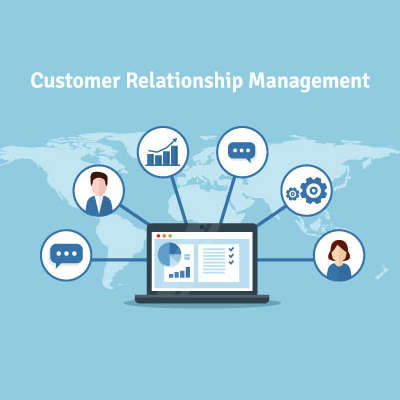
Business success is largely based on the quality of the relationships you develop with your prospects and clients. Of course, no relationship is ever easy, and they usually don’t number in the hundreds. To simplify things for you, we want to discuss a tool that provides a lot of benefits: CRM software.

What is a CRM?

Short for Customer Relationship Management, your CRM is the tool that helps you track the relationships you have with the people you offer your services to, assisting you in developing these contacts into faithful clientele. As a bonus, these solutions generally come with integrations that give you access to even greater capabilities and resources.

Why don’t we go through some of the most common CRM integrations to demonstrate how beneficial they can be to your processes?

Calendar Integrations

Keeping track of your customers and your opportunities to communicate with them is a critical facet to your success, so it is important to stick to a schedule to avoid creating conflicts. A CRM can integrate with your business calendar to help prevent overlapping schedules while keeping you engaged with those you should be communicating with. By synchronizing your calendar to your CRM, your team can work more collaboratively and efficiently.

Customer Support Integrations

A good CRM also communicates with the tools you use as a part of your customer service and support delivery. With a CRM, any time a customer reaches out to your support team, the system directs the call directly to the department the caller wants to reach. By preventing some other department from receiving the call, both your overall productivity and your customer relationships are improved. As a result, your business sees benefit.

Email Integrations

Email is a valuable communication tool for many businesses, which is why a CRM’s capability to help personalize any marketing efforts a business uses their email to support is such a valuable one. With the data stored in the CRM, lead generation becomes a much simpler endeavor.

Supporting your operations with a CRM can directly lead to improved business, as your customers will be more inclined to reach out to you. If you’re interested in some other ways that technology can be used to benefit your business’ operations, reach out to NuTech Services at 810.230.9455.

360087558_protect_your_data_400.jpg

Protect Your Personal Information when Using FinTech

360087558_protect_your_data_400.jpg

For decades you had to go into a bank to complete your transactions. Today, you can do most everything you need to do without stepping into one. Between online banking and now FinTech-fueled mobile apps more people than ever are avoiding the bank. In fact, a study from Bank of America found that 62 percent of people are now using some type of digital banking or financial services. Today, we’re going to give you a few ways you can protect yourself when using mobile banking apps. 

Data theft is a big deal, but there are ways that you can protect yourself and your money when utilizing this technology.  Some are more involved than others, so let’s dive right in.

#1 – Use Official Banking Apps

This might seem like common sense, but there are products out there that aim to simplify your mobile banking experience. If having your account breached and your money or identity stolen sounds simple, I’m selling a round-trip vacation to Mars. Are you interested? The banks know the importance of data and personal security and have rigorously tested to ensure data is encrypted and secure. 

#2 – Use Strong Passwords and MFA

Creating a unique and strong password (or passphrase) is essential to protect any account you have. Financial accounts have a direct line to your money, so using upper and lowercase letters, numbers, and symbols in your password will help secure the account. Furthermore, almost every bank, credit card, or other financial application offers two-factor or multi-factor authentication (or authorization). Utilizing this feature will go further to protect your financial accounts.

#3 – Disable Automatic Login

Another piece of common sense that doesn’t always register with users. If you want to keep people from accessing your bank account, ensuring that any automatic login, authentication autofill feature, or anything of the like is disabled is a solid practice. This will keep people out of your personal information if they happen to be using your account or device. 

#4 – Only Use Secure Connections

Not all Wi-Fi networks are the same. Some are open to anyone and can be hotbeds for data theft. To ensure that you aren’t just handing over your financial account information to someone on the same network, be sure to only access financial applications on your mobile device using your mobile data or via a trusted and secure Wi-Fi connection.

#5 – Learn to Spot and Eliminate Phishing Attacks

Today isn’t like five years ago where hackers tried to actually hack into a network. Today, most networks come with strong enough encryption to keep them out for a couple of decades. The biggest threat to data security are phishing attacks. Knowing how to spot a phishing attack and how to proceed so you don’t become a victim of one, is going to be crucial for the foreseeable future. 

Following these five suggestions is just the tip of the iceberg. If you want to learn more about FinTech-targeted crime and how to keep your financial and personal data to yourself, call our IT security professionals at NuTech Services at 810.230.9455 today.

106325693_employee_handbook_400.jpg

How to Create a Useful Employee Handbook

106325693_employee_handbook_400.jpg

If your procedures and policies aren’t currently documented, they need to be. A written policy and procedure guide can help keep your team up-to-speed on the expectations that you have of them. Consider it a quick and easy reference for your employees to use to answer their questions. In light of this, here’s some tips to keep in mind as you put together your business’ employee handbook.

Tip One: Cover Everything that Your Business Requires

As you’re putting together your handbook, you need to figure out precisely what you want every member of your team to know. This will give your team the advantage of knowing what is expected of them, along with the other information that they will need to know, like:

  • FMLA information
  • Non-discrimination policies
  • Sexual harassment policies
  • Worker’s compensation policies

 You should also include some of your other policies, including:

  • Paid-time off policy
  • Payment times and promotion/review policy
  • Employee behavior expectations
  • Employee dress code
  • Benefit structure
  • Remote work policy
  • Social media and employee device policy

Of course, this should also include your company’s mission, history, and other information pertaining to your company culture to help keep your team all on the same page.

Tip Two: Prioritize Your Layout

To make your handbook as useful to your employees as possible, you need to organize it to have the most applicable and commonly needed information in the beginning. Of course, you also need to ensure that every policy included is explained in detail. Focus on providing a complete summary of your processes with a thorough step-by-step guide.

Tip Three: Keep It Updated

While your company policies need to be firmly established, there also needs to be flexibility to allow these policies to evolve over time. For instance, if a policy were to prove itself insufficient in the face of technological changes, that policy needs to be adjusted. As a result, you need to keep a digital version of your handbook—which will allow your handbook to be kept succinct and clear.

While this may seem to be making a mountain out of a molehill, a quality handbook is an essential resource for your administrative purposes. For assistance in designing your IT policies, reach out to NuTech Services at 810.230.9455.

217828046_operational_technology_400.jpg

Are These Technologies Protecting Your Operational Security?

217828046_operational_technology_400.jpg

With businesses slowly resuming their operations, it is effectively guaranteed that this process will be bumpy. However, this in and of itself presents an opportunity for these businesses to improve their operations for long-term benefits. Whether you are actively opening your doors or ramping up to do so, you need to have today’s technology supporting you and your activities.

Let’s review some recommended technologies for you to embrace as you reopen your business.

Updated Hardware and Software Solutions

First things first—while businesses resume their operations, the chaos that will predictably ensue is the perfect time for cybercriminals to take their shot. Therefore, you need to make it a priority that all your hardware and software solutions are fully updated or upgraded as improvements are made available. In doing so, you make sure that the tools your team will use are as secure as they can be against the latest threats.

As a bonus, updated solutions commonly come with other improvements and features that add to your potential productivity. This means that your team will be in the position to accomplish as much as they can in the shortest available time without being distracted by security concerns.

Cloud-based Technology

Cloud-based tools have created the opportunity for businesses of all kinds to successfully adopt specialized solutions for their needs. Telework is also made simpler using cloud-based technology solutions, as your solutions are made accessible from wherever your team happens to be working due to its inherent mobility and operational efficiency that your functionality will require.

Monitoring and Maintenance Services

As your team returns to the workplace, there is likely to be a lot of work necessary before your operations are back to 100 percent. One thing is certain: you won’t be able to afford any downtime that could possibly be avoided. 

For this to be the reality inside your office, you will need to ensure your uptime… something that a relationship with a trusted IT professional can do. Using remote monitoring tools to proactively catch burgeoning issues and fix them before they impact your business, a provider like NuTech Services can potentially identify and mitigate problems without you ever realizing that you had an issue at all.

Telework and Communication Capabilities

With the ongoing risk that businesses may once again need to close their doors, it only makes sense to have the communication and collaboration tools that would enable true business continuity. The right technology can make the shift to remote work almost seamless, especially if the cloud and its many capabilities are leveraged appropriately. With many capabilities now offered as-a-Service, Voice-over-Internet-Protocol coming to the forefront of communications, and so many other business resources now taking advantage of cloud delivery, your team should be just as capable at home as they are in the office.

A word of warning needs to be shared, however, as remote work can potentially give your team the opportunity to expose your data. If you elect to use the cloud, this makes the next section even more important.

Security and Authentication Measures

For your data to remain protected throughout remote work, you need to have the right solutions and procedures in place for your team to use and follow. A VPN (Virtual Private Network) will enable your team to safely access your business’ data while they are working remotely, and the proper protections on their endpoints will help to minimize their risks.

As far as their access controls are concerned, each team member needs to follow authentication practices that meet a high standard. Their passwords need to meet vigorous security benchmarks, used in conjunction with protections like multi-factor authentication, or MFA. 

Your office also needs to be made impervious to as much downtime as possible to permit your team the most productivity as they work.

For assistance in making any of these preparations, or with any IT challenges you are facing, reach out to NuTech Services! Help is only a call to 810.230.9455 away.

58520598_audit_400.jpg

Have You Kept Up with Your Security Audits? You Need To, Especially Now!

58520598_audit_400.jpg

When a business undergoes a security audit, its IT security is evaluated to make sure that it has the proper protections in place to protect against the various threats that could strike. Now more than ever, it is important for any organization to be confident in their preparedness. Let’s discuss the importance of assessing your own organization’s security with audits, and how this benefits you.

What Does a Security Audit Entail?

A security audit is intended to determine how effectively your business’ security is doing its job. Covering hardware specifications, your infrastructure as a whole, your network policies, the software you’re using, even how your employees behave, a good security audit will give you a complete picture of the protections and safeguards you have in place.

The reason behind doing this is simple: it allows you to identify (and, in theory, mitigate) any shortcomings in your current security infrastructure. Once your audit has been completed, you should essentially have a checklist of any detected vulnerabilities to attend to. Whether “attending to” these solutions will result in you decommissioning, consolidating, adding to, or reconfiguring them will all depend on the challenges you encounter.

Of course, considering how quickly technology can develop (particularly that which pertains to the business environment), these audits should be performed on a fairly regular basis. Even changes to your processes or the odd software update could easily expose you to new, unforeseen vulnerabilities.

In any case, documentation will be your greatest ally throughout this process. Any audit that is completed properly will generate an extensive list of discoveries, evaluations, and suggested next steps pertaining to your business’ security. These outlines should be detailed and particular, going so far as to identify specific departments within your organization if need be. Perhaps, due to the nature of the information they interact with, your HR department needs to have more cybersecurity protecting it specifically. Whatever your situation, your audit should give you a clear path to follow moving forward.

What You Might Discover During Your Audit

A brief disclaimer seems appropriate here: this is FAR from a comprehensive list. There are hundreds of issues that an audit could potentially catch, but in our experience, these are the most common discoveries:

  • Poor password hygiene
  • Data retention/backup policies not getting followed
  • Granting permissions to users who don’t need them
  • Misconfigured or outdated security software
  • Inconsistent access control levels on folders on the network
  • Non-compliant, unauthorized software installed on workstations
  • Sensitive data being stored incorrectly
  • Undocumented, outdated, or untested incident response plans
  • Insufficient (or non-existent) activity auditing

Again, there are hundreds more possibilities, so be prepared.

Compliance Requirements

There are many standards that different industries and governing bodies have set for businesses to uphold, under threat of fines and other challenges if any shortcomings are discovered. Therefore, in order to pass these compliance standards, it is mandatory to run audits based around those that apply to your operations. These may include:

  • SOC 2 type I
  • SOC 2 type II
  • ISO 27001
  • GDPR (General Data Protection Regulation)
  • SOx (Sarbanes-Oxley Act)
  • HIPAA
  • PCI-DSS
  • FINRA
  • FISMA

Again, this is not a comprehensive list, so make sure you are aware of any compliance regulations that you are expected to abide by.

NuTech Services is always here to help you make sure that your IT is properly managed and maintained—including the security and compliance standards that apply to it. To find out more about what we can do to help your business with its IT and cybersecurity, schedule a consultation with us at 810.230.9455.

239398000_communication_tools_400.jpg

Tip of the Week: How to Effectively Communicate with Your Clientbase

239398000_communication_tools_400.jpg

One of the most important things that your business needs to do—especially now—is to communicate with the clients you serve. To guide you into doing so to the best of your abilities, let’s go over some tips for you and your team to keep in mind pertaining to your communications.

1.  Use the Best Tool for the Job

Your contacts should never find it difficult to reach you, so you need to make sure you’re providing them with plenty of options for them to make contact. Don’t pick between a phone number or an email address, give them both, along with a live chat feature, conferencing options, and other forms of communication. Making use of things like a blog and social media give you a great way to reach out to them first, starting the conversation.

With all of the options you can now give to your clients, they will feel much more confident about getting an answer to their questions and having their concerns addressed. They’re also apt to pay more attention to you as well.

2.  Automate as You Communicate

Of course, in doing so, you may make it more challenging for you and your team members to keep the conversation going with your clients while also accomplishing what needs to be done each day. After all, if your whole day is spent answering questions on the phone, it’s going to be a little difficult to do anything else. Fortunately, there are solutions that you can use to better manage all these communications. Automated phone systems can keep your whole team from being interrupted as a client plays phone tag, while following up with emails and other communications can help minimize the questions that clients ultimately reach out with and simplify their experience.

3.  Coordinate Your Team

For your business to provide a good experience for your customers and clients, your team all needs to work together as they deal with them to avoid repeating or contradicting messages. Improving your internal communications will only make your external communications stronger. Tools also exist to facilitate this, including instant messaging and customer relationship management (CRM) software.

For assistance in implementing this technology (and others), reach out to our team here at NuTech Services. We can discuss the tools that will suit your needs the most, as well as figure out how we can optimize them to your needs. To learn more, give us a call at 810.230.9455.

321060884_PCI_DSS_400.jpg

PCI Compliance 101

321060884_PCI_DSS_400.jpg

Does your business accept credit cards? Of course it does. Regardless of what industry you are in, your customers are now using payment cards for a large portion of their retail transactions both online and in-store. To protect consumers, there has been a compliance standard enacted by credit card companies. Today we will look at this standard.

Introducing PCI DSS

With so many people using credit, debit, and prepaid gift cards to pay for goods and services, the economic ramifications of digital payment fraud, data loss, and other side effects of continued reliance on these methods of payment have led the companies that issue these cards to band together to create what is now known as the PCI Security Standards Council. Since its inception in 2006 the PCI Security Standards Council has been overseeing the establishment and coordination of the PCI DSS, or Payment Card Industry Digital Security Standard. Let’s take a look at how PCI compliance works.

Taking a Look at PCI 

PCI DSS was established in 2006 by credit card companies as a way to regulate business use of personal payment card information. That means all businesses. If your business processes or stores payment card information as a means of accepting digital payment, you need to maintain your PCI compliance. PCI DSS demands that businesses satisfactorily take the following steps:

  1. Change passwords from system default
  2. Install all sufficient network security tools (antivirus, firewalls, etc.) that will work to protect card data
  3. Encrypt transmission of card data across public networks
  4. Restrict the transmission of card and cardholder data to “need to know” basis
  5. Assign user ID to all users with server or database access
  6. Make efforts to protect physical and digital access to card and cardholder data
  7. Monitor and maintain system security
  8. Test system security regularly
  9. Create written policies and procedures that address the importance of securing cardholder data
  10. Train your staff on best practices of accepting payment cards

While many businesses already do these things in the normal course of doing business, if you currently don’t and you still allow for the use of payment cards, your business could have a problem on its hands. 

Business Size and Compliance 

Once you understand what you need to do to be PCI compliant, you then need to comply with the standards of your business’ merchant status. They are defined as follows:

  • Merchant Level #1 – A business that processes over six million payment card transactions per year.
  • Merchant Level #2 – A business that processes between one million-to-six million payment card transactions per year.
  • Merchant Level #3 – A business that processes between 20,000-to-one million e-commerce payment card transactions per year.
  • Merchant Level #4 – A business that processes less than 20,000 e-commerce payment transactions, and fewer than one million overall payment card transactions per year.

Since a business with more transactions has a better chance to foul up a situation concerning payment card compliance, they are required to do more to prove compliance than smaller businesses do. Here are the expectations for businesses in each merchant level:

Merchant Level #1

Doing massive business online and otherwise brings with it more responsibility. To maintain PCI compliance, Level one merchants need to:

  • Perform a yearly Report on Compliance (ROC) through a Qualified Security Assessor (QSA)
  • Allow an Approved Security Vendor (ASV) to complete a quarterly network scan
  • Complete the Attestation of Compliance Form for PCI Council records

Merchant Level #2

As transactions begin to decrease there are less stringent standards. Level twos include:

  • Perform a yearly Self-Assessment Questionnaire (SAQ)
  • Allow an ASV to complete a quarterly network scan
  • Complete the Attestation of Compliance Form for PCI Council records

Merchant Level #3

Many medium-sized businesses will fall under this level and need to:

  • Perform an SAQ
  • Allow an ASV to complete a quarterly network scan
  • Complete the Attestation of Compliance Form for PCI Council records

Merchant Level #4

The majority of small businesses fall into level #4 status and, like levels two and three, need to:

  • Perform a SAQ
  • Allow an ASV to complete a quarterly network scan
  • Complete the Attestation of Compliance Form for PCI Council record

Businesses that are non-compliant will face fines, extra scrutiny, or risk having the privilege of accepting payment cards officially revoked. If you have questions about the particulars of PCI DSS compliance, call the knowledgeable professionals at NuTech Services today at 810.230.9455.

188604470_data_storage_hard_drives_400.jpg

Storing Data Is More Complex than You Know

188604470_data_storage_hard_drives_400.jpg

We all store data on our computers. Whether you have family photos and text documents on your home computer, or databases and on-premises applications running your entire business, data is typically stored in exactly the same way. If you knew how delicate your data actually was, you’d never let a single file exist in one place ever again. Let’s explore that.

How Do Hard Drives Store Data?

A traditional mechanical hard drive, also known as an HDD, holds your data on small magnetic platters. These platters are layered on top of each other, with a small mechanical arm that rests above them. Think about a record player, with the arm and needle over the record, except you have many, many records stacked on top of each other.

Of course, a record player spins the record between 33 and 78 times per minute. Your hard drive typically spins the platters much faster, most of them clocking in at 7200 rotations per minute.

The platters spin so fast, that it creates a cushion of air that prevents the head of the arm from touching the surface of the platter while it spins. This is critical, because if the head (the needle, to continue with the record analogy) were to even graze the surface of the platter, it would destroy the data on the drive.

These hard drives are mechanical in nature. Just like your car, mechanical systems can and will fail eventually. The little motor in the drive can burn out, the spindle can cease up, and so forth. These issues will very likely make the hard drive inaccessible. Thus, your data is lost. Opening files, saving files, and general computer use (even web surfing) causes the hard drive to read and write data. You are always using it, and depending on its stability to protect your data.

(Of course, there are also SSD drives, which don’t utilize moving mechanical parts. These tend to be a little more shock resistant, but they aren’t immune to failure.)

Yet, we trust these devices every single day. If you have a computer or a laptop, you likely have one or two of these inside it. Your servers tend to have many more. Many of us have external hard drives we use to store data to take around with us. If they are using a mechanical-based hard drive, all of our data is at the mercy of several rapidly moving parts and a cushion of air.

This leads us to ask:

Why Would You Ever Rely on a Single Hard Drive?

If your data is only stored on a single hard drive, consider it at high risk. It only takes one tiny issue to lose it all.

Fortunately, preventing data loss is easier than ever. We help businesses establish thoroughly tested, highly-trusted backup solutions that ensure that no disaster will be able to destroy your data. That includes storing a copy of all of your data on a separate device within the office, and a copy stored securely offsite that you can access at any time. This means even a major disaster like a fire or flood doesn’t cause data loss.

Want to learn more? Give us a call at 810.230.9455.

61731709_productivity_tools_400.jpg

Tip of the Week: Four Tools to Improve Business Productivity

61731709_productivity_tools_400.jpg

Today’s software solutions are generally built with a single goal in mind: productivity. Here, we wanted to go over a few tools that any business seeking improved efficiency in its operations should strongly consider, especially based on what the world has been experiencing recently.

Instant Messaging

Instant messaging is a handy utility for any team to have at their disposal for the brief messages that coworkers must send to one another throughout the day. Not only is it more efficient than checking and responding to endless emails throughout the day, it allows the message’s recipient to stay more focused on their task. After all, instant messaging and texting has hardwired us to switch more efficiently between tasks when we deal with these kinds of quick messages.

Instant messaging solutions are also widely available on workstations and mobile devices alike, which means that they are easily accessible to your staff whether they’re in the office or working remotely.

Video Conferencing

On the topic of workplace communications, video conferencing is another handy tool to have. Rather than restricting the benefits of face-to-face collaboration exclusively to those operating from within the office, it allows your remote workers to take a virtual seat at the table. As an added benefit, these conferencing tools can also offer screen-sharing capabilities, allowing you to share your perspective with the group for their input. This all culminates into a solution that enables a team to work more productively.

Cloud Storage and Collaboration

With so many still working from home, a big challenge for many businesses was how they were to get the requisite resources and computing power to the people who needed it. Consider the differences in your home network, as compared to the one in the office. The office network is almost guaranteed to be more powerful, never mind the issues that arise in terms of accessing the data and programs needed for your business processes from a home workstation or the obvious security concerns of doing so.

Cloud solutions now offer a much more secure means for your team (both in-house and remote) to work together on the same documents and files, using the same tools. This innovation set the tone for the future of workplace productivity some time ago, so if you haven’t made this change yet, you need to.

Project Management

Finally, we would be remiss if we didn’t address how beneficial a good project management solution can be to your business productivity. Chances are good that—despite being part of a “team”—many of your team members still see their tasks as individual endeavors, things that they are responsible for but exist in a kind of “bubble”.

With a project management tool, this can be mitigated somewhat by providing your team with a view into how their contributions play into the whole project’s success. It also assists in keeping track of where your team is encountering holdups, delays, or other inefficiencies so that they can be mitigated and resolved.

For more information about these solutions (or for assistance with putting them in place), reach out to NuTech Services and our team of professional IT consultants for help! Give us a call at 810.230.9455 today.

202171506_social_media_400.jpg

Social Media is Being Scrutinized

202171506_social_media_400.jpg

It’s probably fair to label social media as one of the greatest inventions of the 21st century. Nearly half of the world’s population are active users of social media; and, that number would almost certainly be higher if more people had access to unencumbered broadband. Over the past few weeks, however, one of the most utilized social media services, the microblogging website Twitter, has sparked some controversy after they added an amendment to a tweet sent by the U.S. President Donald Trump suggesting it contained “potentially misleading information”. Today, we’ll briefly discuss what this showdown with the White House means for social media companies. 

To start, let’s go back a few years. In the aftermath of the 2016 Presidential election, another major social media company, Facebook, was under fire for allowing foreign companies to influence the outcome of the election through insite advertising. Google and Twitter were also caught up in the mess, but the scrutiny Facebook saw during the ordeal, well…really hasn’t gone away. 

The result was hearings, lots of hearings. The debate whether social media advertising–if it is broadcasting hateful, divisive, or misleading information–should be allowed on these platforms rages forward. Facebook stood by the First Amendment, even as it was embroiled in the Cambridge Analytica mess. Twitter, took a different approach. They enacted a Civic Integrity Policy. This policy allows them to mark political posts that contain false information. CEO Jack Dorsey stated, “We’ll continue to point out incorrect or disputed information about elections globally. And we will admit to and own any mistakes we make.”

This action was implemented on a Presidential tweet, and it has drawn the ire of the White House. They immediately stated that this policy allegedly prioritizes perspectives that ignore a conservative point of view. Twitter denies this.

Trump’s reaction to this was swift. The President signed executive order #13925 – Preventing Online Censorship, which gives the Federal Communications Commission the power to regulate social media’s censorship practices.

Soon after, the Center for Democracy and Technology filed a federal lawsuit with the President as the defendant stating that the executive order is unconstitutional and violates the company’s First Amendment rights. Whether a company is entitled to rights, will be a major point of contention in the days ahead. The CDT went on record stating that, because of the executive order, tech company executives believe it will actually work to limit free speech, as businesses will err on the side of caution to avoid risk of crossing federal regulators.

Do you believe that it is responsible for social media companies to warn viewers that powerful people could be lying? Leave your thoughts in the comments section below. Please be respectful.

323927904_data_400.jpg

Why You Need to Keep an Eye on Your Data

323927904_data_400.jpg

When a company operates primarily via the Internet, there seems to be an inherent trust that their audience naturally has. There’s little-to-no doubt that all promises will be kept and that all data shared with them will be fully secured, but is this confidence appropriately placed? While we can’t speak to the promises these companies make, we can weigh in on some common data security practices.

How a Company Acquires Your Data

For a company to get your data, all they really have to do is ask you for it. Think about what happens each time you make a purchase online, or even create an account—you’re handing over your contact information, and usually pairing it to one of your financial resources.

Obviously, you’re subconsciously entrusting them with this information, assuming that they will keep it sufficiently protected and secure.

Here’s the thing: not all companies are totally deserving of this trust. Quite a few companies will make some extra money by bundling their contact lists and selling them off to other companies. This is considered a common enough practice but is fortunately looked upon more and more negatively as data protection is being prioritized more.

Even if this practice goes away, you still have no control over the company’s data security practices. Consider what information of yours could be exposed if that company was to be breached:

  • Your name
  • Your birthday
  • Your credit card information
  • Your contact information

These are all forms of personally identifiable information (PII), and this isn’t even a comprehensive list of the data that these companies will collect. Plus, if they were to suffer a data breach, the onus is still on you.

One of the biggest flaws of the Internet today is the questionable privacy of any activity. Anything you do on the Internet adds to a massive data trail that describes you, from the content you’ve streamed, the messages you’ve sent, everything.

As you might imagine, there’s a lot of value to be had from this kind of data.

How to Protect Yourself by Protecting Your Data

Due to this data’s value, you must do everything you can to protect it. Here are a few good ways to start:

  1. Use good passwords: Password hygiene and resiliency is the part of your online security that you have the most control over, so make sure that you aren’t taking any shortcuts that will undercut their effectiveness in protecting your accounts. Passphrases are often considered a more secure, but easier-to-remember, alternative to the password.
  2. Review the Terms of Service: For each account you’ve created, you need to check the fine print to see how they are using the data you provide.
  3. Track your finances: One of the most effective ways to find out if your security has been undermined is to keep an eye on your financial activities. Find a resource you can trust to give you these insights.
  4. Avoid public Wi-Fi whenever possible: Public Wi-Fi signals are a favorite hunting ground for many cyberattacks. Your data plan is a much safer alternative to these.

NuTech Services has the experience and know-how to keep your business safe from many cyberattacks. To learn more about how we can help, reach out to us at 810.230.9455.
323829103_tasks_400.jpg

Tip of the Week: How to Effectively Task Out Goals and Assignments

323829103_tasks_400.jpg

There is a lot that needs to be done in the typical business each day, and with so many steps involved in each process, it can be difficult to stay on track. Without the right information, it is basically impossible to remain productive. To help keep up your productivity and morale, we’ve put together a guide to help you task out your objectives for this week’s tip.

The Ideal Task Formula

The consensus of many productivity experts and trusted names is that the equation to build out a task essentially looks like this:

Step + Detail + Deadline + Context = Task

This works well, as it can apply to either a complete project, or each piece of a larger project. Let’s take a closer look at each part.

Step

Every task is going to feature some action or another, whether something needs to be researched, written, completed, or reviewed, what have you. Essentially, this defines the what of the task at hand, the goal that the person assigned to it needs to accomplish.

Detail

This takes the step and builds it out with additional context and specificity. This might involve such details as:

  • Who the task is assigned to
  • Why they’re completing the task
  • What contribution this task gives toward the final goal
  • Where the assigned team member can find the resources needed to complete the task

Deadline

Of course, one of the most important details associated with any task is the date and time it needs to be completed. By specifying this, you prevent your projects from remaining in a holding pattern, moving them along.

Context

The final things you include in your task are the other important details surrounding it: how long is allotted to spend on it, any projects it is associated with, and where it should fall in the assigned team member’s priorities. This enables the person you’ve assigned to better organize their schedule to make the most effective use of their time.

Let’s say you wanted to assign one of your team members to write you a blog post about creating a task, so you needed to task it out. The final product might look something like this:

“Write blog post about creating tasks”

Creation of blog for website describing how to create a task for a business goal to be posted on Friday. Please compose blog on document found in content creation folder.

Assigned to SEAN – Priority 5

*If unable to complete, please inform HR and reschedule to next week*

Wednesday: 9:30—10:30

  • Seek out sources for blog post about how to task out responsibilities
  • Compose blog post
  • Contact BRIAN to read blog over and proof

Friday: 1:30—2:00

  • Post blog to website”

There you have it: how to task out your business’ processes for your team to reference as they follow your instructions. This process can apply to just about anything, if you are careful to follow the steps and provide a clear and comprehensive view of that which needs to be accomplished. The more information you provide, the better the outcome will likely be.

For more information to help you boost your productivity, and information about the tools that can help you to do so, subscribe to our blog today!