security_needed_even_more_400.jpg

Cybersecurity Requires Flexibility to Changes

security_needed_even_more_400.jpg

Security is always changing due to the volatility of online threats and vulnerabilities. Things have changed so much over the past decade that solutions that worked back then are so outdated that they put your business at risk today. This brings into question what you should expect in the years to come. What are some of the threats that your business can expect to face in the future?

For reference, this information is from a study performed by Cisco. The study references the findings of 3,600 data security professionals from organizations such as Talos and others from all over the world.

Malware Has Grown More Autonomous
Early types of malware relied heavily on the user actually clicking on a link or downloading an attachment to install itself on their computer. Nowadays, malware doesn’t take the risk that the victim will know better than to click on a link or download something bad. Instead, a ransomware might be more network-based, meaning that all it takes is a simple mistake to spread to your entire infrastructure. Cisco suspects that this type of threat could potentially grow so widespread that it could take over the Internet.

Ransomware Is About More Than Just Money
Ransomware used to be all about making money and disrupting operations. It was a way to make money to fund further hacking attacks against even more victims. People would pay up because they were too scared to imagine losing their data. Trends are showing that hackers are increasingly more interested not in the financial side of ransomware, but with the destruction of businesses. Ransomware is being actively used by criminals to put an end to any business unfortunate enough to be hit by it.

Threats Are Avoiding Detection More Effectively
Ultimately, any online threat’s level of danger is equivalent to how easy it is to hide. The easier it hides, the more dangerous it can be. Ransomware can now hide in encrypted traffic to make itself much harder to detect. It can even use cloud-based applications and services to implement a command and control attack, all hidden within normal traffic.

Watch Out for Internet of Things Devices
The Internet of Things–a large collection of connected devices that all perform various functions–has grown at a considerable rate. Since Internet of Things devices are difficult to patch properly, they can provide backdoor access to an infrastructure. Since many IoT endpoints aren’t secured properly, your company network could potentially be opened up to all kinds of threats.

Security changes every day, but the one thing that never changes is that NuTech Services can help your business secure its infrastructure. To learn more, reach out to us at 810.230.9455.

security_three_steps_400.jpg

Three Give-Aways that Your Security Approach Needs a Change

security_three_steps_400.jpg

It only makes sense that you would want only the best security for your organization. It’s natural to want to eliminate risk entirely. However, this simply is not a realistic viewpoint to take where your security is concerned, and it can even contribute to greater security issues as a company holds out for the best solution.

This is no way to do business, but it can be hard to identify if you, yourself, are actually trying to bite off more than you can chew. To help, here are three signs that you are actually hurting your company and its security by trying too much and focusing on the wrong things.

1. Setting Standards Too High
Of course there needs to be organizational standards where security is concerned. However, it is important to recognize that ‘perfection’ simply isn’t going to be attainable. Many companies will be committed to their ideal vision of a solution to the point that, until that golden standard is found in reality, they won’t implement what is seen as an inferior option, leaving themselves completely vulnerable. What’s worse, some of these companies will actively find issues with an entirely workable solution, prolonging the process.

This can have the added ill effect of creating organizational paralysis among the workforce. Operational paralysis is simply the lack of movement toward change, improvement, and advancement in a business, due to an impression among the staff that any action will ultimately fail. This makes it particularly difficult to enact any change, whether it’s to your security or otherwise, as your staff will not be motivated to stick to it.

2. Waiting For The Perfect Storm
Many business owners have the tendency to find any reason to wait before starting a project of any kind, including a security initiative. They might want more data to support their proposed strategy, or want another project to be wrapped and put to bed, or want more money or time to commit to it. Any of these reasons may keep them from acting, or from even entertaining an idea.

The thing is, there will never be the perfect time to start a project, and something or other will always be there to get in the way and create friction. However, when it concerns something as important as security, you need to get something workable in place before the worst happens. After all, you can always continue to improve upon things.

3. Lack of Priorities
Again, it is only natural to want to be prepared for everything, but this too often translates into a company spreading themselves thin and not really being prepared for anything. Furthermore, there may just not be the resources available to reinforce a company against all threats at once. In cases like these, it is only too easy to overestimate the risk of some events. To counter this, there needs to be a frank and pragmatic look at your particular situation.

For example, a business located in a dry, arid area is far more likely to experience a fire than they are a flood. Therefore, it statistically makes more sense to prepare for a fire first, and wait until a little later to make the preparations for the flood. Weighing your security risks should follow the same process, which requires a resistance to the knee-jerk reaction to fix everything immediately.

While maintaining your IT security is obviously an important task, it is equally important to strategize your approach to this maintenance. NuTech Services can help you handle it. Call 810.230.9455 for more information today.

modem_router_wifi_400.jpg

Tech Term: Modems and Routers Defined

modem_router_wifi_400.jpg

The Internet is an amazing tool, only bolstered by our ability to access it wirelessly – but what do you know about the devices that allow us to access it, namely, modems and routers? Do you know what each does? For today’s tech term, we’ll dive into exactly that.

First, it is important to understand that these devices serve two different purposes, each critical to the end goal. By working together, the modem and the router create a usable network for you to leverage.

What Does a Modem Do?
A modem is what actually connects your local network to your Internet service provider, and therefore, the Internet. It allows information to pass over without any kind of filtering.

What Does a Router Do?
Your router is what bridges the gaps between the devices on your network and the Internet through either a wired or wireless connection. It also features protections like firewalls to thwart potential threats coming in from the Internet.

Despite this, it may not be entirely necessary for you to include a router, especially if you only want a particular device to have Internet access.

Combination Options
There is also the option to consolidate these two devices into a single one, although this doesn’t fit everyone’s needs. Using a modem/router combination limits what you can do with your network, and if your 2-in-1 device dies or is damaged, you lose all of your networking capability. Alternatively, a malfunctioning modem or router can be swapped out and replaced relatively easily, with less of a capital investment.

NuTech Services can assist you in setting up a network that meets your business’ needs optimally. Call us at 810.230.9455 for more information.

qr_code_log_in_scan_400.jpg

Using a QR Code to Log In

qr_code_log_in_scan_400.jpg

Passwords are still an incredibly valuable part of security, but it’s becoming quite difficult to maximize network security through passwords alone. Even if you somehow manage to sell the idea of network security to your staff, whether or not they follow through is another thing entirely. It’s critical that you make it as easy as possible for your employees to stay secure, and that’s where scannable QR codes come in.

Why QR Codes?
By using a QR code to connect to your business’ wireless network, you can improve security. There are several benefits to this approach compared to the traditional alphanumeric password. An alphanumeric password can’t be shared as easily as a QR code, and the last thing you want to do is share your specific Internet access credentials. The real kicker is that a QR code makes things much easier on the side of the end-user. Instead of using a touchscreen to plug in a PIN or password, you can simply use the right app on your mobile device to take a picture of a QR code. It’s a great way for businesses to allow guests access to a wireless network without carelessly handing out credentials.

How to Use a QR Code
If you want to use a QR code to access the Internet, you will need to have a system in place that generates a code. You can use any of various websites or applications that create QR codes for whatever network that you want to connect to, as well as its password. You’ll also want to review any terms of service or other policies before making sure that you want to share this information for any reason.

Once you’ve done this, you’ll be able to download the end result. You now have an easy way to access your Internet without creating a security risk for yourself. Do you have any other security concerns that need addressing? NuTech Services wants to help. To learn more, reach out to us at 810.230.9455.

mobile_safe_encrypt_smart_phone_400.jpg

Encryption Helps Keep your Smartphone Secure

mobile_safe_encrypt_smart_phone_400.jpg

These days everyone has a smartphone; and, they can do some pretty incredible things. One place that the average smartphone may seem to be a little loose is in the arena of data security. Today’s smartphones do, in fact, come with encryption by default, so there is some semblance of device security on every device. What does this mean? We’ll break it down.

“Smartphone encryption” describes the state in which the data on the device is scrambled so that people that don’t have the proper security clearance, won’t be able to see the device’s contents. While this is extraordinarily helpful for device security and personal privacy, it has nothing to do with protecting actual data transmission.

Without entering the credentials or biometric data that allows for a device to open, many of the features a device has are not able to be accessed. In fact, most modern smartphones won’t actually connect to a Wi-Fi network without the proper credentials. This is handled differently on the different mobile platforms.

Apple
The iPhone ships with 256 AES encryption. It is not stored on the phone (which could result in more successful hacks), a correct passcode combines with data stored on the Secure Enclave chip to generate a key that unlocks the device. This chip also holds biometric data (fingerprint and facial recognition) that can be used to open the device or use Apple Pay. Any Apple product that is repeatedly unsuccessfully opened will lock, stopping unwanted parties from getting into your iPhone.

Android
Since so many more people use the Android mobile OS, Google did not make device encryption standard until devices that run their Android 6.0 Marshmallow mobile OS. If your new Android device runs 6.0 Marshmallow or better, it now ships with encryption enabled. Since Google’s implementation of encryption depends on the manufacturer, some phones will use a key generation system similar to the iPhone’s, while others will use a more complex system called file-based encryption. File-based encryption allows for varying levels of decryption and provides unauthorized users access to a limited number of the features on the device.

In the News
Over time, there has been a push for mobile OS developers to build in “backdoors” to ensure that law enforcement can get into a device if/when they need to. Companies like Apple, Microsoft, and Google have had to field their fare share of criticism, but strongly defend their position. Apple CEO Tim Cook states the following, “In the physical world, it would be the equivalent of a master key, capable of opening hundreds of millions of locks – from restaurants and banks to store and homes. No reasonable person would find that acceptable.”

Encryption is for your benefit. If you would like more information about modern digital cryptography or any other mobile security, visit our blog.

tech_term_motherboard_400.jpg

Tech Term: Defining Motherboard

tech_term_motherboard_400.jpg

Inside its casing, your computer contains many parts. While these parts may not be moving, they are hard at work, enabling you to use your computer to accomplish your goals. For today’s Tech Term, we’ll take a closer look at just one, the motherboard, and examine what it contributes to your device’s operation.

What the Motherboard Does
Your computer’s motherboard is its internal control center, the communications hub for the rest of the device. It is through this circuit board that all of the computer’s components and peripherals connect and share data. In this way, the motherboard is what makes a computer a computer, and not just a box filled with disparate components.

When the computer first boots up, the first thing to get power is the motherboard. Its different components then activate the various other parts of your computer.

Parts of a Motherboard
In order to properly function, the motherboard requires quite a few pieces to be present and correct. While the layout, or form factor, varies based on the specifications needed, all motherboards have these basic components incorporated.

Chipset – the chipset is what enables the transfer and flow of data between the various other components of the motherboard. Divisible into two parts, the Northbridge and Southbridge, the chipset allows the different components to communicate with each other.

CPU – The CPU is the part of the motherboard that relays information from the Northbridge to the different parts that it communicates with. A better CPU will assist you in having a fast and efficient computer.

Slots – A motherboard’s slots are what hold the different pieces that make up a particular motherboard in place. These pieces could include:

  • Random Access Memory, or RAM
  • PCI(e), which connects to expansion cards, like video, network, or sound cards
  • SATA, which connect to storage drives like HDD and SSD

In short, your computer’s motherboard is a small, but absolutely critical component to the function of the device as a whole. Have any more questions about motherboards, or any other aspect of your technology? Reach out to us and let us know!

identity_theft_Security_400.jpg

Preventing Identity Theft Should be a Priority, But Do You Know How to Handle It?

identity_theft_Security_400.jpg

The more people use technology, the more they have to deal with the negative aspects of doing so. One of the most prevalent problems users experience today is cybercrime that leads to identity theft. What can you do to prevent this from happening to you?

How You Can Work with Identity Thief
There are numerous ways that a potential identity thief can gain access to the information they want. Since businesses often collect a lot of data, would-be identity thieves have both more data to steal, and typically more access points in which to get into the network. Additionally, a lot of companies may say that they have hackers as a top-of-mind threat, but since a comprehensive cybersecurity strategy requires that everyone within an organization buy into it, there are usually some holes left open though a lack of employee diligence; or, worse yet, blatant employee indifference. Since throwing employee regulations out there won’t stop someone who is hell-bent on getting the information, knowing how to protect your business becomes critical.

One-way hackers can get sensitive information is though the trash. You’ve seen it in movies and on television: organizations go through the mail and recreate shredded documents to get sensitive information. That’s why doing what you can to create a paperless office can go a long way toward protecting against the dumpster-diving thieves of the world.

Your Responsibilities if You Allow Your Clients’ Identities to Be Stolen
No matter how diligent you are about your data protection, there can be a time where your network is breached, and your clients’ sensitive information could be stolen. To help your clients out, you’ll want to provide them with the following information:

  • Notified Banks or Creditors – If it was financial information that was stolen it is their responsibility to notify their financial institution and see what services they can offer to help rectify the situation. Most banks have been proactive in the quest to limit identity theft and can walk your clients through what they need to know to ensure that any personal information hackers make off with will be of little consequence. If you do this promptly they can report this breach and ensure that they will be protected. Unauthorized charges within two days of any complaint limits individual liability to a mere $50; a huge savings in some identity theft cases.
  • Credit Reports – Any client that has his/her data potentially stolen has to monitor their credit reports. Setting fraud alerts will help automate this process, although they should still constantly check for warning signs of fraud. If reports come back conclusive for identity theft, considering a credit freeze until everything returns to normal may be a good option.
  • Theft Reports – In the U.S. the Federal Trade Commission (FTC) only has the resources to follow up on larger-scale fraud cases, but they will monitor identity theft cases to identify suspicious patterns that suggest the involvement of organizational wire fraud. The FTC’s website has a form that will file a complaint. Once that is done, it may be best to secure a police report to dot all the i’s and cross all the t’s. This report needs to be sent to all creditors and credit reporting agencies to ensure that you aren’t on the hook for malicious or unauthorized access.
  • Lock It Down – Immediately updating passwords is a great way to lock down your accounts after a potential breach. Furthermore, not only should you report any false use of your Social Security Number, you should also ensure that no additional accounts have been opened in your name.

Identity theft is serious business. NuTech Services’s IT experts can do their best to keep unwanted entities out of your network. For more information about cyber security and data theft, call us today at 810.230.9455.

android_phone_ransom_400.jpg

Android Ransomware Kits on the Rise

android_phone_ransom_400.jpg

The do-it-yourselfers of the world have enjoyed the autonomy that the Internet brings into their lives. They can now look up how-to guides and YouTube videos on how to do just about anything. However, the Internet has also given hackers and other cybercriminals access to all sorts of technology that makes using malware and other threats easier than ever before–even for inexperienced users.

Malware kits are certainly not a new concept, although you might be surprised to hear that the first kits first emerged as early as the 1990s. The introduction of the Dark Web made the transfer of illegal goods and services easier on a global scale, and developing technologies like cryptocurrency have only contributed to the rise of contraband being spread without consequences. The anonymity provided by virtual private networks is simply the icing on the cake, making it difficult for authorities to investigate the activity.

While most of these kits target the Windows operating system, there is an increasing number of malware kits that target other operating systems. In the past year alone, cybersecurity analysts expect an increase in ransomware kits that target Android smartphones. These types of kits are called “ransomware as a service,” in which just about any user with basic knowledge of how computers work to pull off a legitimate ransomware attack.

The type of malware that’s targeting Android smartphones can potentially cost your business thousands of dollars, and that’s not mentioning the data and reputation lost from the incident. These kits go for about $200 on the black market, making them a very lucrative solution. To make matters worse, there are plenty of reasons why Android devices are ideal targets for these types of attacks. Android is used on the vast majority of smartphones–approximately 86% of smartphones around the world. The fact that a $200 investment can yield untold profits makes it tempting, regardless of how ethical the decision is.

Furthermore, statistics show that many Android users are running outdated versions of the operating system, which means that there are patches and security updates that aren’t being implemented on these devices. This makes it more likely that the ransomware attack will succeed on Android-based devices.

It’s almost guaranteed that your business will eventually have to deal with mobile devices in the workplace, accessing important data and information from your network. The best way to ensure that mobile devices are secure from these types of threats is to implement a mobile device management policy that takes into account security and network access. To learn more about how you can keep your business safe from ransomware, reach out to us at 810.230.9455.

phone_new_data_apps_400.jpg

Tip of the Week: How to Transfer Apps to a New Phone

phone_new_data_apps_400.jpg

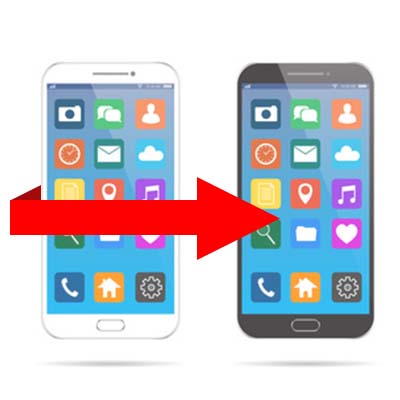
There is little that is more satisfying than obtaining a new phone. However, this sense of satisfaction is often undermined by the need to get your applications and data to ensure that your new device has everything you normally use installed. For this week’s tip, we’ll go over a method of making this process easier on an Android phone.

The first step to ensuring that your Android’s data can be retrieved is to ensure that it is properly backed up and able to be retrieved.

To check, you will need to access Settings, before opening Backup & reset. You will then have to toggle on Back up my data. You’ll then return to previous menu and select Backup & reset. Check that your Android account is the correct one in Backup account. You will then toggle automatic restore to On to be able to restore settings and data associated with the Android account in question.

Now that you’ve enabled Android’s backup service, your personal settings and application data will be saved to Google Drive. Now that the preliminary steps are handled, it’s time to restore your applications and settings to your new phone.

Restoration
Restoring your applications and data is pretty straightforward if you are utilizing the Lollipop-version of the Android OS or above. This setting is available to phones as they’re booting up for the first time, or just after they have been factory reset.

  1. Select the arrow at the welcome screen to start setting up your phone.
  2. Select System language and log into your Wi-Fi network.
  3. Select Accept and continue.
  4. You can then copy your Google accounts, apps, and data from another device. If you choose not to do that, you can then forge ahead by logging in to your Google account.
  5. There will be a privacy statement, press Accept.
  6. Now go to the Google services page. Here you can select to enable the backup service for your account.
  7. Choose all your preferences and select Next.
  8. If you want to add an email account, you can do so in the Add another email section. If you don’t need to do that, just select Not now, then click Next.
  9. You will then have to restore your apps from the “Which device?” menu. You will see all the Android devices that you’ve used. Select the device to see which apps will be available when you restore. If you don’t want everything restored, you can choose the arrow next to the Restore option and select what you’d like to restore and what you’d like to leave off your new device.
  10. Choose which device’s configuration you want to restore from, hit Restore.

After your apps are restored, be sure to enable security for your phone; and, if you so choose, get Google Now for your device.

The Android smartphone is one of today’s most important productivity tools. For more great information about mobile usability and security, give us a call today at 810.230.9455.

Schrdingers_Cat_Lives_Dies_400.jpg

Email Attachments are Schrӧdinger’s New Cat

Schrdingers_Cat_Lives_Dies_400.jpg

Have you ever heard of the physicist Erwin Schrӧdinger? He is most well-known for explaining a paradox related to quantum physics which involves a cat. Even though the theory behind Schrӧdinger’s cat is meant to explain something quite different, it can still be applied to a lot of different concepts. In particular, when explaining email security.

The thought experiment works as follows. The Schrӧdinger’s Cat scenario was created to strike down an interpretation of quantum mechanics that states an object can exist in all states but will revert to just one if it’s observed. As for Schrӧdinger’s experiment, a cat was hypothetically shut in a box with a small amount of radioactive material. This material had about a 50% chance of setting off a geiger counter. In this case, a hammer would smash a container filled with poison, killing the cat. If the Copenhagen interpretation is presumed to be correct, the cat would be both alive and dead until you see which one it really is.

At the time, Schrӧdinger’s cat was designed to challenge the Copenhagen interpretation, but a more modern version of this experiment can be seen in a business email solution. The primary topic associated with this line of thought is email attachments.

Spam and phishing emails are some of the more popular ways that cybercriminals use to spread their influence. The idea of how this ties into Schrӧdinger’s hypothetical cat involves approaching each email as both a normal message and a real threat at the same time. The only issue here is that there’s a lot more at risk with your business’s infrastructure than with a hypothetical scenario (no cats were harmed in the creation of this blog). After all, you don’t want to click on an email attachment unless you’re absolutely sure that it’s not going to cause problems for your organization.

Thankfully, there are ways that your business can protect itself from advanced threats that make their home attached to email messages, especially spam and phishing threats. Preventative measures like antivirus and anti-malware tools are great for keeping threats off of your infrastructure, and spam protection can help remove messages from your inbox before they become a cause for concern.

Your inbox needs to be secure, so why not do it the right way? To get started with network security solutions, call NuTech Services at 810.230.9455 today.

three_phishing_scams_400.jpg

How to Spot Three Forms of Phishing Attacks

three_phishing_scams_400.jpg

One of the crazy things about hackers is that they will do whatever it takes to ensure that they steal as much information and sensitive data as possible. One of the more innovative ways that hackers spread threats is through spam. Unwanted messages have grown from simple annoyances, to the spread of unwanted software and malware, all the way to sophisticated attacks on targeted individuals known as phishing attacks. Do you have ways to secure your business?

Phishing attacks come in various shapes and forms. Here are some of the most common ways that hackers will use elaborate phishing attacks to scam your business, including phone calls, normal emails, and social media.

Phishing Calls
If you receive calls from strange numbers that don’t leave messages, there’s a solid chance that you could be the target of a phishing call. These messages are designed to target specific employees within your organization to coax information out of them. They might try to be from IT support to steal a printer model number, or perhaps they are hoping to steal usernames and passwords. Either way, the point stands that your organization contains lots of information that a scammer finds helpful.

It’s incredibly important that you teach your employees to know the difference between a fake phone call and a real one. Put them through the ringer when they call and try to guarantee their authenticity (or lack thereof). You should always cross-check contact information before giving up any information to anyone. When in doubt, simply don’t give away anything important.

Phishing Emails
While a phishing phone call will be pressuring your staff to make an immediate decision, a phishing email will likely give you more time to decide if you want to hand over information or commit to a decision. Tailor-made and customized phishing messages have risen in popularity with the intention of stealing specific information from a specific user. Often times, phishing emails will convince the user to click on a malicious link or download an attachment.

Implementing a spam filter and employee training exercises can go a long way to secure your company from phishing attacks. However, it’s still important to be able to identify the throwaway signs of spam and phishing. You should look for spelling errors or incorrect grammar, falsified information, and just about anything else that doesn’t necessarily belong. Still, phishing messages have become more elaborate than ever before, so make sure to consult security professionals if you truly can’t tell the difference between a real and fake message.

Phishing Accounts
It’s easy to use social media for bad purposes. Hackers can use them to attack their targets through the identity of someone else. A hacker can take on any identity they want, which makes phishing accounts even more difficult to identify–particularly if they have taken the identity of someone you might know. In general, just try to avoid messages that come out of the blue, and use your previous interactions with the sender to see if they are (or aren’t) who they claim to be.

Overall, just ensure that you approach potential phishing incidents with skepticism. It’s the best way to make sure that your business doesn’t fall to spam and phishing attacks. To learn more about how you can secure your company, reach out to us at 810.230.9455.

secure_browsing_doesnt_private_400.jpg

Tip of the Week: ‘Secure’ Browsing Doesn’t Mean ‘Private’

secure_browsing_doesnt_private_400.jpg

Internet browsers, by in large, provide enough security for the average user to come out unscathed. Nowadays, people deal with many more threats than they once did, but by in large, users stay secure when using today’s most popular browsers. Privacy, however, is a whole different matter.

Nearly every brand of browser offers some of supposedly covert browsing options. Google Chrome has Incognito mode, Microsoft Edge allows you to access the web using “InPrivate” mode, and Apple’s Safari browser also offers users private browsing. Each of these platforms, however, are a would-be nightmare for privacy advocates. For this week’s tip, we will discuss some things you can do to keep yourself private while online.

Privacy in Browsing
Shielding your online identity inside your browser may prevent your browser’s history from tracking your online activity, but your ISP doesn’t have those kind of restrictions. Your ISP is capable of tracking every site you go to no matter what browser you use. Additionally, websites you visit when you are browsing privately, can also track your IP address regardless of your use of private browser settings. Since your path is left unprotected, it leaves your website activity open for inspection.

On that note, it also should be mentioned that no matter what kind of in-browser private setting you use, your employer, who typically owns the network you are working on, can still see what sites you access. For business owners that are serious about lost productivity from employee web surfing, there are solutions to ensure that you control what your workers can see. If you are serious about keeping your web browsing private, your best bet is to use your own virtual private network (VPN).

Virtual Private Browsing
Using a VPN will keep the connection between your system and your destination hidden, allowing you to choose the location you are browsing from. In hiding your connection under the encryption afforded by the VPN, you can get the privacy you need from anywhere on any Internet connection.

For assistance in implementing a VPN for your business’ browsing needs, reach out to NuTech Services at 810.230.9455.

income_tax_calculation_400.jpg

IRS to CPAs – Hackers are Targeting You

income_tax_calculation_400.jpg

The IRS has issued a warning to tax professionals to step up their cyber security to prevent sensitive taxpayer information from being stolen. CPA firms, large and small, are being targeted by hackers and identity thieves, especially during the high traffic tax season.

CPAs collect and store a treasure trove of sensitive information that is deemed valuable to cybercriminals. This includes client contact information, credit card information, and social security numbers. Plus, the bad guys know that even though smaller, local tax professionals might not have as many clients as a nationwide firm, but the chances that their data is easier to get to makes them a viable target.

How easy could it be for someone to steal all of your clients’ sensitive information? Depending on the security you have in place, it could be shockingly simple. All it takes is parking near a CPA firm and finding an exploit to get connected to their Wi-Fi. If proper measures aren’t in place, that is enough to give the criminal carte blanche access to any data that isn’t properly protected. Then they can simply drive up to the next tax professional in town and attempt it again.

If the hacker wants to save on gas, they could also target hundreds of thousands of tax professionals at once with a single mass email. The email could look like a legitimate message from a client or organization, but contain an attachment that installs malware and instantly gives the hacker access to what they want.

The time to protect yourself (and your clients) is now. The IRS is urging tax professionals to encrypt all sensitive data and ensure that their network is equipped with the proper measures to protect data. Educating employees on how to not get baited into fake phishing emails is also critical. NuTech Services can audit your network and help you protect the identities of your clients. Don’t wait. Give us a call today at 810.230.9455 to get started.

Your_IT_Toolkit_Should_Include_a_VPN_400.jpg

Why Your IT Toolkit Should Include a VPN

Your_IT_Toolkit_Should_Include_a_VPN_400.jpg

Have you ever felt like someone was watching you while you’re doing your work from somewhere outside of your business’ infrastructure? If you’re working from a remote location, this situation might not be far from the truth. If you’re not using a private connection, onlookers could see everything that you’re doing or steal data. How can you keep your business secure while working out of the office?

The easiest way to do so is with a virtual private network, or VPN. You might have already heard quite a bit about VPNs thanks to the Federal Communications Commission’s verdict on Net Neutrality. Many users are hoping to take advantage of VPNs to limit the potential issues caused by ISPs selling browsing information to advertising companies, and just in general to protest the ruling. However, VPNs have a very important role in the business world as well, and they are an essential part of securing your organization.

Basically, a VPN works by encrypting your connection to important assets on your company’s network. This data is encrypted while it’s in transit, meaning that even if a hacker could intercept it, they would see nothing but a bunch of jumbled up letters, numbers, and symbols. Encrypted data is often simply useless for hackers as the time needed to crack the code is rarely worth spending. This goes for any data that’s being sent to or sent by your device, meaning that essentially any data that you need to send or receive is protected by military-grade encryption.

Think of it like this; you’re sending a letter to someone, but it’s locked in a box. The box can only be opened by specific users that have the key to it. Therefore, anyone hoping to intercept the box won’t be able to take the contents. Sure, they could steal the box if they want, but without the key, it won’t be of any use.

Overall, a VPN is the best way to keep your business from suffering data leaks or loss altogether. However, you want to ensure that the one you implement is an enterprise-level VPN that is capable of securing all of your business’s devices. If your business is in need of a powerful VPN, NuTech Services can help. To learn more, reach out to us at 810.230.9455.

Spam_avoid_emails_400.jpg

Tip of the Week: How to Avoid Spam Emails

Spam_avoid_emails_400.jpg

Would you just give your bank account information to anyone who called you up and asked for it? Probably not. For the same reason, you wouldn’t just download attachments from your email messages without a second thought. This can be a dangerous practice, as some of the most common threats nowadays spread themselves via unwanted email attachments. It’s important that you can identify when it’s the right time to download an attachment, and when it’s best to just leave it be without exposing your business to unnecessary risk.

First, a little information about why you might be forced to make this decision in the first place. Spam messages are often the easiest way to spread the influence of malware and other threats. It’s simply a fact that you can send one message to countless individuals knowing that at least some of them will be fooled into downloading the attachment, and in turn, downloading all of the nasty things found on it.

For example, ransomware makes its home on workstations due to infected attachments. Your company might receive an unsolicited message from a prospective employee, who has attached their resume for review. Before your HR department knows what’s happening, their files are encrypted due to the attachment actually containing malware from a hacker. Surprise–your organization has fallen victim to a targeted phishing attack, with an infected infrastructure being the fallout.

While your spam filter might flag some of these messages as dangerous, it’s unlikely that the most dangerous ones will be caught in its web. Be wary of messages that claim to be receipts, shipping information, resumes/CVs, and other information that might be important for your organization. Hackers understand this and want to take advantage of that knowledge, which could potentially put your company in a tight spot.

Ultimately, the best way to keep your company safe is by taking a two-pronged approach–educating your employees on the importance of email security, and a technology solution designed to eliminate the majority of spam in the first place. The first can be maintained simply by holding awareness training and actively practicing proper email etiquette. Teach your employees that they should never open attachments from anyone they don’t know, and to always investigate the source of the message before declaring that it’s safe enough.

For the second measure, you can rely on NuTech Services to help you out. Our technicians can hook you up with an enterprise-level spam blocker to keep the majority of dangerous messages from making their way to your inbox in the first place. It’s a great measure that can minimize your employees’ exposure to risky elements. To learn more, reach out to us at 810.230.9455.

mobile_device_workplace_risk_400.jpg

Are Mobile Devices Putting Your Workplace at Risk?

mobile_device_workplace_risk_400.jpg

How many devices find their way into your office every day? In this age of mobile devices, it’s no surprise for each of your employees to have everything from a smartphone or tablet, to wearable technology like a Fitbit. Depending on the type of device, you’ll want to ensure that you have every opportunity to secure it so that it doesn’t become a security problem later on down the road.

The reasoning for doing so is simple; the more devices on your network, the more opportunities that a hacker has to gain entrance to it. If you don’t maintain who can or cannot access your network with specific devices, you could be leaving the backdoor open to any number of threats out there. Therefore, you need to take a multilayered approach to network security for mobile devices, and it all starts with a Bring Your Own Device strategy.

Bring your Own Device, or BYOD, aims to manage the risk of employees bringing their own devices to the office without sacrificing the privilege of doing so. Some of the major features of BYOD are great ways to augment mobile device security for your organization, so here are a couple of them to consider:

Blacklisting and Whitelisting Apps
The apps downloaded to your device have a lot to do with your business’ security. There are apps out there that are known to cause security discrepancies for your organization, so it makes sense that your business has a way to keep undesired apps off of your devices. By blacklisting and whitelisting apps, you can control your devices to an extent, keeping known threats off of smartphones and tablets.

Remote Wiping
Losing a device is a worst-case scenario for a lot of organizations. Not only do you risk the device falling into the hands of someone who refuses to return it, but you also risk the data on the device being compromised. In any case, you should enable the option to remotely wipe any lost, misplaced, or stolen devices so that they can’t be accessed by malicious actors. This way, you preserve the right to protect company data while still allowing employees to use and access their devices.

Let’s start talking about implementing your BYOD policy. NuTech Services can help your organization implement a solution that’s ideal for your specific needs. To learn more, call us today at 810.230.9455.

trustworthy_apps_400.jpg

Are the Apps on Your Device Safe?

trustworthy_apps_400.jpg

It’s difficult to judge whether or not an app can expose your business to risk without first downloading it. Despite their best efforts, Google Play and the iTunes store can’t possibly identify every single malicious application out there. Unfortunately, you’re charged with taking the security of your mobile devices into your own hands, but thanks to Google Play Protect, this responsibility is a bit more mild.

Google Play Protect is a new way to help users protect themselves from dangerous smartphone applications. It’s not necessarily an app on your device, but is instead a feature of the Google Play store itself. It’s found on Google Play Services v.11 or higher. Essentially, Google Play Protect scans your apps in the background and looks for anything sketchy going on behind your back. It can also manually scan your device for threats, as well as improve the detection of harmful apps that haven’t been installed through the Google Play store.

One of the major downfalls of Google Play Protect is that it can’t immediately scan an app that you install. Instead, you have to scan the app before you open it for the first time. We recommend that you always approach any new application with caution long before you download it from the Google Play store.

Even with Google Play Protect handling some of the dirty work behind the scenes to keep your devices safe, there are still measures that you can take to augment its approach. Here are just a few of them.

  • Only download apps from trustworthy sources: You might run into links that allow you to download an app to your device. By default, your device won’t let you download apps from external sources, and this is for a good reason. There is a greater chance that your organization could run into a malicious app while outside of the Google Play store. To be safe, only trust those that you find in the store itself.
  • Be wary of app permissions before downloading: Depending on the app you’re downloading, you might find that apps will require permissions to specific information on your device. An easy giveaway that an app isn’t the most secure is when it’s asking for too many permissions than you’re comfortable with. A great example is a flashlight app–why would it need access to your calls or text messages?
  • Consider Bring Your Own Device (BYOD): If each of your employees has a smartphone, a tablet, and a laptop, that’s three devices per user that are accessing important data. Therefore, it makes sense that in order to minimize risk, you implement some type of BYOD strategy that blacklists apps, remotely wipes compromised devices, and enhances mobile security.

Does your business need a way to ensure mobile security? NuTech Services can hook you up with a great mobile device strategy that can help your organization minimize risk. To learn more, reach out to us at 810.230.9455.

term_encryption_400.jpg

Tech Term: Understanding Encryption

term_encryption_400.jpg

With data security becoming paramount for almost everyone, encryption is one of the more important technology terms you will need to know. Since data security has to be a priority–not just for your business–but for you, understanding what encryption is, and how its used can put you in a better position to understand tomorrow’s security solutions. For this week’s tip, we will take you inside cryptography, and more specifically, data and network encryption.

What is Cryptography?
Simply put, cryptography is the art (or science) of writing or solving written or generated codes. Cryptography is the strategy of using a predefined key to convert data into a format that is indecipherable. Since no entity can view the information without the key, the information secured by encryption is able to be stored and transmitted securely. To decode the message, you need a cipher or a key.

A Short History of Cryptography
As long as there has been human communication, there have been secrets. The first known evidence of the use of cryptography was found carved in hieroglyphics on a wall in Egypt, and has subsequently been used throughout human history to send and receive secret messages.

Centuries later, Julius Caesar was known to use a form of substitution cipher that shifts each letter three spots in the alphabet to encode a message. In fact, there are some that still call this type of cipher a Caesar cipher. The Caesar cipher looks like this:

ib cipher 1

It’s clear that this type of cipher is dependent on the secrecy around the system, not a dedicated key to unlock the cipher. Once the system is known, these basic codes become known almost immediately. In fact, most substitution ciphers can be broken with a simple pad and paper.

This changed in the 16th century when Giovan Battista Bellaso came up with an improvement by using a series of interwoven ciphers. The process was misattributed to Blaise de Vigenère, and has since been referred to as the Vigenère cipher.

Despite all the coded messages sent and received over the centuries, cryptography as we know it has only come into fashion over the past century as technological advancements have facilitated more sophisticated methods of encryption. In the early 20th century, Edward Hebern, while sitting in jail for stealing a horse, came up with a method of encryption using an old typewriter fashioned with a rotor. The purpose was to turn what to the user was a simple Caesar cipher into a Vigenère cipher with the use of Hebern’s two-way rotor machine. A user would push a key and the rotor would provide the corresponding substitution key to decrypt the message. b2ap3_thumbnail_ib_cipher_2.png

If this machine started modern encryption, Enigma changed it forever. Shortly after Hebern’s invention, German engineer Arthur Scherbius innovatively built what was essentially a Hebern device with multiple rotors and called it Enigma. For a decade German naval superiority over mainland Europe had as much to do with their ability to send and receive coded messages as it did to their manufacturing might.

Modern Encryption
When we speak of encryption today, we are just talking about the same type of thing that Hebern and Scherbius were doing: cloaking data to provide privacy or security to the parties involved in the correspondence. Today, data is worth more than ever; as a result businesses are spending more on their encryption solutions.

All businesses collect a fair amount of personally identifiable information (PII). This information includes names, birth dates, Social Security numbers, and financial and medical information. The liability companies have today is immense, as they can (and often are) sued if a customer, employee, or vendor’s PII is stolen and leaked or shared.

The modern business uses several types of encryption. Individual file encryption encrypts specific data; volume encryption secures a container where files and folders can be stored; and, full-disk encryption secures all the information on a computer or server. To ensure that the data is protected from theft, encrypting all the information deemed sensitive should be a priority.

In order for your business’ encryption initiatives to be successful, there are some best practices that users need to know. One is password security. Often the key to your encrypted information is a simple password. In order to mitigate risk and keep encryption working for you, there are some password management tips you should adhere to. Following these will keep your encrypted data, and your business safe. They include:

  • Use passwords with eight characters or more.
  • Use different passwords for different files, computers, and systems.
  • Change your passwords frequently.
  • Utilize upper and lowercase letters, numbers, and symbols in your passwords.
  • Don’t use common words or phrases.
  • Don’t use words spelled backwards, common misspellings, or abbreviations.

More Encryption
Other than your standard protection against the loss of data, there are security solutions that allow you to encrypt communications you have with your customers, staff, and vendors. Email encryption has become an essential business tool. Many of today’s enterprise email solutions come with options to encrypt your messages, keeping communications secure.

Another way encryption is leveraged by the modern business is with the use of a virtual private network (VPN). The VPN offers users who are outside of a network to get an encrypted and secure pathway to share and receive files from a centralized server. Remote file exchange is important for many businesses, and the use of VPNs can go a long way toward quelling the risks inherent in this process.

Types of Encryption Finally, understanding what types of encryption there are can help you understand what position your organization is in, in regards to file, server, and communication security. The types of encryption used today include:

  • Triple DES – Designed as a replacement to the single Data Encryption Standard (DES) that doesn’t hold up against the tools modern hackers have. Triple DES uses three individual keys with 56 bits each, which in total adds up to 168 bits, however experts place it closer to 112 bits of key strength.
  • RSA – RSA is a public-key encryption algorithm and is currently the standard for secure transmission of data over the Internet. Since it uses two keys, a public key to encrypt it and a secure private key to decrypt it, it makes it very difficult for hackers to decipher.
  • Blowfish – Designed to replace DES, Blowfish is a symmetric cipher that splits messages into blocks of 64 bits and encrypts them individually. As a result, it is extraordinarily secure and often used in e-commerce platforms and password managers.
  • Twofish – The developer of Blowfish has released Twofish as a faster option that makes it a perfect encryption tool for hardware and software systems.
  • AES – Available in 128-bit, 192-bit, and 256-bit options, the Advanced Encryption Standard is basically uncrackable. Used by governments and other organizations that deal in extraordinarily sensitive information, AES has begun to become the standard in encryption due to its impenetrable record.

Data security is more important today than ever. At NuTech Services, our knowledgeable technicians can help your organization come up with data and network security plan that is sure to keep your data safe, and keep your business running efficiently. To learn more, don’t hesitate to call us today at 810.230.9455.

cisco_bug_400.jpg

Cisco Bug Ranks as One of the Worst

cisco_bug_400.jpg

A new exploit is making the rounds in the security environment, and this time, it affects virtual private networks. According to Cisco, the flaw affects its Adaptive Security Appliance (ASA) tool, and it should be patched as quickly as possible. If you don’t do so, your organization could be subject to remote code exploitation as a result of this vulnerability.

Cisco has showcased that the VPN bug can essentially allow hackers to infiltrate their security devices using the ASA operating system. The vulnerability is found in the Secure Sockets Layer (SSL) and can, according to Cisco, “allow an unauthenticated, remote attacker to cause a reload of the affected system or to remotely execute code.” What does this mean in plain English? In theory, an attacker could take complete and total control over a system (a considerable threat for any organization, especially considering the ramifications from a physical security standpoint). This vulnerability is so dangerous that it has earned a 10-out-of-10 on the Common Vulnerability Score System, taking its place among the upper echelon of major vulnerabilities.

While the vulnerability is only allowed if WebVPN is enabled, it’s still a major threat that you don’t want to overlook. According to ZDNet, here are some of the devices that are affected by this vulnerability:

  • 3000 Series Industrial Security Appliance (ISA)
  • ASA 5500 Series Adaptive Security Appliances
  • ASA 5500-X Series Next-Generation Firewalls
  • ASA Services Module for Cisco Catalyst 6500 Series Switches and Cisco 7600 Series Routers
  • ASA 1000V Cloud Firewall
  • Adaptive Security Virtual Appliance (ASAv)
  • Firepower 2100 Series Security Appliance
  • Firepower 4110 Security Appliance
  • Firepower 9300 ASA Security Module
  • Firepower Threat Defense Software (FTD).

At its time of discovery, the bug was not being exploited in the wild, but Cisco has been made aware of attempts to leverage of the vulnerability. Since the announcement, the vulnerability has been spotted in the wild, and the initial patch that Cisco implemented to combat this vulnerability proved to insufficient, as there were additional features and attack vectors that were not identified until later.

Cisco has released an updated patch for this vulnerability, so you need to implement it if you don’t want to take a needless risk, and endanger your network and data. It’s a good rule of thumb to never let known vulnerabilities linger too long, as you could be placing your business in harm’s way.

It’s incredibly important that your business be mindful of not just these vulnerabilities, but all vulnerabilities found in critical business software and hardware. This Cisco bug isn’t the first software vulnerability to be found, and it certainly won’t be the last. Hackers are always working to undermine the efforts of developers who are trying to keep their software as secure as possible. It’s up to you to ensure your organization isn’t exposing itself to threats by neglecting patches and security updates.

NuTech Services can help your organization ensure that patches and updates are applied as needed. We can do this remotely in most cases, without the need for an on-site visit. It’s a great way to get more value out of your business’ technology without sacrificing security. To learn more about how you can make technology work for you, reach out to us at 810.230.9455.

sign_digitally_400.jpg

A Brief Dive into Digital Signatures

sign_digitally_400.jpg

Think for a minute the power a signature has. Signatures have started and ended wars, they have committed whole nations of people to rule of law, and they are attached to birth and death. For the individual, the signature is one of the most powerful possessions. You can use it to acquire money, property, and transportation. You use it to enter agreements and to end agreements. With so much importance squarely focused on the signature, it seems curious how people today are now signing documents digitally; but, with the security behind this solution, people won’t have to be on hand to sign with theirs.
Nowadays, businesses often choose to utilize electronic documents to reduce printing costs, and to provide remote workers the ability to sign mandatory documents without the need for postage or travel. Besides, more businesses are attempting to go paperless and do away with their bulky filing cabinets, ensuring that finding documents is an easier task.

Up until recently, if something was to be signed “electronically” it would still have to be printed out, signed, and returned to the organization that needed the signature, either by mail, or by scanning the document after a signature was completed. Now things have progressed to the point where many PDF editing software titles provide a perfect solution to this problem through their digital signature features.

Understanding the Digital Signature
Since official documents aren’t worth much without a signature, it was important for people to develop a way to sign documents remotely, since people can’t always be in the same place all the time. The old print, sign, and scan method may as well be called the print, sign, and scam method. It would be simple for people to forge the signature onto an important document, setting in motion a series of unfortunate events.

PDF software mitigates this risk since a digital signature is more than a graphical representation of a signature. It is rooted in cryptography, the same technology that protects nearly every secure transaction that happens over the Internet. It works like this: the digital signature uses digital keys to confirm the attachment of your identity to the document that is being signed. In fact, these encrypted digital signatures are far more difficult to forge than a typical paper document as long as the keys that were used to create the field are kept secure.

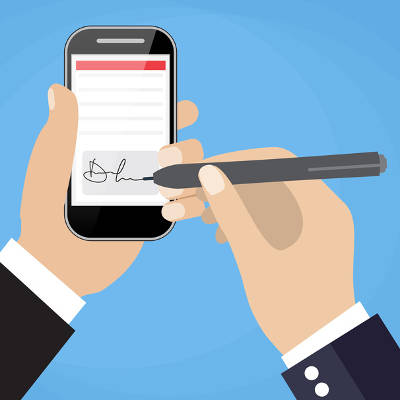
Just as a physical signature, inside a digital signature solution, you will see the graphical representation of your signature, a common name of your choosing, the location where you signed the document from, and of course, a time stamp displaying the date and time you applied the signature to the file.

Not all PDF software solutions provide the full variety of features needed to create digital signatures. Without one, however, your organization will be less flexible, and as a result, move slower than it would with a dedicated electronic signature solution. By pairing the features the modern PDF program has with an electronic signature, it will cut down on postage and printing costs and help your business move faster.

For more information about digital signatures, contact our IT professionals at 810.230.9455 today.