browser_comparison_400.jpg

Tip of the Week: Browser Security 2018

browser_comparison_400.jpg

The Internet browser is one of the most utilized applications on most computers. With so many complex and aggressive issues popping up on the Internet it would be useful to know which of today’s most utilized browsers are best at keeping your computing network free from threats. Today we will take a look at each of the five most utilized web browsers to find out which is the most reliable and secure for your business to use.

What Risks Do You Face?
The risks are numerous and unrelenting. Around every corner on the Internet there are muggers with knives looking to take your stuff. The good news is that for many of the threats present, there are solutions to a lot of them–pretty much as soon as they are discovered. The Internet security community has leveraged this constant attention into immense profits. According to an article in Forbes, the cybersecurity industry is growing rapidly and is expected to be worth $170 billion by 2020, with a good portion of growth dependent on the ever-present Internet of Things.

To get a good idea about what kind of threats you face, all you need to do is take a look at the cybersecurity markets.There are cybersecurity markets for gadgets, appliances, cars, and more. There is cybersecurity insurance. PricewaterhouseCoopers has forecasted a $7.5 billion market for data insurance to come to fruition by 2020.

Four of the largest banking institutions in the world, J.P. Morgan Chase, Bank of America, Citigroup, and Wells Fargo spend upwards of $1.5 billion on cybersecurity annually. If the least risk-averse people in the world are spending a fortune, you know what you are up against. These organizations have seen companies decimated by cybersecurity lapses and understand the risk; something you and your business should consider a sign that it’s time to do something about protecting the people that depend on you against the rogue actors who breach and roam around computing networks like yours and take what they please.

Small Business Browsing
You’d think that in the context of a small business’ computing, they wouldn’t need the protection that global banking institutions do, but with all the risks that are there, there has to be some attention paid to the issue and some investment in understanding how to mitigate those risks that are laid on your organization by constant threats from the web. The good news is that most of what you need to do is attainable by simply understanding how the web works, and through the use of a secure Internet browser.

The most well-known, and most utilized, Internet browsers include: Google Chrome (56.3%), Apple’s Safari (14.5%), Mozilla Firefox (5.7%), with other browsers making up for less than 5% including Microsoft Edge/Internet Explorer, Opera and others. Any Internet browser worth its salt will do a great deal to keep users’ computers and networks from being maligned by malware and other problems.

This is accomplished by producing secure connections. In the browser, any website identified with the protocol “https://” has a secure connection. This connection encrypts the data that is sent and received through the browser to keep any transmission of data on that site from being intercepted, stolen, or leaked. This allows data to be protected during interchange providing a semblance of privacy. Since the two components every secure connection requires are privacy and identification, this encryption starts things off pretty well.

Since the typical connection between the Internet browser and any server it is cooperating with is initially short on security, websites rely on secure connections through the use of digital certificates in order to know exactly who a website is owned and run by to establish a trustworthiness of the Internet browser.

Google Chrome
Google Chrome, long known for its reliability and popularity, sports the most powerful sandbox of any of the major browsers. A sandbox is an isolated environment that attempts to keep the Internet contained, and thus away from your network or computer. Google has the fastest response time to security vulnerabilities, but with the use of “Chrome apps”, weaknesses begin to present themselves. If you stick to the browser itself, you are looking at the most secure of the major Internet browsers.

The issue of privacy, however, makes Chrome tricky to get a hold on. Google, after all, has built an empire by knowing things about its users. This lack of privacy, even if it just results in you having more advertisements targeting you than before, is disconcerting to some and can be seen as a necessary evil for using Google’s browser.

Mozilla Firefox
Firefox is getting old. Since Firefox doesn’t utilize the sandbox technology, it doesn’t have the buffer between the user and the web that most browsers have. Firefox has a problem with their JavaScript plugins sharing the same namespace, which exposes all plugins to potential attack by any malicious plugin. In order to get the most out of Firefox, you have to understand and practice safe browsing habits, and aren’t installing plugins from developers you don’t trust.

Privacy, however has been Firefox’s strength from day one. Mozilla collects very little data and does not trade information on its users; and, remains the only of the major browsers that is open sourced. This allows users to open up the source code to see exactly what is going on.

Apple’s Safari
Apple’s browser is limited to just Apple products after attempting, and failing, to move the browser over to the PC. Safari is known for developing and releasing patches fast, and as a secure browsing experience because the risks were just not as prevalent for devices running macOS or iOS as they were for those that run Windows.

Like Chrome, and the Microsoft browsers we will mention later, user privacy isn’t on the list of priorities for Apple. While a lack of privacy could be looked upon as a positive characteristic of a browser (as more transparency helps develop bug fixes faster), if you are running a Mac OS, sticking with Safari is your best bet.

Opera
Opera is the oldest Internet browser on this list. Having gone through a major overhaul in 2013, Opera replaces their proprietary engine to go with Chromium, the same engine used by Google’s Chrome browser (and others). As far as security goes, Opera has a lot going for it. Having a small percentage of the market share is a major one (one their developers would gladly shed), as this kind of security through obscurity keeps threats to a minimum. Despite using the same browser engine as Chrome, Opera doesn’t support browser apps, limiting its already minimal exposure.

Privacy in Opera is much like Firefox’s. They have a very conservative data collection policy which despite the software not being open sourced, does present users with privacy concerns some peace of mind.

Microsoft Edge and Internet Explorer
Microsoft’s browser was once the predominant one in use. Today their market share has dwindled into the single digits, with the “new” Edge browser still gaining traction. Internet Explorer is barely being supported any longer, so it’s best to avoid that software at all costs, but Edge seems to be just a scaled down IE that doesn’t support ActiveX technology or Browser Helper Objects. It has its own limited set of in-browser apps that give people looking to infiltrate the browser more access points.

Privacy in Microsoft’s browsers is non-existent as Microsoft has a history of collecting everything. There are options to make it less transparent, but users should be happy the Edge isn’t IE.

No matter what browser you use, you have to be cognizant of sharing data you don’t want others to see. Understanding what your responsibilities are will go a long way toward keeping your data and network safe from security threats. For more information about Internet browser security and privacy, or to discuss your organization’s general network security, call NuTech Services today at 810.230.9455.
internet_of_thing_blue_400.jpg

The IoT Can Be Very Useful, but Also Risky

internet_of_thing_blue_400.jpg

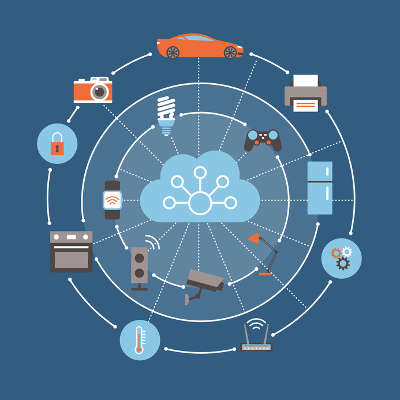
You might be surprised to hear how the scope of the Internet of Things has increased over the past few years. These connected devices are all over the place. In order to ensure that your business isn’t affected in a negative way by these IoT devices, you’ll need to consider the many risks and how you will respond to them.

What is an IoT Device?
Essentially, any device that connects directly to the Internet or sends data to and from the Internet through another device is considered an IoT device. A smartwatch that connects to Wi-Fi, or a fitness tracker that shares data fall into this realm. From smart appliances, like Amazon’s Alexa and Google Home, to Internet-connected coffee machines are all Internet of Things devices. While the data they share might not always be extremely sensitive, they could open up other ways for your sensitive data to be reached.

Ask yourself – does this device connect to the Internet or network in some way? If so, it doesn’t mean it is a risk, but it does need attention.

What are You Risking?
When you’re putting together your business’ policies regarding the IoT, you should consider what assets you’re willing to leave vulnerable. It essentially boils down to what you’re willing to let your employees access. If your employees have access to a lot of data, you’re increasing the risk involved with IoT devices in the office. In much the same way, you can control how much data is at risk by limiting which employees can access it. It’s a great way to ensure that the Internet of Things poses a minimal threat to your business and its data.

On the other hand, it’s important to remember that IoT devices will still pose a threat in some way, simply due to the amount of them. There will always be too many factors to take into account to guarantee safety from any and all devices. Therefore, you should consider as many as feasibly possible. The data’s sensitivity is chief among these considerations, as well as the employee’s particular role within your organization. If they are mostly separated from confidential or sensitive data, then perhaps they can use basic IoT capabilities with little consequence. Granted, this assumption varies between industries, so be sure to make it clear what you expect from your staff in your employee handbook.

Train and Prepare Your Staff
Security isn’t something that can only come from one employee–rather, it “takes a village,” so to speak, and everyone must be mindful of security practices. This is incredibly important for the Internet of Things, but everyone needs to be on board–not just management or leadership. All employees need to be aware of the cybersecurity policies used by your company, as well as the various risks associated with the Internet of Things. Plus, it never hurts to be aware of even the most benign warning signs of common security threats.

Lead by Example
If you want your employees to prioritize security for your workplace, start by taking the first steps yourself. After all, you can’t expect your employees to do something that you yourself don’t do. Management should be able to set an example for their workforce, and this is how the IoT is prepared for most effectively.

Is your business utilizing any IoT devices? NuTech Services can help your business prepare for this connected technology revolution. To learn more, reach out to us at 810.230.9455.

new_tech_ces_2018_400.jpg

Are You Intrigued By the Tech of CES 2018?

new_tech_ces_2018_400.jpg

CES 2018 introduced the world to some downright interesting (and some absurd) electronics. The Consumer Electronics Show gives the technology industry just the outlet to showcase the best and brightest of what manufacturers have to offer. Here are some of the more interesting highlights from Las Vegas, Nevada.

The Interesting
In case your home television system isn’t big enough already, Samsung introduced the world to “The Wall,” a television that measures 146-inches diagonally. It uses technology similar to those used by scoreboards at sporting events, scaled down to meet the size of the screen. The Wall still has some challenges facing it, but if anyone can overcome them, it’s Samsung.

Another technology that has recently seen an increase in popularity is voice-responsive tech and connected homes. Amazon’s Alexa device was a huge hit at CES, but perhaps the most notable benefit of it is the sheer number of applications and services that can be used through voice commands. Even more services have been offered this year, which makes Alexa an interesting and valuable voice companion for everyday life.

Finally, there was a technology created with the intent of helping older generations. ElliQ is a digital companion that can help meet the needs of older users. ElliQ can remind users of upcoming appointments or allow them to hold conversations with them.

The Practical
One of the more practical uses of technology in the consumer technology market is fitness. As such, CES had a showcase where the best of fitness technology was on full display. Peloton, known for its connected indoor cycles that stream fitness classes, introduced a new treadmill that allows the user to view pre-recorded classes or live classes. This device, called the Peloton Tread, features many fitness classes and some other strength/circuit classes as well.

Taking the concept of fitness one step further is the Spire Swim Tracker, the first smart swimsuit. This automatically measures your swimming metrics. It then connects to the swim.com app, where the user can view the information. Furthermore, you don’t even have to charge the tracking tag, as it is purposely designed so that it lasts longer than the suit.

Finally, virtual reality is making a splash in the fitness community. Black Box gyms will soon have VR capabilities that can make going to the gym a bit more interesting. Basically, it turns something like a resistance workout and transforms it into a video game, allowing for an entertaining and satisfying 30-minute workout.

The Strange
Some of the devices introduced at CES 2018 were a little unorthodox or designed for a specific audience. For example, the device Keen allows for an inertial measurement to help those with bad posture better their bad habits. It basically lets users kick bad habits in due time. Another interesting technology was Moodo, which allows you to use a diffuser to throw scents into the air via a smartphone app. Other gadgets, like the self-driving store and a ping-pong-playing robot, also made appearances at CES, but one of the weirdest was the Somnox Sleep Robot, a device that is basically a glorified body pillow that simulates breathing and helps users fall asleep.

What are some of the devices that you would like to see at future CES conferences? Let us know in the comments.

cloud_storage_vs_local_400.jpg

Tip of the Week: Which Storage is Better for Your Needs?

cloud_storage_vs_local_400.jpg

Keeping your company’s data safe is extremely important no matter where it is stored. Making the decision to store data in the cloud or in an in-house server is just one consideration you need to make. Today, we will compare these two options to help you select the one is right for your business.

Cloud Storage
There are many advantages to using the cloud for backup and storage. Firstly, the platform is cost-effective because not only are you likely paying for only the space and services that you need, you also don’t have the extra utility and maintenance costs that onsite hardware tends to come with.

Another benefit is the scalability that you can get in the cloud. You can always get just the amount of space and computing services that you need, which is not something that you can expect in the case of an in-house computing platform. By being able to increase and decrease space as needed, all you’ll need to do is notify your service provider, and they will increase or decrease your storage space accordingly.

With cloud-based storage, you also typically improve on your accessibility. Any data stored in a cloud-based storage facility can be accessed through most Internet-connected devices that run an Internet browser (or through an app). Just log into your account and gain access to all the information you need when you need it.

Depending on your business needs, some of the few disadvantages cloud storage brings may not even impact your decision. The big one is speed. If you have a lot of data to store, and your Internet connection is less than stellar, backing up or transferring data to the cloud provider could take a while.

Local Storage
Speed is the one main advantage of storing your data locally, but there are some others. Businesses that rely on in-house computing infrastructures have more options than those that use cloud-hosted solutions–especially since you can just unhook the drive and the data is protected.

By having complete control over the management and design of your in-house computing infrastructure, you can create some pretty useful setups that will save your business money. Not only can you set up multiple virtual machines on one server, you can have full-scale redundancy to protect all of the information on your systems.

Some downsides include the upfront expense of purchasing all the major hardware and software systems needed. Scalability is more difficult, and most damning, if your data is saved, backed up, and protected in one place, if that one place gets hit with any issues, your data could be inaccessible, or worse yet, destroyed altogether.

While you have to make decisions for your business, depending on NuTech Services to help you make the right ones is advisable. Call us today at 810.230.9455 and one of our professional IT experts will help you design and implement a storage plan to meet your business’ needs.

project_management_outsourced_400.jpg

Skills that Your Project Manager Should Have

project_management_outsourced_400.jpg

One of the keys to launching any sort of technology initiative is to have a skilled IT project manager at the helm. As such, it is important to keep certain high standards in mind as you find someone to act in that capacity for your business. Today, we’ll review a few key traits that your IT project manager should exhibit.

Respect for ROI
Any decision made in a business, whether or not it pertains to IT, is largely informed by the likelihood that return on investment, or ROI, that the business could potentially see is promising enough that it makes he decided-upon action worth it. A quality IT project manager should have the ability to estimate the ROI of a proposed project well enough to judge if the return is worth the anticipated investment. The project manager you bring in should know to question if the change will help to increase operational efficiency or profits, and be able to determine that based on situational analysis.

Problem-Solving
An analytical mind should be a prerequisite in your search for a project manager. The ideal candidate will have considerable insight into IT systems and how they operate, from physical hardware and networking components to software solutions and cloud-based applications, and the ability to predict and mitigate obstacles to the end goal. Keep an eye out for candidates who can take all of these considerations into account and develop a best-fit approach for your business’ needs.

Loquacious with Laymen
If all of your employees had the same knowledge and insight concerning your IT projects as your IT project manager did, there wouldn’t be a need for a project manager in the first place. As a result, your project manager will likely need to discuss technical aspects of a project with non-technical business members. This will require the ability to translate the technologies that are implemented in such a way that you and your other employees are able to grasp the benefits and tradeoffs that each solution offers.

Be Decisive
There’s a natural inclination to resist change, especially in the workplace, even more so when these changes are going to put restrictions on employees. However, the IT project manager is the one responsible to put these changes into place, pushing against that resistance. Sometimes that may take the form of blocking access to social media sites through a content filter, or deciding to cancel an IT project if it doesn’t generate the return on investment that it needs to. Whatever the situation, a project manager needs to be able to make the tough calls and form a decision based on all information available.

If your company is in need of the services that a project manager can provide, NuTech Services is here to offer support. Call 810.230.9455 to learn more about how our team can help you reach IT success.

RMM_automated_400.jpg

Preventing Issues is Easier with Remote Monitoring and Management

RMM_automated_400.jpg

Do you know who manages and maintains your business’ technology? In most cases, it will be either a small in-house IT department or technical individual, but often times small businesses simply don’t have the assets to throw around on this. More importantly, they often ignore technology maintenance, either because they can’t afford it, or there’s nobody to do the work.

This shortcoming brought about a shift in the way small businesses approach technology management. An internal IT department is certainly one way to resolve this issue, but not all companies can afford to hire dedicated personnel for this purpose. The natural course of action became to outsource the responsibility to a third party, but the way that it’s outsourced can have a considerable impact on how much value is received from the relationship.

For example, if you only respond to issues but do nothing to prevent them in the long run, you will end up spending too much on repetitive repair costs. Conversely, if you take an active role in the prevention of IT issues, you save money by minimizing the damage done by potentially catastrophic problems. Ultimately, your organization stands much to gain from keeping small issues from evolving into major problems, and the best way to do so is by implementing an automated remote monitoring and management solution from NuTech Services.

Remote monitoring and management, or RMM for short, is a tool that allows managed service providers like NuTech Services to take care of your technology solutions without being in your office. For example, we can monitor your business’ network for any security discrepancies or weaknesses in your infrastructure. We can remotely deploy patches and security updates to ensure that your systems are protected.

Considering how this type of solution requires very little hands-on work from your in-house team, it almost counts as an automated solution all its own. We can resolve the majority of issues with your infrastructure without an on-site visit, which lets your business save a considerable amount of capital without paying for traveling costs or other expenditures. It also makes for a much more convenient way of getting the management and maintenance that your network needs, as you won’t have to wait–we’ll administer service according to your service level agreement, and we can do it without taking up any of your staff’s time with an in-house visit.

Granted, some problems will need an on-site visit, but we generally try to keep those to a minimum. We’re all about making sure that your company has the most convenient experience possible with NuTech Services’s services. To learn more, or ask us about our remote maintenance and management solution, reach out to us at 810.230.9455.

medical_records_digital_400.jpg

Tip of the Week: Do You Know How to Protect Medical Data?

medical_records_digital_400.jpg

Businesses that work with medical data are in a tricky situation, as the slightest issue with security could place considerable risk on storing this data. If you’re not careful, you could be putting your business at risk. With the compliance issues that have to be regarded, the security of any medical data you store on your infrastructure has to be made a priority. How can you minimize the risk of storing this data without compromising your business’ effectiveness?

Compliance regulations, like the Health Insurance Portability and Accountability Act (HIPAA), will make things a bit more difficult for your business. However, your business shouldn’t be hit too hard if you’re being mindful of the regulations while planning how you store medical records and other sensitive information. Here are some tips to help you keep your business as secure as possible.

Encryption is Key
The strange thing about HIPAA is that it doesn’t necessarily require that your business have data encryption implemented. Considering how much it helps in the event of a data breach, it’s ludicrous to think that it’s not required at all. Encryption essentially scrambles data so that you need an encryption key in order to view it properly. This makes any stolen data practically useless, as military-grade encryption is incredibly tough to crack by your average hacker.

Implement Comprehensive Security Solutions
More often than not, it’s better to stop attacks from happening before they infect your infrastructure rather than respond to them afterward. You can do this by implementing a Unified Threat Management solution, which includes a firewall, antivirus, content filter, and spam protection to minimize the security threats of your company at all times. These preventative measures don’t necessarily guarantee immunity to threats and hackers, but they significantly reduce the chances that you’ll suffer from them.

Limit Access Based on User Roles
The more users have access to certain data, the more threats can potentially access that specific data. Think about it this way; if you have 10 computers on your network, any one of those computers can be used to infiltrate your network. However, it’s unlikely that all 10 of the users also need the same privileges to access important data. You can keep specific data safe by limiting the number of users who have access to it.

Does your business utilize medical records or other sensitive information? Your company could be at risk of being fined due to compliance regulations. To find out how your business fares regarding data compliance, reach out to NuTech Services at 810.230.9455. We can work with you to ensure that you’re being as proactive as you need to be to ensure your data is secure.
block_chain_400.jpg

Blockchain is for More Than Cryptocurrency

block_chain_400.jpg

If you’ve heard of blockchain recently, there’s a pretty good chance it was in reference to cryptocurrency. With Bitcoin reaching record levels in December, the idea of using blockchain technology to develop digital currency was on a lot of people’s minds. However, the blockchain has a variety of other practical uses.

Content Management
In a world with an increasingly global economy that relies more and more on digital communications, it can be difficult for a content creator of any kind to ensure that their ownership is being respected. After all, there is little that is easier than copying something that is found online and reproducing it without recognizing its creator, let alone reimbursing them.

Blockchain technology can soon help to change that. Many companies have been developing blockchain tools to help protect content creators and their copyrights. From ensuring that proper attribution is preserved in content, to simplifying payments, all the way to proving who created content in the first place, the blockchain will likely soon be a common way of protecting content creators’ intellectual property while allowing them to share out their content.

Healthcare
With so much sensitive, personally identifiable information being necessary in the healthcare field, the privacy afforded by blockchain technology is a natural fit. This is especially true by merit of blockchain’s utility as a concrete record.

As a result, patients may soon find that their personal medical history is more protected than ever, with the risk of any document being lost eliminated once it is incorporated into the blockchain. Any physician that was granted access could update a patient’s complete medical history, whether or not the patient was in-network, allowing for improved record-keeping and thereby better-informed care.

Audit Trails
The blockchain itself can be considered a database, albeit one that keeps a complete record of any changes made to its contents. As a result, it can serve as an excellent means of tracking audit trails.

Through the blockchain, the progress of work (or even the shipment of materials) can be mapped out and monitored. This way, if there is ever an issue or error made, it is easier to identify where and why things went wrong. In turn, it is then easier to resolve these issues. Furthermore, the data within the documents stored in the blockchain gives details on when, and by whom, the documents were added.

This is useful when an organization needs to keep a concrete record of their documentation and the actions they have taken.

Secure Voting
Regardless of your views on the prevalence of voter fraud and other such concerns, the idea of making the voting process more secure only makes sense. As you’ve probably guessed, the blockchain has the potential to do so. By preserving voting results in the blockchain, they are safe from any tampering, which means that the results can be trusted as reliable.

While cryptocurrency may be the most exciting part of blockchain technology, there are many more practical uses. What do you think? Let us know in the comments.

typewriter_with_mouse_400.jpg

CES 2018 Showcases Upcoming Technology

typewriter_with_mouse_400.jpg

If there is one thing you know about technology, it’s that it meets its demand. No matter if you are talking about the millions of Internet of Things products being created today, video games and entertainment, or business tech, demand drives the technology market.

The results of this demand were presented at the 2018 International Consumer Electronics Show, an event that took place from January 7th to the 12th in Las Vegas, Nevada. While the focus was admittedly directed toward consumer products, there were quite a few technologies present that could prove impactful to the business realm.

Perhaps most impactful to businesses was the continued discussion surrounding 5G wireless connectivity. Already discussed at length at CES 2017, 5G could prove to be of significant benefit to businesses that rely on cloud-based applications and wireless devices. Wireless carriers, including AT&T and Verizon, have plans to incorporate 5G in some markets by the end of 2018.

However, the question remains how much hardware will be able to support 5G connectivity in the coming year, and how quickly the term ‘5G’ will be adopted to describe something it isn’t.

There was also interesting news concerning laptops, even with the recent discovery of Spectre and Meltdown, the chip vulnerabilities that affect almost every single computing and mobile device in existence. Despite this setback, there was a noticeable trend in the laptops displayed at the event leaning more heavily on the kind of technology one would find in a mobile device. As a result, these devices could boast faster operating speeds.

Not everything at CES made very much sense, however. London-based Planet Computers launched the Gemini, an Android-powered mobile device that basically functions as a miniature clamshell laptop. While it is an effective device for what it does, it doesn’t make much sense in the business setting–but it may be an option for someone who often needs to take business on the road.

Overall, events like these just go to show that even if a device is labelled as a consumer product, it may just have a place in a business setting. Even if it doesn’t, it may inspire the development of a similar device that is more focused on a business user’s needs.

What would you like to see developed in 2018? Let us know in the comments, and make sure to subscribe to our blog!

internet_of_things_all_connected_400.jpg

Tip of the Week: The Internet of Things Poses Threats to Your Organization’s Network

internet_of_things_all_connected_400.jpg

The Internet of Things has become one of the central parts of connectivity in a tech-centric world. Despite the incredible convenience that these devices offer to users, they come with considerable security risks that absolutely need to be kept in mind. We’re going to discuss some of the ways you can keep the IoT from being a security hazard while optimizing how much you get out of it.

Does the Device Need Connectivity?
The first question you should ask about your IoT device is if it actually needs to be connected or not. The reason for this is simple; the more connected devices on your company’s network, the more risk will be involved with your network. Certain IoT devices could be leveraged by hackers and other dangerous entities to spy on you, steal your data, or track your current location. If the device is worth the risk, you could potentially take advantage of great services that you might otherwise not get. If it’s not worth it, though, perhaps you’re better off not using the device. If the device is that of an employee, you should ask them to leave it disconnected during the day.

Have You Optimized Security?
In any environment where you’re using an IoT device, you need to make sure that security is at the top of its game. Ensure that all of your firmware is updated, as well as any security patches to fix any major vulnerabilities that might be present on your network have been applied. To make things easier, this process can largely be automated. You should also consider investigating your router to make sure that it’s updated properly as well.

It is also worth mentioning that your router may support guest networking, which means that you can use this capability to protect your business network from the risks of the IoT. By relegating IoT devices to the guest network, you can protect the business side of things from potential issues.

Passwords are a great way to make sure that security is at its maximum. You should never reuse passwords for devices or accounts. If these guidelines are followed, you’ll have easier time keeping your accounts from being compromised.

Make Sure Your Devices Are Maintained and Monitored
Your business should have practices put into place that promote transparency with the ongoing use of Internet of Things devices. For example, you should be monitoring user permissions.

Most of your IoT device issues can be resolved just by asking yourself one simple question: Do you even need the devices in the office? If not, they shouldn’t be there.

If your business needs help with managing devices in the workplace, reach out to NuTech Services at 810.230.9455.
keyboard_gavel_400.jpg

Perpetrators of Three Major Cyber Crimes Have Pled Guilty

keyboard_gavel_400.jpg

Every so often, it’s nice to hear about when the good guys win and cybercriminals get their comeuppance. Three such cybercriminals have entered guilty pleas to charges related to major cybersecurity events.

Mirai
Mirai was a malware strain that creates a botnet out of enslaved Internet of Things devices. By leveraging the resources of these IoT devices, Mirai took down networks and websites. 20 and 21-year-olds Josiah White and Paras Jha have pled guilty for developing and leveraging Mirai.

The duo were co-founders of Protraf Solutions LLC, a company that would mitigate DDoS attacks. Their business model was to sell their solutions to their DDoS victims, or use the DDoS attack the old-fashioned way: as a means of collecting ill-gotten monies from those desperate enough to pay them to stop the attack. Along with 21-year-old Dalton Norman, White and Jha also used Mirai to power a click fraud scheme that net them about 200 Bitcoin, Norman alone netting 30.

Mirai ultimately went on to power one of the biggest attacks the world has ever seen, using IoT devices to take down Dyn, causing many major websites to go down.

Ultimately, the three young malware developers were each charged with click fraud conspiracy, earning each a $250,000 fine and a stay of up to five years in prison. Jha and White plead guilty to conspiracy charges for writing and using Mirai and were each sentenced to an additional 5 years in prison and $250,000 fine, as well as three years of supervised release.

NSA Data
An employee of the National Security Agency, Nghia Hoang Pho, pled guilty on December 17, 2017, to a charge of “willful retention of national defense information.” According to the United States Justice Department, Pho was hired in 2006 as a developer for the Tailored Access Operations unit. The Tailored Access Operations unit, or TAO unit, creates specialized hacking tools that are used to collect data from the information systems used by overseas targets.

Between 2010 and March of 2015, Pho removed classified data and stored it on his home computer, which utilized antivirus software from Kaspersky Lab. Kaspersky Lab is suspected of having been exploited by Russian hackers to steal documents, perhaps including the ones Pho removed and saved at home.

The United States Department of Homeland Security has since issued a directive that bans the use of Kaspersky software in federal agencies. Pho could face up to 10 years in prison and is scheduled for sentencing on April 6.

Yahoo
One of four men who faced indictment in March of 2017 has pled guilty to hacking into Yahoo and exposing the usernames, passwords, and account information for essentially every Yahoo user, with the number of victims counting to about one billion.

22-year-old Karim Baratov, a Canadian, has been charged with working for two members of the Federal Security Service of the Russian Federation. In his work for the FSB, Baratov hacked into 80 accounts, as well as a total of over 11,000 webmail accounts since 2010. Baratov also provided hacking services that enabled access to accounts with Google, Yahoo, and Yandex, via the use of spear-phishing through custom content and a malicious link.

For his activities, Baratov has pled guilty to a total of nine counts. One count, for aggravated identity theft, has a mandatory sentence of two years, while each of the other eight counts could net him 10 years in jail and a fine of $250,000. However, the federal sentencing guidelines established in the United States could reduce the final sentence considerably.

While it is nice to see those responsible for cybercrime paying their dues, it is even better for certain cybercrimes to be prevented in the first place. NuTech Services can help your business with that. Call us at 810.230.9455.

computer_graveyard_ewaste_400.jpg

Upgrading Your Technology? Be Careful of What You Do with the Old

computer_graveyard_ewaste_400.jpg

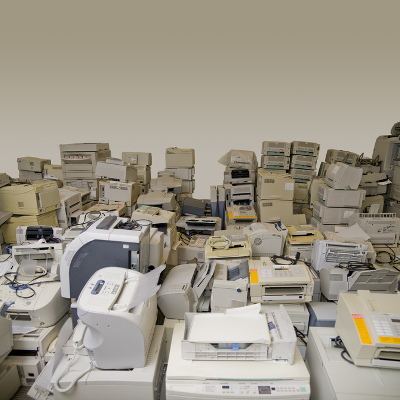
Take a moment to look around you and take in the amount of technology surrounding you. How often do you think this technology is replaced, and what do you think happens to the old tech? There needs to be more thought and effort put into its disposal than just throwing out a hard drive that no longer seems to function. Unfortunately, the amount of e-waste shows that may be the preferred method of disposal.

A discarded device follows the same path as the rest of the contents of your trash bin. Either your discarded piece of technology will find itself in a landfill, or left somewhere in a third-world country. Whichever option, the device is now a complete waste, as the materials used to construct it are now little more than bits of precious metals, glass that has almost certainly been broken by this point, and other bits and pieces.

The statistics surrounding e-waste can be pretty staggering. For example:

  • 2016 alone saw 45 million tons of electronics thrown away.
  • Only 20 percent of e-waste makes it to be documented and recycled.
  • The raw materials in devices that are thrown away value in at about $55 billion, smartphones contributing $9 billion to that total.
  • 76 percent of all e-waste goes unaccounted for.

Of course, as technology advances, there is going to be more and more e-waste produced. However, there is another issue regarding e-waste that your business could be especially affected by if your e-waste isn’t handled properly, and that’s your business’ data security.

Security Concerns
If your devices are discarded with information still on them, that data is at severe risk of being compromised, especially since the devices are no longer in your possession.

What if you got a new smartphone, and just toss out the new one? Sure, it’s dead now, but all it would take for any data it held to be compromised is someone with a charger cable and a basic knowledge of how to break into a phone. Now, any accounts that you used on the device, both business and personal, are at the mercy of your phone’s new owner. They could access your company’s data in the cloud with a discarded external hard drive.

To avoid this, not only do you need to dispose of your old technology properly, you need to also make sure that any information on them is properly wiped and/or destroyed before you do so. While you could destroy the device yourself, the better option is to reach out to the professionals at NuTech Services. We know how to properly see that your devices are destroyed without the risk of leftover data causing your company grief. We’ll even help you to recycle your device, so there’s less of a chance of it landing in a dump somewhere.

To learn more about proper device disposal, give us a call at 810.230.9455.
gmail_icon_current_400.jpg

Tip of the Week: Filters and Labels Help Organize Your Gmail Inbox

gmail_icon_current_400.jpg

Gmail is an excellent tool for business use, even more than many business owners may realize. Did you know that it even has the capability to keep itself organized? For today’s tip, we’ll go over how to use filters and labels to keep your Gmail inbox organized and easy to use.

An Intro to Labels and Filters
Labels and filters are just a few ways that Gmail can help to keep your messages organized. You can assign rules that are applied to messages as they come in. These rules make a filter, which analyze your incoming messages and ensure that these messages are sent to the right label. These labels allow you to view messages more conveniently, consolidating those that have certain factors in common.

For example, you could create a filter that assigns a particular label to any message that has “Quarterly Reports” in the subject line. That label can then be used to access any and all messages with “Quarterly Reports” in a single, consolidated list.

Creating a Filter
Creating a filter in Gmail is fairly simple.

  • Once in Gmail, click the down arrow in the search bar at the top. This allows you access to greater detail in your search criteria.
  • Fill in the details that you want your filter to pay attention to, whether it is who the email has come from, or if the subject line contains a particular word or phrase.
  • Once your criteria have been established in this window, click in the bottom-right corner of the window, where it says, Create filter with this search.
  • You will be given a list of options, including the option for the message to be automatically ‘starred,’ or marked as important. For our purposes, we are concerned with the option to Apply the label.
  • Next to the ‘Apply the label’ option, there is a drop-down menu labelled Choose label. You have the option to create a new label from here, or select from those you have already made.
  • Once your filter has been properly configured, click the Create Filter button.

Creating a Label
While creating your filter gives you the opportunity to create a label, there are sometimes that you may want to have a label prepared that you can add messages to manually, or to already have one to direct a filter towards. Fortunately, creating a label and adding it to a received message is also fairly simple.

  • In Gmail, click the More option on the left of the screen.
  • From there, click Create new label.
  • Name your label and click Create.

To add this label to a message:

  • Open the appropriate message.
  • At the top, click the Label button. You can also add a label to a group of messages by selecting them before you click the Label button.
  • Select each label to be added. You can also create a new label from this point as well by typing in a new name.

Now you’re ready to take even greater control of your Gmail inbox. For more handy IT tips and tricks, subscribe to the NuTech Services blog!

pyramid_business_intel_400.jpg

Four Major Benefits of Business Intelligence

pyramid_business_intel_400.jpg

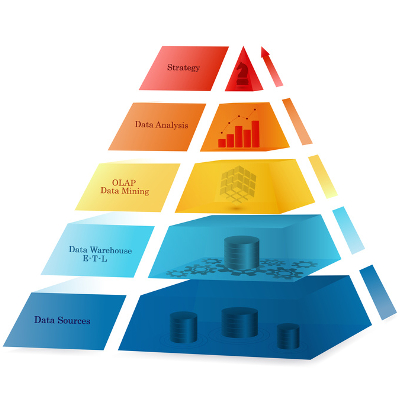
Utilizing the data that you have acquired is a process that is referred to as business intelligence. Regardless of your business’ size, business intelligence solutions can deliver definite benefits. We’ll review a few of these benefits here.

Business Intelligence answers business questions
With the right tools, you can extract and analyze raw data in real-time to inform your business decisions. These tools will also organize this data into a comprehensive and often visual format. This enables any member of a team to potentially make informed decisions as needed, streamlining whatever process that resource is working on.
This data can also be leveraged to improve client profiles and target promising contacts. As a result, profits can be increased through decreasing wasted funds spent on poor fits. On the same token….

Business intelligence provides opportunities to cut costs and time investments
Through the use of metrics and data derived from business intelligence measurements, you can identify where your available funds are most effectively used, and when it may be more effective to allocate them to another effort.

Additionally, business intelligence can enable your business to leverage automation, eliminating the risk of human error while freeing up your staff to work on those tasks that automation isn’t well-suited for.

Business Intelligence delivers valuable insights
Without business intelligence tools, a company could be stuck waiting until the end of a campaign or initiative to discover whether or not it was effective. However, with BI at your disposal, your company can get a head start on tracking satisfaction, profitability, and other key metrics in real time. This allows you to identify and resolve issues in your campaign, so you can take the steps needed to fix them before the campaign is a wash.

Business Intelligence promotes collaboration and cooperation
Another great benefit to business intelligence software is the data sharing and exporting capabilities it usually has. In a business climate that relies on being in-the-know, your team needs to have the ability to access the latest data you have available without issue.

Need help putting business intelligence solutions in place? NuTech Services can help! Give us a call at 810.230.9455 today.

past_due_money_400.jpg

Unpaid Invoices Were a $825 Billion Problem Last Year

past_due_money_400.jpg

Businesses exist to make money. Regardless of what that money is intended for, be it to sustain someone’s lifestyle or to bankroll a cause, a business will cease to be without an incoming cash flow. Unfortunately, unpaid invoices can make that cash flow stutter and slow to a trickle, and many businesses experience this problem as billed money doesn’t come in.

This presents those who rely on a small-to-medium-sized business to make a living, from the CEO to the employees, with another problem. How can they be paid if the business isn’t receiving its payment for services rendered until 30, 60, or even 90 days later? Many industries have begun to make these their typical payment terms.
Resultantly, businesses have found it difficult to continue their operations without the financial inundation from their current clients. You may have encountered this kind of issue yourself.

If so, you are not alone by any stretch. Estimates attribute 5% of the entire national gross domestic product to unpaid invoices, with the average small business waiting to be paid around $84,000. 81% of these invoices are past due by 30 days, which is especially bad when one considers that the average small business only has 27 days of capital saved up and available to them.

All in all, estimates put the total amount owed to small businesses due to unpaid invoices at $825 billion.

Even without taking that sum into consideration, this is a clear issue that many businesses face whenever their invoices are not answered in a timely fashion. If these businesses don’t have any funds to spare beyond what is needed to stay in business (assuming they have even that), how will they ever make the improvements they will need to stay competitive? How many projects have you abandoned halfway because it caused too much financial drain?

While it may seem to make no sense to invest your much-needed capital after we’ve just announced that your company may fail without it, there is a simple way to save your business money as you work to get what you’re due. With managed services from NuTech Services, your capital spending on your technology management can be transferred into a predictable, and budgetable, consistent schedule. We can also provide you with the solutions to help you track who is repaying their debt to you, and who isn’t.

Call 810.230.9455 for more information.

password_strength_400.jpg

Tip of the Week: A Secure 2018 Relies on Powerful Passwords

password_strength_400.jpg

Password security is one of the most important parts of using an online account. It seems that the average user runs into the paradox of password security by using either complex, hard-to-remember passwords, or simple and less-secure passwords that put their accounts at risk. Even if the user is aware of the benefits that come from using a secure password, chances are that they will sideline security in favor of ease of access.

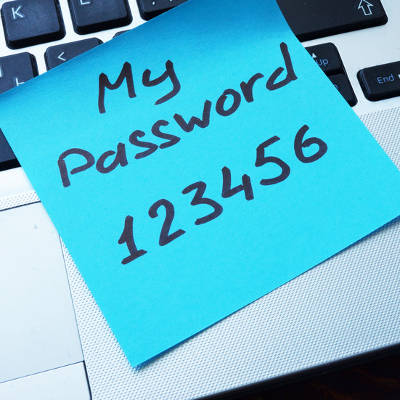
According to a list of the worst passwords in 2017 compiled by Splashdata, some of the worst passwords included “password” and “123456.” These two have topped the list since at least 2010, when Splashdata made their debut survey. Other passwords included in the top five include “12345678,” “qwerty,” and “12345.” Even “starwars” made the list at #16. For further reference, you can view the list of the worst passwords in 2017 here.

Best practices for password security are relatively well-known, especially considering how many experts study this particular field. Here are some tips from the guidelines recommended by the United States Computer Emergency Readiness Team, or US-CERT. In fact, US-CERT was created by the Department of Homeland Security for the specific purpose of preserving online security against threats.

Some sites or applications force users to use these best practices when creating a password, so do yourself a favor and keep these in mind:

  1. Use different passwords on different systems and accounts.
  2. Don’t use passwords that are based on personal information that can be easily accessed or guessed.
  3. Use a combination of capital and lowercase letters, numbers, and special characters.
  4. Don’t use words that can be found in any dictionary of any language.
  5. Develop mnemonics (or spoken memory tricks) such as passphrases for remembering complex passwords.
  6. Consider using a password manager program to keep track of your passwords.

NuTech Services is of the firm mind that you should never underestimate the importance of network security best practices–particularly password security. To learn more about how you can secure your business, reach out to us at 810.230.9455.
meltdown_spectre_four_400.jpg

ALERT: Meltdown/Spectre Hardware Vulnerability Requires Action

meltdown_spectre_four_400.jpg

Just a few months after finding themselves in a firmware fiasco, Intel is making news for all the wrong reasons. This issue had the potential to affect the CPU of a device, causing a severe dip in the performance of the device.

In a blog post by a user going by the name Python Sweetness, an issue was reported, describing “an embargoed security bug impacting apparently all contemporary CPU architectures that implement virtual memory, requiring hardware changes to fully resolve.” This means that, thanks to this bug, the interactions that different programs would have with the CPU would be affected.

Under normal circumstances, a CPU will have two modes that it operates under: kernel, which permits the user to make changes to the computer itself, and user, which is considered a ‘safe’ mode. Python Sweetness discovered a bug that blurred the distinction between the two modes. The bug allowed programs run in user mode to also access kernel mode, possibly allowing malware to access the computer’s hardware.

However, the circumstances have proven to be less dire than they originally appeared. The expectation was that this bug would cause entire processes to shift back and forth between user and kernel mode, hamstringing the speed at which the device would operate. There was also the expectation that this issue would not be able to be resolved without a hardware change.

For PCs with Windows 10 installed and an antivirus that supports the patch, the fix should already be in place. However, to confirm this, go to Settings > Update & Security to see if there are any updates waiting to be installed. If not, check your update history for Security Update for Windows (KB4056892) or check with your antivirus provider to find out when it will be supported, the patch will not install until it sees that the antivirus has been updated to a version that the vendor verifies supports this patch.

Android devices had an update pushed on January 5 to provide some mitigations, with more protections coming in later updates. These patches have already been pushed to Google-branded phones, like the Nexus and Pixel lines, and may have been on other Android devices. It doesn’t hurt to check, and if you haven’t been updated, go online and put pressure on your carrier on a public forum.

Google Chrome should be updated with similar mitigations on January 23, with other browsers updating soon after. To help protect yourself until then, have your IT team activate Site Isolation to minimize the chance of a malicious site accessing data from another browser tab.

Other devices (like NAS devices, smart appliances, networking equipment, media equipment, etc.) may also be at risk, as they are using similar hardware. It’s really important for business owners to have their entire infrastructure reviewed and audited.

These kinds of issues help to demonstrate the value of an MSP’s, or managed service provider’s, services. MSPs like NuTech Services are sure to keep themselves informed on the latest developments in IT security and any resolutions they can pass on to businesses like yours, if they don’t implement them on your behalf.

As a result, you and the rest of your team can go about your business without having to concern yourself with solving issues like these, knowing that you can trust the team who is solving it for you. For more ways that an MSP can help keep your business security and operations optimized, reach out to NuTech Services at 810.230.9455.
mobile_world_400.jpg

Personalities are Key to Successful Networking

mobile_world_400.jpg

Almost everyone has, at one time, worked with someone with whom their personality clashed, whether they did not get along or just didn’t work effectively together. While this is a perfectly natural phenomenon of both nature and nurturing, it is best to put personal differences aside when forming a professional relationship with a coworker.

This was the focus of Networking Like a Pro, a publication by Dr. Ivan Misner and Brian Hilliard. In it, they explore how personalities come into play in the workplace, and how each person’s behaviors influence their interpersonal relationships. While most people display the traits of many personality types, the book makes the assertion that all people fall into four predominant personality types, especially where business is involved. Business networking is strongly influenced by how well your behavioral type meshes with another’s.

So, does this mean that you just won’t be able to network with some people, and with others it will be effortless? Not so.

Misner and Hilliard offer advice on how to best interact with these behavioral types by understanding what really makes them tick. These types are as follows: Go-Getters, Nurturers, Examiners, and Promoters.

Go-Getters
When dealing with a Go-Getter, you have to think–and move–fast. The Go-Getter is determined to get the results they are looking for ASAP, and if the rules need to be bent in order to get them, so be it.

To communicate with a Go-Getter, you need to make the value that you offer them clearly relevant and essential to their goals. More specifically, you need to make them see how you can help speed up their operations without sacrificing the results they strive for. The Go-Getter will also want to hear that they have options to choose from, but would rather hear a pitch than they would a heavily-planned-out script. With a Go-Getter, stick to the highlights, and deliver on your promises.

Nurturers
Where a Go-Getter has more of a “now, if not sooner” attitude, a Nurturer sees the value in taking their time where business matters are concerned, operating with patience. Nurturers are also natural team players, surrounding themselves with supportive allies and willing to offer assistance wherever it is needed. They can be overly tolerant, however, willing to endure a less-than-ideal situation than ready to take a risk to change it.

Honesty is the best policy when working with a Nurturer. To work with them, you will first need to build their trust. You can help this process along by gently guiding them toward a mutually beneficial solution. To accomplish this, you also need to maintain contact with the Nurturer, regularly providing evidence as to how a business relationship with you can provide simplicity and support.

Examiners
A born skeptic, an Examiner will thoroughly examine and evaluate everything that they may work with–including the people. They will unsurprisingly be predisposed to perfectionism, and at the very least, are very thorough. The Examiner is a strong conversationalist, as they use their stores of knowledge and information to their advantage. Efficiency is also a virtue to the Examiner, and so they will move on once their objective has been met, whether that is to the next assignment or to the next event.

As you build a connection with an Examiner, you need to be concise and clear about your position and why it is worth their time to be involved. Lean on facts and evidence to make your point, and only use small talk and stories if they add to the evidence that you are a dependable provider. You need to be sure that you put your best foot forward when interacting with an Examiner, as they will be forming a very strong opinion of you from the get-go.

Promoters
A Promoter is a salesman, usually an extrovert, and a thought leader. They have the drive to spread any good idea they find, more often identifying them instinctively than through research-based evidence. Promoters often attend industry events to network and socialize. They are usually juggling many different projects, and are rarely confrontational.

Communicating with a Promoter requires you to match their speed and align your needs with their priorities. One such priority is their professional image, so you need to make sure that your offer increases their visibility in the industry. As you deal with a Promoter, make sure that you document the finer details of your agreements in writing, and you fulfil your end of the bargain promptly and professionally. Furthermore, you should always give a Promoter plenty of help whenever it is required to prove that you are the best choice for their needs.

These strategies should enable you to network more directly, with the end result being more business relationships that provide mutual benefit. Which of these personality types do you think you most embody? Tell us in the comments!

little_green_android_400.jpg

Tip of the Week: 5 Handy Android Shortcuts

little_green_android_400.jpg

With business becoming more and more mobile, there is a greater need for the devices we use to offer features that allow the user to boost efficiency and avoid downtime. It just so happens that Android devices come with a few little-known ways to accomplish these goals. For this week’s tip, we’ll go over a few ways your phone can be used more efficiently.

Fast Snap
If there are two apps that you use frequently, and often need to switch between as reference, you’ll appreciate this feature. Pressing the overview key (the little square icon) will switch you between the two apps you used most recently. If you are on your device’s home screen, this action will pull up the application you were using last.

Fast Vibrate/Do Not Disturb
We’ve all been in a position where a sudden ringing of a phone would be frowned upon, a situation that’s extremely likely in a business setting. If you find yourself in such an occasion and you realize your phone is still at full volume, you can simply activate the screen and hold the volume down button. This will set the device to vibrate mode.

If vibrate is still too loud, pressing the volume down button once again after the phone has been set to vibrate will activate Do Not Disturb, saving you from having your phone go off at an inopportune time.

Notification Customization
If a particular app is interrupting your workday needlessly, you can tell your Android device under what circumstances that app can provide you with a notification. When the next notification pops up, press and hold the notification until you are offered the opportunity to dictate when the app can ping you through some additional settings.

Freeze Reboot
If you ever find yourself with an inexplicably locked-up and frozen device, you can force it to reboot with the Power and Volume Up buttons. Pressing both down simultaneously for anywhere from 10 to 15 seconds will cause your device to restart. If it doesn’t, that may be a sign that something more serious is happening, or that your phone simply needs a recharge.

Power Button Ends Call
If you’re like most business users, you’re busy from the beginning of the workday to the time you clock out. This is especially true if your work takes you out of the office. To save a few extra moments of time, there’s an easier way to hang up a call on your Android device. Instead of fumbling around to press the end call button on your touchscreen, the power button can be used to end the call.

In your settings, access Accessibility and engage the Power Button Ends Call setting. This enables you to end a call with a much easier gesture that you can successfully pull off without looking.

cortana_additions_400.jpg

Using Cortana Gets Better with Customization

cortana_additions_400.jpg

As Cortana has more and more added to its functionality, it gradually becomes more of a utility to all. Those who prefer to use Google’s applications are now able to use Cortana to augment their use of Gmail, Google Contacts, and Google Calendar. Today, we’ll go through how you can set these programs up to play nice with Cortana.

For Cortana to work with Google apps, these apps must first be identified as a service. Access Cortana and click Notebook, and once the panel appears, access Connected Services and from there, Add service.

At this point, you will only be given an option for Gmail, but that includes Contacts and Calendar as well, in addition to Google Drive. After you next sign on to your Google account, your Connected Services menu will include Gmail as an option.

Privacy and Usage Disclaimers
Be warned, when you give Cortana access to your email and other services, you are opening your personal data to the assistant, and therefore, to Microsoft as well. You should definitely review the disclaimer that appears before connecting these accounts, as it will explain how your data is going to be used. If you have second thoughts after reading this disclaimer, you can be directed to where these integrations can be deactivated.

Since there isn’t any indication, as of yet, as to which of Cortana’s commands will work with these Google services, we are given the opportunity to speculate freely. What functions do you think Cortana will have in regard to Google’s apps? Give us your ideal list in the comments!