297402017_continuity_strategy_400.jpg

Building a Solid Continuity Strategy Pays Dividends

297402017_continuity_strategy_400.jpg

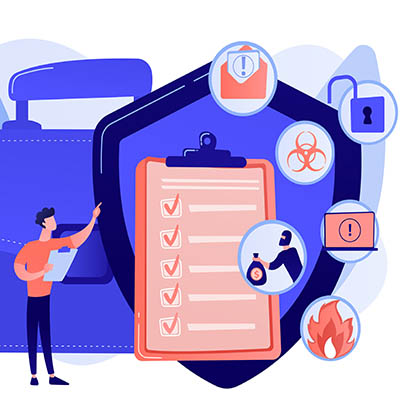
Business continuity is difficult to talk about for some business owners, specifically because no one likes to talk about the worst case scenario. What would you do if your business were to suddenly go through a disaster? Do you have a plan in place? If not, let’s talk about that. Here are some aspects of business continuity that you must consider. Remember; your company’s future depends on it!

The first step is to determine what we mean when we say “business continuity,” especially in the wake of the COVID-19 pandemic.

What is Business Continuity?

There is no shortage of things that can go wrong for a business. Natural disasters, power outages, fires, floods, hacking attacks, ransomware, and user error can all contribute to a significant disruption of operations if you’re unprepared for them. A business continuity plan is designed to help your organization work through any such disaster and keep downtime to a minimum. We want to emphasize that business continuity and disaster recovery are two different things; disaster recovery, or how your organization responds to a data loss incident, is but one part of a successful business continuity plan.

Components of a Business Continuity Strategy

Before we jump into what your priorities are for your business continuity strategy, it helps to perform what’s called a business impact analysis. This is a test that determines what the critical functions of your business are, where you take a close look at operations and make determinations about what is most important for getting back in business following a disaster. By having a clear understanding of your priorities regarding business continuity, you will optimize your chances of success should you ever find yourself implementing the plan.

While we could list off several aspects of business continuity here, suffice to say that most variables to consider for your plan will fall into one of the three categories below:

  • Digital resources: Data is critical to the operations of most businesses to at least some degree. Some organizations store it on-premises while others store it in the cloud. Regardless, having a way to maintain access and recover lost data in the event of a disaster will be paramount to your plan’s success.
  • Human resources: While the data might be one part of keeping your business afloat, the people who interpret and utilize that data also must be accounted for. A chain of command can help your organization even should the leader somehow become incapacitated or unable to perform in their role. Furthermore, you’ll need to maintain contact with clients and vendors to ensure they are fully aware of the situation.
  • Physical resources: Once you have safeguarded your data and your workers, you’ll need to figure out where they will work and how it will be housed. Physical resources include things like your office space, hardware solutions, and any other tools your employees might need to do their jobs. In the case of manufacturing, this might mean maintaining the supply chain for parts or products.

All things considered, your business continuity strategy should consider everyone needed to keep your business in proper working order, as well as all of the resources they require to do their jobs effectively and efficiently. We especially recommend that you have your business continuity plan in a location where it is accessible by anyone who might need it, along with a list of critical equipment, the locations of your data backups, and any needed contact information.

How Do You Reinforce Business Continuity?

Remember, your plan is only valuable if it is something that can be executed on. Consider how easy (or difficult) it will be for you to successfully implement your strategy. If you do a “mock” test of your plan, you might uncover what works, what doesn’t, and what needs to be improved upon. When you routinely test your strategy, you won’t be caught off guard. Here are some ideas to consider for when you test your business continuity plan:

  • Downtime: Does your plan meet the expected minimum of downtime? Does it keep costs down?
  • Implementation: Is your plan something that can be implemented at a moment’s notice?
  • Feedback: What do your staff think about the plan? Do they have any recommendations or ideas for improvement?

Let’s Get You Started

If this all feels a little overwhelming or panic-inducing, we urge you to contact NuTech Services. We can walk you through the process of setting up a business continuity plan, equip your organization with the tools needed to pull it off, and assist with the testing process. To learn more, reach out to us at 810.230.9455.
278522324_backup_400.jpg

Improving Your Backup Strategy Doesn’t Have to Hurt the Bottom Line

278522324_backup_400.jpg

If you are a regular visitor to our blog, you know just how important we think data backup is for any business that relies on data. If your business stores and creates data, you need to have a backup strategy in place. It’s that simple. Today, we want to discuss how to improve your data backup strategies with a BDR.

Why Do You Need Data Backup?

This is pretty self-explanatory. Your business is constantly under threat. You may not realize it because you’ve been fortunate enough not to have any threat be bad enough where your operational and financial data is actively at risk. That may not always be the case, however. Consider how important your data is and think about all the things that could happen where you would have to deal with data loss. Situations that stem from natural disasters, scams and hackers, hardware failure, and human error can all trigger data loss. That’s a lot of variables to cover to keep hoping that nothing will happen. 

The health of your business depends on that data. There is employee data, financial data, vendor and customer data, and most importantly operational data that needs protection. At NuTech Services, we have seen a lot of different solutions to the data redundancy problem. We’ve seen people use tape backups, we’ve seen people back their data up to a network attached hard drive, we’ve even seen businesses neglect the process altogether. Today, there is a better way.

Get BDR From NuTech Services

We take data backup extremely seriously because it makes protecting our clients’ digital assets that much easier. It’s good for us, but it’s really great for our clients. The Backup and Disaster Recovery service we provide works several ways to protect a business’ digital assets. They include:

  • Complete customization of backup – A company has full control over their backed up data. They can choose what data they need to protect and our technicians will build a solution to those standards. This allows businesses to keep costs low if they only have certain data to back up and also allows them to backup everything if they so choose. 
  • Following best practices – In the IT support industry there is something called the 3-2-1 rule. It is considered a best practice because it protects an organization’s data in multiple ways. With our BDR service, we follow this best practice. It means that we keep at least three copies of your data, with two being stored onsite, and one offsite. This means that if your business is hit by a disaster your organization will still have a working copy of your data that you can restore from the cloud, but if you just have to restore data because someone accidentally deleted something that you needed, you can restore it from your network-attached device.
  • Incremental updates – One of the best features of our BDR service is that you don’t have to run your backups after work hours. Once your data is uploaded to the BDR and the cloud, it then can incrementally back up data frequently. This provides an organization the ability to lose less data if something were to go wrong. 
  • Professional support – As with any of our services, the solutions are tested, maintained, and managed consistently to provide the best possible situation for your business. Our expert technicians know that investing in technology can sometimes be a hard decision, but with the BDR, it is an extremely safe investment. 

If you would like to learn more about data backup, data recovery or how it fits into your disaster recovery and business continuity plans, call our knowledgeable consultants today at 810.230.9455.

302256683_business_crisis_400.jpg

How is Your Business Going to React to a Crisis?

302256683_business_crisis_400.jpg

Everyone from Wall Street to Main Street is feeling the effects of the COVID-19 outbreak. As a result, many businesses have had to enact their disaster recovery strategy to ensure that their business remains on solid footing during this dark time.

As more and more people are dealing with the virus and its effects on commerce, supply chains are failing and distribution patterns are completely disrupted. This has had a devastating effect on the world economy. It isn’t like a hurricane or a flood, but an outbreak, like most other disasters, hit business’ suddenly and has led many to enact their disaster recovery strategies. Today, we are going to discuss how IT fits into disaster recovery. 

At first, people didn’t pay much mind to Coronavirus. They went on with their business as normal, not realizing that this virus wasn’t like most other viruses. Most of the viruses that you could be exposed to have a vaccine. It didn’t take long before the world around us started to shut down and, with it, came regulations on how your business needs to function. What was looked on as kind of a joke three weeks ago, is now one of the deadliest disasters the world has seen in decades. 

Chances are that your business has been directly affected by the COVID-19 outbreak and those that have a disaster recovery strategy have had to enact parts of it. How is your business prepared for situations like this? One thing is for sure, if your business didn’t plan for a situation where your workers can work remotely, you are likely feeling the sting much more than if you were prepared. Sure, you don’t have to like the idea of having a remote workforce, but the truth is that any business that can support remote workers, needs to have a contingency for situations like this. 

Ensuring that your business can pivot to it makes a huge difference; and, it doesn’t have to be for when the whole world shuts down around you. If you live in a place that gets a lot of snow, you may want to enact your remote work policy to keep people out of harm’s way. Sometimes you may need your team to work more to get an important project out. Allowing them to work from home keeps them from spending longer-than-normal time at the office, and makes it a lot easier to help them handle the other issues in their life.

If your business needs help through this very trying time, call the IT professionals at NuTech Services at 810.230.9455. We can take you through the options you have right now and take you through our strategy of disaster recovery to ensure when you need to mobilize your remote workforce, that you are able to on demand.

276410107_backup_system_400.jpg

Backup System is a Crucial Tool when Disaster Strikes

276410107_backup_system_400.jpg

Each March 31st, we like to observe World Backup Day, where we educate people about the benefits of having a comprehensive backup plan in place. This year, with tens of thousands of people being affected by Coronavirus, business has ground to a halt in large portions of the world. Today, we are going to look at the business continuity strategy and how, in times like these, you’ll be glad you have your data backed up. 

The COVID-19 pandemic has certainly thrown us all for a loop, with many businesses wisely choosing to close their office doors, either scaling back their operations or choosing to utilize a more mobile workforce. While this clearly qualifies as a disaster, it isn’t one that holds too many risks against your data; at least, not when compared to some others. This gives us a chance to consider how well-prepared we are for other disasters that could pose more of a threat to the information and files your operations depend on. For instance, how would you respond if something were to happen to your actual business infrastructure (and, by association, any data you had stored there)?

The standards accepted as best practice today say that the smart move is to preserve at least one copy of your data in an offsite location. That way, if something were to happen to your in-house servers, you know that there’s another copy safely stored away. If you have a BDR set up, this can then act as your temporary server to enable your team’s continued productivity (even while working remotely) until the servers can be replaced.

So while the timing of World Backup Day isn’t the best this year, its lessons remain just as important:

  • The 3-2-1 Backup Method – Using the 3-2-1 method means that you keep at least three copies of your data. Two copies can be stored onsite, while one is kept in an offsite data center or other cloud storage option.
  • Backup Your Backup – You will want to check all of your backups (and then check again) to ensure they were taken successfully. There are several reasons a backup could fail, so you should never assume they are working. Check them, double-check them, and then check them again after that. If you ever need your backup, you’ll be glad you made sure. 
  • Protect Your Backup – All devices that contain your data need password protection at the very least, with added multi-factor authentication for extra benefit, including your backups. You should also protect your backup’s storage solution with an up-to-date antivirus/antimalware protocol.

For help in setting up your business with the protection that a data backup brings, with the added disaster recovery benefits you will need, reach out to us at 810.230.9455 today.

backup_203256037_400.jpg

Which Backup Strategy is Best?

backup_203256037_400.jpg

It has reached the point that, if you have a business, you had better have a backup prepared. Otherwise, the digital data that modern businesses like yours rely on is vulnerable to loss. Of course, depending on the age of your business, you may have data that no longer applies to your operations. That’s why we’re going over how to select the data you should continue to back up.

Keeping Your Strategy Simple

One basic strategy to sorting out your data is to backup the files that you can’t feasibly replace otherwise. This simple, yet effective approach could easily save your business… but, why go through the effort of sorting through your data at all?

Seeing as your data is one of – if not the – most important resources that your business has, why not just back up all of it?

This endeavor becomes much easier with the Backup and Disaster Recovery appliance that we offer, as it can easily map out and replicate your data stores. Now, it must be said that not every business generates enough vital data to justify a large investment into a data backup. However, as we mentioned above, today’s threat landscape means that what data you do have needs to be protected.

Your Backup Options

There are several different varieties of data backup for you to consider, keeping in mind what it is you are backing up and when you need those backups to be ready. These backups include:

Full Backups

As you may have gathered, a full backup copies all of your data and configurations and saves them to a single platform, whether that be a NAS (network attached storage) device, a cloud backup, or tape (pro tip: don’t use tape backup).

This has the benefits of offering a comprehensive backup that you need, with quick restoration times for single files or folders. A full restore takes a much longer period of time to complete, and full backups are more expensive due to the greater need of storage space. Any backup strategy will typically start off with a full backup.

Incremental Backups

This kind of backup keeps track of any changes that are made to data, which allows it to be used for data that is continuously updated. The costs of an incremental backup are quite reasonable, making it a good choice (despite not being totally comprehensive) for a business that generates large amounts of data.

Differential Backups

Similarly to incremental backups, a differential backup keeps track of changes that are made between the times that a full backup is run, keeping their backups more up to date.

Mirror Backup

This kind of backup is best for redundancy, as it creates a mirror image of the system that is being backed up. While these backups are the fastest to restore, they also take up the most storage space.

Depending on your business’ particular needs, a backup can be run weekly, daily, or even as frequently as every 15 minutes.

Following the 3-2-1 Rule

The 3-2-1 Rule is a simple way to remember what you need to maintain if you want to keep your data protected enough. Here’s how it breaks down:

  • 3 copies of your data
  • 2 stored on different media types
  • 1 copy offsite

This strategy makes it so your data is both secure, and convenient to you.

To learn more about data backups and best practices concerning them, reach out to NuTech Services at 810.230.9455.

backup_241210103_400.jpg

To Save Your Business from Disaster, Backup is Crucial

backup_241210103_400.jpg

Businesses generate and collect a huge amount of data – some of it, practically useless, and some, critical to your business and its operations. It is this latter group that makes it so important that you have a comprehensive backup plan ready to go.

While not all of your data may be equally valuable, data loss is a bad thing across the board. This is precisely why NuTech Services offers comprehensive data backup and disaster recovery solutions.

Backing up your data allows you to sidestep the potential catastrophes that would come with the loss of your most critical information. Here, we’ll review a few situations that could put this data at risk to demonstrate how crucial having a backup really is.

Situation: Actual Disaster Event

Just about every business on Earth could potentially be impacted by some kind of weather event. Some deal with hurricanes, some deal with high winds and tornadoes, others with earthquakes and floods… you get the picture. Unfortunately, whichever one impacts your business, there isn’t very much you can do in the moment – which is why it is important to prepare now, so you can reopen again after the fact. Many don’t prepare, and therefore, don’t reopen.

Acting proactively and maintaining a backup allows you to more quickly bounce back after disaster has struck, allowing your business a second chance.

Situation: Data Corruption or Theft

Cybersecurity is a huge topic today, as there are many, many threats out there designed to target businesses. Take ransomware, for example: all it takes for you to lose access to your files is for an employee to click on the wrong thing. Not good.

However, using a BDR (in conjunction with a comprehensive business continuity plan) to keep your files safely backed up enables you to quickly restore data from an onsite backup copy of your data, while keeping another copy offsite for redundant protections and simplified migrations. This keeps you safe from a variety of threats, including ransomware and many other forms of malware. 

Situation: The Classic Office “Whoops!” Moment

The BDR is supremely useful in that it gives you an on-demand resource to pull your data from, on demand, as it is needed. This is particularly handy if a team is collaborating on a project, and somebody accidentally deletes something absolutely critical to the project. With a backup, your progress won’t be lost to bad luck.

A BDR allows you to breathe a little easier about your files and their security. To find out about adopting one for your business, reach out to NuTech Services today. Call 810.230.9455 to get started.

sell_you_backup_400.jpg

The Benefits of Data Backup Far Outweigh the Costs

sell_you_backup_400.jpg

Businesses don’t like to spend money on solutions they don’t need. You’d rather make sure you hit payroll, dish out Christmas bonuses, and have something left over to grow. With this in mind, a business that doesn’t properly back up their data might not get a chance to make payroll, dish out bonuses, or even keep their doors open. Data backup isn’t something to skimp on, because when the time comes, it can mean disaster for your business.

Imagine, for a moment, just how much you have to lose from a data loss incident. Your business depends on its data, and if it suddenly loses access to it, you could be in a position where downtime significantly impacts your bottom line. In situations like this, you have no time to waste. You have to get back in the game as soon as possible or you risk losing so much traction that it could be hard to keep the doors open.

With this in mind, you can’t possibly achieve this goal without data backup. You have to think of it in terms of a potential loss incident–essentially it is professional risk management. While it’s true you don’t want to make decisions based solely on the what-ifs, it’s hard not to justify it in this case. What it boils down to is this: if you don’t have data backup and suffer from a disaster, your business will, more likely than not, fail. Therefore, the best way to ensure the possibility of success is to implement data backup and prevent a potential loss incident from surfacing in the first place.

Basically, the sheer fact that you know you need to back up your data is enough to justify having a solid backup solution.

The point that we are trying to make is that we shouldn’t have to convince you to go all-in on your business’ data backup and disaster recovery solution. It should be common sense. After all, you’re trying to preserve your business and its future against the possibility that a disaster scenario cuts its life short. You have no reason not to invest in something that could potentially save your business. It doesn’t matter whether it’s from a natural disaster, user error, or hardware failure–there is always the chance that an unforeseen event could spell the end of your organization.

The right data backup solution can go a long way toward keeping your business afloat, even in a worst-case scenario. To find out more about BDR, reach out to NuTech Services at 810.230.9455.

8_data_backup_terms_400.jpg

8 Data Backup Terms You Should Know

8_data_backup_terms_400.jpg

Data is an asset, there’s no getting around this fact. Therefore, your business needs to consider it important enough to protect with a data backup and disaster recovery solution, as even something unlikely, like a natural disaster or hacking attack, could place your organization in peril. We’re going to take a look at some of the different kinds of data backup and disaster recovery you can expect to see, as well as four terms that you should understand.

The Types of Backup
Here are four of the most common types of backup that you can expect to see in an office environment:

  • Full backup: This type of backup makes a copy of all selected files in their entirety. Most backup solutions will have to initially go through this process, and since this is such an intensive process, it will take longer than other data backup types. If this is your preferred method of backup, it will likely have to be done after-hours, as it takes a long time and could tie up processes that are needed during the workday.
  • Differential backup: This type of backup only backs up changes made to the data. This allows for faster backups, but the process of recovery is much slower.
  • Incremental backup: This type of backup is much like a differential backup, with the main difference being that an incremental backup will always back up the data regardless of if a full backup was completed or not.
  • Mirror backup: A mirror backup makes a real-time duplicate of the source and backs it up. This creates complete redundancy, but it also comes with various issues. For example, if the material is deleted by mistake, the mirror will also be deleted. This reason alone dissuades IT technicians from using mirror backups as a viable solution for their backup needs.

Now that the types of data backup have been explained, we’ll go over some of the backup-related terms you might want to know.

  • Business continuity: A business continuity plan is designed to help your business get back in proper functioning order if you’re ever hit by an unfortunate situation. All organizations need to have a business continuity plan in place.
  • Disaster recovery: Disaster recovery is specifically there in the event your business suffers from a disaster involving data loss. This includes cyberattacks, sabotage, user error, and even weather-based disasters that destroy infrastructure.
  • Recovery Point Objective (RPO): RPO is a benchmark that represents which data will be recovered by your business if it wants to get back to normal business operations following a disaster.
  • Recovery Time Objective (RTO): RTO is a benchmark that represents the time needed for your business’ data to be restored. Minimizing this number is critical to keep downtime as low as possible.

NuTech Services can help your business by equipping it with a comprehensive data backup and disaster recovery system. To learn more, reach out to us at 810.230.9455.

right_data_recovery_400.jpg

The Right Data Recovery Strategy Is Important to Protect Your Business

right_data_recovery_400.jpg

Data recovery is a major consideration that every organization that depends on data has to plan for as a part of their business continuity strategy. Since there are so many ways that businesses can lose data, there needs to be a plan to recover data for any possible reason. Today, we will take a different look at operational data loss and talk about how your organization should consider strategizing data recovery.

Data Value in Business
The first thing that you need to know is that losing data is a very big deal. In fact, there is an entire field of study created to deal with this very issue. Called infonomics, this can put a dollar value on an organization’s data. While some organizations continuously deny that data has a tangible value, it is becoming more evident than ever that those organizations (typically insurance and accounting) have a vested interest in data’s value remaining intangible. Every other business can be sure that their data has monetary value.

With the acknowledgement that the analysis of organizational data can help businesses run a more efficient and profitable business, any standard enacted to properly evaluate this asset would be made to promote a strategy of organization-wide data security. If you need to justify spending capital on a data protection and redundancy strategy, you should be able to ascertain what the actual value your data has to your organization. A few ways you can value data include:

  • How much capital would it cost to replace lost data?
  • How much revenue is dependent on that data?
  • How much money could you make by selling or renting the data you have?
  • How much capital will you have to spend to protect this data?

However, you look at your organization’s data, it is an asset, and as those assets are compromised on your network, or removed from your network, you need to have a solution in place to get that data back.

Data Backup
The first step in any data recovery strategy is data backup. At NuTech Services, we believe that the best data backup strategy is to promote redundancy. In order to do so we promote a strategy that backs up data locally AND offsite. This presents options to make data recovery more efficient.

Our BDR service initially backs up your entire network. Since backing up an entire network will take a long time, and any downtime is extraordinarily costly, setting up a backup solution that protects the data you need without taking down the network at all, is important. Our BDR keeps data redundant on multiple hard drives and provides an organization with the much-desired data security it is looking for from a comprehensive solution.

Disaster Recovery
The first thing that has to be said is that the best data recovery strategy is one that never has to be used. However, data loss disasters can (and do) happen, leaving your business to pick up the pieces. The best way to do this is to have a dedicated disaster recovery platform in place that takes two crucial factors into account:

  • Recovery Point Objective (RPO) – The interval of time that might pass during a disruption before the amount of data lost exceeds the maximum threshold that your business can weather.
  • Recovery Time Objective (RTO) – The duration of time within which data or business process must be restored after a disruption before it can be considered a complete break in continuity.

By thoroughly managing your disaster recovery program, your organization is sure to be able to get its data back–and its business’ processes up and running–to ensure that your business is able to sustain operational integrity. For more information about how to get a data backup and disaster recovery working for your business, call NuTech Services today at 810.230.9455.

best_way_to_backup_400.jpg

The Best Way to Approach Data Backup

best_way_to_backup_400.jpg

All businesses hope that they’ll never have to use their data backup and disaster recovery plan, but the point stands that each business should have one, just in case of a worst-case scenario. For a small business with a limited budget, the prospect of investing in a solution they might never need is daunting. To help you get started, we’ve put together a couple of basic backup practices that you should keep in mind for your business.

Back Up As Much Data as Possible
If you’re wondering what data your organization should prioritize, the correct answer is all of it. Data is invaluable in the business world, and even if you think you can make do without some of it, chances are that you can’t guarantee it won’t be useful somewhere down the road. You should never accept data loss of any kind. Tape backup systems tend to take complete backups, but they often can only be performed once a day, making it difficult to take and deploy them adequately without running the risk of either operational inefficiency or losing at least some data from the past 24 hours. We recommend a cloud-hosted backup system that takes snapshots of data that has been changed recently, guaranteeing that all files are kept as up-to-date as possible.

Take Backups as Frequently as Possible
In the event your organization suffers from a disaster, you want to make sure that your backups are as recent as possible. This is to make sure that you lose as little progress as possible when disasters do happen. Imagine finding out that the only data backup you’ve taken was last month. This is why we recommend that your organization take backups as often as every fifteen minutes, guaranteeing that you’ll lose minimal data.

Restore as Quickly as Possible
Let’s imagine that your organization is struck by a disaster. To get back in the game following such an incident, you have to restore your data. However, if you don’t have an infrastructure or device put in place to get this happening as soon as possible, you start to suffer from downtime. This is any time that your organization isn’t functioning as intended, so it should include situations where your technology is failing, your employees can’t work, and your organization can’t take care of customers, among anything else that your business is responsible for. It quickly becomes clear that one of the biggest causes for businesses failing following a disaster is the crippling costs of downtime.

Notice a trend here? Time is of the essence when disaster strikes your organization, and the faster you can get back in action following a disaster, the less money you’ll waste on downtime. The traditional data backup solution isn’t as helpful in this regard as a hosted BDR solution from NuTech Services. Our BDR device can rapidly restore data directly to itself so that your organization can keep chugging along in the face of adversity.

data_backup_no_disaster_400.jpg

How a Data Backup Can Be Used, No Disaster Necessary

data_backup_no_disaster_400.jpg

Data backup may not directly help you boost your productivity, but it is a core component of any responsible business’ continuity plan. Each year, thousands of businesses that don’t take threats into account are forced to close their doors because they didn’t have a contingency plan in place. For every business that plans for the worst there are two that don’t, either because they see the strategy as too cost prohibitive, or because they just don’t understand the amount of threats that could put their business in the position where they would need to close.

There are several aspects of a backup and recovery strategy that business owners (who do see reason to implement one) have to square away. By breaking the strategy into three core parts, your organization can secure a positive ROI from a backup and recovery system that, with any luck, you’ll never have to use.

Data Backup
Deciding on a backup platform is obviously the first step in the process. There are several strategies a small business can use to cover its assets. They could use cloud storage, network attached storage facilities that use hard disk drives or tape backup drives, or even a manual system where people protect the data by backing it up to a hard drive and then take a copy with them when they leave. No matter what platform you choose to utilize, you have to understand that if you look at your data as an asset, it stands to reason that you would want to protect as much data as you can. At NuTech Services, we offer a comprehensive backup and disaster recovery service that utilizes network attached storage that pushes copies to the cloud in real-time. This not only provides the kind of data redundancy every organization needs, it allows our clients to thoroughly plan their data recovery strategies.

Before we go into recovery, we’d be remiss not to mention that some data simply isn’t important. Small businesses often have a lot of data they collect but don’t do anything with, so it just sits on their infrastructure taking up space. Some businesses look to data analytics to cut down on dark data, but for the small business that doesn’t have a backup strategy, it might just be putting the cart before the horse.

Data Recovery
If you are looking for a positive ROI, this is where it begins. A business needs to establish acceptable parameters for the recovery of their data. To do this, an organization is going to have to establish what are known as their recovery point objective (RPO) and recovery time objective (RTO). Before we elaborate, we should say that if you are in a position where you need to restore a large portion of your data–whether it be because of malware, natural disaster, sabotage, or blatant negligence–you absolutely have to have these plans made (and tested).

The recovery point objective defines how much data your business could reasonably afford to lose in order to be able to sustain operational effectiveness. Recovery time objective is the maximum time you believe you can go without your data before your business fails. Each figure isn’t static throughout your business. Some of your data is more important than other data, of course, and has to be weighted this way. Therefore, some systems that hold more crucial data will have different RPOs and RTOs than less critical systems.

How the System Provides a Calculable ROI
This is where you can put it all together. How do you calculate the return on investment on systems that you hope you will never ever use?

  • Establish your organization’s hourly realized revenue. To do this you take the amount of revenue your organization has taken in over the past year and divide it by the total working hours you and your staff have logged for that time.
  • Figure out how much you would stand to lose both with and without a backup and recovery system in place.
  • Multiply the hourly realized revenue with both scenario-specific figures you’ve calculated in step 2 and take the difference. This number represents the total avoided loss, in dollars.
  • Finally, plug that figure into this formula to measure your backup system’s ROI:

ROI = (Avoided loss – Cost of backup and recovery system x 100%)

Without a disaster hitting your business, you may think that backup and recovery strategies are a waste of time and resources, but the ROI is clear.

If your business is looking for a backup and disaster recovery solution that can seriously save your business in the event of a disaster–something no ROI calculator will ever tell you–call the IT professionals at NuTech Services today at 810.230.9455.

back_that_disk_up_400.jpg

BDR Needs to Be a Business Priority

back_that_disk_up_400.jpg

Of any of your business implementations, a data backup and disaster recovery system is a serious contender for the most important. However, many neglect to prepare for a data loss event or disaster, which means they leave their business vulnerable to the ill effects of both. Protecting your business begins with a data backup and disaster recovery solution that prepares you for a worst-case scenario.

For a long time, tape backup was the preeminent form of data backup for business purposes. This process, storing a copy of your data on magnetic tape, is no longer sufficient for the modern business due to shortcomings that would only slow down your recovery efforts after a data loss event.

First of all, backing up on tape isn’t an automated process, so it falls to an employee to initiate the backup process when the workday is over. How likely is it that one of your employees will be focused on running a data backup at the end of a particularly long and stressful day? In addition to this, restoring from a tape is also a manual process. All it would take is a slight mistake, and poof–there goes your data.

Secondly, a tape backup doesn’t keep a full backup of your data in the first place, only saving changes that have taken place over the previous 24 hour period, technically even less. Tape backup is a resource-intensive process, and so can only be run once each day, typically after-hours. Therefore, you could lose a full day’s worth of data to a disaster.

Finally, the third reason that tape is considered outdated is the amount of time it takes to restore your backed-up data. If you needed to restore your data, the process could easily take hours–and that’s assuming that whatever event caused you to need to restore from your backup didn’t also damage your internal hardware infrastructure. This downtime will undoubtedly have a negative impact on your business, and can be avoided.

Instead of relying on tape, companies today leverage enterprise-level Backup and Disaster Recovery (BDR) solutions from providers like NuTech Services. Utilizing the cloud, BDR takes data backups that are more complete and can be restored much more quickly, leading to decreased downtime. This is accomplished through ‘snapshot’ data backups, which updates any changes as often as every fifteen minutes. This means that any data that may be lost is minimized, offering your business improved protection from threats to your data.

If BDR sounds like the right choice for your business, reach out to NuTech Services at 810.230.9455.

back_that_data_up_400.jpg

Is a Data Backup Really That Necessary? In a Word: Yes

back_that_data_up_400.jpg

Does your business have a dedicated data backup and disaster recovery system? It’s one of the most critical parts of managing a business, yet some don’t have a plan in the event of the worst. If your organization were to suddenly lose a significant portion of its data, would it be able to continue functioning as needed? With a data backup and disaster recovery solution, you won’t be dealing in the realm of “what if,” and instead focus on “when” you experience a data loss incident.

Traditionally, tape backup has been the go-to solution for small businesses. Tape backup is the process of storing data on magnetic tape, and at one time was considered the most prominent type of backup in the business world. However, tape has its own set of inconveniences that can hinder operations in times of disaster.

The number one reason to not use tape is that it’s not automatic. One of your employees has to set the backup at the end of each work day so that it can run. Furthermore, when it comes time to activate the backup, it must be performed manually as well. This means that even the slightest amount of user error could completely demolish any chances of your recovering from a data disaster.

The second biggest reason to not use tape is that it doesn’t take a full backup of your data. At the most, it only captures data that has been changed over the past 24 hours. The reason for this is because the data backup can only be performed once a day. Due to the immense strain placed on your network, a tape backup is generally reserved for after-hour implementation, so up to 24 hours of data could potentially be lost in the event of a disaster.

The third and final reason why you shouldn’t implement tape is that it takes considerably longer to restore from in the event of a data loss incident. Tape backup can take several hours to restore, and that’s assuming that you still have an infrastructure and hardware capable of running your organization (let’s face it–natural disasters like floods can damage more than just your building). This type of downtime can be an issue even for businesses that do have the required hardware to get back in business, as it’s just more wasted time and resources that must be accounted for.

A better solution for small businesses is an enterprise-level Backup and Disaster Recovery (BDR) solution from NuTech Services. BDR uses the cloud to perform data backups, which provides a significantly better system for getting back in the game following a critical loss incident. The cloud allows for faster restoration times, less downtime, and more complete data backups. The cloud utilizes snapshot-based data backup, which only updates the current backup if the files have been changed. These snapshots are taken every 15 minutes or so, significantly reducing the amount of data lost in the event of a data loss incident. It’s truly the best way to go about protecting your organization from unforeseen threats.

To get started with BDR, reach out to NuTech Services at 810.230.9455.

files_computer400.jpg

Do You Have a Data Backup In Place?

files_computer400.jpg

Take a moment to imagine the absolute worst disaster scenario for your business. Does it involve a catastrophic event destroying your office building? Does it include key staff being absent from the office for extended periods of time? Does it include your business suffering from data loss or security breaches?

Most businesses that fail to recover their data following a data loss scenario go out of business within a year of the incident. Furthermore, there are a lot of small businesses out there that don’t necessarily see the value in a proper data backup system. Most just assume that they will be able to survive a loss incident, or they feel that a data loss incident won’t happen to them. This is not the right mindset to have for a business owner–especially not one that has the future of their business at heart.

Instead, you need to imagine the worst-case scenario and ask if your business continuity plan includes a data backup solution to minimize damage and downtime. Here are three ways that a cloud-based Backup and Disaster Recovery (BDR) solution can help your business survive even the worst data loss incidents.

Multiple Backups Daily
Traditionally, businesses have relied on tape backup for most of their backup needs. Due to the increased strain on your network, tape backups need to be performed during off-hours, and only once a day. The problem with this is that you could potentially lose up to an entire day’s worth of data and progress. Cloud-based BDR takes multiple backups as often as every fifteen minutes, which allows for higher redundancy.

Cloud-Based Storage
There’s something to be said about the cloud and its ability to make data backup storage far easier. Thanks to the cloud, a BDR device can take and store multiple backups in secure, off-site locations for later access. After all, you can’t store your backups in the same location as the rest of your data. What if you were to experience a major disaster, like a flood or ransomware infection, which leads to the destruction of your in-house data infrastructure? When this time comes, you’ll be glad you’re storing data in the cloud and away from the site of the incident.

Reduced Downtime
When your business can quickly restore data in a moment’s notice, the amount of downtime suffered drastically falls. This helps your business stay active even under the worst circumstances. BDR can instantaneously restore your data to the network-attached device, allowing your organization to quickly get back in action following a downtime incident. The BDR device can even act as a temporary server while you make more permanent arrangements.

How does your business protect itself from data loss? Let us know in the comments, and be sure to reach out to us at 810.230.9455 if your business needs help with its technology.

sledge_hammer400.jpg

Without A Data Backup, You Aren’t Ready

sledge_hammer400.jpg

Most modern companies rely on computers to at least some extent, particularly if there is some sort of delegation of services involved. Whether it’s an office filled with computers and server units, or simply a retailer with point-of-sale equipment, the companies of today need computers and data in order to function as intended. To protect this data, you need a method to preserve it–which is where data backup comes into play.

Your business’s data is susceptible to all sorts of danger stemming from malware, hackers, hardware failure, and even user error. It doesn’t take much to expose your data to something that could cause it harm, so it makes sense that you should have a plan put into place to protect it. Most small businesses that fail to recover from a disaster within 18 months following a data loss incident will be forced to cease operations, which showcases the importance of data backup. What’s the best way to combat data loss?

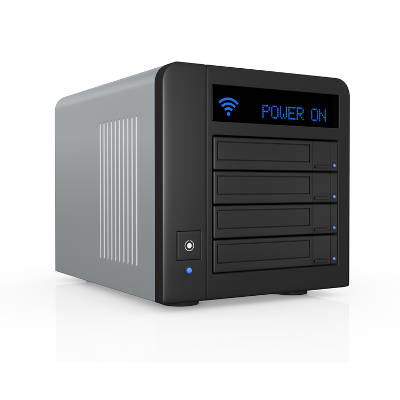
A Backup and Disaster Recovery, or BDR, is a great way to protect your network and data infrastructure. It’s a network-attached backup system that allows you to take a preventative stance against even the worst disasters. Since the device is attached to your network, it can perform backups at various increments automatically. All you have to do is set which parts of your infrastructure you want it to back up. Furthermore, you can set it up so that backups only occur on files that have been changed since the last one has been taken, allowing for a more lightweight solution.

The most important part of BDR is that your data is automatically uploaded to the cloud. The best part of this is that it’s safe and secure, tucked away from anything that could cause it harm. While your data is hosted in an off-site data center or the cloud, it’s protected and prepared for the worst, allowing your organization to ensure survival even under the most desperate situations. It’s just one way that preventative thinking can help your organization avoid downtime and the immense costs it can accrue.

To keep your organization from suffering due to data loss, a BDR solution is your best bet. To learn more, reach out to NuTech Services at 810.230.9455.
network_attached_backup_400.jpg

No Business Should Be “Happy” to Lose 24 Hours’ Worth of Data

network_attached_backup_400.jpg

A new study by Disaster Recovery on the state of data backup for enterprises yields some rather disappointing results, particularly when it comes to the percentage of companies not enacting data backup best practices. Companies that fail to continuously backup their data, or fail to even back it up at all, are gambling with their future.

For starters, one of the most shocking finds from the study is how 72 percent of businesses are “happy to lose” more than 24 hours’ worth of data after a cyber-incident. When one looks behind the scenes as to why this is, they may find it in a company’s data backup practices. This is especially the case if a business is utilizing tape backup–a data backup procedure that typically backs up a company’s files once every 24 hours.

Admittedly, a business having tape backup is better than not utilizing any form of backup whatsoever; a category which 13 percent of businesses find themselves in, according to the study. However, being “happy” that your data backup needs are covered vs being “happy” about losing 24 hours’ worth of data should be viewed as two entirely different forms of “happiness.”

To clarify our point, consider your SMB in the following IT scenario: At the end of the work day, a designated employee goes to perform a backup of the day’s work by swapping out the old tapes for new ones. The following day, an employee responds to a spam message by clicking on a malicious URL contained within the message. This dumb move ends up infecting your entire network with ransomware, completely disabling operations. Thankfully, you’re able to deal with the ransomware by pulling out the backup tapes and restoring the data from the previous day. While such a move may make you “happy” that you’re able to resume operations, the inconvenient fact remains that your company just lost an entire day’s worth of data, plus several hours (if not more) to restore the data from a backup.

Now, some businesses may operate in an industry that doesn’t handle a ton of data on a daily basis. For example, think of a small retail storefront that’s operated entirely by the owner and all the business dealings take place on a single PC. A small business like this might not take too hard of a hit by losing 24 hours’ worth of data, but it would nevertheless be a costly inconvenience.

For the modern SMB leaning heavily on technology and utilizing enterprise-level solutions, the amount of data generated in a single day can be significant, and more so for companies whose business model revolves around generating digital content, like marketing firms, schools, hospitals, etc. If such an organization were to lose 24 hours’ worth of data, the consequences could range from very expensive to catastrophic.

It’s not overly complicated to do the math and put numbers to such a data-loss scenario. Consider how many payroll dollars are spent on paying employees to generate and handle data, then factor in how much money is made in a single day thanks to all of the data that’s generated. You’ll also want to consider how much money you’ll lose from having your company’s operations miss out on an entire day’s worth of work. Chances are, you’ll be making up the progress lost from that day over the course of several work days. When all of these calculations are compiled, there’s an extremely high chance that you won’t be “happy” with the results–and hopefully be much more motivated to backup your files multiple times each day.

To that end, NuTech Services offers a cloud-based data backup solution that makes copies of your files as often as every 15 minutes. Plus, unlike tape backup, the entire data backup process is automated, meaning that you don’t have to make a nightly task out of swapping out tapes. To equip your business with a backup solution that you can truly be happy with, give NuTech Services a call at 810.230.9455.