american_voting_secure_400.jpg

Are American Voting Systems Secure?

american_voting_secure_400.jpg

Election Day for the United States is November 6th, and regardless of your feelings regarding U.S. politics, the fact of the matter is that millions of Americans will soon go to the polls and cast their ballots. Unfortunately, what many of them don’t realize is how insecure their voting machines actually are, and how they are potentially putting their vote at risk.

What Most Polling Places Have
The majority of American polling places are operating with equipment that is fast approaching 15 years old. For reference, here’s a brief list of products and technologies that haven’t even been around for ten years yet:

  • Google Chrome
  • Airbnb
  • Spotify
  • Kickstarter
  • 4G
  • Mobile GPS
  • Instagram
  • The iPad

One cofounder of nonprofit group Open Source Election Technology, Greg Miller, puts it this way: “You have equipment that was introduced in 2005. In that time frame, how many times have you changed your mobile phone? And how many times have we replaced our laptops?” In short, the American voting system is reliant on, as Miller described it,”… obsolete hardware [and] software that relies on a diet of spare parts.”

The other cofounder of the nonprofit OSET, John Sebes, has demonstrated just how vulnerable these systems could potentially be to manipulation.

Most polling places collect all of the voting data onto a piece of portable media, like a CD or a USB drive, and bring it to a separate location to be tallied. Unfortunately, the machines used here are also usually outdated, as is the software used to process the results of the vote.

In a live demonstration on a national news network, Sebes used one of these machines to tally votes for two fictional candidates, Thorfer and Varda. In the example, Thorfer had won in a landslide with over 3,000 votes, the opposing Varda only receiving 100. However, with a very simple malware, Sebes was able to just switch the tallies, making “Varda” a fraudulent winner – and while access to these tallying computers is secured, some may not be secured as well as others are.

Furthermore, many polling places maintain a paper backup of the vote, just in case there needs to be a recount, but there are also many who have no paper backup at all. This includes some states known as “battleground” or “swing” states, where a much smaller number of votes can potentially have a significant impact on the final outcome.

How to Minimize the Issue
Unfortunately, the easiest solution to this problem is also impossible. One would think that there would be a singular set of standards for all polling places to abide by – but since the American Constitution specifies that each state is in control of its own electoral procedures, this consistency is effectively made impossible.

However, there are other ways that have been suggested to protect voting technology… some of which are decidedly lower-tech.

Temporarily Eliminate Online Voting
Some states have made online voting available, primarily to service members or other citizens who may be abroad, and many allow email ballots to be submitted. However, until security is improved for these methods, it has been suggested that they are suspended.

Utilize Physical Backups
Yes, we know. We generally say that all of your backups should be saved to the cloud, but in this case, that would be counterproductive. After all, a physically-generated paper backup that records each vote isn’t hackable (unlike a digital system) and could easily be used to cross-check any contested results.

Invest in Improved Voting Equipment
As one might imagine upon hearing that most American voting machines are over a decade old, updating the infrastructure that enables the prime responsibility of democracy is clearly not a priority for those dispersing the funds. It has been suggested that Congress get involved, funding research into improving these machines and replacing the problematic older machines, as was last done in 2002.

Americans view the right to vote as a basic human right, so it seems especially bad that their infrastructure can get in the way of their doing so. Don’t let your business technology do the same to your employees and their work. Reach out to NuTech Services for a better solution by calling 810.230.9455.

windows_tips_400.jpg

Tip of the Week: 5 Windows Tricks

windows_tips_400.jpg

The Windows 10 operating system is the most common operating system for business use, which is what makes it surprising that so few know how to adjust its appearance to suit their preferences. For this week’s tip, we’ll go over a few ways to adjust what you’re seeing and/or looking at for maximum productivity.

Quicker Settings
Your settings are your greatest tool to control your Windows 10 preferences. If you need to change a setting on the fly, you can pull up the menu by pressing CTRL + I or Windows Key + I.

Zoom In/Out
Whether it’s a graphic you want a closer look at or text that’s just a smidge too small (or the opposite cases) the ability to zoom in or out on the entire screen can quickly become a handy trick to know. You have options here: you can either press CTRL + (+) or CTRL + (-) to zoom in or out, or press CTRL + Scroll Wheel to accomplish the same. Pressing CTRL + 0 will reset the screen to normal.

Changing Active Applications
If you’ve really got a good groove flowing as you work, pausing to switch windows with your mouse can really trip you up. With some practice, you can use a keyboard shortcut instead, eliminating this inconvenience. Holding Alt as you press Tab will bring up smaller versions of your active windows, and using the directional keys (while still holding Alt) will allow you to select a different one to work in.

Switching Monitors
Workplaces are seeing more and more multi-monitor setups in use. A shortcut makes it easy to move application windows around and across screens. To move a window to the other monitor, press Windows Key + Shift + Left/Right. Whether you choose left or right depends on which way you want your window to move.

You can use a simpler version of this shortcut to dock an application or browser window to the side of its current monitor, too. All you press for this one is Windows Key + Left/Right.

Shortcuts like these can turn you into a Windows power user in no time at all, with a little practice. Do you have a shortcut that you use frequently enough to make it second nature? Share it with us in the comments!

it_support_scam_400.jpg

IT Support Scams are Everywhere. Here’s What You Should Know

it_support_scam_400.jpg

Chances are you’ve encountered a couple of tech support scams in your days. These people frequently dial random numbers in an attempt to get the person on the end of the phone long enough to trust them with remoting into the device. These kinds of scams are designed to be as vague as possible, and since most people have computers that are at least a couple years old, they tend to experience some kind of sluggishness that makes them believe that something is genuinely wrong. This can turn out to be a grave mistake.

Other scammers are starting to use more sophisticated measures, and it’s all thanks to their possession of more specific information about the users. This could include the computer’s name, model number, and serial number, as well as any other contact information about the device’s owner, including their telephone number, email address, and customer number.

These scams are growing in number and continue to target those who have purchased devices from large, reputable companies who produce some of the most popular solutions on the market. Companies like Lenovo, Microsoft, Apple, Dell, and many more have all had to deal with support scammers making a mockery of their business practices. It only makes sense that these scams will continue to grow in number as time goes on.

What Can You Do?
It doesn’t matter how proactive your IT support is. It’s unlikely that any manufacturer would ever call you for any reason regarding an issue with your computer. The only way (though unlikely) this would happen is if you’ve subscribed for a similar service of your own free will. Even then, there is a very involved authorization process attached to this support. Imagine if every single manufacturer called every single buyer of their devices–it’s just not feasible under normal circumstances.

If you receive a call like this, it’s always better to be safe than sorry. If you share a network with other users, this is even more important; as, if you give an unauthorized entity access to a specific device, it could have far-reaching repercussions for the whole network. Even though IT support scams are prevalent throughout the industry, you still want to make sure that you’re not falling for them.

NuTech Services can help your business stay ahead of the game in terms of security and best practices. To learn more, reach out to us at 810.230.9455.

right_data_recovery_400.jpg

The Right Data Recovery Strategy Is Important to Protect Your Business

right_data_recovery_400.jpg

Data recovery is a major consideration that every organization that depends on data has to plan for as a part of their business continuity strategy. Since there are so many ways that businesses can lose data, there needs to be a plan to recover data for any possible reason. Today, we will take a different look at operational data loss and talk about how your organization should consider strategizing data recovery.

Data Value in Business
The first thing that you need to know is that losing data is a very big deal. In fact, there is an entire field of study created to deal with this very issue. Called infonomics, this can put a dollar value on an organization’s data. While some organizations continuously deny that data has a tangible value, it is becoming more evident than ever that those organizations (typically insurance and accounting) have a vested interest in data’s value remaining intangible. Every other business can be sure that their data has monetary value.

With the acknowledgement that the analysis of organizational data can help businesses run a more efficient and profitable business, any standard enacted to properly evaluate this asset would be made to promote a strategy of organization-wide data security. If you need to justify spending capital on a data protection and redundancy strategy, you should be able to ascertain what the actual value your data has to your organization. A few ways you can value data include:

  • How much capital would it cost to replace lost data?
  • How much revenue is dependent on that data?
  • How much money could you make by selling or renting the data you have?
  • How much capital will you have to spend to protect this data?

However, you look at your organization’s data, it is an asset, and as those assets are compromised on your network, or removed from your network, you need to have a solution in place to get that data back.

Data Backup
The first step in any data recovery strategy is data backup. At NuTech Services, we believe that the best data backup strategy is to promote redundancy. In order to do so we promote a strategy that backs up data locally AND offsite. This presents options to make data recovery more efficient.

Our BDR service initially backs up your entire network. Since backing up an entire network will take a long time, and any downtime is extraordinarily costly, setting up a backup solution that protects the data you need without taking down the network at all, is important. Our BDR keeps data redundant on multiple hard drives and provides an organization with the much-desired data security it is looking for from a comprehensive solution.

Disaster Recovery
The first thing that has to be said is that the best data recovery strategy is one that never has to be used. However, data loss disasters can (and do) happen, leaving your business to pick up the pieces. The best way to do this is to have a dedicated disaster recovery platform in place that takes two crucial factors into account:

  • Recovery Point Objective (RPO) – The interval of time that might pass during a disruption before the amount of data lost exceeds the maximum threshold that your business can weather.
  • Recovery Time Objective (RTO) – The duration of time within which data or business process must be restored after a disruption before it can be considered a complete break in continuity.

By thoroughly managing your disaster recovery program, your organization is sure to be able to get its data back–and its business’ processes up and running–to ensure that your business is able to sustain operational integrity. For more information about how to get a data backup and disaster recovery working for your business, call NuTech Services today at 810.230.9455.

tt_breadcrumb_400.jpg

Know Your Tech: Breadcrumbs

tt_breadcrumb_400.jpg

A trail of breadcrumbs can be a useful thing, whether you’re using it like Hansel and Gretel to find their way back home, or you’re using it in computing to find your way back to a page you were previously on. Today’s tech term is dedicated to the latter.

What is Breadcrumb Navigation?
As per the aforementioned fairy tale, breadcrumb navigation consists of a path leading home. In this case, home is the homepage. With breadcrumb navigation, you can more easily keep track of how you got to the current web page you’re on, as well as the path back to the home page. This path can typically be viewed at the top of the page. Each step includes a link that navigates back to a specific page.

Let’s say that you’re looking at a service page on a website. If the path you took leads back to the home page, you’ll see all of the pages in between in the breadcrumbs menu. For the sake of this example, let’s say the pages in between are the second menu item and the fifth menu item. It would look something like this:

Home > [Menu 2] > [Menu Item 5]

Since these breadcrumbs are links, you can click on any one of them to be brought back to that page. This lets you continue browsing with minimal chance of getting lost on the site trying to backtrack.

More Than Just Websites
You might notice that this navigation style is similar to the ones used in toolbars in file folders or files saved on your desktop. The reason is the same–it makes finding certain files easier at a later date. The location can also be shared with others who need to know where it is.

Breadcrumbs are typically meant for helping users with browsing and organization. Are there any other features out there you can think of that do the same thing? Let us know in the comments.

voip_complex_400.jpg

Can You Afford to Ditch Your Telephone System for VoIP?

voip_complex_400.jpg

Voice over Internet Protocol, or VoIP for short, might at first glance seem complex, but it’s really quite simple when explained properly. Unfortunately, misconceptions surrounding VoIP can become a barrier of entry for businesses considering a VoIP solution. We’re going to disprove some of these misconceptions and prove VoIP can be a valuable investment for just about any business in need of a communications solution.

“VoIP is Too Expensive”
Businesses often think that VoIP is more expensive than your typical telephone bill, but this isn’t necessarily the case. The purpose of VoIP is to actually reduce the costs of your telephone bill by eliminating unnecessary services and the costs associated with them. VoIP does this because it uses your Internet connection rather than a phone connection, meaning that you don’t have to have phone lines all over your office just to give each of your employees phones on their desks. All you need to use a VoIP solution is a headset or handset and a desktop/mobile app hooked up to the Internet.

“VoIP Isn’t Reliable Enough”
In reality, VoIP is only as reliable as your Internet connection. If your Internet connection isn’t reliable, then you have a problem as is, so why not use it as an opportunity to both improve connectivity and communications all in one?

“VoIP is More Trouble Than It’s Worth”
Considering that VoIP would be replacing your current telephone setup, it’s reasonable to suspect that the amount of effort put into this implementation would be considerable. However, that’s simply not the case–VoIP requires minimal setup, as it uses your existing network infrastructure. All you’re doing is connecting your phones to the Internet, which takes no time at all.

“VoIP Doesn’t Sound Good Enough”
VoIP often doesn’t sound any different from your typical phone line connection, and if it doesn’t sound as great as you want it to, chances are it’s (once again) an issue with your Internet connection–not necessarily anything wrong with the VoIP service itself.

“VoIP Isn’t the Right Fit”
VoIP can be the perfect fit for your business precisely due to just how customizable it is to your business’ specific needs. You can mix and match the additional features you desire to save money in the long run. All of the features from any old phone company would be a considerably larger investment, and some VoIP features aren’t even offered by your standard phone company in the first place.

VoIP is simply too good a solution to not implement or at least consider. If you want to hear more about VoIP, our IT professionals would be happy to assist you. To learn more, reach out to us at 810.230.9455.

better_customer_realations_400.jpg

Getting a Better Sense of Customer Relationship Management

better_customer_realations_400.jpg

I’m sure I don’t need to tell you how important it is to have a handle on your clients’ needs. After all, how else are you supposed to offer them the level of service that they need to remain satisfied enough to stay subscribed to what you offer? This endeavor is exactly why a customer relationship management (or CRM) system is so crucial.

What is Customer Relationship Management?
Customer relationship management is effectively how a company can gauge and improve their interactions with their clients, gradually coaxing them toward repeated business transactions. By compiling data from the many points of contact that a prospect or repeat customer has with a business, that business can build a profile that will help inform their next steps.

With data able to be drawn from website and social media activity, live chat and telephone conversations, and a customer’s purchase history, CRM software can heavily assist you by constructing a database of customer information. Some can even automate certain processes, assisting a company’s marketing and sales forces in more effectively communicating with customers from a more informed standpoint, or allowing labor to be saved by leading an incoming caller through a precomposed voice menu to direct them to whom they need to reach.

A CRM can also be used to optimize internal tasks, like the managerial responsibilities of Human Resources, processing analytics, and automating certain workflows. Some CRM solutions have even begun to incorporate artificial intelligence to better predict a customer’s trajectory.

Customer relationship management systems can be hosted on-premise or delivered over the Internet as a cloud-based solution.

Putting a CRM to Use
A CRM can be leveraged in any number of ways for your business to embrace. Social media engagement can be monitored to identify which platform is most used by an audience, monitoring keywords and brand mentions. Otherwise, it can be used to assist in addressing feedback over social media.

Speaking of feedback, a CRM system can also be of use in a business’ contact center, collecting data from service calls to inform a company’s sales and marketing efforts, as we mentioned above. This is especially useful in a business-to-business application, as it can help to optimize a business’ journey through the sales and marketing funnel.

If a CRM system sounds like something that your company should implement, reach out to NuTech Services by calling 810.230.9455.

5_windows_400.jpg

Tip of the Week: 5 Tricks to Using Windows

5_windows_400.jpg

There’s a lot more to the Windows operating system than first meets the eye, especially where handy shortcuts are concerned. Today, we’ll cover five of the shortcuts baked into Windows that may be beneficial to your productivity.

Rename File
Every so often, you will discover that the name of a document isn’t entirely accurate anymore. Naturally, this file name should be changed to accurately reflect its contents. While you could right-click and select ‘rename’ for each one you have to change, it is much faster to simply select the file (or files) that needs a name change, and press F2. If you change the name of multiple files to the same thing, it will even automatically add the number to the end to differentiate them.

Active Window Screenshot
Screenshots can be very useful, but they can also be a pain to capture. Fortunately, there’s a way to easily take a screenshot of just the active window. By pressing Alt + Print Screen, the active window will be captured cleanly.

Problem Steps Recorder
Every so often, you may need to record your steps exactly, whether you’re replicating an issue for IT to check out or outlining a procedure for training purposes. Windows offers the Problem Steps Recorder, which is an easy-to-use action recording program that outlines and illustrates each step you take while the program is observing you. It then generates a step-by-step report to be reviewed. Creating one is especially simple – the hardest part is typing “psr” into the Windows search bar to pull up the program.

Easy Open Applications
The taskbar is extremely useful for storing your most-used programs and files for easy access. Windows has incorporated a shortcut that makes accessing them even easier. First, figure out which number your desired application is in sequence, then press the Windows key + the sequence number to open that application. This also works to maximize and minimize these windows.

Minimize/Maximize
Another way to quickly minimize and maximize your open windows is a little silly, but effective. If you want to minimize all but one of your windows, simply click and hold the window and shake it. All the rest will minimize. The same action will also reverse this, maximizing all of your windows again.

What other neat Windows tricks and shortcuts do you know about? Share them in the comments!

bad_hack_2018_400.jpg

The Most Devastating Hacks of 2018… So Far

bad_hack_2018_400.jpg

Network security is a crucial consideration for every contemporary business owner, as there are just too many threats that originate from an Internet connection to be overlooked. One only has to look at what businesses of all sizes have dealt with, even within this calendar year, to gain an appreciation for how crucial it is that every business owner consider their cybersecurity.

Here, we’ve assembled a few statistics and examples to illustrate just how serious the threat of cyberattack can be, hopefully inspiring you to prioritize your company’s network security. Consider these cybersecurity figures:

  • In 2017 over 130 large-scale breaches were reported, a 27 percent increase over 2016.
  • Nearly 1-in-3 organization have experienced some sort of cyberattack in the past.
  • Cryptojacking (stealing cryptocurrency) increased 8,500 percent in 2017.
  • 100,000 organizations were infected with the WannaCry ransomware (400,000 machines).
  • 5.4 billion WannaCry attacks were blocked in 2017.
  • The average monetary cost of a malware attack is $2.4 million.
  • The average time cost of a malware is 50 days.
  • Ransomware cost organization’s over $5 billion in 2017.
  • 20 percent of cyberattacks come from China, 11 percent from the United States, and six percent from the Russian Federation.
  • Phone numbers are the most leaked information.
  • 21 percent of files are completely unprotected.
  • 41 percent of companies have over 1,000 sensitive files left unprotected.
  • Ransomware is growing at 350 percent annually.
  • IoT-based attacks are growing at about 500 percent per year.
  • Ransomware attacks are expected to quadruple by 2020.
  • 7.7 percent of web requests lead to malware.
  • There were 54 percent more types of malware in 2017 than there were in 2016.
  • The cybersecurity market will be worth over $1 trillion by 2025.

If that wasn’t convincing enough, what follows is just an assortment of the attacks that 2018 has seen (as of July). To simplify things, we’ve organized them by the intended targets: public (like individuals and government bodies) and private (such as businesses):

Public
January

  • The Department of Homeland Security was affected by a data breach that exposed information about 247,167 current and former employees.

March

  • Atlanta, Georgia was targeted by a ransomware attack called SamSam. This resulted in a massive problem for their municipal infrastructure. The ransom price given was $51,000, but Atlanta’s leadership refused to meet these demands. Overall, the numbers show that Atlanta has spent more than 10 times that number in the fallout of the attack. Some estimates place the actual cost of this event at nearly $20 million.
  • India’s national ID database, Aadhaar, leaked data of over a billion people. This is one of the largest data breaches in history. A user could pay 500 rupees, equal to about $7, to get the login credentials that allowed anyone to enter a person’s 12-digit code for their personal information. For 300 rupees, or about $4.20, users could also access software that could print an ID card for anyone associated with the database.
  • Cambridge Analytica, a data analytics company that U.S. President Donald Trump used to help his campaign, harvested personal information from over 50 million Facebook users without asking for their permission. Facebook hasn’t called this a data breach, but Cambridge Analytica has since been banned from using the service thanks to this event.

June

  • A hack of a U.S. Government-funded active shooter training center exposed the personal data of thousands of U.S. law enforcement officials. This also exposed which police departments aren’t able to respond to an active shooter situation.

Private
January

  • 280,000 Medicaid records were exposed when a hacker attacked the Oklahoma State University Center for Health Sciences. Among the information exposed were patient names, provider names, and full names for affected individuals.

February

  • An unsecured server owned by Bongo International, a company acquired by FedEx, leaked over a hundred-thousand files of FedEx customers. Some of the information leaked included names, drivers’ licenses, national ID cards, voting cards, and utility bills.

March

  • Orbitz, a travel booking site, fell victim to a security vulnerability that exposed 880,000 customers’ payment card information. There was also about two whole years of customer data stolen from their server.
  • French news site L’Express left a database that wasn’t password-protected up for weeks, despite being warned about the security issues regarding this.
  • 134,512 records regarding patients and financial records at the St. Peter’s Surgery and Endoscopy Center in Albany, NY were accessed by hackers.
  • MyFitnessPal, an application used by Under Armor, exposed about 150 million people’s personal information to threats.
  • The WannaCry ransomware claimed another victim in Boeing, which stated that “a few machines” were protected by Microsoft’s 2017 patch.

May

  • Thanks to Twitter storing user passwords in a plaintext file that may have been exposed by internal company staff, the social media titan had to force hundreds of millions of users to change their password.
  • An unauthenticated API found on T-Mobile’s website exposed the personal information of all their customers simply through the use of their cell phone number. The following information was made available: full name, address, account numbers, and tax IDs.
  • A bug found in Atlassian development software titles Jira and Confluence paved the way for hackers to sneak into IT infrastructure of several companies and one U.S. government agency.
  • Rail Europe, a popular server used by American travelers to acquire rail tickets, experienced a three-month data breach that exposed credit card information to hackers.

June

  • A marketing company named Exactis had 340 million records stolen from it, but what’s most shocking about this is that they had accumulated information about nearly every American out there. In response to the breach, there was a class action lawsuit made against the company.
  • Adidas’s website was hacked, resulting in a loss of a few million users’ personal and credit card information.
  • A hacker collective called Magecart initiated a campaign to skim at least 800 e-commerce sites, including Ticketmaster, for sensitive information.

Clearly, if these lists are any indication, companies of all sizes need to commit to maintaining their network security, holding it to a higher standard. For assistance in doing so, you can rely on the professionals at NuTech Services. We can design and implement security solutions to protect you from threats like these, and others that may rear their ugly heads. Give us a call at 810.230.9455 to get started.

smartphone_camera_400.jpg

How Much Have Smartphone Cameras Made a Difference?

smartphone_camera_400.jpg

When it comes to selecting a smartphone, most consumers look to the camera as a major deciding point – after all, many popular applications geared toward the everyday user heavily lean on the use of a camera. This utility and, in some ways, reliance have only encouraged rapid advancement to phone-based camera technology since its origins in the Samsung SCH-V200.

The very first smartphone cameras were simply a handheld camera that connected to the phone via a cable. This all changed upon the release of the SCH-V200. While the user still needed a computer to remove the images from their phone via cable connection, and the image quality wasn’t great, the ability alone was enough to start a revolution in what is expected of our technology.

In the years since the SCH-V200, phone-based camera technology has grown in leaps and bounds, arguably being responsible for shaping how we view mobile computing today.

The First Smartphones
While the Samsung SCH-V200 was the first phone that featured a built-in camera, this feature was quickly capitalized on and adopted by many, allowing images to be taken and shared. This technology had some time to develop before the release of the original smartphones in the mid-2000s. Both the iPhone and T-Mobile’s HTC G1 featured rear-facing cameras, and while this feature wasn’t particularly focused on by reviewers, the significance of this pocket-sized technology was very quickly apparent.

The Smartphone’s Development
Later on, mobile phones began to sport front-facing cameras. This assisted in the development of “selfies,” giving a newly immersive experience to sharing points in one’s life. This made the expansion of Internet connectivity and advent of social media an even bigger piece of the smartphone experience, making such cameras a must-have feature.

As a result, more and more features were added that made the camera and its use better. The now-standard LED flash, allowed users to take pictures in low light (a much more difficult task beforehand). Software improvements enabled other camera features to come into their own, autofocus, video capture, and optical image stabilization being feasible thanks to the increased processing power that the chipsets possessed.

The Boost of Social Media and Other Applications
Of course, the first few generations of phones that had a camera were limited in functionality somewhat, the front-facing camera only adding so much. However, once the ability to capture high-definition video came into play, this all changed. The combination of this new feature with the birth of social media (at the time, mostly YouTube) made the camera a much more influential feature for the average consumer.

This concept seems strangely foreign, now that there are easily hundreds of apps that integrate both front and rear-facing cameras for their most basic usage. Returning to YouTube for a moment, a full 300 hours of video are uploaded to the site every minute, most of it probably originating from a smartphone. Since their introduction, smartphones and their cameras have captured images and footage that has been inspiring, outrageous, and socially relevant. An iPhone’s camera was exclusively used to shoot the award-winning, feature-length film titled Tangerine.

How the Camera Saves the Mobile Market
As it happens, the camera has become the primary reason to buy a new mobile device, with application development and processing power both plateauing, and the apparent fact that only Samsung and Apple can consistently manufacture smartphones that see any kind of profit. Yet the cameras on these devices only continue to improve, more high-end smartphones now featuring dual-lens cameras. These cameras provide no small amount of benefit to the user, providing them with more options behind their photography, in addition to:

  • Wide aperture – With more light reaching the camera, more accurate photos can be produced.
  • High Dynamic Range – HDR covers the gamut of image capture quality settings, piecing together a variety of shots to produce the best one possible.
  • Burst Mode – If the subject of a photo is in motion, Burst Mode allows a determinable number of images to be captured so that the best one can be chosen.
  • Portrait Mode – In order to provide an enhanced depth of field, a photo can be taken to automatically sharpen an object in the foreground while blurring the background.

Thanks to the continuing improvements in their cameras and software, the smartphone user is effectively walking around with a complete photography studio in their pocket. How well are you able to use your smartphone’s camera? Leave any hints you have in the comments!

tt_proxy_server_400.jpg

Know Your Tech: Proxy Server

tt_proxy_server_400.jpg

Your server room may be somewhat intimidating to consider. Wires everywhere, mechanical boxes that just sit there, lights blinking intermittently, and the distinct feeling that you probably shouldn’t touch anything – not even a proxy server, whatever that is. However, to help you get to know your tech, the proxy server is exactly what we discuss below!

What Is A Proxy Server?
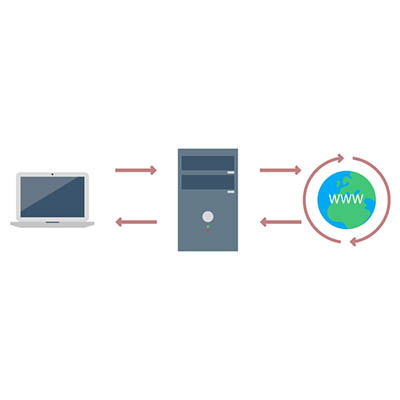
Oversimplifying things, a proxy server is the device that keeps your end users and the websites that they’re accessing separate, but communicating. Making this a little less straightforward, a proxy server can act as many other things as well, adding to its usefulness in your business.

At its core, a proxy server is extremely useful as a kind of gatekeeper for your users’ browsing. Think of it as a kind of a spam filter for your Internet – instead of a user accessing a potentially infected website, the proxy server allows them to access the data, protecting your network much like a web filter and firewall would. The proxy server also caches the data from common web requests, speeding them up, all the while preserving a user’s privacy online.

A Few Benefits of a Proxy Server
There are a few reasons that a business may utilize a proxy server.

Privacy and Security – As we’ve mentioned, proxy servers have a definite use as a means to protect an organization’s privacy and security. This can be accomplished in a few ways. First, a proxy server is capable of altering some of the identifying information contained in the web request. By its doing so, the destination server has no way of knowing where the request came from originally. This keeps browsing habits and personal information protected.

Furthermore, a proxy server is able to encrypt web requests, protecting them from anyone who may try to sneak a peek. Known malware sites can also be blocked through the proxy server. Finally, your company can use a virtual private network (or VPN) in conjunction with the proxy, enabling secure and verified access.

Internet Control – Let’s face it, as great a tool as the Internet is, it can also be a considerable source of distractions. However, a proxy server allows you to both monitor and control the way the Internet is used. If certain websites are proving to be a distraction, the proxy server can block them, instead delivering the user a nice note reminding them to stay on task. Even if the website isn’t blocked, a proxy server can still be used to track how often a website is accessed, allowing you to judge if your employees are really being diligent in their work.

Speeds and Savings – Bandwidth is a very important consideration to make when your business relies on the Internet’s performance in order to function. A proxy server can assist your network performance by caching websites that are frequently visited, cutting the number of requests to that website to one, as opposed to however many employees are attempting to access it.

If you think that your network could benefit from utilizing a proxy server, call us! NuTech Services is the premier managed IT support specialist for Michigan, and we are more than ready to assist you with whatever questions you may have. Give us a call today at 810.230.9455.
look_at_business_tech_400.jpg

Our 2018 Business Technology Overview

look_at_business_tech_400.jpg

Businesses have a lot to think about, especially regarding best practices and upcoming trends in technology. Has your business been doing all it can to keep up? We’ve outlined some of the best IT innovations that we expect to see in 2018 as time goes on.

Security Worries
It should be clear that in today’s business world, security is everything. There are so many threats out there that one organization alone can’t possibly keep up with all of them, much to the chagrin of security companies. Most notable of these is the Internet of Things, a term used to refer to the collective body of mobile devices out there with interconnectivity features. Machine learning and improved methodologies have allowed organizations to better protect themselves from these emerging threats. Predictive technologies powered by machine learning have also greatly enhanced the ability of organizations to take on threats. Alongside new innovations like blockchain technology and the zero-knowledge proofs associated with it, machine learning will likely pave the way toward the future of security.

Big Data
Similarly, in order to make a meaningful impact on your business, you need to collect data that can be used to make educated decisions. There are plenty of sources out there that can help businesses acquire and accumulate data, if you know where to look. If your business utilizes solutions that allow it to collect and organize data, you’ll be able to make predictions about which decisions will most benefit your company over time. It can also help you make decisions based on trends in security, user experience, processes, and efficiency.

Artificial Intelligence
A.I. is the future of many business strategies. Since businesses today collect more information than any before them, A.I. can be the most efficient way to benefit from it. A.I. can help your business and its employees better manage both time and resources, and with this comes greater opportunity for innovation and savings to your bottom line. In essence, A.I. can potentially allow businesses to save time by automating redundant or time-consuming tasks, all while learning from the experience.

Accountability
Artificial intelligence presents an interesting problem that businesses haven’t had to deal with to this moment–accountability. If something goes wrong and an A.I. does something illegal, who’s to blame? Issues like these, and many more, all need to be addressed before innovations can be leveraged to the best of their ability.

What are some of your most anticipated trends for the future of business technology? Let us know in the comments.

budgeting_bottomline_400.jpg

Budgeting for IT Can Benefit Your Business’ Bottom Line

budgeting_bottomline_400.jpg

Your business depends on a budget to come out in the black at the end of the fiscal year, and the way you invest that budget will have a considerable impact. As you create this budget, your IT needs to be one of your top considerations – after all, it is what effectively powers the modern business. Here, we’ll discuss how diligently incorporating your IT into your budget can help your business be more successful down the line.

How to Approach Your IT Spending
When determining an IT budget, perspective is an important part of the process. It can be tempting to view your IT as just another cost of doing business, but it really is more than that. Your technology (and the state it is in) has ramifications that spread to your entire business, so if it is lacking, everything will be. Employee morale will suffer, your productivity will slow, and your incoming cash flow will falter.

After all, an IT budget needs to account for a lot. There are the costs associated with acquiring and subsequently upgrading your information technology, as well as training your staff to properly leverage these solutions. However, a good IT budget will also account for the odd inconveniences that will require some financial spending to resolve. Furthermore, with your budget in mind as a reference, explore some of your options as far as cost-savings go… are you paying for more resources than you need? Are you leaving money on the table anywhere when those funds could be used more effectively contributing to another goal? While information technology is hugely helpful when leveraged properly, it can become a financial burden if over-invested (or even under-invested) in.

This is how you should actually consider your IT budget: an investment. While some of it will be classified as a business expense, much of your spending will be into endeavors that help your business, either by increasing efficiency or reducing waste. Either way, your IT can be used to put your company in a better financial situation.

Encouraging Financial Well-Being with an IT Budget
If you’re unsure of how to proceed with budgeting your IT, we’ve compiled a handy list of things you should (and shouldn’t) do during the process.

  • Have a set budget for your IT. In order for your business to be able to utilize the caliber of technology solutions it needs for success, you need to put forward the investment into those solutions.
  • Invest in business-enhancing solutions. Whether you’re boosting your internal productivity or fortifying your business against threats that could keep you from conducting business as usual, your IT budget should be spent in ways that directly benefit your operations.
  • Don’t shoot from the hip. Like we alluded to above, if you aren’t investing in your IT solutions correctly, you could find yourself in a worse spot than before. It is crucial that you go about investing in your IT strategically, directing funds to where they are needed and where they will help you to generate more revenue.

Alexa von Tobel, CEO of LearnVest.com, said, “We all have pretty much similar dreams, and at the root of all those dreams is being able to be in control of your money.” We agree, which is why we’re dedicated to providing you with the most value in our IT services without emptying your coffers. To learn more about the easily-budgetable services that we have to offer, reach out to us at 810.230.9455.

totw_scams_400.jpg

Tip of the Week: Avoiding Scams

totw_scams_400.jpg

Uh oh. One of your employees sat down at their workstation and was presented with a pop-up telling them that Microsoft has detected a fatal issue with their workstation, and if they don’t let someone remote in to fix it, all of their data will be lost. This could be a serious problem… especially if your employee falls for this scam and lets in a threat.

Tech support scams are not an uncommon thing, blending social engineering and phishing together to deliver the desired result to a scammer. For our tip, we’ll discuss how to identify and avoid these scams and deprive a scammer of that result.

A Global Problem
Make no mistake, these scams are an issue all around the world. While the impact is felt the greatest in the United States, China, and India, scammers clearly don’t discriminate by region.

However, there’s another layer to the issue of tech support scams.

There is an intense level of competition in India for employment opportunities, especially among the generation who should now be entering the workforce. For some reference as to how intense this competition is, 2016 saw a state-owned bank receive over one and a half million applications for just 1,500 open positions. This makes it not uncommon for many job applicants to be grossly overqualified for the position they are seeking, recipients of a master’s degree in business administration often applying to be a street sweeper. Naturally, this provides ample motivation for the populace to take any job that presents itself – even if it is at the expense of another.

Many call centers in India will take full, unabashed advantage of this, hiring young job-seekers through a convoluted and secretive process – sometimes not even informing the applicant who they are actually working for. This process can also cost the applicant a not-insignificant sum, as they are often charged for these interviews and trainings. Once the training is complete, an applicant leaves with a start date.

However, these jobs are often not what is expected. Instead of working in customer service, these youths are tasked with initiating a scam. They will call a target, deliver their “pitch,” and transfer the primed caller to a senior scammer who seals the deal. However, despite abysmal pay for being involved in these scams and the emotional burden placed on them by interacting with their often-helpless and terrified targets, many of these scammers find that scams are, again, one of the few effective ways to make money. As a result, many of these young scammers – effectively exploited themselves – end up embracing their role, working to get as big a piece of the pie as possible.

Thwarting These Attempts
Of course, while those on the other end of the line may not be in a great position themselves, you want to make sure that their efforts to scam you are ultimately wasted. To accomplish this outcome, it is important to remember a few key warning signs.

  • Don’t Call Us, We’ll Call You – The first thing to remember is that, if a Microsoft representative suddenly calls you without warning, they probably aren’t actually with Microsoft. You should even take your caller ID with a grain of salt, as that can be spoofed to look official enough to trust.
  • Weak Link in the Chain – Links are another favorite weapon of scammers, as they can be shared in an email to direct a user to a website filled with fake warning pop-ups. Avoid clicking on these links, and if you are presented with an alert screen, restart your computer. Scammers will also work to ensure that they reach the top results of search engines through sponsored ads to attract those legitimately looking for help. These links should be avoided as well. Google has made serious efforts to not allow scammers to run Remote IT Support ads, but it hasn’t stopped everything yet.
  • Remain in Control – Unless you are absolutely sure that a third party is trustworthy, never give up control of your computer. Otherwise, you could hand precious data over to a scammer or otherwise land yourself in hot water.

The Better Method
Of course, if you enlist the services of NuTech Services, a fair amount of these points become moot, as you will have access to an experienced team of trustworthy IT professionals who have your business’ interests at heart. For more information, give us a call at 810.230.9455.
Have you ever encountered a scam like this before? Tell us about it in the comments!

virtual_assistant_400.jpg

What Virtual Assistant Is Right for You?

virtual_assistant_400.jpg

Virtual assistants are some of the most common technologies out there, which is kind of a strange thing to say. With mobile devices taking over the personal and professional lives of users, we suppose it’s natural that virtual assistants have flourished in today’s workplace. What are these assistants, and what are they capable of?

Virtual Assistants, Today and Tomorrow
Virtual assistants are programs that let us speak to our devices to perform certain functions. These functions include adding an item to a list, playing music, creating reminders, and so much more. The future could introduce countless other ways to take advantage of virtual assistants, even if it’s a bit of a strange feeling to talk to an inanimate device.

New providers are also appearing, which in turn expands the selection of virtual assistants to consumers. This can create more competition and encourage the development of fresh ideas that can further the quality of future solutions.

Weighing Today’s Assistants
There are five mainstream digital assistants in today’s business world. They include: Google’s Assistant, Microsoft’s Cortana, Amazon’s Alexa, Apple’s Siri, and Samsung’s Bixby.

Alexa
Amazon’s Alexa is pretty high-profile, appearing on Amazon’s flagship devices like its smart speakers, Echo. Other brands use Alexa as well, but it’s most well-known for the Echo speakers. Alexa is used on Amazon’s tablets, as well as in their Amazon Fire TV products and other Internet of Things devices. Alexa is perhaps most well-known for its compatibility with third-party apps, all of which is offered free of charge. Therefore, Alexa is more likely to work with your smart appliances than other solutions out there. Alexa can be downloaded on Android devices, despite reports that it is more limited on these devices compared to Amazon’s.

Google Assistant
Android devices running 6.0 Marshmallow or higher can take advantage of Google Assistant. If you have a Google Home device or similar speaker, you can use Assistant to connect to them. Assistant can be found in headphones, smart displays, and televisions. Assistant is reliable enough that it can be used most of the time, though it is most reliable when it’s used with Google’s services, including Google Calendar and Chromecast.

Bixby
Maybe you’ve never heard of Bixby before. It’s exclusively on Samsung devices like the Family Hub 2.0 refrigerator. Bixby is a three-pronged personal assistant consisting of Bixby Voice (control a device with your voice), Bixby Vision (think Google Lens), and Bixby Home (a Google Feed-like solution). Bixby’s Version 2.0 is open-source, allowing developers the ability to use it in their development plans.

Cortana
Cortana is basically the Microsoft version of Alexa, working with every device that has Windows 10. While Cortana works in a similar way to Alexa, Cortana does have more limited capabilities compared to Alexa’s skills. Even if the user doesn’t have their PC nearby, Cortana can be used on Apple and Android devices. By far Cortana’s most interesting feature is being able to search your settings, documents, and other important data for whatever you’re searching for. The most notable tech demo involving Cortana showcased its ability to compile user-friendly statistics and display them in graphs, highlighting the perks of this virtual assistant.

Siri
Siri was the app that spearheaded development of virtual assistants. Siri is the Apple-exclusive virtual assistant that many users have on their iPhones and other Apple products. The Apple HomePod is a good example of this, but Siri is compatible with many other IoT devices that can give the user unparalleled control over their home just by speaking to their devices.

Which of these virtual assistants is your favorite? Let us know in the comments.

sport_events_hack_400.jpg

Hackers Target Major Sporting Events

sport_events_hack_400.jpg

There are literally billions of sports fans in the world, and the popularity of these events brings in big money; and big money typically attracts hackers. Using all types of methods, there has been a history of hacking in almost every sport. Today, we take a look at some of the most famous hacks that have shaken up the sports world.

The World Cup
The FIFA World Cup is one of the, if not the, most popular sporting events in the world. Held once every four years, it attracts the attention of billions of people. Since the event is held every four years, it gives the host city a lot of time to get ready for possible hacker attacks. In fact, each new venue spends years and tens of millions of dollars ramping up on their cyber security.

The 2018 event held in Russia proved to be one of the most successful insofar as there wasn’t a major hack of the tournament in any way. It’s not a coincidence that typically state-sponsored Russian hackers are well known to be at the forefront of a lot of the major international sporting hacks. Fans that visited Russia from abroad during the World Cup were warned (mostly by their own governments) that they needed to be diligent not to fall into any tourist traps that would leave their cyber welfare in the hands of the thriving ecosystem of hackers that call Russia home.

Previously, in the 2014 World Cup in Brazil, the World Cup website was taken down by a distributed denial of service (DDoS) attack and thousands of visitors had their data breached through sophisticated phishing attacks. Each World Cup, especially the next one that will be held in the Middle East (Qatar) for the first time, is a goldmine for hackers.

The Olympic Games
International competitions like the Winter and Summer Olympic Games grab the eye of world for a couple of weeks. Unfortunately for athletes, coaches, and fans from all over the world, they also catch the eyes of hackers. Again, since these events are held every four years there is a long time for administrators to get ready, but that doesn’t stop those inside the host cities (or often outside of them) from trying to get over on the hundreds of thousands of people that show up to watch the events.

At the past Winter Olympics, held in Pyongyang, South Korea, the opening ceremonies were hacked by what turned out to be a Russian hacking collective. The hack caused delays in the festivities and infiltrated the games’ website, so administrators, fearing significant data loss, took down the website. Initially they had masked the attack as coming from North Korea, but it didn’t take long for professionals to ascertain that the hacks were retribution for Russia’s prohibition from the games as a result of a decade-long antidoping policy that found state-sponsored use of performance enhancing drugs; a revelation that many had suspected for decades.

While local hackers spoofed Wi-Fi and targeted athletes and guests during the 2016 Summer Olympics held in Rio De Janeiro, Brazil, Russian hackers from “Tsar Team” and “Fancy Bear” were busy hacking into the Olympic databases to gain access to athletes’ personal information. They subsequently have released some of that information, including information about gold medal gymnast Simone Biles, and tennis legend Venus Williams.

NFL
In the United States, it doesn’t get much bigger than the National Football League. In fact, one study showed that about one-third of all church-going males don’t go to church from Labor Day to New Years. Nearly 30 million people tune in to watch the NFL each Sunday. With this popularity comes attention; and hackers have used this popularity to their advantage.

In 2016 NFL commissioner Roger Goodell’s Twitter feed was hacked with a message that announced that he had passed away. The perpetrator happened to be a teenager from Singapore. In February 2017, 1,135 NFL players had their personal information stolen by hackers when the NFL’s union, the NFLPA, was hacked. Hackers made off with 1,262 people’s personal information, their financial data, their home phone numbers, their addresses and more.

In 2009, a man named Frank Tanori Gonzalez was given an extremely lenient sentence for hacking into the standard-definition communications feed at Super Bowl XLIII with a clip from an adult film that aired unedited throughout the greater Tucson area (the game was held in Tampa, FL).

MLB
Major League Baseball makes over $10 billion a year, and they do a phenomenal job of protecting their brand online. MLB makes a lot of their money in media and has made it a point to prioritize cyber security for league business. With individual teams handling their own cyber security, there have been small hacking cases, but unlike most other sports the biggest hacking scandal in baseball history was carried out by a team executive.

From 2013 to 2014, St. Louis Cardinals’ former scouting director, Chris Correa, repeatedly accessed the internal communications server of former division foe Houston Astros. The Astros had moved to the American League from the National League after the 2012 season, and they had hired former statistician Sig Mejdal from the Cardinals. When Mejdal left St. Louis he turned in his laptop. Using the information he got off this laptop, Correa figured out Mejdal’s new password and started entering the Astros network. For his indiscretions Correa got 46 months in federal prison.

NBA
The most famous hack in NBA history is hack-a-Shaq, which was a strategy used to limit Shaquille O’Neal’s effectiveness by making him shoot free throws (with which he struggled mightily), but there have been a few other hacks that have affected NBA players. The most notable, was NBA player Ty Lawson having his computer hacked and held his personal data for ransom in 2016.

Another situation was what is called a catfishing scam that involved NBA forward Chris Andersen and model Paris Dylan. A woman named Shelly Chartier had used multiple people’s online messaging accounts to manipulate Anderson and Dylan into bad situations. Andersen ended up being raided by the Douglas County sheriff’s department because Dylan was 17 at the time and any digital possession of lewd material would be legally considered child pornography. After investigators uncovered the scheme, Chartier was arrested and sentenced to 18 months in prison. Anderson continued his NBA career and Dylan was able to put the situation behind her and is now is an Internet model.

PGA
Recently, the PGA of America held the 100th PGA Championship at Bellerive Country Club just outside of St. Louis, Missouri. As the golfers were navigating their first rounds, the PGA was under attack by hackers. A message was sent to administrators that read, “Your network has been penetrated. All files on each host in the network have been encrypted with a strong algorthym[sic].” The hackers also sent a Bitcoin wallet number with instructions on how to deposit money.

The PGA of America immediately hired a third-party IT security firm to solve the problem. Since security professionals from all over the world consider these extortion attempts to be futile against the diligence and expertise of security professionals, the line is usually to not pay and hope that the data can be recovered without the encryption key. Only time will tell how the situation is resolved.

Other sports leagues and athletes have had to deal with major problems from hackers over the years, including the English national rugby team’s website being hacked by the Islamic State in Syria (ISIS), and four-time Tour De France champion Chris Froome’s performance data was hacked as a rival team was convinced he was using performance enhancing drugs.

There are dozens of ways that you can fall victim to hackers. If your business isn’t already doing all it can to protect your digital assets, the time is now. Reach out to the IT professionals at NuTech Services for more information on the best way to protect your business from outside (and inside) threats at 810.230.9455.

_a_b_testing_400.jpg

Know Your Tech: A/B Testing

_a_b_testing_400.jpg

A key component to effectively attracting your audience is to better understand their preferences. Even the most seemingly insignificant change, like changing the color of the buttons on your website, can have a major impact on how effective your materials are. Fortunately, through a process called A/B testing, observing the impact of these changes is somewhat straightforward.

A/B Testing, Defined
Running an A/B test is the process of comparing a single variable to deem which option, Option A or Option B, is the more effective of the two. The key to an effective A/B test is to only change one thing between the two test subjects – otherwise, you have no way of knowing exactly what it was that was the influential change.

A/B tests can be used to make a wide variety of choices, from something as simple as an adjustment to a call-to-action to a different layout to a particular page. In this case, Option A should be the way things currently are to serve as a control for the experiment, while Option B displays your proposed change. Each option is then presented to an equally-sized segment of your audience to deem which of the two is the more effective.

Setting Up an A/B Test
A/B testing can be used to make a vast number of decisions, as long as they are approached one at a time. As we said before, if multiple variables are involved in a single test, that test isn’t going to deliver reliable enough results to make any well-supported decisions. It is also worth mentioning that A/B testing tends to work better when comparing options for relatively minor changes, like calls-to-action or images included in an email or on a landing page, rather than big ones.

The first step will be to decide which variable you intend to test, followed by your determination of a metric to base your observations against. Does this change boost engagement? Increase the time spent on page? Improve your click-through rate?

Once this has been accomplished, you’re ready to state what your control option will be, and what your change will be after that. Your control group should be whatever you currently have in place, so you can accurately judge if a change would be an improvement or not. Then you need to settle on a sample size, or the number of recipients that will be a part of this test.

Not all changes will be accurately measured with a sample size alone. Some changes would be better left running until a statistically significant data sample has been collected. Speaking of statistical significance, you will also need to decide how significant your results have to be before a change is deemed to be worthwhile.

Running An A/B Test
There are two real keys to running a successful A/B test: first, you have to give it enough time to collect the data you’ll need to come to a conclusion, and second, both options need to be tested at the same time to prevent other variables from affecting your data. Of course, if the variable that your A/B test is evaluating is timing, this doesn’t apply so much.

In short, A/B testing is a relatively simple way to make sure that you’re having as large an impact on your audience as possible. Can you think of any times that you’ve done something similar to test out a proposed change? Tell us about it in the comments!

artificial_hacker_400.jpg

Hackers Plus Artificial Intelligence Equals Big Trouble

artificial_hacker_400.jpg

Thanks to the advent of artificial intelligence, cybersecurity professionals have to reconsider how they approach these threats. Machine learning is one option, as it can help today’s modern solutions learn how to be more effective against advanced threats. On the other hand, what’s stopping the other side from also taking advantage of artificial intelligence? The answer: nothing, nothing at all.

If you think about it, this makes a lot of sense, as computers are capable of working much faster than humans. Plus, they are less prone to user error. Hackers have found A.I. to be effective for the deployment of phishing attacks. According to a study conducted by ZeroFOX in 2016, an A.I. called SNAP_R was capable of administering spear-phishing tweets at a rate of about 6.75 per minute, tricking 275 out of 800 users into thinking they were legitimate messages. In comparison, a staff writer at Forbes could only churn out about 1.075 tweets a minute, and they only fooled 49 out of 129 users.

A more recent development by IBM is using machine learning to create programs capable of breaking through some of the best security measures out there. Of course, this also means that we’ll eventually have to deal with malware powered by artificial intelligence, assuming that it isn’t already being leveraged somewhere.

IBM’s project, DeepLocker, showcased how video conferencing software can be hacked. The process involved the software being activated by the target’s face being detected in a photograph. The IBM team, including lead researcher Marc Ph. Stoecklin, has this to say about these kinds of attacks: “This may have happened already, and we will see it two or three years from now.”

Other researchers have demonstrated that A.I. can be used in cyberattacks, even going as far as using open-source tools to make them happen. What do you think about this development? Do you think that these threats are already present, or do you think that the biggest threat is yet to come? Let us know in the comments.

smart_city_snag_400.jpg

Attempts to Make Smart Cities Hit a Snag

smart_city_snag_400.jpg

At this point, the concept of the Internet of Things is a fairly familiar one, but that familiarity is to the Internet of Things on the micro scale–appliances with capabilities enhanced by an available connection to the Internet. There is another, more macro application to the Internet of Things: as a way to collect data in a municipal setting. However, like the IoT we are familiar with, these “smart cities” are host to many familiar problems.

The Concept of a Smart City
Like many technological developments, the idea of a smart city is built on good intentions. Through the use of technology (much of it based in the IoT), a smart city leverages collected data to functionally serve the public, embetter the services of government, and improve the quality of life for its citizenry.

That’s the idea, at least.

Unfortunately, like many of the ‘smart’ devices that the populace can interact with, the systems that these cities leverage tend to be susceptible to attack.

What These Attacks Could Do
In order to understand the potential ramifications of these kinds of attacks, it is important to first have an understanding of the kinds of systems that a smart city is built upon.

The true purpose behind creating a smart city is to make it a better place to live, and to do that, certain systems need to be put in place. These systems are powered by the data they collect. With that data, insights into correlated problems can be leveraged to solve them.

The sensors that these cities use to collect this data monitor a wide variety of factors, ranging from traffic conditions to the weather and even health-related factors like air quality and radiation. The data that is collected is then used, through the power of automation, to decide how to approach infrastructural concerns. For instance, if traffic is moving slowly in an area, these systems would deliver that data to decision-makers, allowing them to make the call to reroute traffic a different way to ease the congestion. This system just makes the decisions, too.

The big problem with this is that now, if these systems don’t have sufficient security measures in place, they leave the city’s infrastructure vulnerable to attack. Unfortunately, in an initial study of three companies who provide these kinds of smart city systems, 17 basic vulnerabilities were present in their products. These vulnerabilities included things like easily guessable passwords, bugs that could allow malware to be introduced, and opportunities for authentication requirements to be side-stepped.

Why This Matters
The harsh reality is that developing smart cities with these kinds of vulnerabilities is the geopolitical equivalent of intentionally wearing a “Kick Me” sign each and every time you went out in public. The United States of America have already learned this the hard way, as electoral systems and the energy grid have been hijacked recently. If appearances aren’t deceiving, actions are being taken to reinforce these vulnerabilities in these IoT devices, but it certainly doesn’t help if careless oversights are being made in the security of major metropolitan areas.

We’re not saying that bringing the Internet of Things to cities is a bad thing, but the security needs to be there. The same goes for businesses. If your business relies on devices that connect to the Internet, like physical security devices, smart appliances, and networking infrastructure, locking down these devices and keeping them patched is critical to keep your operations running without a hitch.

Give NuTech Services a call at 810.230.9455 to learn about the security options we have to offer you.

totw_set_system_apps_400.jpg

Tip of the Week: Set Your System up with the Apps You like to Use

totw_set_system_apps_400.jpg

Sometimes you’ll open up a document and it will open up in a default program on your computer that you never use, or one that you might not even know you have. This can happen with common types of file formats, like PDFs or MP3s, that could be opened by more than one program on your computer. Windows 10 makes it easy to customize your user experience through changing up the default applications for specific file types. We’ll show you how it’s done.

To change your default applications for Windows 10, just follow these steps:

  • Click on the Start menu in the bottom-left corner of the screen.
  • Click on Settings. It’s the option with a gear-like icon next to it.
  • Select the System option.
  • Click on Default apps next.

You’ll see your options for selecting an app in the form of categories. These categories are Email, Maps, Music Player, Video Player, Photo Viewer, and Web Browser. Once you’ve selected a category, you can choose a default app that will open anything related to that category.

An easier way to do this is by right-clicking the file you want to open. You then need to select Open with. Choose the app that you’d like to use to open the file, or you can select Choose another app if you don’t see the one you want. You can either select it for this one instance or you can have Windows remember your choice for the future.

If you need to reset your default apps, it’s as easy as can be. Just follow the steps below… just in case you set a default app you don’t like.

  • Click on the Start menu.
  • Select Settings.
  • Navigate to System.
  • Click Default apps.
  • Click the Reset button at the bottom.

Once you’ve finished, your Windows 10 device will reset to its default applications. It’s really that easy.

Don’t fall behind the times with your tech knowledge. To keep learning more about your favorite business solutions, subscribe to our blog.