388007290_online_meetings_400.jpg

Innovations to Video Conferencing is Changing the Way Businesses Meet

388007290_online_meetings_400.jpg

Voice chat and communication via telephone may have been the norm for years, but these days, video conferencing has really taken off in popularity. With remote and hybrid work still trending worldwide, now is as good a time as ever to reconsider the features of your video conferencing solution. Let’s take a look at some of the features that you should look for when implementing video conferencing.

Screen Sharing

Key to any presentation is going to be screen sharing functionality. This feature lets you share your screen, including any content on it, with whoever happens to be in the meeting. For any business professional who must make a presentation during a meeting, screen sharing is a necessity.

HD Video

It just goes without saying that your video conferencing solution should have high-quality video. This is for your benefit as well as anyone taking part in your meeting. Higher quality video just makes for a more enjoyable experience for all.

Chat Functionality

The chat plays a vital role in any meeting. Not only does it give people the ability to contribute to the conversation who might otherwise not feel comfortable speaking up, but it also allows the audience to feel like they are interactive during the meeting, making it more active and thus more engaging as a whole. The chat feature can include the ability to send files, media, emojis, and more.

Recording Features

There will inevitably come a time when someone important is going to miss a meeting, and that meeting will be critical to keep them informed about something or another. In this case, it helps to have the ability to record your meetings and store them in the cloud for access at a later time. This also helps when you just need a reminder of what was discussed during the meeting.

Performance Reports

Your video conferencing solution should have the ability to gauge interaction and effectiveness, as well as methods to track attendance. You can then use these metrics to adjust how you use your video conferencing tool. For example, if people are not enjoying your slideshow format for a presentation, you can take steps toward making them more enjoyable.

If all of this sounds great, then don’t waste any more time. Give NuTech Services a call at 810.230.9455 today to discuss how you can improve your business’ video conferencing solution.
53441664_windows_400.jpg

Microsoft is Gearing Up to Retire Windows 8.1

53441664_windows_400.jpg

With Windows 11 releasing sometime this year, most users are looking to upgrade to hardware that actually supports it, but today we are instead focusing on upgrading away from one of the more controversial of Microsoft’s recent operating systems, Windows 8.1. With its end-of-life date creeping up in January 2023, it’s never too early to start thinking about how your company will move away from this operating system toward a supported one.

Windows 8.1 is Only Kind of Windows 8

Windows 8 first released in August of 2012, and it was first described as “metro” in an attempt to appeal to the mobile market. Windows 8 was specifically designed to work with touchscreen devices and PCs, but its initial rollout caused a bit of confusion amongst the user base. Many people simply stuck to Windows 7, as they were more used to the traditional Windows operating system. Microsoft grew frustrated with the fair amount of criticism the OS received and released a huge update to the OS in 2013 that restored many of the features that people loved about prior Windows operating systems, including the coveted Start menu. This update was called Windows 8.1 and became the working version of Windows 8 for the better part of the past decade.

The initial version of Windows 8 had its end-of-support date set for January 12, 2016, ending all support for that version of the operating system by that date. Windows 8.1, however, was much more popular, thus Microsoft set an end-of-life date for January 2023. Windows 10 launched two years after the 8.1 update, meaning that most people took advantage of the free upgrade, leaving only about 3.5 percent of all PCs running Windows 8.1. If this is the first you are hearing about the end-of-life event for Windows 8.1, this is probably why—it’s not like the Windows 7 end-of-life event, where the install base was much larger.

What You Need to Know

If you currently run 8.1 on your device, you should consider upgrading to Windows 10 now. On the other hand, if you think your hardware can take it, you could wait to upgrade to Windows 11 as it rolls out later this year into next. Either way, however, you need to start thinking about it now, as that January 2023 end-of-life event for Windows 8.1 will creep up on you before you know it. Waiting any longer after that will leave your technology susceptible to security risks.

Why Is It Important to Only Use Supported Software?

Each new version of the Windows operating system adds additional security updates and features that are designed to tackle the problems associated with today’s computing environment. If you don’t upgrade your software on a regular basis, your organization will fall behind and eventually be put at risk due to the overwhelming rate at which security threats grow. Any business that utilizes sensitive information (read: all businesses, basically) must make it a priority that all software used by the company is supported by the software developer.

The IT professionals at NuTech Services know what it takes to keep your software as up-to-date and secured as possible. We can even help your company make the upgrade to a supported operating system or utilize legacy applications without a hitch. To learn more, reach out to us at 810.230.9455.

152122323_innovation_400.jpg

Technology Can Replace These Office Conventions

152122323_innovation_400.jpg

With so many changes in the office environment over the past several decades, it’s no wonder that some of the staples from way back when are no longer crucial to the success of any organization. Technology has driven many conventions of the old office environment into extinction, rendering them obsolete and, in some cases, pretty much pointless to keep around. Here are just a few ways that technology has replaced some of these conventions.

Filing Cabinets

If you have been in business for a while, chances are that you have accumulated filing cabinets that fill up with paper documents faster than expected. They have traditionally been used to keep files safe and in a convenient storage location, but the truth of the matter is that these cabinets are far from convenient these days.

The cloud has enabled the use of document storage systems that put filing cabinets to shame. These systems offer digital environments to safely store documents, and due to the electronic nature of the files, they do not take up massive amounts of physical space in your office. Furthermore, these systems offer search capabilities that will make you never want to sift through a filing cabinet again.

Conference Room Gatherings

When you have a small workforce, it’s easy to call a meeting for the entire office. When you have a larger workforce, especially if you have remote employees, it’s not easy to fit everyone in the same old conference room you used to use for this purpose. Thankfully, technology has made it easier than ever to schedule meetings, even for those who have crazy schedules and meetings that last for hours on end.

Video conferencing software gives businesses the ability to hold much larger meetings without filling an amphitheater, instead administering meetings virtually from just about anywhere. These video conferencing tools also have schedule and calendar integration that can inform you who can make it to the meeting and who can’t.

Traditional Work Desk Accommodations

Your employees’ daily tasks generally revolve around completing tasks at their work desk. While they may have duties that pull them away from time to time, the majority of their work will be done from the comfort of their desk. At least, that’s how things used to be. Nowadays, the trend is moving in the direction of remote work, or at least a more mobile type of work situation.

Remote technology gives businesses the capabilities to equip employees with technology that allows them to work from any location with the right solutions. The pandemic has proved that businesses do not need their employees in the good ol’ brick and mortar office in order to stay functional.

Landline Telephones

Landlines are a relic of the past in the modern office environment. Adding new handsets can be a pain, especially if your infrastructure is dated and was built for a staff much smaller than your own. It might involve running new wires throughout the office which can be both time-consuming and costly. Modern business technology comes to the rescue here, as well.

Voice over IP systems give organizations another way to eliminate unnecessary costs and outdated technology by letting you use your Internet connection for telephony services rather than traditional telephone lines. Plus, it comes with other features that are expected of business telephone solutions, so you are not leaving any value on the table by implementing these solutions.

Need a Hand with Implementation?

If you would like some assistance with updating your infrastructure for a more modern office feel, NuTech Services can help. We can equip your company with all of the tools you need to take your business to the next level. To learn more, reach out to us at 810.230.9455.

124754493_shortcuts_400.jpg

Windows Shortcuts to Help Boost Your Efficiency

124754493_shortcuts_400.jpg

Some keyboard shortcuts work within applications, but there are others that work all throughout the Windows operating system. To help you be as productive as possible throughout the workday, let’s go over some of the most common keyboard shortcuts that work not only within your applications, but whenever you are just navigating your operating system. If you use these effectively, you can dramatically improve your productivity and look like a Windows master!

With all of our keyboard shortcut blogs, we think you will get the most value out of them if you print them out and keep them as a quick reference for use throughout the workday.

General Keyboard Shortcuts

These general keyboard shortcuts should work for the majority of applications that you use on your Windows PC.

  • Cut: Ctrl + X
  • Copy: Ctrl + C
  • Paste: Ctrl + V
  • Select All Text: Ctrl + A
  • Rename selected item: F2
  • Switch between open applications: Alt + Tab
  • Refresh: F5
  • Delete an item: Delete
  • Redo an action: Ctrl + Y
  • Undo an action: Ctrl + Z

Windows Key Shortcuts

These keyboard shortcuts use the Windows key on your keyboard.

 Open the Start menu: Windows Key

  • Lock your computer: Windows Key + L
  • Hide or show your Desktop: Windows Key + D
  • Open the Action Center: Windows Key + A
  • Open Cortana in listening mode: Windows Key + C (Note: this is disabled by default. Enable it in your Settings)
  • Open File Explorer: Windows Key + E
  • Open Settings: Windows Key + I
  • Open the Search bar: Windows Key + S
  • Open Taskbar Applications: Windows Key + Number Key (whichever corresponds with the apps in your taskbar)
  • Minimize all windows: Windows Key + M

This list is not nearly all of the keyboard shortcuts possible with Windows, so if you want a more comprehensive list, visit the official Microsoft support page for even more keyboard shortcuts.

What other tips and tricks do you want us to share with you in the future? Whatever they are, be sure to plug them in the comments below.

228453636_software_400.jpg

Managing Your Organization’s Software is More Complex than You Think

228453636_software_400.jpg

In a world of “as a service” business models, where services are distributed by month or by billing cycle, users are not necessarily buying things outright to replace them at a later date. The issue with this Software as a Service (SaaS) model is that too many of these solutions implemented all at once can create a messy web of software that needs to be managed. How can you make sure that you are getting the most out of your solutions without driving yourself up the wall?

A SaaS management platform is the best way to make sure that you are not leaving any value on the table with your SaaS applications. It can also help you maintain operations in ways that you might not have considered. Here are our top four benefits of using a SaaS management platform.

Analytics and Usage Statistics

If you have ever wondered how your employees use the solutions you give them, then a good SaaS management platform can give you access to these valuable insights. By getting this birds-eye view of how your employees use which applications, you can make more educated decisions about the solutions you implement moving forward. You might even find that you don’t need certain applications because they simply are not being used.

License Management and Renewal

Licensing is another major pain point for organizations that utilize several different types of software. If licenses expire, then access to applications can be brought to an abrupt halt. If employees find this happens to them, then they might look for other solutions to fill the void and get their work done. SaaS management allows you to keep this from happening by giving you one central location to manage and renew licenses as needed.

Enhanced Security and Compliance

No matter how often you use your SaaS applications for work purposes, they will inevitably store some of your organization’s data. This can create problems if you do not know what data and information it is that they are storing. If your business is using a SaaS management platform, you can more easily control security for these applications, a process that also aids in compliance.

Tighter Control over SaaS Applications

SaaS management gives your business the ability to manage its software from one central location, a concept that can help you eliminate shadow IT, which is the situation we described above where employees might implement unapproved applications to solve problems. Giving employees the ability to pick and choose from a pool of applications can make them less likely to look for alternative solutions.

If you want to get started with SaaS management, NuTech Services can help. We can offer a comprehensive network audit that can give you valuable insights into your software management needs. To get started, reach out to us at 810.230.9455.

310405451_virtual_desktop_400.jpg

Microsoft Has a Virtual Desktop-as-a-Service Model with Windows 365

310405451_virtual_desktop_400.jpg

With more companies opting to get involved with the “as a service” market, it’s no surprise that Microsoft, one of the world’s leading software companies, went this route with the Microsoft 365 cloud-service offering. Microsoft has been aiming to take their strategy even further with Windows 365, a way for organizations to opt into virtual desktops. Here’s what you need to know about Windows 365.

Keep in mind that this is still a developing service, so the state of Windows 365 may change over time.

What is Windows 365?

At its core, Windows 365 is a desktop virtualization service (think of it as DaaS, or Desktop as a Service). Users can take full advantage of a virtual Windows desktop, as well as some first and third-party applications. What’s notable is that this can be utilized by devices that are both PCs and non-PCs, allowing for flexible use of the desktop operating system.

You may have heard of “thin computing,” which is when you use endpoints that are somewhat underpowered compared to your traditional desktop computers to run virtual desktops. This is the exact same thing, with the desktop’s data accessed through the Internet. The desktop itself lives in the cloud and is accessed through your connection. The virtual desktop itself is powered by Azure Virtual Desktop, a service that is capable of creating virtual machines for access via the cloud.

How Much Will it Cost?

Microsoft just started to release some pricing information for the base service on their website, and while we like what we see, the real cost is going to come down to setting it up, teaching your users how to access it, and ensuring that the devices you have will access it. We have high hopes that this will be an affordable way to get cloud-based desktop environments for the average worker, even if their only device is a Mac or Chromebook. Pricing per user per month is based on the various configurations available through the service based on how powerful the virtual machines are.

What’s the Difference Between Microsoft 365 and Windows 365?

We are sure that this will cause a bit of confusion within the user base. The big difference between Microsoft 365 and Windows 365 is that Microsoft 365 gives you the licenses to run the included software, whereas Windows 365 gives you the virtual machines to run them on. So, it’s not necessarily double-dipping, but they both will be required if you want to fully leverage the power of Microsoft’s cloud-based deployment service.

You can count on NuTech Services to help you navigate the developments surrounding Windows 365. Perhaps you will even consider us when it comes time for your organization to implement it or when it comes time to consider if it is the right call for your business. You can count on NuTech Services to be here for you! Just give us a call at 810.230.9455.

30922300_tech_terms_question_400.jpg

7 Technology Terms That End Users Should Know

30922300_tech_terms_question_400.jpg

No matter what role you are in at your company, be it management or otherwise, there are certain terms related to technology that you are going to want to be familiar with. Doing so will not only help you make the process of asking for help when it’s needed easier, but it will also help you stay current on business technology in general, leading to more awareness of what goes into a successful business technology strategy. Let’s discuss some of the important technology terms for everyday business operations.

Desktop

Your desktop can mean two different things; it is either the front-most screen when you are logged on to your computer, where you can see icons for the various programs installed on your computer and other folders for storage, or it can mean your entire work computer setup (monitor, tower, keyboard, mouse, etc). More likely than not, when you hear the word “desktop,” it will be in the context of the computer setup itself. Other times, it might be referred to as a “workstation.”

Hardware

On a similar note, hardware consists of the components that actually make the computer work. Hardware includes any bits and pieces inside the computer, as well as any equipment that might be used alongside the computer. Some examples of hardware might include the computer’s monitor, your keyboard, computer mouse, webcam, microphone, and any internal components, like RAM, the motherboard, etc. It’s just a fancy word that encompasses all of this.

Software

If hardware consists of the physical components of your computer, then the software consists of the digital components of your computer. Software includes your operating system and any programs installed on your computer. Examples might include the Windows or macOS operating systems, the Microsoft Office productivity suite, or Adobe Creative Suite.

Operating System

Your computer’s operating system is the thing that basically acts as the interface through which you do just about anything. Learning how to navigate the operating system is a critical part of any office worker’s day-to-day responsibilities, so we want to emphasize the importance of it. The operating system also plays a role in which software is compatible with your computer, as some might require a specific OS in order to be most effective. For example, for the longest time, Microsoft Office was most compatible with Microsoft’s Windows operating systems.

Help Desk

More often than not, if you run into technology problems while going about your day-to-day duties, you will be told to contact the help desk. The help desk is a group of IT professionals whose sole responsibility is to help you figure out the best solution to your technology problems. Most help desks have a phone number, email address, or even a live chat function to offer support.

Remote

If you managed to make it through the COVID-19 pandemic without hearing the term “remote” thrown around, then kudos to you. In business terms, “remote” means a location away from your normal desk or location of operation. It is often used synonymously with “working from home,” but these two should not be confused. Working from home is one way to work remotely, but it’s worth mentioning that “remote” just means “anywhere that is not your office.” You might also hear this term used in the context of “remote access,” as in accessing files and information without being physically connected to a network.

Cloud

Similar to “remote,” the cloud is something which allows for work outside the confines of your organization’s office. “Cloud” can refer to a location, i.e. storing data in the cloud for remote access, or it could be used to describe something, like cloud-based software. In either case, cloud technology, or cloud computing, is a means to an end, usually to improve the accessibility of resources like data, software, and in some cases hardware.

Even if all of this sounds a bit confusing, don’t worry; NuTech Services is here to answer any questions that you may have about technology. To learn more, reach out to us at 810.230.9455.

434375994_hdd_sdd_400.jpg

HDD vs SSD: What’s Best for Your Business?

434375994_hdd_sdd_400.jpg

When you purchase new technology for your organization, the decision is not always clear-cut. One decision that can be difficult is whether to implement hard disk drives (HDD) or solid state drives (SSD) for your desktops or other technology solutions. To help you make the best and most educated decision possible, we’re here to explain the differences and help you make the best choice.

Hard Disk Drives

Hard disk drives utilize spinning, rotating disks that write data to the drive. As you can imagine, this makes them a bit more prone to hardware failure than SSD, but don’t let this dissuade you from seeing their benefits. Compared to their SSD counterparts, HDD storage is cheaper and comes in extremely large storage sizes. This makes HDD great for storing large files such as images, videos, games, or audio. In general, the price per gigabyte for HDD storage is much lower than that of SSD, making them more budget-friendly.

Solid State Drives

Speed is the name of the game with SSD drives. Since SSD uses flash storage, it is able to load that data quicker and more efficiently than HDD. Furthermore, since they utilize flash storage rather than the spinning components used in HDD technology, they are less prone to hardware failure, though their ability to read and write data does degrade a bit faster than that of HDD. Historically, SSD has been more expensive than HDD, but it should be mentioned that the price of SSD storage has never been lower. 

Which Storage is Best for Me?

At the end of the day, SSD and HDD have different benefits that lend themselves to certain tasks. On the SSD side, since it runs at higher speeds and is more structurally stable, it’s ideal to store your operating system. On the HDD side, since it is generally cheaper and easier to purchase large amounts of data storage, it is beneficial to consider them for this purpose. Ultimately, you should only make decisions like this after weighing the appropriate costs to their potential benefits.

If you’re not technologically proficient, however, it’s not always clear what the right answer is. This is why it’s okay to rely on professionals like NuTech Services for this task.

NuTech Services can help your business procure any new hardware, and you can rest assured that any solution we suggest is made after careful consideration of your organization’s specific needs. To get started with the best technology solutions on the market, reach out to us at 810.230.9455.

332123206_inbox_stress_400.jpg

Don’t Let Your Inbox Be a Source of Stress

332123206_inbox_stress_400.jpg

What does your email inbox look like? Do you keep it clean for the most part, or do you let it get out of control because of how many email lists you find yourself on? If you find that you have a lot of trouble with managing your email inbox, well, read on. You’ll find some tips for how you can effectively manage and potentially even clean up your inbox!

First, it’s important to limit how many emails actually enter your inbox. Here are some ways to do just that.

Send Fewer Emails In General

This one is simple in theory. If you send fewer emails throughout the day, you will receive fewer emails, thereby cutting down on the amount of clutter in your email inbox. By design, email is best utilized as a passive method of outreach rather than an active one, so if you take action to send fewer emails, you should start to see some results, even if they are only small ones initially. As with most things, it takes building a routine to build a habit.

Plus, let’s be real here; how often have you sent emails when you could have instead just gotten a more immediate response with a phone call or instant message? While these methods might be reserved for the more pressing issues you face, you might be surprised by how much relying on these other methods of outreach can change your communication dynamic for the better.

Unsubscribe from Email Lists

It’s one thing to stay up-to-date on the latest in your industry, but it’s another to subscribe to a hundred email lists that send you messages every other day and bog down your inbox. Subscribing to too many email lists can easily render your inbox an insurmountable mountain of messages, drowning out emails that are actually important.

A good rule to follow is to unsubscribe from email lists when you have not opened a message from the recipient over the past month, as at that point it is safe to say that you are either uninterested in the message or it does not hold value for your organization any longer. Some email newsletters are monthly, but these shouldn’t be clogging up your inbox. The really intrusive senders might send messages out every other day or so. Most senders will have an Unsubscribe link at the bottom of their emails, but do be careful when clicking on these, as you don’t want to fall victim to a phishing attack.

Archive Messages When Possible

We all have those important email messages that we don’t want, or simply can’t get rid of. You could organize your inbox into folders and subfolders to hold onto these important messages, but this could lead you to “hoard” the emails out of fear that they might be useful at a later date. You can’t know which messages will be important over the next several months or years, so we recommend that you remove that stress from the equation and utilize an archiving system.

An email archiving system, complete with data backup and maintenance, is the best way to limit the influence that these potentially unnecessary emails have on you. You can essentially search your archive and pull specific emails from the bunch when they are needed rather than sitting on folders upon folders of potentially unimportant messages. Most cloud-based platforms like Office 365’s Outlook or Google Workspace’s Gmail give you this capability.

Schedule Time Every Day

If you think that you simply have too many messages to sift through, the weight of the task can be daunting and seem like an impossible thing to accomplish. You can break it down into more manageable chunks by simply dedicating some time each morning to deleting or archiving messages. It doesn’t have to be a lot of time, but if you can stay consistent with it, you might find that you get your email inbox under control faster than expected.

Implement Spam Protection Solutions

One huge way to clean up your inbox is to implement a spam blocking solution, thereby preventing threatening or time-wasting messages from ever hitting the inbox in the first place. This preventative solution is just one that NuTech Services can help your organization implement to save time and streamline operations. To learn more, reach out to us at 810.230.9455.

351237782_true_value_400.jpg

The True Value of Managed IT Services

351237782_true_value_400.jpg

Technology management is a pain point for businesses, particularly smaller ones that might not have the vast amount of resources as larger organizations or enterprises. That being said, small businesses have a secret weapon that allows them to compete with larger businesses, and it comes in the form of managed IT services. What is a managed service provider, and how does working with one dramatically change the dynamic of your business’ operations?

What is a Managed Service Provider?

Since so many businesses struggle with technology management, we’ve made that entire premise our own business model, offering outsourced technology management services to organizations that need it. We are highly qualified to provide these services with trained technicians who have years of experience under their belts. In most cases, a managed service provider can basically act in much the same way as an internal IT department, but the real kicker is that there are a ton of other benefits to working with an MSP for your tech needs.

The Benefits

MSPs provide a ton of value for your business. In fact, even if you do have an IT department on-premises, we are confident that you can get some value out of working with an MSP like us. Here are some of the biggest benefits of doing so.

Lowers Costs

Hiring qualified in-house technicians can get expensive, especially if you want to hire top talent. Working with a managed service provider is actually cheaper and more effective for a budget than hiring multiple in-house technicians. Since you pay the MSP a monthly fee based on a service level agreement, it is easy to fit into your budget and it won’t break the bank.

More Convenient Service

Did you know that the majority of IT services your organization might need can all be administered remotely without an on-site visit? Sure, some things like running wires or setting up new hardware might require technicians to be present, but the vast majority of maintenance and management can all be done remotely. This saves you time and money, and since you can basically get the service you need when it’s needed, you won’t be left waiting around and incurring the costs of downtime in the process.

The True Value: Peace of Mind

You absolutely cannot place a value on the peace of mind you get knowing that your technology is being managed and maintained by a trusted provider. You will never have to worry about whether or not updates are being applied or if network security is being maintained. You can know with certainty that someone out there is always there, ready and able to manage any technology problems you might encounter throughout the workday. This translates into less stress and more focus on what truly matters: running your business the way it’s supposed to be run.

Get Started Today

NuTech Services works with small businesses to help them achieve their technology-related goals. By focusing all of our attention on ensuring your technology is in proper working order, you can then shift your focus to running your business and increasing profits. If you are ready to free yourself from the burdens of managing a complex technology infrastructure, don’t wait any longer—give us a call at 810.230.9455.

317104283_darkmode_400.jpg

Eyestrain? Start Looking for Dark Mode on Your Devices

317104283_darkmode_400.jpg

The concept of dark mode has saturated the technological ecosystem and consciousness and is being incorporated by software and hardware vendors alike. Although embraced by vendors and users as a needed feature, the question remains, is there a benefit to dark mode?

Dark Mode Isn’t New

While dark mode has become top of mind for many users, it isn’t new… just new to this generation of technology users. In the early days of computing screens were monochrome (black and white) monitors. Early CRTs (Cathode-ray tubes) were coated with phosphor, which gave the on-screen text a green, amber, or white hue (depending on the phosphor used), on a black background. It wasn’t until the 1980s, as desktop publishing came into its own, that monitors began to focus on mimicking the effect of ink or typing on white paper. 

Four decades later, dark mode has once again come into favor. Ironically, this is by being popularized by devices that have infinitely more processing power than the devices which used “dark mode” due to the limitations of the display technology at the time.

The Benefits Of Dark Mode

As the name suggests, dark mode inverts the background from white to black and text from black to white. The main benefit of dark mode is that it saves energy consumption on OLED and AMOLED displays, mainly used on smartphones. Dark mode turns off the pixels not in use, reducing the energy needed to keep them all on when your background is white.

Dark mode also allows devices to remain operational as their batteries become low, allowing them to continue to operate longer by consuming less energy. Google notes that using dark mode (dark theme) can be a benefit to increasing battery life. Additional benefits include:

  • Visibility improvement for users with low vision or light sensitivity
  • Easier to use in low-light environments
  • The potential to reduce eye strain

Some Potential Negative Issues With Dark Mode

The primary concern using dark mode is that people with astigmatism may have more difficulty reading white text on black background. Additionally, some research suggests that dark mode can lower reading comprehension due to our innate preference for and ability to recognize dark images on light backgrounds. Other concerns include:

  • Tiny and long blocks of text may be more difficult to read
  • Color blindness can affect the ability of users to read the text in dark mode 
  • It may be harder to see in different lighting environments 

However, despite the potential downsides, most people can use dark mode with no issues or concerns.

Dark Mode Is Here to Stay

While smartphones drove the initial trend towards dark mode, many software vendors have hopped on the train. They are providing dark mode functionality to their applications in response to user expectations. As users continue to ask, “How do I switch Microsoft Word to Dark Mode?” it’s apparent that dark mode isn’t going anywhere. Dark mode is now supported by most operating systems, browsers, social media, productivity applications, and more.

Should You Use Dark Mode?

As with most things, the answer is, it depends. There are clear benefits to using dark mode for some people, and for others, not so much. For others, still, it’s more a matter of form over function, and using dark mode is something new, different and a change of pace. Ultimately, it’s a matter of personal preference, so if you like dark mode, use it. You won’t be alone.

Finally, while Microsoft Word supports dark mode, there is much more productivity to be found within Microsoft’s premiere productivity suite. Fortunately, you don’t have to spend time trying to make the most out of your technology’s use. Call NuTech Services at 810.230.9455 today to learn more.

419050379_internet_outage_400.jpg

What the Recent Internet Outage Tells Us About Its Potential Vulnerability

419050379_internet_outage_400.jpg

Over the week of June 14, a lot of applications and websites experienced outages, creating problems for many companies until it was resolved. Not only did these outages create business continuity issues, they’ve also exposed just how vulnerable the Internet is to these kinds of issues. Let’s take a look at what happened.

To begin, let’s review the situation at hand.

A Small Firm’s Challenges Created Significant Ripples Online

Fastly provides a content delivery network for numerous influential websites. Basically, they support a network of duplicate servers across 26 countries around the world so that websites can store data and content on them. The closer the user is to where the data is being stored, the faster it can be accessed—which is exactly why news sources use Fastly to ensure users don’t have to wait before they get their news.

However, on Tuesday, June 10th, a large number of websites and applications went down, many of which ranking as some of the most popular on the Internet.

While this outage was relatively quick to be resolved, it still caused significant business interruptions and cost countless millions of dollars. Pretty impressive… particularly when you consider that these damages were the result of a 75 percent decrease in traffic for approximately one hour. Additionally, it wasn’t as though these affected websites could switch to another service on a dime without some proactive preparations (which would do little to simplify the complicated process of doing so).

Let’s consider this scenario as indicative of a concerning factor in how the Internet is now constructed.

The Concerns Underlying the Modern Internet

While a content delivery network helps to support efficient content delivery (as it should), there are a few potential drawbacks that a CDN presents… despite their growing popularity online. First off, because the CDN draws from a central server, any issues in this server could easily render this content inaccessible. The same could be said of any cybersecurity issues that impact the central server.

CDNs offer considerable speed boosts and cost savings as compared to the undersea infrastructure that would otherwise be used to distribute content, but at the cost of vulnerability to any issues in the system’s backend processes.

Furthermore, because a lot of the Internet’s software specifications are so open, a simple issue could impact millions or even billions of devices. Since it is far more often the case that the issue is a small one, tools like machine learning are now being used to troubleshoot and identify the root causes of Internet outages.

Of course, not all businesses make use of a CDN. Many are now using cloud computing services to support their needs, but even these aren’t immune to issues. Some of the largest cloud providers—Amazon Web Services, Microsoft, and Google—have been known to experience outages from time to time, creating challenges for the businesses that rely on them.

This is not to say that cloud services are useless… quite the opposite. However, it is important that you understand the risks involved in all of your options. NuTech Services can assist you in identifying your needs and customizing your IT to meet them.

To find out how we can make your IT more resilient and effective for your business’ processes, reach out to us at 810.230.9455.

433205473_mdm_400.jpg

Mobile Management Best Practices

433205473_mdm_400.jpg

Mobile technology has permeated the workplace in countless ways. Many businesses will provide company-owned devices, be they laptops or smartphones, to employees so they can get work done while out of the office. This brings several opportunities for productivity into focus, but it also highlights some of the many risks associated with mobile devices.

Here are four ways you can keep your mobile devices in check while still making the most out of them.

Remote Wiping

Let’s say that an employee is out of the office on a business trip. They, unfortunately, lose a device assigned to them. While your first instinct might be to scold the employee for their negligence, that is not going to help you keep the data on those devices secure. Thieves are always trying to make a quick buck, and if that involves stealing a device and harvesting its data, you need to have a contingency plan in place. If you can remotely wipe the device, you can both adhere to data privacy regulations and secure your business at the same time. It’s unfortunate to lose expensive devices, but it’s more unfortunate that data is placed at risk needlessly without this type of solution.

Whitelisting and Blacklisting Applications

By default, some smartphone applications will be more secure than others. You should always be encouraging skepticism regarding the installation of new applications on devices, but with the right tools, you can take some of the guesswork out of it through the use of whitelisting and blacklisting apps. This means that you can prevent employees from installing applications with known risks while allowing them to install applications with known merits, ensuring the protection of important data.

Managing and Tracking Devices

Next, you will want to have a system in place that allows you to track any devices used by your business. This could include any company-issued devices, but should also include any employee-owned devices that are used for work. You should know which devices are used when the devices are issued, who is using the devices, and other important information. All of this contributes to effectively managing and tracking your devices and, by proxy, your business’ data.

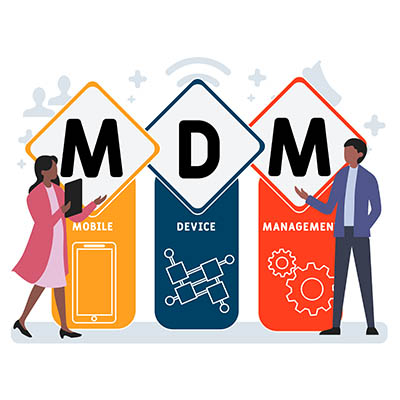
Implementing a Mobile Device Management Solution

A comprehensive all-in-one policy that helps you keep track of your company’s mobile devices is the ideal solution. These are typically called a mobile device management solution, or MDM. NuTech Services can equip your business with the best tool on the market that can help your business stay apprised of industry best practices related to mobile devices, as well as remain focused on data security. To learn more, reach out to us at 810.230.9455.

86312515_efficiency_400.jpg

Three IT Services to Boost Efficiency

86312515_efficiency_400.jpg

Businesses are always looking for a way to be more effective. Whether that be avoiding operational hiccups, cutting costs, or anything else that aids them in an effort to provide a superior product or service. For businesses that take advantage of dynamic technology solutions in efforts to enhance productivity through collaboration and automation, keeping the platform that fuels those initiatives managed and maintained is important. No organization is situated to effectively do that better than an IT services provider. 

What Can IT Services Do to Facilitate Efficiency?

The IT services provider takes control over the aspects of a business’ IT management in many ways. Let’s go through a couple of them:

Remote Monitoring and Management

The first way that an IT service provider like NuTech Services can help an organization build a more efficient business is by keeping their IT up and running. You may think that hardware failure is the costliest thing about a failing computer, but really it is the downtime that ensues dealing with the problem.

Using cutting-edge technology that allows certified technicians the ability to get a clear view of the entirety of the managed IT infrastructure and networks, we can see inconsistencies in hardware. These inconsistencies, if left unchecked, would almost certainly cause downtime, but with proactive monitoring and use of the RMM tool, our technicians can fix a majority of hardware issues before they ever become downtime-causing problems. In doing so, downtime is avoided and business-as-usual can commence. 

Cyber and Network Security

If downtime from failing hardware is an issue you need to confront, downtime from a malware attack or other type of hack is a four-alarm fire. Businesses won’t be able to do much if they are dealing with continual security problems. At NuTech Services, our staff understands just how important keeping your business secure is. 

We can optimize your Internet-facing security tools and ensure that they are properly updated to get the most effectiveness out of them. Beyond that, we can help you develop processes and procedures that outline how your organization wants to go about mitigating the risk brought on by hackers and malware. Additionally, we can help you set up and develop a training program that can get your employees up to speed on threats and how they are carried out. 

Tool Procurement and Deployment

Many people might think of the IT guy as the highfalutin person that comes into the office every so often to fix the computers and run wire. Sure, we do that, but our technicians understand business and how IT fits into it. If your business needs to procure technology or technical support necessary to configure technology to your business, our IT experts will take the lead to ensure that your deployment is carried out competently and professionally. 

Regardless of the technology you want to deploy for your business, our technicians can assist you in designing, procuring, implementing, and supporting it. In today’s business, only specific technology will actually help build operational efficiencies.

To learn more about what our IT professionals can do to help you build a better business, call NuTech Services today at 810.230.9455.

132147555_pull_hair_frustration_400.jpg

Don’t Pull Your Hair Out Over Human Resources

132147555_pull_hair_frustration_400.jpg

Businesses go about their human resources in all different ways, but in today’s small and medium-sized business, it may not be looked on as crucially as it once was. The HR department may have a lot of responsibilities, but today there are tools that are available that can keep organizations from investing large amounts of capital into HR. Let’s take a look at the way HR is being approached today.

Recruiting

For the job seeker, the Internet has become the place to go. As a result, the recruiter has followed suit. For many years this was a major function of the HR personnel, but today, online recruitment is taking this responsibility off of their shoulders. These services can find applicants that match a business’ availability better than any manual search could. 

Communication

One of HR’s core responsibilities is to coordinate internal business issues. Today, there are cutting-edge communication and collaboration tools designed to help HR teams coordinate the vast array of things they need to coordinate. 

Data Security

The security of personal information has always been in the HR purview, but nowadays there are regulations in place (and more on the way) that makes protecting personal information an absolute point of emphasis for businesses. HR professionals can now use technology to control access to personal and company information, securing it and staying compliant. 

Policy Creation

Policies and procedures are a big part of every business’ culture. In many cases, the way things get done defines the company. Innovative HR technology can ensure that people are up to date with their knowledge of the way administrators want a business to function. By working alongside the IT department, today’s HR department can ensure that a business’ policies and procedures are documented and complied with.

Employee Performance Reviews

HR professionals typically are asked to spearhead the employee performance reviews. In the past it had been difficult to track all the good (and potentially bad) actions of employees, but with technology that’s available to HR representatives today, they can easily make assessments about an individual’s workplace performance to help them determine the future of an employee with their company.

HR is changing and technology is filling in the gaps. Call NuTech Services today at 810.230.9455 if you would like to talk about innovating your human resources department.

217849482_frustrated_mobile_400.jpg

Frustrated by Your Android Device Lately? A Bad Update Might be Why

217849482_frustrated_mobile_400.jpg

With a global market share of 71.9 percent, the Android operating system that Google provides is well and away the most utilized there is today. Despite the fact that different phone manufacturers will fiddle with the OS to fit into the devices they create, Android tends to be pretty stable—which is part of the reason why many users were surprised around March 22nd, 2021. This is when these users discovered that their applications were crashing incessantly.

This issue wasn’t constrained to a given application, either—numerous, otherwise unrelated applications began to persistently crash whenever the user attempted to start them up.

Gmail reportedly created issues amongst users, while others found themselves unable to do a Google search through their browser. Lastpass also became notorious for crashing during this time. Other applications remained unscathed with no apparent rhyme or reason. It wasn’t as though Google’s applications were specifically creating issues—applications of all kinds were crashing, and giving users no small amount of stress as a result.

The Cause of These Android App Crashes

The underlying cause of these issues was soon identified, and the news quickly spread on Twitter: a system application known as Android WebView had received a buggy update.

Powered by the Chrome browser, WebView is meant to give other applications the capability to reference web-related content. For a short time, the only recourse against these application crashes was to uninstall the updated version—but Google soon released a new update fixing the bug. In fact, some users missed the issue entirely, based simply on the timing of their device’s update checks.

This proves an important point, regardless: while updates are important and should always be seriously considered, they aren’t always perfect and can present some unforeseen flaws. This is something that should always be kept in mind when installing an update on either a work device or a personal device.

This is precisely why we follow a policy to always evaluate updates in a controlled environment—particularly when they pertain to mission critical apps. While it only took Google 12 hours or so to identify and mitigate the issue, it needs to be remembered that it was a particularly pressing one. There is no guarantee that all update-borne issues will be resolved so quickly, especially if one doesn’t affect as many people. The time you have to wait could extend from hours to full days, weeks, or even months.

Hence, why we always recommend that you test updates and patches before applying them to your business’ devices… just to be safe.

Don’t get us wrong: keeping your IT up-to-date is important. However, it is also important that you are still able to use it afterwards. NuTech Services is here to help businesses like yours with their critical IT management and maintenance. Reach out to us at 810.230.9455 to find out more about how we can help.

302519878_IT_expanding_400.jpg

Should IT’s Role Be Expanding in Your Business?

302519878_IT_expanding_400.jpg

Every business’ goal is to turn enough of a profit, and some businesses are better at it than others. One way that modern businesses can improve their revenue generation is by utilizing technology to cut down on inefficiencies and fuel productivity through collaboration. Today, we’ll take a look at some of the ways that businesses can expand their business through technology. 

Communications

Finding the right tools to help you expand your business’ technology profile is important. We’re pretty confident that any business can utilize new communications technologies and it would improve their overall technology profile. Today’s tools include cloud-hosted solutions like a Voice over Internet Protocol telephone system, email, video conferencing, and cutting-edge collaboration apps that integrate all of the above into one productivity-fueling solution. 

Some communications platforms are unified, which means that they all work together to give your business the reliable and dynamic communications tools to ensure that the investment is providing fast and strong returns rather than just costing your business money without any boost to efficiency or productivity. 

Automation

When looking to expand the role IT plays in your business, the first place you should look is how you can use it to automate some of the more problematic parts of your business. When we say problematic, we mean the parts of your business that don’t necessarily produce any revenue, but need to be completed regardless. Automation lets business owners accomplish more by allowing them to utilize IT to complete tasks that are repetitive, while also gathering data. Some systems will gather data for analysis later, but other solutions that utilize artificial intelligence will merge the benefits by gathering data and using it to streamline the processes that have been scheduled for automation.  

Some of the parts of your business that can be improved by utilizing automation include: 

  • Inventory
  • Security
  • Supply chain management
  • Sales and marketing 
  • Customer relationships

…And more.

The use of automation can streamline processes, help create procedures, and help build your business by allowing your people to work in your business instead of on your business.

Security

If there is one part of your business that should be expanding it is its cybersecurity. Not for nothing, but all it takes is one major data issue to completely destroy your customers’ confidence in your business. Not to mention the corruption of your IT if malware or other issues get onto your network. Since nearly half of all cyberattacks are carried out against SMBs, and nearly two-thirds of all SMBs have experienced some type of cyberattack in the past 12 months, it stands to reason that making additional investments in your business’ ability to stave off hackers (and other cretins who are trying to steal your data and infiltrate your network), is a good idea. Some of the best ways to make a coordinated investment in cybersecurity include:

  • Regular risk assessments
  • Comprehensive staff training
  • Penetration testing
  • Network, server, and website audits
  • Additional software investments

These actions can help you avoid the following costs:

  • Theft (money, service, data)
  • System corruption
  • Regulatory and compliance fines
  • Legal fees
  • Loss of customer confidence
  • Loss of intellectual property
  • Damage to reputation

Security has to be a priority for every business. If you are considering expanding your cybersecurity program, procuring the tools you need to automate some of your business’ most repetitive tasks, or gain some of today’s most helpful collaborative tools, contact the IT professionals at NuTech Services today at 810.230.9455.

33218028_document_management_400.jpg

Why a Document Management System Can Be Advantageous

33218028_document_management_400.jpg

“Paperwork” has long been associated closely with life in the office, but like so many other “classic” workplace elements, it has been replaced by more modern means. In this case, a Document Management System (or DMS) offers a small-to-medium-sized business far more utility than its predecessor, the filing cabinet.

Understanding a Document Management System

Picture, if you will, a magical filing cabinet, imbued with the ability to…

  • Independently organize the files it contains
  • Work with your other business solutions to put these files to their proper use
  • Communicate with a variety of devices
  • Simplify collaboration between you and your coworkers and collaborators
  • Assist you in preparing your business continuity measures
  • Search through your existing files by means of a simple interface
  • Ensure that you remain compliant to industry-based regulations
  • Keep the many files stored in it safe from unauthorized viewers
  • Enable secure access for your remote workers

All this, without being too difficult for the average office worker to use.

What we have described is effectively the Document Management System in a nutshell. More than the average cloud storage solution, the DMS is meant to integrate with your other digital tools to provide more utility than it otherwise would. Cloud-hosted DMS tools also provide you with the means to work on the go while also allowing you to automate the other functions your business requires.

These Features are More Essential Than Ever Before

Now that remote work is more popular than ever and data security is rising in importance each day as a result—not to mention how critical it is that your team can continue collaborating—the precise functions that a DMS supports are more essential than ever.

NuTech Services can help you even further by evaluating your current use of technology and helping you to improve it. To learn more, reach out to us at 810.230.9455 today.

415525386_VoIP_400.jpeg

How VoIP Can Help the Business that Adopts It

415525386_VoIP_400.jpeg

For all the communication services and tools available to businesses nowadays, the telephone remains a staple in everyday processes—despite it often being difficult to manage and expensive to maintain. This is largely because today’s technology enables businesses to use a telephone system that exceeds the capabilities once provided by telephony, for a far more manageable investment.

Let’s take a few moments to explore how Voice over Internet Protocol (VoIP) telephony is so useful to businesses.

A Quick Overview of VoIP

Voice over Internet Protocol is a means of delivering a telephone system via the Internet, rather than investing in an additional, dedicated phone service. Available in different tiers, VoIP has proven reliable and responsive to change. This can largely be attributed to the use of cloud-based solutions to support these networks.

By using VoIP, a business can see quite a few perks come its way:

  • Simple management – With the option to host VoIP in-house or in a dedicated cloud server, it becomes much easier to make painless changes to the configuration of your solution.

  • Mobility – As VoIP uses the Internet as its data connection, it doesn’t need to be constrained to a stationary physical infrastructure. While a desktop phone can be made compatible with VoIP, a dedicated application on a mobile device can also be used.
  • Cost efficiency – By its very nature, VoIP enables a business to consolidate its operational expenses where communications are concerned. Rather than dedicating valuable dollars to yet another service, VoIP only requires an Internet connection to operate while offering many features you’d have to pay extra to a phone company for.
  • Business integrations – Many lines of business and office management applications have the capability to cooperate with VoIP services, helping to streamline daily processes.
  • Comprehensive features – As alluded to above, VoIP comes standard with many advanced call features and options for a business to take advantage of, like call waiting, call forwarding, conferencing capabilities, and instant messages.

NuTech Services is here to help you manage your business’ IT so that it can better fulfill your needs. Learn how we can help you take advantage of VoIP and other services by calling 810.230.9455 today.

81574946_internet_400.jpeg

Examining the FCC’s Efforts to Fix Internet Access in the US

81574946_internet_400.jpeg

Internet connectivity is an increasingly important component to a business’ capabilities in this day and age, as well as all the more crucial to an individual’s everyday life. However, with financial difficulties restricting this access for many, the Federal Communications Commission has stepped in. With a $50 subsidy being made available to low-income homes each month, this situation warrants a closer look.

On Thursday, February 25, the FCC unanimously adopted a program that would discount broadband internet service to low-income households by up to $50 each month ($75 for those on tribal lands) and a one-time discount of $100 on a computer or tablet, utilizing $3.2 billion of the $900 billion coronavirus relief package that Congress approved back in December.

This has been shown to be a prescient need, as the average bill for stand-alone broadband service (calculated by the Wall Street Journal) totals about $66 per month. Unfortunately, this fee is too expensive for many, even without the additional challenges presented by the pandemic.

Eligible households include those that are already participating in pandemic relief or low-income Internet programs, households eligible for free or reduced lunch meals, Medicaid and SNAP recipients, Pell Grant recipients, and the recently unemployed. This program is set to be opened sometime in the next few months.

However, there are a few potential issues surrounding this situation—first, the limited funds allotted to a massive pool of eligible households. With 117 million households being made eligible, the $3.2 billion won’t last all that long… and once it dries up, so will the program.

This isn’t the end of the problem by any stretch, either. Millions of families across the country currently lack any form of broadband access, creating a serious problem as the pandemic has forced many schools and workplaces into remote operations. This problem is likely even bigger than figures would suggest.

Here’s why: while the official total released by the Federal Communications Commission estimates that 18 million people lack reliable connections to the Internet from their home, the methods used to count these households can easily skew the data. In order for a ZIP code to be seen as broadband-compatible, just one household within that block has to have Internet service. Considering that remote areas have census blocks that can stretch hundreds of square miles, this measurement seems to be woefully inadequate.

Hopefully, these measures are the first few steps toward a more equitable and accessible quality of Internet service, as the need for it has finally been made clear.

What do you think? Is this the measure that people need right now, or is it too little for too few? Leave your thoughts in the comments.