dataProtection_505098897_400.jpg

Whoops! Microsoft Update Has Been Missing This Critical Security Vulnerability

dataProtection_505098897_400.jpg

For the most part, Microsoft takes security as seriously as it should, issuing updates and patches to maintain your Windows and Server operating systems. While you can count on receiving these updates for your supported operating systems, what you might not have known is that Microsoft accidentally overlooked a flaw in its own defenses.

The Flaw is in Vulnerable Drivers

Microsoft has a Windows Update tool that is supposed to detect and add vulnerable software drivers to a blocklist.

Drivers are the bits of software that help your computer interface with various hardware. Without the driver properly installed and updated, the hardware doesn’t behave the way it should. Of course, we’re talking about software here, so drivers can be just as vulnerable to threats as any other software can, and because of their functionality, they have access to systems on your PC that can cause problems.

Well, Microsoft’s Windows Update tool hasn’t been managing the block list, even though Microsoft has insisted on reinforcing it. You may have been receiving updates and patches as needed, but this is one particular piece of security that has not been updated.

This flaw gives threats the ability to push any known vulnerable driver to your PC, then use those vulnerabilities to their advantage. These types of flaws are not new or unheard of; they have been around for at least a decade, and the large increase in threats over the past several years can be attributed to this vulnerability. Attackers like to cast wide nets using easy-to-leverage vulnerabilities, and this one fits the profile just fine.

Microsoft has been working on a fix and says that something will be coming with the next Windows update.

Businesses usually want to prevent their users from installing and configuring new devices on their work PCs, and this is a sound strategy to prevent many threats from striking your business. It’s not a magical cure-all, but it will go a long way.

If you’re ready to protect your network from external threats, know that NuTech Services is ready and able to assist your business with implementing enterprise-grade security solutions. All you have to do to get started is call us today. You can reach us at 810.230.9455.

malware_159695428_400.jpg

These Are the Ways You Get Malware

malware_159695428_400.jpg

Malware has been a problem for people that rely on technology for decades. Like the security that is designed to mitigate the effect of malware, the malware itself has grown in potency and frequency and is a major problem for businesses. Today, we will take a look at a few ways you can get malware. 

Spear Phishing

One of the most common attack vectors for cybercriminals, spear phishing is the act of people disguising themselves as common entities to get their targets to provide their login credentials. These attacks can come in from all different directions: phone calls, email, messaging, social media, and even snail mail. Once a cybercriminal gains access to an account they can infect your network with malware, including ransomware. 

Malvertising

Unfortunately, as the Internet grows, you can get malware on your computer by simply surfing the web. This happens through what is called malvertising. This is when malware is injecting malicious code into advertisements that are used on legitimate websites. Some can simply slow down your computer while some can hijack your browser controls and continuously direct them to pages full of ads. 

Trojan Downloads

Trojans are strains of malware that have been around for decades. Today, users can acquire them through legitimate pieces of ancillary software from the Internet and email. While the initial download is legitimate, over time the software can be exploited to create malware. When a user installs any third-party software, the built-in security protections of the app store are circumvented. 

Infected Documents

Documents such as .txt, .pdf, and others are all over the Internet. That’s why when users download them, they don’t think there is a problem. Unfortunately, it doesn’t take much for one of these documents to contain malicious code and end up infecting your computer and network. Every time developers attempt to fix this issue, hackers find ways around it. 

Imposter Sites

Cybercriminals will now set up sites that look legitimate to get people to interact with them and provide them with the data they need to get access to networks. This happens in multiple ways that are designed to pull the wool over users’ eyes, such as changing a single letter in a URL or simply copying the design of a website but adding malicious links. 

Fraudulent Mobile Apps

With so many people and organizations using smartphones for business purposes, there are apps out there that can turn into malware, much like the ancillary software you find with browsers and websites. Fortunately, the Google Play Store and the Apple App Store both have protections that keep malware from being a problem. Software updates can change apps and create problems for users. 

If you are having trouble with malware, or think you do and are not sure, reach out to the IT professionals at NuTech Services. Our technicians can help you navigate today’s dangerous computing situations and keep malware from being a problem for your business. Give us a call at 810.230.9455 to learn more. 

mobileRansomware_355601290_400.jpg

Ransomware Has Gone Mobile

mobileRansomware_355601290_400.jpg

Smartphones have managed to hold out against ransomware a bit longer than other hardware and operating systems, but those days are coming to an end. It’s important to remember that the average smartphone is not protected with antivirus software and thus remains threatened by your standard ransomware attacks. It is absolutely critical that your business doubles down on its protection against ransomware, especially in the mobile market.

Defining Mobile Ransomware

Ransomware is defined as a malware that gives a hacker the ability to control a computer or network and hold it for a ransom. Users lose access to the controls and data that allows the system to function, and the only reprieve in most cases is to restore a backup of said data. Users have to decide whether they want to lose access to that data, restore the data from a backup, or pay the ransom in hopes that the hacker will honor their word and restore access.

Think about the number of smartphones which exist in the world today and the fact that most computing these days happens from mobile devices. With so much data to steal and devices to tap, it makes total sense for hackers to focus their efforts on mobile devices.

Phishing Plays an Important Part in Ransomware Infections

When it comes to malware dissemination, phishing attacks are hackers’ go-to methods of infection. When you think about how easy it is to slip up and click on the wrong link, you’ll realize that phishing is a very real threat to your organization and your data. Phishing can come in many different forms, too, adding to the stress. Will the hacker call you on the phone, send you an email, text you a link, contact you through social media, or even send you a physical mailer? It can be quite overwhelming.

How Does Mobile Ransomware Work?

Most mobile platforms remain remarkably secure even against the potent threat that is ransomware. Most scams resort to targeting the device’s cloud storage, locking it down, and demanding a ransom in the process. One particular iPhone scam uses the Find My Phone feature that allows the user to remotely lock the device. Scammers only wanted $100 to unlock the device, and with such a low asking price, people are of course going to pay up rather than go through the hassle of involving the authorities or other professionals. Hackers who gain access to an iOS account can even use the information to create new iCloud accounts and move all data into these new accounts until the ransom is paid.

Threats which target Android are similarly problematic, and they all start with phishing. The most dangerous one was called ScarePackage that targeted 900,000 Android smartphones over the course of 30 days. It was deployed through a fake app that could lock down the device and threaten that the FBI was the one responsible for doing so with the only solution being to pay a ransom. The FBI isn’t in the business of extortion, so this is a simple case of coercion and fear manipulation by hackers.

How You Can Protect Your Devices

Let’s examine some things you need to know about mobile phishing schemes.

  1. The first warning sign is that the message will make you do a double-take. Phishing scams can come through a variety of mediums, including email, telephone, social media, and so on, be it for work or personal use. Mobile phishing messages can come through text messages asking you to click on links. These messages will seem random and out of place, so that is the first hint that something is out of the ordinary here.
  2. Look for spelling and grammar errors. Professional correspondence has a certain look and sound to it, like the sender has taken some time to proofread and edit it. If you receive sloppy messages from strange senders, be wary of the message.
  3. The messages might seem a bit aggressive. It’s one thing for a message to come off as frustrated, but another entirely when the person on the other end of the message demands immediate action. This is often a telltale sign of phishing messages; they urge people to make fast, irrational decisions through fear tactics and threats.

NuTech Services knows how to combat the countless types of cyberthreats out there, phishing and ransomware included. We can use our knowledge to implement high-quality technology tools and to educate your team on how to make the best decisions possible with their technology. To learn more about what we can do for your business, call us today at 810.230.9455.

RansonReview_416944382_400.jpg

There is No Value in Paying a Ransom

RansonReview_416944382_400.jpg

We all know at this point how dangerous ransomware can be for businesses. It can lock down files, threaten operational continuity, and in some cases subject victims to brutal fines as a result of privacy breaches. One place where you might not expect ransomware to hit, however, is customer reviews, and it all stems from the big question: do you pay to resolve a ransomware attack or not?

The obvious answer is “no,” you shouldn’t pay to get rid of a ransomware problem, even if you think that it’s your only option. Rest assured, it is far from the only way to solve your issues. Paying up creates serious problems for your business, some of which you may not have considered. We generally advocate that businesses should never pay the ransom because it 1) Rewards the downright deplorable behavior of hackers, 2) There’s no guarantee that you will get your data back in the first place, and 3) You are funding future ransomware attacks against other businesses like yourself. We like to recommend that businesses have data backup solutions in place on the off-chance that a ransomware attack rears its ugly head, but you should always, and we mean always, contact a trusted IT professional before taking any action in ransomware care.

But again, the point we want to make is that you should never pay the ransom, even if it feels like your only option. In fact, it could put your business’ customer base at risk, and not in the way that you might expect. It turns out people don’t really like to work with companies that are struck by ransomware, but even worse, they don’t like to work with companies that pay criminals for the safe return of their files.

Backing this claim up are the results of a survey by data management firm Cohesity. The study asked 1,000 consumers in the United States about their thoughts regarding ransomware. Some of the most concerning numbers have to do with companies that not only are struck by ransomware, but those that also pay the ransom. Here are some statistics:

  • 55% of respondents said they would lose confidence in a company or organization if they are impacted by ransomware.
  • 54% of respondents claim they would lose confidence in a company if their personal data were breached.
  • 29% of respondents claim they would lose confidence in a company if the breach led to any inconvenience on their part.
  • 23% of respondents would lose confidence in businesses that pay the ransom.
  • 22% of respondents would cease doing business with any organization that pays the ransom.

So, there you have it. Not only are you risking your business’s data, but you are also risking the public’s perception of your business if you fail to protect your company from ransomware. Even if you don’t think ransomware can strike your company, it is better to be safe than sorry.

Don’t let ransomware hold your business hostage; take the appropriate preventative measures now to keep ransomware from crippling your business in the future. NuTech Services can assist with implementing any and all security measures your business needs to minimize the chances of a ransomware infection. To learn more, reach out to us at 810.230.9455.

malwareADS_417322951_400.jpg

Malware is Everywhere. Even Your Ads

malwareADS_417322951_400.jpg

Do you ever see an advertisement for a free download of a popular Windows application and think, “Wow, this sure sounds too good to be true!”? Well, it most definitely is, and hackers use these malvertisements to infect computers with malware and other threats. Specifically, malvertising is used to download three different types of malware, all of which can cause harm to unwary businesses.

This particular type of malvertisement threat, a new campaign targeting users in Canada, the United States, Europe, Australia, and Nigeria, aims to capture usernames, passwords, and other sensitive credentials from users.

The three types of malware commonly installed through this new malvertising campaign–dubbed Magnat by Cisco Talos–include, according to ZDNet, a malicious browser extension that has the same capabilities as Trojan malware. In other words, it provides a backdoor entrance to the user’s system. This malware is as-yet undocumented and appears to be custom-built, and it has been developed over the course of the past several years. The other malware installed using this campaign is a password stealer.

While the malicious browser extension (also a keylogger) itself and the password stealer are cookie-cutter malware that have been around for quite some time, the backdoor is something else entirely. The backdoor, dubbed MagnatBackdoor by researchers, allows attackers to gain remote control over a PC without being detected. It also adds a new user and installs keyloggers and other malware that allow the attackers to steal information like usernames, passwords, and other sensitive credentials. According to researchers, the threat works much like a banking trojan, and aims to steal credentials for either individual sale on the Dark Web or for use by the attackers.

The malware is primarily distributed through malicious adverts–advertisements that link to malicious file downloads–for popular software solutions. These campaigns are obviously causes for concern, but it’s important to remember that they are nothing new. We have been around the block a time or two with these types of threats, so we know how to combat them. Malvertisement is not a new concept, and it has been around for a long time, so it’s no surprise that hackers would continue to use this avenue to infect PCs.

NuTech Services can help your business stay secure from online threats of all kinds, and while we cannot stop your employees from clicking on questionable advertisements, we can help to inform them of why they shouldn’t be doing such a thing in the first place, and block a lot of bad content before it gets to them. To learn more about what we can do for your business, contact us at 810.230.9455.

threat_199464869_400.jpg

Let’s Look at Some of the Virtual Threats

threat_199464869_400.jpg

Network security is challenging for many businesses, and it’s largely because of the large number of various threats that populate the Internet. Some companies simply don’t know what the correct measures to take are, leaving themselves vulnerable to these threats on both a security standpoint and an employee training standpoint. We’ll delve into some of these threats and how they can be addressed.

Today, we just want to provide a shortlist of security threats that your organization should keep an eye out for. Many of them are variants of malware, but you might be surprised by one or two entries on this list!

The More Notorious Network Security Threats

  • Viruses/Malware: These types of threats are bits of code and malicious programs that cause problems for your business. The effects range from minor inconveniences to serious problems. There are many variants of malware that perform specific tasks, like steal data, install adware, and in the case of ransomware, encrypt files on the device.
  • Trojans/Backdoors: Trojans, also known as backdoors, provide back-end access to an infected network or device. Hackers can then gain access remotely to perform all kinds of nefarious deeds. Trojans and backdoors are often gateways for other threats to make their way to your network.
  • Unpatched Vulnerabilities: Sometimes vulnerabilities are discovered in software your business uses, and if these vulnerabilities are not patched in a timely manner, they can create security problems for your business. This is especially the case if you use unsupported software, like an old operating system.
  • Phishing Attacks: Phishing attacks are commonly used to spread other types of threats or steal important information like banking credentials or personal information. They can come in a variety of modes, like through email or even over the phone.

Security Measures to Protect Yourself

Your security strategy should have two primary components: the technology aspect and the human aspect. For technology solutions, you can implement tools such as unified threat management (UTM) devices, which combine common security measures like antivirus, firewalls, spam blocking, and content filtering into one easy-to-manage solution. We also highly recommend that you implement a virtual private network for secure data transmission and multi-factor authentication for account security.

As for the human aspect, you must train your employees on how to identify and respond to threats in an appropriate way. This means they should know how to avoid threats online and how to see past the farces brought upon them by hackers. They should also be fully aware of how to report a security breach to your IT department, whether it is in-house or managed through a third party.

NuTech Services can assist you every step of the way with security management. To learn more about what we can do for your business, reach out to us at 810.230.9455.

299035271_ransomware_400.jpg

Read This if You Don’t Believe That Ransomware is a Major Problem for Businesses Like Yours

299035271_ransomware_400.jpg

You’d think that cybercriminals would use ransomware to target high-profile businesses with loads of money to extort, but this is not always the case. Even a small business can fall victim to these particularly devastating threats. Ransomware, just like other threats out there, has continued to evolve and adjust its approaches based on the current cybersecurity climate, so what are some of the latest developments in ransomware?

In No Uncertain Terms, Ransomware Has Grown More Dangerous

In order to be effective, a cybercriminal must capitalize on the challenges that small and medium-sized businesses face. For example:

  • Cybercriminals frequently rely on deception in the form of phishing. Using phishing attacks, a cybercriminal bypasses the protections a business has in place by taking advantage of their employees in order to gain access to the business’ network.
  • A lack of communication between departments makes issues even greater. A lack of communications between a business’ departments can exacerbate the risks to be seen from cybercriminals.
  • Smaller businesses don’t always have the resources needed to prepare their team members. Unlike corporations, SMBs likely don’t have a dedicated budget for cybersecurity training, and almost certainly can’t afford the salary of a dedicated security professional on-staff.

In addition to these opportunities, today’s cybercriminals can exploit the following:

Automated Threats

The power of automation has allowed many businesses to streamline certain processes, but the same can also be said for cybercriminals. They no longer manually attack individual targets, instead opting to leverage automation for widespread attacks with the smallest amount of effort. The extortion part of ransomware has also been completely automated, as evidenced by Avaddon, a ransomware variant that proudly displays a list of companies that have been infected right on its Dark Web listing, as well as flaunting a countdown to when the data will become publicized.

Ransomware as a Service

Believe it or not, cybercrime is a legitimate business model in the sense that people can and will put together teams of developers and commission-based structures for their services. Ransomware as a Service is just one way that has surfaced, providing hackers and criminals with the means to pull off ransomware attacks with ease. With these types of services being so accessible, it’s no wonder that there is a major cause for concern out there about cybersecurity.

Layered Extortion

Ransomware attacks often target the same individuals or companies more than once, sometimes charging the victims even more or forcing them to pay up with a threat of the data being leaked if they do not do so. Unfortunately for businesses, this approach is more advanced than it has been in the past. Here is a snapshot of what the extortion process looks like:

  • The victimized business is instructed to pay for their access to their encrypted data to be restored.
  • Hackers release the data they’ve stolen if the ransom isn’t paid.
  • Denial of Service attacks are used to take down a victim’s website.
  • The cybercriminals responsible reach out to the targeted business’ customers, partners, employees, and the media to inform them of the hack.

These tactics have made it hard to say no to ransomware and have drastically improved the success odds for cybercriminals.

You Need to Be Ready to Resist Ransomware

Ransomware can be devastating if you let it create problems for your business, so don’t take any risks with it. Make sure that you are working with cybersecurity professionals who can help you take the fight back. To learn more about security and how to keep it from becoming a problem for your business, reach out to us at 810.230.9455.

244234131_ransomware_400.jpg

Don’t Be Caught Off Guard by Ransomware

244234131_ransomware_400.jpg

Ransomware is bad stuff, and it’s only gotten worse with its recent resurgence that aligned with the COVID-19 pandemic. Phishing attacks and other means by which ransomware is commonly spread have used the current atmosphere as a springboard. This makes it even more critical that these kinds of behaviors and attempts can be spotted and stopped.

Why Do Cybercriminals Use Ransomware?

It’s simple: if a cybercriminal specifically chooses ransomware as their malware of choice, they most likely intend to profit from their crime. The entire point of ransomware is to collect money from its victims by encrypting their data and demanding a ransom in exchange for the decryption key (which, for the record, isn’t guaranteed even if the ransom is paid).

Looking at it this way, it’s little wonder that cybercriminals have aimed their sights higher and higher.

Don’t get us wrong, small and medium-sized businesses are in no way out of the woods, but there have been more and more attacks on critical pieces of infrastructure taking place recently. Consider the attack that was waged on Colonial Pipeline and the massive supply chain disruptions that came about as a result of its impacts. Another massive issue in the supply chain happened in the food industry, with the REvil group attacking those infrastructures. REvil was also responsible for an attack on Kaseya, a major software vendor, hurting businesses and proving that service providers are a good target for such efforts.

Yes, You Need to Be Prepared to Deal With Ransomware

However, this can’t stop once you have some preventative measures in place. You won’t be fully prepared until your team is ready to deal with a successful attack, just in case one does slip through.

To do this, you need to have a resource in your corner that you can turn to for help with either an incoming attack or one that’s already gotten in. That’s what NuTech Services is here for (amongst many other services). We can help you do more to keep ransomware out, while also putting you in a better position should one get by. Did you know that businesses can now actually insure themselves to help prepare for the high costs that come from a ransomware infection?

You’ll also need to crunch some numbers to evaluate your ransomware risk. How much of a financial impact could a ransomware attack have overall? Are there any risks that could come from any third parties? Could you be considered a valuable target for an attacker, in terms of the financial gain they could anticipate or the amount of disruption they could cause? Do you have anything potentially making you vulnerable to these attacks?

Once you’ve covered these steps (and committed to revisiting them regularly as your situation changes), you need to prepare for the two scenarios we’ve referenced:

Keeping Ransomware Out of Your Business

Naturally, we want to keep ransomware out, which means there are some things you need to do. Keeping your protections—your antivirus, your parameters for your content filters, your firewalls, and everything else of the sort—up to date can reduce the number of threats you need to actively deal with by a considerable amount. It is also important that you keep your team equally up-to-date with the best practices and accepted responses on the chance that they spot a potential threat.

Minimizing the Damage Ransomware Can Do

Should a ransomware attack make it past all that, you need to be prepared to minimize its potential impact on you. Frankly, you’ll likely have to completely wipe your infrastructure, so you need to have an isolated and maintained backup. You know, just in case.

Ransomware is no joke, but neither are the services that you receive by working with NuTech Services. Our purpose is to do everything we can to prevent your business being hindered by a technology issue. Find out what we can do for your business specifically by calling 810.230.9455 today.

key_to_protecting_400.jpg

The Key to Protecting Your Business from Ransomware Is More of the Same

key_to_protecting_400.jpg

With so many high-profile ransomware attacks being launched against manufacturers, pipelines, and even hospitals, it’s no surprise that many companies are worried about what the future of this threat means for their organizations. Ransomware poses a serious threat, one that cannot possibly be ignored, so we urge you to take action now so you don’t come to regret it later.

Today’s blog is dedicated to helping you take measures to protect your business from ransomware. You will have gained a foundational understanding of the type of threat ransomware is, how it spreads, and what you can do to stop it before it becomes a problem for your company.

What is Ransomware?

Ransomware is a special type of malware that encrypts the files found on a computer or device, essentially locking them down and rendering the user unable to access them. In order to regain access to the files, the hacker responsible for distributing the ransomware demands a payment. In the case of recent ransomware attacks, the payment is usually quite exorbitant and is most certainly not an amount that is budgeted for. Payment is most often requested in the form of Bitcoin or other cryptocurrency. Once the payment is received, hackers claim they will release the decryption key which can begin the process of unlocking the data.

However, we want all businesses to think twice about paying the ransom up-front and in a panic. Paying the ransom is generally counterproductive for a number of reasons. For one, there is no guarantee that paying the ransom will get you your data back. What’s stopping the hacker from accepting payment and just going about their business as usual? The other main concern is that you are essentially funding hackers by giving in to their ransom demands. Furthermore, paying the ransom just reinforces the idea that these types of hacks work, and work well, encouraging hackers to continue pulling off these stunts.

That said, paying the ransom might seem like the only choice at the moment. More and more hackers are implementing dirty tactics that force organizations’ hands when it comes to the ransom. For example, recent attacks have had hackers threaten to release the encrypted data in the event that the ransom is not paid in a timely manner. Doing so puts businesses in a precarious situation; do they pay up and give the hackers what they want, or do they risk their data being released into the wild, potentially subjecting them to fines imposed by strict data security and privacy regulations?

At the end of the day, it’s a lose-lose situation. Therefore, it makes sense to prevent infections in the first place.

How Can You Stop It?

First, you need to understand how ransomware can spread from system to system. At its core, ransomware operates in much the same way as any other type of malware. It can be spread through downloading infected files or attachments, clicking on the wrong links while navigating the web, and other phishing or social engineering tactics used by hackers. Sometimes hackers can utilize holes in your network security to infiltrate and install ransomware on the chosen device. Yes, in many ways, ransomware is no different from your typical malware, but this does not make it any less scary to deal with.

This is good news, as it means that you can double down on tactics used against any other type of malware to protect yourself from ransomware. Through a combination of proactive network maintenance, adequate security solutions, proper data backups and disaster recovery solutions, and training your employees to identify threats, you can be confident that your organization can effectively prevent and respond to ransomware attacks should it need to.

Let Us Help!

No matter how great your defenses, you can never be 100 percent secure from the threats that are out there that could target your business. Therefore, the best you can hope for is that the above measures are enough to deter any would-be security threats. To implement all of the above solutions, NuTech Services can help. To learn more about how you can take proactive steps toward protecting your business, reach out to us at 810.230.9455.

176244558_bitcoin_400.jpg

Agent Tesla Is Out to Steal Your Credentials (and Your Cryptocurrency)

176244558_bitcoin_400.jpg

Network security isn’t just for large, high-profile enterprises; even small businesses need to take it seriously. All businesses have something of value to hackers, and if you don’t believe this is the case for your organization, think again. All data is valuable to hackers, and you need to do everything in your power to protect it—especially against threats like Agent Tesla, the latest version of phishing malware designed to steal your data.

Before we dive into what makes Agent Tesla so concerning, let’s discuss phishing on a more broad scale. What is it, and why is it important that you know what it is?

Explaining Phishing Attacks

Not all hackers take a direct approach to infiltrating your systems. Brute force can only get them so far, so they have to resort to sneaky tactics like phishing. A phishing attack aims to convince users to grant a hacker access to a network of their own free will, usually through downloading an infected file, clicking on a suspicious link in an email, or handing over credentials to someone claiming to be tech support or someone of authority within the organization.

Why You Should Care

The scary part of phishing attacks is that you can do everything right in terms of network security and still fall short of protecting your organization. Phishing attacks, when executed properly, have the potential to make it past even the best security solutions. They rely on the human aspect of your organization—your employees—to infiltrate and cause problems for your business. In a sense, your company’s security measures are only as effective as your employees’ knowledge of network security.

Agent Tesla

Agent Tesla as a threat has been around since 2014. The malware uses a keylogger to steal information from infected devices, which it transmits to the hacker behind the attack periodically throughout the day. This gives the hacker access to information like passwords, usernames, and other data that is typed into the system. This new variant of Agent Tesla is notable because it also seeks to steal cryptocurrencies from the user.

Agent Tesla spreads through the use of phishing emails with infected Excel documents attached. One such attack, as evidenced by a report from Fortinet, shows an email with an Excel file sporting the title of “Order Requirements and Specs” attached to it. To the untrained eye, it might appear to be legitimate. If the user downloads the file and opens it, the file runs a macro that downloads Agent Tesla to the device. The specific process, as outlined by Fortinet, involves installing PowerShell files for Agent Tesla, adding several items to the Auto-Run group in the system registry through the use of VBScript code, and finally creating a scheduled task that executes at a designated interval.

Agent Tesla itself is surprisingly accessible, given that it can be purchased on the cheap and the developers offer support to those who do purchase it. This sets the bar pretty low for hackers who want to get started in this deplorable line of work.

What You Can Do

You don’t want to find yourself in a reactive position with your network security. Instead, you should be proactive about it. Your network security against phishing attacks (and all threats in general) should take a two-pronged approach:

  • Implement quality network security solutions to catch the majority of threats before they reach your network.
  • Train your employees to identify threats so that the ones that do get through your defenses do not cause more trouble than they need to.

NuTech Services can help your business do both of the above, implementing powerful enterprise-level security solutions that can keep your company safe and training your employees to keep it that way. To learn more, reach out to us at 810.230.9455.

170766528_software_update_400.jpg

How Can a Business Be Impacted by Unpatched Software?

170766528_software_update_400.jpg

It’s no secret that software often does not work as intended. Developers frequently discover bugs and patch them out. The same can be said for security vulnerabilities. Despite the importance of these updates, small businesses often fail to implement these patches and updates in a timely manner, a practice which can lead to more problems down the road.

Software bugs can range from very problematic to minor inconveniences. Some can cause a software to behave in an unpredictable manner. Others might expose critical data or leave backdoors in the code that could lead to security breaches. Let’s explore some of the issues that software bugs can bring about from both a customer and worker perspective.

Customer Satisfaction Takes a Dip

A positive reputation is key to any successful business endeavor, and something as simple as a software glitch can create major problems in this regard. For example, if a customer service portal simply does not work, it can create major issues for your customers when they seek to get help with other areas of your business. With most businesses having at least some online presence, this is a very real possibility, and customers are more likely to share their experiences when that experience is negative.

Small Issues Suggest Larger Problems

If a company is issuing software to paying customers, then there is an expectation that it works as intended. Things like a lack of attention to detail, grammatical errors, or UI issues can all contribute to the larger quality of the program. Small issues can often provide clues to larger underlying problems that could surface after a long enough use.

Security Becomes a Concern

If software is not regularly updated, be it a website, application, or operational software, vulnerabilities are likely to be discovered by hackers. This is why you see updates happen so frequently, especially by big name developers. People don’t want to use tools that put their financial information or personal data at risk (or at least, they shouldn’t). Patching these issues and testing them periodically is something that all developers should do; failing to do so could lead to disasters just waiting to happen.

The Issue Expands Over Time

It is extremely important that you have a patch management strategy in place to guarantee the operational effectiveness of your business technology. Neglected software can become riddled with problems in the long term, and if a customer or vendor finds these issues, you can bet that they can cost businesses a considerable amount of time and resources to rectify, if they get resolved at all. If you fail to do anything about problematic software for your business, you are just throwing money onto a bonfire, hoping desperately to snuff out the ever-growing flame.

Since software is such a major part of your business, you have to be extremely careful about how you implement it and update it with the latest patches and security updates. NuTech Services can help you make this happen. To learn more, reach out to us at 810.230.9455.

325782067_cybersecurity_400.jpg

The Colonial Pipeline Attack Continues to Be Important to Cybersecurity

325782067_cybersecurity_400.jpg

The situation surrounding the hack against Colonial Pipeline has only become more complex as new information has come to light, each new discovery providing more insights and potentially actionable takeaways. Let’s examine some of the biggest developments surrounding the attack, and what they will likely mean for overall cybersecurity from this point forward.

Let’s begin with some of the bad news, just to get it out of the way.

The Colonial Pipeline Attack Has Inspired Additional Ransomware Campaigns

Taking advantage of the notoriety that the Colonial Pipeline attack garnered, cybercriminals have designed phishing campaigns to play on the fears of its recipients. Via email, messages have been distributed to organizations offering so-called “ransomware system updates.”

To be fair, this isn’t untrue so much as it is misleading. Technically speaking, they do contain ransomware system updates, in that these messages will update the recipients’ systems with ransomware.

To do so, these fraudulent emails direct the recipient to visit an innocuous-enough-looking website in order to download a so-called system update to help protect their computer. Little does the user realize that these websites have been designed to mimic a legitimate one, just so there’s a higher chance that a user will be fooled. Shortly after news broke that Colonial Pipeline had shelled over the payment the DarkSide ransomware group demanded of them, these phishing emails began appearing in the wild.

The Department of Justice Was Able to Repossess a Lot of the Ransom

On June 7th, the Department of Justice distributed a press release that stated that they had managed to seize 63.7 Bitcoins (valued at about $2.3 million) of what Colonial Pipeline had paid up. By following the money, the FBI located a wallet that they had exfiltrated the key for that had received a significant portion of the ransomware payment. As a result, the FBI was able to seize this portion of the payment.

However, This Led to Severe Dips in Cryptocurrency Values

When this news broke, cryptocurrencies saw their values plummet. After all, cryptocurrencies are supposed to be completely anonymous and secure, so the idea that the FBI was able to track and repossess these funds is disconcerting to many. The market therefore plummeted by 11 percent in a single day.

It is somewhat likely that more government intervention will follow, despite the impacts this would certainly have upon the crypto market. Time will only tell if these efforts will continue.
Clearly, ransomware is not to be underestimated, and these developments will only complicate things further. Cybersecurity is a difficult thing to manage, but NuTech Services is here to help. Give us a call at 810.230.9455 to learn more about what can be done to better secure your business.

391746169_hacker_400.jpg

How Many Types of Cybercriminals Can You Name?

391746169_hacker_400.jpg

We’re all familiar with the idea that pop culture has cultivated in our minds about computer hackers, but as it happens, this impression is just one of the many shapes that the modern hacker can take. This kind of closed-off view is dangerously shortsighted, so let’s take a few moments to dig into the kinds of hackers there are, in ascending order of the threat they pose to your business.

The Heroic Ethical Hacker

It is important to acknowledge that hackers aren’t all bad—some are actually committed to using their skills to protect businesses from threats. By examining a business’ defenses from the perspective of a cybercriminal, the ethical hacker can help you identify vulnerabilities in your network infrastructure so that they can be resolved appropriately. These are the hackers that you hire for your own benefit.

The Accidental Hacker

It isn’t unheard of for someone to go poking around on a website—particularly if they stumble upon a preexisting issue on it. Unfortunately, this kind of poking can often result in them finding more than they bargained for. This kind of hacking has raised the question of whether such activity should be prosecuted if the person responsible reports what they have found back to the company.

Either way, what does it say about a business’ security if its website can be hacked accidentally? Such events need to be looked on as a warning to improve the protections you have in place.

The Pokey Curious Hacker

Just one step up from the accidental hacker, some hackers are fully aware of what they are doing and are just doing it to find out if they can. Meaning no real harm, these hackers are seeking little more than validation—or, in layman’s terms, bragging rights. Having said this, it is important to acknowledge that this variety of hackers is becoming rarer with the increased criminal accountability that such activities bring with them. Nowadays, hardware modification by means of single-board computers now occupy the time of those that would be interested in these kinds of activities.

The Scammy Networking Hacker

Adware—or a piece of software that hijacks your browser to redirect you to a website hoping to sell you something—is a real annoyance, as it wastes the user’s valuable time and energy. It also isn’t unheard of for otherwise well-known and legitimate companies to use it in their own marketing, despite the risk they run of having to pay regulatory fines due to these behaviors.

While the real damage that adware spamming can do may seem minimal, it is also important to put the nature of these efforts into perspective. An adware spammer will use the same tactics that other serious threats—things like ransomware and the like—are often spread through. If you’re finding your workstations suddenly inundated with adware, you are likely vulnerable to a much wider variety of threats than you might first assume.

The Strength-in-Numbers Hacker

Sometimes, instead of attacking you, a hacker will use your resources to attack another business. While this isn’t an attack against you, per se, it should still be seen as a threat, as it interferes with your business’ potential for success.

The attackers that do this use the resources they take over to generate something called a botnet—a network that can then be used to the hacker’s ends. For example, one only must look at the attack on the DNS provider Dyn, where a botnet was able to take down various major websites (including Facebook and Twitter) for several hours. These botnets often make their way in through unpatched vulnerabilities and breached login credentials.

The Political Hacker

Political activists are often seen in a positive light—and rightly so—but some activists use tactics that are decidedly negative in their nature. By deploying cyberattacks to sabotage and blackmail a company that they see as doing something wrong, a hacktivist often goes about doing good in a bad way. This kind of activity can be dangerous to your operations and to the cybercriminal alike, as law enforcement won’t take the motives behind a hacker’s deeds into account.

The Cryptocurrency-Seeking Hacker

The ongoing obsession many have with cryptocurrency right now has contributed to no shortage of attacks seeking to bring the attacker responsible an unfair leg up. While the concept of borrowing resources is not a new one—The SETI (Search for Extraterrestrial Intelligence) Institute, which is associated with NASA, once legitimately used a screen saver to borrow the CPU usage of the computers it was installed upon—cybercriminals now do a similar thing to help hash cryptocurrency for their own benefit.

With hardware costs rising and the intense utility demands that mining brings about, it is little surprise that such hackers will find a way to sidestep these demands for their own benefits.

The Gaming Hacker

While many may scoff at video games in general, it is important to keep in mind that the industry behind them is valued in the billions, with huge investments of both time and money put into the games it creates. Naturally, with such high stakes, it is only natural that some hackers set their sights upon it for their own gain. Such hackers will attack their fellow players to obtain in-game currency through theft or will even restrict their competition through denial-of-service attacks.

The Professional Hacker

A lot of gig work has been facilitated by the Internet and its capability to facilitate networking. In terms of cybercrime, this has allowed many people to act as a for-hire hacker, combining malware of their own creation with programs that they’ve found or stolen to offer their services to others. For a fee, these mercenaries will act on behalf of whomever pays, whether that’s a government seeking some separation from the deed or a business looking to sabotage their competition.

The Larcenous Hacker

Considering how much of life has been converted to digital, it should come as little surprise that crime has followed suit—after all, hacking someone is a lot less physically dangerous and potentially much more profitable than mugging them likely would be. As transactions have digitized, thefts and cons using ransomware and romance scams did as well to allow those less scrupulous to continue to profit from their actions.

The Business-Minded Hacker

Much like the professionals we discussed above, some hackers decide to turn their efforts specifically to the corporate world. By spying on documents and stealing data from one business, these hackers seek to sell this information to that business’ competitors for a healthy price. Fortunately, many businesses will report when a cybercriminal has approached them with such an offer, alerting the hacked business to the breach.

The Sovereign Hacker

At long last, we come to what many see as the biggest threat: the veritable militias composed of hackers that governments will assemble to actively interfere with and undermine the efforts put forth by other nations. These groups have been known to attack the political structure of opposing nations as well as the industries that these countries rely on, with the goal of having a leg up if hostilities were to arise between them.

The hack on Sony Pictures in retaliation for the satirical 2014 film The Interview was an example of an attack by a nation-state.

 What Does This All Go to Show?

Putting it bluntly, this list should demonstrate that any individual impression of what a hacker is will not be enough to ensure that a business is prepared to deal with a cyberattack. Fortunately, NuTech Services can help. With our team of professionals following a lengthy list of best practices and policies, we can ensure that you are ready to resist a cyberattack when it comes.

To learn more about what we can do to protect your business, reach out to us at 810.230.9455.

159300888_mobile_malware_400.jpg

Tip of the Week: Warning Signs of a Mobile Malware Infection

159300888_mobile_malware_400.jpg

If you’re the average business user today, you probably rely on a smartphone to manage much of your life, both personally and in the professional sense. As our phones have become so central to our lives, hackers now have the opportunity to attack through malicious applications. For this week’s tip, we wanted to go over a few ways to tell that an app might be an attack in disguise.

Excessive Permissions

Data security is a priority for many people, but even amongst them, mobile applications often aren’t even considered a potential threat to their data. While you should ever only download applications from an official application store, some attacks can potentially slip through the vetting process to be distributed via these means. Therefore, it is important to carefully consider every application you have installed and the permissions that each one demands. If these permissions seem excessive for the application’s needs, reconsider if the app is necessary to use (chances are, it isn’t). This helps protect you against the tactic that many cybercriminals use: getting a harmless app to the store, and then turning it malicious with an update once it is downloaded.

Rapid Battery Loss

Buckle up, it’s time for a lesson in physics.

According to the first law of thermodynamics, there is a set amount of energy present in the universe. Energy isn’t created or destroyed; it is simply transferred in different forms from one thing to another. This is important to our point.

Have you ever set your fully charged phone down, not touching it or interacting with it at all, only to later pick it up and find a significantly lower charge? While the technology behind the battery isn’t perfect, the amount of energy lost should not be that extreme. Your phone may be infected with malware, which uses your phone’s battery as it operates in the background processes. Check your battery settings to see which applications are using more power than they should be.

Sudden Password Changes

Let’s say that you type in the password to one of your accounts, and it bounces back labeled as incorrect. Fair enough, everyone makes mistakes. However, if this keeps happening, and you know that you’ve entered it correctly, there’s a good chance that your account has been infiltrated and taken over.

To resolve this, you’re going to have to reach out to the company and reclaim your account, if possible. Whether or not your account can be retrieved, you need to change the passwords for all the others too, just to be safe. Keeping to password best practices and restoring your device from a recent backup to clear out any lurking malware, are solid practices.

From your on-site infrastructure, to the cloud environments you’ve deployed, to the mobile devices your employees use, NuTech Services can help you manage your IT. Learn more about our many managed services by calling 810.230.9455.

305233649_malware_400.jpg

Are Macs Inherently More Secure than PCs?

305233649_malware_400.jpg

It has long been assumed that computer viruses are a Windows operating system exclusive, that Macs are immune from these issues. Let’s examine the validity of these assumptions, and how much you need to be invested in your technology’s protections.

Spoiler Alert: Macs Do, in Fact, Get Malware

Not to be juvenile about it, but duh. A computer produced by Apple can just as easily be infected by malware and ransomware, just as they can also experience any of the other problems that a PC user would. Hardware failure, slowing with age, crashes, data loss—these and so many other issues can be seen in a Mac.

So, where do we get the widespread opinion that Macs are somehow immune to the issues that Windows devices suffer from?

In short, advertising. Over the years, Apple has had some brilliant advertising campaigns behind it, from the classic “1984” ad that ran during Super Bowl XVIII to the brief clip of John Malkovich talking to Siri. One particular campaign, however, helped to really push the idea that Macs aren’t susceptible to computer viruses.

The “Hello, I’m a Mac” campaign starred John Hodgman as the beleaguered PC, constantly coming up short when compared to Justin Long’s Mac in a total of 66 spots. One of the most famous of these bits outlined how Macs didn’t have to worry about viruses—amongst many, many others over the four years that these ads ran.

In all fairness, these ads were truthful enough. Massive amounts of new viruses are created to attack the Windows system each year, many of them leaving Macs unimpacted. While in fairness, Macs do get viruses, there are far more variants out there that target PCs.

The question is, why?

There are Far More PCs Than Macs, for One

Back in 2018, there was only one Mac for every ten active PCs online. Therefore, if about 90 percent of computers run on Windows, it only makes sense that there would be more viruses focused on Windows.

PCs are the predominant choice for businesses and industries, schools and universities, and home users alike.

To be fair, there isn’t really anything inherently wrong with Macs. Apple’s laptops and desktops are very capable devices. The difference comes from third-party developers. Many business-oriented core applications just don’t have Mac versions, and Apple doesn’t have the low-tier hardware options that are available with the Windows platform. So, when your billing department and your video department have very different needs, there isn’t a reason for you to spend the amount that a high-end Mac costs when a mid-range PC would do the job.

At the end of the day, a Mac and a PC at the same price tier are going to be effectively the same. The big difference is your preference and what your business works best with. Of course, we also have to say that Macs can have some difficulty integrating with a network designed for the PC and the software that most businesses prefer to use.

Mac Users Aren’t Off the Hook

While the fewer number of viruses targeting them has made it seem as though a Mac is the more secure choice of computer, the environment is changing. Malwarebytes recently reported that Mac malware is outpacing PC malware for the first time. The report also states that, between 2018 and 2019, threats to Macs increased by 400 percent.

Of course, it should also go without saying that the type of computer one uses shouldn’t impact that person’s security awareness and hygiene. Macs and PCs alike need to have antivirus and other protections installed, secured by strong passwords by users who understand that risk has no brand loyalty.

At NuTech Services, we are very aware of the importance of your business’ security and can assist you in protecting your endpoints and educating your users. To learn more about what we can do, reach out to us by calling 810.230.9455.

malware_175043095_400.jpg

The Three Key Steps to Stop Malware

malware_175043095_400.jpg

Malware is a bad thing. It’s right there in the name, as the prefix mal– comes from the Latin malus, which literally translates to “bad.” So, it only makes sense to try to keep it out of your business. Let’s discuss a few basics to form the foundation of your greater cybersecurity strategy.

Lock. Everything. Down.

Did you know there are entire websites out there, devoted to providing the default factory passwords for different devices? They aren’t on the Dark Web, either – this is on the visible, indexed Internet. Imagine if I were to come in with some idea of what brand of routers you had… if I had the right default credentials with me, I could easily access your router and wreak havoc in your business.

You need to consider every potential access point into your business and ensure it is properly secured. The same goes for any online accounts associated with your business, like cloud storage. Take the time to make sure that everything is secured with a password that meets best practices, and if memories are an issue, use a reputable password manager to simplify the task for your employees.

This also goes for your physical location. Many access control solutions exist that enable you to keep track of who accesses a certain area, and when, with the added benefit of keeping those without authorization out.

Keep Your Antivirus Updated

Many people may assume that, once they’ve installed an antivirus/antimalware solution, they are all set. The trouble is, more malware is being developed all the time, and there’s a good chance it is being developed to help the malicious software get past your antivirus. As it happens, the developers of the antivirus are aware of this, and frequently add new threat definitions to the software to make it more effective.

However, all the threat definitions in the world will do diddly-squat if your antivirus solution isn’t updated to include them. This is why it is important to keep an eye on your network’s health and take the time to check that you have the latest definitions included.

Keep a Backup

Finally, you have the nuclear option against malware… mutually assured destruction, that only you can recover from. That is, as long as you’ve been maintaining a proper backup.

If you should fall victim to a malware infection, completely wiping your devices and quite literally starting from scratch with them is your best hope of getting rid of it. However, in order to keep yourself from crippling your own business while doing so, you need to maintain an ace in the hole. By keeping a backup that passes best practices, you can be sure to have your data if you have to sacrifice your original copy.

NuTech Services can help you do all of this, and more. Reach out to us at 810.230.9455 to learn more.

233765387_Cryptomining_400.jpg

Cryptomining Becoming a Big Issue for Businesses

233765387_Cryptomining_400.jpg

Cryptojacking is one of the upcoming threats that your business should have on its radar in the upcoming years. This process involves a malicious entity installed cryptomining malware on a device without the user’s permission. What this provides the hacker with is a steady stream of income at the expense of the victim’s device. What can you do to keep your business’ devices from falling prey to this?

Your Computer Can Make You Money?
Certainly you’ve heard of cryptocurrency, which is a type of currency that is “mined” from a computer. The most common cryptocurrency is Bitcoin. Bitcoin is generated by computers that crunch through numbers. Some organizations have warehouses full of high-end servers that are constantly mining for Bitcoin. The average computer can’t really handle this task, but with enough of them, hackers can start to receive a considerable sum.

Why Is This Dangerous?
Cryptomining is dangerous particularly because of how intensive the process is. It can take a toll on the average device if it’s left unchecked. As previously stated, it takes an exceptionally powerful machine to effectively mine cryptocurrency. This causes the device to experience an abnormal amount of wear and tear. Over time, you’ll notice that your device will start to decrease in efficiency and slow down.

Other ways that this might affect a business is through the immediate costs associated with cryptomining affecting your hardware. You might notice an abnormally high electricity bill from a server being influenced by cryptomining, or a cloud-based service working too slowly. Either way, the end result is a negative effect for either your employees or your customers.

How You Can Protect Your Business
If you’re looking for cryptomining on your network, be sure to keep an eye out for suspicious network activity. Since the malware will be sending information over a connection, you’ll be able to identify suspicious activity during times when there shouldn’t be as much activity on your network. In this particular case, the data being sent is small, making it difficult to detect for businesses that transmit a lot of data.

Security professionals are turning toward machine learning to detect and eliminate cryptomining troubles on networks. Machine learning can analyze a network’s traffic for the telltale signs of cryptomining software. Another method is to use a SIEM solution that gives network administrators the power to discover consistent or repetitive issues from potential malware.

To keep your business safe from the looming threat of cryptojacking, you should implement measures to ensure all common methods of attack are covered, including spam, antivirus, content filters, and firewalls. To learn more, reach out to us at 810.230.9455.
bad_hack_2018_400.jpg

The Most Devastating Hacks of 2018… So Far

bad_hack_2018_400.jpg

Network security is a crucial consideration for every contemporary business owner, as there are just too many threats that originate from an Internet connection to be overlooked. One only has to look at what businesses of all sizes have dealt with, even within this calendar year, to gain an appreciation for how crucial it is that every business owner consider their cybersecurity.

Here, we’ve assembled a few statistics and examples to illustrate just how serious the threat of cyberattack can be, hopefully inspiring you to prioritize your company’s network security. Consider these cybersecurity figures:

  • In 2017 over 130 large-scale breaches were reported, a 27 percent increase over 2016.
  • Nearly 1-in-3 organization have experienced some sort of cyberattack in the past.
  • Cryptojacking (stealing cryptocurrency) increased 8,500 percent in 2017.
  • 100,000 organizations were infected with the WannaCry ransomware (400,000 machines).
  • 5.4 billion WannaCry attacks were blocked in 2017.
  • The average monetary cost of a malware attack is $2.4 million.
  • The average time cost of a malware is 50 days.
  • Ransomware cost organization’s over $5 billion in 2017.
  • 20 percent of cyberattacks come from China, 11 percent from the United States, and six percent from the Russian Federation.
  • Phone numbers are the most leaked information.
  • 21 percent of files are completely unprotected.
  • 41 percent of companies have over 1,000 sensitive files left unprotected.
  • Ransomware is growing at 350 percent annually.
  • IoT-based attacks are growing at about 500 percent per year.
  • Ransomware attacks are expected to quadruple by 2020.
  • 7.7 percent of web requests lead to malware.
  • There were 54 percent more types of malware in 2017 than there were in 2016.
  • The cybersecurity market will be worth over $1 trillion by 2025.

If that wasn’t convincing enough, what follows is just an assortment of the attacks that 2018 has seen (as of July). To simplify things, we’ve organized them by the intended targets: public (like individuals and government bodies) and private (such as businesses):

Public
January

  • The Department of Homeland Security was affected by a data breach that exposed information about 247,167 current and former employees.

March

  • Atlanta, Georgia was targeted by a ransomware attack called SamSam. This resulted in a massive problem for their municipal infrastructure. The ransom price given was $51,000, but Atlanta’s leadership refused to meet these demands. Overall, the numbers show that Atlanta has spent more than 10 times that number in the fallout of the attack. Some estimates place the actual cost of this event at nearly $20 million.
  • India’s national ID database, Aadhaar, leaked data of over a billion people. This is one of the largest data breaches in history. A user could pay 500 rupees, equal to about $7, to get the login credentials that allowed anyone to enter a person’s 12-digit code for their personal information. For 300 rupees, or about $4.20, users could also access software that could print an ID card for anyone associated with the database.
  • Cambridge Analytica, a data analytics company that U.S. President Donald Trump used to help his campaign, harvested personal information from over 50 million Facebook users without asking for their permission. Facebook hasn’t called this a data breach, but Cambridge Analytica has since been banned from using the service thanks to this event.

June

  • A hack of a U.S. Government-funded active shooter training center exposed the personal data of thousands of U.S. law enforcement officials. This also exposed which police departments aren’t able to respond to an active shooter situation.

Private
January

  • 280,000 Medicaid records were exposed when a hacker attacked the Oklahoma State University Center for Health Sciences. Among the information exposed were patient names, provider names, and full names for affected individuals.

February

  • An unsecured server owned by Bongo International, a company acquired by FedEx, leaked over a hundred-thousand files of FedEx customers. Some of the information leaked included names, drivers’ licenses, national ID cards, voting cards, and utility bills.

March

  • Orbitz, a travel booking site, fell victim to a security vulnerability that exposed 880,000 customers’ payment card information. There was also about two whole years of customer data stolen from their server.
  • French news site L’Express left a database that wasn’t password-protected up for weeks, despite being warned about the security issues regarding this.
  • 134,512 records regarding patients and financial records at the St. Peter’s Surgery and Endoscopy Center in Albany, NY were accessed by hackers.
  • MyFitnessPal, an application used by Under Armor, exposed about 150 million people’s personal information to threats.
  • The WannaCry ransomware claimed another victim in Boeing, which stated that “a few machines” were protected by Microsoft’s 2017 patch.

May

  • Thanks to Twitter storing user passwords in a plaintext file that may have been exposed by internal company staff, the social media titan had to force hundreds of millions of users to change their password.
  • An unauthenticated API found on T-Mobile’s website exposed the personal information of all their customers simply through the use of their cell phone number. The following information was made available: full name, address, account numbers, and tax IDs.
  • A bug found in Atlassian development software titles Jira and Confluence paved the way for hackers to sneak into IT infrastructure of several companies and one U.S. government agency.
  • Rail Europe, a popular server used by American travelers to acquire rail tickets, experienced a three-month data breach that exposed credit card information to hackers.

June

  • A marketing company named Exactis had 340 million records stolen from it, but what’s most shocking about this is that they had accumulated information about nearly every American out there. In response to the breach, there was a class action lawsuit made against the company.
  • Adidas’s website was hacked, resulting in a loss of a few million users’ personal and credit card information.
  • A hacker collective called Magecart initiated a campaign to skim at least 800 e-commerce sites, including Ticketmaster, for sensitive information.

Clearly, if these lists are any indication, companies of all sizes need to commit to maintaining their network security, holding it to a higher standard. For assistance in doing so, you can rely on the professionals at NuTech Services. We can design and implement security solutions to protect you from threats like these, and others that may rear their ugly heads. Give us a call at 810.230.9455 to get started.

cryptomining_crime_400.jpg

Cryptomining is Inspiring Cybercrime

cryptomining_crime_400.jpg

Blockchain technology is mainly known for its use with cryptocurrencies. Even though the values of cryptocurrencies have leveled off after the incredible growth it has sustained over the past few months, users are still attempting to use cryptocurrencies to make a little bit of extra cash on the side. Of course, if there is money involved, you can bet that there will also be criminals and shady activity surrounding it.

Criminals love to take advantage of cryptocurrencies due to how much they value anonymity. Unfortunately for hackers, mining cryptocurrency legitimately can be expensive and take a long time. You even need dedicated computer hardware in order to do it, which creates substantial costs, like an increase in your power bill.

Due to how difficult it can be to mine cryptocurrency, a new threat called crypto-jacking has popped up. This type of malware hides on a user’s device and steals its resources for the purposes of mining cryptocurrency. This can lead to devastating results–a higher electric bill, lower device performance as a whole, and more wear and tear on your device’s components. This type of malware only works if the device accesses a compromised website. In the past, this threat would only work if the device remained on the website during the duration of the attack, but hackers have since found ways around this. Some infected websites have gotten so crafty that they can hide a pop-up behind the computer’s task bar, where it can remain for as long as the hacker needs it to.

Crypto-miners are also known for spreading this hidden code to all kinds of websites themselves, as well as through malicious browser extensions. This type of malware is has been found on a broad variety of different websites, like the United States Courts, the United Kingdom’s National Health Service, and the Australian state governments of Victoria and Queensland. It was found in a text-to-speech translation plugin used on these sites. Consequently, the developer of this plugin removed it from all sites as soon as it was discovered.

It’s incredibly important that your business pays attention to these kinds of events and trends, as they could create considerable issues for your organization’s operations. If you’re paying a lot of money for your business’ Internet solution, then hackers are taking advantage of all your bandwidth to pull a fast one on you. Cryptocurrency mining is one of those tasks that takes its toll on even the most powerful hardware, making it likely to shorten your technology’s lifespan. This ultimately costs your business in more ways than one.

Thankfully, there are ways that you can combat these attacks. Some browsers are incorporating anti-cryptocurrency measures, and some antivirus programs are making strides toward straight-up blocking crypto-jacking attempts in the first place. Furthermore, there are some extensions that also block crypto-mining and crypto-jacking scripts entirely.

NuTech Services can help you make sure that your IT solutions are running optimally, as well as securing your organization’s network from potential attacks. To learn more, reach out to us at 810.230.9455.
router_can_be_infected_400.jpg

Did You Know Your Router Can be Infected?

router_can_be_infected_400.jpg

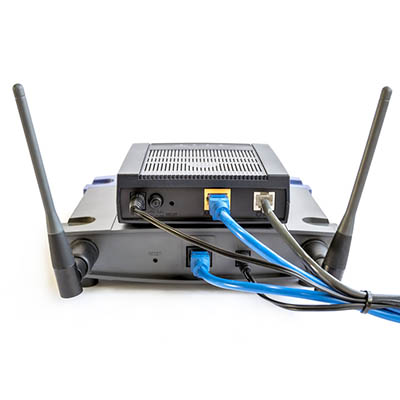
A new type of malware is targeting routers in what is considered a large enough threat that even the FBI is addressing it. Even worse, a router isn’t necessarily a device that you think would be vulnerable to attack from a hacker. What can you do to keep your business’ Internet access points secure from hacking attacks? Let’s dig in to the details about what the VPNFilter malware does and how you can address it.
Explaining VPNFilter
The malware in question, VPNFilter, hides in routers for both individual users and small businesses with the intention of persisting even if the device has been rebooted. VPNFilter targets devices that are Ukraine-based most of the time, but others have been known to fall victim to this as well. It’s thought that the VPNFilter malware originated from a group called Sofacy. The malware itself takes three steps to become an issue for your organization.

The first is that the malware sets itself up so that it will persist even if the device is rebooted or turned off. The second stage of the attack consists of the malware installing permissions for itself to change router settings, manage files, and execute commands. This allows the router to essentially brick itself, leading to considerable connectivity problems. The final stage of this malware lets the hackers look at the data packets passing to and from the device, as well as the ability to issue commands and communicate through the Tor web browser.

The reason why the FBI recommends resetting your router is because the second and third steps are wiped when you do so, but the first stage remains regardless.

Is Your Router Affected?
While not all routers are affected, there is still a sizeable list of confirmed contaminated devices. Some of the affected brands include:

  • Asus
  • D-Link
  • Huawei
  • Linksys
  • MikroTik
  • Netgear
  • TP-Link
  • Ubiquiti
  • Upvel
  • ZTE

For a comprehensive list of affected devices, you can see specifics for each brand at Symantec’s website: https://www.symantec.com/blogs/threat-intelligence/vpnfilter-iot-malware

How to Fix It
The best way to resolve these issues with VPNFilter is to perform a factory reset for your router, which completely deletes anything installed during the first stage of the threat. If the router’s manufacturer has administered a patch for the vulnerability, you can also install it following a factory reset so that you’ll never have to deal with this vulnerability again.

For more updates and tips on some of the latest threats, keep an eye on NuTech Services’s blog.