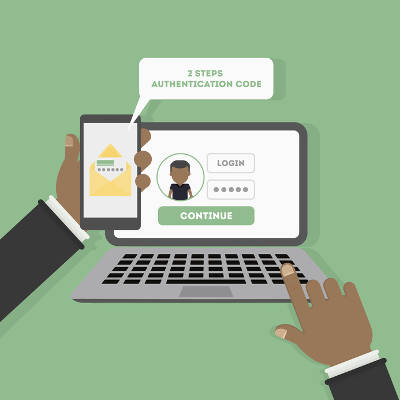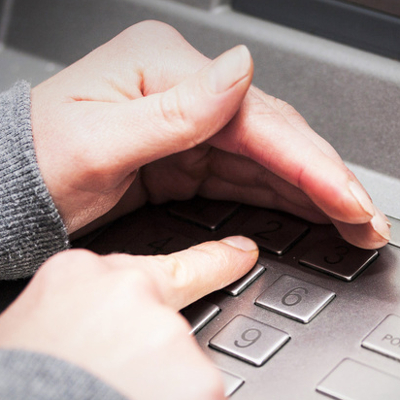
secure_browsing_doesnt_private_400.jpg

Tip of the Week: ‘Secure’ Browsing Doesn’t Mean ‘Private’

secure_browsing_doesnt_private_400.jpg

Internet browsers, by in large, provide enough security for the average user to come out unscathed. Nowadays, people deal with many more threats than they once did, but by in large, users stay secure when using today’s most popular browsers. Privacy, however, is a whole different matter.

Nearly every brand of browser offers some of supposedly covert browsing options. Google Chrome has Incognito mode, Microsoft Edge allows you to access the web using “InPrivate” mode, and Apple’s Safari browser also offers users private browsing. Each of these platforms, however, are a would-be nightmare for privacy advocates. For this week’s tip, we will discuss some things you can do to keep yourself private while online.

Privacy in Browsing
Shielding your online identity inside your browser may prevent your browser’s history from tracking your online activity, but your ISP doesn’t have those kind of restrictions. Your ISP is capable of tracking every site you go to no matter what browser you use. Additionally, websites you visit when you are browsing privately, can also track your IP address regardless of your use of private browser settings. Since your path is left unprotected, it leaves your website activity open for inspection.

On that note, it also should be mentioned that no matter what kind of in-browser private setting you use, your employer, who typically owns the network you are working on, can still see what sites you access. For business owners that are serious about lost productivity from employee web surfing, there are solutions to ensure that you control what your workers can see. If you are serious about keeping your web browsing private, your best bet is to use your own virtual private network (VPN).

Virtual Private Browsing
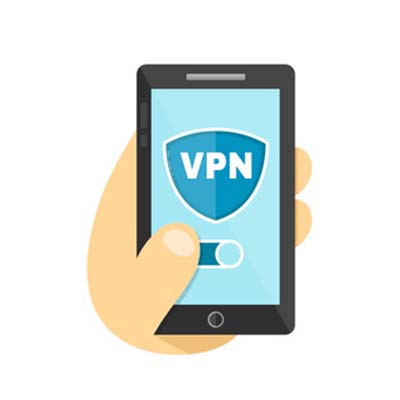
Using a VPN will keep the connection between your system and your destination hidden, allowing you to choose the location you are browsing from. In hiding your connection under the encryption afforded by the VPN, you can get the privacy you need from anywhere on any Internet connection.

For assistance in implementing a VPN for your business’ browsing needs, reach out to NuTech Services at 810.230.9455.
two_factor_authentication_400.jpg

Do You Use 2FA? If So, You’re in the Minority

two_factor_authentication_400.jpg

Two-factor authentication, also known as 2FA, is a very beneficial addition to consider for your cybersecurity. However, a research study unearthed a few surprising takeaways that indicate that 2FA may not be adopted as much as one might expect it to be.

Researchers at Duo Labs, using data compiled by Survey Sampling International, designed a survey that would mimic the patterns that could potentially be seen in different regions concerning the adoption rate of 2FA. The results of this survey were striking, as they revealed that only 28% of those surveyed–designed to match up to the entirety of the US population–had adopted 2FA. Over half of the participants had never even heard of 2FA before the survey was administered.

The researchers were also surprised to find that, of those who knew about 2FA, 54% were voluntary adopters, and only 20.8% had been introduced to 2FA in their work environments. However, reflecting upon the number of applications and services that now prompt users to set up some form of 2FA, this is hardly surprising. Yet despite the relatively high number of voluntary adopters, less than half of these respondents used 2FA wherever they could.

However, there were a few results that showed a bit more hope for the utilization of 2FA. First of all, an analysis of the state of 2FA that compares the authentication options in 2010 to those in 2017, shows that more people are relying on more secure methods. For instance, the use of hard tokens (or a physical device used to confirm the bearer’s identity) decreased by half in the span of time the analysis covered. This indicates an increased awareness in the potential security risks that a hard token presents–all it would take is for one of these tokens to be lost or stolen to render 2FA ineffective.

The real takeaway from the results of this research is an insight into user behavior. Namely, convenience and simplicity were important factors when a user formed an opinion of the different approaches to authentication. This helped to contribute to security tokens being ranked as the most trustworthy form of 2FA by 84% of respondents. While there was an awareness that these tokens had their issues (including the risk of losing them, as referenced above) there was still a demonstrated trust in their reliability.

Despite all this, the sad truth persists that too few people are utilizing 2FA to secure their personal and business devices. With any luck, this will change in the near future, as network security has been thrust further into the public consciousness due to the repeated breaches and attacks that have made headlines as businesses rely more heavily on computing resources.

Do you have 2FA in place to protect your business resources? For help implementing it and other crucial security measures, reach out to NuTech Services at 810.230.9455.

social_engineer_earth_400.jpg

Would Your Users be Tricked by Social Engineering?

social_engineer_earth_400.jpg

The term social engineering may not seem nearly as intimidating as other cybersecurity terms like ransomware or denial of service. Don’t be deceived! Some of the biggest threats to your company’s data and network security use social engineering to manipulate targets into taking a specific action – like disclosing personal information that can be stolen and exploited.

Often overlooked by the media in favor of major data breach events, there are few types of social engineering hacks that have the capability to devastate a business.

  1. Vishing: Given the fact that the number of people who fall for phishing attacks and other email scams has declined significantly, it was only a matter of time before hackers found an alternative avenue to exploit their targets. After abandoning it a few years ago in favor to digital scams, vishing – a fraudulent voice call that seeks personal information – have once again returned as a favorite among hackers and thieves.
  2. HTTPS: SSL certificates used to ensure that a website was legitimate and secure enough to protect your personal information. Websites that have ‘https’ no longer signifies security, as hackers have begun using websites that give away SSL certificates for free and using them to lull victims into a false sense of security. To make sure a website is secure, you’ll want to look for indication of an extended validation SSL (EV-SSL) which are not offered for free! EV-SSLs are signified with a green bar.
  3. Website Copy-Cats: Scammers have become very skilled at making spoof websites that look and feel just like the authentic website but are actually littered with all typesof malware. For example, after the Equifax data loss event in June 2017, Equifax set up a website to help their clients who had their information compromised with the URL: equifaxsecurity2017.com. A spoof of that website, with the domain securityequifax2017.com, was so convincing – it even tricked Equifax themselves! A few things to keep an eye out for when trying to determine if a website is legitimate, include:
    1. Make sure the URL is correct.
    2. Avoid giving out information unless a site has an EV-SSL.
    3. Look for seals of trust from other IT security websites.
    4. Beware of misspellings, typos and broken English.
  4. Every Word Password Theft: There are a lot of hacking tools that will scan through databases – including every word in the dictionary. These tools significantly increase the likelihood that a password that includes an actual word will be cracked and exploited. The best practices are ones that mix numbers, letters and symbols that make no sense.

When it comes to digital threats, for every exploit or hack that is prevented, a few, more advanced ones are developed. The best way to keep your business, and it’s data, safe is to take proactive measures and execute safe internet practices all times – and that goes for your employees, as well! Would you like to learn more about how you can stay ahead of hackers? Call us at NuTech Services.

two-factor_authentication_400.jpg

Boosting Your Security Only Takes Another Layer of Authentication

two-factor_authentication_400.jpg

Data breaches are so common nowadays that you’re lucky not to see one in the breaking news section of any news outlet. How is your business preparing for the inevitable data breach of intellectual properly and sensitive information? You need to start considering preventative measures, like two-factor authentication, to keep your data secure.

The main issue that two-factor authentication can solve is the decreasing amount of security provided by passwords. Technology has become so advanced that even complex passwords that maximize security can be cracked under the right conditions. Users tend to use easy-to-remember passwords which come with their own set of complications, so we’ll talk about ways that your organization can use two-factor authentication to solve common password troubles.

It’s a best practice to change your password every so often, and users might scratch their heads at how to remember some of these more complex passwords. Passwords should be at least 12 characters long, and must use special characters, upper and lower-case letters, numbers, and symbols. All of this must be done in a seemingly random string of characters, but users might try to use these characters in a way which makes it easier to remember. In fact, they may just use a password for another account, or one that includes information from a social media account, like the name of their dog or first-born child.

Generally speaking, it’s best to keep information that could easily be found in public records out of your password fields. This includes the names of your children, parents, or other important individuals, as well as any information that you store on your social media accounts, like your favorite TV show or movie. Hackers have more tools than ever before to find out all sorts of information about you, so you have to be very careful about how you use this information in passwords. Plus, there’s always the chance that you’ll use this information for security questions, which doesn’t do you any favors when hackers can just find the information at their own leisure.

Although password managers do make passwords easier to remember, the primary problem with them remains the same. If a hacker can find out what that password is, they can access all of your accounts easily enough. Two-factor authentication makes things much more difficult for a hacker, requiring that they have a secondary credential to access any account associated with it. This acts as a secondary security level, and it’s one that requires the use of a mobile device, email account, or other access method. It’s a great way to take full advantage of next-level security, and since it’s easy to set up, you can do it quickly and efficiently.

Do you want to take full advantage of two-factor authentication? For more information about personal and network security, call us today at 810.230.9455.

explosion_computer_400.jpg

Google Is Increasing Security For High-Risk Users

explosion_computer_400.jpg

Wouldn’t it be great if you could take advantage of a built-in security feature that could lock down your Google services in the event of a potential data breach? Thanks to attacks on high-profile users, Google is now offering this service to those who are at considerable risk of having their accounts hacked. This type of advanced service, called the Advanced Protection Program, is only available to a select few, but it promises to assist in the challenge of protecting sensitive information.

Specifically, the Advanced Protection Program will be designed to help those who are most likely to experience troublesome hacking attacks, including those who work as election and campaign officials, those who are victims of domestic violence, and others who find themselves to be at risk. The service is marketed as greater security, while trading off some of the convenience that might be found with the base-level Google services.

Among the affected Google services are Gmail, Google Drive, and YouTube. Once someone has been onboarded into the Advanced Protection Program, their accounts will automatically be updated with all of the latest and greatest security solutions available for Google’s services. The implementation of this service is in light of the various high-profile hacking attacks associated with various officials during the 2016 United States presidential election. Google was forced to endure plenty of backlash in the aftermath of the John Podesta controversy in which his Gmail account was hacked via a phishing attempt. This new initiative by Google is an attempt to ensure that they don’t have to deal with this backlash again.

The tactic used by Google’s Advanced Protection Program is a security key. While a USB key is generally considered a better two-factor authentication practice, Google is also equipping users with a Bluetooth key verification process that can be used on both a smartphone or a laptop.

At the moment, Google’s Advanced Protection Program blocks access to information on your Google account by any third-party source–that is, any program that’s not developed by Google itself. Furthermore, it implements a slower account recovery process that’s more difficult for a hacker to replicate. While it takes away from some of the ease of recovery that Google users know and love, it makes for a more secure experience overall.

Would you take advantage of this new service from Google if need be? Let us know in the comments section below.

travel_computer400.jpg

Tip of the Week: The Holidays Can Be A Time Of Work And Play, Even While Traveling

travel_computer400.jpg

The holidays are approaching, whether we are ready for them or not. With the holidays comes time off, which means that it’s awfully easy to fall behind post-vacation. Another concern is the amount of identity theft and credit card fraud that comes about during this time of year. We’ll discuss some of the many ways that your organization can take advantage of technology this holiday season without putting yourself in harm’s way.

Know Your Wi-Fi Options
You can’t be productive without an Internet connection. This includes either mobile data or Wi-Fi. Chances are you’d rather look for an open wireless network than waste your mobile data, but unsecured networks can put your data at risk. One option you have is to check the reviews on sites like Yelp! and Trip Advisor to see what other guests have to say about Wi-Fi connections. Ideally, you want a VPN to secure your data while it’s in transit.

Bring Along Extra Accessories
You never know when that extra LAN cable or micro-USB cord will come in handy. Furthermore, if you’ve ever done any traveling, you’ll know that buying new equipment from an airport can be more expensive than you’d like.

Carry On Your Devices
If you need to travel for business, be sure to put your devices into your carry-on baggage at any airport. The last thing you need is for a screen to get cracked while your luggage is rolling around the cargo area of a plane. Furthermore, you don’t want your luggage to be either lost or stolen while in-flight. It’s just safer for you to keep anything important in your carry-on luggage.

Be Wary of Free Wi-Fi
You should keep your device from automatically connecting to any open wireless connection that it latches onto. The reasoning for this is that hackers will literally lurk on them, waiting to steal any data that presents itself to them. This can put both your own data and that of customers at risk–all because you checked your email.

Turn Off Your Autofill and Password Management
A password manager keeps you from entering in the same information over and over, but it should be disabled while you’re traveling. What if someone steals your device? They would have access to anything that was auto-filled on it. It’s like leaving the keys to your car in the front seat without locking the door. It’s not impossible to go a few days without auto-populating passwords, and it sure beats the fallout of losing a device.

Use External Drives and USB to Back Up Data
What if you are working on a project while out of the office on vacation, and you misplace your device or it’s damaged beyond repair? All of that progress would be gone. Now, imagine that you have that data backed up to an external hard drive. Now you don’t have to worry about losing data or progress while working out of the office.

There are just a few practices that can keep your organization from succumbing to the dangers of traveling and working at the same time. If you have any questions, thoughts, or concerns about using technology while out of the office, reach out to us at 810.230.9455.

facebook_followers_400.jpg

Tip of the Week: Make Facebook More Private By Enabling the Follow Feature

facebook_followers_400.jpg

While it’s a security best practice to keep strangers off of your Facebook account, you might feel that it’s understandable to accept an unknown request for the sake of networking or otherwise. This isn’t the ideal way to approach Facebook, but you do have a unique opportunity to allow users to view your profile and follow your public posts, without the need to accept a friend request.

This feature is called “follow,” which limits who can send you actual friend requests while still allowing some users to view your public posts. This is important primarily because hackers and scammers will often create fake profiles in an attempt to connect with potential victims. Their target might be sensitive credentials or other important information, so it’s important to avoid friend requests from people who you may not know.

To allow users to follow your profile and prevent users who don’t know who you are from sending friend requests, follow these instructions.

First, log into your Facebook account. If you’re using a desktop, select the down-arrow in the top right corner of Facebook. Once you’ve done so, click on Settings, which will be at the bottom.

Doing so will open up the General Account Settings. In the left column, notice the sub-categories for Facebook’s settings. You want to click on Privacy first.

In the Privacy Settings and Tools page, you’ll see sections that allow you to control who sees what you post on Facebook. The first option you want to find is the Who can contact me? Section. Click the Edit option and change the setting to Friends of friends. By doing so, you’ll be safe from friend requests from all but those who are currently on one of your friends’ rosters, and you’ll be able to send your own invitations in the same way as before.

If you want to give someone the ability to see what you post without accepting a friend request, you can enable public posts. This lets you share what you post, such as articles from your industry or professional development, without sharing personal posts that are meant for only your friends–effectively allowing you to split up your personal and professional posts. Just scroll down to Public Posts in the left column and open up the Public Post Filters and Tools page. Next, in the Who Can Follow Me section, select Public. Now you can select Public to make posts available to Followers, or Friends for posts meant only for your friends.

Granted, even with all of these measures, you still need to practice healthy skepticism when dealing with users on social media platforms. You never know who your latest friend could be, as it’s easy enough to hide behind the facade of an online account and pretend to be someone else. To learn more about how you can protect your business from online threats, reach out to us at 810.230.9455.

samsung_smart_stay_400.jpg

Don’t Worry, Your Samsung Phone “Winking” at You is Just a Cool Feature

samsung_smart_stay_400.jpg

If you’re a Samsung smartphone user, have you ever seen a little eyeball symbol appear at the top of the screen? You might notice that it will show up for a minute, and then disappear again. Since this kind of activity usually makes users question what’s going on with their device, let’s get down to the bottom of this weird occurrence.

To assuage your fears that you’re being watched by some sort of malware or spyware, know that this eyeball icon doesn’t mean you’ve been hacked. Instead, it’s a feature called Smart Stay created by Samsung. When the eye appears, the feature is activated.

What is Smart Stay?
Smart Stay uses your front facing camera to tell whether or not you’re looking at the device. While this sounds a bit creepy, the camera can use your face to keep the screen from turning off while you’re looking at it–like, say, when you’re reading an article on the Internet that’s particularly long. This actually overrides any screen timeout settings, so it’s a great way to finish off whatever you are reading without having to press a button every now and again to keep it lit up.

To change the settings of Smart Stay, you just go through to Menu > Settings > My Device > Smart screen. All you have to do is uncheck the Smart Stay box to turn it off. Depending on how helpful you find this feature, you might actually prefer to keep it on.

How You Know You Have Something to Worry About
While Samsung’s Smart Stay isn’t something to worry about, there are other symptoms of hacking attacks on your mobile device that you want to keep in mind should the need arise. Depending on the type of problem, the symptoms will vary, but keep the following in mind if you suspect something out of the ordinary.

    n

  1. Unfamiliar charges on your carrier’s statement.
  2. Data access patterns that you don’t recognize.
  3. Your battery drains quicker than normal.
  4. You find apps that are downloaded from a third-party app store.
  5. Strange notifications start appearing, especially related to finding and downloading new apps and games.
  6. Your device has been rooted (aka jailbroken).
  7. Your antivirus has been disabled.
  8. You actually see the hacker’s remote actions of opening apps and navigating your phone.

If you ever have reason to suspect that your phone has been hijacked, make sure that the first thing you do is turn off the device’s Internet connection and power it down as soon as possible. Once you’ve done this, consult your trusted IT professionals at NuTech Services. We can remove the threat before it causes any more damage to your device.

A little healthy skepticism never hurt anyone, so be sure to approach issues with your device with a grain of salt. To learn more about how your business can identify troubles with technology, reach out to us at 810.230.9455.

public_computers_are_dangerous_400.jpg

Tip of the Week: Stuck Using a Public PC? Be Sure to Follow These 2 Privacy Tips

public_computers_are_dangerous_400.jpg

Full disclosure: we don’t recommend doing anything important, or really anything at all, on a public computer. However, we understand that sometimes life works out in an unideal fashion, and sometimes you can be stuck doing something you shouldn’t, and otherwise wouldn’t. Even in these cases, there are steps you can take to preserve your security.

Despite the explosion in mobile device connectivity, the use of public computers is still remarkably common. Unfortunately, the same remarks can’t be said about their relative security. These open devices tend to have few solutions in place–if any–especially when compared to the average privately-held device.

However, as we go through the steps you need to take while using a public computer, we will also go through some alternatives that you really should consider implementing before you find yourself in this risky situation.

Use a Private Browser
The default settings for most web browsers are designed, more or less, for a single user’s exclusive use. This is why your browser collects data like your history, what you’ve downloaded, and account credentials. It’s all done to make the user’s experience simpler–which, on a private machine, isn’t necessarily a bad thing.

However, these capabilities don’t just go away because more than one person uses the computer, and so if you enter some sensitive credentials, the next user may be able to access and utilize them as well. Using a private browser prevents you from leaving those digital footprints on the machine by having it “forget” what you were just using it to access.

Keep in mind, private browsers aren’t a cure-all when it comes to your online security. Even though the computer itself won’t have a record of your browsing, it doesn’t mean that private browsers wipe your trail from the Internet as well. In order to do that, there are other measures you’ll have to take.

Use a Virtual Private Network
Virtual Private Networks, or VPNs, are a step up from a private browser. Once a user logs in to their VPN, their IP address is effectively shielded from view, and their activity is processed through an encrypted virtual tunnel. Using proxy servers that span across the globe, your identity and location are shielded enough that you will never be the target of an opportunistic attack.

As far as price is concerned with a VPN, there are free options out there, as well as many very reasonably priced, paid varieties. Your VPN would need to be set up on your office network before you plan on using it from an outside location.

When it comes to doing business while travelling, it’s only natural that the urge is there to use whatever is available. However, if you must decide between productivity and security, it is much more prudent to prioritize security. After all, without your security, you may just find that your finished product has been tampered with or stolen.

On the topic of security, it cannot be said enough that using a public computer in any professional capacity is simply not a risk that is worth taking. There is simply no way that you may be sure that your data is absolutely safe.

NuTech Services can help you maintain your security in situations like these. Give us a call at 810.230.9455 to learn more.

vizio_smart_tv_spying_400.jpg

How Vizio Got Busted for Spying on Its Customers

vizio_smart_tv_spying_400.jpg

What have you watched on TV lately? Actually, never mind; if you don’t want to tell us, we can just ask Vizio. Relax–we’re not actually going through with this, but the fact remains that 11 million owners of Vizio televisions had their viewing habits tracked by the manufacturer. Were you one of them?

A fine by the Federal Trade Commission, totalling $2.2 million, was issued to Vizio following its actions of collecting data on users. This data included what the televisions were displaying, regardless of what the input was; whether it was smart TV apps, DVD players, air broadcasts, the TV’s IP addresses, or cable boxes. Whatever the TV had on it, Vizio could gather the data and do with it as it pleased. A federal court ordered Vizio to delete any data that they collected before March 2016 because their customers were not told of the company’s data sharing practices.

To remedy this, Vizio now makes its data collection practices available through the TV’s settings. Also part of their settlement, Vizio now sends notifications directly to the user’s screen. Jerry Huang, Vizio’s General Counsel, issued a statement regarding the incident: “Instead, as the complaint notes, the practices challenged by the government related only to the use of viewing data in the ‘aggregate’ to create summary reports measuring viewing audiences or behaviors. Today, the FTC has made clear that all smart TV makers should get people’s consent before collecting and sharing television viewing information and Vizio now is leading the way.”

Of course, the question of what Vizio did with all of that data needs to be asked. Perhaps the company used the data to understand how customers were using its hardware, such as how frequently it was used and what kinds of devices were used in conjunction with it. This way, Vizio could use the data to better their products and make them more useful. Of course, that’s an optimistic view.

Another way that Vizio could have used this data is by collecting it to distribute to paying partners for marketing purposes. This type of data collection would be very lucrative for Vizio, a practice that could be difficult to ignore.

Was this collection of data a clear violation of generally-accepted ethics? That’s debatable, but the truth of the matter is that Vizio would have had a better time of it if they gave their customers the choice of being involved these data collection practices. If anything, it should make you consider how you’re using your own Internet-connected devices. You never know if and how they might be spying on you.

What are your thoughts on this development? Let us know in the comments, and be sure to subscribe to our blog.

protect_your_workers_identities_400.jpg

Tip of the Week: Worried About Identity Theft at Work? Follow These Tips for Peace of Mind

protect_your_workers_identities_400.jpg

The Bureau of Justice estimated that five percent of the entire U.S. population were victimized by identity thieves, a total of 11.7 million people. While the methods of collecting the data that identity thieves need to commit their crime vary from dumpster diving for carelessly discarded documents, to email phishing scams, there is a particular target that can easily supply them with the data they will need: the workplace.

While many businesses must collect a lot of personal data from their clients for billing purposes, their employees are also made vulnerable if some of that data was to be absconded with. After all, in order to properly pay an employee for their work, an employer will need a lot of their personally identifiable information on record. As a result, a workplace becomes a high-value target for someone seeking the data necessary to complete fraudulent actions in someone else’s name and becomes the responsibility of the entire business to safeguard that data, for the sake of their employees and their clients.

To that end, every employee should be educated in the best practices for protecting a company’s trove of sensitive information, and policies need to be implemented and enforced to ensure that these best practices are followed. To get you started with securing your office, make sure these four best practices are followed by everyone associated with your company.

Don’t Leave Workstations Unattended
Computers need to be locked and only accessible by its user’s password. Otherwise, anyone (be it a less-than-trustworthy employee or someone off the street stumbling across an opportunity) could access that workstation and any company documents available to that employee.

Go Paperless
Identity thieves love paper trails. Whether it be copies of sensitive files that make their way to the trash, or even documents that get left lying around the office, the fact of the matter is that having paper copies of sensitive information only increases the risk that this information will get stolen. Going paperless is a way to minimize this risk entirely.

Train Employees to Know What Email Scams Looks Like
Scams targeting email inboxes are some of the top ways that identities are compromised. Therefore, in addition to having a good spam blocking solution in place, you’re going to want to make sure that every worker knows what an email scam looks like so they won’t fall for one. You may know how to spot an obvious email scam, like an unsolicited email requesting sensitive information, but how sure are you that your staff knows what a scam looks like as well?

Implement Enterprise-Level Security Solutions
Without proactive solutions in place to protect your company’s sensitive data, it could easily fall into the wrong hands if a hacker breached your network. Every business needs to have security tools in place like antivirus, firewalls, spam-blocking, and content filtering. Thankfully, a solution like a Unified Threat Management tool offers businesses an easy way to get this kind of comprehensive protection in one easy-to-implement package!

Of course, there are many other steps to take to prevent your workplace from becoming an identity thief’s jackpot. NuTech Services can help advise you on the other steps your business needs to take in order to keep the identities it deals with properly protected. Call us today at 810.230.9455 for more information on the steps you need to take to prevent identity theft.

password_security_400.jpg

Helpful Suggestions to Improve Password Security

password_security_400.jpg

Passwords are important for any online account (and for most accounts in general). Sometimes they might feel like inconveniences, but it’s crucial to remember that these passwords are often the first line of defense, if not the only line of defense, that stands between your data and hackers. We’ll discuss ways that you can augment password security with other powerful measures.

There are two major ways that you can improve password security; two-factor authentication and password managers.

Two-Factor Authentication
2FA provides organizations and users with secondary credentials that can protect their network or online accounts. This type of protection can come in the form of an SMS message, a phone call, or an email sending you a secondary credential. You then enter this code into the app or service, and since you know without a doubt that only you could have access to this code, you can practically guarantee that you’re the only one accessing your account.

Basically, the biggest way this helps your organization is by making it as hard as possible for hackers to infiltrate your network and company accounts. When you involve devices like smartphones with two-factor authentication, you make it much more difficult for hackers, as they would need access to two different devices rather than just one. Reach out to NuTech Services and ask us about our two-factor authentication solutions.

Password Managers
A good password is often long and complex, consisting of several different types of characters, numbers, and letters. As you might expect, these types of passwords are rather difficult to remember. Plus, since you can’t (or shouldn’t) use the same password for multiple accounts, you can easily use the password for another account on accident, eventually leading to an account lockout. This is both frustrating and unnecessary. Alternatively, you can keep track of your passwords using a password manager, allowing you to use complex passwords without any problems.

An enterprise-level password manager from NuTech Services can allow your organization to take advantage of complex passwords. Your passwords are stored in a secure encrypted database that shields them from hackers. Furthermore, you only pull the passwords as they are needed. There’s no better way to take advantage of complex passwords, as the password manager will keep track of multiple account credentials without you having to remember them.

NuTech Services can help your business with all of its password managing needs. To learn more, reach out to us at 810.230.9455.

small_business_security_400.jpg

Even Small Businesses Need a Big Security Solution

small_business_security_400.jpg

One of the main benefits of a small business is that it’s small. You can make decisions quickly regarding all sorts of matters. Your workforce isn’t nearly as large as other organizations, meaning that you’re a closer, tight-knit group. However, one of the misconceptions of small business is that they’re not as susceptible to hacking attacks, which can be a dangerous assumption to make.

The reasoning for this is simple: hackers don’t care who you are or what you do. They don’t care if you’re a large business with thousands of employees, or if you’re a small startup in the suburbs of your hometown. They don’t care if you’re in the healthcare industry or if you’re just a small goods manufacturer. All they care about is stealing your data, and if you don’t take measures to protect it, you could be dealing with a major issue that can’t be swept under the rug and forgotten about.

All businesses rely on their mission-critical data to function, and all businesses have information that’s valuable to hackers. For example, most companies have a human resources department that collects information about employees and potential new hires, including Social Security numbers, dates of birth, addresses, phone numbers, email addresses, and so on. On a more personal note, your business’s finance department holds payment information for both your clients and your own business, which could be catastrophic if it were to fall into the hands of hackers.

However, even though hackers will use variable tactics to infiltrate and infect a network with viruses, malware, spyware, or other threats, they often don’t target specific data. In fact, hackers often don’t target specific businesses at all, and instead will send out widespread scams designed to infect any and all who are foolish enough to download a file, or click on a suspicious link. These threats are most often found in phishing emails (scams that are designed to get a user to visit a malicious website, download an infected attachment, or click on a link) that executes a malicious payload. A small business like yours will rarely experience a direct hacking attack specifically designed to infiltrate your exact systems.

Due to this oversight, your business can make significant steps toward proper cybersecurity practices by implementing security solutions that are designed with the enterprise in mind; specifically, a firewall, antivirus, spam blocking, and web content filtering solutions. These security measures are all necessary if you want to minimize your business’s exposure to online threats. They can keep your team from accessing malicious websites, keep threats out of your system, and eliminate the majority of spam that hits your inbox. Furthermore, a powerful antivirus can swiftly destroy any threats that do manage to infiltrate your system.

With a small business, you still need to implement security solutions. There’s no getting around that. What you can do to make it easier on your organization is to contact NuTech Services. Our skilled technicians understand the everyday difficulties that come from managing technology, including optimizing security. Ask us about a Unified Threat Management solution that includes all of the above-mentioned services, and don’t forget to inquire about remote monitoring and maintenance that’s designed to detect and resolve abnormalities in your systems. To learn more, contact NuTech Services at 810.230.9455.

prevent_security_issues_400.jpg

Test Your Knowledge of These 3 Common Security Threats

prevent_security_issues_400.jpg

Security is a critical part of running your business, especially in a world where organizations require technology for most any task. In fact, some of the most dangerous threats are known to hide within a company’s network, waiting for any opportunity to strike. With the right preventative measures, you can keep your network safe from catching threats before they hit your network in the first place.

Defining Malware
Malware is short for “malicious software,” which is an overarching phrase referring to malicious code designed to cause problems. Malware often injects code into applications to execute viruses or trojans. One of the most common types of malware is a variant called ransomware, which you’ve probably heard of thanks to a number of high-profile infections. When a machine is infected with ransomware, it encrypts the files on the device until the ransom is paid to the hacker. Aside from this rather dangerous strain, other types of malware can have far-reaching and varied effects.

Defining Rootkits
Like malware, a rootkit is at home on a system. Unlike some types of malware, however, a rootkit is designed to allow a hacker to gain control of a system while remaining undetected for extended periods of time. Rootkits are dangerous thanks to their ability to avoid detection by software that’s supposed to find them, like firewalls and antivirus solutions.

Defining Trojans
Trojans are malicious entities that allow hackers to access a system by misleading the user. Trojans are backdoors that can allow hackers access to a system at a later date, and they are often installed alongside other malware to distract the user from taking preventive action. The trojan can be used for a number of purposes, from data destruction to surveillance or espionage.

The Solution: Preventative Security Measures
Since so many threats are blocked by preventative security measures, it would be foolish not to implement them. There are several ways you can keep threats out of your system, including:

  • Firewall: Firewalls act as a bouncer for your network, keeping threats from entering or leaving your infrastructure. They work best when combined with other preventative measures, like antivirus, content filters, and spam blockers.
  • Antivirus: Antivirus solutions detect and eliminate threats that have made it past your firewall solution. Antivirus offers prompt threat detection, which is important since malware that’s left unchecked could cause untold troubles.
  • Spam blocker: Threats often arrive in your email inbox as spam, and the unknowing employee could accidentally click a malicious link or reveal important credentials. A spam blocker eliminates the vast majority of spam from even hitting your inbox.
  • Content filter: A content filter is helpful for keeping your employees from accessing sites known to host malware, as well as inappropriate or time-wasting sites, like social media.

A Unified Threat Management (UTM) solution is a great way to take advantage of all of the above solutions. It’s widely considered to be the most comprehensive and useful preventative measure available to SMBs. If you want to learn more about UTMs, be sure to give NuTech Services a call at 810.230.9455.

pin_theft_400.jpg

Alert: New ATM Scam Can Steal 32,000 Card Numbers Per Machine

pin_theft_400.jpg

Banks and companies that manage automated teller machines, better known as ATMs, have been warned against another method thieves have been utilizing to commit identity theft–by no less than the Secret Service.

Machines in Connecticut and Pennsylvania have been found to have periscope skimmer devices attached inside, especially in those machines with openable lids that provide relatively easy access to the inner workings. The device is placed in such a way as to allow the probe of the device to read the magnetic strip on the card as the machine’s user makes the mistake of utilizing that particular ATM.

Estimates place the device’s battery life at 14 days per charge, with enough storage to collect 32,000 card numbers. Fortunately, the device doesn’t seem to collect PIN numbers, but that is also unfortunate, as it indicates that these devices were possibly part of a practice run in preparation for a real robbery.

Despite the apparent lack of a PIN collection device on this version of the periscope skimmers, it is a good habit to cover the entry pad with your free hand as you input your number on most ATM devices, just in case the thieves have placed a hidden camera on the device, or accessed the native camera, which can capture your credentials as you type.

The new use of chip-based cards won’t help you much, either, as many ATMs still require the magnetic strip in order to accept the card as legitimate.

Unfortunately, as these skimmers are placed internally, there isn’t much of a method of identifying these devices by sight. The best advice to protect yourself from these scams, therefore, is to think a bit like a criminal trying to place a device. Is the ATM in a busy place with lots of potential eyes on it, or is it set aside, secluded and solitary? Is the top accessible, allowing for a cybercriminal to access the machine’s inner workings through the lid? Be on the lookout for all of these suspicious traits.

As a precaution, do your best to utilize ATMs in high-traffic areas, with plenty of eyes around as to serve as witnesses for as many hours of the day as possible. Also, avoid ATMs where the body of the machine may be accessed easily, and use those that are embedded in a wall as often as possible. Those well-lit ATMs that are embedded in the walls of banking institutions are the ideal ones to use, as the high surveillance banks utilize will protect the machine (already well-defended on three sides by the building’s construction) from tampering, as well as you from a cash-machine mugging attempt. Plus, most ATMs also have a built-in camera.

Of course, if dealing with finances pertaining to your business, it may be most advisable to utilize the tellers that aren’t automated, or to handle your banking online behind the online protections that NuTech Services can put in place for your business.

Call 810.230.9455 to discuss the security improvements that we can provide.

fbi_encryption_400.jpg

According to FBI Director, Privacy is a Misnomer

fbi_encryption_400.jpg

There’s an ongoing debate concerning whether the United States Constitution gives the American government the right to access data held on electronic devices by its citizens. In case they didn’t make themselves heard clearly enough, the director of the FBI, James Comey, has released a statement at Symantec’s Annual Government Symposium. You might not like his answer.

Do you remember the controversy concerning Apple and the FBI? It was a case that swept the country and encroached on unprecedented ground. The FBI demanded that Apple release information on how to unlock an encrypted iPhone that was connected to a terrorist attack, but Apple chose to vehemently refuse the FBI, stating that it would be endangering the entirety of their consumer base by doing so. The FBI threatened Apple with lawsuit after lawsuit, but in the end they were able to unlock the device without Apple’s help.

The popular trend of providing mobile devices with encryption has led to increased complications during investigations, and Comey chose to clarify the Bureau’s stance on the privacy of the typical American citizen. While there has to be a reasonable expectation of privacy in houses, vehicles, and even mobile devices, Comey claims that these expectations can reasonably be revoked in a court of law. He says: “With good reason, the people of the United States–through judges and law enforcement–can invade our public spaces.”

This statement prompts yet another question: how does a personal device qualify as a public space? According to Comey, a mobile device actually can be considered a public space: “Even our memories are not absolutely private in the United States,” Comey said. “Even our communications with our spouses, with our lawyers, with our clergy, with our medical professionals are not absolutely private. Because a judge, under certain circumstances, can order all of us to testify about what we saw, remembered, or heard. There are really important constraints on that. But the general principle is one that we’ve always accepted in the United States and has been at the core of our country: There is no such thing as absolute privacy in America. There is no place outside of judicial authority.”

Additionally, Comey made sure to point out that the FBI has no business telling American citizens how to live and govern themselves, and that the tech companies don’t either. You might recall the open letter that many tech companies addressed to the the FBI last April, demanding that the government cease issuing mandates that would require tech companies to provide encryption keys for their software.

It’s natural that these Silicon Valley giants don’t agree with Comey. In fact, there are even those amongst his peers who don’t believe he’s right on the matter. Nuala O’Connor, the President and CEO of the Center for Democracy & Technology, as well as the first Federal chief Privacy Officer for Homeland Security, is one of them. She says, “He could not be more wrong on encryption.”

O’Connor is hardly the only one of his contemporaries who disagree with Comey. Two other notable former government officials had something to say about the FBI’s stance on encryption, and they both spoke at the RSA Cybersecurity Conference. Former Department of Homeland Security Secretary Michael Chertoff claims that forcing Apple to provide software that can hack into an encrypted iPhone would be like “creating a bacterial biological weapon.” Similarly, Mike McConnell, a former Director of National Intelligence, claimed that “ubiquitous encryption is something the nation needs to have.”

This isn’t a problem that only technology companies have to deal with. It’s something that all users of smart technology (and most technology in general) have to endure. After all, any rulings in favor of the FBI’s stance could be detrimental to user privacy. For example, in the case of Apple creating a software that can crack their iPhone’s encryption, what would happen if this software were stolen and exploited by hackers? It would become a major problem, just like the NSA’s surveillance vulnerabilities that were stolen and sold on the Black Market just this past summer.

In light of Comey’s response, what are your thoughts on the FBI’s stance on encryption? Do you think that government agencies have the right to access devices, despite invading the privacy of its citizens? Do you think that this “greater good” argument holds water? Share your thoughts in the comments.

windows_10_black_hat_400.jpg

According to Hackers, Windows 10 Security Passes the Test

windows_10_black_hat_400.jpg

Windows is perhaps the most common workplace computing tool, and hackers have been trying for decades to uncover holes in its security. In some cases, like with unsupported operating systems, they’ve succeeded. However, Microsoft’s latest addition to their OS family, Windows 10, seems to have exceptionally potent built-in security measures, many of which have the hackers at the Black Hat conference scratching their heads and scrambling to find threats to talk about.

During Black Hat, the annual hacker convention in held in Las Vegas, Windows 10 was lauded as perhaps the most secure Windows operating system in decades. It was agreed that Windows 10 is much more difficult to break into than its older brethren, but like any software, nothing is impossible with enough funding and research. The Black Hat presenters discussed potential ways that Windows 10 could be hacked, and how Windows 10 makes it more difficult for attackers to breach its systems.

Windows 10 Uses Built-In Anti-Malware Tools
Windows 10 has what’s called the Antimalware Scan Interface (AMSI), which is designed to identify and capture malicious scripts in its memory. Your applications can access the information stored in the AMSI, and can use it to protect your systems. For example, Windows Defender and AVG use AMSI. The primary reason why the AMSI is a huge problem for hackers is because most of their attacks utilize some sort of script. Of course, the AMSI is a valuable tool, but it still needs secondary security protocol (like antivirus or remote monitoring and maintenance) to keep your network safe. While it’s great for detecting scripts executed in PowerShell (since PowerShell records logs), it still requires someone to regularly monitor the logs in order for it to be most effective.

Active Directory
Active Directory has long been a critical part of how Windows administration works, and recent innovations have allowed for the management of workloads through the cloud and identity and authentication management on in-house networks. Microsoft Azure puts Active Directory to good use, allowing for quality security for any Azure-based cloud platform. The problem with AD, though, is that any user account can access it unless the administrator has limited these permissions. Your IT administrators need to restrict access to AD and control authentication procedures for it.

Virtualization
Virtualization-based security features a set of protocols that are built into the hypervisor of your Windows 10 OS. Basically, Hyper-V can create a virtual machine that stands separate from the root partition. This machine can then execute security commands as needed. Hyper-V creates a machine that can’t be compromised, even in the face of hacking attacks that target the root partition. It’s a way to minimize the damage done by data breaches, but it only works if the credentials aren’t found in the root partition. IT administrators, therefore, need to ensure that these systems cannot be compromised.

Eventually, there may come a day when Windows 10 experiences a dangerous flaw that’s exploited in the wild. Hackers are always trying to undermine security measures, but Microsoft engages these attacks with patches of their own, so it’s an endless cycle. Hackers will inevitably find ways to crack Windows 10’s innate security, so it’s your responsibility to complement your OS’s security with your own solutions.

To secure your business’s devices, reach out to us at 810.230.9455.

secure_mobile_payments_400.jpg

MasterCard Wants Your Selfie, But it’s Not for What You Think it’s For

secure_mobile_payments_400.jpg

Payment via mobile devices is still a relatively new concept. With newer smartphones, it’s now easier than ever to pay your bills or send money on a whim. However, this also brings up an important topic; what’s the best way to handle mobile payments, and how can those who accept and process these payments ensure maximum security?

The answer might lie in two-factor authentication.

Specifically, MasterCard wants to introduce biometric-based two-factor authentication to its system, starting with the UK this summer. The technology discussed is a “selfie” based system that allows users to take a picture through an application, which is then compared to an image stored. The idea is that selfie-authentication, and other methods of biometric technology like fingerprint scanning, can help to prevent credit card fraud.

More than anything else, MasterCard is attempting to limit how many legitimate transactions are being declined while users are traveling abroad. Apparently, this is a bigger problem than actual credit card fraud. As reported by The Financial Times, there’s roughly $118 billion worth of false declines every year, which is considerably more money lost than is the case with credit card fraud–13 times more, to be specific. By using biometrics technology, MasterCard is looking to handle both the fraud and false decline problems.

Of course, the question that needs to be asked is whether or not these technologies are secure for users. Phones, tablets, and other mobile devices can be hacked just as easily as any desktop infrastructure. ITProPortal offers some insight into what will be necessary for mobile payment systems to take off:

“User devices are notoriously prone to penetration by cyber criminals – whether that’s as a result of users adapting their devices or overriding device security parameters, or using unsecured public WiFi when transacting online. Which means biometric data will need to be encrypted to ensure it cannot be stolen – otherwise we open a whole new vector for identity theft. What’s more, rigorous PCI standards already exist to protect users and merchants, especially where liability is concerned should things go wrong. What’s not clear in this scenario is whether liability will shift – and to whom. Quite simply, we’re in new territory here.”

What’s most interesting here is the liability aspect; if a user isn’t securing the mobile device used for payment, can they be considered at fault for the theft of their data? If so, it completely changes the way that financial institutions and payment compliance works. Also, what happens if biometrics are hacked? You can’t exactly issue a new face or a fingerprint with a new credit card number. These are critical possibilities that need to be addressed before biometric two-factor authentication for mobile payment systems can be implemented.

What are your thoughts on mobile payment authentication using a selfie-based system? Let us know in the comments.

cyberwar_is_the_best_400.jpg

For NATO, Cyberspace is Today’s Frontlines

cyberwar_is_the_best_400.jpg

It’s clear that security professionals have waged war with hackers since the Internet’s inception, but NATO has reaffirmed that cybersecurity is not just a localized problem; it’s a nation-state-wide issue, and one that needs to be addressed. Just like land, air, and sea, cyberspace is now an operational domain, a place that can be considered a battlefield.

NATO has declared that cyberspace qualifies as an area where conflict can occur, (it surprisingly took this long). While many cyber attacks tend to be limited to only data infrastructures, there are plenty of instances where attacks have moved from the cyber realm to the physical world. Some examples include a Ukrainian electrical grid hack from just last year, as well as a supposed Iranian hack of a United States dam control system. In other words, technology systems have the capabilities to cause quite a bit of damage, like blackouts or shutting down critical systems.

NATO Secretary General Jens Stoltenberg made a valid observation concerning the decision to add cyberspace to the list of operational domains: “Cyber defence is part of collective defence. Most crises and conflicts today have a cyber dimension. So treating cyber as an operational domain would enable us to better protect our missions and operations.”

Technology has become such a commodity in today’s world that even warfare is assisted by it, through providing access to important data and applications. Networks that are used to deploy this data could be hacked, causing important information to be either lost or stolen; thus, putting real-world lives at risk. Plus, if a hacking attack rendered citizens without heat, electricity, and other necessities, it could redefine what the world thinks of as a war of attrition.

NATO plans on securing networks and focusing on helping other countries secure their own. Additionally, NATO wants to help others identify where attacks come from, and what can be done about them. In 2014, NATO changed its policies to allow them to respond to any attacks against nations involved with the organization, so this shows that cyber warfare could potentially become a major factor in ongoing conflicts in the future.

Granted, measures that could be put into place are easier to talk about than to actually implement. Cyber security is generally handled on a state level, and while the US and UK have invested heavily in cyber security, other countries tend to think of it as a low priority, or don’t foresee it affecting them in the near future.

This decision by NATO should drive the importance of cybersecurity in the workplace, and reaffirm that your organization needs to take a cautious and proactive stance. Additionally, you’ll need to use best practices in order to minimize the risks of working online, as you’ll probably realize far too late that you’ve been infiltrated by hackers. It’s in your best interest to take a preventative stance on network security, regardless of how much risk you feel your business is at.

To learn more about IT security, reach out to us at 810.230.9455.
irs_scam_400.jpg

Couple Jailed for Scamming More Than a Couple Dollars From the IRS

irs_scam_400.jpg

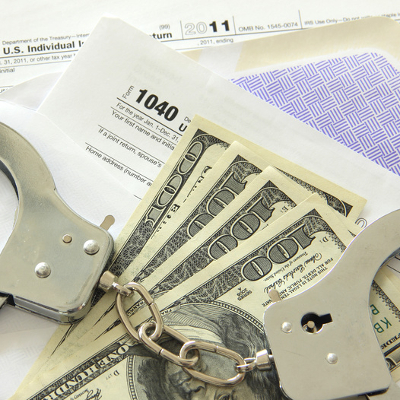
It all goes to show: don’t mess with the IRS. The prison system has two new residents, after Anthony Alika, 42, and his wife Sonia, 27, were sentenced for filing fraudulent tax returns through the often-exploited “Get Transcript” site maintained by the Internal Revenue Service. In addition to their incarceration, the Alikas will each be responsible to pay restitution to the IRS.

Ultimately, Anthony is to serve 80 months in prison followed by three years of supervision upon release, in addition to paying $1,963,251.75 in restitution for conspiracy to commit money laundering. Sonia was handed down a sentence of 21 months of jail time, also followed by three years of supervision, and an IRS restitution totalling $245,790.08 for structuring cash withdrawals to avoid the required bank reporting. Each pled guilty to their charges.

These sentences were passed after the Alikas were found guilty of laundering $1 million in money stolen from the US Treasury by filing fraudulent forms, specifically income tax returns populated with data stolen from the Get Transcript vulnerability. The Get Transcript function, meant to allow taxpayers to review their past returns with clearly spelled-out information, also allowed the Alikas to obtain the data they needed to make off with their ill-gotten funds.

The Alikas, along with co-conspirators, would purchase prepaid debit cards and registered them to the identities they had stolen, before filing false returns for those identities and receiving the refunds on the prepaid cards. They would then use these cards to purchase money orders, deposit that money into bank accounts, and withdraw their loot in multiple small increments to avoid the bank reporting of the transactions.

This isn’t the first time hackers have used the Get Transcript portal, either. In May of 2015, 100,000 tax accounts were stolen and used to take almost $50 million from the IRS. This is all because the authentication requirements to access the necessary information are flimsy.

Reacting to this case, the United State Department of Justice put out a press release outlining some best practices to keep personal information and accounts as safe and secure as possible.

File Early
A tax refund criminal can’t file a false return if the return has already been filed by the actual individual who should be doing the filing. The longer a return goes without filing, the more opportunity a criminal has to file one fraudulently.

Use Strong Usernames and Passwords
This one goes for any and all online accounts, but especially for those containing information as sensitive as a tax return does. If a close family member could get pretty close to the credentials with a guess, those credentials are nowhere near strong enough.

BONUS TIP: Randomized strings of upper and lower-case letters, numbers, and (if permitted) symbols are the most secure option when selecting a password.

For more tech security information to help keep your data–and yourself–safe, keep coming back to the NuTech Services blog.