Before this week, you probably never heard about Log4j. Right now, though, it’s the biggest topic in cybersecurity due to a massive vulnerability that is estimated to affect millions of devices. Your business needs to take this seriously.
What is Log4j?
Without getting too deep into the roots, when developers create software and applications, they rely on different programming languages. For instance, Java has been a common programming language since the early 90s. Java contains libraries that developers can utilize, and one of these libraries, known as Log4j, was recently discovered to have a major vulnerability in it. This vulnerability has been around for years, but now that it is out in the open, cybercriminals are likely to take advantage of it to steal data and infiltrate networks.
The scope of this is huge. The vulnerability impacts some common names in the technology world, such as:
Amazon
Apple
Cisco
Fortinet
Google
IBM
Microsoft
SonicWall
Sophos
VMware
…as well as others, large and small. Even the United States’ Cybersecurity and Infrastructure Security Agency (CISA) is affected.
Does Log4j Affect My Business?
It’s pretty likely. Not to sound repetitive, but this is a major, major issue, and anyone using software or running a system with this vulnerability is putting themselves, their data, and their business at risk. It doesn’t just affect Microsoft and Apple, it affects all of us, because we all use Microsoft and Apple services.
How to Protect Yourself from the Log4j Vulnerability
For the most part, you need to rely on the security patches and updates your vendors provide for your software. Unless you develop your own applications, in which case then the onus is on you, you are at the mercy of your vendors.
Fortunately, most of the major vendors are scrambling to get security patches out. That said, it’s up to you to apply them. If you have software that is no longer receiving updates (such as older applications that have reached end-of-life, or have surpassed your license agreement), you’ll need to have someone determine if they utilize Log4j and come up with a game plan from there. Cases like this are going to get pretty hairy, so we suggest acting quickly.
Technology and the Internet are a Little Less Safe, so It’s Up to You to Protect Yourself
Since this vulnerability has such a wide impact, it really is up to you as an individual to make sure you are practicing good cybersecurity hygiene. Utilizing weak passwords like “123password” or using the same password across multiple accounts is a terrible, dangerous habit. You need to be using strong password best practices, such as:
Using a unique password for each account and website
Using a mix of alphanumeric characters and symbols
Using a sufficiently complex passcode to help with memorability without shorting your security
Keeping passwords to yourself
Let’s Audit your Technology ASAP
Don’t put your business at risk by ignoring the dangers of this vulnerability. You should have your network audited to ensure that everything on your network is thoroughly patched and determine if any systems are utilizing Log4j. It’s just a matter of time before we start seeing widespread exploitation of this vulnerability, so time is of the essence.
Give NuTech Services a call at 810.230.9455 to schedule an appointment, even if you aren’t a client. This is very serious, and we don’t want to see local businesses struggle from this.
It is certainly important that you update your software and hardware with the latest patches and updates, but it is also important to keep in mind that while these patches and updates resolve certain issues, these updates can also create problems of their own. An upcoming update to Google Workspace is the perfect example of this.
What’s Going to Happen with Google Drive?
Professionals who use Google Workspace for collaboration should be familiar with the link-sharing feature that Drive provides. Basically, it lets you share documents you are working on via a link. These documents can have varying permissions depending on who you are sharing them with, giving you quite a bit of flexibility when it comes to collaborating with others. You just copy the link, share it, and get to work.
The previously mentioned update, however, complicates things a bit. For links generated before the updates, you might run into some complications.
Some Links Will Break
The long and short of it is that once these updates are applied, a resource key will be added to the URLs created when sharing a link. This will cause there to be an influx of new access requests for businesses to manage.
According to Google’s official support page, admins can choose how to apply this update until July 23. After July 26, end-users will start to receive notifications informing them that any files managed will be impacted by this new change. If admins allow it, users can choose how these updates apply to their files until September 13.
Need Help?
If you’re unsure of how this change will impact your business, let NuTech Services help you navigate this issue. We can help by providing comprehensive IT management tools for your business. To learn more about what we can do for your organization, reach out to us at 810.230.9455.
2020 has been filled to the brim with adversity and just as we’ve mercifully arrived to the end, the largest and most brazen cyberespionage attack ever has been carried out. Today, we’ll tell you what we know about the attack, what problems it caused, and what we should learn from it going forward.
How Did the Attack Happen?
In short, an IT management company known as SolarWinds was breached back in March, affecting a massive number of organizations—18,000 in all. These organizations include the likes of Microsoft, Cisco, and FireEye, as well as many states and federal organizations, including:
The U.S. Department of State
The U.S. Department of the Treasury
The U.S. Department of Homeland Security
The U.S. Department of Energy
The U.S. National Telecommunications and Information Administration
The National Institutes of Health, of the U.S. Department of Health
The U.S. National Nuclear Security Administration
When the attackers gained access to SolarWinds’ network, they were able to use what is known as a supply chain attack to introduce their malware to these departments and organizations by pushing it through the company’s automatic software update system for their Orion products. These kinds of attacks can be particularly effective since the threat is introduced to an environment via a trusted application.
Making this situation worse, many SolarWinds customers had excluded Orion products from their security checks on SolarWinds’ recommendation to prevent their other security products from shutting them down due to the malware signatures that these security products contain.
While (at the time of this writing) it is unclear what the attackers responsible used this access to do, the potential ramifications are truly terrifying. While government departments were targeted, it also needs to be said that this attack could have potentially continued from the major providers like Microsoft and Cisco to their clients, and so on and so forth. That’s why there is still no estimate of this attack’s true scope.
This attack was seemingly only discovered when an employee at FireEye received an alert that their VPN credentials had been used from a new device, and a little digging revealed the much larger situation playing out.
This Wasn’t the Only Attack, Either
Another attack was also discovered on SolarWinds’ network when the company performed an internal audit of its systems. On December 18, a second malware was found to have used the same tactic to infiltrate SolarWinds, but as of this writing does not seem to come from the same source.
What This Needs to Teach Us
Frankly, the most important lessons to be learned here are painfully obvious. First off, cybersecurity needs to be prioritized above all else, and all potential threats should be considered a likelihood. After all, the U.S. government was warned about the viability of exactly this kind of threat back in 2018 by the Government Accountability Office.
Secondly, the concept of your employees being a huge part of your cybersecurity strategy needs to be reinforced. This was only discovered when an employee was alerted of unusual activity and took that alert seriously. Your team needs to know what they are looking out for, and how to proceed if they spot it.
We may not know the scope of these attacks for a while. That shouldn’t stop you from reaching out to the IT professionals at NuTech Services to get an assessment and a consultation. Call us today at 810.230.9455 to get started protecting your network, infrastructure, and data.
Being told by an IT provider how important it is for you to update your software is probably a bit like your grade school teacher telling you how important it is to do your homework: of course they’re going to say it, it’s their job to do so. However, we’re telling you what the Department of Homeland Security announced when they released a warning to update your Google Chrome web browser.
October saw five vulnerabilities patched in Chrome, with two of those vulnerabilities being classified as zero-day threats. A zero-day threat is an attack that is already being used by cybercriminals by the time security researchers identify it. With the head start that the zero-day threat gives them, these cybercriminals have a dangerous advantage.
To add to the issue, two of these zero-day threats were also identified as high severity attacks, one taking the form of a JavaScript engine phishing attack and the other in a corruption vulnerability in one of Chrome’s features. While further details are scarce, the Department of Homeland Security’s Cybersecurity and Infrastructure Agency (CISA) have warned us of their significance and their capability to assist an attacker in taking over an infected system.
Both threats have been spotted, so CISA is officially encouraging that all patches be applied, and updates made, to resolve these threats.
What Makes Updates So Important?
Let me ask you this: let’s say that your office’s front door would no longer lock securely. Would you leave it alone in the hopes that nobody would mess with it, or would you prioritize having the lock fixed?
This is the situation that business owners now find themselves in, and far too many of them simply hope that it won’t be a problem. Consider the fact that Google released a patch for one of these vulnerabilities via an update, but only half of users applied the update within a day.
Regardless of whether this is due to negligence or the possibility that the device they are using is simply outdated, this suggests that many companies are leaving their vulnerabilities exposed.
NuTech Services can help through our managed services, as we’ll ensure that your technology is patched and fixed appropriately. To learn more about our services, or to find out how else we can assist you in securing your business’ IT, reach out to us at 810.230.9455.
Capital One is one of the largest credit card issuers in the world. On July 29th 2019, Capital One made an announcement, confirming it is the victim of one of the largest data breaches in financial sector history, as a former software engineer for Amazon has been indicted on charges related to the hacking.
Here’s what we know:
Capital One has admitted that the personally identifiable information (PII) of over 100 million American and Canadian credit applicants’ information has been exposed. The company did admit that no credit card account numbers or authentication credentials were compromised in the hack. They also go on to mention that in 99 percent of the files, social security numbers were not compromised. The largest category of information that was accessed were individual and small business credit applications that span from 2005 to 2019.
The perpetrator, Paige Thompson of Seattle, Washington, was a former software developer for Amazon Web Services (AWS), which took advantage of a firewall misconfiguration to gain access to the information, AWS confirmed Monday. The flaw came as a result of a setup error and not a flaw within the massively popular AWS.
The breach happened on March 22 to 23, 2019. Thompson was apprehended as a result of being reported to Capital One for storing incriminating evidence on her Github and Slack accounts. Capital One contacted the FBI on July 19, 2019 and after a short investigation, Thompson was arrested and indicted by the Western District of Washington.
The CEO of Capital One, Richard Fairbank released the following statement:
“While I am grateful that the perpetrator has been caught, I am deeply sorry for what has happened. I sincerely apologize for the understandable worry this incident must be causing those affected and I am committed to making it right.”
Capital One has said that it will inform you if you have been a victim of this massive attack, but if like many of us, too much is at stake to wait for the company to reach out to you, you can take some immediate steps to safeguard your personal information.
Check your accounts – Account monitoring and fraud detection should be a major part of any action you take to secure personal information.
Change passwords – One great way to at least feel more secure after a major hack like this is to immediately change your passwords.
Freeze your credit report – One option you can take to protect yourself is to freeze your credit report, this won’t let any credit reporting services check your credit, meaning if someone were to try to take money out in your name that the banks wouldn’t be able to authorize credit.
Avoid scams – A big part of keeping any data secure is to not give unauthorized parties access to it. That means avoiding phishing attacks and other scams.
Continued vigilance – Vigilance over your account information, your personally identifiable information, and your overall financial health is more important than ever. As mentioned above, credit monitoring and fraud detection services give users tools to combat unauthorized access.
Keeping yourself and your business secure online is more difficult than ever. To learn more about data security, subscribe to our blog.
A new type of malware is targeting routers in what is considered a large enough threat that even the FBI is addressing it. Even worse, a router isn’t necessarily a device that you think would be vulnerable to attack from a hacker. What can you do to keep your business’ Internet access points secure from hacking attacks? Let’s dig in to the details about what the VPNFilter malware does and how you can address it.
Explaining VPNFilter The malware in question, VPNFilter, hides in routers for both individual users and small businesses with the intention of persisting even if the device has been rebooted. VPNFilter targets devices that are Ukraine-based most of the time, but others have been known to fall victim to this as well. It’s thought that the VPNFilter malware originated from a group called Sofacy. The malware itself takes three steps to become an issue for your organization.
The first is that the malware sets itself up so that it will persist even if the device is rebooted or turned off. The second stage of the attack consists of the malware installing permissions for itself to change router settings, manage files, and execute commands. This allows the router to essentially brick itself, leading to considerable connectivity problems. The final stage of this malware lets the hackers look at the data packets passing to and from the device, as well as the ability to issue commands and communicate through the Tor web browser.
The reason why the FBI recommends resetting your router is because the second and third steps are wiped when you do so, but the first stage remains regardless.
Is Your Router Affected? While not all routers are affected, there is still a sizeable list of confirmed contaminated devices. Some of the affected brands include:
How to Fix It The best way to resolve these issues with VPNFilter is to perform a factory reset for your router, which completely deletes anything installed during the first stage of the threat. If the router’s manufacturer has administered a patch for the vulnerability, you can also install it following a factory reset so that you’ll never have to deal with this vulnerability again.
For more updates and tips on some of the latest threats, keep an eye on NuTech Services’s blog.
Hundreds of millions of people use wireless Internet connections every day, and as a result, hackers are taking that as a challenge. They are now starting to develop malware that targets people through their routers. Recently, security researchers at Kaspersky Lab have discovered the malware named Slingshot. The code is designed to spy on PCs through a multi-layer attack that targets MikroTik routers. Today we take a look at Slingshot, and other router-based malware and what you can do about it.
Slingshot Slingshot works by replacing a library file with a malicious version that downloads more malicious components and then eventually launches a two-front attack on the computers connected to it. The first one runs low-level kernel code that gives an intruder free rein of a system, while the other focuses on the user level and includes code to manage the file system and keep the malware alive.
It is a very intricate attack that calls the nefarious code in from an encrypted virtual file system; managing to do so without crashing the host system, a feat not lost on the security experts at Kaspersky Lab, who deemed it a state-sponsored attack because of the quality of the overall attack and the complexity of its components. Reports suggest that the malware can basically steal whatever it wants, including keyboard strokes, passwords, screenshots, and information about network usage and traffic.
MikroTik has announced that they have patched the vulnerability on versions of their routing firmware, but concerns remain as no one is sure if other router manufacturers have been affected. If that were to come to fruition, Slingshot could be a much larger problem than is currently believed.
Other Instances Slingshot isn’t the first instance of a router turning on its owner. Traditionally, router security is known to be largely unreliable. Much of this is on the manufacturers, which have been known to build many different products without having a strategy in place to keep them working with up-to-date security. It is also up to the user to keep their router’s firmware up-to-date – something that is very easy to not keep top-of-mind. Plus, some routers make firmware updates time-consuming and difficult.
To attack the network, hackers seek to change the DNS server setting on your router. When you try to connect to a secure website, the malicious DNS server tells you to go to an elaborately constructed phishing site instead. By spoofing the domain and rerouting you to a website that is specifically constructed to take advantage of you, you have very little chance of warding off the attack before it’s too late.
Hackers have also been known to inject all types of user hindrances such trying to perform drive-by downloads, or inundating users with advertisements. Many attacks make use of cross-site request forgery attacks where a malicious actor creates a rogue piece of JavaScript that repeatedly tries to load the router’s web-admin page and change the router’s settings.
What to Do If This Happens to You The first thing you should do is work to ascertain if your router has been compromised. You can do this in several ways, but the most telling is that your DNS server has been changed. You’ll have to access your router’s web-based setup page. Once in, you have to visit the Internet connection screen. If your DNS setting is set to automatic, you are in the clear. If it’s set to “manual”, however, there will be custom DNS servers entered in the space. Many times, this is the first sign of a problem.
If you have been compromised, ensuring your router is set up to your manufacturer’s specifications will help you mitigate damage. To ward against this happening to you, you should always:
Install firmware updates: Making sure your router’s firmware is updated to the latest version will definitely help.
Disable remote access: Stop remote access to secure against anyone changing settings on your networking equipment.
Turn off UPnP: Plug and play can be very convenient, but your router could be affected through UPnP if there is any malware on the network since it is designed to universally trust all requests.
Change credentials: Changing your passwords are a simple way of keeping unwanted entities out of your router.
For more information about network and cybersecurity, the expert technicians at NuTech Services are accessible and ready to help you keep your network and infrastructure secure. For help, call us at 810.230.9455.
The IRS has issued a warning to tax professionals to step up their cyber security to prevent sensitive taxpayer information from being stolen. CPA firms, large and small, are being targeted by hackers and identity thieves, especially during the high traffic tax season.
CPAs collect and store a treasure trove of sensitive information that is deemed valuable to cybercriminals. This includes client contact information, credit card information, and social security numbers. Plus, the bad guys know that even though smaller, local tax professionals might not have as many clients as a nationwide firm, but the chances that their data is easier to get to makes them a viable target.
How easy could it be for someone to steal all of your clients’ sensitive information? Depending on the security you have in place, it could be shockingly simple. All it takes is parking near a CPA firm and finding an exploit to get connected to their Wi-Fi. If proper measures aren’t in place, that is enough to give the criminal carte blanche access to any data that isn’t properly protected. Then they can simply drive up to the next tax professional in town and attempt it again.
If the hacker wants to save on gas, they could also target hundreds of thousands of tax professionals at once with a single mass email. The email could look like a legitimate message from a client or organization, but contain an attachment that installs malware and instantly gives the hacker access to what they want.
The time to protect yourself (and your clients) is now. The IRS is urging tax professionals to encrypt all sensitive data and ensure that their network is equipped with the proper measures to protect data. Educating employees on how to not get baited into fake phishing emails is also critical. NuTech Services can audit your network and help you protect the identities of your clients. Don’t wait. Give us a call today at 810.230.9455 to get started.
Just a few months after finding themselves in a firmware fiasco, Intel is making news for all the wrong reasons. This issue had the potential to affect the CPU of a device, causing a severe dip in the performance of the device.
In a blog post by a user going by the name Python Sweetness, an issue was reported, describing “an embargoed security bug impacting apparently all contemporary CPU architectures that implement virtual memory, requiring hardware changes to fully resolve.” This means that, thanks to this bug, the interactions that different programs would have with the CPU would be affected.
Under normal circumstances, a CPU will have two modes that it operates under: kernel, which permits the user to make changes to the computer itself, and user, which is considered a ‘safe’ mode. Python Sweetness discovered a bug that blurred the distinction between the two modes. The bug allowed programs run in user mode to also access kernel mode, possibly allowing malware to access the computer’s hardware.
However, the circumstances have proven to be less dire than they originally appeared. The expectation was that this bug would cause entire processes to shift back and forth between user and kernel mode, hamstringing the speed at which the device would operate. There was also the expectation that this issue would not be able to be resolved without a hardware change.
For PCs with Windows 10 installed and an antivirus that supports the patch, the fix should already be in place. However, to confirm this, go to Settings > Update & Security to see if there are any updates waiting to be installed. If not, check your update history for Security Update for Windows (KB4056892) or check with your antivirus provider to find out when it will be supported, the patch will not install until it sees that the antivirus has been updated to a version that the vendor verifies supports this patch.
Android devices had an update pushed on January 5 to provide some mitigations, with more protections coming in later updates. These patches have already been pushed to Google-branded phones, like the Nexus and Pixel lines, and may have been on other Android devices. It doesn’t hurt to check, and if you haven’t been updated, go online and put pressure on your carrier on a public forum.
Google Chrome should be updated with similar mitigations on January 23, with other browsers updating soon after. To help protect yourself until then, have your IT team activate Site Isolation to minimize the chance of a malicious site accessing data from another browser tab.
Other devices (like NAS devices, smart appliances, networking equipment, media equipment, etc.) may also be at risk, as they are using similar hardware. It’s really important for business owners to have their entire infrastructure reviewed and audited.
These kinds of issues help to demonstrate the value of an MSP’s, or managed service provider’s, services. MSPs like NuTech Services are sure to keep themselves informed on the latest developments in IT security and any resolutions they can pass on to businesses like yours, if they don’t implement them on your behalf.
As a result, you and the rest of your team can go about your business without having to concern yourself with solving issues like these, knowing that you can trust the team who is solving it for you. For more ways that an MSP can help keep your business security and operations optimized, reach out to NuTech Services at 810.230.9455.
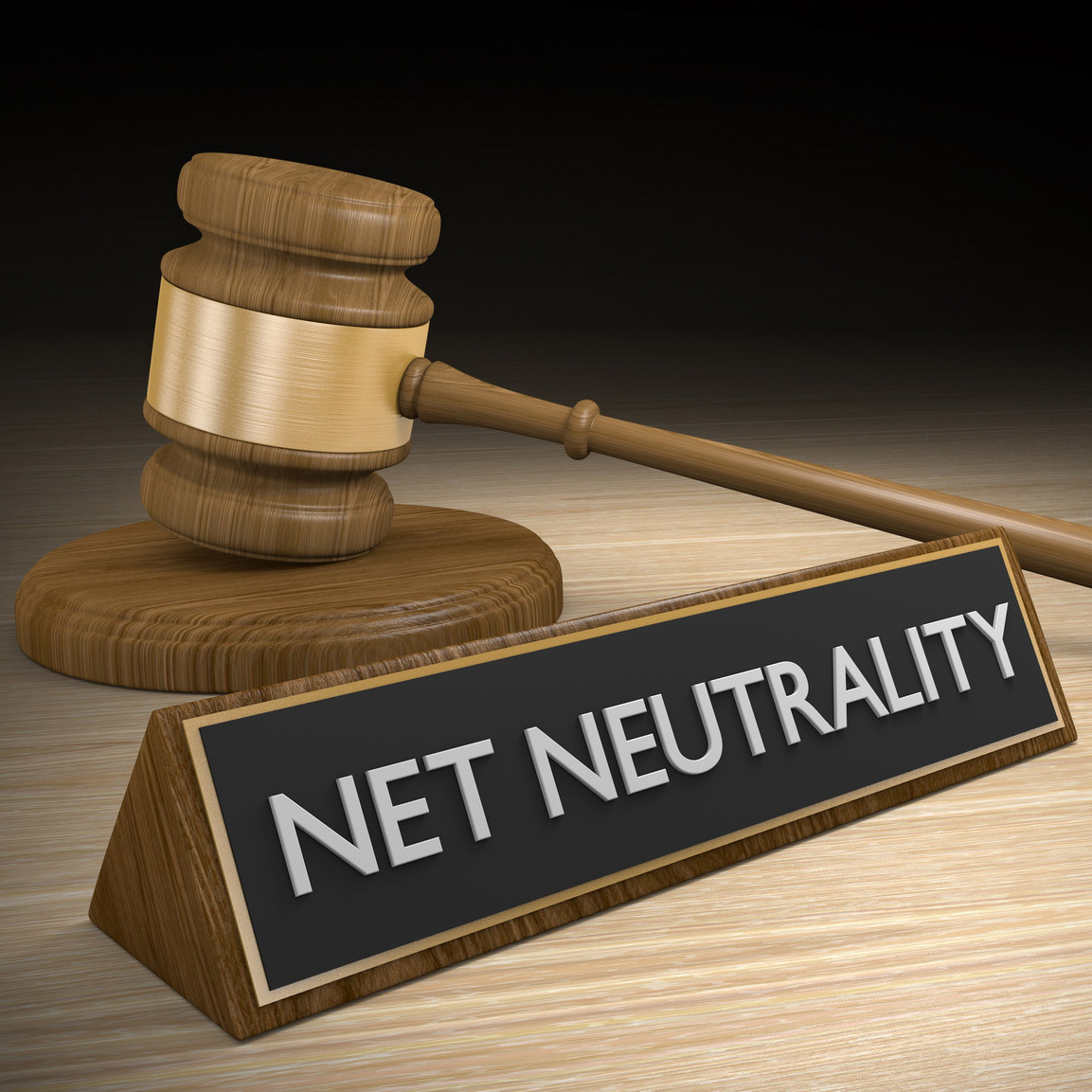
December 14th is the last day that our government representatives can vote whether or not to continue the Internet’s protection under the net neutrality rules established in 2015. Without these rules in place, your data can be analyzed by your Internet service provider, and they are free to act on that knowledge and manipulate your Internet in support of their own interests.
From the beginning of our democracy, there are a few basic freedoms that all citizens have been given through the First Amendment to our Constitution: freedom of speech, freedom of the press, and freedom of assembly. Rolling back net neutrality rules would allow your Internet service provider to analyze your web activity and adjust what you are able to access to support their agenda–or more realistically, that of the highest bidder–infringing on those rights in order to make themselves a bigger profit.
We recently discussed this in more depth in a post entitled Net Neutrality: Everything Business Owners Need to Know. Make sure you give it a read for more context into this issue.
How this Affects You Small and medium-size businesses have enough competition to deal with from large corporations as it is. Without these rules, however, ISPs could essentially allow large corporations to pay for prioritization, making their website’s user experience better than yours, encouraging users to go to them instead.
Your competitors could literally pay your service provider to give you an inferior service, slowly sending you out of business.
On a wider scale, the removal of these rules would also allow ISPs to deny access to any website whose agenda wasn’t in line with their own, censor content that they didn’t agree with, or block visitors from accessing a website belonging to a protesting labor union–all of which happened before the net neutrality rules were put in place, and will happen again if they are rolled back.
What You Can Do to Help Regardless of your industry, this will affect you as a small- or medium-sized business owner. The time to act is now. Visit www.battleforthenet.com to contact your representative today and tell them to stop the FCC from doing considerable harm to the free and open Internet. Send an email, call their offices, make sure they know how opposed you–their constituent–are to this transparent attempt by the telecoms to abuse the Internet for profit.
There has been a lot of buzz about the term net neutrality in the news, on social media, and around the water cooler lately. The FCC is preparing to end net neutrality on December 14th, 2017, and it’s causing a major stir. From activist groups encouraging people to call congress with their concerns, to headlines exclaiming that the Internet as we know it is dying, there is a lot to sift through to really understand what the stakes are. Our goal is to make sense of net neutrality without the sensationalism, and explain how it can affect small business owners.
Plain and simple, net neutrality is the idea that internet service providers (ISPs) need to treat all data on the Internet the same. Regardless of how you connect to the internet, your provider isn’t allowed to prioritize certain types of content, websites, or online services for you. This also means they can’t decide to limit or restrict certain types of content.
For example, let’s say your internet provider also has their own on-demand video streaming service. They would much rather you use theirs instead of Hulu or Netflix, so they could put limitations on how much Netflix you could watch (or block it entirely) to try to encourage you to use their service. Since most Americans have very limited options when it comes to choosing an internet service provider, this really leaves us helpless when it comes to what content we can consume.
A lot of people are using similar examples like this to explain net neutrality, but as much as it would be undesirable for your favorite video streaming service to become harder to access, life goes on, right? There is a whole other side to consider…
The Internet Isn’t Just About Consuming Content for Entertainment
This Netflix example is just scratching the surface. The same problem could happen more frequently at smaller scales. It’s not just entertainment and media that could get prioritized, but any and all web content. Social media, search engines, ecommerce and banking, and small businesses who rely on their online presence could eventually see an effect from this.
If your business relies on online traffic to generate leads, abandoning net neutrality means that your internet service provider could make it harder or impossible for some customers to get to your website. Your ISP could prioritize and otherwise interfere with traffic simply because they have partnerships or get paid by businesses who compete with you. This may sound a little extreme, but it has already happened:
Real World Examples of What Net Neutrality Protects Us From
In 2010, DSL provider Windstream Communications admitted to hijacking search queries made using the Google toolbar within Firefox. Users thought they were searching on Google, but instead were delivered results through Windstream’s own search portal.
We’ve also seen cases where service providers were blocking other services on their network to attempt to get users to use their own:
Between 2011 and 2014, AT&T, Sprint, and Verizon blocked Google Wallet, a mobile payment system, which competed with Isis, a competing mobile payment system that the three carriers each had a stake in developing.
Over the last decade or so, other cases have come up where ISPs had blocked various VoIP services, including Skype, Google Voice, and Vonage. The most notorious case was in 2012, where AT&T announced that it would disable FaceTime, a video messaging app on iPhones, unless subscribers paid additional fees.
While many of these earlier cases happened before net neutrality rules were officially in place, net neutrality enforces ISPs to keep the Internet open and transparent. The net neutrality rules were a result of these cases.
The Argument Against Net Neutrality
Myth: Net Neutrality Hurts Small Businesses Although the argument for net neutrality is pretty simple–keep the Internet open, the argument against it is a little more complex. FCC chairman Ajit Pai (who formerly worked for Verizon) claims the rules are “heavy handed” and “all about politics.” His argument states that small internet providers were hurt by regulations. Net neutrality does prevent Internet service providers from charging more or less for different tiers of internet, capitalizing on advertising revenue and partnerships by redirecting traffic, and throttling competing services, but it also prevents smaller businesses from being excluded from a fair, open online ecosystem.
Myth: Net Neutrality is the Government Regulating the Internet Another argument against net neutrality is that regulation always gets in the way of progress. However, the net neutrality rules aren’t crafted to regulate the Internet and how consumers use it, instead it regulates how it is delivered and how the businesses that deliver it can manipulate it. Imagine UPS prioritizing your deliveries based on the brands you buy or the stores you buy from. You’ll make decisions on what to buy and where to buy from if you knew you could get it faster. Next, imagine ordering a Samsung phone, but UPS has a partnership with Apple and swaps out your new device with an iPhone before it gets to your house. It sounds silly when put that way, but this is exactly what we’re fighting to prevent.
Myth: Tiered, Lower Cost Internet Will Benefit Low-Income Households One of the strongest arguments against net neutrality is that enabling ISPs to create tiered Internet packages will allow more users to get access to the Internet. This sounds like a very strong point–we want to give poorer families the same opportunities and resources. The idea of an ISP coming out with a cheap, barebones broadband service designed for households who simply can’t afford or struggle to afford current plans tugs at the emotions. However, limiting the open Internet can lead to limitations of the value of the Internet itself. If lower-income households were given access to an Internet without the same perks and resources, they still miss out. These families will inevitably choose Internet packages that limit the experience, and thus limit the amount of opportunity both economically and educationally they could have otherwise. Children growing up with a limited, restricted Internet might not be able to watch tutorials on YouTube, take free online courses for programming, or gain the skills to use the Internet to reach a wider audience through marketing and social media. They won’t even know the opportunities are there because the only Internet they know is the restricted, limited tier.
There are long-term ratifications to this that we simply can’t predict, but it’s clear that there is more to gain from an open Internet.
Abandoning Net Neutrality Stonewalls Content Creators and Small Business
Let’s go back to how abandoning net neutrality affects business owners. In the example above, where Internet Service Providers could start offering a cheaper, limited Internet tier, this potentially limits small business. If a percentage of your audience dials back their Internet tier to a plan that prioritizes the ISP’s partners and agenda, this could make it harder or impossible for those users to find and engage with you. The money that you put into online marketing won’t go as far, or even have an effect on these users. Smaller businesses and content creators might not have the resources to get past all of the barriers when reaching deals with carriers to have a fair shot at getting in front of customers.
As business owners, we already pay for full access to the Internet. We likely pay other companies for services beyond just Internet access – mobile data usage, email hosting, web hosting, online marketing, VoIP, cloud storage, and the list goes on. If telecoms and ISPs prioritize the delivery of the Internet to us and our audience, we all lose.
On December 14th, the FCC will vote to abandon Net Neutrality and Title II rules. Our only hope is if congress puts a stop to it. Many members of congress have come out against the plan to end net neutrality, but many are for ending it. We need to band together and speak out.
The best way to do this is by reaching out directly to members of Congress and telling them about your concerns. By writing and calling those who can save net neutrality, we’ll help them understand that we depend on an open, transparent Internet.
Fortunately, the people behind https://www.battleforthenet.com/ make this easy. You can compose an email to Congress from the homepage, and even dial Congress members to tell them that you are concerned with the impact that killing net neutrality will have on your business.
If we all work together on this, we can help preserve the open Internet. Please, we urge you to take a few minutes out of your day to go to https://www.battleforthenet.com/ and make your voice be heard.
One of the best ways your organization’s network can remain secure is to always use the most recent version of any critical software solutions on your network. Unfortunately, making the jump to a more recent operating system is easier said than done, particularly for small businesses that have limited budgets. The problem of security becomes even more pressing for businesses that need to upgrade multiple servers and workstations, as failing to do so could prove to be fatal for your organization.
Windows software products eventually reach an End of Life event, which is when they stop receiving patches and security updates that keep the software functioning smoothly. These updates generally fix vulnerabilities which could be exploited against your business, as well as operational problems which can keep your organization from running at 100 percent. Using software that’s out of date could result in your organization being put into a dangerous situation. In fact, if you are using out-of-date software, you are putting your network, and all the data on it, at risk.
Just a few months ago, Windows Vista reached its End of Life event. Microsoft no longer supports either Vista or Windows XP, though the two couldn’t be further from each other in terms of popularity and usage. The lack of support for XP just goes to show that even the most popular operating systems eventually have to come to an end of support. The next Windows OS to reach an End of Life event is Windows 7, on January 14th, 2020. Another common server OS that is also reaching its end of life on the same day is Windows Server 2008 R2 Enterprise.
The time is now to evaluate your systems and know which operating systems your organization relies on. Businesses will have to take a considerable jump to the next stage, upgrading their workstations and servers so as not to fall off the support bandwagon. Not all businesses have the time and resources to ensure this happens, though, so it’s best to keep this issue at the top of your mind, as Windows 7 and Windows Server 2008 RN will be rendered obsolete in the near future.
We recommend that you don’t wait until the last minute to implement a solution to your end of life event situation. The reason for this is that the upgrading process could come with hidden troubles that only make themselves known when the process has started. If your legacy applications stop working properly, any processes that rely on them in order to stay functional will cease. This downtime can have considerable effects on your business, so it’s best to keep your implementation as seamless as possible.
You need to think about upgrading your soon-obsolete technology before its end of life event hits. This goes for both Windows 7 and Windows Server 2008 RN. We are purposely informing you of these dates now, so that you have plenty of time to think about how you want to approach this elephant in the room. To learn more about how to upgrade away from your business’s obsolete technology, reach out to us at 810.230.9455.
All across the United States, banks are rolling out ATM improvements to help boost the security of their members by utilizing mobile devices. While these measures will undoubtedly help, they aren’t enough to fix all of the vulnerabilities that ATMs suffer from without some vigilance on the user’s part.
What is Being Done Wells Fargo launched an initiative that allows their members to access their accounts via automated teller machines, without the use of their ATM cards. By utilizing the bank’s mobile application, an account holder can receive a temporary code that will grant them access to a Wells Fargo ATM when paired with a personal identification number.
While Wells Fargo is the first bank to incorporate app-based access to all 13,000 of their ATMs, other banks aren’t far behind. Chase, Bank of America, and Citigroup have also begun to incorporate similar functions into some of their ATMs.
This isn’t the end of improvements to Wells Fargo’s ATMs, either. Wells Fargo is making the necessary additions to allow members to utilize near-field communication (NFC). By doing so, bank members won’t even need their card to access the ATM. Instead, their mobile device prompts them to scan their fingerprint and enter their pin. So far, about 40 percent of the bank’s ATMs are equipped for this functionality.
Why These Advancements Might Help Advancements like these are sure to help boost the user’s account security while they utilize these machines to handle their finances. Criminals have been getting more clever in their schemes, and it shows. There were six times as many ATMs that were compromised in 2015 than in 2014.
Scammers now use spy cameras and card skimmers in tandem to collect the information they need to gain access to a bank member’s accounts. These skimmers are able to be inserted directly into the ATM’s card reading mechanism, where it is almost impossible to detect their presence. The same can be said of the pinhole cameras that criminals will use to capture a user’s PIN number. These tiny devices are remarkably difficult to spot.
Worse yet, criminals will often damage machines that don’t have their devices inserted, forcing users into their trap. If you see a row of ATMs with only one in working order, it’s best to give that one a pass.
If you think that a user is safe if they were to use a chip-based card, rather than the magnetic strip, you’d be mistaken. Much as they capture the information from a card’s magnetic strip, scammers have a method to do the same with the card’s onboard chip. Known as “shimming,” this approach is rare but will likely only increase in popularity as more transactions are made with the chip functionality. Plus, these chip-based cards still have the magnetic strip as well, tempting many to swipe away their security.
A Few Issues That Remain Unfortunately, there are still factors that make ATM machines an effective vehicle for scammers. First of all, many of these new security features were added to the ones already present in the ATMs, rather than replacing them. For instance, while Wells Fargo ATMs will permit the use of a temporary PIN, they will still allow account access through the less secure methods as well. Not to mention that out of a total of 70 million members, there are only 20 million Wells Fargo app users. This means that there are 50 million bank members who aren’t even using the features.
This is assuming that those 20 million app users will make use of them, anyways. Habits are hard to break, so many account holders will likely continue to carry and swipe their ATM cards, despite having a more secure way to access their accounts.
What Should You Do? Whether you’re dealing with the accounts for your business, or your personal finances, keep security in mind whenever you happen to use an ATM, and take advantage of the improved, more secure processes that are available to you. At the very least, shield your PIN number with your other hand as you input it into the machine.
Is it worth potentially allowing a criminal to access your (or your business’) accounts? Share your thoughts with us in the comments!
Thanks to one of Google’s researchers with the Zero Day Project, it has been discovered that LastPass has a major vulnerability as a result of a major architectural problem. This news comes on the heels of many other flaws the same researcher discovered within LastPass. However, based on what the researcher claims, these vulnerabilities were much less serious than his latest discovery.
After having “an epiphany in the shower,” Tavis Ormandy realized that the latest version of the password manager’s browser extension is subject to a flaw that allows some malicious websites to have their way with the user’s system. Otherwise, the vulnerability allows malicious websites to steal the user’s passwords from behind LastPass’ protections. Unfortunately, this vulnerability seems to be present in the extensions for every major browser on Windows and Linux, and is most likely present for Mac users as well.
Making this vulnerability even more significant, the vulnerability only requires the extension to be installed in order for it to be exploited. A user could be logged out and still be subject to receiving malicious code from the website they’re visiting.
To their credit, LastPass is committed to resolving this issue, acknowledging Ormandy’s report a mere hour after he submitted it. Two days later, LastPass released a blog post going over these events and offering a few recommendations:
Launch websites from the LastPass vault: To retain the highest level of security as possible, it’s better to access websites from the LastPass vault itself.
Use Two-Factor Authentication wherever possible: This will add an extra layer of security to prevent leaked credentials from granting easy access to your accounts.
Keep an eye out for phishing attacks: Clicking on a malicious link is a great way to hand over your access credentials to malicious entities, so before you click on a link in a received message, take a moment to ask yourself if the link makes sense to be coming from who allegedly sent it.
LastPass has also been vocal in their appreciation for people like Ormandy finding issues like these before they are found the hard way. According to Joe Siegrist, cofounder and vice president of LastPass, “We greatly appreciate the work of the security community to challenge our product and uncover areas that need improvement.
LastPass now has 90 days before Ormandy and Project Zero release the technical details as part of their disclosure policies. In the meantime, it would be prudent to take LastPass’ advice to heart for the sake of your own network security.
To ensure your credentials are protected, and to schedule a full security audit, contact NuTech Services at 810.230.9455.
In recent news, millions of records containing personal information were made available to the public in a sizable data leak, providing potential scammers with plenty of information to utilize in their schemes. These records were all part of a 53 GB database that was available for purchase from Dun & Bradstreet, a business service firm.
The database contained information that could be of great use to hackers and marketers alike, as it outlined corporate data for businesses within the United States, providing professional details and contact information for members at every level of the businesses included.
Dun & Bradstreet released a statement via email in an attempt to remove the firm from any responsibility. According to the firm, there was no evidence of a breach on their systems. The email also pointed out that the leaked data was sold to “thousands” of other companies, and that the leaked data seemed to be six months old. In essence, Dun & Bradstreet’s position was “not our fault.,” and that there was little cause for worry, as the list only contained “generally publicly available business contact data.”
However, not everyone feels that the responsibility for this event can be passed off so easily, especially considering the nature of the data found on the database.
Troy Hunt manages Have I Been Pwned, a data leak alert site that allows a user to reference one of their accounts to determine if their credentials have been compromised. He offered up his own take after reviewing the database for himself. Hunt’s analysis revealed that the organizations with the most records in the database were:
The United States Department Of Defense: 101,013
The United States Postal Service: 88,153
AT&T Inc.: 67,382
Wal-Mart Stores, Inc.: 55,421
CVS Health Corporation: 40,739
The Ohio State University: 38,705
Citigroup Inc.: 35,292
Wells Fargo Bank, National Association: 34,928
Kaiser Foundation Hospitals: 34,805
International Business Machines Corporation: 33,412
If this list alarms you, you have the right idea. In his comments, Hunt brought up a few concerns that he had with the contents of the database out in public.
First of all, this list is essentially a guidebook for someone running a phishing campaign. A resourceful scammer could easily use the information contained in this list (including names, titles, and contact information) to create a very convincing and effective campaign. Furthermore, the most common records in the leaked database were those of government officials and employees. Hunt went so far as to mention which personnel records could be found in the database for the Department of Defense: while “Soldier” was the most common, the list also included “Chemical Engineer” and “Intelligence Analyst” entries.
In his response, Hunt asked a very important question: “How would the U.S. military feel about this data – complete with PII [personally identifiable information] and job title – being circulated?” With the very real threat of state-sponsored hacking and other international cyber threats in mind, Hunt brought up the value this list would have to a foreign power that isn’t fond of the U.S.
Finally, Hunt cited the chances of this data being recovered to be at a firm “zero” percent.
In short, despite the reassurances from Dun & Bradstreet, this database going public could present some very real dangers to any businesses included in it.
If you’re worried that your business may be vulnerable, there are two things you should do. First, you should see if your data has been exposed by checking Hunt’s site, Have I Been Pwned. Second, you should reach out to us at NuTech Services, so we can help keep you secured against threats like this and others. Give us a call at 810.230.9455.
Do you know what today is? It’s National Clean Out Your Computer Day! This means that there is no time like the present to make sure that you’re taking good care of your business’s technology assets. In honor of this day, we’ll discuss ways in which you can take better care of your technology.
Consider Your Unused Applications It’s inevitable that your organization will stop using certain applications as time goes on. Maybe they’re just not necessary anymore, or they became outdated and you replaced them with better, more efficient solutions. Regardless, it’s important to make sure that you’re not paying for software that you no longer use, so make sure that you routinely uninstall software that fits this description. It’s a best practice to evaluate whether or not you need software that’s only used once or twice every couple of months.
Be Ready to Update Your Software If you want to make sure that your PC is operating at maximum capacity, you need to keep your software updated. Patches and updates are designed with two purposes in mind: 1) Shore up weaknesses in security protocol, and 2) Improve the performance of the software. This is why it’s so important to make sure that you always keep your software up to date. Just be sure that all of your legacy apps don’t suffer from compatibility issues before upgrading to the latest versions, so reach out to NuTech Services before making the jump.
Run Defrag Software Do you ever wonder what happens when you save and delete files, or move them from place to place on your hard drive? Pieces of your data wind up being stored in various locations, which makes it more difficult for your computer to effectively gather and open them when the need arises. Defragging your hard drive essentially gathers all of these pieces of data and places them where they originated, thus improving PC performance. Keep in mind that defragging only applies to hard disc drives, not solid state drives. Also, if you’re running a newer version of Windows, then you don’t have to worry about defragging because Windows will automatically do this for you when the drive isn’t in use. Defragging software is a great way to negate trouble, but if you’re hesitant to try this yourself, be sure to reach out to NuTech Services.
Clear Your Workstation of Dust Dust collects over time, so it’s in your best interest to clear it before it can cause damage to your workstation. A can of compressed air can help you blow away the dust that collects around vents and fans on your computer. Also be sure to turn your keyboard upside down and shake it to clear away skin particles and food crumbs that may have fallen into it.
Remember Your Computer’s Insides Before cleaning your PC’s insides, make sure that you properly shut down your computer and unplug it from the wall. If you’re not in the habit of peeking inside your computer, you may be surprised to see it coated in a layer of dust. This dust comes from the computer’s fans, and it can cause some serious performance issues, like overheating and computer crashes. Take a can of compressed air and blow away any dirt or dust that persists within. Also of note is that you should never touch components with just your bare hands, as the oil on your fingers could potentially cause damage. We’d prefer that you reach out to a trusted technician like those at NuTech Services before trying any internal maintenance yourself.
If all of this sounds like too much work, well… we can’t blame you. After all, you have a business to run. What you can do is reach out to NuTech Services and have our trusted technicians take good care of your technology. To learn more, reach out to us at 810.230.9455.
Banks and companies that manage automated teller machines, better known as ATMs, have been warned against another method thieves have been utilizing to commit identity theft–by no less than the Secret Service.
Machines in Connecticut and Pennsylvania have been found to have periscope skimmer devices attached inside, especially in those machines with openable lids that provide relatively easy access to the inner workings. The device is placed in such a way as to allow the probe of the device to read the magnetic strip on the card as the machine’s user makes the mistake of utilizing that particular ATM.
Estimates place the device’s battery life at 14 days per charge, with enough storage to collect 32,000 card numbers. Fortunately, the device doesn’t seem to collect PIN numbers, but that is also unfortunate, as it indicates that these devices were possibly part of a practice run in preparation for a real robbery.
Despite the apparent lack of a PIN collection device on this version of the periscope skimmers, it is a good habit to cover the entry pad with your free hand as you input your number on most ATM devices, just in case the thieves have placed a hidden camera on the device, or accessed the native camera, which can capture your credentials as you type.
The new use of chip-based cards won’t help you much, either, as many ATMs still require the magnetic strip in order to accept the card as legitimate.
Unfortunately, as these skimmers are placed internally, there isn’t much of a method of identifying these devices by sight. The best advice to protect yourself from these scams, therefore, is to think a bit like a criminal trying to place a device. Is the ATM in a busy place with lots of potential eyes on it, or is it set aside, secluded and solitary? Is the top accessible, allowing for a cybercriminal to access the machine’s inner workings through the lid? Be on the lookout for all of these suspicious traits.
As a precaution, do your best to utilize ATMs in high-traffic areas, with plenty of eyes around as to serve as witnesses for as many hours of the day as possible. Also, avoid ATMs where the body of the machine may be accessed easily, and use those that are embedded in a wall as often as possible. Those well-lit ATMs that are embedded in the walls of banking institutions are the ideal ones to use, as the high surveillance banks utilize will protect the machine (already well-defended on three sides by the building’s construction) from tampering, as well as you from a cash-machine mugging attempt. Plus, most ATMs also have a built-in camera.
Of course, if dealing with finances pertaining to your business, it may be most advisable to utilize the tellers that aren’t automated, or to handle your banking online behind the online protections that NuTech Services can put in place for your business.
Call 810.230.9455 to discuss the security improvements that we can provide.
If you panic in the event of a hacking attack, imagine how the National Security Agency (NSA) feels knowing that some of its exploits are for sale on the black market. While there isn’t any proof that the NSA has been breached, there’s evidence to suspect that their exploits are available for purchase on the black market. This means that a willing hacker could get their hands on government-grade hacking tools–a dangerous concept.
Granted, there’s no proof that the tools are legitimate exploits used by the NSA, and they certainly won’t admit to being hacked. Yet, some security professionals hint that the hackers might actually be telling the truth this time. Researchers have found sample files provided by the hackers to contain some legitimate exploits that could realistically be used to launch hacking campaigns. In fact, some of the stolen exploits take advantage of widely-used security services and firewall solutions, which could be used to infiltrate countless infrastructures around the world.
The hackers responsible for this crime claim to have stolen the exploits from the Equation Group, which is a cyber espionage organization that supposedly has ties to the NSA. The Equation Group is most notorious, perhaps, for their probable role in the development of the Stuxnet computer worm and other advanced malware. The group of hackers who stole the NSA’s exploits–aptly titled the Shadow Brokers–desire to auction the exploits to the highest bidder on the black market.
More specifically, the exploits for sale target the firewall technology of some big names in the cyber security industry, such as Cisco, Juniper, Fortinet, and Topsec (a Chinese brand). Despite suspicions, many security professionals are labeling the code as legitimate, and one has even managed to confirm that one of the exploits uses an IP address that’s registered to the United States Department of Defense. However, rather than the exploits being stolen directly from the NSA, it’s thought that they were discovered on another system that the NSA was in the process of monitoring and that the hackers stole the code in order to turn a profit off of it.
These hackers are currently selling the exploits on the black market in exchange for Bitcoin, but even if they were to receive a value proposition, who can say if it’s likely that they’ll actually hand over such valuable information? There are some researchers who believe that it’s nothing more than an elaborate scam, primarily due to the fact that the NSA hasn’t confirmed any affiliation with the Equation Group or the exploits. Perhaps the Shadow Brokers aren’t telling the truth, but either way, we can expect some dire consequences of such powerful exploits being leaked to the world.
The Shadow Brokers have claimed that they will publicly expose the exploits if they can acquire one million Bitcoins, which presents an interesting (and terrifying) gambit; what would happen if these exploits were to be made public? Hackers around the world would be able to exploit government-grade malware for espionage and network infiltration. It’s a nightmare just waiting to happen.
What are your thoughts on this development? Let us know in the comments.
Ransomware is a particularly nasty strain of malware that continues to pop up in unexpected forms. In the case of a new variant of called Cerber, it targets users of Microsoft Outlook using a zero-day vulnerability via phishing messages. To make matters worse, Cerber can also utilize DDoS attacks, which is a major cause for concern.
Distributed Denial of Service attacks utilize previously-infected “botnets” (networks of infected computers) to slam the targeted system with a ferocious amount of traffic. The legs of the targeted system eventually buckle, and the organization’s operations are crippled by downtime. Now that ransomware is using DDoS attacks, it becomes much riskier to ignore a ransomware warning. Plus, the infected computer is brought into the botnet and used to torture other poor souls who are unfortunate enough to get infected.
Cerber demands a ransom of 1.24 Bitcoins to unlock the ransomware. As of this time of writing, 1.24 Bitcoins are valued at approximately $718.
The intended victim receives an email containing the ransomware which, when activated, adds three files to the desktop of the victim’s computer. Each contains the same message; one is a simple TXT file, another is HTML, and the third is a Visual Basic Script that converts to an audio message. Their message reads: Attention! Attention! Attention! Your documents, photos, databases and other important fileshave been encrypted! To add insult to injury, this message will trigger every time you boot your computer.
The hackers make it quite easy for users to pay the ransom. The two files contain instructions to navigate to the Tor payment site, while also offering some inspirational advice: “What doesn’t kill me makes me stronger,” transcribed in Latin. In most cases, we recommend against paying the ransom, but sometimes it’s unavoidable; particularly if you don’t have a secure data backup. Still, there’s no guarantee that the hacker will ever release your files, and contributing funds will only further their goals to attack others like yourself.
There’s currently no known way to eliminate Cerber, which makes it crucial to protect your systems from infection. In particular, you should focus on security best practices and identify phishing scams, as this is the primary mode through which ransomware spreads. As the business owner, you need to ensure that your organization follows these practices, from the top-down.
Users need to understand email security best practices. This includes being wary of unsolicited messages that contain attachments or suspicious links.
All of your organization’s mission-critical data should be backed up and stored in an isolated location. This way, even if your network becomes infected with ransomware, you can just restore the backup to avoid paying the hackers.
Keep your systems updated with the latest versions of software solutions, and always keep your antivirus solution updated with the latest threat definitions. Malware designers are always trying to outpace security professionals, so stay one step ahead to help keep yourself secure.
For more information about cyber security and other best practices, reach out to NuTech Services at 810.230.9455.
Microsoft recently issued security patches to fix 27 vulnerabilities, many of which are critical in nature. The vulnerabilities are significant and popular titles are affected like Windows, Microsoft Office, Internet Explorer, and the new Edge browser. Microsoft users that ignore these security patches are putting their system at unnecessary risk.
If you’ve already applied the security patches, then rest assured, your computers are safe and what follows is an informative read of what you’re protected from. On the other hand, if you haven’t yet applied the security patches, then we’ll go over why you’ve got good reason to worry.
In relation to the critical vulnerabilities affecting Microsoft Office, Internet Explorer, and Edge, hackers have found a way to remotely execute malicious code through Office documents or web pages. Microsoft goes into detail about this in the following security bulletins:
Microsoft has also found and fixed vulnerabilities with the Windows Graphics Component, which affects Windows, Microsoft Office, Skype, and Lync. Hackers can exploit this vulnerability to remotely execute code through malicious documents and web pages.
Perhaps affecting the most users is a vulnerability discovered in Windows PDF Library, which comes bundled with Windows 8.1, Windows RT 8.1, Windows 10, Windows Server 2012, and Windows Server 2012 R2. This vulnerability involves a critical remote code execution flaw. The Edge browser is uniquely affected by this vulnerability, giving hackers an opening to exploit a malicious PDF document hosted on a website, which they’ll use to trick users into downloading.
Not all vulnerabilities fixed by Microsoft are categorized as “critical.” The security patches also take care of vulnerabilities deemed “important.” Still, the lessened severity of the threat doesn’t mean users can afford to ignore the patches.
Have you already applied Microsoft’s security patches? It’s important that you do and NuTech Services is standing by to assist if you require our services. To make this happen, simply call us at 810.230.9455.
We should also mention that NuTech Services clients who are taking advantage of our managed IT service have no need to worry about applying the security patches; our techs have already remotely performed this task for you. This is the case with all security patches and major software updates, meaning that you can rest easy knowing that your system is protected.