233765387_Cryptomining_400.jpg

Cryptomining Becoming a Big Issue for Businesses

233765387_Cryptomining_400.jpg

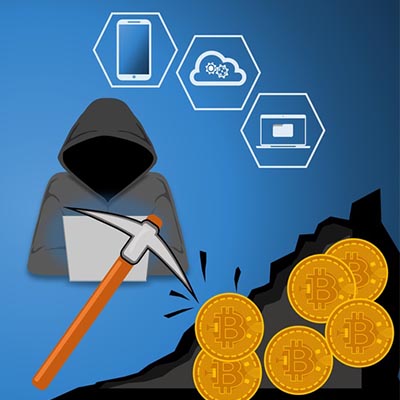
Cryptojacking is one of the upcoming threats that your business should have on its radar in the upcoming years. This process involves a malicious entity installed cryptomining malware on a device without the user’s permission. What this provides the hacker with is a steady stream of income at the expense of the victim’s device. What can you do to keep your business’ devices from falling prey to this?

Your Computer Can Make You Money?
Certainly you’ve heard of cryptocurrency, which is a type of currency that is “mined” from a computer. The most common cryptocurrency is Bitcoin. Bitcoin is generated by computers that crunch through numbers. Some organizations have warehouses full of high-end servers that are constantly mining for Bitcoin. The average computer can’t really handle this task, but with enough of them, hackers can start to receive a considerable sum.

Why Is This Dangerous?
Cryptomining is dangerous particularly because of how intensive the process is. It can take a toll on the average device if it’s left unchecked. As previously stated, it takes an exceptionally powerful machine to effectively mine cryptocurrency. This causes the device to experience an abnormal amount of wear and tear. Over time, you’ll notice that your device will start to decrease in efficiency and slow down.

Other ways that this might affect a business is through the immediate costs associated with cryptomining affecting your hardware. You might notice an abnormally high electricity bill from a server being influenced by cryptomining, or a cloud-based service working too slowly. Either way, the end result is a negative effect for either your employees or your customers.

How You Can Protect Your Business
If you’re looking for cryptomining on your network, be sure to keep an eye out for suspicious network activity. Since the malware will be sending information over a connection, you’ll be able to identify suspicious activity during times when there shouldn’t be as much activity on your network. In this particular case, the data being sent is small, making it difficult to detect for businesses that transmit a lot of data.

Security professionals are turning toward machine learning to detect and eliminate cryptomining troubles on networks. Machine learning can analyze a network’s traffic for the telltale signs of cryptomining software. Another method is to use a SIEM solution that gives network administrators the power to discover consistent or repetitive issues from potential malware.

To keep your business safe from the looming threat of cryptojacking, you should implement measures to ensure all common methods of attack are covered, including spam, antivirus, content filters, and firewalls. To learn more, reach out to us at 810.230.9455.

132594623_encryption_400.jpg

What is Encryption, Anyways?

132594623_encryption_400.jpg

You hear about encryption being used all the time, almost to the point of it being synonymous with security, but what does it really mean to have encryption on your business’ data and devices? We’ll walk you through how encryption can help you in your day-to-day struggle to secure the integrity of your organization’s communication and infrastructure.

What is Encryption?
Encryption is a security measure meant to thwart any would-be hackers from using your stolen data to further their ambitions. Think about it like this; without encryption, hackers would gain access to your files, plain as day. Encryption provides a measure that keeps hackers from using your organization’s data even if they were to gain access to it. It essentially scrambles data to everyone who doesn’t have the decryption key, rendering it useless.

One particular technology that uses encryption to a considerable degree is a virtual private network, or VPN. A VPN can connect your employees to your infrastructure regardless of their location in a secure way. Think of it like this; the connection between your employee’s device and your network is normally a clear tube that can be observed by anyone ambitious enough to look for it. Rather than leave it as is, encryption makes the tube opaque–enough to obscure what’s inside so it’s not quite clear for any unwanted onlookers.

Why is it Important?
You can imagine the immense importance of encryption in today’s data-oriented business world. If you’re not taking every measure possible to secure your data, you could be making a huge mistake. Encryption in particular is important for assuming the absolute worst. You can never know when your data will be stolen, so it’s best to take preventative measures to ensure that it will cause a minimal amount of damage should it occur. If your encrypted data is stolen, it will simply be unusable without spending far too much effort to get the data into a readable state.

NuTech Services can equip your business with encryption services that you can count on to keep your data as safe as can be. To learn more, reach out to us at 810.230.9455.

top_cybersecurity_threats_400.jpg

Top Cybersecurity Threats Right Now

top_cybersecurity_threats_400.jpg

Bar none, cybersecurity has to be a major consideration for every business owner or manager in business today. The prevalence of people looking to rip your company off has never been higher; and that is the truth for nearly every company that uses the Internet for anything. Today, we take a look at some of the most serious cybersecurity threats that everyone should be cognizant of right now.

Shadow IT
In a lot of ways, productivity is a lot like the thing it produces, money. People will do anything to get more of it. Businesses, have a plan; and, while they also want to maximize productivity and money, they typically don’t put their whole enterprise in jeopardy to get a little bit more of it. Shadow IT is the process in which an employee will download and use a piece of software that hasn’t been tested or passed by a company’s IT administrator to try and get a little more done.

Often times, the employee is just showing initiative, with no real knowledge that by downloading and utilizing a certain off-brand software that they have just put their whole business in danger. This wouldn’t be such a major deal if it was an isolated incident, but studies show that nearly 80 percent of all employees admit to utilizing software that wasn’t selected, tested, and released for use by their IT administrator. These apps may have vulnerabilities that would-be infiltrators can take advantage of. That is why it is important to utilize the software that has been vetted by the company, even if that means losing out on a bit of productivity.

Cryptojacking
There are well over 1,500 different cryptocurrencies, and in 2018 crytojacking, the strategy of using malware to use a target computer’s resources to mine for cryptocurrency was a major problem for businesses. Since this is a computationally complex task, it significantly reduces the computer’s effectiveness and longevity. As a result, cryptojacking has become en vogue for hackers and others looking to mine cryptocurrency without the investment necessary to do it.

Most studies show that the effect of cryptojacking could get way worse in 2019 since the value of cryptocurrency has fallen significantly over the past year. This means more machines mining for crypto are necessary, and thus more attacks. Users are just learning how these attacks are carried out and how to protect their business against them.

Ransomware
While there was a reported reduction in the number of ransomware cases in 2018, it still remains a major concern for any business looking to build a comprehensive network security strategy. Ransomware, of course, is a strain of malware that encrypts parts of or entire computing systems and then demands payment in cryptocurrency in a set amount of time for safe return of the files/access.

Hackers using ransomware have taken to targeting healthcare organizations’ networks for the breadth of the sensitive data they hold on them. They’ve also began to target operational technology systems, since, as with healthcare, costs of restoration of these systems (rather than payment) are prohibitive. This produces a little more urgency to get the problem resolved.

Unsecured Internet of Things
The Internet of Things keeps expanding, but so does the security threats to networks as a result of security-light devices. With more and more devices presenting security problems for businesses and individuals alike, it becomes important to ascertain exactly what devices are present on your network at any given time. Remember, even if a security-less IoT device is connected to a network-attached smartphone, it still offers up a major vulnerability.

While this is a major threat, there has been a push to improve the security of IoT devices as of late. With more security-minded companies developing useful smart products, these concerns will begin to take a back seat. But until that shift has been well documented, you’ll want to be diligent in the manner in which you utilize IoT devices.

Phishing
No business goes very long without getting some type of phishing email. In fact, it is estimated that 156 million phishing emails are sent every day, making it the most used practice by hackers everywhere. The way it works is that since most accounts are secure enough not to be guessed outright, hackers search for ways for people to help them gain access to the accounts they want to get in to. Nearly every successful cyber attack begins with a successful phishing scheme.

A specific example called business email compromise (BEC) which targets specific members of an organization is responsible for over $12 billion in losses across the globe. Once thought to be an email scam that could be mitigated with strong spam filters, today’s phishing scam is taking on a new shape by utilizing text messaging, instant messaging, phone calls, and even the seemingly-benign social media quiz to gain access to business networks.

2019 is lining up to be another stellar year for business technology, and as more tech is used, more threats come with them. If you would like any more information about how to prioritize network security, give our IT experts a call at 810.230.9455 today.

smart_watch_smart_400.jpg

Are Smartwatches Smart Enough?

smart_watch_smart_400.jpg

Smartwatches might be great tools for keeping yourself connected to important information, but they bring with them a considerable amount of security threats. Vulnerabilities can make using smartwatches and other wearable technology dangerous. We’ll examine some of the major features of the modern smartwatch, how hackers can use them to cause trouble, and what you can do about it.

The Smartwatch
The smartwatch market as we know it today has existed for almost a decade, surprisingly enough, but the first smartwatch was developed in the late ‘90s. A smartwatch is seen today as more of a peripheral for a smartphone. They come in several different shapes, sizes, and styles, but they all tend to provide some kind of utility to the user. Here are some of the main benefits of using a smartwatch:

  • Convenience: You can’t beat the convenience of checking your watch and getting access to all kinds of information, like notifications, calendar events, and so much more. Modern smartwatches also give users the ability to search for information, and the processing power of these devices gives smartwatch users the ability to perform several actions that a smartphone can accomplish.
  • Functionality: The latest smartwatches have several features that give users lots of functionality. They can integrate with applications and take advantage of other practical functions, making them as useful as you want them to be. In this way, smartwatch manufacturers continue to push the boundaries of what’s possible with wearable technologies.
  • Discretion: Discretion is probably the most important part of using a smartwatch, as it’s much easier and more discreet to use it than pulling out a smartphone. Most smartphones have the capability to push notifications to your smartwatch, including those from social networks, messages, weather, and so on. More than anything else, it at least keeps you from being rude and checking your smartphone in the middle of a conversation.

Security Issues
The primary issue that comes from wearable technology is that it connects to your mobile device through a Bluetooth connection. Since they also connection to Wi-Fi networks, they are being exposed to two potential ways of being breached. Businesses that prioritize security (read: all businesses should prioritize security) need to be particularly wary of wearables, especially in regard to a Bring Your Own Device policy.

The modern hacker will use any opportunity they can find to hack into a device, and since wearables are particularly vulnerable to this due to the modes of connection they contain, they provide additional access points that create issues for businesses. If a hacker can gain access through an application at the wearable level, it could potentially compromise even the connected device and any network it’s attached to.

Industry experts might agree that the lack of wearable security isn’t a major concern overall, but it’s still something that you should be addressing with your business’ mobile device policy. Here are some ideas to think about:

  • If you are accidentally collecting electronic Protected Health Information (ePHI), you could be putting your organization at risk of breaching healthcare standards set by HIPAA. You should limit your employee’s fitness and wellness data collection on company-owned wearables and devices whenever possible.
  • Be wary of what can happen if you fail to educate your employees about the importance of protecting wearables. Be sure to remind them that they aren’t just putting business data at risk, but also their own individual data. It’s imperative that your employees understand how to best protect these devices.
  • Focus on the management of these devices, as there are no proper anti-malware solutions for IoT devices.

For assistance with planning out a wearable strategy for use with your Bring Your Own Device policy, be sure to reach out to us at 810.230.9455.

physical_security_offer_400.jpg

Powerful Physical Security Options

physical_security_offer_400.jpg

Data security isn’t the easiest thing in the world to plan for, especially if your organization doesn’t have any dedicated security professionals on-hand. While protecting your data with traditional methods, like passwords, firewalls, and antivirus, is important, what measures are you taking to make sure a thief or hacker isn’t just walking into your office and making off with your technology?

If you don’t have guards or security cameras in place, you’re more likely to suffer from a physical security breach, which can be just as devastating as a digital breach. Ask yourself how comprehensive your security really is. After all, the new year has just hit, so why not use it as an opportunity to protect your business’ physical assets? With so many cyber threats out there these days, it’s no surprise that organizations focus on the digital aspect of security, but some people are just old-fashioned and would rather infiltrate a business the traditional way.

It’s also important to keep in mind that not everyone is going to be the perfect employee. You might have a couple of bad apples in the bunch that see technology and want it for themselves. In this case, digital security might not mean much, but physical security like locked doors and so on could make all the difference in keeping them from making decisions that are bad for both themselves and your business.

Basically, you need to take this two-pronged approach–one that considers both digital security and physical security–for the following reasons:

  • Data access is restricted to those within your organization, but even the best employees make mistakes.
  • A tiered approach means that employees only have permission to access data they need for their immediate work responsibilities.
  • Knowing who is accessing devices and data, as well as when they are doing so, can help you to resolve issues as they occur.

Let’s consider a couple of scenarios where it helps to have physical and digital security. Access control limits who can access specific information, so if the data is corrupt or missing, then you’ll have a clear idea for who is responsible for it. On the off-chance that it wasn’t the employee, then you know their credentials have been stolen and abused by a cybercriminal. Access monitoring is helpful for this, as it can also determine when someone is accessing data, as well as where they are located. Thus, if someone from another country is accessing data in the wee hours of the morning, it’s likely that you have a digital security problem on your hands.

As far as physical security goes, consider what would happen if you didn’t keep track of who checks out devices. For example, let’s say you have company laptops that can be checked out for use by your employees. If you’re not keeping track of who checks out what device, you’ll never know who currently has the devices in their possession, as well as when they were last taken out. It makes it astonishingly easy to get away with stealing a device.

Therefore, in order to make sure that you’re keeping your data as secure as possible from all avenues of attacks, we recommend you work with the folks from NuTech Services. We can help you ensure security. To learn more, reach out to us at 810.230.9455.

google_account_important_400.jpg

You’ll Be Glad You Protected Your Google Account

google_account_important_400.jpg

Computer users today more than likely have a Google account, either for business or personal use. Not only is it accessible and convenient, it offers a versatile assortment of features. Regardless, no amount of accessibility, convenience, or versatility are worth your security. However, many users put precisely that, their security, at risk… often without even realizing it, or why this is such a big deal.

Today, we aim to fix that. We will review why a Google account is so important to keep secure, as well as a few means and methods of doing so.

How a Google Account Can Be So Valuable
The purpose of the Internet has evolved greatly in the relatively few years it has been around. Today, the Internet is largely used as a communications and information sharing tool – true to its roots. This is where the name Internet comes from: inter (reciprocal or shared) and network (a system of connected things). However, as new purposes for the Internet emerged over time, circumstances changed, and the view of the Internet shifted.

The Internet was always meant for sharing information, from the very first inklings of an idea. In 1962, J.C.R. Licklider of MIT wrote up a series of memos that illustrated a system of interconnected computers, intended to share programs and data the world over, that he coined the “Galactic Network.” This idea of sharing information was also the driving force behind Sir Tim Berners-Lee’s development of the World Wide Web. As Sir Berners-Lee said:

“Had the technology been proprietary, and in my total control, it would probably not have taken off. You can’t propose that something be a universal space and at the same time keep control of it.”

In many ways, these ideals are retained in today’s environment. Online sharing is at its peak, social media and collaboration fulling leveraging a network that is, for the most part, still free of control by any central source. These are ideals that have developed into the demand for net neutrality and open-access information. However, while these ideals have been largely upheld, there are a few notable caveats that give us a more accurate view of today’s Internet.

As the Internet grew in capability, it also grew in utility… many of which featuring the need for greater security and privacy. With the confidential information that only select users should be accessing growing in popularity within Internet-based communications, this spurred a balance to the Internet that both individuals and businesses can appreciate, and that Google has shaped its offerings around.

From its beginnings as a dissertation project by two Stamford doctorate students, Google has grown into the dominant force online today. Businesses use its G Suite applications every day, as private users leverage some of their other services to their own benefit. Many people, both for business and personal use, leverage Gmail. Let’s face it, Gmail is just useful, whether you use it for work, or just maintain an account to open accounts with other web services.

It is this last point that makes your Google account’s security so important to maintain.

How many of your online accounts are accessible by Google? On the subject, how many of your accounts would be compromised if your Google account was first?

The Impact
This is the double-edged sword of a Google account. On the one hand, it only makes sense to use a Google account to create others, either using your associated Gmail address or linking it directly. The convenience is inarguable, and Google does equip these resources with reasonable security standards. So why not use a Google account?

Unfortunately, there’s one critical consideration that doing so adds into your security equation, that many overlook:

Linking an account to your Google account ties your Google account’s security to it directly.

This means that, if your Google account was to be compromised, all of the accounts you had connected to it are also compromised by association. Depending on what you had saved in this way, that could have some devastating ramifications.

Finding Out How Devastating
If you’re on your desktop right now, you can access your Google account by clicking here. In the Security section, you can review all the devices that your Google account has been active on, all the third-party applications with access to your account, and all the websites that are utilizing Google Smart Lock.

Is this list longer than you would have expected? Does it include your bank?

If it does, all it would take for someone to defraud you would be to access your Google account–or even lock you out of your own bank, resetting your bank credentials by using your Gmail account to activate an account recovery process.

A Solution
Again, this creates a conflict between two priorities: convenience against security. While the convenience could make anything that you use online more efficient in both your professional and personal life, nothing is worth compromising the security of either. So… where do we stand?

Like any conflict between two interests, the ideal place to meet is in the middle. In this case, it is the conclusion that you can have the best of both worlds–you just have to make sure that your Google account is secured properly.

While it would be great if there was, there just isn’t an option somewhere in Google you can select to make everything perfectly secure, just like that. Having said this, it is just a matter of taking a few precautions.

Securing Your Google Account
The first thing to securing any account is to understand that it isn’t a one-time activity and will need to be revisited periodically to make sure that everything remains secure. You should keep an eye out for news stories that discuss breaches among any of the organizations you have an account with, as you will still need to alter your credentials for these accounts.

Once this is set, there are a few best practices that it would be in your best interest to follow.

Passwords and Account Security
While all of your accounts should have the protection of a strong password, the fact that your Google account serves as a repository for your others make it only more crucial to implement one to its authentication measures. To accomplish this, make sure the password or passphrase you select is well in keeping with best practices, and that your Google account is the only account secured with it.

You should also be careful about what you are using to access your account. Any device that is available to the public should be avoided, as they are not only magnets for viruses and other digitally-based cyberthreats, but a cybercriminal could potentially retrieve your credentials from the device you used and thereby gain access to your account. Public Wi-Fi signals can have very similar issues, so use a secured, private connection whenever possible.

Two-Factor Authentication (2FA)
There is also the option to make your Google account ask more of someone trying to access it, a secondary code sent to you in a text message, delivered in the Google Authenticator application, or dictated through a direct call to your mobile device. By enabling 2FA, you can greatly decrease the likelihood that a cybercriminal will have everything they need to get in, assuming they don’t have access to your phone as well. We generally recommend that you utilize Google Authenticator, as it is the most secure of those three options.

You can also use your Google account to access a list of one-time authentication codes that you can print out and keep with you. This way, if you need to access your account and don’t have your phone handy, you can reference these to get in. If you run out of codes or lose the list, you can easily reset them and start over.

To set up these features, log in to your Google account.

At the end of the day, you don’t have to sacrifice the convenience of Google, as long as you have protected it responsibly. NuTech Services has the expertise to help you manage this security, as well as the rest of your business’ IT solutions and infrastructure. Call 810.230.9455 to learn more.

google_play_removes_infected_400.jpg

Infected Applications Removed from Google Play Store

google_play_removes_infected_400.jpg

We all download apps. There are literally millions of apps to choose from and sometimes nefarious developers can get their application published with ulterior motives. A situation has just happened as Google has removed twenty-two apps that were found to contain automated click-fraud scripts from the Google Play Store. We’ll take a short look at what these developers were up to, and how the fraudster would affect you if you were one of the two million users that happened to download these apps.

What Apps?
First, we’ll start with a complete list of the apps that had been infested with this nefarious code:

  • Sparkle FlashLight
  • Snake Attack
  • Math Solver
  • ShapeSorter
  • Tak A Trip
  • Magnifeye
  • Join Up
  • Zombie Killer
  • Space Rocket
  • Neon Pong
  • Just Flashlight
  • Table Soccer
  • Cliff Diver
  • Box Stack
  • Jelly Slice
  • AK Blackjack
  • Color Tiles
  • Animal Match
  • Roulette Mania
  • HexaFall
  • HexaBlocks
  • PairZap

What Did These Apps Do?
SophosLabs found a cache of apps that feature what they call “Andr/Clickr-ad” malware. These applications are engineered with maximum flexibility in mind. They could contact a common attacker-controller server to download what is called an ad-fraud module. It does this every 80 seconds. The malware simply opened a non-visible window and would repeatedly click on ads, making the network look like it was getting more traffic, fraudulently enhancing the developers’ revenue.

No specific ad network was specified by Sophos, but users who had downloaded these applications would see a decrease in the battery life and/or an increase in the amount of data their device would use. One strange part of this is that some of the ad traffic was able to identify itself as from coming from iPhones, despite this appearing on Android-only apps. They came from “Apple models ranging from iPhone 5 to 8 Plus and from 249 different forged models from 33 distinct brands of Android phones.” This ploy was used as a way to increase revenues further as some advertisers will pay a premium to get their ads onto Apple devices. iOS versions of the apps, largely by the same developers, didn’t have the malicious code integrated.

Download Legit Apps
How can you go about making sure that you aren’t part of this problem? Download legitimate applications. Some of the best ways to make sure the apps you are downloading are legit, include:

  • Read a lot of reviews – Much of the information you will need to see the legitimacy of an application can be found in the review of the app in the store. If you make a point to read eight or more reviews, you will quickly get a good idea about how functional the application is.
  • Check app permissions – Applications need permission from a user to use the core functions of the phone. If the application in question tends to need access to functions that it shouldn’t, you should be skeptical about the application.
  • Check the terms and conditions – Most people don’t go through the terms and conditions of anything, let alone an application for their smartphone. Even if you do make a point to read them, the amount of legalese found is akin to a lullaby or a warm glass of milk. The problem for users is that there is a lot of good information about the applications, and specifically how it uses data. If you do set aside some time to read about it, check out some language that is relevant to the way you use the application.
  • Research the developer – Nowadays, software development is filled with people that are looking to make a name for themselves. This type of ambition can lead to bad decision making. If you take some time to do some basic research about the developer of an app you have reason to question, you’ll likely find the truth of whether they can be trusted or not. If they want to be known, they likely promote their work via social media, so, start there.

Android has millions of legitimate applications on the Google Play Store, so worrying whether or not you’ve downloaded one that will put your data at risk shouldn’t be too worrisome as long as you stick to our best practices. To learn more about technology, security, and mobile strategies, call NuTech Services today at 810.230.9455.

2018_end_mobile_cyber_400.jpg

As 2018 Ends, Mobile Cyberthreats Won’t

2018_end_mobile_cyber_400.jpg

Mobile devices have made conducting business much more convenient, as the right application can allow transactions to be made from anywhere you may be reading this blog. However, this increased accessibility has come with a price – threats to mobile security – which requires any business to be aware of the state of cybersecurity, especially concerning mobile devices, now and in the foreseeable future.

The Now:
It’s the holiday season, which means that many will find that themselves traveling, either to visit family and friends or to seek out more agreeable climates. However, business being what it is, many will also still be trying to get work done during their travels.

Thanks to the incredible capabilities of the mobile devices we have today, this is made much easier. A business that leverages cloud solutions offers mobile users an exceptional amount of maneuverability, and the popularity of Bring Your Own Device policies have made it so that the resources needed to accomplish work goals are never too far away. Yet, this access is a catch-22, as it also means that data can be easily lost, far from the business’ location and the protections it should have in place.

Resultantly, there are a multitude of ways that a cybercriminal can come into possession of your data, either personal or professional. Fortunately, there are some ways to help prevent this from happening as well.

  • Public Wi-Fi is Too Public: When out in public, you’ll want to avoid connecting to public Wi-Fi networks when shopping or accessing sensitive information. We all know that hunting for the best deals is made much easier when you can look up prices online, but you’ll want to use your data instead. Public signals make hackers’ jobs that much easier with their typically insufficient security standards.
  • Charity Good, Charity Scams Bad: These phishing variants can come in via all avenues, but very commonly take the form of calls and text messages. A scammer pretends to be working for some charity, but in actuality, just wants your money and data for themselves. If you receive what you believe to be a charity scam attempt, you’d be wise to do some research into who is asking for it before handing over your data, payment information or otherwise.
  • Charge Carefully: Whether you’re at the airport during a layover and trying to eke a few more minutes out of your device, or you’re deal-hunting online as you’re wandering the mall, you need to make sure you’re being smart about how you’re keeping your device charged. Many attackers will hide attacks in charging stations, waiting to strike whomever connects.

The Then:
Of course, these hacks and threats aren’t going to end after the holiday season is over. Moving into 2019, the above threats are still going to be just as large of a problem, along with many other threats. Much of this will be in part due to our reliance on mobile devices.

Hackers will still be able to intercept data exchanged on an unsecure network, more devices will become outdated and insecure (you may want to peek at some of those holiday deals for an upgrade), and yes, more people will enable these threats through uninformed decisions. You need to make sure that your business isn’t influenced by threats like these.

NuTech Services can help. Get your business a holiday gift by calling 810.230.9455 and speaking to us about our managed IT services.

robocaller_stop_400.jpg

Fingers Crossed! The Robocalls May Soon Stop

robocaller_stop_400.jpg

While many of us rely on phones to remain productive during the day, too often are we now picking up the phone to a spammer’s snake-oil sale: “Hello, we are reaching out to inform you that there has been an issue with your account” or similar nonsense. While this is enough of an irritant in our daily lives, it isn’t as though a business can wait for a call to go to voicemail to find out if it was legitimate or not.

Chances are, you’re all too familiar with exactly the kind of scam I’m describing. The one that makes the Do Not Call List sound like wishful thinking, that makes it look like someone from your area – or even your contacts list – is trying to reach you.

Chances are, you’ve answered one of these calls, only to hear silence, broken after you say “Hello?” As soon as you do, a (likely prerecorded) voice launches into its tirade, being a nuisance and bothering people.

Chances are, you may have even received angry phone calls from people you’ve never met, let alone called, claiming that your number has been the source of repeated calls just like these.

You aren’t alone.

Unfortunately, the scammers responsible are talented at skirting rules and regulations.
Calls like these have been harassing users for quite some time, simply because the scammers understand how to cheat and find loopholes. This is all despite the efforts of regulatory bodies like the FCC (the Federal Communications Commission).

In November of 2017, the FCC enabled telephone providers to block calls that were presumably fraudulent. This was based on many factors, like the calls coming from invalid numbers or numbers with no service provider attached.

However, the rules outlined in the 2017 Call Blocking Order weren’t enough to stop scam robocalls for long.

Now, we all have had to deal with the huge nuisance of neighbor spoofing. Neighbor spoofing has almost certainly affected you directly, and if you’ve been lucky enough to avoid it, it’s happened to someone you know.

But you may be asking, what is neighbor spoofing?
If your phone rang, and you have caller ID enabled, you’ve probably developed the habit of checking the number before you answer it – after all, a local number is probably safe to pick up.

Neighbor spoofing has made it so that assumption is no longer the case.

Instead of using a fake number to call their targets, scammers using neighbor spoofing will actually use someone’s real number to call someone relatively nearby – sometimes literally next door. If you’ve ever received an angry phone call from someone demanding an explanation for someone with your number repeatedly calling them and harassing them, your number just so happened to be the one that these cybercriminals spoofed.

There have even been reports of people receiving calls from their own number, claiming to be from the phone company as an attempt to “verify a hacked account.”

Neighbor spoofing is also a very effective method for scammers because it can bamboozle the automated protections already in place to stop scam calls, just like it fools the targeted phone’s user. This also keeps the Do Not Call list from affecting these scammers’ attempts (as if it ever stopped them before).

Additionally, many apps may add some unwanted complications, even if they are effective.
There are mobile applications available that are intended to stop robocalls from ringing your smartphone in the first place. One such application, the aptly-named RoboKiller, does this in two ways. First, RoboKiller references a list of numbers identified as spam, and blocks these calls completely. Second, it uses a patented analysis of the call’s audio fingerprint to compare it to those of other spam calls. Regardless of the number it appears to come from, RoboKiller can identify if it is a match to a known attempt.

You’ll only know that you were targeted after you read the notification that RoboKiller provides.

Meanwhile, RoboKiller responds to the scammer with a time-wasting prerecorded message. You can then review the calls that RoboKiller blocked by opening the app on your phone. There, you can listen to a recording of blocked calls to determine which calls were spam, and which were legitimate attempts to reach you. From there, you can whitelist a number by pressing the Allow button.

Users of RoboKiller can also add numbers to their list of permitted callers to allow them to come through. RoboKiller is a subscription-based application that charges $2.99 each month ($24.99 for an annual subscription), which may be seen as a relatively low cost if you’ve received enough of these calls.

As RoboKiller states on their website, “With RoboKiller, you don’t stop neighbor spoofing. You take action in the fight against the robocall epidemic.”

However, this approach isn’t without some worries.

For one, consider the cost of admission for this app. Yes, $2.99 may seem like a bargain if you have a smartphone, but what about all the people who still don’t? Furthermore, many mobile users today are of older generations, and may not understand how to work the application (or again, may not have a device that is compatible with the app). Yet, these worries may not be necessary for long.

Both the government and the telecom industry have had enough.
It wasn’t long after the 2017 Call Blocking Order was released that the attorneys general from a full 40 states came together to form the Robocall Technologies Working Group. This is a bipartisan commission intent on collaborating with service providers to learn about robocalling technology with the ultimate goal of stopping it.

On October 8th, the attorneys general of 35 of those states signed a letter to the FCC stating that the efforts of law enforcement had not and would not be sufficient to stop abusive scam attempts and robocalls. In this letter, the attorneys state some chilling facts:

  • 30.5 billion illegal robocalls were made in 2017 alone, up from the estimated 2016 total of 29.3 billion.
  • Estimates have placed the total calls made by the end of 2018 to be somewhere near 40 billion.
  • Phone scams allowed cybercriminals to steal an estimated $9.5 billion in 2017.
  • August of this year saw 1.8 billion scam attempts in the 4 billion illegal robocalls made that month.

Facts like these only highlight the pervasiveness of these scams, and how important it truly is to eliminate them as much as possible. In fact, the Federal Communications Commission has gone on the record to demand that mobile providers figure out a standardized system to help prevent these calls from reaching mobile users, echoing the demands made by the attorneys general.

This system would rely on call authentication to ensure that only legitimate calls would make it though, and that spoofed calls would be caught by requiring all calls be verified as coming from the correct source.

Not only did Commissioner Ajit Pai release a statement to the press demanding that this system be created, he sent a letter to 14 telecom CEOs, including AT&T’s John Donovan, Charter’s Tom Rutledge, Verizon’s Hans Vesterburg, T-Mobile’s John Legere, Comcast’s Brian Roberts, and Google’s Sundar Pichai.

Pai demanded that these changes be ready to deploy in one year, giving telecoms a ticking clock to establish what they call the SHAKEN/STIR framework (Secure Handling of Asserted information using toKENs/Secure Telephone Identity Revisited). This move was met with the approval of the attorneys general, who went on to encourage the FCC “to implement additional reforms, as necessary, to respond to technological advances that make illegal robocalls and illegal spoofing such a difficult problem to solve.”

As the attorneys general said: “Only by working together, and utilizing every tool at our disposal, can we hope to eradicate this noxious intrusion on consumers’ lives.” Fortunately, this will also benefit the businesses that have been affected.

With any luck, we’ll only have to deal with the robocalling nuisance a little while longer. For assistance in keeping other scams from interrupting your business and putting it at risk, reach out to NuTech Services. We have the experience to stop the other threats you would otherwise deal with on a daily basis. Call 810.230.9455 today.

bing_google_war_400.jpg

Searching Bing for Google Chrome Takes Users to a Place They Don’t Expect

bing_google_war_400.jpg

With Google Chrome as its major competition, Bing needs all the help it can get just to claim a market share of the web browsing industry. Despite this, Microsoft’s search engine has encountered problems in the past with some of its top searches, including some that have caused data breaches.

What’s the Problem?
What’s the first thing that anyone who prefers Google Chrome does when they open Microsoft Edge? Simple–they download Google Chrome. Since Chrome isn’t available by default on Windows 10 devices, users have to download it, which means that they are reliant on Bing’s search results to find Google Chrome. The problem with this is that some malware sites have disguised themselves as sponsored ads for Google Chrome in Bing’s search results.

These sponsored ads would appear when a user searches for Google Chrome in the Bing search engine. Basically, instead of a legitimate sponsored ad leading to the Google Chrome download page, the malicious ad would instead bring the user to a phishing site disguised to look like the Google Chrome download page. This page would have a URL of ‘googleonline2018.com.’ If you try to access this page through Google Chrome, it’s actually blocked, but Bing and Edge don’t do this, making it a huge security issue.

These Issues Aren’t the First
Making the situation even worse is that this isn’t the first time Bing has encountered issues like this. Even as far back as April of this year, this same threat was reportedly identical to the recent version. The ad has been pulled as of this writing, but it’s strange that no explanation has been issued regarding this threat by Google, or even a confirmation that the issue has been resolved. All of these factors combine to create a situation where it’s not that unbelievable a situation like this could happen again.

Other Bing Problems
There are other problems related to Bing that have caused issues in the past, including a history of providing offensive or alarming content through its image search. For example, if you were to search for objectively neutral terms, there is a chance that, even with SafeSearch on, the image search will deliver racist search suggestions or other similarly-offensive content. Bing has also been known to push conspiracy theories through its suggested searches. Searching for the wrong thing could potentially expose users to material that they didn’t want to view in the first place, or content that could land viewers in hot water with the law.

To remain updated on similar situations to those explained above, as well as the latest security breaches and threats, subscribe to NuTech Services’s blog.

american_voting_secure_400.jpg

Are American Voting Systems Secure?

american_voting_secure_400.jpg

Election Day for the United States is November 6th, and regardless of your feelings regarding U.S. politics, the fact of the matter is that millions of Americans will soon go to the polls and cast their ballots. Unfortunately, what many of them don’t realize is how insecure their voting machines actually are, and how they are potentially putting their vote at risk.

What Most Polling Places Have
The majority of American polling places are operating with equipment that is fast approaching 15 years old. For reference, here’s a brief list of products and technologies that haven’t even been around for ten years yet:

  • Google Chrome
  • Airbnb
  • Spotify
  • Kickstarter
  • 4G
  • Mobile GPS
  • Instagram
  • The iPad

One cofounder of nonprofit group Open Source Election Technology, Greg Miller, puts it this way: “You have equipment that was introduced in 2005. In that time frame, how many times have you changed your mobile phone? And how many times have we replaced our laptops?” In short, the American voting system is reliant on, as Miller described it,”… obsolete hardware [and] software that relies on a diet of spare parts.”

The other cofounder of the nonprofit OSET, John Sebes, has demonstrated just how vulnerable these systems could potentially be to manipulation.

Most polling places collect all of the voting data onto a piece of portable media, like a CD or a USB drive, and bring it to a separate location to be tallied. Unfortunately, the machines used here are also usually outdated, as is the software used to process the results of the vote.

In a live demonstration on a national news network, Sebes used one of these machines to tally votes for two fictional candidates, Thorfer and Varda. In the example, Thorfer had won in a landslide with over 3,000 votes, the opposing Varda only receiving 100. However, with a very simple malware, Sebes was able to just switch the tallies, making “Varda” a fraudulent winner – and while access to these tallying computers is secured, some may not be secured as well as others are.

Furthermore, many polling places maintain a paper backup of the vote, just in case there needs to be a recount, but there are also many who have no paper backup at all. This includes some states known as “battleground” or “swing” states, where a much smaller number of votes can potentially have a significant impact on the final outcome.

How to Minimize the Issue
Unfortunately, the easiest solution to this problem is also impossible. One would think that there would be a singular set of standards for all polling places to abide by – but since the American Constitution specifies that each state is in control of its own electoral procedures, this consistency is effectively made impossible.

However, there are other ways that have been suggested to protect voting technology… some of which are decidedly lower-tech.

Temporarily Eliminate Online Voting
Some states have made online voting available, primarily to service members or other citizens who may be abroad, and many allow email ballots to be submitted. However, until security is improved for these methods, it has been suggested that they are suspended.

Utilize Physical Backups
Yes, we know. We generally say that all of your backups should be saved to the cloud, but in this case, that would be counterproductive. After all, a physically-generated paper backup that records each vote isn’t hackable (unlike a digital system) and could easily be used to cross-check any contested results.

Invest in Improved Voting Equipment
As one might imagine upon hearing that most American voting machines are over a decade old, updating the infrastructure that enables the prime responsibility of democracy is clearly not a priority for those dispersing the funds. It has been suggested that Congress get involved, funding research into improving these machines and replacing the problematic older machines, as was last done in 2002.

Americans view the right to vote as a basic human right, so it seems especially bad that their infrastructure can get in the way of their doing so. Don’t let your business technology do the same to your employees and their work. Reach out to NuTech Services for a better solution by calling 810.230.9455.

bad_hack_2018_400.jpg

The Most Devastating Hacks of 2018… So Far

bad_hack_2018_400.jpg

Network security is a crucial consideration for every contemporary business owner, as there are just too many threats that originate from an Internet connection to be overlooked. One only has to look at what businesses of all sizes have dealt with, even within this calendar year, to gain an appreciation for how crucial it is that every business owner consider their cybersecurity.

Here, we’ve assembled a few statistics and examples to illustrate just how serious the threat of cyberattack can be, hopefully inspiring you to prioritize your company’s network security. Consider these cybersecurity figures:

  • In 2017 over 130 large-scale breaches were reported, a 27 percent increase over 2016.
  • Nearly 1-in-3 organization have experienced some sort of cyberattack in the past.
  • Cryptojacking (stealing cryptocurrency) increased 8,500 percent in 2017.
  • 100,000 organizations were infected with the WannaCry ransomware (400,000 machines).
  • 5.4 billion WannaCry attacks were blocked in 2017.
  • The average monetary cost of a malware attack is $2.4 million.
  • The average time cost of a malware is 50 days.
  • Ransomware cost organization’s over $5 billion in 2017.
  • 20 percent of cyberattacks come from China, 11 percent from the United States, and six percent from the Russian Federation.
  • Phone numbers are the most leaked information.
  • 21 percent of files are completely unprotected.
  • 41 percent of companies have over 1,000 sensitive files left unprotected.
  • Ransomware is growing at 350 percent annually.
  • IoT-based attacks are growing at about 500 percent per year.
  • Ransomware attacks are expected to quadruple by 2020.
  • 7.7 percent of web requests lead to malware.
  • There were 54 percent more types of malware in 2017 than there were in 2016.
  • The cybersecurity market will be worth over $1 trillion by 2025.

If that wasn’t convincing enough, what follows is just an assortment of the attacks that 2018 has seen (as of July). To simplify things, we’ve organized them by the intended targets: public (like individuals and government bodies) and private (such as businesses):

Public
January

  • The Department of Homeland Security was affected by a data breach that exposed information about 247,167 current and former employees.

March

  • Atlanta, Georgia was targeted by a ransomware attack called SamSam. This resulted in a massive problem for their municipal infrastructure. The ransom price given was $51,000, but Atlanta’s leadership refused to meet these demands. Overall, the numbers show that Atlanta has spent more than 10 times that number in the fallout of the attack. Some estimates place the actual cost of this event at nearly $20 million.
  • India’s national ID database, Aadhaar, leaked data of over a billion people. This is one of the largest data breaches in history. A user could pay 500 rupees, equal to about $7, to get the login credentials that allowed anyone to enter a person’s 12-digit code for their personal information. For 300 rupees, or about $4.20, users could also access software that could print an ID card for anyone associated with the database.
  • Cambridge Analytica, a data analytics company that U.S. President Donald Trump used to help his campaign, harvested personal information from over 50 million Facebook users without asking for their permission. Facebook hasn’t called this a data breach, but Cambridge Analytica has since been banned from using the service thanks to this event.

June

  • A hack of a U.S. Government-funded active shooter training center exposed the personal data of thousands of U.S. law enforcement officials. This also exposed which police departments aren’t able to respond to an active shooter situation.

Private
January

  • 280,000 Medicaid records were exposed when a hacker attacked the Oklahoma State University Center for Health Sciences. Among the information exposed were patient names, provider names, and full names for affected individuals.

February

  • An unsecured server owned by Bongo International, a company acquired by FedEx, leaked over a hundred-thousand files of FedEx customers. Some of the information leaked included names, drivers’ licenses, national ID cards, voting cards, and utility bills.

March

  • Orbitz, a travel booking site, fell victim to a security vulnerability that exposed 880,000 customers’ payment card information. There was also about two whole years of customer data stolen from their server.
  • French news site L’Express left a database that wasn’t password-protected up for weeks, despite being warned about the security issues regarding this.
  • 134,512 records regarding patients and financial records at the St. Peter’s Surgery and Endoscopy Center in Albany, NY were accessed by hackers.
  • MyFitnessPal, an application used by Under Armor, exposed about 150 million people’s personal information to threats.
  • The WannaCry ransomware claimed another victim in Boeing, which stated that “a few machines” were protected by Microsoft’s 2017 patch.

May

  • Thanks to Twitter storing user passwords in a plaintext file that may have been exposed by internal company staff, the social media titan had to force hundreds of millions of users to change their password.
  • An unauthenticated API found on T-Mobile’s website exposed the personal information of all their customers simply through the use of their cell phone number. The following information was made available: full name, address, account numbers, and tax IDs.
  • A bug found in Atlassian development software titles Jira and Confluence paved the way for hackers to sneak into IT infrastructure of several companies and one U.S. government agency.
  • Rail Europe, a popular server used by American travelers to acquire rail tickets, experienced a three-month data breach that exposed credit card information to hackers.

June

  • A marketing company named Exactis had 340 million records stolen from it, but what’s most shocking about this is that they had accumulated information about nearly every American out there. In response to the breach, there was a class action lawsuit made against the company.
  • Adidas’s website was hacked, resulting in a loss of a few million users’ personal and credit card information.
  • A hacker collective called Magecart initiated a campaign to skim at least 800 e-commerce sites, including Ticketmaster, for sensitive information.

Clearly, if these lists are any indication, companies of all sizes need to commit to maintaining their network security, holding it to a higher standard. For assistance in doing so, you can rely on the professionals at NuTech Services. We can design and implement security solutions to protect you from threats like these, and others that may rear their ugly heads. Give us a call at 810.230.9455 to get started.

sport_events_hack_400.jpg

Hackers Target Major Sporting Events

sport_events_hack_400.jpg

There are literally billions of sports fans in the world, and the popularity of these events brings in big money; and big money typically attracts hackers. Using all types of methods, there has been a history of hacking in almost every sport. Today, we take a look at some of the most famous hacks that have shaken up the sports world.

The World Cup
The FIFA World Cup is one of the, if not the, most popular sporting events in the world. Held once every four years, it attracts the attention of billions of people. Since the event is held every four years, it gives the host city a lot of time to get ready for possible hacker attacks. In fact, each new venue spends years and tens of millions of dollars ramping up on their cyber security.

The 2018 event held in Russia proved to be one of the most successful insofar as there wasn’t a major hack of the tournament in any way. It’s not a coincidence that typically state-sponsored Russian hackers are well known to be at the forefront of a lot of the major international sporting hacks. Fans that visited Russia from abroad during the World Cup were warned (mostly by their own governments) that they needed to be diligent not to fall into any tourist traps that would leave their cyber welfare in the hands of the thriving ecosystem of hackers that call Russia home.

Previously, in the 2014 World Cup in Brazil, the World Cup website was taken down by a distributed denial of service (DDoS) attack and thousands of visitors had their data breached through sophisticated phishing attacks. Each World Cup, especially the next one that will be held in the Middle East (Qatar) for the first time, is a goldmine for hackers.

The Olympic Games
International competitions like the Winter and Summer Olympic Games grab the eye of world for a couple of weeks. Unfortunately for athletes, coaches, and fans from all over the world, they also catch the eyes of hackers. Again, since these events are held every four years there is a long time for administrators to get ready, but that doesn’t stop those inside the host cities (or often outside of them) from trying to get over on the hundreds of thousands of people that show up to watch the events.

At the past Winter Olympics, held in Pyongyang, South Korea, the opening ceremonies were hacked by what turned out to be a Russian hacking collective. The hack caused delays in the festivities and infiltrated the games’ website, so administrators, fearing significant data loss, took down the website. Initially they had masked the attack as coming from North Korea, but it didn’t take long for professionals to ascertain that the hacks were retribution for Russia’s prohibition from the games as a result of a decade-long antidoping policy that found state-sponsored use of performance enhancing drugs; a revelation that many had suspected for decades.

While local hackers spoofed Wi-Fi and targeted athletes and guests during the 2016 Summer Olympics held in Rio De Janeiro, Brazil, Russian hackers from “Tsar Team” and “Fancy Bear” were busy hacking into the Olympic databases to gain access to athletes’ personal information. They subsequently have released some of that information, including information about gold medal gymnast Simone Biles, and tennis legend Venus Williams.

NFL
In the United States, it doesn’t get much bigger than the National Football League. In fact, one study showed that about one-third of all church-going males don’t go to church from Labor Day to New Years. Nearly 30 million people tune in to watch the NFL each Sunday. With this popularity comes attention; and hackers have used this popularity to their advantage.

In 2016 NFL commissioner Roger Goodell’s Twitter feed was hacked with a message that announced that he had passed away. The perpetrator happened to be a teenager from Singapore. In February 2017, 1,135 NFL players had their personal information stolen by hackers when the NFL’s union, the NFLPA, was hacked. Hackers made off with 1,262 people’s personal information, their financial data, their home phone numbers, their addresses and more.

In 2009, a man named Frank Tanori Gonzalez was given an extremely lenient sentence for hacking into the standard-definition communications feed at Super Bowl XLIII with a clip from an adult film that aired unedited throughout the greater Tucson area (the game was held in Tampa, FL).

MLB
Major League Baseball makes over $10 billion a year, and they do a phenomenal job of protecting their brand online. MLB makes a lot of their money in media and has made it a point to prioritize cyber security for league business. With individual teams handling their own cyber security, there have been small hacking cases, but unlike most other sports the biggest hacking scandal in baseball history was carried out by a team executive.

From 2013 to 2014, St. Louis Cardinals’ former scouting director, Chris Correa, repeatedly accessed the internal communications server of former division foe Houston Astros. The Astros had moved to the American League from the National League after the 2012 season, and they had hired former statistician Sig Mejdal from the Cardinals. When Mejdal left St. Louis he turned in his laptop. Using the information he got off this laptop, Correa figured out Mejdal’s new password and started entering the Astros network. For his indiscretions Correa got 46 months in federal prison.

NBA
The most famous hack in NBA history is hack-a-Shaq, which was a strategy used to limit Shaquille O’Neal’s effectiveness by making him shoot free throws (with which he struggled mightily), but there have been a few other hacks that have affected NBA players. The most notable, was NBA player Ty Lawson having his computer hacked and held his personal data for ransom in 2016.

Another situation was what is called a catfishing scam that involved NBA forward Chris Andersen and model Paris Dylan. A woman named Shelly Chartier had used multiple people’s online messaging accounts to manipulate Anderson and Dylan into bad situations. Andersen ended up being raided by the Douglas County sheriff’s department because Dylan was 17 at the time and any digital possession of lewd material would be legally considered child pornography. After investigators uncovered the scheme, Chartier was arrested and sentenced to 18 months in prison. Anderson continued his NBA career and Dylan was able to put the situation behind her and is now is an Internet model.

PGA
Recently, the PGA of America held the 100th PGA Championship at Bellerive Country Club just outside of St. Louis, Missouri. As the golfers were navigating their first rounds, the PGA was under attack by hackers. A message was sent to administrators that read, “Your network has been penetrated. All files on each host in the network have been encrypted with a strong algorthym[sic].” The hackers also sent a Bitcoin wallet number with instructions on how to deposit money.

The PGA of America immediately hired a third-party IT security firm to solve the problem. Since security professionals from all over the world consider these extortion attempts to be futile against the diligence and expertise of security professionals, the line is usually to not pay and hope that the data can be recovered without the encryption key. Only time will tell how the situation is resolved.

Other sports leagues and athletes have had to deal with major problems from hackers over the years, including the English national rugby team’s website being hacked by the Islamic State in Syria (ISIS), and four-time Tour De France champion Chris Froome’s performance data was hacked as a rival team was convinced he was using performance enhancing drugs.

There are dozens of ways that you can fall victim to hackers. If your business isn’t already doing all it can to protect your digital assets, the time is now. Reach out to the IT professionals at NuTech Services for more information on the best way to protect your business from outside (and inside) threats at 810.230.9455.

artificial_hacker_400.jpg

Hackers Plus Artificial Intelligence Equals Big Trouble

artificial_hacker_400.jpg

Thanks to the advent of artificial intelligence, cybersecurity professionals have to reconsider how they approach these threats. Machine learning is one option, as it can help today’s modern solutions learn how to be more effective against advanced threats. On the other hand, what’s stopping the other side from also taking advantage of artificial intelligence? The answer: nothing, nothing at all.

If you think about it, this makes a lot of sense, as computers are capable of working much faster than humans. Plus, they are less prone to user error. Hackers have found A.I. to be effective for the deployment of phishing attacks. According to a study conducted by ZeroFOX in 2016, an A.I. called SNAP_R was capable of administering spear-phishing tweets at a rate of about 6.75 per minute, tricking 275 out of 800 users into thinking they were legitimate messages. In comparison, a staff writer at Forbes could only churn out about 1.075 tweets a minute, and they only fooled 49 out of 129 users.

A more recent development by IBM is using machine learning to create programs capable of breaking through some of the best security measures out there. Of course, this also means that we’ll eventually have to deal with malware powered by artificial intelligence, assuming that it isn’t already being leveraged somewhere.

IBM’s project, DeepLocker, showcased how video conferencing software can be hacked. The process involved the software being activated by the target’s face being detected in a photograph. The IBM team, including lead researcher Marc Ph. Stoecklin, has this to say about these kinds of attacks: “This may have happened already, and we will see it two or three years from now.”

Other researchers have demonstrated that A.I. can be used in cyberattacks, even going as far as using open-source tools to make them happen. What do you think about this development? Do you think that these threats are already present, or do you think that the biggest threat is yet to come? Let us know in the comments.

utm_is_strong_400.jpg

UTM is a Strong Solution to Ward Off Hackers

utm_is_strong_400.jpg

When your employees think about hackers and network security, do they picture some cloaked or hooded figure in a dark room typing away at a keyboard? Do they see a recluse living in their mother’s basement? Popular culture has given many users a false sense of reality regarding hacking attacks and the culture surrounding them, and it can come at the detriment of your business.

While there are, of course, amateur hackers who aren’t necessarily well-versed in how to do it, there are other, more professional hackers who “know their stuff,” so to speak. This is similar to just about any kind of profession or industry. You have the hackers who have no idea what they’re talking about, and you have the seasoned professionals who know the ins and outs of how to infiltrate a network. Unlike other industries, however, the cybercrime industry is effective regardless of the proficiency of those involved with it.

If you think about it, this makes sense. It doesn’t matter what kind of threat is installed on your computer. A virus is a virus, and malware is malware. It’s troublesome at best and dangerous or downright threatening at worst. Therefore, if you don’t take network security seriously, you could put the future of your business at risk.

Traditional Hacking Attacks
Many users might look at hacking attacks and think about the more traditional threats. This includes the typical viruses and malware that users associate with suspicious online activity. These threats can have varying effects, but they generally make life difficult for businesses and individuals alike. This is about the extent of the average user’s knowledge regarding hacking attacks. They know they are bad, but they might not know the real ramifications of such attacks.

Emerging Threats
Nowadays, security threats are much more advanced and dangerous, capable of crippling entire networks. Some examples are dedicated spear phishing attacks in which hackers take on the identity of someone close to your organization, tricking users into downloading the wrong email attachments or sending a wire transfer to an offshore bank account. Other times, it’s installing a backdoor on a network that lets hackers access a network at their leisure. The most dangerous of all–ransomware–literally locks down your business’ files and demands a ransom for their safe return, putting businesses between a rock and a hard place. Suffice to say, these advanced threats aren’t always identifiable by the average user, and some can’t be identified until it’s far too late and damage has already been done.

Don’t let your business remain in harm’s way any longer. NuTech Services can equip your business with solutions that can both prevent hacking attacks and respond to them quickly and efficiently. We do this through the use of a Unified Threat Management (UTM) tool that combines enterprise-level firewalls, antivirus, security blockers, and content filters together to create a comprehensive, preventative, and proactive way to keep your network safe. It’s the best way to approach network security, hands-down.

To learn more about how you can get started with a UTM, give us a call at 810.230.9455.

email_security_encryption_400.jpg

The Major Points of A Secure Email Solution

email_security_encryption_400.jpg

It’s not out of the ordinary for employees to not know the best practices surrounding email management, but it’s something that any self-respecting employer needs to consider. How are your employees using their email, and are they putting your organization at risk? The best way to address these issues is taking a two-pronged approach involving training employees on proper best practices, as well as taking technical measures to keep the risk of a breach to a minimum.

We’ll go over some of the most viable options for keeping your email communications as secure as possible, including encryption, spam protection, and employee awareness.

Email Encryption
Encryption is extremely important for keeping your data safe from prying eyes. Encryption is easy to understand when it’s explained in terms that aren’t mind-bogglingly complex. Data that’s sent through a connection that isn’t encrypted can be intercepted. When data is sent through an encrypted connection, it’s scrambled so that it can’t be read by those who might steal it while it’s in transit. Only those who hold an encryption key can unscramble it, making it a much more secure method of sending and receiving important data. Some industries, such as healthcare and government organizations, mandate compliance standards that may include encryption to send and receive email.

Spam Protection
Employees are almost certain to encounter email hazards like spam messages and phishing attempts, and if they don’t know how to identify these dangerous messages, they could expose your organization to data breaches. This is because hackers can ask employees for various information, such as passwords, usernames, and other credentials that aid them in infiltrating your carefully laid-out defenses. The best way to keep this from happening is to keep spam and phishing messages from hitting the inbox in the first place with spam protection systems.

Phishing attempts are a bit trickier, as they will need to be handled in a careful and calculated manner. Scammers often personalize messages to optimize their odds of the message being opened or an attachment being downloaded. Therefore, you need to consider employee training to properly defend against it.

Conditioning Your Employees for Security
Your network’s security can’t be complete without taking care of the ones actually using the technology. Since your end users are going to be using the organization’s email, it’s only natural that you prepare them for the act of keeping it secure. You can provide your users with a list of best practices for them to keep in mind while going about their duties. They are the following:

  • Check the sender: Who has sent the message? Is it a suspicious email address that can’t be traced to any of your contacts? Does it come from a strange email domain? If the answer to any of these is in question, you might have a spam message.
  • Identify the intent: Hackers want you to click on their spam messages as quickly as possible. Therefore, they will often try to incite immediate action to prevent you from thinking twice.
  • Check the spelling and grammar: Many hackers come from countries where English isn’t the hacker’s first language, making their messages quite identifiable compared to others. If you receive messages filled with these inconsistencies, you can bet they are either unprofessional or likely a hacker.
  • Don’t open unrequested attachments: Attachments are a big way for hackers to spread threats, as a lot of people don’t think twice before downloading a supposed receipt or statement. Double-check who sent the attachment before downloading it.
  • Don’t click sketchy links: Before clicking on any links in an email, make sure it’s going where you expect it to. You can do this by hovering over the link without clicking on it. If the link goes to a weird URL or an IP address (a string of numbers and periods), it might be a phishing attempt. The destination might look legitimate and ask you to log in, but it will capture your credentials and give access to the bad guys.

Of course, the biggest thing to keep in mind is when in doubt, ask your IT department about the message. For more information on how to keep your organization safe from spam and email threats, reach out to us at 810.230.9455.

dirty_little_secret_400.jpg

Don’t Be Fooled When Scammers Threaten to Spill a Dirty Little Secret

dirty_little_secret_400.jpg

What would you do if a stranger claimed to have compromising webcam footage of you and threatened to share it with your contacts? A new, very convincing email scam is making some users very nervous.

The Sextortion Scam
It’s as screwed up as it sounds. A scammer emails you saying that they got access to your passwords, and then started to run amok to see how much trouble they could get you into. They even show you one of your passwords to prove it (the password will likely come from lists found on the dark web from online businesses and services that have been hacked and stolen over the years). Then the scammer admits they’ve been watching what you do on your computer and recording your webcam, and they happened to catch you at a very inopportune time… Well, let’s let the email explain it for us. 

“You don’t know me and you’re thinking why you received this email, right?

Well, I actually placed a malware on the porn website and guess what, you visited this web site to have fun (you know what I mean). While you were watching the video, your web browser acted as a RDP (Remote Desktop) and a keylogger which provided me access to your display screen and webcam. Right after that, my software gathered all your contacts from your Messenger, Facebook account, and email account.

What exactly did I do?

I made a split-screen video. First part recorded the video you were viewing (you’ve got a fine taste haha), and next part recorded your webcam (Yep! It’s you doing nasty things!).

What should you do?

Well, I believe, $1400 is a fair price for our little secret. You’ll make the payment via Bitcoin to the below address (if you don’t know this, search “how to buy bitcoin” in Google).”

The reader is then given the address to a Bitcoin wallet, where they are to send the ransom.

The email continues:

“Important:

You have 24 hours in order to make the payment. (I have an unique pixel within this email message, and right now I know that you have read this email). If I don’t get the payment, I will send your video to all of your contacts including relatives, coworkers, and so forth. Nonetheless, if I do get paid, I will erase the video immidiately [sic]. If you want evidence, reply with “Yes!” and I will send your video recording to your 5 friends. This is a non-negotiable offer, so don’t waste my time and yours by replying to this email.”

This email comes in a few different versions in the wild, but all of them follow the same pattern and end with the same threat… fork over the cash, or everyone will see you in your most private moments.

Is This a Serious Threat?
This is a very real concern for many people, who will be relieved to hear that, no, there is no indication that these threats are for real. The first clue is the fact that the passwords that the email provides are usually a decade old, indicating that they came from some (relatively) ancient database from some long-forgotten hack.

However, in some ways, this is even worse news, because this threat has made a tidy sum of money: as of the 31st of July, the scam had brought in $250,000, as compared to just over $50,000 by the 19th. Clearly, this scam has been plenty effective for the perpetrators, and this won’t deter others from following its example.

Keeping Yourself Safe from an Actual Attack
Granted, this attack is just an unfair wager, but scams like this are more than possible for a criminal who actually means what they say/threaten. As a result, the security lessons we can take away from this particular attack still apply.

The first thing to remember is also the first rule of passwords – change them frequently. Again, this scam has made quite a bit of money based on a total bluff… a bluff that, paid in increments of $1,400, was worth $250,000 and counting. From this, we can infer that quite a few people who received this message had online activities that they wanted to hide, and more critically, that their passwords had remained the same for all those years.

This is an excellent example of why it is so crucial to regularly update your passwords, without repeating them – if an old database is hacked, as happened here, you won’t have to worry if your password is revealed – it won’t be any good anymore.

The second thing to remember? If you aren’t actively using your webcam, keep its lense covered up.

For more best practices to follow, including those that will improve your business’ security, make sure you keep checking back to this blog – and if you want to take more action, reach out to us at 810.230.9455.

network_security_automation_400.jpg

Monitoring and Automation Make for a More Secure System

network_security_automation_400.jpg

Information technology, in many ways, is a necessary evil. Sure, modern businesses more or less require it to remain competitive, but it also opens up your business to a multitude of threats. Maintaining your security is made much easier with automated monitoring tools. Today, we’ll discuss how to use these tools to protect your business.

The Situation at Hand
Let’s face it, there is a mammoth amount of cyberthreats out there that could potentially infiltrate your business during your daily goings-on. What’s worse, it only takes one to find a weak point in your security and cause you and your business no small amount of trouble – and as though that wasn’t enough, this mammoth amount of cyberthreats is always growing and adapting to be more effective.

Frankly, unless your entire staff is devoted to maintaining the business’ security, it is highly unlikely that your business can keep up with the threats to it.

Unless…
There are a few solutions to this quandary – the first of which being the monitoring services that a trusted MSP like NuTech Services can provide. With the assistance of top-of-the-line automated tools to help detect and identify threats to your security, our team can ensure that your business remains safe.

Why Automation Helps
One of the reasons that our automated tools are so effective is that the slim chance of human error on our end is effectively mitigated. Rather than having our eyes trying to detect the minute warning signs of impending issues or threats, we have systems and software that utilize artificial intelligence and machine learning to catch threats before they darken your door, so to speak.

As a result, you can devote less of your valuable time, energy, and focus on keeping threats out, and more time on innovating and optimizing other, income-generating parts of your business.

If you would like assistance in setting up an automated system or would like to discuss our monitoring solutions a little further, please give us a call at 810.230.9455.

security_needed_even_more_400.jpg

Cybersecurity Requires Flexibility to Changes

security_needed_even_more_400.jpg

Security is always changing due to the volatility of online threats and vulnerabilities. Things have changed so much over the past decade that solutions that worked back then are so outdated that they put your business at risk today. This brings into question what you should expect in the years to come. What are some of the threats that your business can expect to face in the future?

For reference, this information is from a study performed by Cisco. The study references the findings of 3,600 data security professionals from organizations such as Talos and others from all over the world.

Malware Has Grown More Autonomous
Early types of malware relied heavily on the user actually clicking on a link or downloading an attachment to install itself on their computer. Nowadays, malware doesn’t take the risk that the victim will know better than to click on a link or download something bad. Instead, a ransomware might be more network-based, meaning that all it takes is a simple mistake to spread to your entire infrastructure. Cisco suspects that this type of threat could potentially grow so widespread that it could take over the Internet.
Ransomware Is About More Than Just Money
Ransomware used to be all about making money and disrupting operations. It was a way to make money to fund further hacking attacks against even more victims. People would pay up because they were too scared to imagine losing their data. Trends are showing that hackers are increasingly more interested not in the financial side of ransomware, but with the destruction of businesses. Ransomware is being actively used by criminals to put an end to any business unfortunate enough to be hit by it.

Threats Are Avoiding Detection More Effectively
Ultimately, any online threat’s level of danger is equivalent to how easy it is to hide. The easier it hides, the more dangerous it can be. Ransomware can now hide in encrypted traffic to make itself much harder to detect. It can even use cloud-based applications and services to implement a command and control attack, all hidden within normal traffic.

Watch Out for Internet of Things Devices
The Internet of Things–a large collection of connected devices that all perform various functions–has grown at a considerable rate. Since Internet of Things devices are difficult to patch properly, they can provide backdoor access to an infrastructure. Since many IoT endpoints aren’t secured properly, your company network could potentially be opened up to all kinds of threats.

Security changes every day, but the one thing that never changes is that NuTech Services can help your business secure its infrastructure. To learn more, reach out to us at 810.230.9455.

security_three_steps_400.jpg

Three Give-Aways that Your Security Approach Needs a Change

security_three_steps_400.jpg

It only makes sense that you would want only the best security for your organization. It’s natural to want to eliminate risk entirely. However, this simply is not a realistic viewpoint to take where your security is concerned, and it can even contribute to greater security issues as a company holds out for the best solution.

This is no way to do business, but it can be hard to identify if you, yourself, are actually trying to bite off more than you can chew. To help, here are three signs that you are actually hurting your company and its security by trying too much and focusing on the wrong things.

1. Setting Standards Too High
Of course there needs to be organizational standards where security is concerned. However, it is important to recognize that ‘perfection’ simply isn’t going to be attainable. Many companies will be committed to their ideal vision of a solution to the point that, until that golden standard is found in reality, they won’t implement what is seen as an inferior option, leaving themselves completely vulnerable. What’s worse, some of these companies will actively find issues with an entirely workable solution, prolonging the process.

This can have the added ill effect of creating organizational paralysis among the workforce. Operational paralysis is simply the lack of movement toward change, improvement, and advancement in a business, due to an impression among the staff that any action will ultimately fail. This makes it particularly difficult to enact any change, whether it’s to your security or otherwise, as your staff will not be motivated to stick to it.

2. Waiting For The Perfect Storm
Many business owners have the tendency to find any reason to wait before starting a project of any kind, including a security initiative. They might want more data to support their proposed strategy, or want another project to be wrapped and put to bed, or want more money or time to commit to it. Any of these reasons may keep them from acting, or from even entertaining an idea.

The thing is, there will never be the perfect time to start a project, and something or other will always be there to get in the way and create friction. However, when it concerns something as important as security, you need to get something workable in place before the worst happens. After all, you can always continue to improve upon things.

3. Lack of Priorities
Again, it is only natural to want to be prepared for everything, but this too often translates into a company spreading themselves thin and not really being prepared for anything. Furthermore, there may just not be the resources available to reinforce a company against all threats at once. In cases like these, it is only too easy to overestimate the risk of some events. To counter this, there needs to be a frank and pragmatic look at your particular situation.

For example, a business located in a dry, arid area is far more likely to experience a fire than they are a flood. Therefore, it statistically makes more sense to prepare for a fire first, and wait until a little later to make the preparations for the flood. Weighing your security risks should follow the same process, which requires a resistance to the knee-jerk reaction to fix everything immediately.

While maintaining your IT security is obviously an important task, it is equally important to strategize your approach to this maintenance. NuTech Services can help you handle it. Call 810.230.9455 for more information today.