
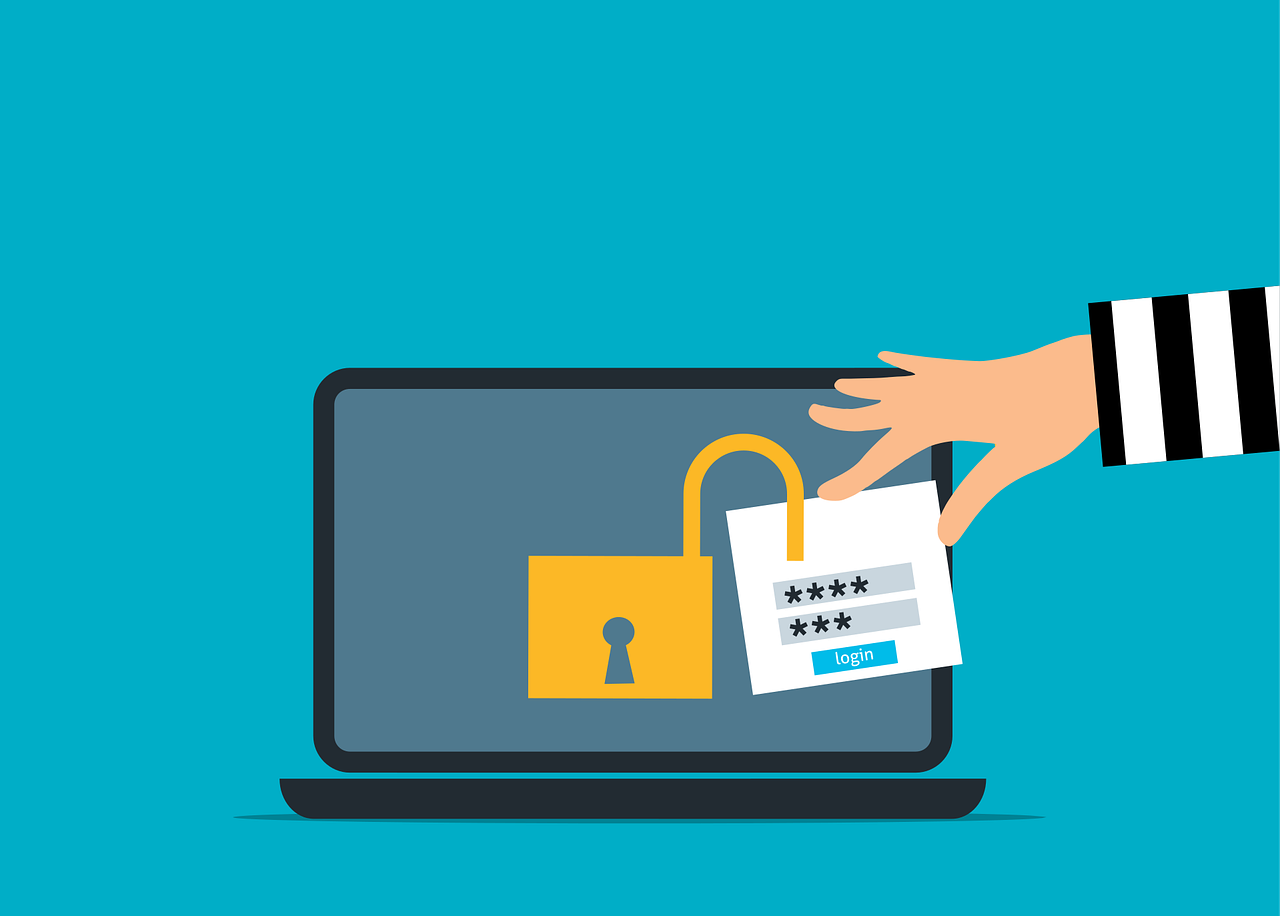
Free attack unsecured laptop vector

The MFA Level-Up: Why SMS Codes Are No Longer Enough (and What to Use Instead)

For years, enabling Multi-Factor Authentication (MFA) has been a cornerstone of account and device security. While MFA remains essential, the threat landscape has evolved, making some older methods less effective.

The most common form of MFA, four- or six-digit codes sent via SMS, is convenient and familiar, and it’s certainly better than relying on passwords alone. However, SMS is an outdated technology, and cybercriminals have developed reliable ways to bypass it. For organizations handling sensitive data, SMS-based MFA is no longer sufficient. It’s time to adopt the next generation of phishing-resistant MFA to stay ahead of today’s attackers.

SMS was never intended to serve as a secure authentication channel. Its reliance on cellular networks exposes it to security flaws, particularly in telecommunication protocols such as Signaling System No. 7 (SS7), used for communication between networks.

Attackers know that many businesses still use SMS for MFA, which makes them appealing targets. For instance, hackers can exploit SS7 vulnerabilities to intercept text messages without touching your phone. Techniques such as eavesdropping, message redirection, and message injection can be carried out within the carrier network or during over-the-air transmission.

SMS codes are also vulnerable to phishing. If a user enters their username, password, and SMS code on a fake login page, attackers can capture all three in real time and immediately gain access the legitimate account.

Understanding SIM Swapping Attacks

One of the most dangerous threats to SMS-based security is the SIM swap. In SIM swapping attacks, a criminal contacts your mobile carrier pretending to be you and claims to have lost their phone. They then request the support staff to port your number to a new blank SIM card in their possession.

If they succeed, your phone goes offline, allowing them to receive all calls and SMS messages, including MFA codes for banking and email. Without knowing your password, they can quickly reset credentials and gain full access to your accounts.

This attack doesn’t depend on advanced hacking skills; instead, it exploits social engineering tactics against mobile carrier support staff, making it a low-tech method with high‑impact consequences.

Why Phishing-Resistant MFA Is the New Gold Standard

To prevent these attacks, it’s essential to remove the human element from authentication by using phishing-resistant MFA. This approach relies on secure cryptographic protocols that tie login attempts to specific domains.

One of the more prominent standards used for such authentication is Fast Identity Online 2 (FIDO2) open standard, that uses passkeys created using public key cryptography linking a specific device to a domain. Even if a user is tricked into clicking a phishing link, their authenticator application will not release the credentials because the domain does not match the specific record. 

The technology is also passwordless, which removes the threat of phishing attacks that capture credentials and one-time passwords (OTPs). Hackers are forced to target the endpoint device itself, which is far more difficult than deceiving users.

Implementing Hardware Security Keys

Perhaps one of the strongest phishing-resistant authentication solutions involves hardware security keys. Hardware security keys are physical devices resembling a USB drive, which can be plugged into a computer or tapped against a mobile device.

To log in, you simply insert the key into the computer or touch a button, and the key performs a cryptographic handshake with the service. This method is quite secure since there are no codes to type, and attackers can’t steal your key over the internet. Unless they physically steal the key from you, they cannot access your account.

Mobile Authentication Apps and Push Notifications

If physical keys are not feasible for your business, mobile authenticator apps such as Microsoft or Google Authenticator are a step up from SMS MFA. These apps generate codes locally on the device, eliminating the risk of SIM swapping or SMS interception since the codes are not sent over a cellular network.

Simple push notifications also carry risks. For example, attackers may flood a user’s phone with repeated login approval requests, causing “MFA fatigue,” where a frustrated or confused user taps “approve” just to stop the notifications. Modern authenticator apps address this with “number matching,” requiring the user to enter a number shown on their login screen into the app. This ensures the person approving the login is physically present at their computer.

Passkeys: The Future of Authentication

With passwords being routinely compromised, modern systems are embracing passkeys, which are digital credentials stored on a device and protected by biometrics such as fingerprint or Face ID. Passkeys are phishing-resistant and can be synchronized across your ecosystem, such as iCloud Keychain or Google Password Manager. They offer the security of a hardware key with the convenience of a device that you already carry. 

Passkeys reduce the workload for IT support, as there are no passwords to store, reset, or manage. They simplify the user experience while strengthening security.

Balancing Security With User Experience

Moving away from SMS-based MFA requires a cultural shift. Since users are already used to the universality and convenience of text messages, the introduction of physical keys and authenticator apps can trigger resistance. 

It’s important to explain the reasoning behind the change, highlighting the realities of SIM-swapping attacks and the value of the protected information. When users understand the risks, they are more likely to embrace the new measures.

While a phased rollout can help ease the transition for the general user base, phishing-resistant MFA should be mandatory for privileged accounts. Administrators and executives must not rely on SMS-based MFA.

The Costs of Inaction

Sticking with legacy MFA techniques is a ticking time bomb that gives a false sense of security. While it may satisfy compliance requirements, it leaves systems vulnerable to attacks and breaches, which can be both costly and embarrassing. 

Upgrading your authentication methods offers one of the highest returns on investment in cybersecurity. The cost of hardware keys or management software is minimal compared to the expense of incident response and data recovery.

Is your business ready to move beyond passwords and text codes? We specialize in deploying modern identity solutions that keep your data safe without frustrating your team. Reach out, and we’ll help you implement a secure and user-friendly authentication strategy.

Featured Image Credit

This Article has been Republished with Permission from The Technology Press.
Free read only readonly locked vector

Securing the ‘Third Place’ Office: Policy Guidelines for Employees Working from Coffee Shops and Coworking Spaces

The modern office extends far beyond traditional cubicles or open-plan spaces. Since the concept of remote work became popularized in the COVID and post-COVID era, employees now find themselves working from their homes, libraries, bustling coffee shops, and even vacation destinations. These environments, often called “third places,” offer flexibility and convenience but can also introduce risks to company IT systems.

With remote work now a permanent reality, businesses must adapt their security policies accordingly. A coffee shop cannot be treated like a secure office, as its open environment exposes different types of threats. Employees need clear guidance on how to stay safe and protect company data.

Neglecting security on public Wi-Fi can have serious consequences, as hackers often target these locations to exploit remote workers. Equip your team with the right knowledge and tools, and enforce a robust external network security policy to keep company data safe.

The Dangers of Open Networks

Free internet access is a major draw for remote workers frequenting cafes, malls, libraries, and coworking spaces. However, these networks rarely have encryption or strong security, and even when they do, they lack the specific controls that would be present in a secure company network. This makes it easy for cybercriminals to intercept network traffic and steal passwords or sensitive emails in a matter of seconds.

Attackers often set up fake networks that look legitimate. They might give them names such as “Free Wi-Fi” or give them a name resembling a nearby business, such as a coffee shop or café, to trick users. Once connected, the hacker who controls the network sees everything the employee sends. This is a classic “man-in-the-middle” attack.

It is critical to advise employees never to rely on open connections. Networks that require a password may still be widely shared, posing significant risks to business data. Exercise caution at all times when accessing public networks.

Mandating Virtual Private Networks

The most effective tool for remote security is a VPN. A Virtual Private Network encrypts all data leaving the laptop by creating a secure tunnel through the unsecured public internet. This makes the data unreadable to anyone trying to snoop.

Providing a VPN is essential for remote work, and employees should be required to use it whenever they are outside the office. Ensure the software is easy to launch and operate, as overly complex tools may be ignored. Whenever possible, configure the VPN to connect automatically on employee devices, eliminating human error and ensuring continuous protection.

At the same time, enforce mandatory VPN usage by implementing technical controls that prevent employees from bypassing the connection when accessing company servers.

The Risk of Visual Hacking

Digital threats are not the only concern in public spaces since someone sitting at the next table can easily glance at a screen. Visual hacking involves stealing information just by looking over a shoulder, which makes it low-tech but highly effective and hard to trace.

Employees often forget how visible their screens are to passersby, and in a crowded room full of prying eyes, sensitive client data, financial spreadsheets, and product designs are at risk of being viewed and even covertly photographed by malicious actors. 

To address this physical security gap, issue privacy screens to all employees who work remotely. Privacy screens are filters that make laptop and monitor screens appear black from the side, and only the person sitting directly in front can see the content. Some devices come with built-in hardware privacy screens that obscure content so that it cannot be viewed from an angle. 

Physical Security of Devices

Leaving a laptop unattended is a recipe for theft. In a secure office, you might walk away to get water or even leave the office and expect to find your device in the same place, untouched. In a coffee shop, that same action can cost you a device, since thieves are always scanning for distracted victims and are quick to act.

Your remote work policy should stress the importance of physical device security. Employees must keep their laptops with them at all times and never entrust them to strangers. A laptop can be stolen and its data accessed in just seconds.

Encourage employees to use cable locks, particularly if they plan to remain in one location for an extended period. While not foolproof, locks serve as a deterrent, especially in coworking spaces where some level of security is expected. The goal is to make theft more difficult, and staying aware of the surroundings helps employees assess potential risks.

Handling Phone Calls and Conversations

Coffee shops can be noisy, but conversations still travel through the air. Discussing confidential business matters in public is risky, as you never know who might be listening. Competitors or malicious actors could easily overhear sensitive information.

Employees should avoid discussing sensitive matters in these “third places.” If a call is necessary, they should step outside or move to a private space, such as a car. While headphones prevent others from hearing the other side, the employee’s own voice can still be overheard.

Creating a Clear Remote Work Policy

Employees shouldn’t have to guess the rules. A written policy clarifies expectations, sets standards, and supports training and enforcement.

Include dedicated sections on public Wi-Fi and physical security, and explain the reasoning behind each rule so employees understand their importance. Make sure the policy is easily accessible on the company intranet.

Most importantly, review this policy annually as technology changes. As new threats emerge, your guidelines must also evolve to counter them. Make routine updates to the policy, and reissue the revised versions to keep the conversation about security alive and ongoing.

Empower Your Remote Teams

While working from a “third place” offers flexibility and a morale boost, it also requires a higher level of vigilance. This makes prioritizing public Wi-Fi security and physical awareness non-negotiable, and you must equip your team to work safely from anywhere.

With the right tools and policies, you can manage the risks while enjoying the benefits of remote work. Success comes from balancing freedom with responsibility, and well-informed employees serve as your strongest line of defense. Protect your data, no matter where your team works.

Is your team working remotely without a safety net? We help businesses implement secure remote access solutions and policies, ensuring your data stays private, even on public networks. Call us today to fortify your remote workforce.

Featured Image Credit

This Article has been Republished with Permission from The Technology Press.
Free button icon symbol vector

How to Implement Zero Trust for Your Office Guest Wi-Fi Network

Guest Wi-Fi is a convenience your visitors expect and a hallmark of good customer service. But it’s also one of the riskiest points in your network. A shared password that’s been passed around for years offers virtually no protection, and a single compromised guest device can become a gateway for attacks on your entire business. That’s why adopting a Zero Trust approach for your guest Wi-Fi is essential.

The core principle of Zero Trust is simple but powerful: never trust, always verify. No device or user gains automatic trust just because they’re on your guest network. Here are some practical steps to create a secure and professional guest Wi-Fi environment.

Business Benefits of Zero Trust Guest Wi-Fi

Implementing a Zero Trust guest Wi-Fi network is not just a technical necessity; it’s a strategic business decision that delivers clear financial and reputational benefits. By moving away from a risky shared password system, you significantly reduce the likelihood of costly security incidents. A single compromised guest device can act as a gateway for attacks on your entire business , leading to devastating downtime, data breaches, and regulatory fines. The proactive measures of isolation, verification, and policy enforcement are an investment in business continuity.

Consider the Marriott data breach where attackers gained access to their network through a third-party access point, eventually compromising the personal information of millions of guests. While not specifically a Wi-Fi breach, it serves as a stark reminder of the massive financial and reputational damage caused by an insecure network entry point. A Zero Trust guest network, which strictly isolates guest traffic from corporate systems, would prevent this lateral movement and contain any threat to the public internet.

Build a Totally Isolated Guest Network

The first and most crucial step is complete separation. Your guest network should never mix with your business traffic. This can be achieved through strict network segmentation by setting up a dedicated Virtual Local Area Network (VLAN) for guests. This guest VLAN should run on its own unique IP range, entirely isolated from your corporate systems.

Then, configure your firewall with explicit rules that block all communication attempts from the guest VLAN to your primary corporate VLAN. The only destination your guests should be able to reach is the public internet. This strategic containment ensures that if a guest device is infected with malware, it cannot pivot laterally to attack your servers, file shares, or sensitive data.

Implement a Professional Captive Portal

Get rid of the static password immediately. A fixed code is easily shared, impossible to track, and a hassle to revoke for just one person. Instead, implement a professional captive portal, like the branded splash page you encounter when connecting to Wi-Fi at a hotel or conference. This portal serves as the front door to your Zero Trust guest Wi-Fi.

When a guest tries to connect, their device is redirected to the portal. You can configure it securely in several ways. For example, a receptionist could generate a unique login code that expires in 8 or 24 hours, or visitors could provide their name and email to receive access. For even stronger security, a one-time password sent via SMS can be used. Each of these methods enforces the ‘never trust’ principle, turning what would be an anonymous connection into a fully identified session.

Enforce Policies via Network Access Control

Having a captive portal is a great start, but to achieve true guest network security, you need more powerful enforcement, and that is where a Network Access Control (NAC) solution comes into play. NAC acts like a bouncer for your network, checking every device before it is allowed to join, and you can integrate it within your captive portal for a seamless yet secure experience.

A NAC solution can be configured to perform various device security posture checks, such as verifying whether the connecting guest device has a basic firewall enabled or whether it has the most up-to-date system security patches. If the guest’s device fails these posture checks, the NAC can redirect it to a walled garden with links to download patch updates or simply block access entirely. This proactive approach prevents vulnerable devices from introducing risks into your network. 

Apply Strict Access Time and Bandwidth Limits 

Trust isn’t just about determining who is reliable, it’s about controlling how long they have access and what they can do on your network. A contractor doesn’t need the same continuous access as a full-time employee. Use your NAC or firewall to enforce strict session timeouts, requiring users to re-authenticate after a set period, such as every 12 hours.

Similarly, implement bandwidth throttling on the guest network. In most cases, a guest only needs basic internet access to perform general tasks such as reading their emails and web browsing. This means limiting guest users from engaging in activities such as 4K video streaming and downloading torrent files that use up the valuable internet bandwidth needed for your business operations. While these limitations may seem impolite, they are well in line with the Zero Trust principle of granting least privilege. It is also a good business practice to prevent network congestion by activities that do not align with your business operations.

Create a Secure and Welcoming Experience

Implementing a Zero Trust guest Wi-Fi network is no longer an advanced feature reserved for large enterprises, but a fundamental security requirement for businesses of all sizes. It protects your core assets while simultaneously providing a professional, convenient service for your visitors. The process hinges on a layered approach of segmentation, verification, and continuous policy enforcement, and effectively closes a commonly exploited and overlooked network entry point.

Do you want to secure your office guest Wi-Fi without the complexity? Contact us today to learn more. 

Featured Image Credit

This Article has been Republished with Permission from The Technology Press.
Free document cloud website vector

The Hidden Risk of Integrations: A Checklist for Vetting Third-Party Apps (API Security)

Modern businesses depend on third-party apps for everything from customer service and analytics to cloud storage and security. But this convenience comes with risk, every integration introduces a potential vulnerability. In fact, 35.5% of all recorded breaches in 2024 were linked to third-party vulnerabilities. 

The good news? These risks can be managed. This article highlights the hidden dangers of third-party API integrations and provides a practical checklist to help you evaluate any external app before adding it to your system.

Why Third-Party Apps Are Essential in Modern Business 

Simply put, third-party integrations boost efficiency, streamline operations, and improve overall productivity. Most businesses do not create each technology component from scratch. Instead, they rely on third-party apps and APIs to manage everything from payments to customer support, analytics, email automation, chatbots, and more. The aim is to speed up development, cut costs, and gain access to features that might take months to build internally. 

What Are the Hidden Risks of Integrating Third-Party Apps? 

Adding third-party apps to your systems invites several risks, including security, privacy, compliance, and operational and financial vulnerabilities.

Security Risks

Third-party integrations can introduce unexpected security risks into your business environment. A seemingly harmless plugin may contain malware or malicious code that activates upon installation, potentially corrupting data or allowing unauthorized access. Once an integration is compromised, hackers can use it as a gateway to infiltrate your systems, steal sensitive information, or cause operational disruptions.

Privacy and Compliance Risks

Even with strong contractual and technical controls, a compromised third-party app can still put your data at risk. Vendors may gain access to sensitive information and use it in ways you never authorized, such as storing it in different regions, sharing it with other partners, or analyzing it beyond the agreed purpose. For instance, misuse of a platform could lead to violations of data protection laws, exposing your organization to legal penalties and reputational damage.

Operational and Financial Risks

Third-party integrations can affect both operations and finances. If an API fails or underperforms, it can disrupt workflows, cause outages, and impact service quality. Weak credentials or insecure integrations can be exploited, potentially leading to unauthorized access or costly financial losses.

What to Review Before Integrating a Third-Party API 

Before you connect any app, take a moment to give it a careful check-up. Use the checklist below to make sure it’s safe, secure, and ready to work for you.

  1. Check Security Credentials and Certifications: Make sure the app provider has solid, recognized security credentials, such as ISO 27001, SOC 2, or NIST compliance. Ask for audit or penetration test reports and see if they run a bug bounty program or have a formal vulnerability disclosure policy. These show the vendor actively looks for and addresses security issues before they become a problem.
  2. Confirm Data Encryption: You might not be able to inspect a third-party app directly, but you can review their documentation, security policies, or certifications like ISO 27001 or SOC. Ask the vendor how they encrypt data both in transit and at rest, and make sure any data moving across networks uses strong protocols like TLS 1.3 or higher.
  3. Review Authentication & Access: Make sure the app uses modern standards like OAuth2, OpenID Connect, or JWT tokens. Confirm it follows the principle of least privilege, giving users only the access they truly need. Credentials should be rotated regularly, tokens kept short-lived, and permissions strictly enforced.
  4. Check Monitoring & Threat Detection: Look for apps that offer proper logging, alerting, and monitoring. Ask the vendor how they detect vulnerabilities and respond to threats. Once integrated, consider maintaining your own logs to keep a close eye on activity and spot potential issues early.
  5. Verify Versioning & Deprecation Policies: Make sure the API provider maintains clear versioning, guarantees backward compatibility, and communicates when features are being retired.
  6. Rate Limits & Quotas: Prevent abuse or system overload by confirming the provider supports safe throttling and request limits.
  7. Right to Audit & Contracts: Protect yourself with contractual terms that allow you to audit security practices, request documentation, and enforce remediation timelines when needed.
  8. Data Location & Jurisdiction: Know where your data is stored and processed, and ensure it complies with local regulations.
  9. Failover & Resilience: Ask how the vendor handles downtime, redundancy, fallback mechanisms, and data recovery, because no one wants surprises when systems fail.
  10. Check Dependencies & Supply Chain: Get a list of the libraries and dependencies the vendor uses, especially open-source ones. Assess them for known vulnerabilities to avoid hidden risks.

Vet Your Integrations Today 

No technology is ever completely risk-free, but the right safeguards can help you manage potential issues. Treat third-party vetting as an ongoing process rather than a one-time task. Continuous monitoring, regular reassessments, and well-defined safety controls are essential.

If you want to strengthen your vetting process and get guidance from experts with experience building secure systems, we can help. Our team has firsthand experience in cybersecurity, risk management, and business operations, and we provide practical solutions to help you protect your business and operate more safely.

Build your confidence, tighten your integrations, and ensure that every tool in your stack works for you rather than against you. Call us today and take your business to the next level.

Featured Image Credit

This Article has been Republished with Permission from The Technology Press.
Free password login sign vector

How to Use a Password Manager and Virtual Cards for Zero-Risk Holiday Shopping

Have you ever been concerned about your credit card or personal data getting stolen while shopping online? You’re not alone. Each holiday season, as millions of shoppers flock online for convenience, hackers ramp up their activity. The Federal Trade Commission (FTC) has warned that scammers often create fake shopping websites or phishing emails to steal consumers’ money and personal information, especially during the holidays.

If you’re planning to shop this holiday season, now is the perfect time to boost your online security. Two simple tools, password managers and virtual cards, can make a big difference. But how exactly? This article will show you how to use them to enjoy zero-risk online holiday shopping.

Why People Prefer Password Managers and Virtual Cards for Online Shopping

Shopping online is quick, easy, and often cheaper than going to physical stores. However, it is fraught with security risks. Many people now use password managers and virtual cards for safer transactions. 

A password manager creates and keeps complicated, distinct passwords for all accounts. This minimizes the chance of unauthorized access and theft. The Cybersecurity and Infrastructure Security Agency (CISA) recommends using password managers to reduce password reuse and protect sensitive data from hackers.

Virtual cards also add an extra layer of protection when shopping online. Although the card numbers are linked to your real credit or debit card account, the merchant never sees your card details. This helps prevent identity theft and financial fraud.

Tips for Using Password Managers and Virtual Cards for Zero-Risk Holiday Shopping

Before you start adding items to your cart, the safety of your money comes first. Here are smart ways to use these tools to improve online security during the holidays.

Choose a Reputable Password Manager

Select a trusted provider with strong encryption and a solid reputation. Popular options include 1Password, Dashlane, LastPass, and Bitwarden. Fake versions are everywhere, so make sure you only download from the official website or app store.

Create a Strong Master Password

Your master password protects all your other passwords and should be the most secure. “Secure” means making it unusual and not something that can be guessed. You can achieve this by combining letters, numbers, and special characters. 

Turn On Two-Factor Authentication (2FA)

2FA adds another protection step by requiring two verification steps. Besides your password, you can choose to receive a verification code on your phone. Even if hackers steal your password, they can’t access your account without your verification code.

Generate Virtual Cards for Each Store

Set up a separate virtual card for each online retailer, many banks and payment apps offer this feature. That way, if one store is compromised, only that temporary card is affected, your main account stays safe.

Track Expiration Dates and Spending Limits

Virtual cards often expire after a set time or after one purchase. This is good for security, but make sure your card is valid before placing an order. Set spending limits as well, as this helps with holiday budgeting and prevents unauthorized charges.

Shop Only on Secure Websites

Be sure to purchase only from websites you are familiar with. Don’t shop from any link in an advertisement or email. You may end up on phishing sites that target your information. The URL of a safe site starts with “https://.”

Also, pay attention to data encryption. Look for the padlock symbol on your browser address bar. This indicates that the site has employed SSL/TLS encryption, which encrypts data as it is passed between your device and the site.

Common Mistakes to Avoid for Safer Online Shopping

Even with the best security tools, simple mistakes can put your data at risk. Developing strong security awareness is key to safer online habits. Here are some common pitfalls to watch out for when shopping:

Reusing Passwords

One hacked password can put all your accounts at risk. Keep them safe by using a different password for every site, your password manager makes it easy.to generate and store strong, distinct passwords for each one.

Using Public Wi-Fi for Shopping

Hackers can easily monitor public Wi-Fi networks, making them unsafe not just for shopping but for any online activity. To protect your data, avoid using Wi-Fi in coffee shops, hotels, or airports for online shopping. Instead, stick to your mobile data or a secure private network.

Ignoring Security Alerts

Many people overlook alerts about unusual activity but ignoring them can be risky. If your bank, password manager, or virtual card provider alerts you to suspicious activity, act immediately. Follow their instructions to protect your data, for example, changing your password and reviewing recent transactions for any signs of fraud.

Saving Card Details in Your Browser

While browsers allow card information to be saved, it is less secure than virtual cards. If hackers access your browser, your saved cards are compromised.

Shop Smarter and Safer This Holiday Season

The holidays should be about celebration, not about worrying over hacked accounts or stolen card details. Using tools like password managers and virtual cards lets you take control of your online shopping security. These tools make password management easier, protect you from phishing scams, and add extra protection against cybercriminals. As you look for the best holiday deals, include security in your shopping checklist. Peace of mind is the best gift you can give yourself.

Need help improving your cybersecurity before the holiday rush? We can help you protect your data with smarter, easy-to-use security solutions. Stay safe, stay secure, and shop online with confidence this season. Contact us today to get started.

Featured Image Credit

This Article has been Republished with Permission from The Technology Press.
Free phishing scam website vector

Cracking Down on Credential Theft: Advanced Protection for Your Business Logins

During an era of digital transformation, data and security are king. That is why, as cyber threats evolve in this age of digital transformation, businesses need to be prepared. Credential theft has become one of the most damaging cyber threats facing businesses today. Whether through well-crafted phishing scams or an all-out direct attack, cybercriminals are continually honing their skills and adapting their tactics to gain access to system credentials. They seek to compromise the very fabric of the corporate digital landscape and access sensitive corporate resources.

The stakes are incredibly high. According to Verizon’s 2025 Data Breach Investigations Report, over 70% of breaches involve stolen credentials. The implications for businesses of every size are crippling financial loss and reputational damage. The days of relying solely on passwords to secure systems and devices are long gone. With the new age of cyber threats lingering just beyond the gates, organizations have to take advanced measures to properly secure the authentication infrastructure. Only by doing this can they hope to mitigate the risk of credential-based attacks.

Understanding Credential Theft

Credential theft is not a single act, but rather a symphony that builds from the first note and rises in intensity and intent over the course of weeks or months. It typically begins with cyber attackers gaining access to usernames and passwords using a variety of methods:

  • Phishing Emails: These can trick users into revealing their credentials via fake login pages or official-looking correspondence. 
  • Keylogging: This is a malware attack that records each keystroke to gain access to the login and password information.
  • Credential Stuffing: This is the application of lists of leaked credentials from other data breaches to try to breach security measures.
  • Man-in-the-middle (MitM) Attacks: These occur when attackers are able to intercept credentials on unsecured networks.

Traditional Authentication Limitations

Organizations have historically depended on username and password combinations to provide their primary means of authentication. This is not adequate any longer. There are several reasons why organizations need to up the ante on their authentication processes:

  • Passwords are often reused across platforms.
  • Users tend to choose weak, guessable passwords.
  • Passwords can be easily phished or stolen.

Advanced Protection Strategies for Business Logins

To effectively combat credential theft, organizations should adopt a multi-layered approach that includes both preventive and detective controls. Below are several advanced methods for securing business logins:

Multi-Factor Authentication (MFA)

This is one of the simplest yet most effective methods to prevent credential theft. It requires users to provide two verification points. This typically includes a password, coupled with an additional piece of information sent to a secure device or email account that needs to be entered. It could also require a biometric measure for authentication, usually a fingerprint scan. 

There are hardware-based authentication methods as well, including YubiKeys or app-based tokens like those required by Google Authenticator or Duo. These are highly resistant to phishing attempts and recommended for high-value accounts.

Passwordless Authentication

In a move to further secure systems, some of the emerging frameworks have completely abandoned the username and password authentication method entirely. Instead, they employ the following:

  • Biometrics employ fingerprint or facial recognition for authentication purposes.
  • Single Sign-On (SSO) is used with enterprise identity providers.
  • Push notifications employ mobile apps that approve or deny login attempts.

Privileged Access Management (PAM)

High-level accounts like those held by executives or administrators are also targeted by attackers because of the level of their access to valuable corporate information. PAM solutions offer secure monitoring and the enforcement of ‘just-in-time’ access and credential vaulting. This helps minimize the attack surface by offering stricter control for those who access critical systems.

Behavioral Analytics and Anomaly Detection

Many modern authentication systems employ artificial intelligence-driven methods to detect unusual behavior surrounding authentication attempts. Some of the anomalies these methods look for include: 

  • Logins from unfamiliar devices or locations
  • Access attempts at unusual times
  • Multiple failed login attempts

Organizations that provide continuous monitoring of login patterns can proactively prevent damage before it occurs. 

Zero Trust Architecture

This architecture adopts the simple principle of “never trust, always verify.” This basis is the opposite of most traditional methodologies. Instead of trusting users inside the network, Zero Trust authenticates and authorizes on a continuous basis. Every request made by a given user is determined by contextual signals such as device location and identity. 

The Role of Employee Training

While digital methods to secure digital landscapes are vital, they can all be undone by simple human intervention. In fact, human error is the leading cause of data breaches. To curb this trend, organizations should train personnel to be diligent in their system use. They should be aware of:

  • Recognize phishing attempts
  • Use password managers
  • Avoid credential reuse
  • Understand the importance of MFA

An informed workforce is a critical line of defense against credential theft.

Credential Theft Will Happen

Attackers are becoming increasingly sophisticated in their attempts to compromise system credentials. Today, credential theft is no longer a matter of if, it’s a matter of when. Organizations can no longer rely on outdated defenses; stronger protection is essential. By implementing multi-factor authentication, adopting Zero Trust policies, and prioritizing proactive security strategies, businesses can stay ahead of emerging threats. Contact us today for the resources, tools, and expert guidance you need to build stronger defenses and keep your business secure.


Featured Image Credit

This Article has been Republished with Permission from The Technology Press.
Free hacker computer programming vector

Stop Account Hacks: The Advanced Guide to Protecting Your Small Business Logins

Sometimes the first step in a cyberattack isn’t code. It’s a click. A single login involving one username and password can give an intruder a front-row seat to everything your business does online. 

For small and mid-sized companies, those credentials are often the easiest target. According to MasterCard, 46% of small businesses have dealt with a cyberattack, and almost half of all breaches involve stolen passwords. That’s not a statistic you want to see yourself in.

This guide looks at how to make life much harder for would-be intruders. The aim isn’t to drown you in tech jargon. Instead, it’s to give IT-focused small businesses a playbook that moves past the basics and into practical, advanced measures you can start using now.

Why Login Security Is Your First Line of Defense

If someone asked what your most valuable business asset is, you might say your client list, your product designs, or maybe your brand reputation. But without the right login security, all of those can be taken in minutes.

Industry surveys put the risk in sharp focus: 46% of small and medium-sized businesses have experienced a cyberattack. Of those, roughly one in five never recovered enough to stay open. The financial toll isn’t just the immediate cleanup, as the global average cost of a data breach is $4.4 million, and that number has been climbing.

Credentials are especially tempting because they’re so portable. Hackers collect them through phishing emails, malware, or even breaches at unrelated companies. Those details end up on underground marketplaces where they can be bought for less than you’d spend on lunch. From there, an attacker doesn’t have to “hack” at all. They just sign in.

Many small businesses already know this but struggle with execution. According to Mastercard, 73% of owners say getting employees to take security policies seriously is one of their biggest hurdles. That’s why the solution has to go beyond telling people to “use better passwords.”

Advanced Strategies to Lock Down Your Business Logins

Good login security works in layers. The more hoops an attacker has to jump through, the less likely they are to make it to your sensitive data.

1. Strengthen Password and Authentication Policies

If your company still allows short, predictable logins like “Winter2024” or reuses passwords across accounts, you’ve already given attackers a head start.

Here’s what works better:

  • Require unique, complex passwords for every account. Think 15+ characters with a mix of letters, numbers, and symbols.
  • Swap out traditional passwords for passphrases, strings of unrelated words that are easier for humans to remember but harder for machines to guess.
  • Roll out a password manager so staff can store and auto-generate strong credentials without resorting to sticky notes or spreadsheets.
  • Enforce multi-factor authentication (MFA) everywhere possible. Hardware tokens and authenticator apps are far more resilient than SMS codes.
  • Check passwords against known breach lists and rotate them periodically.

The important part? Apply the rules across the board. Leaving one “less important” account unprotected is like locking your front door but leaving the garage wide open.

2. Reduce Risk Through Access Control and Least Privilege

The fewer keys in circulation, the fewer chances there are for one to be stolen. Not every employee or contractor needs full admin rights.

  • Keep admin privileges limited to the smallest possible group.
  • Separate super admin accounts from day-to-day logins and store them securely.
  • Give third parties the bare minimum access they need, and revoke it the moment the work ends.

That way, if an account is compromised, the damage is contained rather than catastrophic.

3. Secure Devices, Networks, and Browsers

Your login policies won’t mean much if someone signs in from a compromised device or an open public network.

  • Encrypt every company laptop and require strong passwords or biometric logins.
  • Use mobile security apps, especially for staff who connect on the go.
  • Lock down your Wi-Fi: Encryption on, SSID hidden, router password long and random.
  • Keep firewalls active, both on-site and for remote workers.
  • Turn on automatic updates for browsers, operating systems, and apps.

Think of it like this: Even if an attacker gets a password, they still have to get past the locked and alarmed “building” your devices create.

4. Protect Email as a Common Attack Gateway

Email is where a lot of credential theft begins. One convincing message, and an employee clicks a link they shouldn’t.

To close that door:

  • Enable advanced phishing and malware filtering.
  • Set up SPF, DKIM, and DMARC to make your domain harder to spoof.
  • Train your team to verify unexpected requests. If “finance” emails to ask for a password reset, confirm it another way.

5. Build a Culture of Security Awareness

Policies on paper don’t change habits. Ongoing, realistic training does.

  • Run short, focused sessions on spotting phishing attempts, handling sensitive data, and using secure passwords.
  • Share quick reminders in internal chats or during team meetings.
  • Make security a shared responsibility, not just “the IT department’s problem.”

6. Plan for the Inevitable with Incident Response and Monitoring

Even the best defenses can be bypassed. The question is how fast you can respond.

  1. Incident Response Plan: Define who does what, how to escalate, and how to communicate during a breach.
  2. Vulnerability Scanning: Use tools that flag weaknesses before attackers find them.
  3. Credential Monitoring: Watch for your accounts showing up in public breach dumps.
  4. Regular Backups: Keep offsite or cloud backups of critical data and test that they actually work.

Make Your Logins a Security Asset, Not a Weak Spot

Login security can either be a liability or a strength. Left unchecked, it’s a soft target that makes the rest of your defenses less effective. Done right, it becomes a barrier that forces attackers to look elsewhere.

The steps above, from MFA to access control to a living, breathing incident plan, aren’t one-time fixes. Threats change, people change roles, and new tools arrive. The companies that stay safest are the ones that treat login security as an ongoing process, adjusting it as the environment shifts.

You don’t have to do it all overnight. Start with the weakest link you can identify right now, maybe an old, shared admin password or a lack of MFA on your most sensitive systems, and fix it. Then move to the next gap. Over time, those small improvements add up to a solid, layered defense.

If you’re part of an IT business network or membership service, you’re not alone. Share strategies with peers, learn from incidents others have faced, and keep refining your approach.

Contact us today to find out how we can help you turn your login process into one of your strongest security assets.

Featured Image Credit

This Article has been Republished with Permission from The Technology Press.
Free internet security digital vector

Is Your Smart Office a Security Risk? What Small Businesses Need to Know About IoT

Your office thermostat, conference room speaker, and smart badge reader are convenient, but they’re also doors into your network. With more devices than ever in play, keeping track can be tough, and it only takes one weak link to put your entire system at risk.

That’s why smart IT solutions matter now more than ever. A trusted IT partner can help you connect smart devices safely, keep data secure, and manage your whole setup without stress.

Here’s a practical guide designed for small teams getting ready to work with connected tech.

What is IoT?

IoT, or the Internet of Things, is all about physical devices, like sensors, appliances, gadgets, or machines, being connected to the internet. These smart tools can collect and share data, and even act on their own, all without needing someone to constantly manage them. IoT helps boost efficiency, automate tasks, and provide useful data that leads to smarter decisions for both businesses and individuals. But it also comes with challenges, like keeping data secure, protecting privacy, and keeping track of all those connected devices.

Steps To Manage IoT Security Risks for Small Businesses

1. Know What You’ve Got

Begin with all of your network’s smart devices, such as cameras, speakers, printers, and thermostats. If you are not aware of a gadget, you cannot keep it safe.

  • Walk through the office and note each gadget
  • Record model names and who uses them

With a clear inventory, you’ll have the visibility you need to stay in control during updates or when responding to issues.

2. Change Default Passwords Immediately

Most smart devices come with weak, shared passwords. If you’re still using the default password, you’re inviting trouble.

  • Change every password to something strong and unique
  • Store passwords securely where your team can consistently access them

It takes just a minute, and it helps you avoid one of the most common rookie mistakes: weak passwords.

3. Segment Your Network

Let your smart printer talk, but don’t let it talk to everything. Use network segmentation to give each IoT device space while keeping your main systems secure.

  • Create separate Wi-Fi or VLAN sections for IoT gear
  • Block IoT devices from accessing sensitive servers
  • Use guest networks where possible

Segmented networks reduce risk and make monitoring easy.

4. Keep Firmware and Software Updated

Security flaws are found all the time, and updates fix them. If your devices are out of date, you’re wide open to cyberattacks.

  • Check for updates monthly
  • Automate updates when possible
  • Replace devices that are no longer supported

Even older gadgets can be secure if they keep receiving patches.

5. Monitor Traffic and Logs

Once your devices are in place, watch how they talk. Unexpected activity could signal trouble.

  • Use basic network tools to track how often and where devices connect
  • Set alerts for strange activity, like a badge reader suddenly reaching the internet
  • Review logs regularly for odd patterns

You don’t need an army of security experts, just something as simple as a nightly check-in.

6. Set Up a Response Plan

Incidents happen; devices can fail or malfunction. Without a plan, every problem turns into a major headache. Your response plan should include:

  • Who to contact when devices act weird
  • How you’ll isolate a problematic device
  • Available standby tools or firmware 

A strong response plan lets you respond quickly and keep calm when things go wrong.

7. Limit What Each Device Can Do

Not every device needs full network access. The key is permission controls.

  • Turn off unused features and remote access
  • Block internet access where not needed
  • Restrict device functions to exact roles only

Less access means less risk, yet your tools can still get the job done.

8. Watch for Devices That Creep In

It’s easy to bring in new devices without thinking of security risks, like smart coffee makers or guest speakers.

  • Have a simple approval step for new devices
  • Ask questions: “Does it need office Wi-Fi? Does it store data?”
  • Reject or block any gear that can’t be secured

Catching these risks early keeps your network strong.

9. Encrypt Sensitive Data

If your smart devices transmit data, ensure that data is encrypted both during transmission and while stored.

  • Check device settings for encryption options
  • Use encrypted storage systems on your network

Encryption adds a layer of protection without slowing things down.

10. Reevaluate Regularly

It’s easy to secure your office tech once and assume it stays that way. But tech changes fast, and so do threats.

  • Do a full check-in every six months
  • Reassess passwords, network segments, and firmware
  • Replace devices that don’t meet today’s standards

With a regular schedule, you keep ahead without overthinking it.

Why This Actually Matters

Smart devices simplify work but can pose risks if not properly secured. More businesses are experiencing cyberattacks through their IoT devices than ever before, and these attacks are rising rapidly. Protecting your systems isn’t about expensive high-tech solutions, it’s about taking simple, smart steps like updating passwords, keeping devices up to date, and knowing what’s connected.

These simple steps can protect your business without getting in the way. Plus, with the right IT support, staying ahead of threats is simpler than you might expect.

Your Office Is Smart, Your Security Should Be Too

You don’t need to be a cybersecurity expert to protect your small office. As more smart devices like printers, thermostats, and security cameras connect to your network, hackers have more opportunities to get in. The good news? Keeping your space secure doesn’t have to be complicated or costly.

With the right IT partner who understands the unique challenges small businesses face, you can take simple steps to protect what matters. Ready to get serious about IoT security? Contact us today and partner with a team that protects small offices, without the big-business complexity.

Featured Image Credit

This Article has been Republished with Permission from The Technology Press.
Securing Your Supply Chain: Practical Cybersecurity Steps for Small Businesses

Picture this: your business’s front door is locked tight, alarm systems are humming, and firewalls are up, but someone sneaks in through the back door, via a trusted vendor. Sound like a nightmare? It’s happening more often than you think. Cybercriminals aren’t always hacking directly into your systems anymore. Instead, they exploit the vulnerabilities in the software, services, and suppliers you rely on every day. For small businesses, this can feel like an impossible puzzle. How do you secure every link in a complex chain when resources are tight?

That’s where reliable IT solutions come in. They help you gain visibility and control over your entire supply chain, providing the tools to spot risks early and keep your business safe without breaking the bank.

A report shows that 2023 supply chain cyberattacks in the U.S. affected 2,769 entities, a 58% increase from the previous year and the highest number reported since 2017.

The good news is you don’t have to leave your business exposed. With the right mindset and practical steps, securing your supply chain can become manageable. This article walks you through easy-to-understand strategies that even the smallest business can implement to turn suppliers from a risk into a security asset.

Why Your Supply Chain Might Be Your Weakest Link

Here’s the harsh truth: many businesses put a lot of effort into protecting their internal networks but overlook the security risks lurking in their supply chain. Every vendor, software provider, or cloud service that has access to your data or systems is a potential entry point for attackers. And what’s scarier? Most businesses don’t even have a clear picture of who all their suppliers are or what risks they carry.

A recent study showed that over 60% of organizations faced a breach through a third party, but only about a third trusted those vendors to tell them if something went wrong. That means many companies find out about breaches when it’s already too late, after the damage is done.

Step 1: Get a Clear Picture: Map Your Vendors and Partners

You might think you know your suppliers well, but chances are you’re missing a few. Start by creating a “living” inventory of every third party with access to your systems, whether it’s a cloud service, a software app, or a supplier that handles sensitive information.

  • List everyone: Track every vendor who touches your data or systems.
  • Go deeper: Look beyond your direct vendors to their suppliers, sometimes risks come from those hidden layers.
  • Keep it current: Don’t treat this as a one-time job. Vendor relationships change, and so do their risks. Review your inventory regularly.

Step 2: Know Your Risk: Profile Your Vendors

Not all vendors carry the same weight in terms of risk. For example, a software provider with access to your customer data deserves more scrutiny than your office supplies vendor.

To prioritize, classify vendors by:

  • Access level: Who can reach your sensitive data or core infrastructure?
  • Security history: Has this vendor been breached before? Past problems often predict future ones.
  • Certifications: Look for security certifications like ISO 27001 or SOC 2, but remember, certification isn’t a guarantee, dig deeper if you can.

Step 3: Don’t Set and Forget: Continuous Due Diligence

Treating vendor security like a box to check once during onboarding is a recipe for disaster. Cyber threats are evolving, and a vendor who was safe last year might be compromised now.

Here’s how to keep your guard up:

  • Go beyond self-reports: Don’t rely only on questionnaires from vendors, they often hide problems. Request independent security audits or penetration testing results.
  • Enforce security in contracts: Make sure contracts include clear security requirements, breach notification timelines, and consequences if those terms aren’t met.
  • Monitor continuously: Use tools or services that alert you to any suspicious activity, leaked credentials, or new vulnerabilities in your vendor’s systems.

Step 4: Hold Vendors Accountable Without Blind Trust

Trusting vendors to keep your business safe without verification is a gamble no one should take. Yet, many businesses do just that.

To prevent surprises:

  • Make security mandatory: Require vendors to implement multi-factor authentication (MFA), data encryption, and timely breach notifications.
  • Limit access: Vendors should only have access to the systems and data necessary for their job, not everything.
  • Request proof: Ask for evidence of security compliance, such as audit reports, and don’t stop at certificates.

Step 5: Embrace Zero-Trust Principles

Zero-Trust means never assuming any user or device is safe, inside or outside your network. This is especially important for third parties.

Key steps include:

  • Strict authentication: Enforce MFA for any vendor access and block outdated login methods.
  • Segment your network: Make sure vendor access is isolated, preventing them from moving freely across your entire system.
  • Verify constantly: Recheck vendor credentials and permissions regularly to ensure nothing slips through the cracks.

Businesses adopting Zero-Trust models have seen a huge drop in the impact of vendor-related breaches, often cutting damage in half.

Step 6: Detect and Respond Quickly

Even the best defenses can’t guarantee no breach. Early detection and rapid response make all the difference.

Practical actions include:

  • Monitoring vendor software: Watch for suspicious code changes or unusual activity in updates and integrations.
  • Sharing threat info: Collaborate with industry groups or security services to stay ahead of emerging risks.
  • Testing your defenses: Conduct simulated attacks to expose weak points before cybercriminals find them.

Step 7: Consider Managed Security Services

Keeping up with all of this can be overwhelming, especially for small businesses. That’s where managed IT and security services come in.

They offer:

  • 24/7 monitoring: Experts watch your entire supply chain non-stop.
  • Proactive threat detection: Spotting risks before they escalate.
  • Faster incident response: When something does happen, they act quickly to limit damage.

Outsourcing these tasks helps your business stay secure without stretching your internal resources thin.

Ignoring supply chain security can be costly. The average breach involving a third party now tops $4 million, not to mention the damage to reputation and customer trust.

On the flip side, investing in proactive supply chain security is an investment in your company’s future resilience. It protects your data, your customers, and your bottom line.

Taking Action Now: Your Supply Chain Security Checklist

  • Map all vendors and their suppliers.
  • Classify vendors by risk and access level.
  • Require and verify vendor security certifications and audits.
  • Make security mandatory in contracts with clear breach notification policies.
  • Implement Zero-Trust access controls.
  • Monitor vendor activity continuously.
  • Consider managed security services for ongoing protection.

Stay One Step Ahead

Cyber attackers are not waiting for a perfect moment, they are scanning for vulnerabilities right now, especially those hidden in your vendor ecosystem. Small businesses that take a proactive, strategic approach to supply chain security will be the ones that avoid disaster.

Your suppliers shouldn’t be the weakest link. By taking control and staying vigilant, you can turn your supply chain into a shield, not a doorway for attackers. The choice is yours: act today to protect your business or risk being the next headline.

Contact us to learn how our IT solutions can help safeguard your supply chain.

Featured Image Credit

This Article has been Republished with Permission from The Technology Press.

a-person-typing-on-laptop

Decoding Cyber Insurance: What Policies Really Cover (and What They Don’t)

For small businesses navigating an increasingly digital world, cyber threats aren’t just an abstract worry, they’re a daily reality. Whether it’s phishing scams, ransomware attacks, or accidental data leaks, the financial and reputational damage can be severe. That’s why more companies are turning to cyber insurance to mitigate the risks.

Not all cyber insurance policies are created equal. Many business owners believe they’re covered, only to find out (too late) that their policy has major gaps. In this blog post, we will break down exactly what’s usually covered, what’s not, and how to choose the right cyber insurance policy for your business.

Why Is Cyber Insurance More Crucial Than Ever?

You don’t need to be a large corporation to become a target for hackers. In fact, small businesses are increasingly vulnerable. According to the 2023 IBM Cost of a Data Breach Report, 43% of all cyberattacks now target small to mid-sized businesses. The financial fallout from a breach can be staggering, with the average cost for smaller businesses reaching $2.98 million. That can be a substantial blow for any growing company. 

Moreover, today’s customers expect businesses to protect their personal data, while regulators are cracking down on data privacy violations. A good cyber insurance policy helps cover the cost of a breach but also ensures compliance with regulations like GDPR, CCPA, or HIPAA, which makes it a critical safety net.

What Cyber Insurance Typically Covers

A comprehensive cyber insurance policy is crucial in protecting your business from the financial fallout of a cyber incident. It offers two main types of coverage: first-party coverage and third-party liability coverage. Both provide different forms of protection based on your business’s unique needs and the type of incident you’re facing. Below, we break down each type and the specific coverages they typically include.

First-Party Coverage

First-party coverage is designed to protect your business directly when you experience a cyberattack or breach. This type of coverage helps your business recover financially from the immediate costs associated with the attack.

Breach Response Costs

One of the first areas that first-party coverage addresses is the cost of managing a breach. After a cyberattack, you’ll likely need to:

  • Investigate how the breach happened and what was affected
  • Get legal advice to stay compliant with laws and reporting rules
  • Inform any customers whose data was exposed
  • Offer credit monitoring if personal details were stolen

Business Interruption

Cyberattacks that cause network downtime or disrupt business operations can result in significant revenue loss. Business interruption coverage helps mitigate the financial impact by compensating for lost income during downtime. It allows you to focus on recovery without worrying about day-to-day cash flow.

Cyber Extortion and Ransomware

Ransomware attacks are on the rise, and they can paralyze your business by locking up essential data. Cyber extortion coverage is designed to help businesses navigate these situations by covering:

  • The cost of paying a ransom to cyber attackers.
  • Hiring of professionals to negotiate with hackers to lower the ransom and recover data.
  • The costs to restore access to files that were encrypted in the attack.

Data Restoration

A major cyber incident can result in the loss or damage of critical business data. Data restoration coverage ensures that your business can recover data, whether through backup systems or through a data recovery service. This helps minimize disruption and keeps your business running smoothly.

Reputation Management

In the aftermath of a cyberattack, it’s crucial to rebuild the trust of customers, partners, and investors. Many policies now include reputation management as part of their coverage. This often includes:

  • Hiring Public Relations (PR firms) to manage crisis communication, create statements, and mitigate any potential damage to your business’s reputation.
  • Guidance on how to communicate with affected customers and stakeholders to maintain transparency.

Third-Party Liability Coverage

Third-party liability coverage helps protect your business from claims made by external parties (such as customers, vendors, or partners) who are affected by your cyber incident. When a breach or attack impacts those outside your company, this coverage steps in to defend you financially and legally.

Privacy Liability

This coverage protects your business if sensitive customer data is lost, stolen, or exposed in a breach. It typically includes:

  • Coverage for legal costs if you’re sued for mishandling personal data.
  • It may also cover costs if a third party suffers losses due to your data breach.

Regulatory Defense

Cyber incidents often come under the scrutiny of regulatory bodies, such as the Federal Trade Commission (FTC) or other industry-specific regulators. If your business is investigated or fined for violating data protection laws, regulatory defense coverage can help with:

  • Coverage may help pay for fines or penalties imposed by a regulator for non-compliance.
  • Mitigating the costs of defending your business against regulatory actions, which can be considerable.

Media Liability

If your business is involved in a cyberattack that results in online defamation, copyright infringement, or the exposure of sensitive content (such as trade secrets), media liability coverage helps protect you. It covers:

  • Defamation Claims – If a data breach leads to defamatory statements or online reputational damage, this policy helps cover the legal costs of defending the claims.
  • Infringement Cases – If a cyberattack leads to intellectual property violations, media liability coverage provides the financial resources to address infringement claims.

Defense and Settlement Costs

If your company is sued following a data breach or cyberattack, third-party liability coverage can help cover legal defense costs. This can include:

  • Paying for attorney fees in a data breach lawsuit.
  • Covering settlement or judgment costs if your company is found liable.

Optional Riders and Custom Coverage

Cyber insurance policies often allow businesses to add extra coverage based on their specific needs or threats. These optional riders can offer more tailored protection for unique risks your business might face.

Social Engineering Fraud

One of the most common types of cyber fraud today is social engineering fraud, which involves phishing attacks or other deceptive tactics designed to trick employees into revealing sensitive information, transferring funds, or giving access to internal systems. Social engineering fraud coverage helps protect against:

  • Financial losses if an employee is tricked by a phishing scam.
  • Financial losses through fraudulent transfers by attackers.

Hardware “Bricking”

Some cyberattacks cause physical damage to business devices, rendering them useless, a scenario known as “bricking.” This rider covers the costs associated with replacing or repairing devices that have been permanently damaged by a cyberattack.

Technology Errors and Omissions (E&O)

This type of coverage is especially important for technology service providers, such as IT firms or software developers. Technology E&O protects businesses against claims resulting from errors or failures in the technology they provide.

What Cyber Insurance Often Doesn’t Cover

Understanding what’s excluded from a cyber insurance policy is just as important as knowing what’s included. Here are common gaps that small business owners often miss, leaving them exposed to certain risks.

Negligence and Poor Cyber Hygiene

Many insurance policies have strict clauses regarding the state of your business’s cybersecurity. If your company fails to implement basic cybersecurity practices, such as using firewalls, Multi-Factor Authentication (MFA), or keeping software up-to-date, your claim could be denied.

Pro Tip: Insurers increasingly require proof of good cyber hygiene before issuing a policy. Be prepared to show that you’ve conducted employee training, vulnerability testing, and other proactive security measures.

Known or Ongoing Incidents

Cyber insurance doesn’t cover cyber incidents that were already in progress before your policy was activated. For example, if a data breach or attack began before your coverage started, the insurer won’t pay for damages related to those events. Likewise, if you knew about a vulnerability but failed to fix it, your insurer could deny the claim.

Pro Tip: Always ensure your systems are secure before purchasing insurance, and immediately address any known vulnerabilities.

Acts of War or State-Sponsored Attacks

In the wake of high-profile cyberattacks like the NotPetya ransomware incident, many insurers now include a “war exclusion” clause. This means that if a cyberattack is attributed to a nation-state or government-backed actors, your policy might not cover the damage. Such attacks are often considered acts of war, outside the scope of commercial cyber insurance.

Pro Tip: Stay informed about such clauses and be sure to check your policy’s terms. 

Insider Threats

Cyber insurance typically doesn’t cover malicious actions taken by your own employees or contractors unless your policy specifically includes “insider threat” protection. This can be a significant blind spot, as internal actors often cause severe damage.

Pro Tip: If you’re concerned about potential insider threats, discuss specific coverage options with your broker to ensure your policy includes protections against intentional damage from insiders.

Reputational Harm or Future Lost Business

While many cyber insurance policies may offer PR crisis management services, they usually don’t cover the long-term reputational damage or future business losses that can result from a cyberattack. The fallout from a breach, such as lost customers or declining sales due to trust issues, often falls outside the realm of coverage.

Pro Tip: If your business is especially concerned about brand reputation, consider investing in additional coverage or crisis management services. Reputational harm can have far-reaching consequences that extend well beyond the immediate financial losses of an attack.

How to Choose the Right Cyber Insurance Policy

As cyber threats continue to evolve, so too must your business’s protection. The right policy can be a lifesaver in the event of a breach, but not all policies are created equal. When selecting a cyber insurance policy, it’s important to understand what your business needs and to choose a policy that specifically addresses your risks. Let’s break down the steps to ensure you’re selecting the best coverage for your organization.

Assess Your Business Risk

Start by evaluating your exposure:

  • What types of data do you store? Customer, financial, and health data, all require different levels of protection.
  • How reliant are you on digital tools or cloud platforms? If your business is heavily dependent on technology, you may need more extensive coverage for system failures or data breaches.
  • Do third-party vendors have access to your systems? Vendors can be a potential weak point. Ensure they’re covered under your policy as well.

Your answers will highlight the areas that need the most protection.

Ask the Right Questions

Before signing a policy, ask:

  • Does this cover ransomware and social engineering fraud? These are growing threats that many businesses face, so it’s crucial to have specific coverage for these attacks.
  • Are legal fees and regulatory penalties included? If your business faces a legal battle or must pay fines for a breach, you’ll want coverage for these costly expenses.
  • What’s excluded and when? Understand the fine print to avoid surprises if you file a claim.

Get a Second Opinion

Don’t go it alone. Work with a cybersecurity expert or broker who understands both the technical and legal aspects of cyber risk. They’ll help you navigate the complexities of the policy language and identify any gaps in coverage. Having a pro on your side can ensure you’re adequately protected and help you make the best decision for your business.

Consider the Coverage Limits and Deductibles

Cyber insurance policies come with specific coverage limits and deductibles. Ensure that the coverage limit aligns with your business’s potential risks. For example, if a data breach could cost your business millions, make sure your policy limit reflects that. Similarly, check the deductible amounts, these are the costs you’ll pay out of pocket before insurance kicks in. Choose a deductible that your business can afford in case of an incident.

Review Policy Renewal Terms and Adjustments

Cyber risk is constantly evolving. A policy that covers you today may not cover emerging threats tomorrow. Check the terms for policy renewal and adjustments. Does your insurer offer periodic reviews to ensure your coverage stays relevant? Ensure you can adjust your coverage limits and terms as your business grows and as cyber threats evolve. It’s important that your policy evolves with your business needs.

Cyber insurance is a smart move for any small business. But only if you understand what you’re buying. Knowing the difference between what’s covered and what’s not could mean the difference between a smooth recovery and a total shutdown.

Take the time to assess your risks, read the fine print, and ask the right questions. Combine insurance coverage with strong cybersecurity practices, and you’ll be well-equipped to handle whatever the digital world throws your way. Do you want help decoding your policy or implementing best practices like MFA and risk assessments? Get in touch with us today and take the first step toward a more secure future.

Featured Image Credit

This Article has been Republished with Permission from The Technology Press.
Free cybersecurity security authentication vector

A Small Business Guide to Implementing Multi-Factor Authentication (MFA)

Have you ever wondered how vulnerable your business is to cyberattacks? According to recent reports, nearly 43% of cyberattacks target small businesses, often exploiting weak security measures. 

One of the most overlooked yet highly effective ways to protect your company is through Multi-Factor Authentication (MFA). This extra layer of security makes it significantly harder for hackers to gain access, even if they have your password. 

This article explains how to implement Multi-Factor Authentication for your small business. With this knowledge, you’ll be able to take a crucial step in safeguarding your data and ensuring stronger protection against potential cyber threats.

Why is Multi-Factor Authentication Crucial for Small Businesses?

Before diving into the implementation process, let’s take a step back and understand why Multi-Factor Authentication (MFA) is so essential. Small businesses, despite their size, are not immune to cyberattacks. In fact, they’re increasingly becoming a target for hackers. The reality is that a single compromised password can lead to massive breaches, data theft, and severe financial consequences.

This is where MFA comes in. MFA is a security method that requires more than just a password to access an account or system. It adds additional layers, typically in the form of a time-based code, biometric scan, or even a physical security token. This makes it much harder for unauthorized individuals to gain access to your systems, even if they’ve obtained your password.

It’s no longer a matter of if your small business will face a cyberattack, but when. Implementing MFA can significantly reduce the likelihood of falling victim to common online threats, like phishing and credential stuffing.

What is Multi-Factor Authentication?

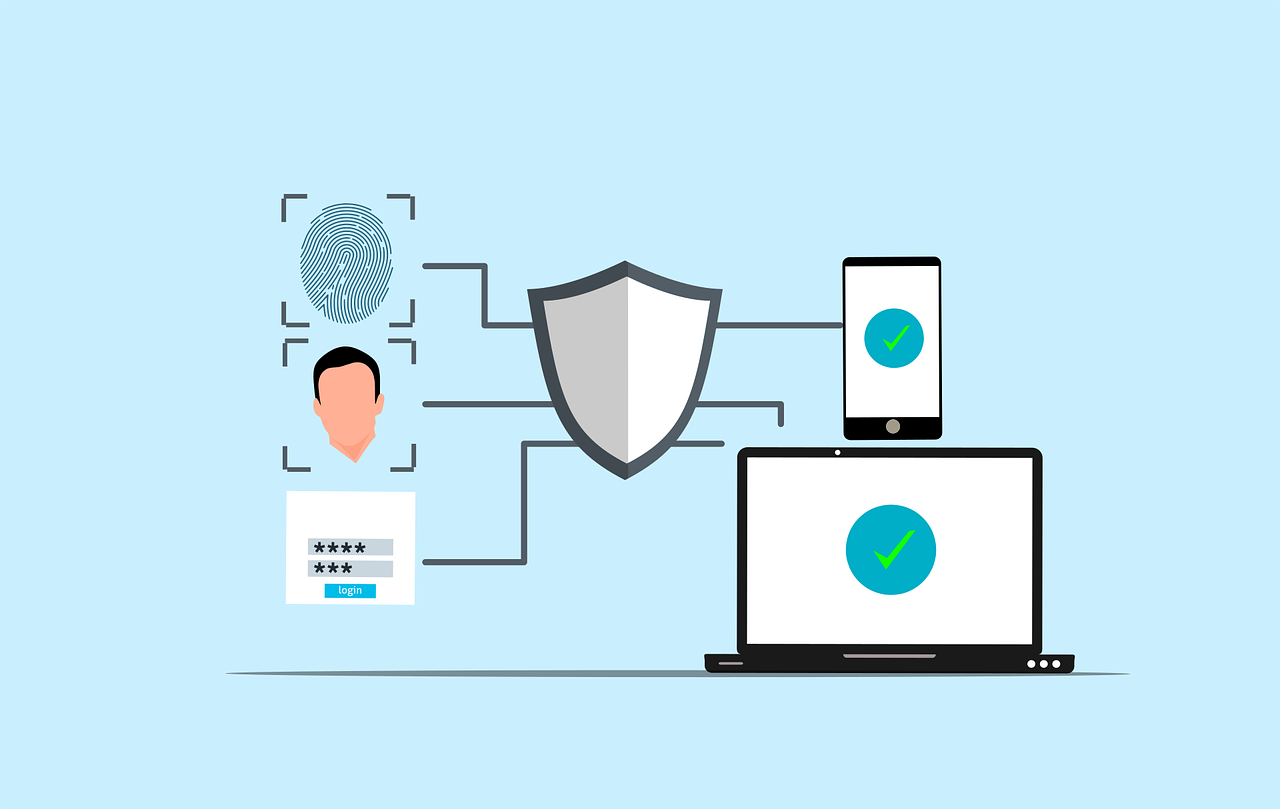
Multi Factor Authentication (MFA) is a security process that requires users to provide two or more distinct factors when logging into an account or system. This layered approach makes it more difficult for cybercriminals to successfully gain unauthorized access. Instead of relying on just one factor, such as a password, MFA requires multiple types of evidence to prove your identity. This makes it a much more secure option.

To better understand how MFA works, let’s break it down into its three core components:

Something You Know

The first factor in MFA is the most traditional and commonly used form of authentication (knowledge-based authentication). It usually involves something only the user is supposed to know, like a password or PIN. This is the first line of defense and is often considered the weakest part of security. While passwords can be strong, they’re also vulnerable to attacks such as brute force, phishing, or social engineering.

Example: Your account password or a PIN number

While it’s convenient, this factor alone is not enough to ensure security, because passwords can be easily stolen, guessed, or hacked.

Something You Have

The second factor in MFA is possession-based. This involves something physical that the user must have access to in order to authenticate. The idea is that even if someone knows your password, they wouldn’t have access to this second factor. This factor is typically something that changes over time or is something you physically carry.

Examples:

  • A mobile phone that can receive SMS-based verification codes (also known as one-time passcodes).
  • A security token or a smart card that generates unique codes every few seconds.
  • An authentication app like Google Authenticator or Microsoft Authenticator, which generates time-based codes that change every 30 seconds.

These items are in your possession, which makes it far more difficult for an attacker to access them unless they physically steal the device or break into your system.

Something You Are

The third factor is biometric authentication, which relies on your physical characteristics or behaviors. Biometric factors are incredibly unique to each individual, making them extremely difficult to replicate or fake. This is known as inherence-based authentication.

Examples:

  • Fingerprint recognition (common in smartphones and laptops).
  • Facial recognition (used in programs like Apple’s Face ID).
  • Voice recognition (often used in phone systems or virtual assistants like Siri or Alexa).
  • Retina or iris scanning (used in high-security systems).

This factor ensures that the person attempting to access the system is, indeed, the person they claim to be. Even if an attacker has your password and access to your device, they would still need to replicate or fake your unique biometric traits, which is extraordinarily difficult.

How to Implement Multi-Factor Authentication in Your Business

Implementing Multi-Factor Authentication (MFA) is an important step toward enhancing your business’s security. While it may seem like a complex process, it’s actually more manageable than it appears, especially when broken down into clear steps. Below is a simple guide to help you get started with MFA implementation in your business:

Assess Your Current Security Infrastructure

Before you start implementing MFA, it’s crucial to understand your current security posture. Conduct a thorough review of your existing security systems and identify which accounts, applications, and systems need MFA the most. Prioritize the most sensitive areas of your business, including:

  • Email accounts (where sensitive communications and passwords are often sent)
  • Cloud services (e.g., Google Workspace, Microsoft 365, etc.)
  • Banking and financial accounts (vulnerable to fraud and theft)
  • Customer databases (to protect customer data)
  • Remote desktop systems (ensuring secure access for remote workers)

By starting with your most critical systems, you ensure that you address the highest risks first and establish a strong foundation for future security.

Choose the Right MFA Solution

There are many MFA solutions available, each with its own features, advantages, and pricing. Choosing the right one for your business depends on your size, needs, and budget. Here are some popular options that can cater to small businesses:

Google Authenticator

A free, easy-to-use app that generates time-based codes. It offers an effective MFA solution for most small businesses.

Duo Security

Known for its user-friendly interface, Duo offers both cloud-based and on-premises solutions with flexible MFA options.

Okta

Great for larger businesses but also supports simpler MFA features for small companies, with a variety of authentication methods like push notifications and biometric verification.

Authy

A solution that allows cloud backups and multi-device syncing. This makes it easier for employees to access MFA codes across multiple devices.

When selecting an MFA provider, consider factors like ease of use, cost-effectiveness, and scalability as your business grows. You want a solution that balances strong security with practicality for both your organization and employees.

Implement MFA Across All Critical Systems

Once you’ve chosen an MFA provider, it’s time to implement it across your business. Here are the steps to take:

Step 1: Set Up MFA for Your Core Applications

Prioritize applications that store or access sensitive information, such as email platforms, file storage (Google Drive, OneDrive), and customer relationship management (CRM) systems.

Step 2. Enable MFA for Your Team

Make MFA mandatory for all employees, ensuring it’s used across all accounts. For remote workers, make sure they are also utilizing secure access methods like VPNs with MFA for extra protection.

Step 3. Provide Training and Support

Not all employees may be familiar with MFA. Ensure you offer clear instructions and training on how to set it up and use it. Provide easy-to-access support resources for any issues or questions they may encounter, especially for those who might not be as tech-savvy.

Remember, a smooth implementation requires clear communication and proper onboarding, so everyone understands the importance of MFA and how it protects the business.

Regularly Monitor and Update Your MFA Settings

Cybersecurity is a continuous process, not a one-time task. Regularly reviewing your MFA settings is crucial to ensuring your protection remains strong. You should:

Keep MFA Methods Updated

Consider adopting stronger verification methods, such as biometric scans, or moving to more secure authentication technologies as they become available.

Re-evaluate Authentication Needs

Regularly assess which users, accounts, and systems require MFA, as business priorities and risks evolve.

Respond to Changes Quickly

If employees lose their security devices (e.g., phones or tokens), make sure they can quickly update or reset their MFA settings. Also, remind employees to update their MFA settings if they change their phone number or lose access to an authentication device.

Test Your MFA System Regularly

After implementation, it’s essential to test your MFA system regularly to ensure it’s functioning properly. Periodic testing allows you to spot any vulnerabilities, resolve potential issues, and ensure all employees are following best practices. This could include simulated phishing exercises to see if employees are successfully using MFA to prevent unauthorized access.

In addition, monitoring the user experience is important. If MFA is cumbersome or inconvenient for employees, they may look for ways to bypass it. Balancing security with usability is key, and regular testing can help maintain this balance.

Common MFA Implementation Challenges and How to Overcome Them

While MFA offers significant security benefits, the implementation process can come with its own set of challenges. Here are some of the most common hurdles small businesses face when implementing MFA, along with tips on how to overcome them:

Employee Resistance to Change

Some employees may resist MFA due to the perceived inconvenience of having to enter multiple forms of verification. To overcome this, emphasize the importance of MFA in protecting the business from cyber threats. Offering training and support to guide employees through the setup process can help alleviate concerns.

Integration with Existing Systems

Not all applications and systems are MFA-ready, which can make integration tricky. It’s important to choose an MFA solution that integrates well with your existing software stack. Many MFA providers offer pre-built integrations for popular business tools, or they provide support for custom configurations if needed.

Cost Considerations

The cost of implementing MFA, especially for small businesses with tight budgets, can be a concern. Start with free or low-cost solutions like Google Authenticator or Duo Security’s basic plan. As your business grows, you can explore more robust, scalable solutions.

Device Management

Ensuring that employees have access to the necessary devices (e.g., phones or security tokens) for MFA can be a logistical challenge. Consider using cloud-based authentication apps (like Authy) that sync across multiple devices. This makes it easier for employees to stay connected without relying on a single device.

Managing Lost or Stolen Devices

When employees lose their MFA devices or they’re stolen, it can cause access issues and security risks. To address this, establish a device management policy for quickly deactivating or resetting MFA. Consider solutions that allow users to recover or reset access remotely. Providing backup codes or alternative authentication methods can help ensure seamless access recovery without compromising security during such incidents.

Now is the Time to Implement MFA

Multi-Factor Authentication is one of the most effective steps you can take to protect your business from cyber threats. By adding that extra layer of security, you significantly reduce the risk of unauthorized access, data breaches, and financial losses.

Start by assessing your current systems, selecting the right MFA solution, and implementing it across your critical applications. Don’t forget to educate your team and regularly update your security settings to stay ahead of evolving cyber threats.

If you’re ready to take your business’s security to the next level, or if you need help implementing MFA, feel free to contact us. We’re here to help you secure your business and protect what matters most.

Featured Image Credit

This Article has been Republished with Permission from The Technology Press.

crop-cyber-spy-hacking-system-while-typing-on-laptop

7 Unexpected Ways Hackers Can Access Your Accounts

The digital age has made our lives easier than ever, but it has also made it easier for hackers to take advantage of our online weaknesses. Hackers are getting smarter and using more creative ways to get into people’s personal and business accounts. It’s easy to think of weak passwords and phishing emails as the biggest threats, but hackers also use a lot of other, less well-known methods to get into accounts. This post will talk about seven surprising ways hackers can get into your accounts and how you can keep yourself safe.

What Are the Most Common Hacking Techniques?

Hacking methods have changed a lot over the years, taking advantage of advances in technology and tricks people are good at. Hackers still use brute force attacks and other old-fashioned methods to get around security measures, but they are becoming more sophisticated.

One very common way is social engineering, in which hackers trick people into giving up private information. Another type is credential stuffing, which is when you use stolen login information from past data breaches to get into multiple accounts. There are also attacks that are powered by AI, which lets hackers make convincing fake campaigns or even change security systems.

It is very important to understand these hacking techniques because they are the building blocks of more complex and surprising hacking techniques. We’ll talk more about these less common methods and how they can affect your digital safety in the parts that follow.

How Do Hackers Exploit Lesser-Known Vulnerabilities?

Hackers don’t always rely on obvious weaknesses; they often exploit overlooked aspects of digital security. Below are some of the unexpected ways hackers can access your accounts:

Cookie Hijacking

Cookies are small files stored on your device that save login sessions for websites. While convenient for users, they can be a goldmine for hackers. By intercepting or stealing cookies through malicious links or unsecured networks, hackers can impersonate you and gain access to your accounts without needing your password.

SIM Swapping

Your mobile phone number is often used as a second layer of authentication for online accounts. Hackers can perform a SIM swap by convincing your mobile provider to transfer your number to a new SIM card they control. Once they have access to your phone number, they can intercept two-factor authentication (2FA) codes and reset account passwords.

Deepfake Technology

Deepfake technology has advanced rapidly, allowing hackers to create realistic audio or video impersonations. This method is increasingly used in social engineering attacks, where a hacker might pose as a trusted colleague or family member to gain access to sensitive information.

Exploiting Third-Party Apps

Many people link their accounts with third-party applications for convenience. However, these apps often have weaker security protocols. Hackers can exploit vulnerabilities in third-party apps to gain access to linked accounts.

Port-Out Fraud

Similar to SIM swapping, port-out fraud involves transferring your phone number to another provider without your consent. With access to your number, hackers can intercept calls and messages meant for you, including sensitive account recovery codes.

Keylogging Malware

Keyloggers are malicious programs that record every keystroke you make. Once installed on your device, they can capture login credentials and other sensitive information without your knowledge.

AI-Powered Phishing

Traditional phishing emails are easy to spot due to poor grammar or suspicious links. However, AI-powered phishing campaigns use machine learning to craft highly convincing emails tailored specifically for their targets. These emails mimic legitimate communications so well that even tech-savvy individuals can fall victim.

In the following section, we’ll discuss how you can protect yourself against these unexpected threats.

How Can You Protect Yourself from These Threats?

Now that we’ve explored some of the unexpected ways hackers can access your accounts, it’s time to focus on prevention strategies. Below are practical steps you can take:

Strengthen Your Authentication Methods

Using strong passwords and enabling multi-factor authentication (MFA) are essential first steps. However, consider going beyond SMS-based MFA by using app-based authenticators or hardware security keys for added protection.

Monitor Your Accounts Regularly

Keep an eye on account activity for any unauthorized logins or changes. Many platforms offer notifications for suspicious activity—make sure these are enabled.

Avoid Public Wi-Fi Networks

Public Wi-Fi networks are breeding grounds for cyberattacks like cookie hijacking. Use a virtual private network (VPN) when accessing sensitive accounts on public networks.

Be Cautious with Third-Party Apps

Before linking any third-party app to your main accounts, verify its credibility and review its permissions. Revoke access from apps you no longer use.

Educate Yourself About Phishing

Learn how to identify phishing attempts by scrutinizing email addresses and avoiding clicking on unfamiliar links. When in doubt, contact the sender through a verified channel before responding.

In the next section, we’ll discuss additional cybersecurity measures that everyone should implement in today’s digital landscape.

What Additional Cybersecurity Measures Should You Take?

Beyond protecting against specific hacking techniques, adopting a proactive cybersecurity mindset is essential in today’s threat landscape. Here are some broader measures you should consider:

Regular Software Updates

Hackers often exploit outdated software with known vulnerabilities. Ensure all devices and applications are updated regularly with the latest security patches.

Data Backups

Regularly back up important data using the 3-2-1 rule: keep three copies of your data on two different storage media with one copy stored offsite. This ensures you can recover quickly in case of ransomware attacks or data loss.

Use Encrypted Communication Tools

For sensitive communications, use encrypted messaging platforms that protect data from interception by unauthorized parties.

Invest in Cybersecurity Training

Whether for personal use or within an organization, ongoing education about emerging threats is invaluable. Understanding how hackers operate helps you identify potential risks before they escalate.

By implementing these measures alongside specific protections against unexpected hacking methods, you’ll significantly reduce your vulnerability to cyberattacks. In the next section, we’ll wrap up with actionable steps you can take today.

Secure Your Digital Life Today

Cybersecurity is no longer optional—it’s a necessity in our interconnected world. As hackers continue to innovate new ways of accessing accounts, staying informed and proactive is crucial.

We specialize in helping individuals and businesses safeguard their digital assets against evolving threats. Contact us today for expert guidance on securing your online presence and protecting what matters most.

Featured Image Credit

This Article has been Republished with Permission from The Technology Press.
Free computer data digital vector

How Do Websites Use My Data? (Best Practices for Data Sharing)

Websites store and use user data in many ways, usually to personalize content, show ads, and make the user experience better. This can include everything from basic data like the type of browser and IP address to more private data like names and credit card numbers. It’s important for people to know how this information is gathered, used, and shared. In this piece, we’ll talk about how websites use user data, the best ways to share data, and why data privacy is important.

What Is Data Collection On Websites?

It is normal for websites to collect data, which means getting information about the people who use them. This can be done in a number of ways, such as by using cookies, which store information on your computer so that they can recognize you on different websites. Websites also get information from the things people do on them, like when they click, scroll, and fill out forms. This information is often used to improve the user experience by showing them more relevant ads and custom content.

Websites usually gather two kinds of information: first-party data, which comes from the website itself, and third-party data, which comes from outside sources like advertising. First-party data includes things like past purchases and browsing history. Third-party data, on the other hand, could include demographic information or hobbies gathered from other websites.

Not only does the website gather information about its users, but it also shares that information with other businesses. For example, social media sites like Google and Facebook put tracking codes on other websites to learn more about how people use the internet. After that, this information is used to better target ads.

Gathering data brings up important concerns about safety and privacy. People who use the service should know how their information is being shared and used. This knowledge is very important for keeping users’ trust in websites.

In the next section, we’ll discuss how data sharing works and its implications.

How Does Data Sharing Work?

Data sharing is the process of making data available to multiple users or applications. It is a common practice among businesses and institutions, often facilitated through methods like File Transfer Protocol (FTP), Application Programming Interfaces (APIs), and cloud services. Data sharing can enhance collaboration and provide valuable insights but also poses significant privacy risks if not managed properly.

Understanding Data Sharing Methods

Data sharing methods vary based on the type of data and the parties involved. For instance, APIs are widely used for real-time data exchange between different systems, while cloud services provide a centralized platform for accessing shared data. Each method has its advantages and challenges, particularly in terms of security and privacy.

Challenges In Data Sharing

One of the main challenges in data sharing is ensuring that sensitive information remains secure. Implementing robust security measures, such as encryption and access controls, is crucial to prevent unauthorized access. Additionally, data sharing must comply with privacy laws like GDPR and CCPA, which require transparency and user consent.

Data sharing also involves ethical considerations, such as ensuring that data is used for its intended purpose and that users have control over their information. This requires establishing clear data governance policies and maintaining detailed records of shared data.

In the next section, we’ll delve into the best practices for managing user data on websites.

How Should Websites Manage User Data?

Managing user data effectively is essential for building trust and ensuring compliance with privacy regulations. Collecting only necessary data reduces the risk of breaches and simplifies compliance. Websites should also implement secure data storage solutions, such as encryption, to protect user information.

Best Practices for Data Management

  1. Transparency and Consent: Websites should clearly communicate how user data is collected and used. Users should have the option to opt-in or opt-out of data collection, and they should be able to access, modify, or delete their personal information.
  2. Data Minimization: Collecting only the data that is necessary for the website’s functionality helps reduce the risk of data breaches and improves compliance with privacy laws.
  3. Secure Data Storage: Encrypting data both at rest and in transit ensures that it remains secure even if intercepted. Regular security audits and updates are also crucial to prevent vulnerabilities.
  4. User Control: Providing users with tools to manage their data preferences fosters trust and accountability. This includes options to download, edit, or delete personal information.

By following these best practices, websites can ensure that user data is handled responsibly and securely.

In the next section, we’ll explore the importance of data privacy and compliance.

Why Is Data Privacy Important?

Data privacy is a fundamental right that ensures individuals have control over their personal information. Organizations must implement processes and controls to protect the confidentiality and integrity of user data. This includes training employees on compliance requirements and using technical tools like encryption and access management.

Data privacy regulations, such as GDPR and CCPA, impose strict penalties for non-compliance. Therefore, it’s essential for organizations to develop comprehensive data privacy frameworks that include obtaining informed consent, implementing data encryption, and ensuring transparency in data usage.

Ensuring Compliance

Ensuring compliance with data privacy laws requires ongoing efforts. This includes regularly reviewing and updating privacy policies, conducting security audits, and maintaining detailed records of data processing activities.

Building Trust Through Transparency

Transparency is key to building trust with users. Websites should provide clear and accessible information about how personal data is used and shared. Users should also have easy options to withdraw consent or manage their data preferences.

In the final section, we’ll discuss how users can protect their data and what steps they can take to ensure their privacy online.

How Can Users Protect Their Data?

Users can take several steps to protect their data online. Using privacy-focused browsers and extensions can help block tracking cookies and scripts. Additionally, being cautious with personal information shared online and regularly reviewing privacy settings on social media platforms are important practices.

Users should also be aware of the data collection policies of websites they visit. Reading privacy policies and understanding how data is used can help users make informed decisions about their online activities.

Tools For Data Protection

Several tools are available to help users protect their data. VPNs can mask IP addresses and encrypt internet traffic, while password managers can secure login credentials. Regularly updating software and using strong, unique passwords are also essential for maintaining online security.

Educating Yourself

Educating oneself about data privacy and security is crucial in today’s digital age. Understanding how data is collected and used can empower users to make better choices about their online activities.

Understanding how websites use and share user data is essential for maintaining privacy and security online. By following best practices for data sharing and privacy, both websites and users can ensure a safer and more transparent digital environment.

Take Action to Protect Your Data

If you’re concerned about how your data is being used online, it’s time to take action. At our company, we specialize in helping individuals and businesses navigate the complex world of data privacy and security. Whether you need guidance on implementing privacy policies or securing your online presence, we’re here to help. Contact us today to learn more about how you can protect your data and ensure a safer digital experience.

Featured Image Credit

This Article has been Republished with Permission from The Technology Press.
Free password login sign vector

What is Password Spraying?

Password spraying is a complex type of cyberattack that uses weak passwords to get into multiple user accounts without permission. Using the same password or a list of passwords that are often used on multiple accounts is what this method is all about. The goal is to get around common security measures like account lockouts. 

Attacks that use a lot of passwords are very successful because they target the weakest link in cybersecurity, which is people and how they manage their passwords. This piece will explain how password spraying works, talk about how it’s different from other brute-force attacks, and look at ways to find and stop it. We will also look at cases from real life and talk about how businesses can protect themselves from these threats.

What Is Password Spraying And How Does It Work?

A brute-force attack called “password spraying” tries to get into multiple accounts with the same password. Attackers can avoid account shutdown policies with this method. These policies are usually put in place to stop brute-force attacks that try to access a single account with multiple passwords. For password spraying to work, a lot of people need to use weak passwords that are easy to figure out. 

Attackers often get lists of usernames from public directories or data leaks that have already happened. They then use the same passwords to try to log in to all of these accounts. Usually, the process is automated so that it can quickly try all possible pairs of username and password.

The attackers’ plan is to pick a small group of common passwords that at least some people in the target company are likely to use. These passwords are usually taken from lists of common passwords that are available to the public, or they are based on information about the group, like the name or location of the company. Attackers lower their chances of being locked out while increasing their chances of successfully logging in by using the same set of passwords for multiple accounts.

A lot of people don’t notice password spraying attacks because they don’t cause as much suspicious behavior as other types of brute-force attacks. The attack looks less dangerous because only one password is used at a time, so it might not set off any instant alarms. But if these attempts are made on multiple accounts, they can have a terrible effect if they are not properly tracked and dealt with.

Password spraying has become popular among hackers, even those working for the government, in recent years. Because it is so easy to do and works so well to get around security measures, it is a major threat to both personal and business data security. As cybersecurity improves, it will become more important to understand and stop password spraying threats.

In the next section, we’ll discuss how password spraying differs from other types of cyberattacks and explore strategies for its detection.

How Does Password Spraying Differ from Other Cyberattacks?

Password spraying is distinct from other brute-force attacks in its approach and execution. While traditional brute-force attacks focus on trying multiple passwords against a single account, password spraying uses a single password across multiple accounts. This difference allows attackers to avoid triggering account lockout policies, which are designed to protect against excessive login attempts on a single account.

Understanding Brute-Force Attacks

Brute-force attacks involve systematically trying all possible combinations of passwords to gain access to an account. These attacks are often resource-intensive and can be easily detected due to the high volume of login attempts on a single account.

Comparing Credential Stuffing

Credential stuffing is another type of brute-force attack that involves using lists of stolen username and password combinations to attempt logins. Unlike password spraying, credential stuffing relies on previously compromised credentials rather than guessing common passwords.

The Stealthy Nature of Password Spraying

Password spraying attacks are stealthier than traditional brute-force attacks because they distribute attempts across many accounts, making them harder to detect. This stealthiness is a key factor in their effectiveness, as they can often go unnoticed until significant damage has been done.

In the next section, we’ll explore how organizations can detect and prevent these attacks.

How Can Organizations Detect and Prevent Password Spraying Attacks?

Detecting password spraying attacks requires a proactive approach to monitoring and analysis. Organizations must implement robust security measures to identify suspicious activities early on. This includes monitoring for unusual login attempts, establishing baseline thresholds for failed logins, and using advanced security tools to detect patterns indicative of password spraying.

Implementing Strong Password Policies

Enforcing strong, unique passwords for all users is crucial in preventing password spraying attacks. Organizations should adopt guidelines that ensure passwords are complex, lengthy, and regularly updated. Tools like password managers can help users generate and securely store strong passwords.

Deploying Multi-Factor Authentication

Multi-factor authentication (MFA) significantly reduces the risk of unauthorized access by requiring additional verification steps beyond just a password. Implementing MFA across all user accounts, especially those accessing sensitive information, is essential for protecting against password spraying.

Conducting Regular Security Audits

Regular audits of authentication logs and security posture assessments can help identify vulnerabilities that could facilitate password spraying attacks. These audits should focus on detecting trends that automated tools might miss and ensuring that all security measures are up-to-date and effective.

In the next section, we’ll discuss additional strategies for protecting against these threats.

What Additional Measures Can Be Taken to Enhance Security?

Beyond the core strategies of strong passwords and MFA, organizations can take several additional steps to enhance their security posture against password spraying attacks. This includes configuring security settings to detect and respond to suspicious login attempts, educating users about password security, and implementing incident response plans.

Enhancing Login Detection

Organizations should set up detection systems for login attempts to multiple accounts from a single host over a short period. This can be a clear indicator of a password spraying attempt. Implementing stronger lockout policies that balance security with usability is also crucial.

Educating Users

User education plays a vital role in preventing password spraying attacks. Users should be informed about the risks of weak passwords and the importance of MFA. Regular training sessions can help reinforce best practices in password management and security awareness.

Incident Response Planning

Having a comprehensive incident response plan in place is essential for quickly responding to and mitigating the effects of a password spraying attack. This plan should include procedures for alerting users, changing passwords, and conducting thorough security audits.

Taking Action Against Password Spraying

Password spraying is a significant threat to cybersecurity that exploits weak passwords to gain unauthorized access to multiple accounts. Organizations must prioritize strong password policies, multi-factor authentication, and proactive monitoring to protect against these attacks. By understanding how password spraying works and implementing robust security measures, businesses can safeguard their data and systems from these sophisticated cyber threats.

To enhance your organization’s cybersecurity and protect against password spraying attacks, consider reaching out to us. We specialize in providing expert guidance and solutions to help you strengthen your security posture and ensure the integrity of your digital assets. Contact us today to learn more about how we can assist you in securing your systems against evolving cyber threats.

Featured Image Credit

This Article has been Republished with Permission from The Technology Press.
Free internet security digital vector

7 New and Tricky Types of Malware to Watch Out For

Malware is a huge threat in the digital world. It can cause a lot of damage and cost people a lot of money. As technology advances, so do the tactics used by cybercriminals. In this article, we will explore some of the newest and trickiest types of malware.

7 Malware Threats to Watch Out For

Malware keeps getting more complex and harder to detect. Here are seven new and tricky types of malware that you should know about:

1. Polymorphic Malware

Polymorphic malware is a type of malware that changes its code every time it replicates. This makes it hard for antivirus software to detect because it looks different each time. Polymorphic malware uses an encryption key to change its shape and signature. It combines a mutation engine with self-propagating code to change its appearance continuously and rapidly morph its code.

This malware consists of two main parts: an encrypted virus body and a virus decryption routine. The virus body changes its shape, while the decryption routine remains the same and decrypts and encrypts the other part. This makes it easier to detect polymorphic malware compared to metamorphic malware, but it can still quickly evolve into a new version before anti malware detects it.

Criminals use obfuscation techniques to create polymorphic malware. These include: 

  • dead-code insertion
  • subroutine reordering
  • register reassignment
  • instruction substitution
  • code transposition
  • code integration

These techniques make it harder for antivirus programs to detect the malware. Polymorphic malware has been used in several notable attacks, where it spread rapidly and evaded detection by changing its form frequently. This type of malware is particularly challenging because it requires advanced detection methods beyond traditional signature-based scanning.

2. Fileless Malware

Fileless malware is malicious software that works without planting an actual file on the device. Over 70% of malware attacks do not involve any files. It is written directly into the short-term memory (RAM) of the computer. This type of malware exploits the device’s resources to execute malicious activities without leaving a conventional trace on the hard drive.

Fileless malware typically starts with a phishing email or other phishing attack. The email contains a malicious link or attachment that appears legitimate but is designed to trick the user into interacting with it. Once the user clicks on the link or opens the attachment, the malware is activated and runs directly in RAM. It often exploits vulnerabilities in software like document readers or browser plugins to get into the device.

After entering the device, fileless malware uses trusted operating system administration tools like PowerShell or Windows Management Instrumentation (WMI) to connect to a remote command and control center. From there, it downloads and executes additional malicious scripts, allowing attackers to perform further harmful activities directly within the device’s memory. Fileless malware can exfiltrate data, sending stolen information to attackers and potentially spreading across the network to access and compromise other devices or servers. This type of malware is particularly dangerous because it can operate without leaving any files behind, making it difficult to detect using traditional methods.

3. Advanced Ransomware

Ransomware is a sophisticated form of malware designed to hold your data hostage by encrypting it. Advanced ransomware now targets not just individual computers but entire networks. It uses strong encryption methods and often steals sensitive data before encrypting it. This adds extra pressure on victims to pay the ransom because their data could be leaked publicly if they don’t comply.

Ransomware attacks typically start with the installation of a ransomware agent on the victim’s computer. This agent encrypts critical files on the computer and any attached file shares. After encryption, the ransomware displays a message explaining what happened and how to pay the attackers. If the victims pay, they are promised a code to unlock their data.

Advanced ransomware attacks have become more common, with threats targeting various sectors, including healthcare and critical infrastructure. These attacks can cause significant financial losses and disrupt essential services.

4. Social Engineering Malware

Social engineering malware tricks people into installing it by pretending to be something safe. It often comes in emails or messages that look real but are actually fake. This type of malware relies on people making mistakes rather than exploiting technical weaknesses.

Social engineering attacks follow a four-step process: information gathering, establishing trust, exploitation, and execution. Cybercriminals gather information about their victims, pose as legitimate individuals to build trust, exploit that trust to collect sensitive information, and finally achieve their goal, such as gaining access to online accounts.

5. Rootkit Malware

Rootkit malware is a program or collection of malicious software tools that give attackers remote access to and control over a computer or other system. Although rootkits have some legitimate uses, most are used to open a backdoor on victims’ systems to introduce malicious software or use the system for further network attacks.

Rootkits often attempt to prevent detection by deactivating endpoint antimalware and antivirus software. They can be installed during phishing attacks or through social engineering tactics, giving remote cybercriminals administrator access to the system. Once installed, a rootkit can install viruses, ransomware, keyloggers, or other types of malware, and even change system configurations to maintain stealth.

6. Spyware

Spyware is malicious software designed to enter your computer device, gather data about you, and forward it to a third-party without your consent. Spyware can monitor your activities, steal your passwords, and even watch what you type. It often affects network and device performance, slowing down daily user activities.

Spyware infiltrates devices via app install packages, malicious websites, or file attachments. It captures data through keystrokes, screen captures, and other tracking codes, then sends the stolen data to the spyware author. The information gathered can include login credentials, credit card numbers, and browsing habits.

7. Trojan Malware

Trojan malware is a sneaky type of malware that infiltrates devices by camouflaging as a harmless program. Trojans are hard to detect, even if you’re extra careful. They don’t self-replicate, so most Trojan attacks start with tricking the user into downloading, installing, and executing the malware.

Trojans can delete files, install additional malware, modify data, copy data, disrupt device performance, steal personal information, and send messages from your email or phone number. They often spread through phishing scams, where scammers send emails from seemingly legitimate business email addresses.

Protect Yourself from Malware

Protecting yourself from malware requires using the right technology and being aware of the risks. By staying informed and proactive, you can significantly reduce the risk of malware infections. If you need help safeguarding your digital world, contact us today for expert advice.

Featured Image Credit

This Article has been Republished with Permission from The Technology Press.

Free An overhead view of a person working on a laptop in a minimalist home office setting. Stock Photo

Where Do Deleted Files Go?

It may seem like the file is gone for good when you delete it from your computer. However, the truth is more complicated than that. A deleted file doesn’t really disappear from your hard drive; it stays there until new data fills up the space it occupied

This process might be hard to understand for people who don’t know much about how computers handle files. We’ll discuss what happens to deleted files, how to recover them, and why they might still be on your device.

What Happens When You Delete a File?

It’s not as easy as it seems to delete a file. When you send a file to the Trash or Recycle Bin, it is not erased from your hard drive right away. It is instead taken to a temporary storage place and stays there until you decide to empty the bin. The file’s data stays on the hard drive even after the bin is empty; it is marked as free space that can be used by other files.

When you delete a file, you remove its record from the file system. The file system is like a directory that keeps track of all the files on your computer. The operating system will no longer know where the file is, but the data inside will still be there. This is why it’s often possible to recover deleted files with special software, as long as the space hasn’t been filled with something else.

Getting rid of files is a lot like taking the title off of a VHS tape. People who are looking for the movie can still find it on the tape, but without the name, it’s like the movie doesn’t exist. Also, when you remove a file, you’re removing its label from the file system. The data, on the other hand, stays on the hard drive until it’s overwritten.

To manage data successfully and safely, you need to understand this process. For instance, deleting private information might not be enough if you want to be sure it’s gone for good. If you want to delete the information on your hard drive safely, you may need to use extra tools. Next, we’ll explore how to recover deleted files and the importance of backups.

How Can I Get Back Deleted Files?

To recover deleted files, you need software that can scan your hard drive for data that has been marked as available but hasn’t been written over yet. This method might work if the file was recently deleted and the space it took up hasn’t been filled with new data.

How Software for Recovery Works

The way recovery software works is by scanning the hard drive for areas that have data in them but are not currently linked to any file in the file system. After that, it tries to rebuild the file by putting these parts back together. How well this process works will depend on how quickly the recovery is attempted and whether the sections have been written over.

What File Recovery Can’t Do

File recovery works sometimes, but not all the time. It’s much harder or even impossible to recover a removed file if the space it took up has been written over. It’s also possible for the quality of the recovered file to vary, with some files being fully recovered and others only partly.

Why Backups Are Important

Because file recovery isn’t always possible, it’s important to keep regular copies of important data. This ensures that you can still access a file through your backups even if you delete it and can’t recover it.

We’ll discuss more about how different devices handle deleted data and the concept of “secure deletion” in the next section. 

What Does Happen on Various Devices?

Deleted files are handled in a few different ways by different systems. Android phones have a folder called “Recently Deleted” where lost files are kept. This is similar to the “Recycle Bin” or “Trash” on any other computer. Photos and movies deleted from an iPhone are kept in the “Recently Deleted” album in the Photos app for 30 days before being deleted for good.

Secure Deletion

Secure deletion does more than just delete a file from the file system; it also writes over the space it took up to make sure the data can’t be retrieved. This is especially important if you want to make sure that all of your private data is gone.

SSDs vs. HDDs

How lost files are dealt with depends on the type of storage device used. Solid-State Drives (SSDs) handle deleted data more efficiently with a method called TRIM. This can make recovery harder than with traditional Hard Disk Drives (HDDs). 

To keep your information safe on multiple devices, you need to know about these differences. Next, we’ll discuss how to ensure that deleted files are really gone and what you can do to keep your data safe.

How To Make Sure Files Are Really Deleted

There is more to do than just putting things in the trash or recycle bin to make sure they are really gone. You need to do more to ensure that the data is safely erased. This is especially important if you want to keep private data safe from unauthorized access.

You can safely delete files with software that is designed for that purpose. These tools delete files and then overwrite the space they filled several times, making it almost impossible to recover the data. In order to keep private data safe, this step is very important and is called “secure deletion.” Good data management practices can help keep your data safe and secure in addition to secure deletion. Some examples are making regular backups and encrypting your data. 

Take Charge of Your Information

To sum up, if you want to keep your digital life safe, you need to know where deleted files go and how to recover them. You can keep your information safe from unauthorized access by managing your data and backing it up regularly. If you need help safely deleting sensitive files or have questions about how to handle your data, please contact us.

Featured Image Credit

This Article has been Republished with Permission from The Technology Press.
Free to hack fraud map vector

New Gmail Threats Targeting Users in 2025 (and How to Stay Safe)

Cybercriminals target Gmail a lot because it’s very popular. It also integrates with many other Google services. As AI-powered hacking attacks become more common, it gets harder for people to distinguish between real and fake emails. 

As 2025 approaches, it’s crucial for Gmail users to be aware of these new threats and take steps to keep their accounts safe. We’ll discuss the new threats that Gmail users face in 2025 and give tips on how to stay safe.

What Are the New Threats to Gmail in 2025?

Cyber threats are constantly evolving, and some of the most sophisticated attempts have been aimed at Gmail. One major concern is that Artificial Intelligence (AI) is being used to create scam emails that appear very real. The purpose of these emails is to mimic real ones, making them difficult to spot. AI is also being used to create deepfakes and viruses, which complicates security even further.

Gmail is deeply connected to other Google services. This means if someone gains access to a user’s Gmail account, they might be able to access all of their digital assets. These include Google Drive, Google Pay, and saved passwords. This makes it even more critical for people to secure their Gmail accounts.

When hackers use AI in phishing attacks, they can analyze how people communicate. This helps them write to create emails that look almost exactly like real ones. This level of sophistication has made phishing efforts much more likely to succeed. Now, almost half of all phishing attempts use AI technology.

Gmail continually updates its security, so users need to be adaptable to stay safe. We’ll delve into the specifics of these threats and explore how they work in the next part. Cyber threats are always changing, and Gmail users must stay vigilant to protect themselves. Next, we will explore what these threats mean for Gmail users and how they can impact both individuals and businesses.

What Do These Threats Mean for Gmail Users?

Gmail users are particularly concerned about phishing scams that utilize AI. AI is used in these attacks to analyze and mimic the communication styles of trusted sources, such as banks or Google. This makes it difficult for people to identify fake emails because they often appear real and personalized.

This is what deepfakes and malware do:

  • Deepfakes and viruses created by AI are also becoming more prevalent. 
  • Deepfakes can be used to create fake audio or video messages that appear to come from people you know and trust (which complicates security more). 
  • AI-generated malware is designed to evade detection by regular security tools.

Effects on People and Businesses

Identity theft and financial fraud are two risks for individuals who use Gmail. But these threats have implications that extend beyond individual users. Businesses are also at risk. Compromised Gmail accounts can lead to data breaches and operational disruptions.

To stay safe, users need to be aware of these risks and take proactive steps to protect themselves. The impact of these threats on both individuals and businesses shows how important security is. Next, we will explore other dangers that Gmail users should be aware of.

What Are Some Other Dangers That Gmail Users Should Know About?

AI-powered hacking isn’t the only new threat that Gmail users should be aware of. More zero-day exploits are being used to attack users. They exploit previously unknown security vulnerabilities in Gmail. This allows them to bypass traditional security measures. Attackers can access accounts without permission before Google can address the issue.

Quantum computing is also a huge threat to current encryption methods. As quantum computing advances, it may become possible to break complex passwords and encryption keys. This could make it easier for hackers to access Gmail accounts. Users can implement strong passwords, enable two-factor authentication, and regularly check account settings for suspicious activity. Next, we will explore how to keep your Gmail account safe.

How Can I Keep My Gmail Account Safe?

There are tons of security threats out there for Gmail users. But there are still things you can do to stay safe. Several steps can be taken to protect your Gmail account from these threats:

Make Your Password Stronger

It is very important to use a strong, unique password. This means avoiding common patterns and ensuring the password is not used for more than one account. A password generator can help create strong passwords and keep them secure.

Turn on Two-Step Verification

Two-factor authentication is safer than a password. This is because it requires a second form of verification, like a code sent to your phone or a physical security key. Attackers will have a much harder time accessing your account.

Check Third-Party Access

It’s important to monitor which apps and services can access your Gmail account. As a safety measure, remove any access that is no longer needed.

Use the Advanced Protection Program in Gmail

Google’s Advanced Protection Program gives extra protection against scams and malware. It includes two-factor authentication and physical security keys. It also scrutinizes file downloads and app installations thoroughly. By following these steps, Gmail users can significantly reduce their risk of falling victim to these threats.

Keep Your Gmail Account Safe

As we’ve discussed, the threats to Gmail users are real and evolving. Users can protect themselves by staying informed and implementing robust security measures. Never give up and be prepared to address new challenges as they arise.

Staying up-to-date on the latest security practices and best practices is important to keep your Gmail account safe. In today’s cyber world, it’s crucial for both individuals and businesses to protect their digital assets. Don’t hesitate to reach out if you’re concerned about keeping your Gmail account safe or need more help avoiding these threats. You can count on our team to help you stay safe online as the world of hacking continues to evolve.

Featured Image Credit

This Article has been Republished with Permission from The Technology Press.
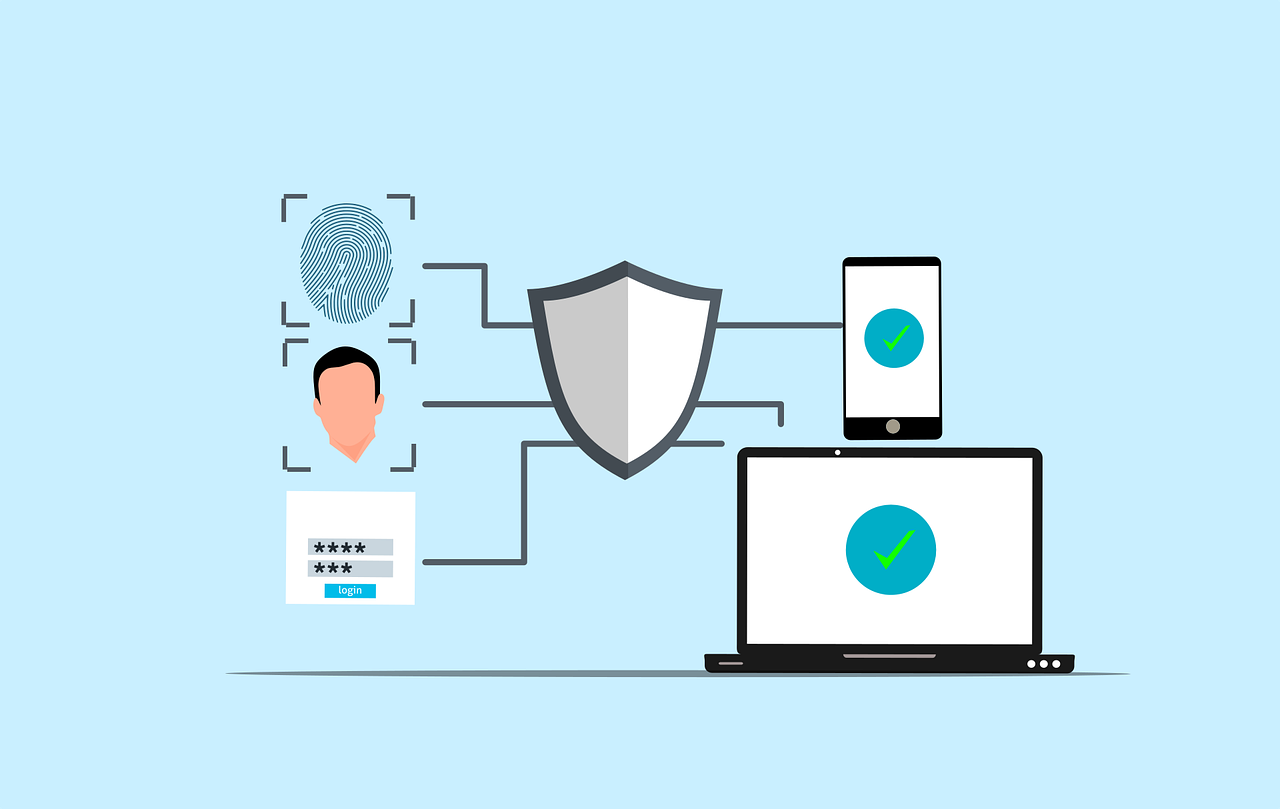
Free cybersecurity security authentication vector

All About the New U.S. Cyber Trust Mark

The Cyber Trust Mark is a new smart device label created by the US government to prove that a device is safe. Internet of Things (IOT) devices have risen in popularity recently. Devices like smart thermostats and baby monitors make our lives easier, but also open us up to cyber threats. 

There were over 112 million IoT cyber attacks worldwide in 2022, and this number continues to grow. With an increase in AI-powered attacks, an 82% increase was expected in 2024. The United States created new standards to confirm a device is safe. 

As a result, you may see a shield with the “U.S. Cyber Trust Mark” when device shopping. Let’s take a look at what this means and how you can use this new feature next time you make a purchase. 

What is the Cyber Trust Mark?

Smart devices are everywhere nowadays, from our homes to offices. Yet, some such devices are still insecure, leaving openings for hackers to steal our info and spy on us. In 2023, TVs, smart plugs, and digital video recorders had the most IoT vulnerabilities and attacks. Many more types of devices may be dangerous without our knowledge. 

This problem is now being solved through the Cyber Trust Mark. It will tell you which device is safe without a doubt. Even if you’re not tech-savvy, you can purchase with confidence.  

How Does a Device Get the Cyber Trust Mark?

To get the U.S. Cyber Trust Mark, a device has to undergo tests to verify its security. These tests cover several points and examine things like:

First, the device should have strong passwords. Weak passwords are easily guessed by hackers. This is one of the most common ways cybercriminals hack into devices. Next, the device should keep your information safe. It should use appropriate methods to lock up your data for privacy and security. 

The device should also be regularly updated. These updates fix problems and keep the device safe from hackers. Devices with frequent updates are more secure than others. 

How Often are the Standards That Define the Cyber Trust Mark Updated?

The standards of the mark will change over time. New threats keep appearing, and the government will update the standards to cope with these. This way, the mark will always stand for good security.

Retesting of the devices might sometimes be necessary. This helps to ensure that they still meet the standards.

How Can Companies Get the Mark for Their Devices?

Companies have to apply to get the mark. They send their devices for testing, and if it passes, it gets the mark. The company can then put the mark on the box of the device.

This requires time and costs, but it’s worth it for businesses. It can help them sell more devices with an increase in consumer trust. 

When Will We See the Cyber Trust Mark?

It is new, but the mark will start showing up on devices soon. They want stores to start using it immediately, meaning the next time we go shopping, we may see it. Many types of smart devices may obtain the Cyber Trust Mark, including but not limited to the following:

  • Smart TVs
  • Smart speakers
  • Security cameras
  • Smart thermostats
  • Smart locks

How Does the Mark Help Consumers?

The Cyber Trust Mark makes shopping simpler. It doesn’t require any technical knowledge. All you have to do is look for the mark to confirm which device is safe. 

The mark also encourages companies to make safer devices. They want the mark, so they work harder at security.

What if a Device Doesn’t Have the Mark?

If a device doesn’t have the mark, that doesn’t mean it’s not safe. In this case, you should look into its safety features. You may also ask the store or check online for more information.

Wherever possible, it’s best to choose devices that carry the mark. This way, you can be sure they have passed important safety tests.

What to Do If You Already Have Smart Devices?

If you already have smart devices, don’t worry. You can still take steps to make them safer, even without the trust mark. 

Here are some tips:

  • Change default passwords 
  • Keep the software updated 
  • Turn off features you don’t use 
  • Use a strong Wi-Fi password

Follow these steps to help protect your devices and your info.

What’s Next for Smart Device Safety?

The Cyber Trust Mark is a big step for device safety, but it’s just the beginning. We’ll see more changes in the future. These may include:

  • Stricter standards for the mark
  • More types of devices getting the mark
  • Better ways to test device safety

The goal is to make all our smart devices safer to protect our info and our privacy. For now, the mark will only apply within the U.S., but other countries may create something similar in the future. 

Stay Safe and Smart

The Cyber Trust Mark helps us in making informed choices; it’s an easy way to know what devices are safe. When you shop, look for the mark. It’s your sign of a trustworthy device.

Keep in mind that device safety is constantly changing. Keep yourself informed about new threats and safety tips. 

If you have any questions about device safety, don’t be afraid to ask. Contact us today for help making your smart home safe and secure.

Featured Image Credit

This Article has been Republished with Permission from The Technology Press.
Free cyber security phone login vector

Top 10 Security Tips for Mobile App Users

Mobile applications have become an integral part of our lives. We use them to browse the internet, network, communicate, and much more. But they open us up to risks caused by fraudsters who may steal information or damage our phones. 

According to 2024 data from Asee, over 75% of published apps have at least one security vulnerability. This means that 3 out of every 4 your favorite apps could be risky to use. It’s important to be cautious while downloading and maintaining apps. Here are ten simple tips that can help keep your mobile apps secure.

Why Is Mobile App Security Important? 

Not only do 75% of apps risk our security, but business apps are three times more likely to leak log-in information. These risks also include even the most popular apps. Those with over 5 million downloads still have at least one security flaw. 

Using mobile apps is not always safe. There are many ways for hackers and criminals to steal your data. This can happen because of your internet connection, app permissions, and more. Next, we’ll cover ten essential security tips to keep your data safe when using mobile apps. 

Top 10 Security Tips for Mobile App Users 

Mobile apps can be dangerous, but there are ways to reduce these risks. If you’re careful about where you download apps, the permissions you allow, the internet connection you use, and more, you can keep your data as safe as possible. Here are the top ten security tips for mobile app users: 

1. Only download from official stores

The first step of mobile app security is choosing safe apps. Some apps are not secure, even when they look legit. It’s important to be aware of the source before you click download. Always download your apps from the App Store or Google Play. 

These stores check apps to make sure they’re safe. Don’t download from random websites. They might have fake apps that can hurt your phone.

2. Check app ratings and reviews

Before you download an app, see what other people are saying about it. If lots of people like it and say it’s safe, it is probably fine. But if people are saying it has problems, perhaps you don’t want to install it.

3. Read app permissions

When you find an app you want to download, stop and do research first. If you download a fake app by mistake, your device may be attacked. It can open you up to malware, ransomware, and more threats. 

Apps frequently request permission to access certain parts of your phone. Maybe they want to know your location or use your camera. Consider whether they really need that information. If an app requests access to too much, do not install it.

4. Update your phone’s operating system

Keep the software on your phone up to date. New updates frequently patch security vulnerabilities. This makes it more difficult for the bad guys to hack into your phone.

5. Use strong passwords

We use apps for many day-to-day tasks like sending emails, storing files, and sharing on social media. If an app is hacked, your personal information can be stolen. 

Passwords protect your apps. Make sure your password is difficult to guess. Use letters, numbers, and symbols. Do not use the same password for all apps. That way, if a person guesses one password, he or she cannot access all your apps.

6. Enable two-factor authentication

Two-factor authentication means an additional step in order to log in. It can send a code to your phone or email. This will make it way harder for bad people to get into your accounts.

7. Beware of public Wi-Fi

Public Wi-Fi is never a safe space. There may be bad guys watching what you do online. Never use public Wi-Fi on important apps. Wait until you’re on a safe network, like the apps for banking.

8. Log out of apps not in use

Log out of apps whenever you’re done using them. This is even more important when the apps hold personal information, such as banking or email apps. In case someone steals your phone, it’s much harder for them to access your apps.

9. Update your apps 

Developers of applications usually fix security issues in updates. Keep updating your apps whenever newer versions get released. It will help in safeguarding your information.

10. Use security features 

Lots of apps have additional security features. These may include fingerprint locks or face recognition. Switch these on if you can, as they can help stop other people using your apps. Even with these security tips, it’s important to take other measures to protect your data. Be sure to follow our tips on safe downloads and data protection in addition. 

Stay Safe While Using Mobile Apps 

It’s not hard to stay safe with mobile apps. Just be careful and think before you act. Only download apps you trust. Keep your phone and apps updated. Use strong passwords and extra security when you can.

Remember, safety is in your hands. Don’t hesitate to ask for help with app security. For more mobile app security tips, feel free to contact us today.

Featured Image Credit

This Article has been Republished with Permission from The Technology Press.
Free hacker computer programming vector

Spotting the Difference Between Malware and Ransomware

Malware and ransomware are two types of bad software. They can damage your computer or steal your data. Downloading this harmful software comes with serious consequences. In 2024, there were more than 60 million new strains of malware found on the internet. 

This is why it’s critical to understand the difference between them. This article will help you understand both types of threats.

What is Malware?

Malware is a general term that means “malicious software.” It includes many types of harmful programs. Depending on the type, malware can do different bad things to your computer. These are the four main types of malware: 

  • Viruses: These spread from one computer to another.
  • Worms: They can copy themselves without your help.
  • Trojans: They trick you into thinking they’re good programs.
  • Spyware: This type watches what you do on your computer.

Malware can cause a lot of problems. If you get malware on your device, it can: 

  • Slow down your computer
  • Delete your files
  • Steal your personal info
  • Use your computer to attack others

What is Ransomware?

Ransomware is a type of malware. It locks your files or your entire computer, then it demands money to unlock them. It is a form of digital kidnapping of your data.

Ransomware goes by a pretty basic pattern:

  1. It infects your computer, normally through an e-mail or download.
  2. It encrypts your files. This means it locks them with a secret code.
  3. It displays a message. The message requests money to decrypt your files.
  4. You may be provided with a key to unlock the files if you pay. In other cases, the attackers abscond with your money.

As of 2024, the average ransom was $2.73 million. This is almost a $1 million increase from the previous year according to Sophos. There are primarily two types of ransomware:

  1. Locker ransomware: This locks the whole computer.
  2. Crypto ransomware: This only encrypts your files.

How are Malware and Ransomware Different?

The main difference between malware and ransomware is their goal. Malware wants to cause damage or steal info. Ransomware wants to get money from you directly.

While malware wants to take your data, ransomware will lock your files and demand payment to unlock them. Their methods are also different. Malware works in secret and you may not know it’s there. Ransomware makes its presence known so the attackers can ask you for money. 

How Does It Get onto Your Computer?

Malware and ransomware can end up on your computer in many of the same ways. 

These include: 

  • Through email attachments 
  • Via phony websites 
  • Via a USB drive with an infection 
  • From using outdated software 

These are the most common methods, but new techniques are on the rise. Fileless malware was expected to grow 65% in 2024, and AI-assisted malware may make up 20% of strains in 2025. If you get infected by malware or ransomware, it’s important to act quickly. You should know these signs of infection to protect yourself. 

For malware:

  • Your computer is slow
  • Strange pop-ups appear
  • Programs crash often

For ransomware:

  • You can’t open your files
  • You see a ransom note on your screen
  • Your desktop background changes to a warning

How Can You Protect Yourself?

You can take steps to stay safe from both malware and ransomware. First, here are some general safety tips for malware and ransomware: 

  • Keep your software up to date
  • Use strong passwords
  • Don’t click on strange links or attachments
  • Backup your files regularly

For malware specifically, you can protect yourself by using anti-virus programs and being selective with what you download. To stay safe from ransomware, take offline backups of your files and use ransomware-specific protection tools.

What to Do If You’re Attacked

If you suspect that you have malware or ransomware, take action right away. 

For Malware: 

  1. Go offline
  2. Run full anti-virus
  3. Delete infected files
  4. Change all your passwords

For Ransomware: 

  1. Go offline
  2. Don’t pay the ransom (it may not work) 
  3. Report the attack to the police
  4. Restore your files from a backup

Why It Pays to Know the Difference

Knowing the difference between malware and ransomware can help with better protection. This will help you respond in the best way when attacked. The more you know what you are against, the better your chance at taking the right steps to keep yourself safe. If you are under attack, knowing what type of threat it is helps you take quicker action. You can take proper steps towards rectifying the problem and keeping your data safe.

Stay Safe in the Digital World

The digital world can be hazardous. But you can keep safe if you’re careful. Keep in mind the differences between malware and ransomware, and practice good safety habits daily. 

And, if you are in need of help to keep yourself safe on the internet, never hesitate to ask for assistance. For further information on protecting your digital life, contact us. We want to help keep you secure in the face of all types of cyber threats.

Featured Image Credit

This Article has been Republished with Permission from The Technology Press.